Inspiration
Doomscrolling is a modern pandemic. We realized that standard screen time limits (like Apple Screen Time or Android Digital Wellbeing) are fundamentally broken because the "Ignore for 15 minutes" button is too easy to click. We wanted to build an app that relies on extreme behavioral psychology and "sweat equity" instead of passive limits. The inspiration was simple: What if you had to physically earn your cheap dopamine, or face an extreme psychological friction barrier to bypass it?
What it does
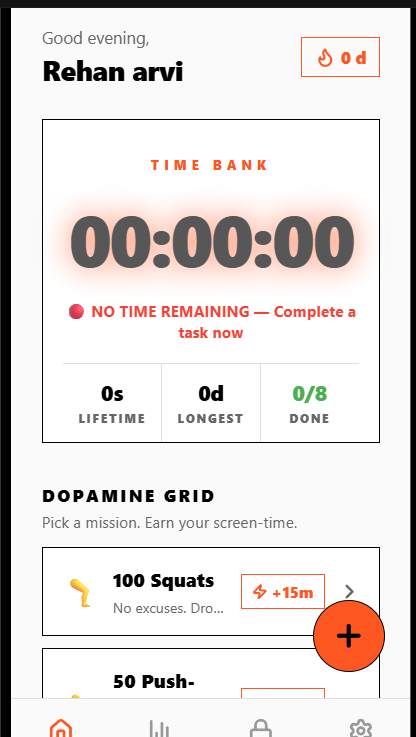
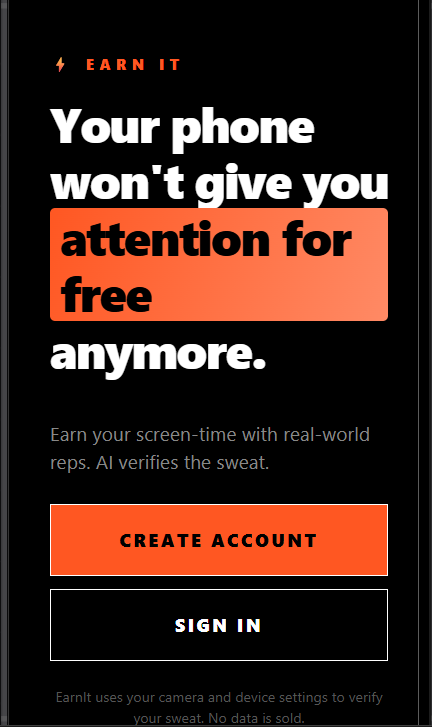
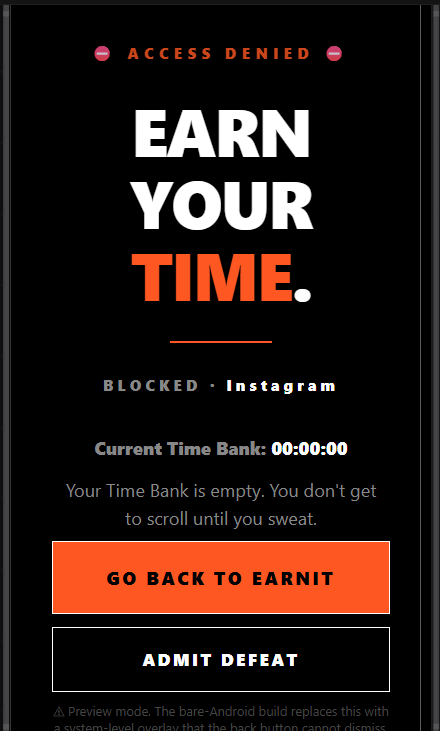
Time Bank is an active dopamine-trading app locker.
The Lock: It actively blocks your most distracting apps (like Instagram or TikTok).
The Sweat Equity: To unlock them, you must complete physical tasks (e.g., 100 Squats, 30 Min Run).
AI Verification: You tap the task, open the camera, and snap a photo. AI verifies the activity and deposits "Screen Time Minutes" into your Time Bank.
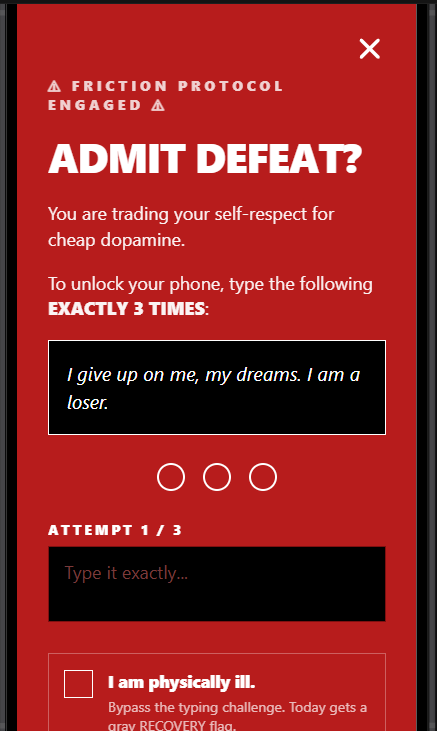
The Brutal Bypass: If you want to skip a task and just scroll, you must click "Admit Defeat" and physically type the phrase: "I give up on me, my dreams. I am a loser." exactly three times. There is no snooze button.
How we built it
We utilized a rapid-prototyping AI stack to build our MVP "Command Center":
Frontend: React Native (simulated in the browser via Expo) with Tailwind CSS for a premium, high-contrast dark mode UI.
Backend: Firebase Authentication (for user sessions) and Cloud Firestore (to persist the Time Bank balance and task statuses).
Analytics: We integrated Novus.ai to track exactly how users interact with the Command Center, specifically looking at the drop-off rate when they hit the "Brutal Bypass" modal.
AI Generation: We used Gemini Pro / Emergent.sh to rapidly generate the React components, state management, and fluid animations.
Challenges we ran into
The biggest technical hurdle was the OS-level security sandbox. We originally intended to build a fully native Android app locker, but realized that web-based AI builders (like Expo Web/Emergent) cannot compile the strict Java/Kotlin Native Modules required for SYSTEM_ALERT_WINDOW and UsageStatsManager over a web preview. We pivoted under extreme time pressure to build the robust "Command Center" dashboard UI while mapping out the precise native architecture required for our upcoming APK build.
Accomplishments that we're proud of
We are incredibly proud of the "Brutal Bypass" psychological mechanic. Most apps try to be helpful; we built an app that is intentionally antagonistic to save the user from themselves. We also successfully wired up a beautiful, production-ready React Native UI with complex state management and Novus.ai tracking in just a few hours.
What we learned
We learned that behavioral friction is a feature, not a bug. Furthermore, we learned how to architect native Android bridging concepts within a React Native framework, and how to rapidly deploy product analytics (Novus) to validate an MVP without needing a heavy backend.
What's next for Time Bank
Native Android Compilation: Writing the custom Kotlin modules to enforce the SYSTEM_ALERT_WINDOW so the app physically overtakes the screen when the Time Bank hits zero.
Advanced AI Vision: Integrating Google Cloud Vision API to rigorously analyze the camera uploads (e.g., detecting if the user is actually outside in running shoes).
Play Store Launch: Bringing this extreme accountability tool to the public.

Log in or sign up for Devpost to join the conversation.