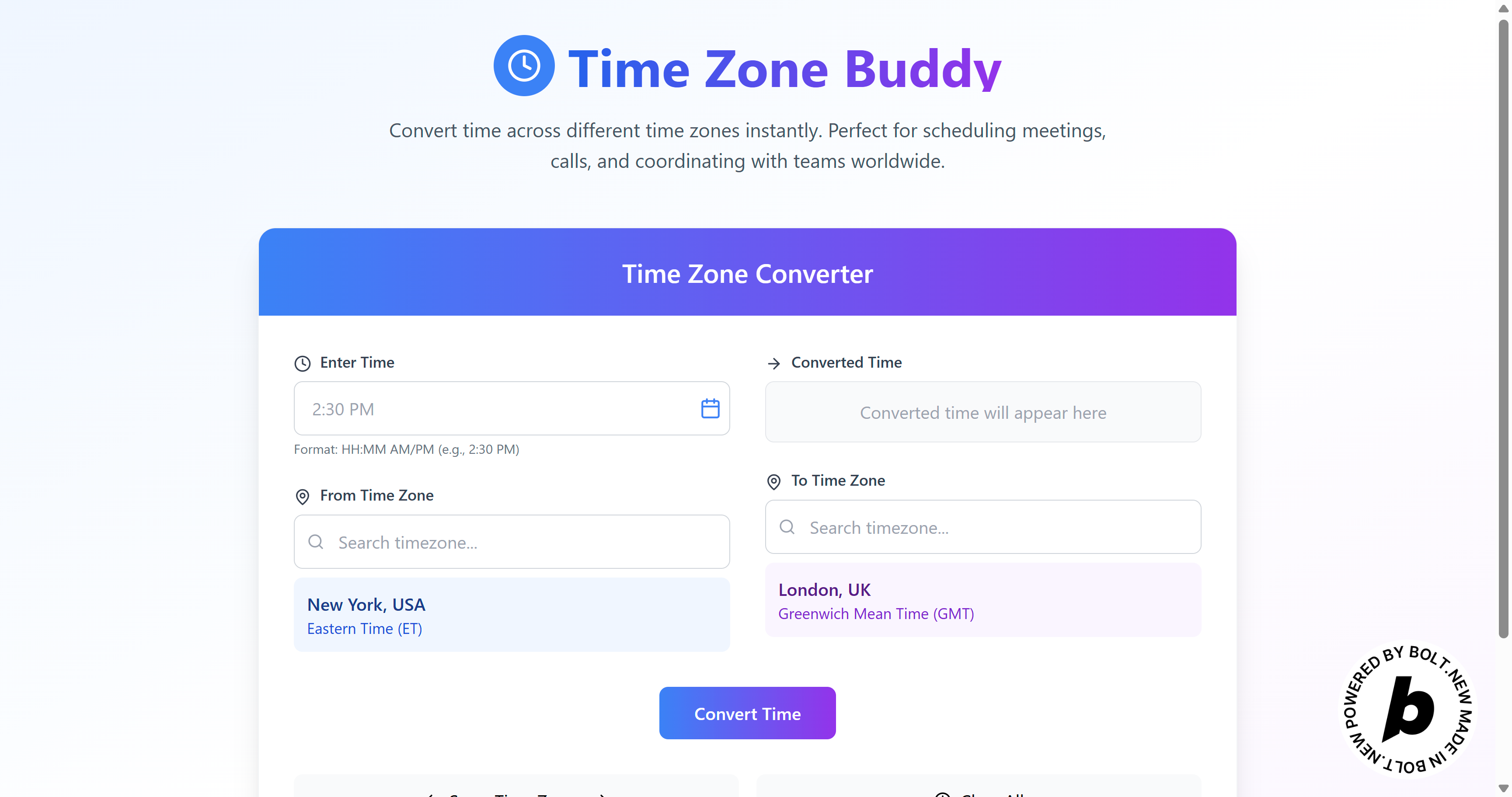
Timezone Buddy: End User Overview
What Can End Users Do?
Timezone Buddy is a web-based tool that allows you to:
- Instantly convert times between different time zones.
- View the day difference (e.g., if the conversion crosses into the next or previous day).
- Quickly swap time zones or reset the input.
How to Use Timezone Buddy
1. Enter a Time
- Type a time in the format HH:MM AM/PM (e.g.,
2:30 PM) in the “Enter Time” field. - Optionally, click the clock/calendar icon to auto-fill the current local time.
2. Select Time Zones
- From Time Zone: Use the search input to find and select your source time zone.
- To Time Zone: Use the search input to find and select your destination time zone.
3. Convert the Time
- Click the “Convert Time” button.
- The converted time will appear, including any day difference (e.g., "+1 day") if applicable.
4. Quick Actions
- Swap Time Zones: Instantly swap the source and destination time zones with one click.
- Clear All: Reset all fields to start a new conversion.
5. Error Handling
- If you enter an invalid time format, an error message will guide you to use the correct format (e.g.,
2:30 PM).
At a Glance
- No sign-up needed: Just open the app and start converting.
- User-friendly: Search, select, and convert in a few clicks.
- Visual feedback: Errors and results are clearly displayed.
- Mobile-friendly: The interface adapts to different screen sizes.
Summary:
Timezone Buddy makes it simple to coordinate across time zones. Just enter your time, pick the zones, and convert—perfect for global teams and anyone scheduling across countries!
Built With
- bolt
- react
- typescript
- vite

Log in or sign up for Devpost to join the conversation.