-
-
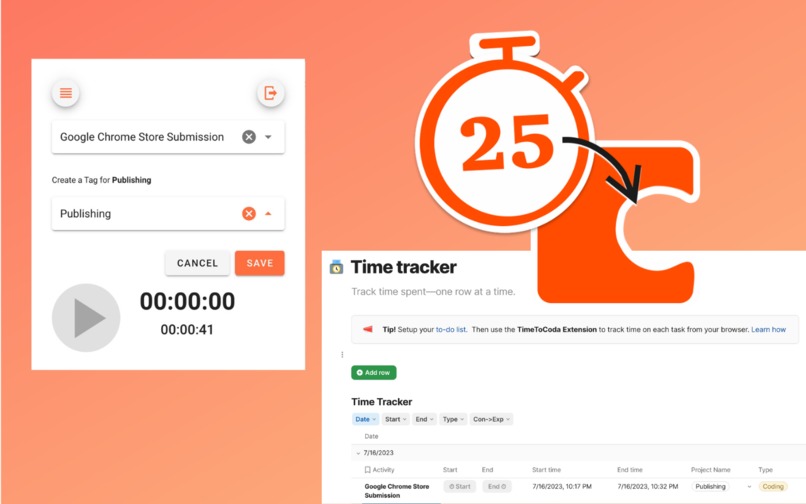
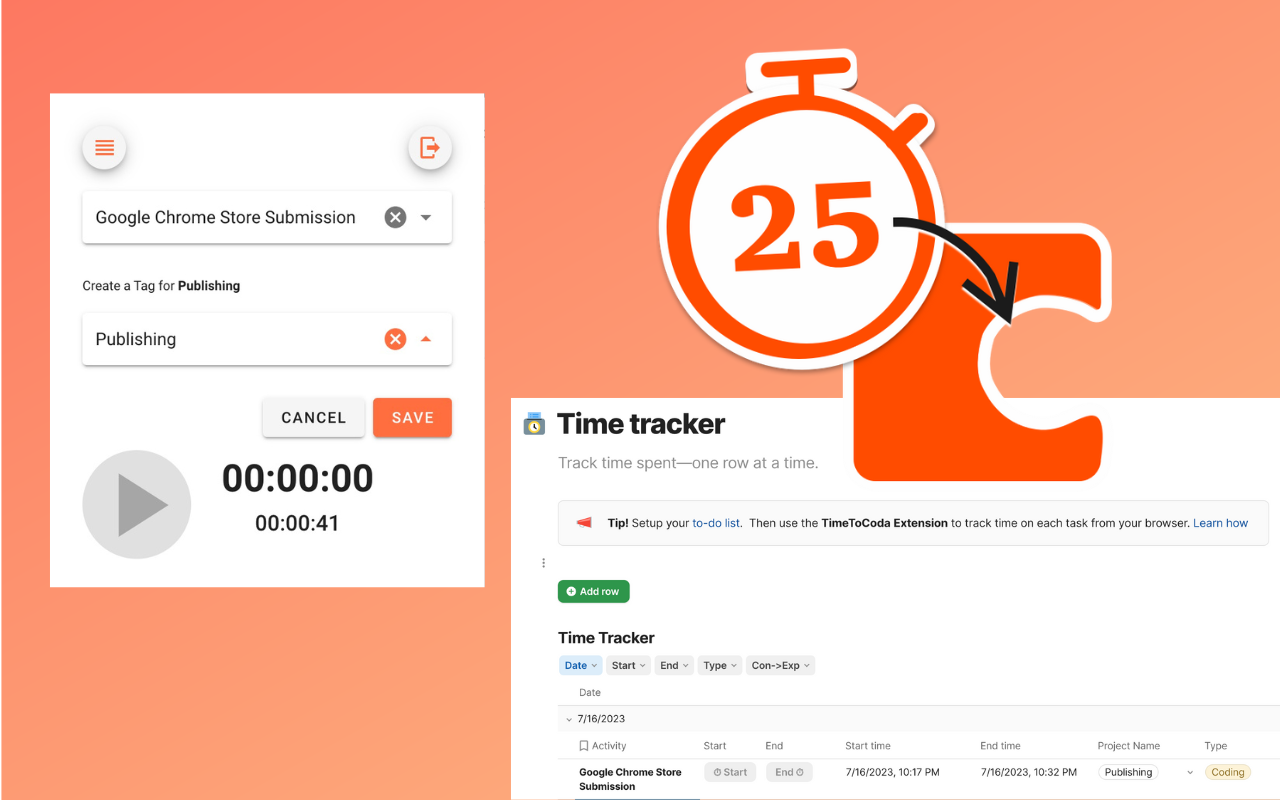
Access your to-do list and activities from the Chrome Extension
-
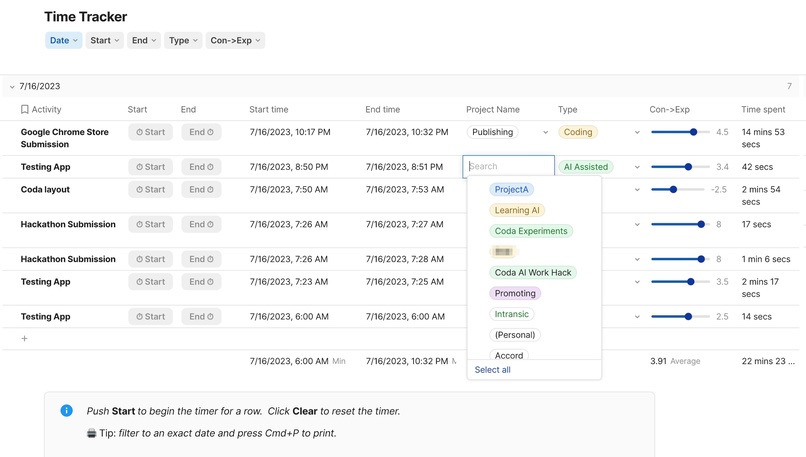
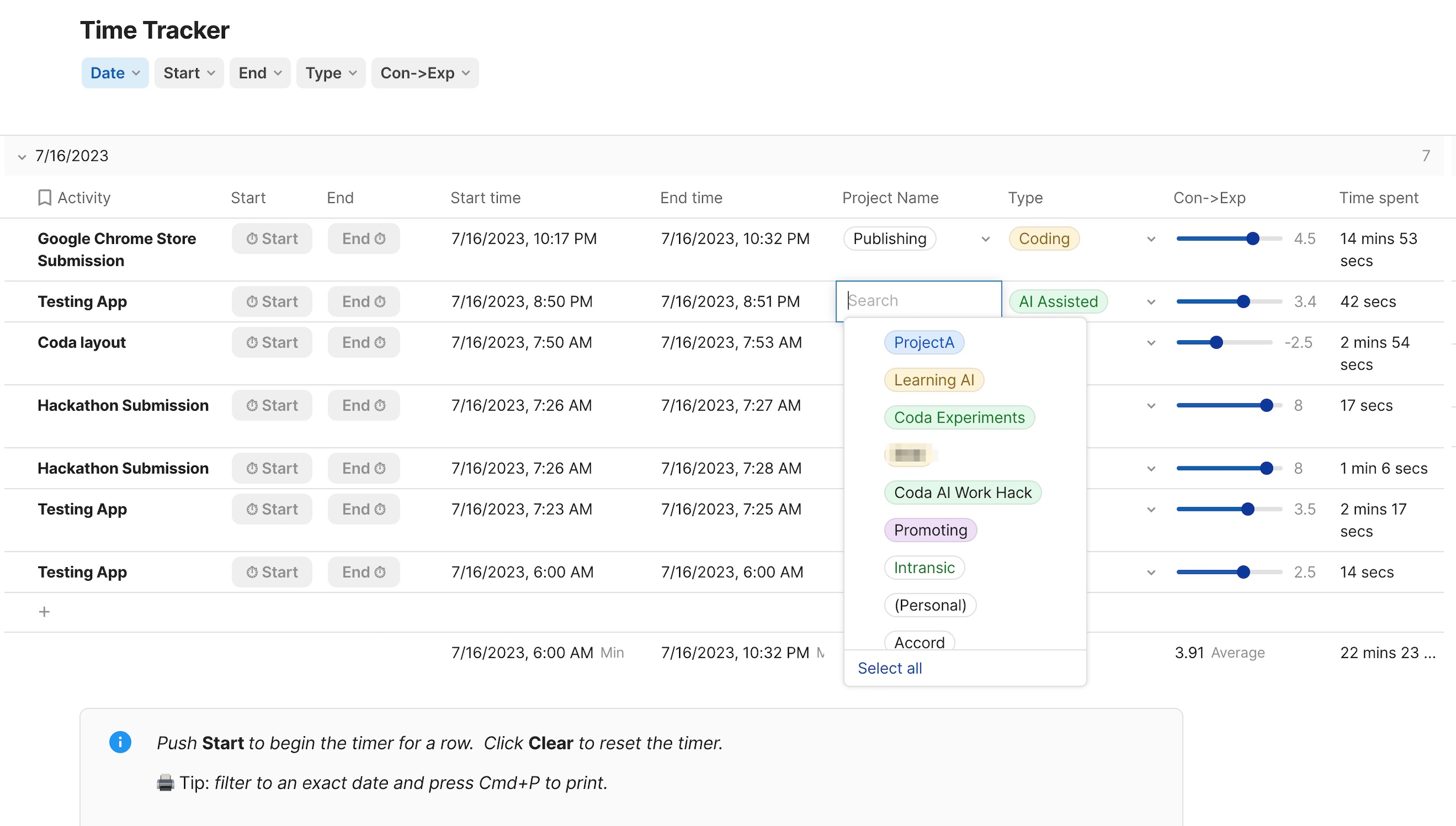
Track your time on tasks in Coda or from the Chrome Extension
-
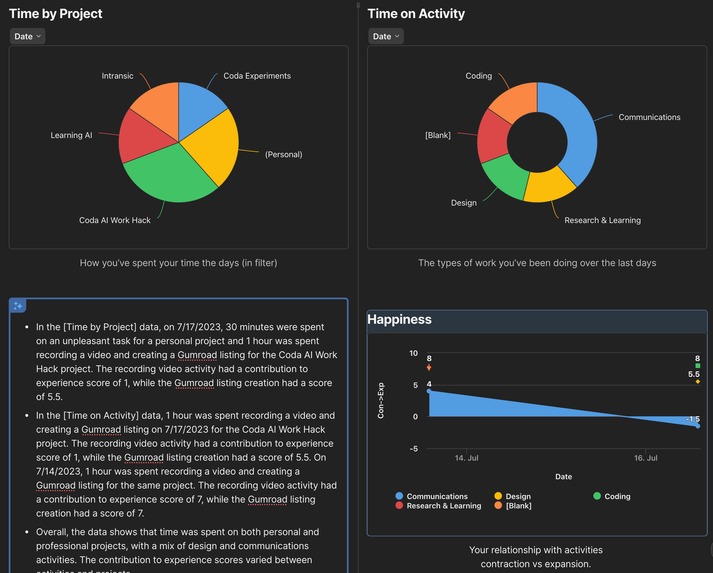
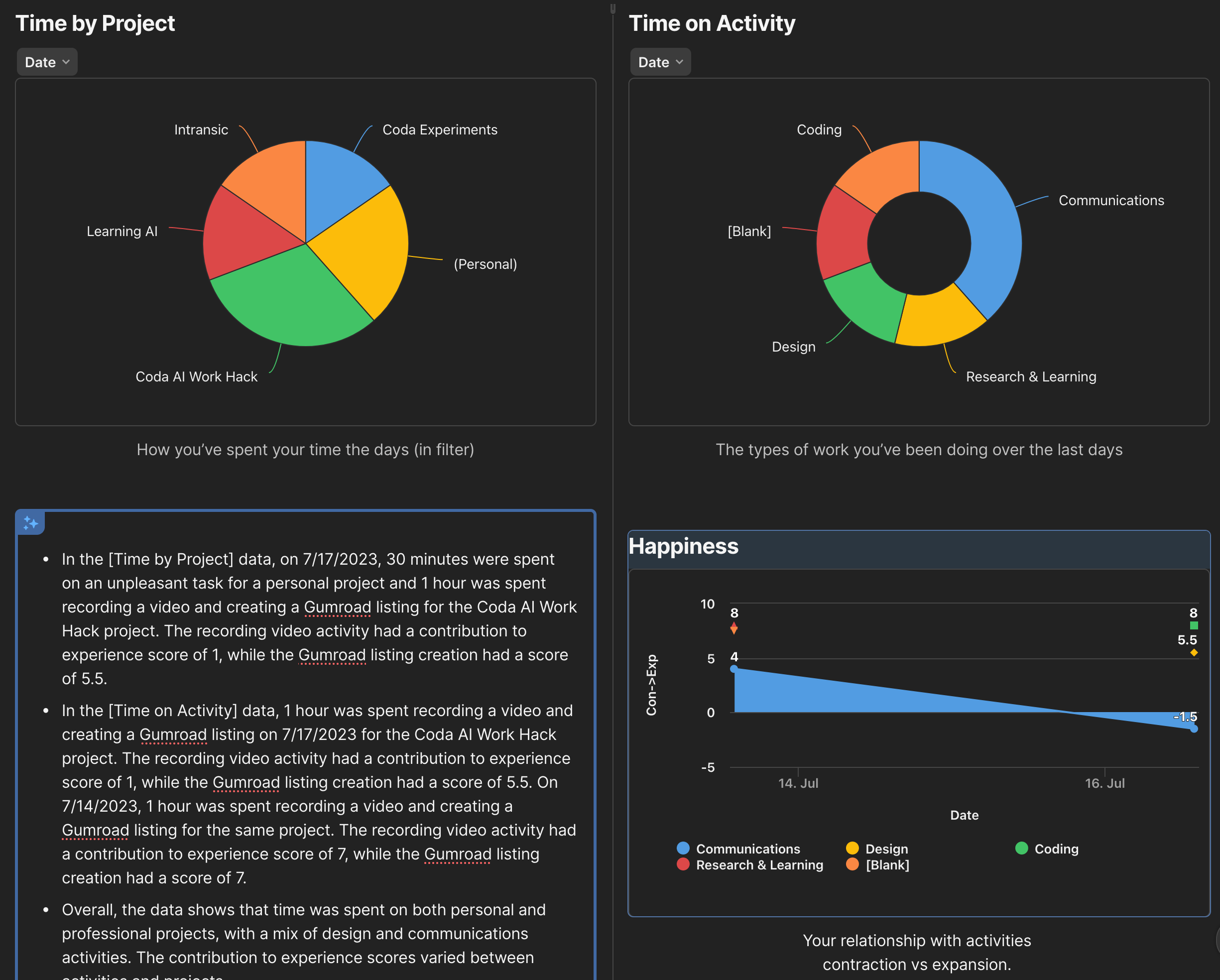
Gain insights on how you are spending your time
-
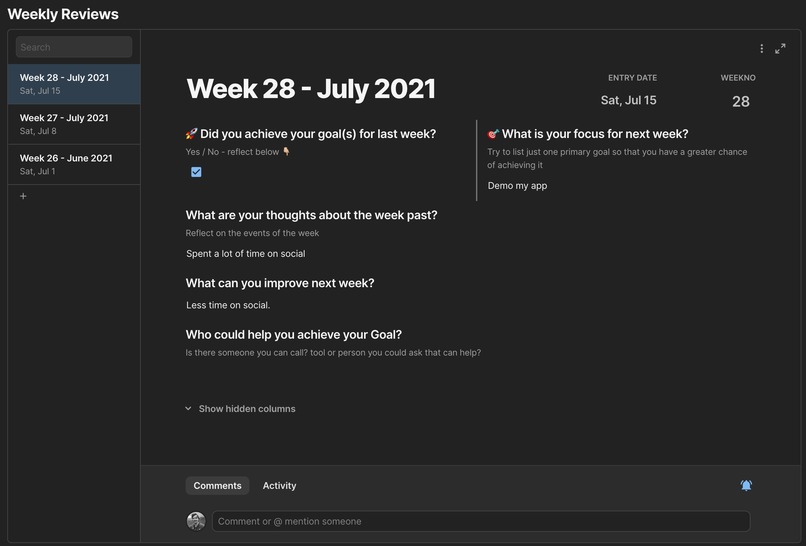
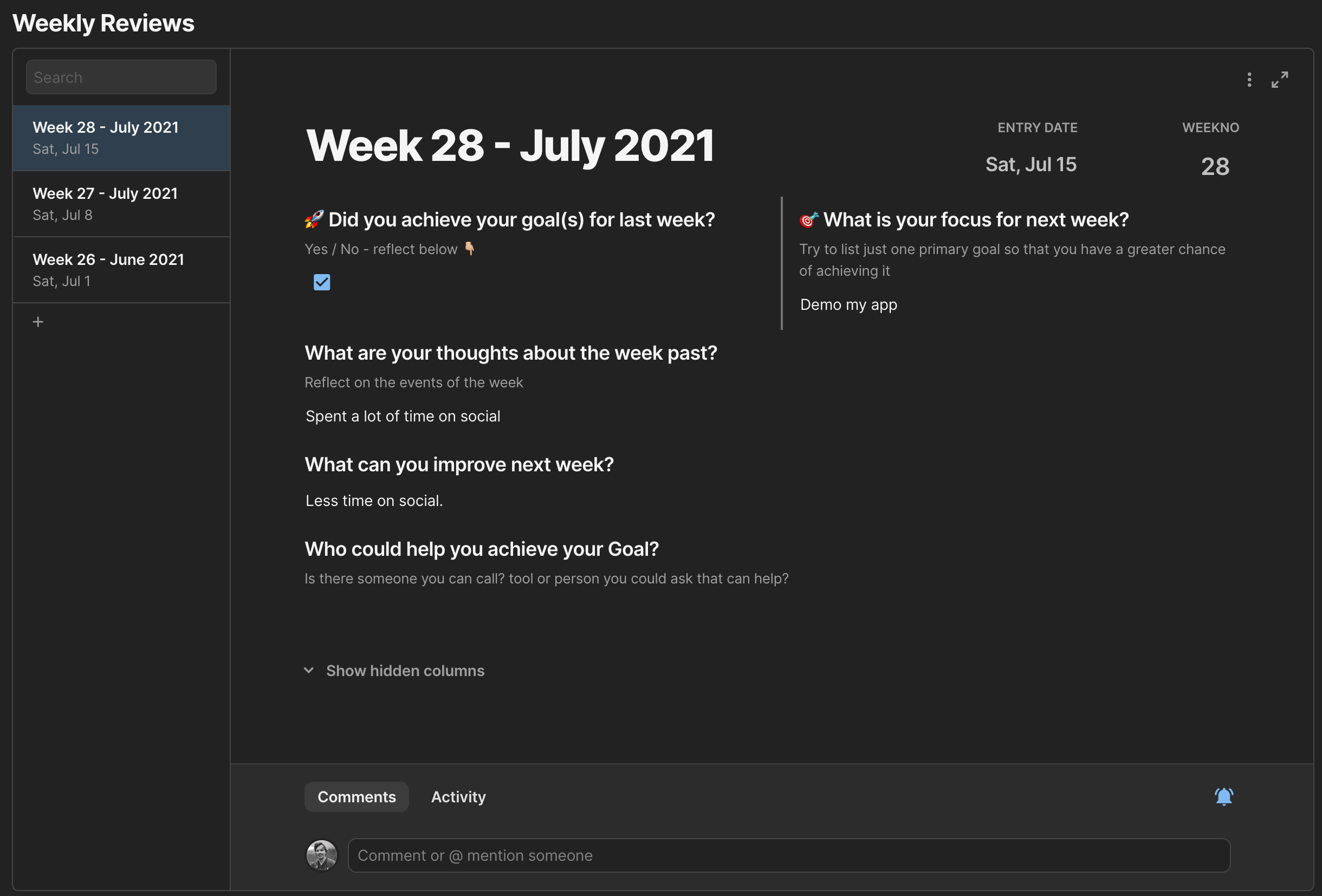
Reflect on your week, track progress and set your goals
Inspiration
Do you finish a day or a week and say “Where did my time go?”
What if a tool could conveniently monitor the activities of your day and tell you exactly that. What if it could go further and tell you what tasks you should do more or less of, what to delegate or outsource?
Time to Coda sets out to answer these questions.
What it does
Tracking and analysing time can be tedious. TimeToCoda makes it easy and insightful in 2 ways:
1. Don't lose your place. Use the Browser extension
Time To Coda has an accompanying Browser Extension that allows you to track your time even if you’re not in Coda; or if working in a different Coda doc. From within the extension: Tasks from your Coda docs and To-do list are selectable from drop downs. Simply choose and tap start and stop when finished.
Back in Coda Time logged can be edited and annotated from within Coda. Coda looks at the user context, task description and other factors to suggest the Activity Type, Project & Happiness factor. This powerful AI feature means richer data, better dashboard charts and insights into how you spent your time.
2. AI Assisted Insights
TimeToCoda is designed for peak performing individuals: freelancers, creators or startup founders who not only value their time but the insights come from analysing how they spend it.
Use the dashboard charts and AI summaries to help you to reflect each week on whether you achieved your goals and make decisions on how to improve the next week.
How I built it
Calculated columns, formulas, groupings and filters made it easy to establish effective user interfaces.
Charts effectively provided the visualization of data. Coda made it easy to add AI Columns, blocks and summaries that actually save time and provide valuable insight.
Challenges I ran into
AI can make some odd suggestions until there is enough data. Yet, persevere. The AI will learn your activities and make more relevant suggestions over time.
Accomplishments that I'm proud of
Integration from the Chrome Extension is the icing on the cake. That aside, data flows well from all areas of the doc, starting with the Tasks for the day into Tracking activities and the Dashboard. Then with the Weekly review, it's a powerful tool for gaining insights.
The process of reflecting and checking-in each week is powerful and an essential tool for peak performers looking to tweak every aspect of their productivity.
What I learned
I was surprised to find Charts were a built-in feature of Coda. Unlike in competitor no-code tools where charts are an expensive add on. The Doc works well as an App on Mobile without any customisation.
What's next for Time to Coda
1/ Printing timesheets is possible by use of filters. But I think this could be improved. 2/ I’d like to see Time to Coda featured in the Gallery and to Partner with other Coda developers to integrate with their Templates. Each individual and team has their own take on what they need in their own productivity system so I’ve designed Time To Coda to be adaptable to others Docs.
Get the doc
Built With
- chrome
- coda
- javascript
- vue


Log in or sign up for Devpost to join the conversation.