-
-
Time is Money Price Converter
Inspiration
Shopping often feels abstract—we see numbers without grasping their real cost. Research shows people make better financial decisions when prices are framed as time, not money. We wanted to make every purchase decision tangible: "Is this worth three days of my life?"
What it does
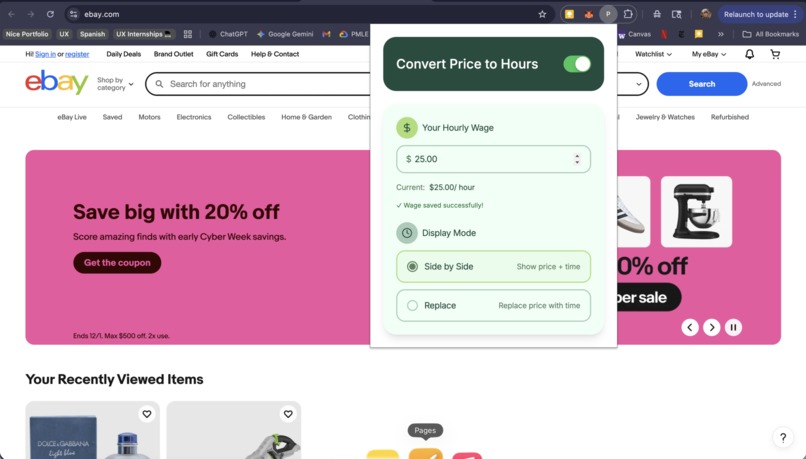
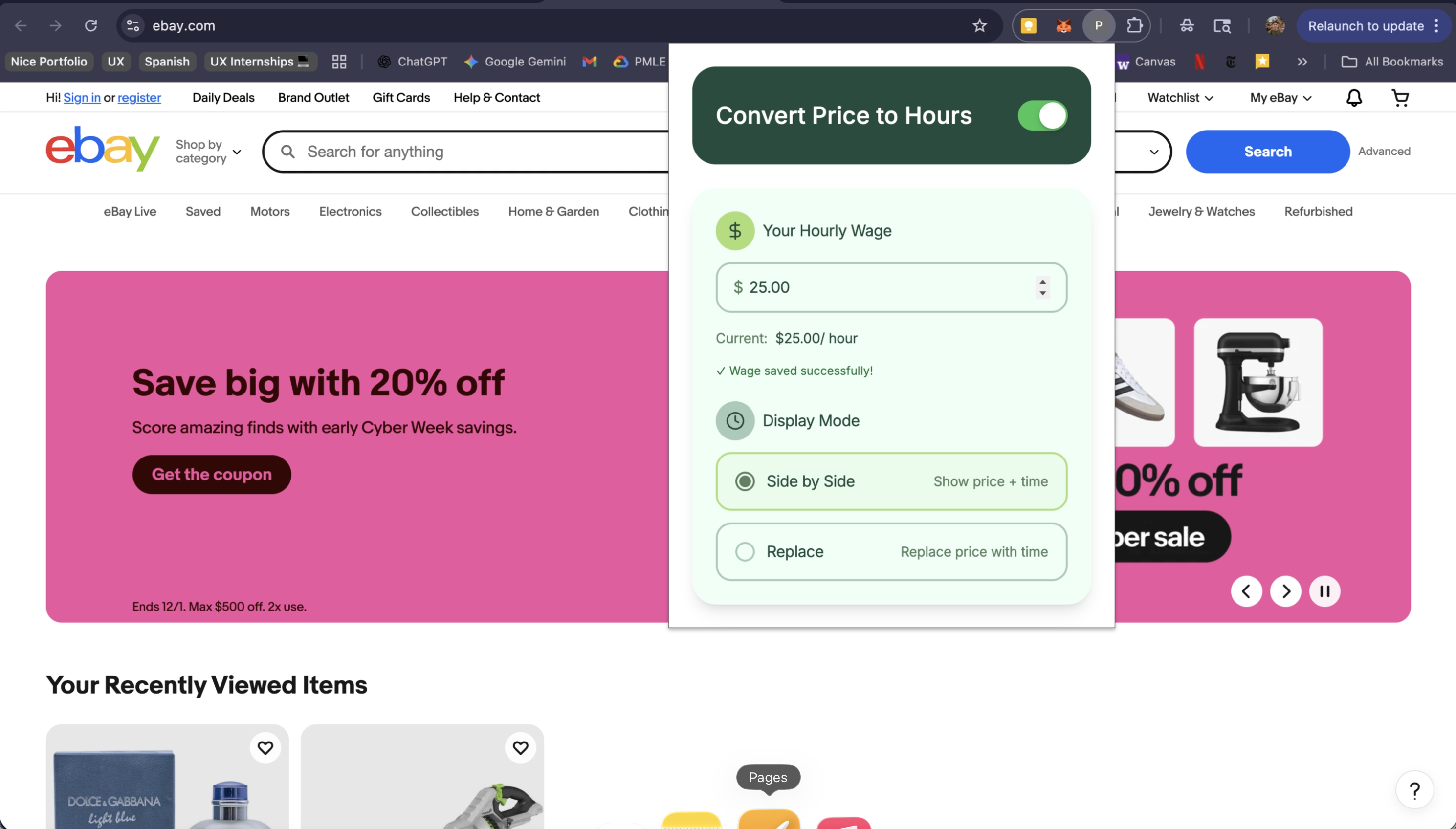
Time is Money converts prices into work hours while you shop online. Users set their hourly wage once in the popup settings, then choose between two display modes: "Side by Side" (shows original price + work hours) or "Replace" (replaces price with work hours). The extension automatically detects prices on e-commerce sites and performs real-time conversion as you browse.
How we built it
Development process: Cursor rules first: We set up cursor rules to guide AI behavior and maintain consistency. Task-based approach: For complex tasks, we let the AI plan first; for simpler fixes, we let it implement directly. Figma MCP integration: We used Figma MCP to extract design tokens (colors, typography, spacing) and apply them to the UI for pixel-perfect implementation. and regex patterns Chrome Storage API: Persists user preferences locally for privacy Toggle System: Easy on/off switch and two display modes for different user preferences
Challenges we ran into
Price formats vary wildly across e-commerce platforms—some use "$", others "USD", with inconsistent comma/decimal usage. Building reliable price detection that works universally required extensive pattern testing. Balancing non-intrusive UI with visibility was also tricky—we wanted the conversion visible but not disruptive to the shopping experience.
Accomplishments that we're proud of
Clean, minimal interface that's immediately understandable. Flexible display modes give users control over their experience. Client-side processing ensures complete privacy—wage data never leaves the browser. Successfully works across major e-commerce platforms.
What we learned
Sometimes less is more—focusing on core functionality (accurate conversion + simple settings) creates a more reliable tool than overloading with features. User preference matters: offering "Side by Side" vs "Replace" modes accommodates different mental models for processing information. Technical simplicity often leads to better user experience.
What's next for Time is Money Price Converter
Personality-driven messages with tier-based reactions ("Easy peasy!" for cheap items, "That's half your week!" for expensive ones), multi-currency support for international shopping, custom comparison anchors ("That's 3 gym memberships"), weekly spending recap showing total hours browsed, and gamification with achievement badges for mindful spending streaks.Retry
Built With
- css
- javascript
- manifest

Log in or sign up for Devpost to join the conversation.