-
-
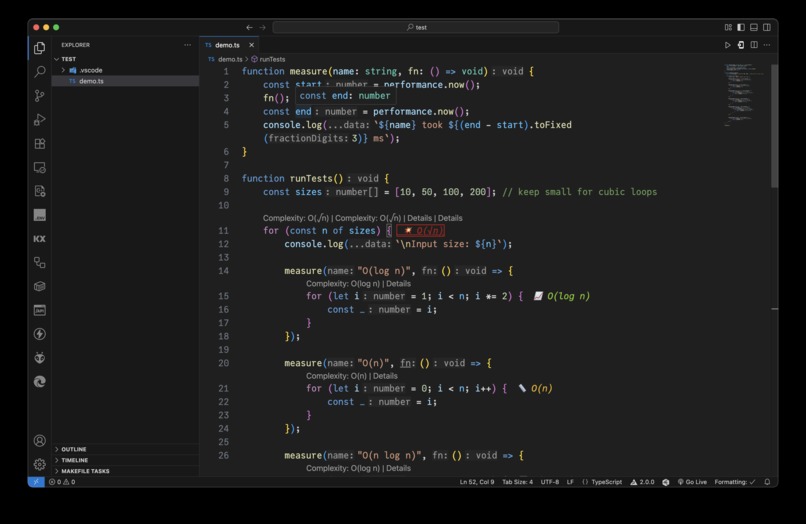
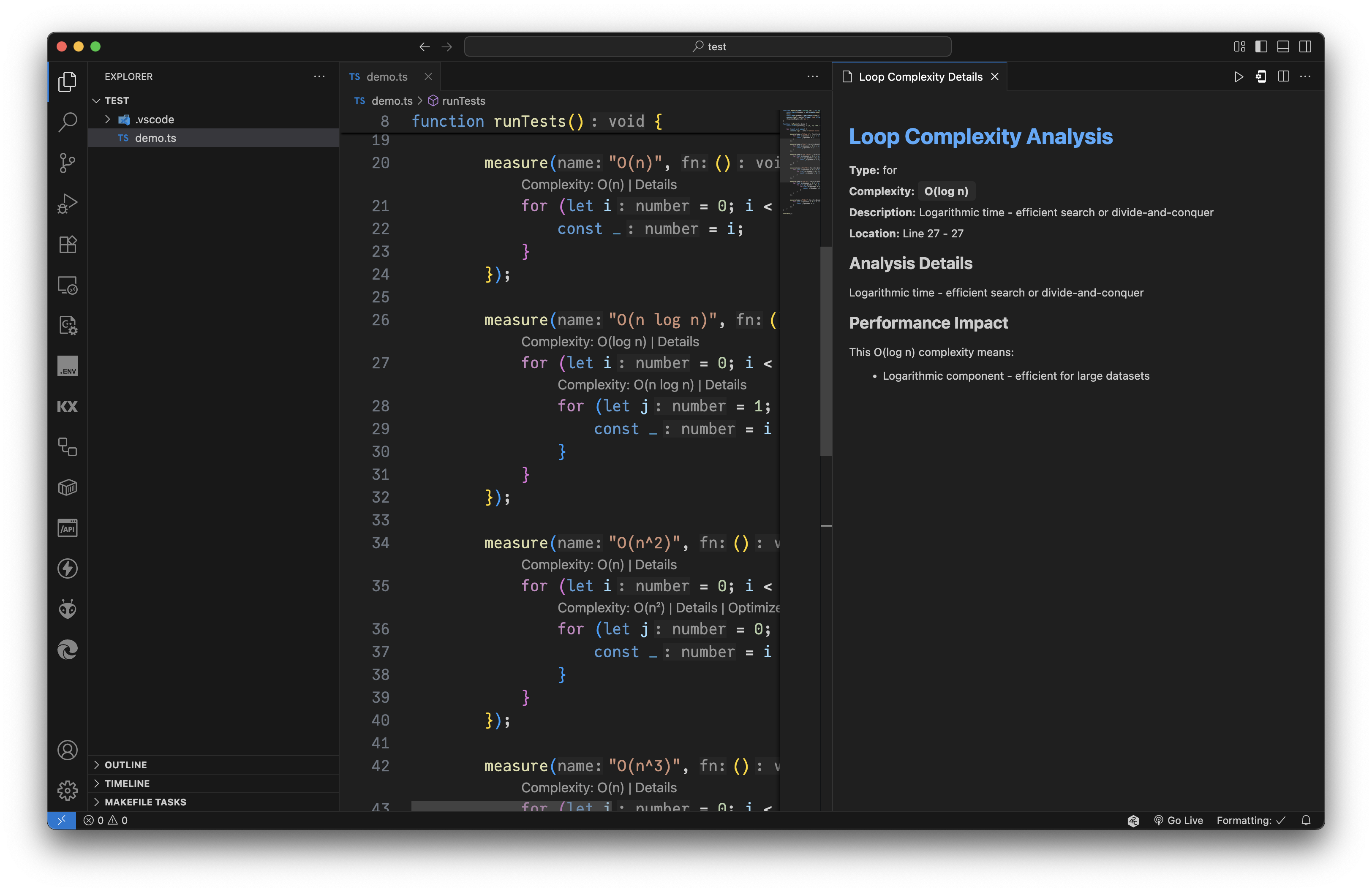
Appearance
-
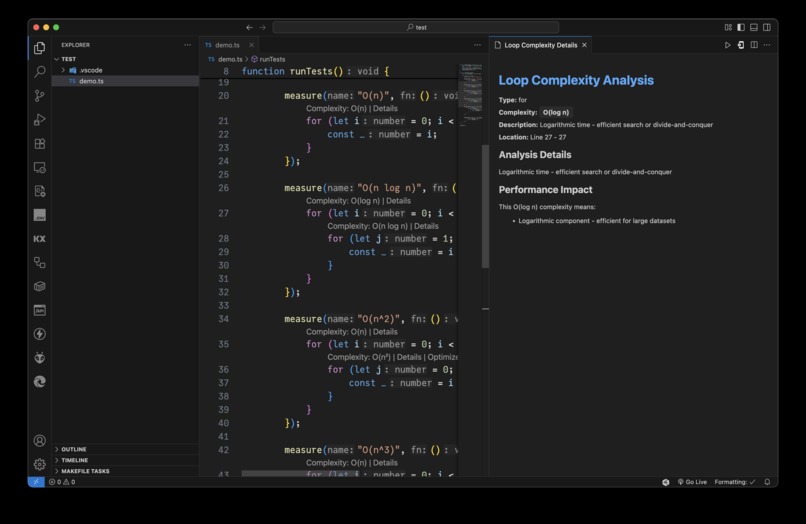
Suggestions
-
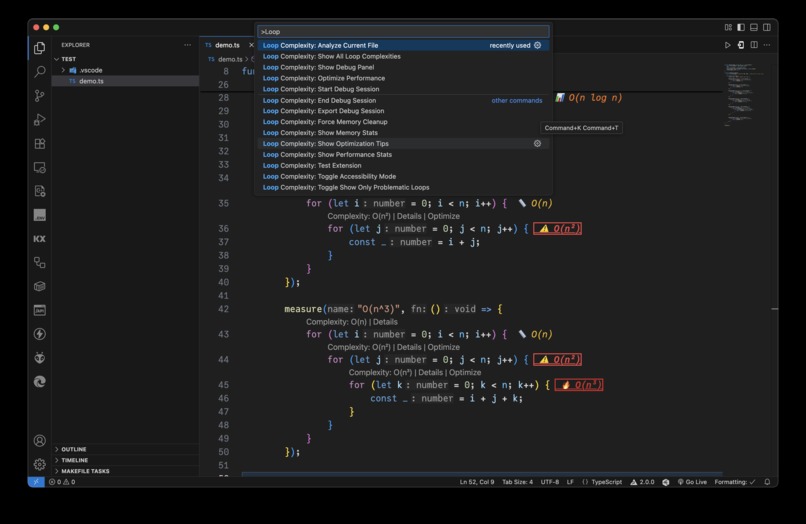
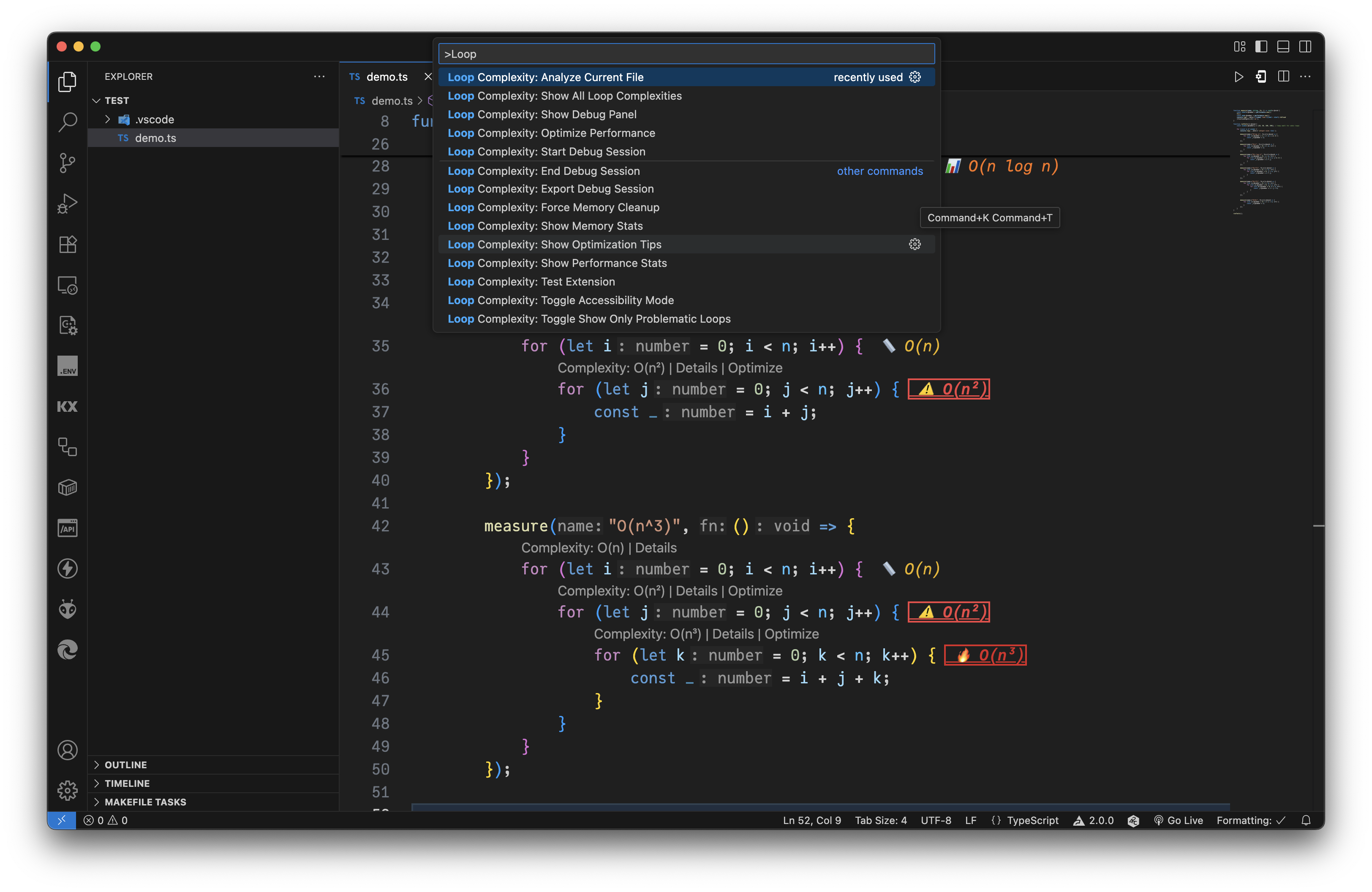
Command Pallete
Inspiration
Developers often underestimate how costly loops can be. Time complexity is taught in theory, but rarely visible during everyday coding. We wanted to make algorithmic performance clear, actionable, and accessible right inside the editor so developers can write smarter code without needing to manually analyze every loop.
What it does
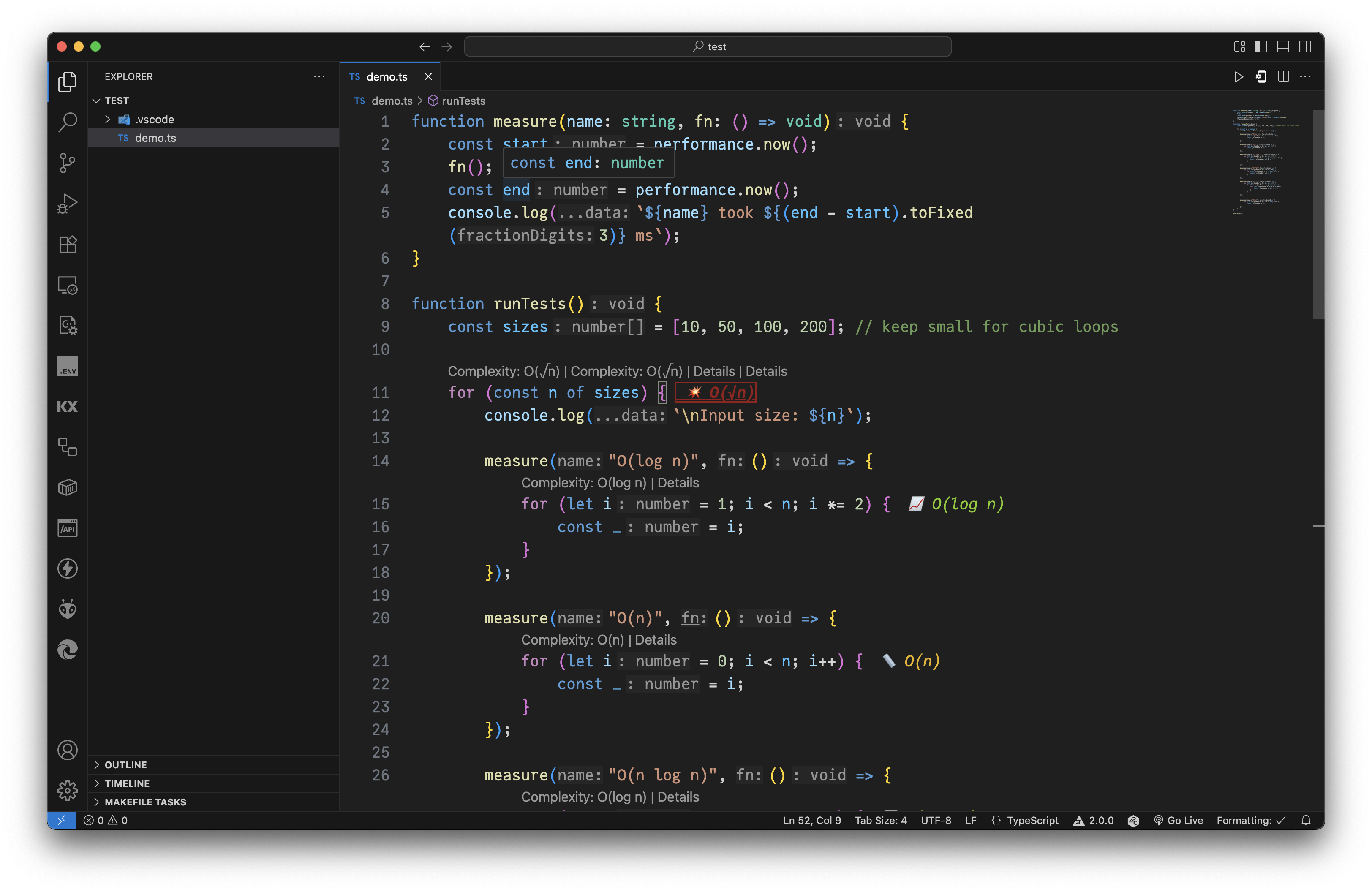
The Time Complexity Analyser is a VS Code extension that automatically detects loops in your code, determines their time complexity, and overlays lightweight inline indicators or CodeLens entries. It highlights costly loops (O(n²) and beyond), provides hover explanations, and even suggests optimizations.
How we built it
We built the project entirely in the Kiro IDE using a vibe coding approach. Instead of traditional coding, we collaborated with Kiro to brainstorm architecture, refine our design, and generate production-ready code. Kiro helped us:
- Spec-to-code: We started by chatting to Kiro about the idea. Kiro translated specs into initial TypeScript modules.
- Iterative vibe coding: Through conversational refinement, we asked Kiro to adjust patterns, error handling, and performance optimizations, while we focused on design decisions.
- Testing setup: Kiro assisted in creating unit and integration tests across multiple languages and edge cases.
- Polish: We used Kiro’s inline coding to wire up accessibility features and fine-tune VS Code decoration details.
This process let us focus on what to build and why, while Kiro handled much of the repetitive coding.
Challenges we ran into
- Getting consistent loop detection logic across multiple languages with different syntax families.
- Ensuring real-time analysis ran smoothly without slowing down the editor.
- Balancing informative visual cues with non-intrusive design.
- Adapting our spec-driven approach into Kiro’s conversational coding style.
Accomplishments that we're proud of
- Delivering a modular, extensible architecture that can easily support new languages.
- Achieving real-time analysis without noticeable performance impact.
- Fully building the extension inside Kiro.
What we learned
- How to pair human system design with AI-assisted coding effectively.
- The value of separating concerns between analysis, configuration, and visualization.
- That accessibility requires early and deliberate design choices.
- How much faster prototyping becomes when you can vibe code with Kiro instead of writing boilerplate.
What’s next for Time Complexity Analyzer
- Add recursion and algorithmic pattern recognition (not just loops).
- Provide an educational mode that explains why a loop is O(n), O(n²), etc. step by step.
- Expand language support (PHP, Ruby, Kotlin, etc.).
- Introduce AI-powered optimization tips for replacing inefficient loops with better algorithms.
- Use tree-sitter instead of regex

Log in or sign up for Devpost to join the conversation.