-
-
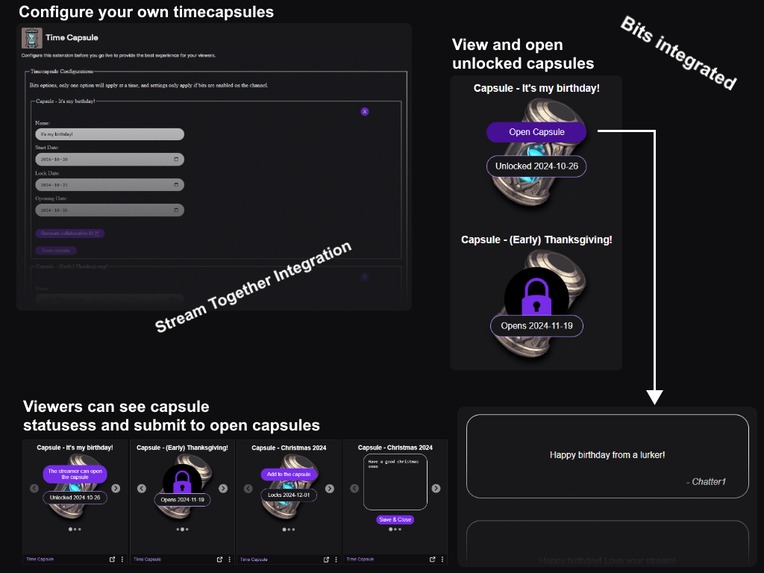
Extension overview
-
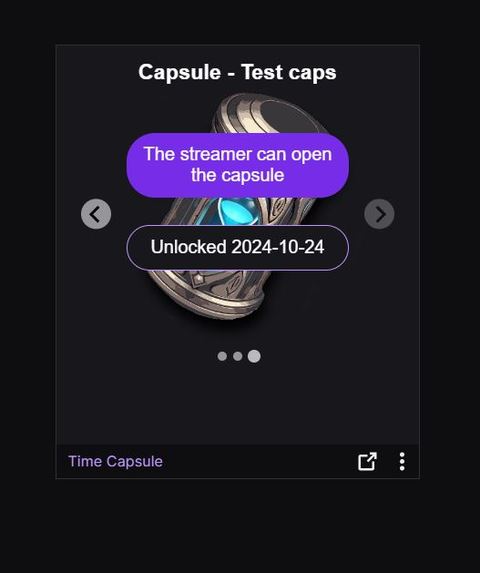
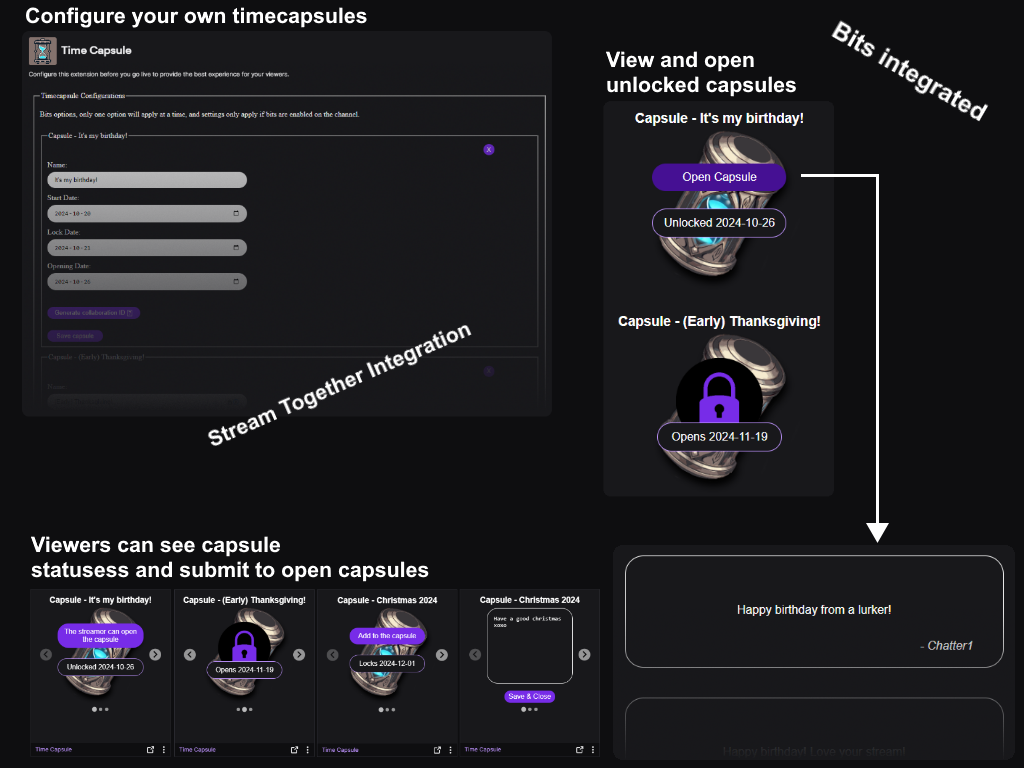
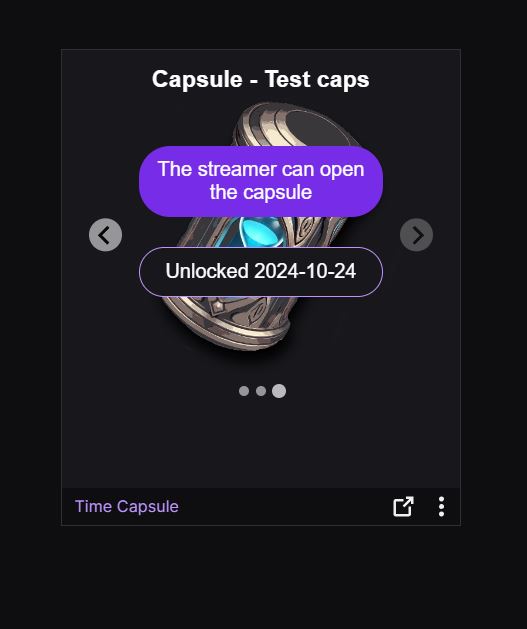
Unlocked capsule, the streamer can view the submissions
-
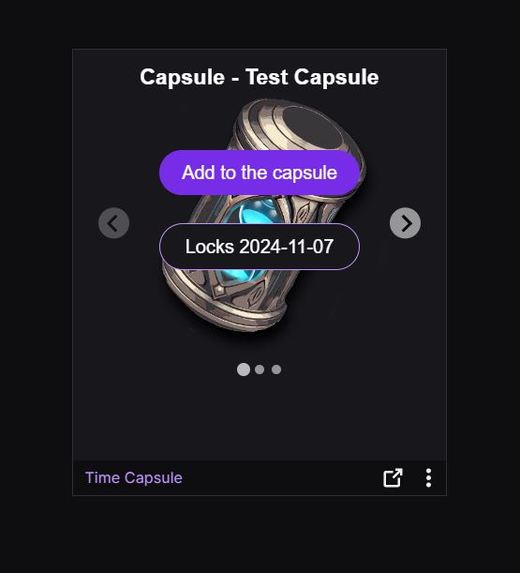
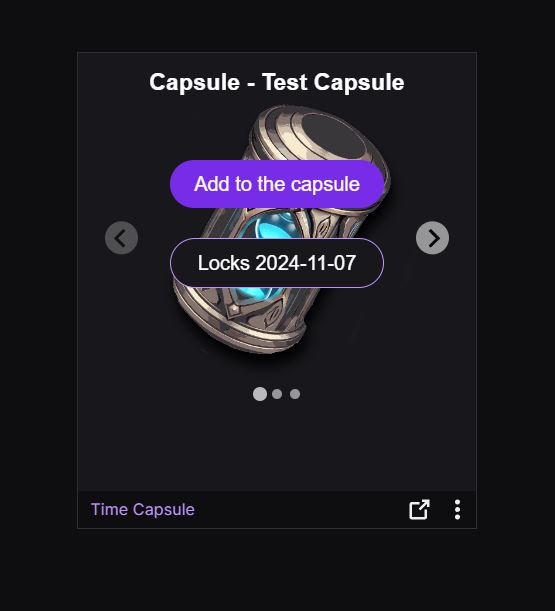
Open capsule, viewers can submit messages until the "lock date"
-
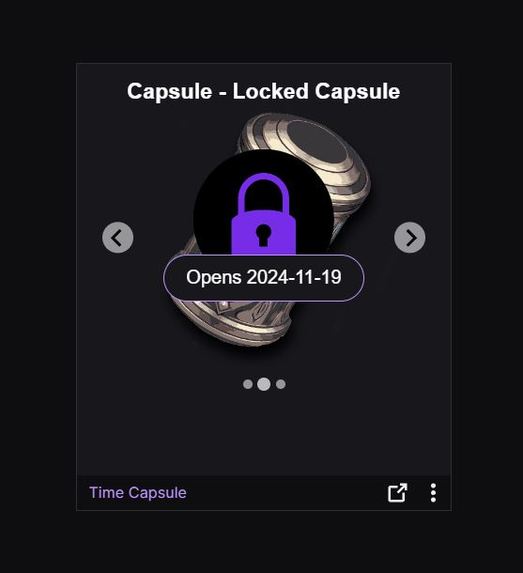
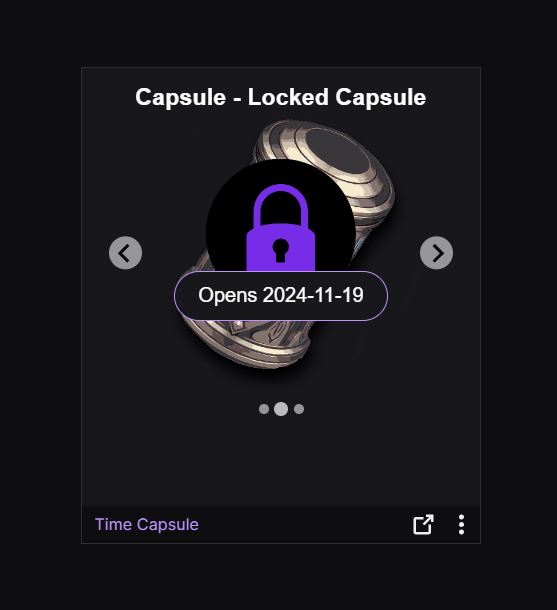
Locked capsule, the viewers can't submit and the streamer can't read submissions yet
Inspiration
The inspiration for Time Capsule came from me recently starting a fitness journey, and a friend suggested I take some “before” photos to hide away for six months. The idea was that small, day-to-day changes might go unnoticed, but comparing the photos after half a year would reveal a noticeable difference.
Since this happened recently it helped spark the concept for Time Capsule when I joined the hackathon. It gives streamers a similar opportunity for reflection and growth, but with even more potential applications. Streamers can use it to look back at their journey from a year ago or to prepare messages for special milestones like anniversaries or holidays.
What it does
Time Capsule is a Twitch extension that allows streamers to create timed capsules to collect messages from chat for special events or dates. The goal is to encourage viewer engagement, streamer collaboration and also to give the streamer a goal to work towards, keeping them engaged with streaming.
How It Works
Capsule Creation
The streamer creates a capsule, gives it a name, and sets both a lock date and an unlock date.Message Submission
Viewers can submit messages to the capsule up until the lock date.Locked Capsule
After the lock date, viewers can no longer submit messages. The capsule remains sealed, and the streamer cannot access any submissions.Capsule Unlock
Once the unlock date arrives, the capsule opens, allowing the streamer to view all submitted messages.
Customization Options
Message Requirements
Streamers can choose to enable a bit requirement for messages that exceed 250 characters or contain links.Collaboration Capsules
Streamers can create a shared capsule with another streamer, combining two communities. When the unlock date is reached, these capsules can only be opened if both streamers are live in an active "stream together" session.
How I built it
I began by following a Twitch's extension tutorial to establish the project’s foundation. With the base setup in place, I moved on to building the backend using MongoDB and Mongoose (JS) to interface with the database. The backend also integrates with the Twitch API to retrieve information on Guest Star sessions.
To keep the extension lightweight, I tried to minimize the use of third-party libraries. All development was handled by me as a solo project specifically for this hackathon. None of it existed before the event.
Challenges I ran into
One of the biggest challenges I faced during development was handling the various types of authentication required, particularly for backend access to the Guest Star API. The differences between app IDs, extension IDs, and user IDs and knowing which to use in each situation was tricky at first.
It took a fair amount of trial and error to get it right, but after some digging and experimenting, I successfully implemented the necessary authentication. This learning curve taught me a lot about Twitch’s API structure and prepared me for similar challenges in the future.
Accomplishments that I'm proud of
I'm proud of overcoming the challenges I mentioned above but mostly I'm just proud of the whole project coming together like it did. I feel like the extension is easy to use both for the streamer and for the viewers.
Visual design is usually challenging for me, so I’m especially pleased with the minimalistic yet effective design I achieved. Keeping it intuitive without sacrificing functionality took careful planning, and seeing it all come together feels incredibly rewarding.
What I learned
I learned a lot about the twitch API and extension build, review and release process.
What's next for Time Capsule
I plan to add more customization options for streamers. One of my next goals is to introduce tiered bit requirements, allowing streamers to set different bit thresholds for messages based on character count or media type instead of the current predetermined prices.
Additionally, I’d like to enhance the message display by implementing embedded images and videos directly within the interface instead of just displaying the links.


Log in or sign up for Devpost to join the conversation.