-
-
01-time-capsule-explained
-
02-connect-streamer-and-bot
-

03-server-health-check
-
04-viewer-chat-and-bot-replies
-
05-obs-browser-source
-
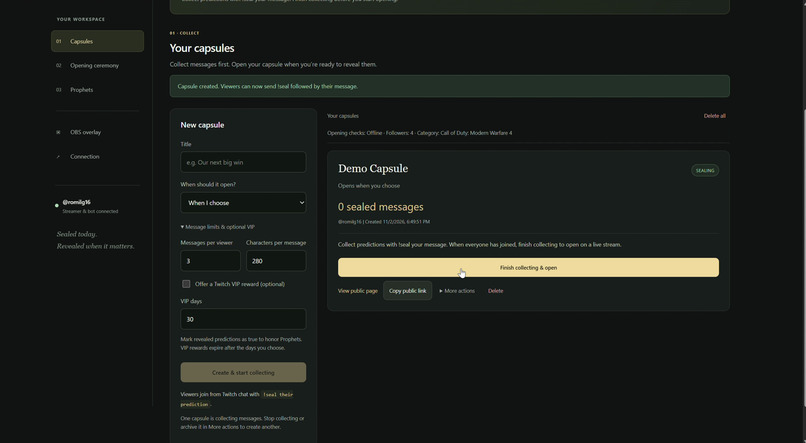
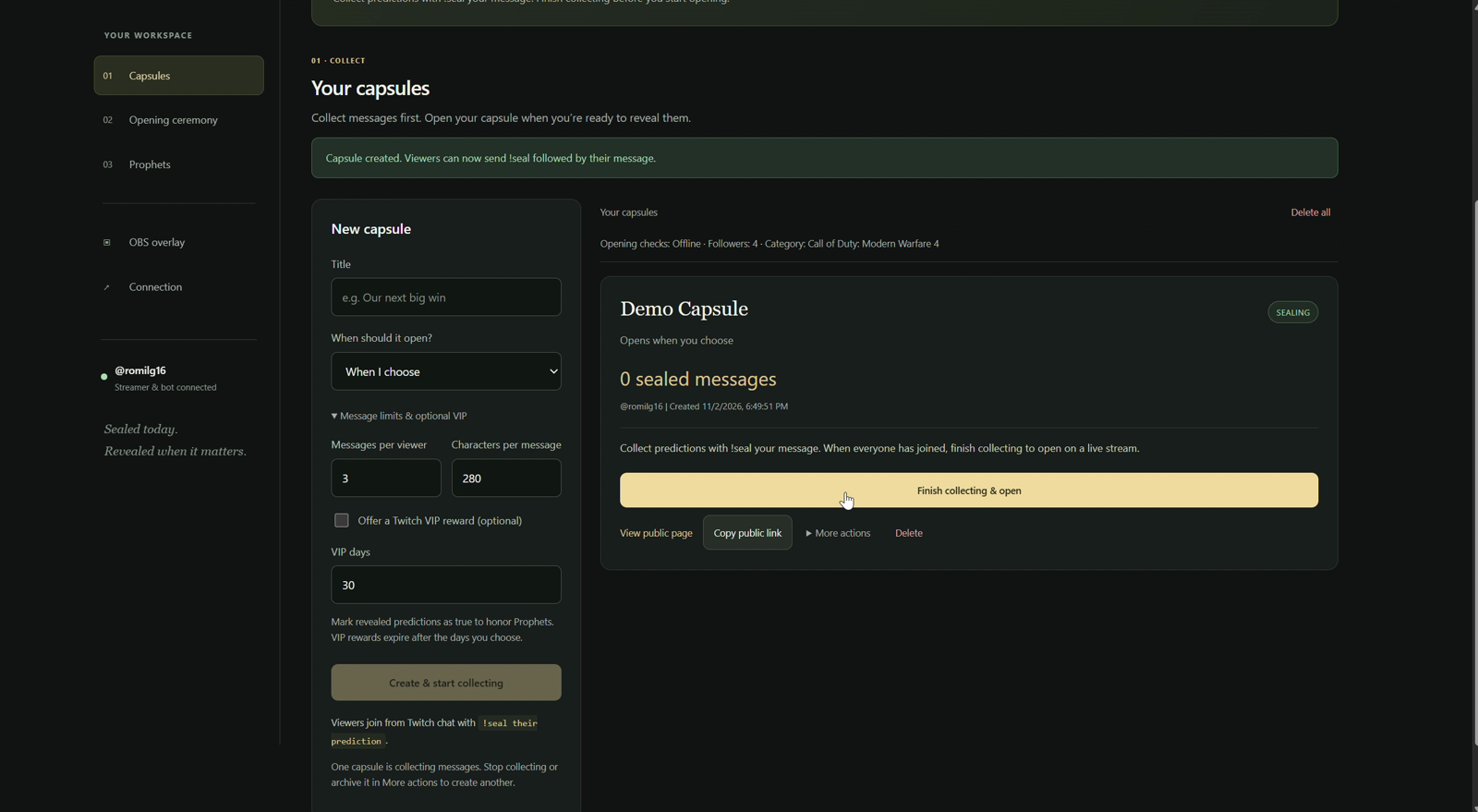
06-create-and-collect-capsule
-
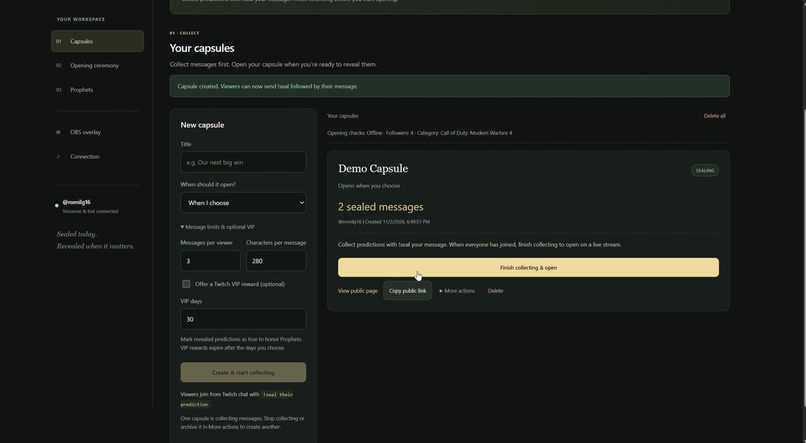
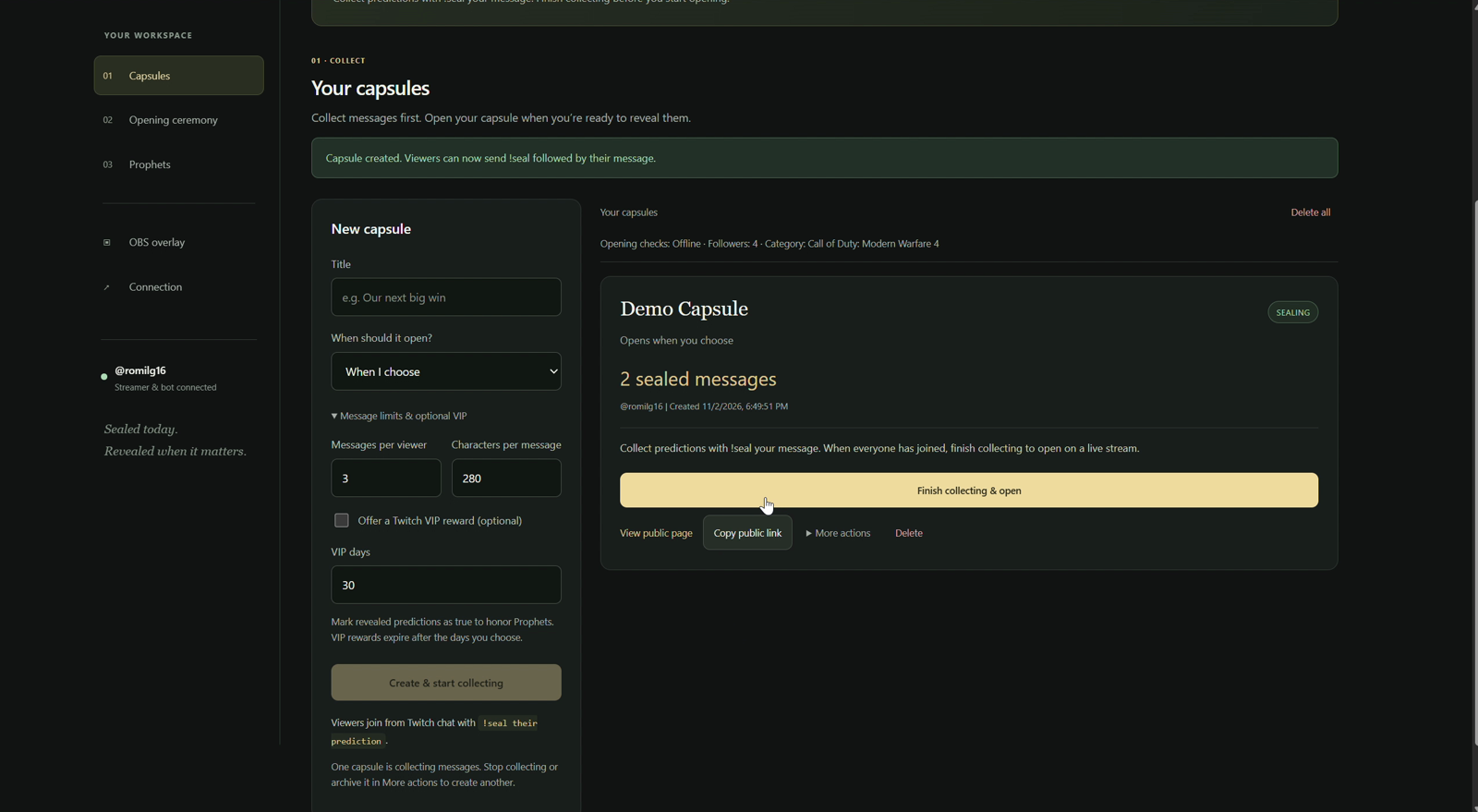
07-sealed-message-count
-
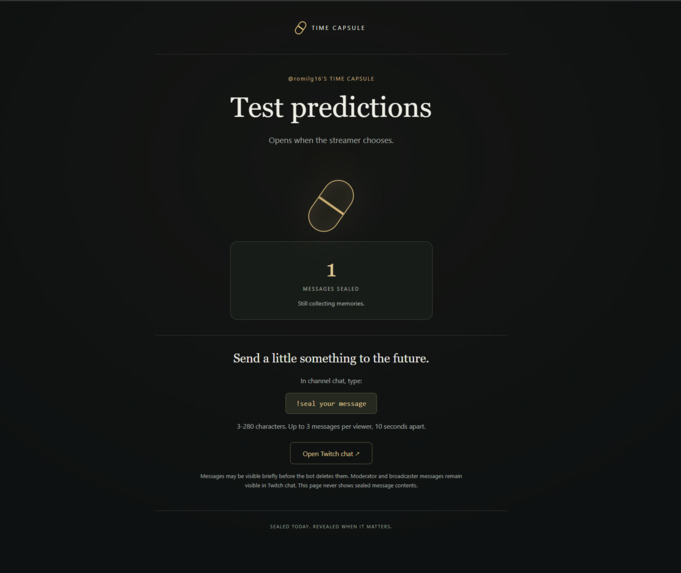
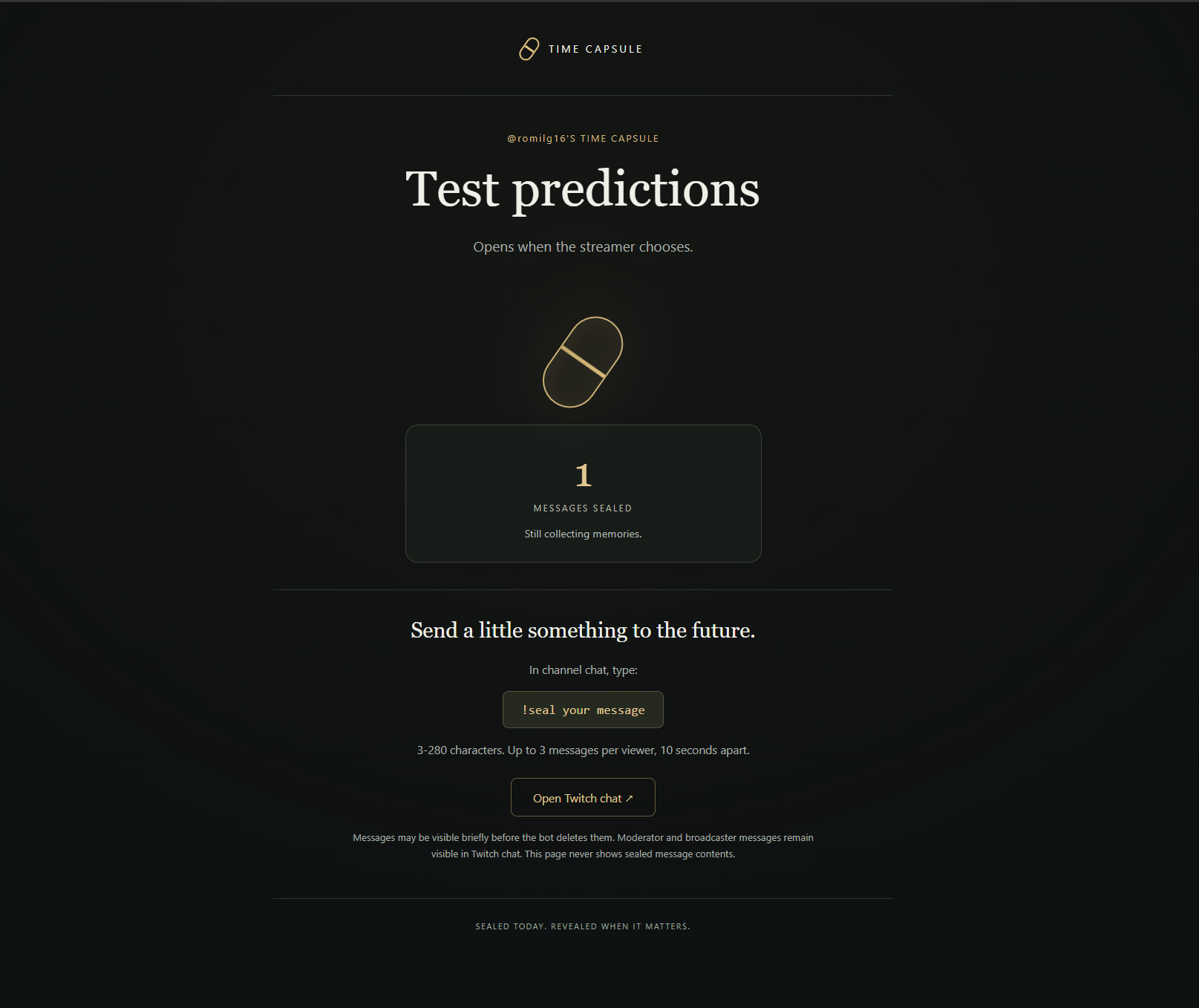
08-public-page-before-opening
-
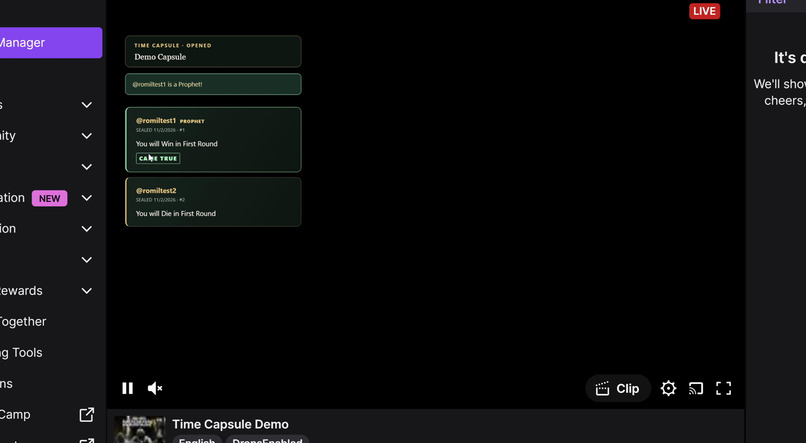
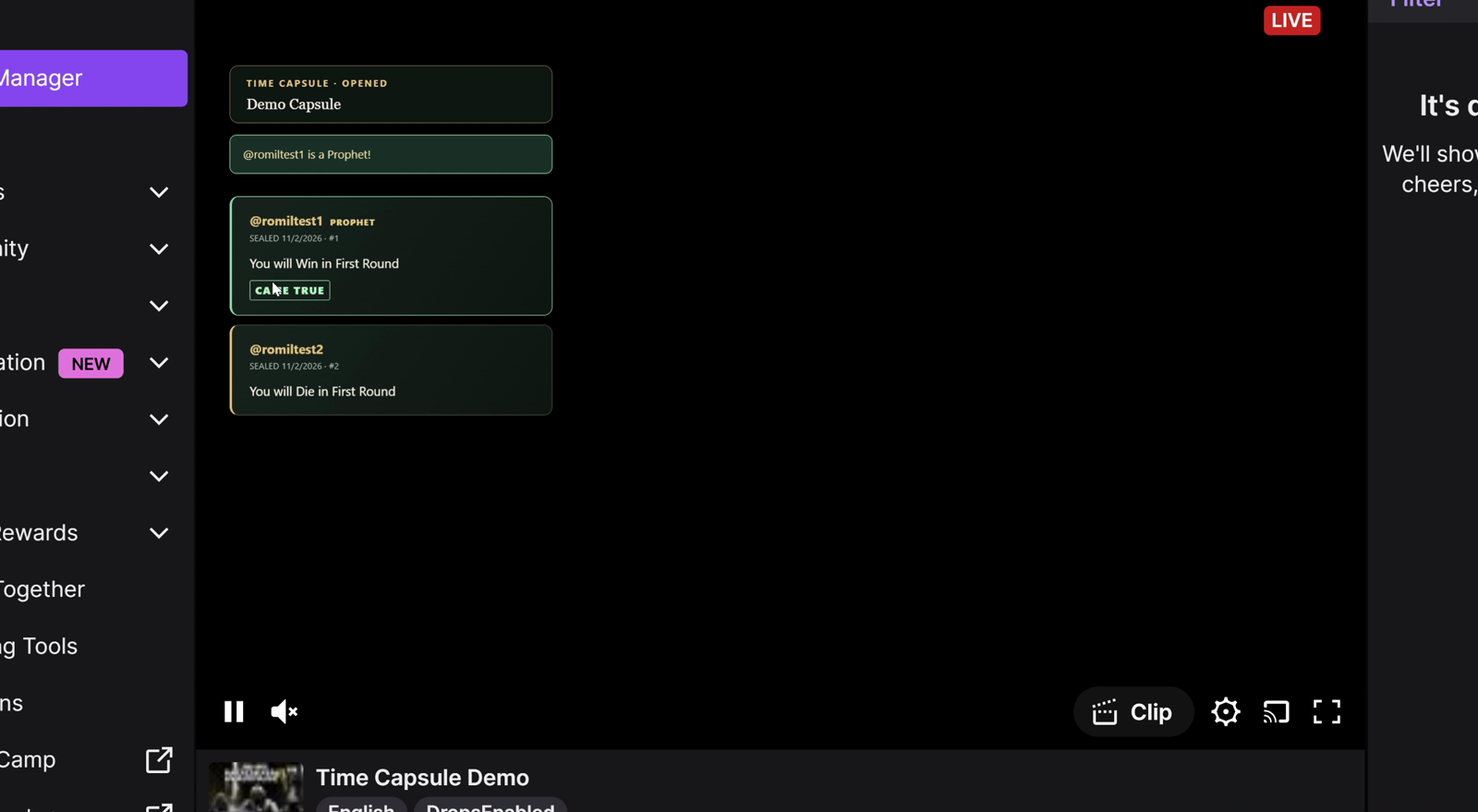
09-live-twitch-broadcast
-
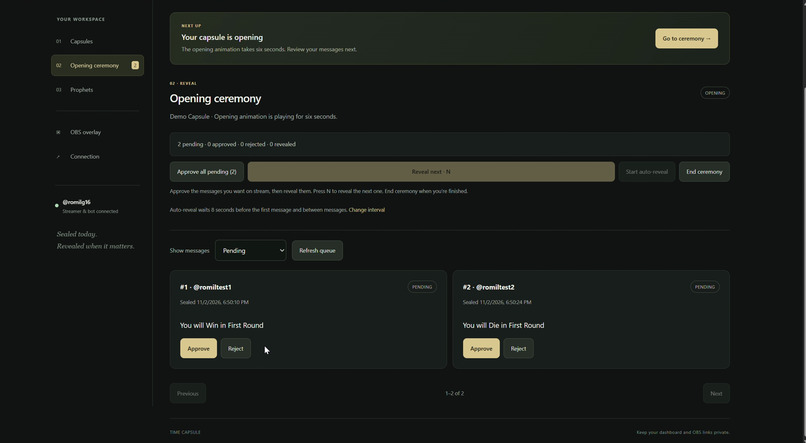
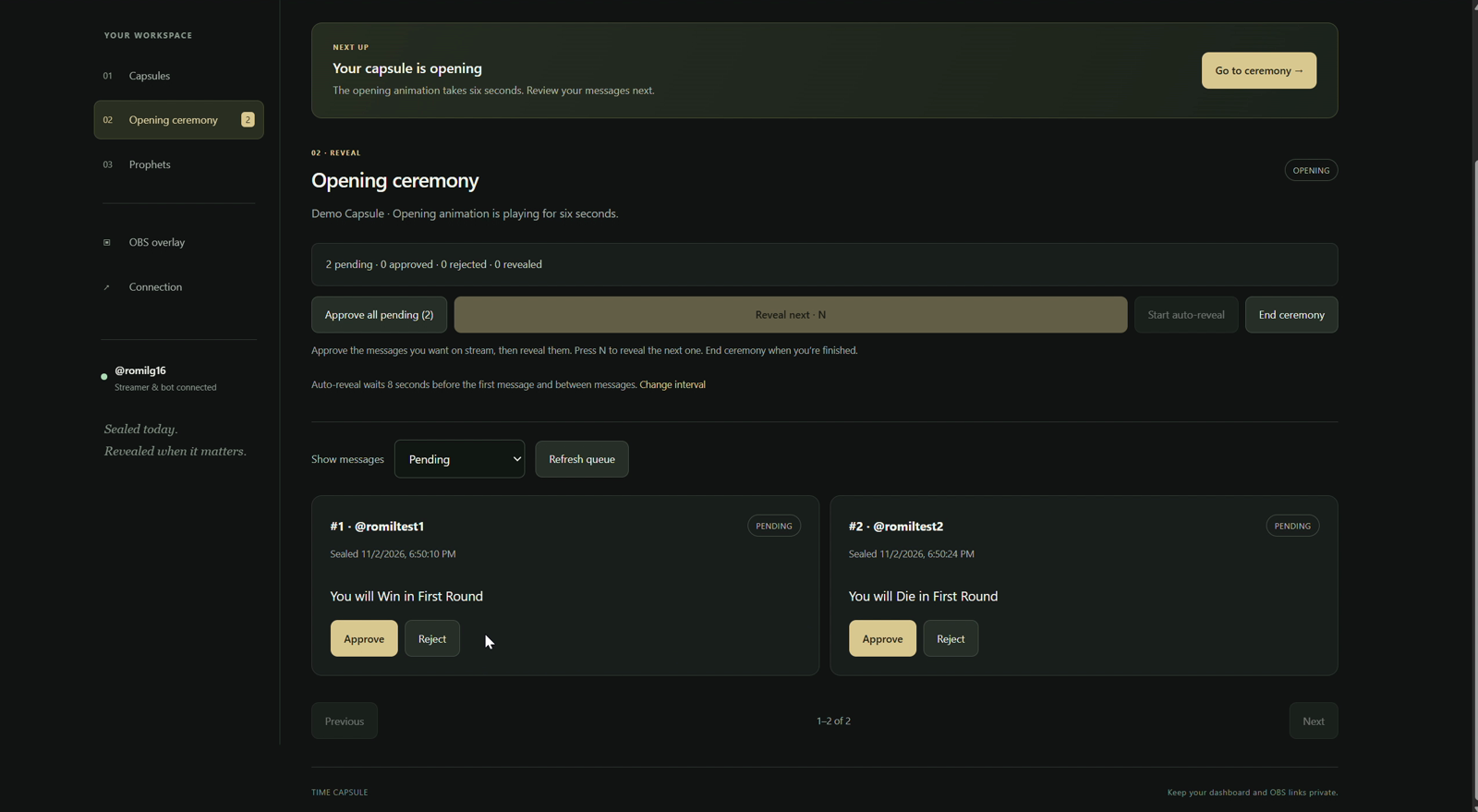
10-moderation-and-approval
-
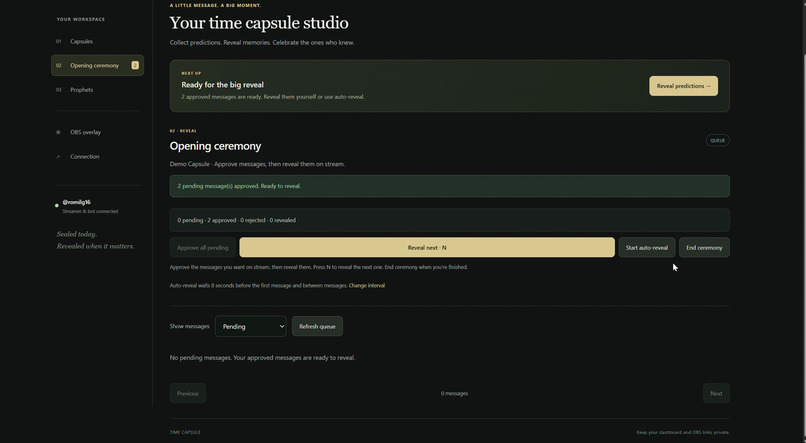
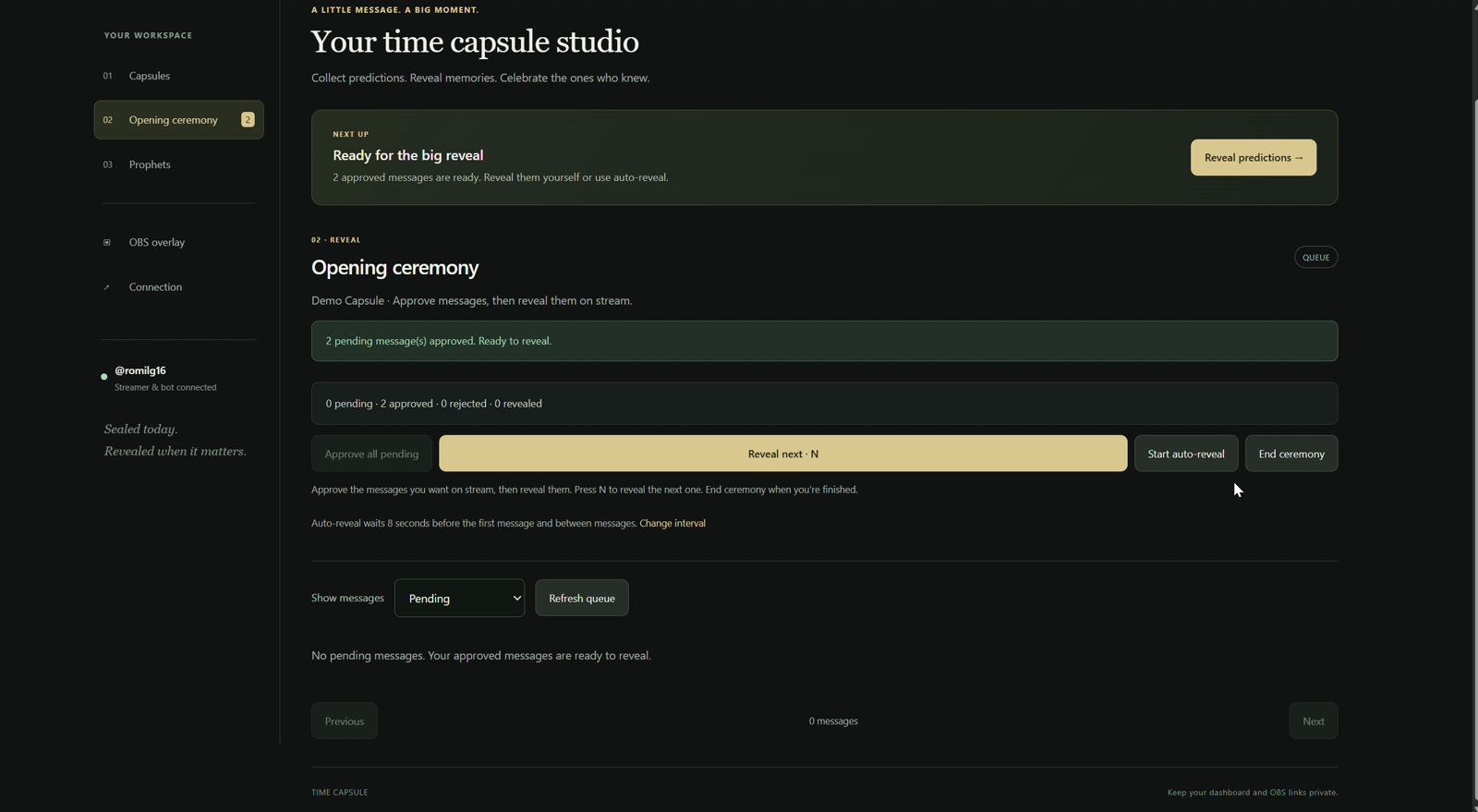
11-reveal-and-auto-reveal
-
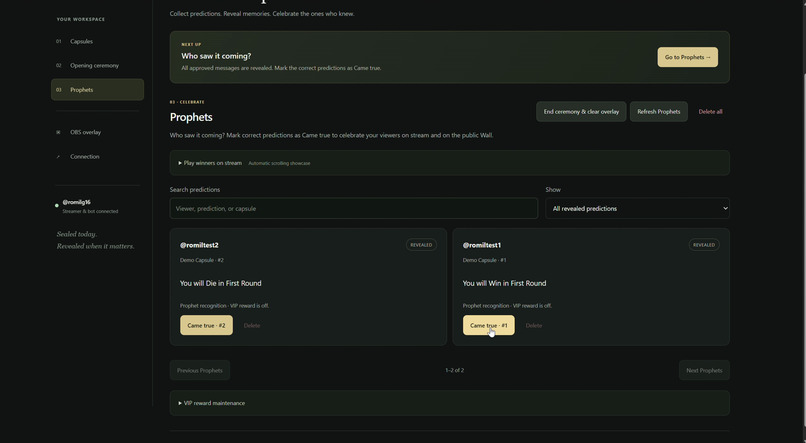
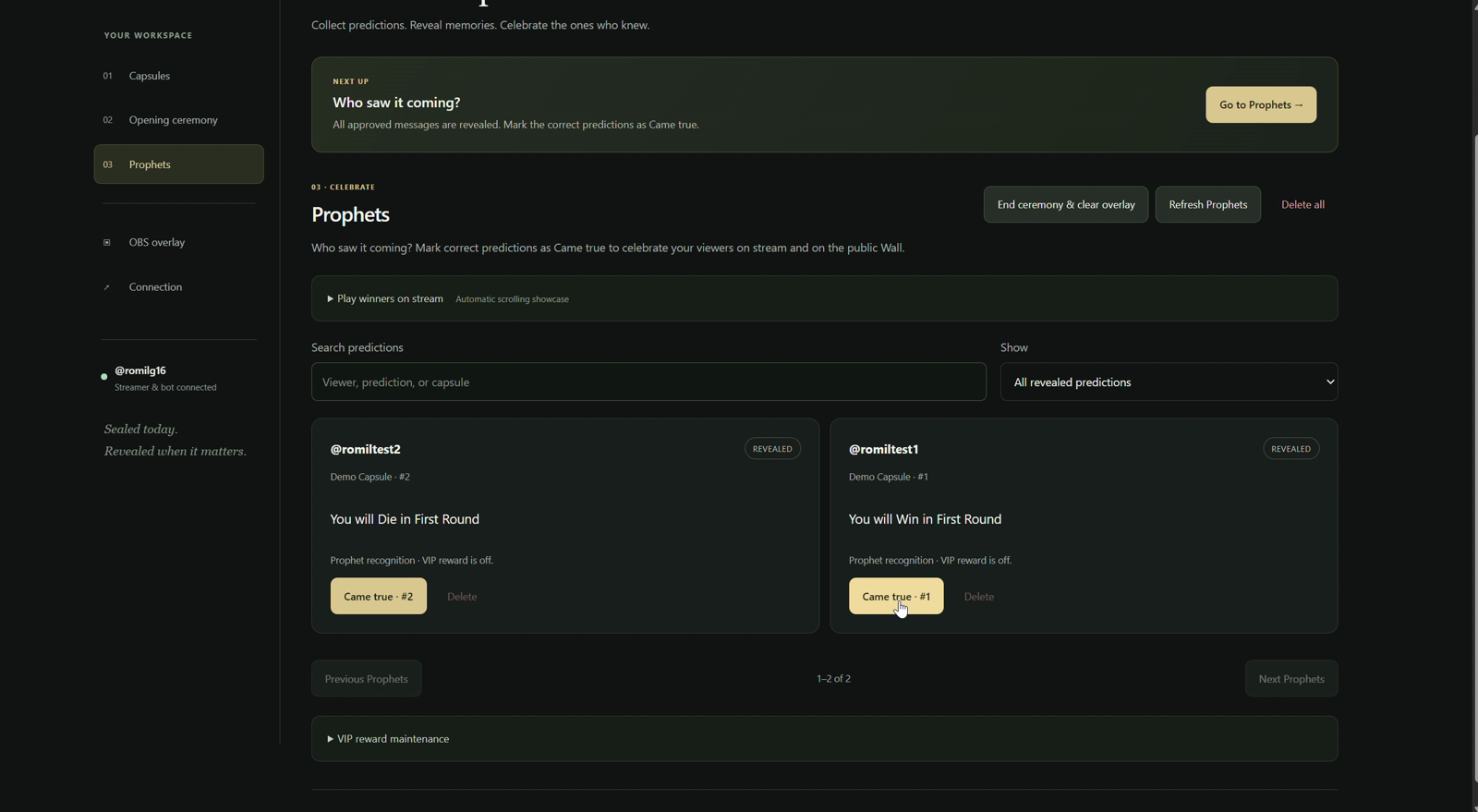
12-prophet-recognition
-
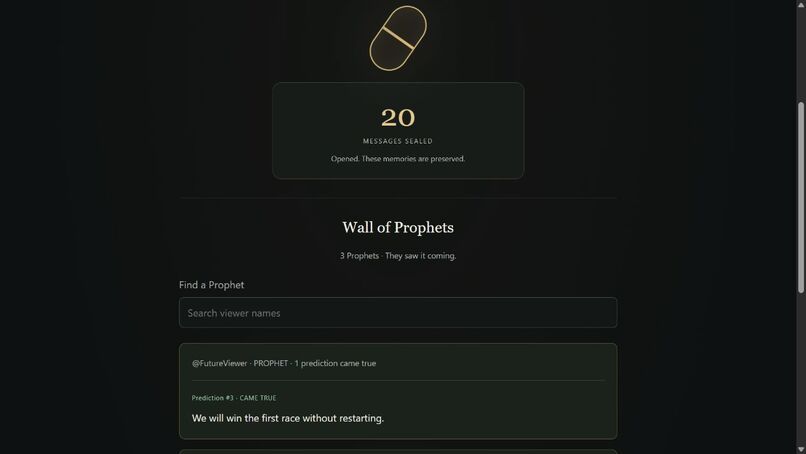
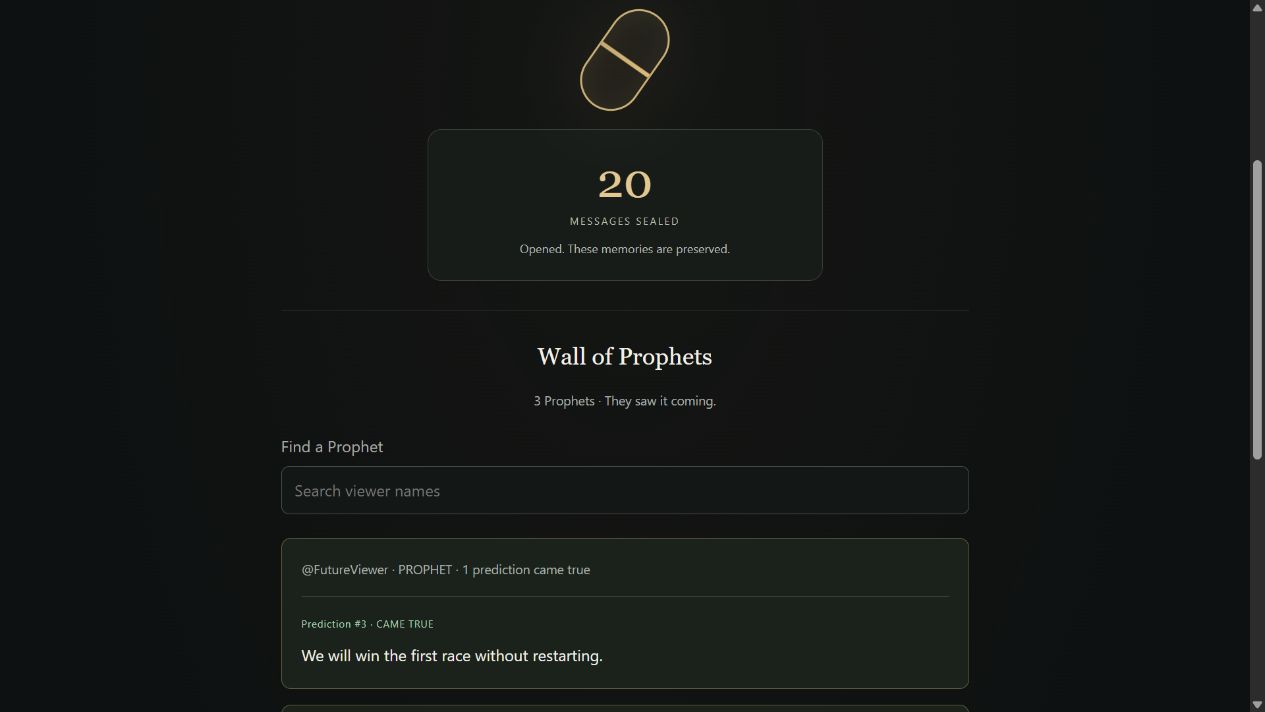
13-public-winning-message

Inspiration
Twitch chat is full of predictions: “We will win the next round,” “You will find a secret,” or “This is going to be the best stream yet.” Those messages usually disappear into the chat history, even when they turn out to be right.
I wanted to give those moments a future. Time Capsule lets a community save its predictions and messages, return to them during another stream, and celebrate the viewers who saw something coming. The goal was to make remembering a community moment as easy as sending a chat command.
What it does
Time Capsule turns Twitch chat into a shared message to the future.
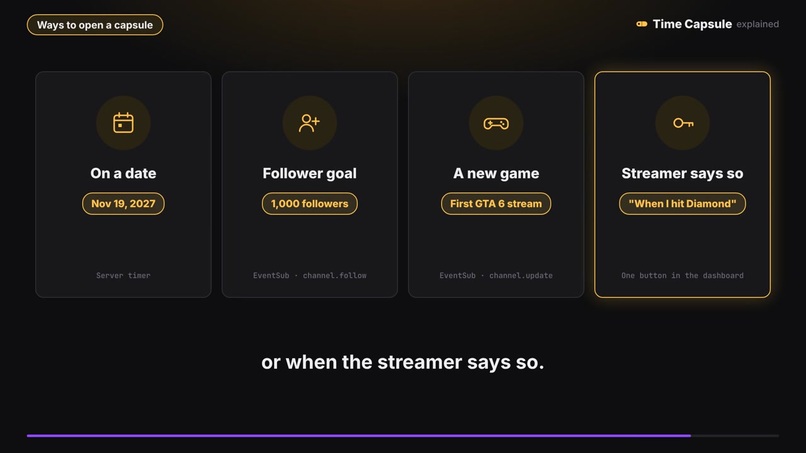
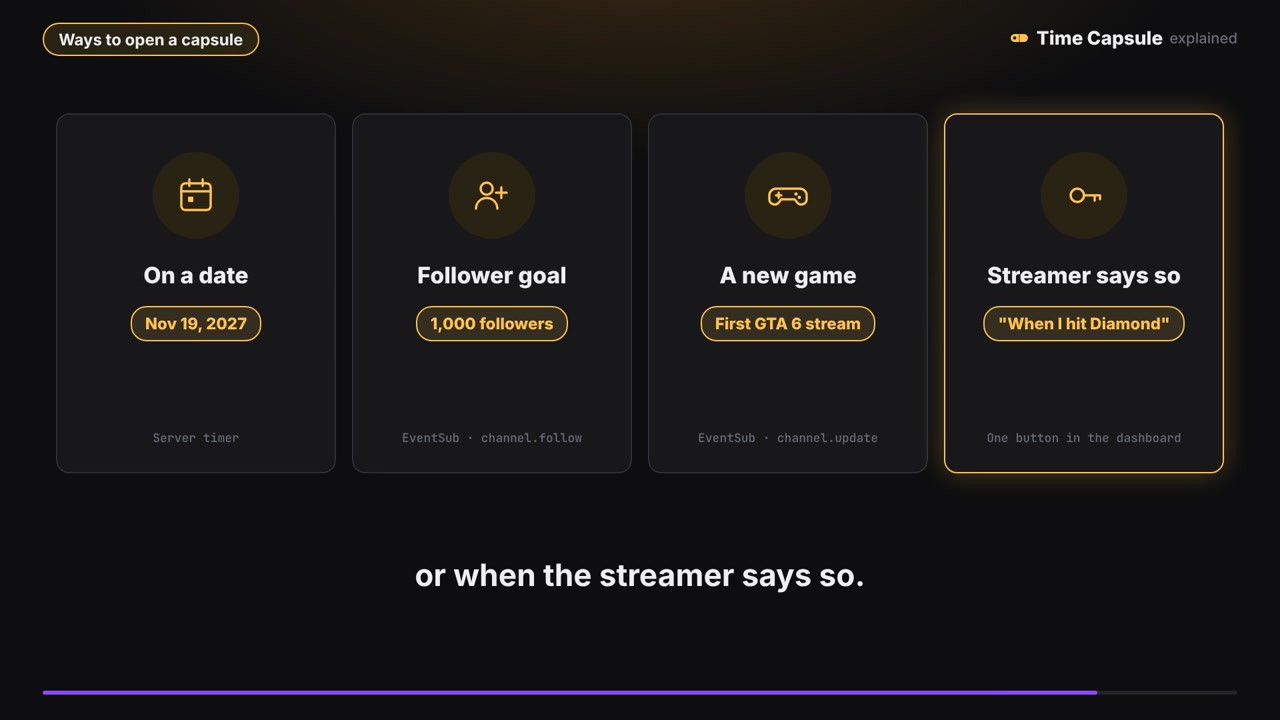
- Create a capsule. The streamer chooses a title and an opening condition: a date, a follower goal, the first stream in a chosen category, or a manual opening.
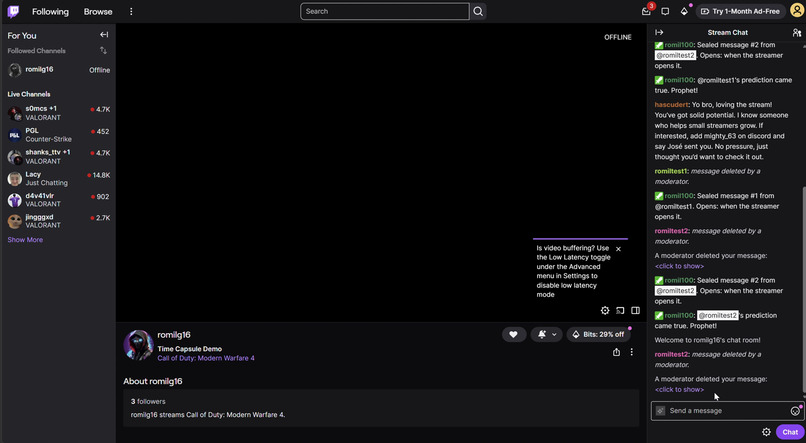
- Collect predictions. Viewers send
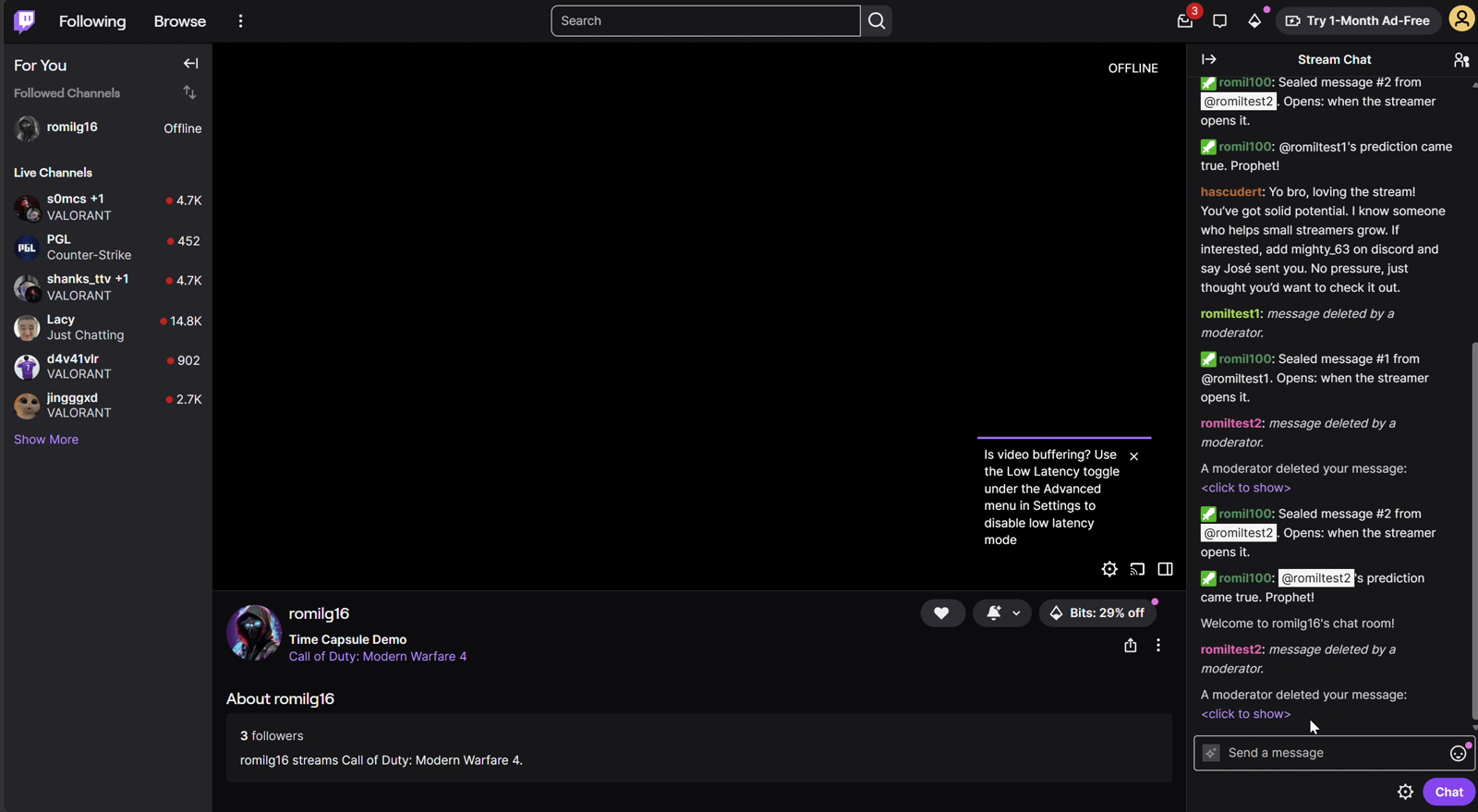
!sealfollowed by their message. The app stores each accepted message, attempts to hide it from chat, and sends a numbered confirmation. Message limits and cooldowns keep collection manageable. - Open it live. When the condition is met, the capsule waits for a live stream. The streamer can then run an opening ceremony with a transparent OBS Browser Source.
- Moderate and reveal. The streamer approves or rejects messages before they appear on the overlay. Approved messages can be revealed individually or automatically at a chosen interval.
- Recognize Prophets. A revealed prediction can be marked Came true. Its author receives Prophet recognition on the overlay and in chat. Temporary Twitch VIP is an optional reward, subject to Twitch permissions, channel eligibility, and available slots.
- Preserve and replay the result. After the ceremony ends, the public Wall of Prophets shows the winning messages. A scrolling showcase can replay winners on stream without repeating rewards or chat announcements.
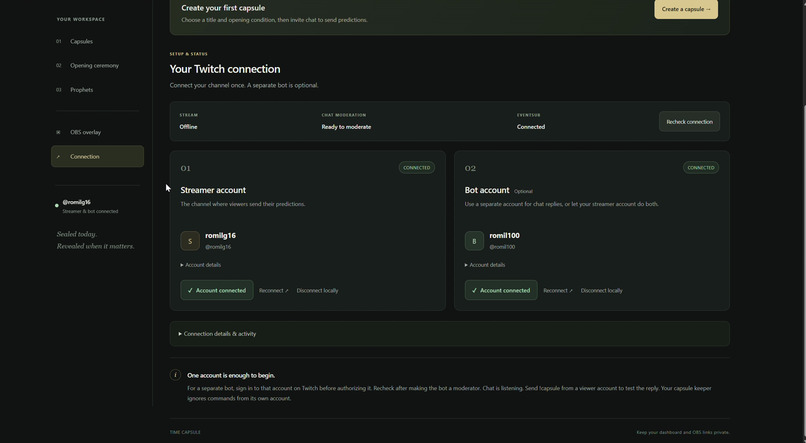
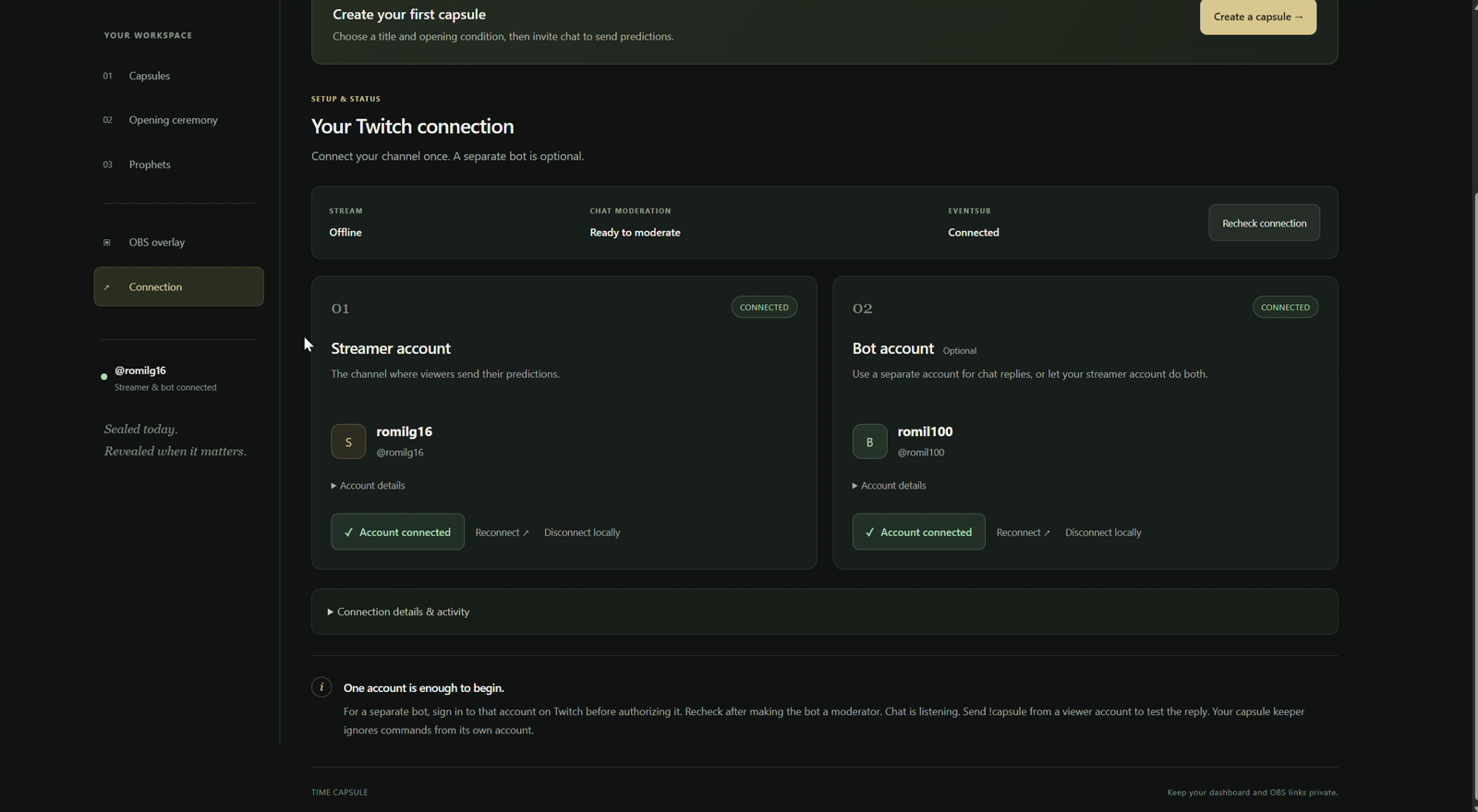
A separate bot account is optional: the streamer can handle chat alone, or connect another account for replies and moderation. An isolated demo also demonstrates the flow with sample viewers and fake Twitch events, without changing real chat or roles.
How we built it
I built Time Capsule with TypeScript, Node.js, and Fastify, using SQLite for capsules, sealed messages, moderation decisions, and reward records. The dashboard, public capsule page, and OBS overlay use HTML, CSS, and JavaScript. WebSockets deliver live updates to the dashboard and overlay.
The Twitch integration uses OAuth for account authorization, Helix API requests for channel and moderation actions, and EventSub for chat and channel events. The opening scheduler combines those events with verified channel facts and persisted deadlines so capsules can wait for the right stream and recover across restarts.
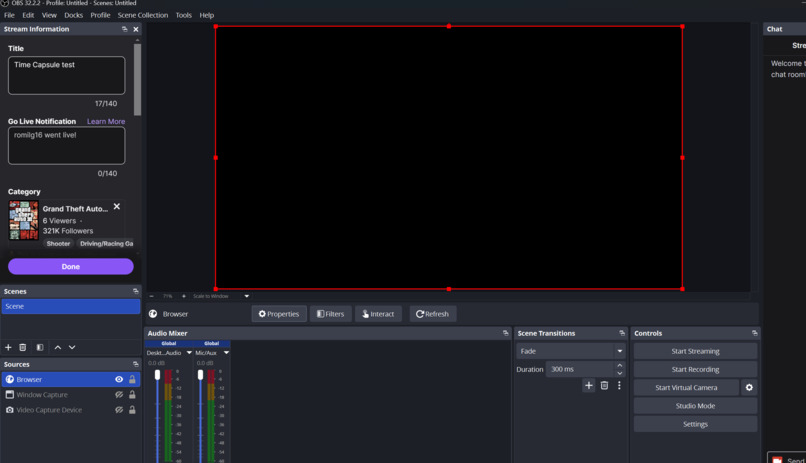
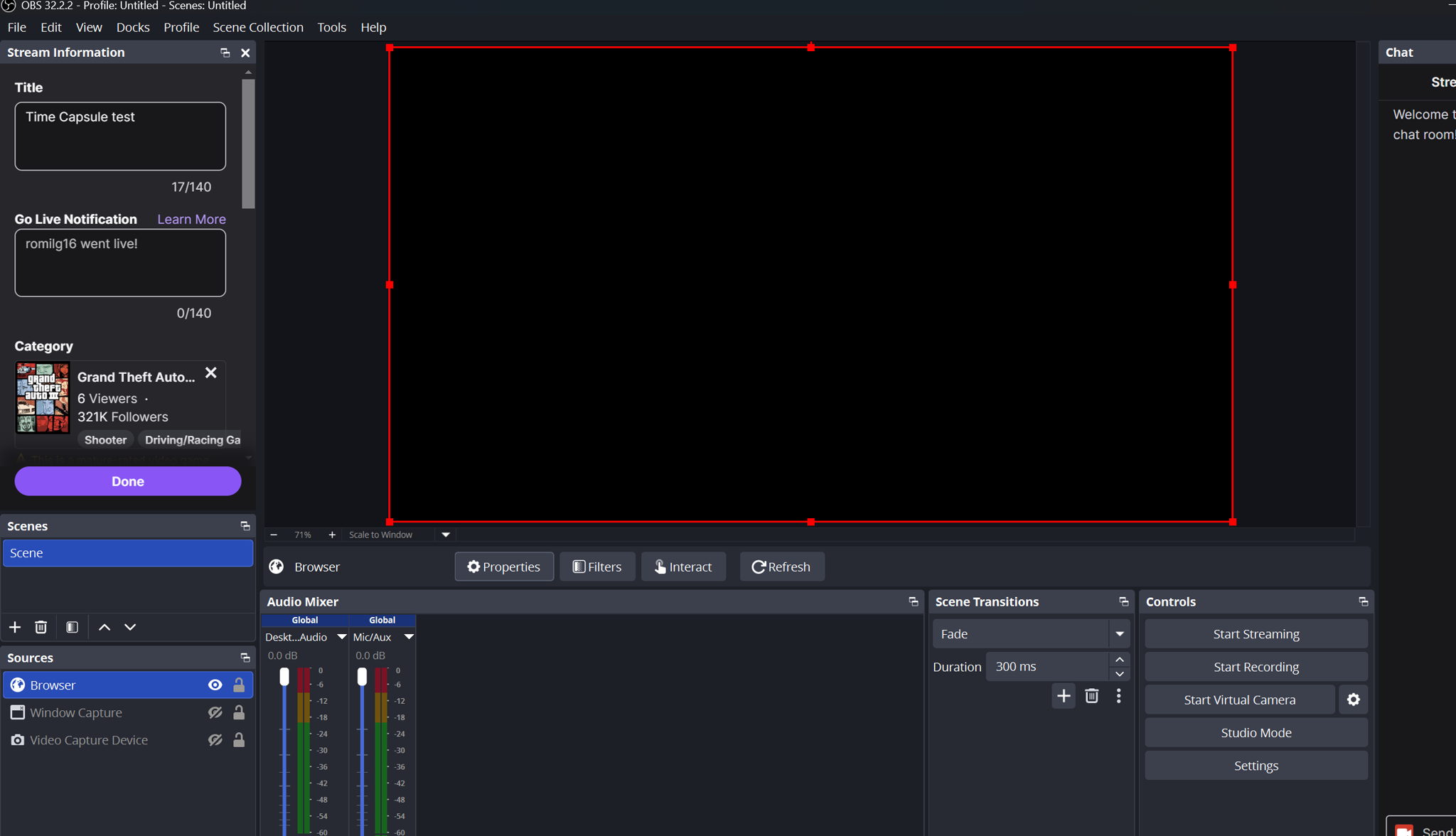
The OBS overlay is a Browser Source that stays transparent between ceremonies. It displays approved reveals, highlights correct predictions, and scrolls through winners while keeping only a small number of cards visible at once. The public page provides a separate place to revisit winning messages after the ceremony.
Codex was my coding partner throughout the build. I supplied the idea, feature choices, screenshots, and feedback from testing Twitch accounts and OBS. Codex helped implement the backend and interfaces, write automated tests, troubleshoot problems, and turn repeated feedback into improvements. It also helped prepare the WSL setup instructions and illustrated walkthrough. I tested the real interactions and decided which changes to keep.
Codex helped during development; the running application does not require an OpenAI API key or an AI service.
Challenges we ran into
- Making sealing practical in Twitch chat. A message can be visible briefly before moderation hides it, and broadcaster or moderator messages cannot be hidden through this flow. I used ordinary viewer accounts for testing and made these limits clear in the interface and instructions.
- Keeping account roles clear. Streamer, bot, and viewer accounts serve different purposes. Separate browser sessions, connection status, and moderator checks helped prevent authorizing the wrong account or testing from the bot itself.
- Explaining opening delays. A capsule can be ready while the channel is offline, waiting through a settling delay, or queued behind another ceremony. Clear status messages and a link to the current ceremony made the next action easier to understand.
- Handling optional VIP rewards. Prophet recognition should still work when Twitch cannot grant VIP. Reward and announcement status are tracked separately, with retry controls and expiry tracking for confirmed temporary grants.
- Keeping the overlay readable as collections grow. Showing every winner simultaneously would overwhelm the stream. A scrolling showcase, limited visible cards, search, and pagination make larger collections easier to browse and replay.
- Preserving message privacy. Approval gates control what can appear on stream. Only revealed predictions marked Came true appear on the public Wall after the ceremony; other message contents stay private. Viewer text is rendered as text rather than executable HTML.
Accomplishments that we're proud of
The biggest accomplishment is completing the full loop: a viewer seals a prediction in Twitch chat, the streamer opens the capsule live, approved messages appear in OBS, and a correct prediction becomes part of the public Wall of Prophets.
I am also proud of:
- Testing the real streamer, bot, and viewer flow across separate accounts and OBS.
- Making basic Prophet recognition useful without requiring VIP rewards.
- Creating an overlay that clears between ceremonies and a showcase that can replay larger winner collections.
- Adding an isolated demo so the project can be explored without Twitch credentials.
- Building automated coverage for moderation, privacy, persistence, reward behavior, and large winner collections, alongside TypeScript, lint, formatting, and build checks.
- Providing the source, local visual assets, WSL commands, and a screenshot for every walkthrough step in the repository.
What we learned
I learned that a live-stream tool needs a clear workflow as much as it needs working API calls. Collecting, opening, moderating, revealing, and recognizing winners are separate stages. Small details such as button labels, queue explanations, account status, and overlay previews help a streamer move through those stages confidently.
I also learned to treat external platform behavior as part of the design. Twitch permissions, live status, moderation limits, connection recovery, and VIP availability all affect what the app can promise. Persisted state and explicit success or failure messages are more useful than assuming an action worked.
Working with Codex showed me the value of short feedback cycles: describe a behavior, implement it, test it with real accounts, share screenshots, and refine it. Automated tests helped protect the rules while hands-on testing exposed the confusing parts of the experience.
What's next for Time Capsule
Next, I want to make Time Capsule easier for another streamer to adopt:
- Improve first-run onboarding and explain account permissions directly where they are needed.
- Refine accessibility, keyboard navigation, and mobile layouts.
- Offer more overlay themes and ceremony presentation options.
- Test larger live audiences and longer-running connections beyond the existing automated collection and playback checks.
- Prepare a hosted option with persistent storage, HTTPS, and clear setup instructions.
- Gather feedback from more streamers and moderators to improve the collection-to-reveal workflow.
Built with
TypeScript, JavaScript, Node.js, Fastify, SQLite, HTML5, CSS3, Twitch API, Twitch EventSub, OAuth 2.0, WebSockets, OBS Studio, OpenAI Codex, Vitest, Zod, GitHub, WSL
Project links
Built With
- css3
- fastify
- github
- html5
- javascript
- node.js
- oauth-2.0
- obs-studio
- openai-codex
- sqlite
- twitch
- twitch-eventsub
- typescript
- vitest
- websockets
- zod
