-
-
app logo
-
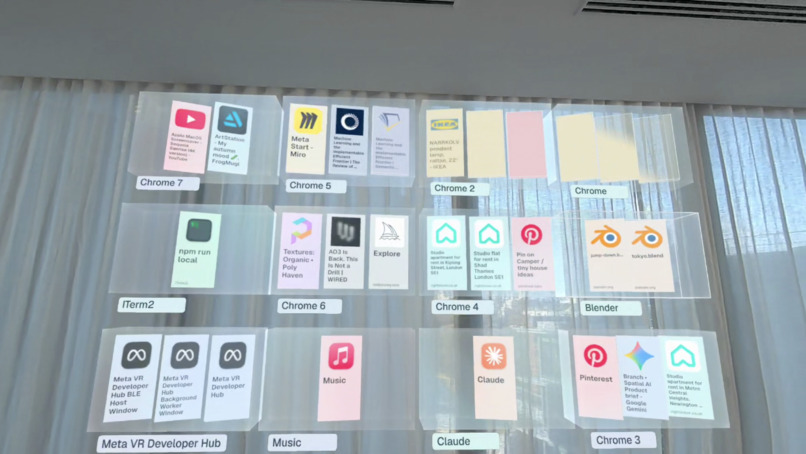
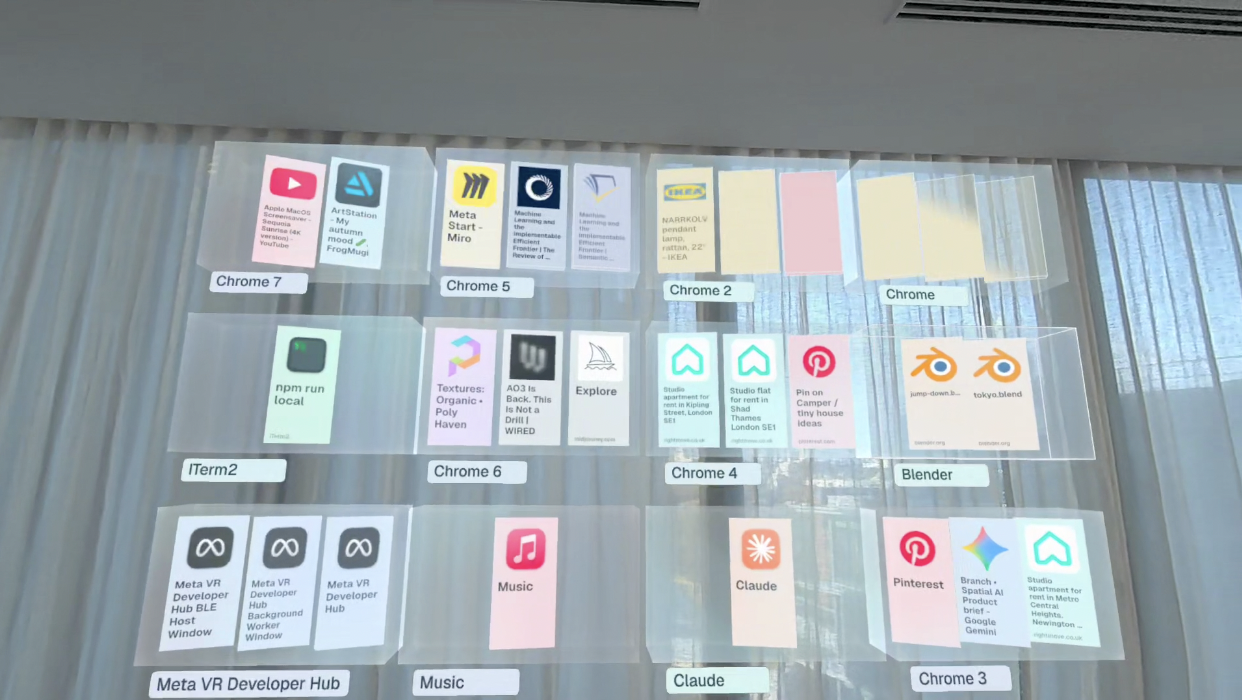
3d grid docking browsers and apps from your laptop
-
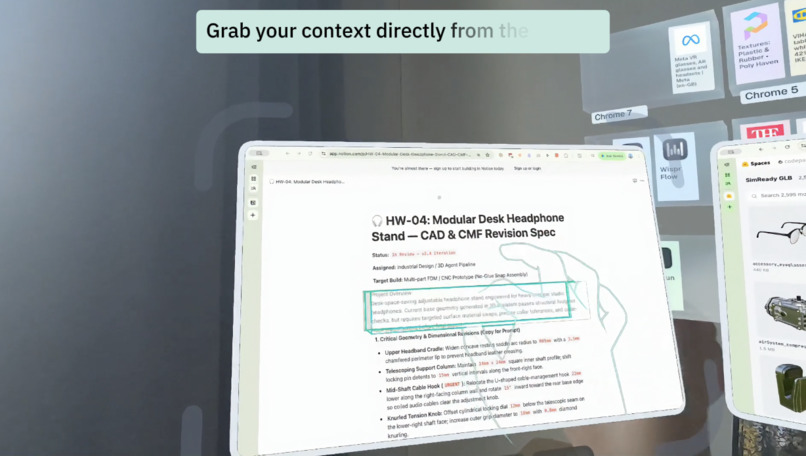
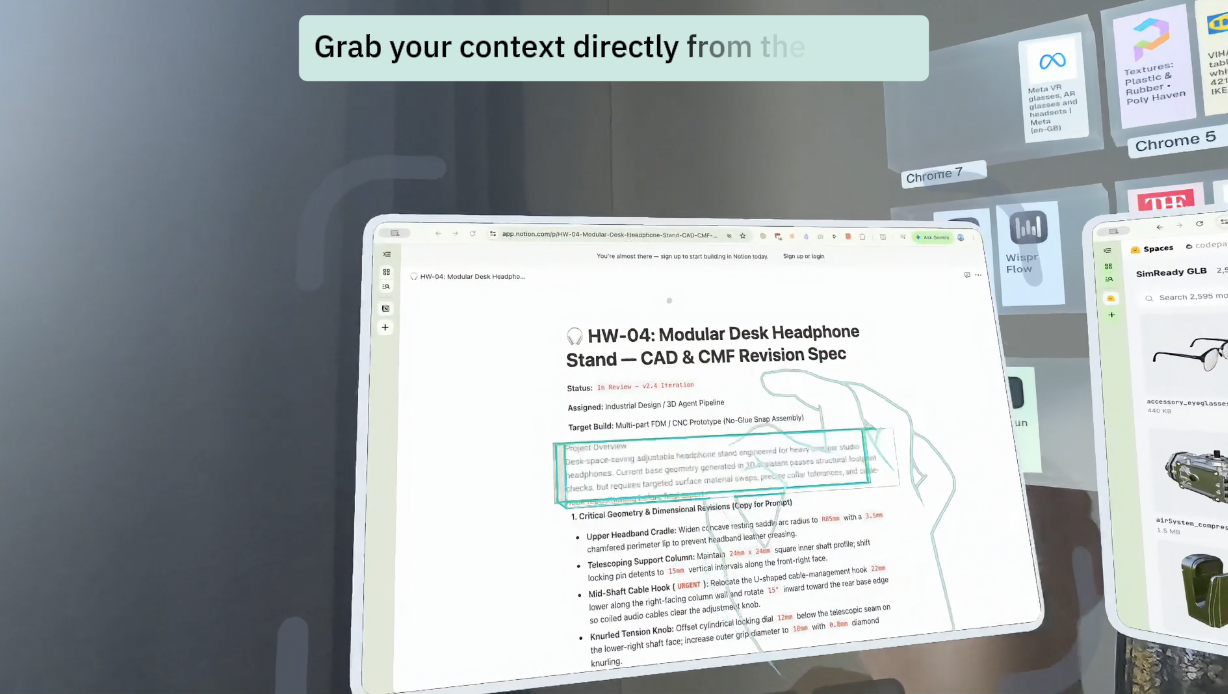
Hand pulling interaction for grabbing context
-
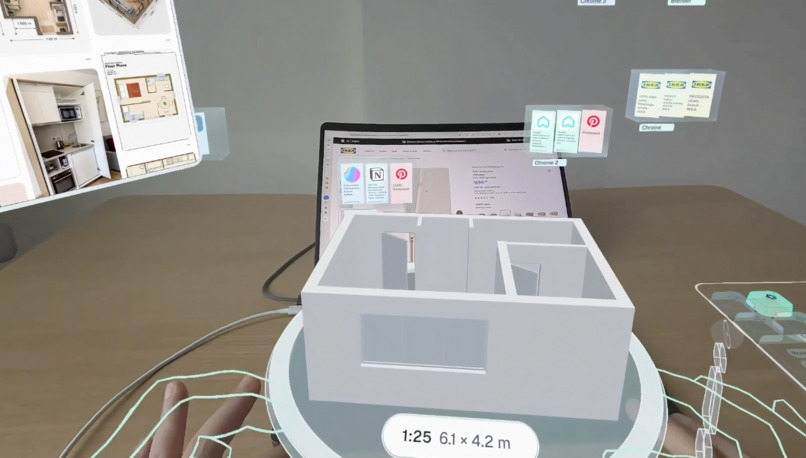
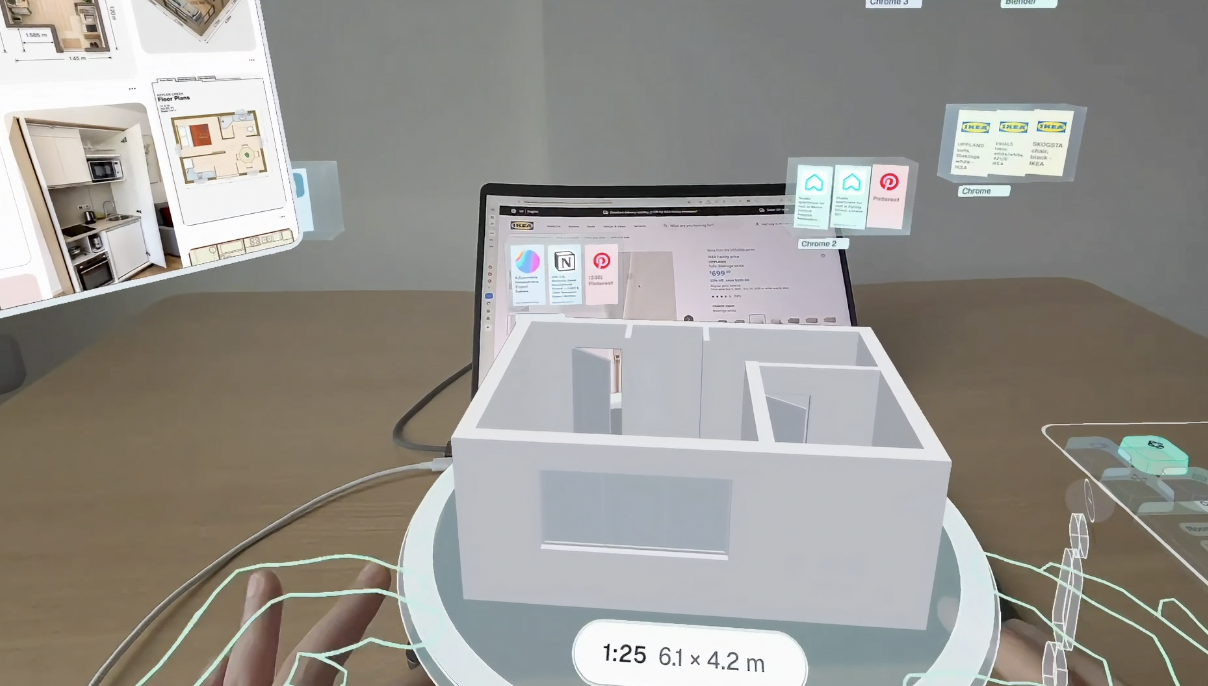
3D room generation from the floor plan
-
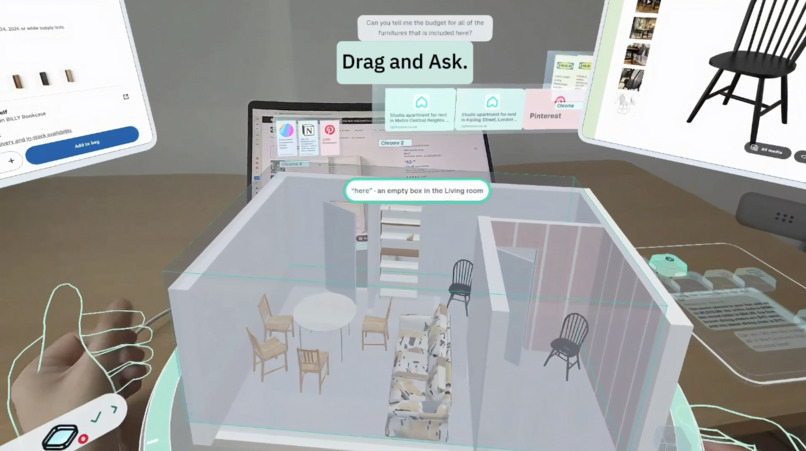
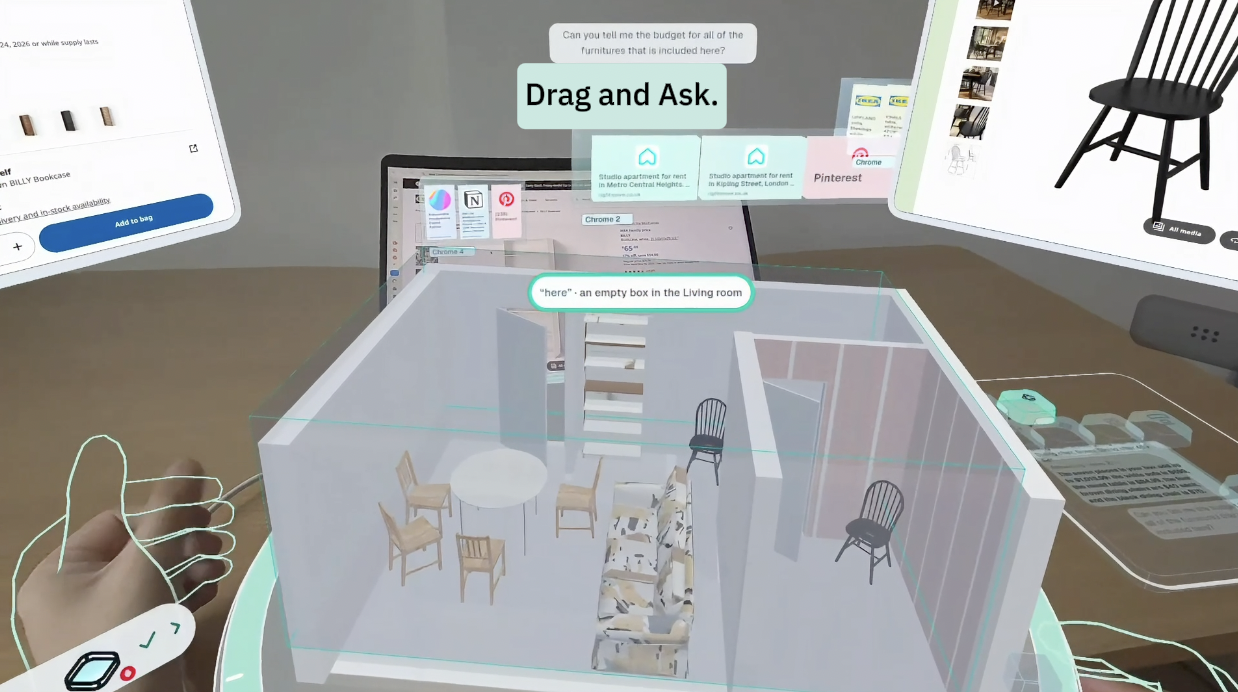
Gestural prompting interaction
-
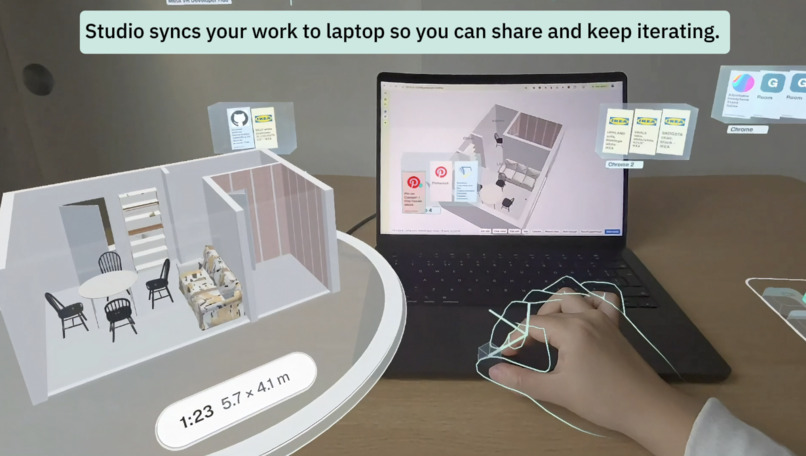
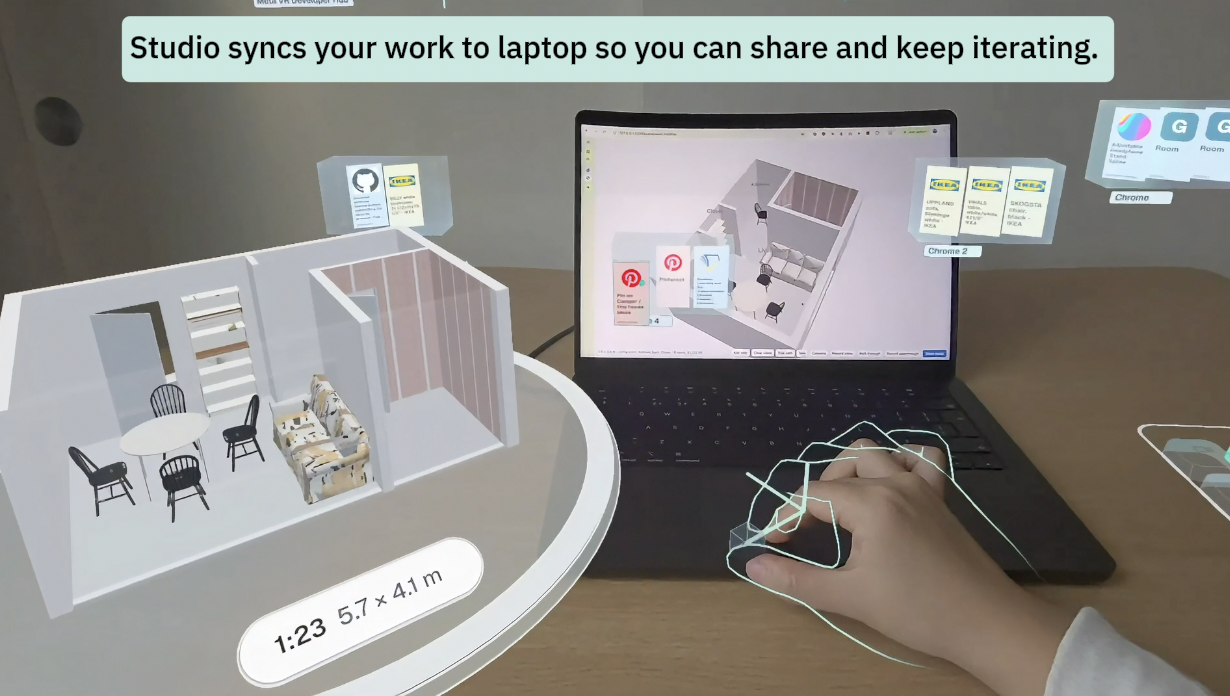
Worksapce sync between the app and your laptop
-
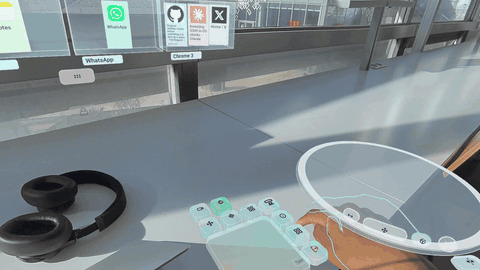 GIF
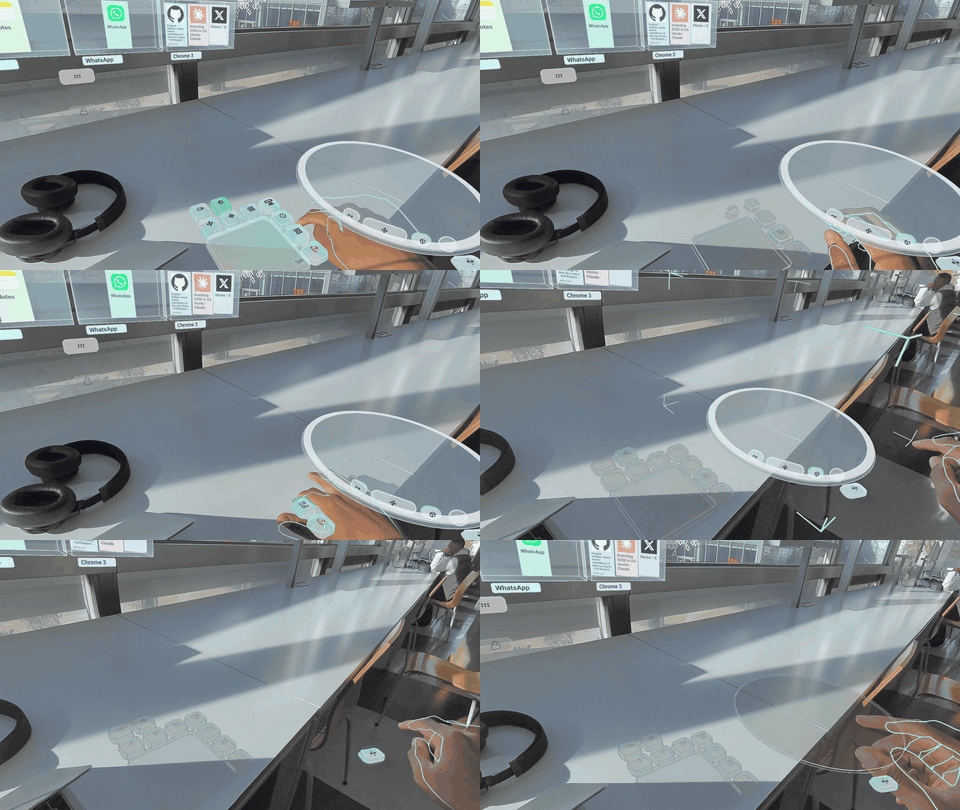
Tabletop Interaction to Fold Widgets and Menus, showcases our Stained Glass UI Framework
Inspiration
When working on a single laptop screen we often drown in Cmd+Tab overload across dozens of tabs, and in transferring content (e.g., copy, paste) between them. XR glasses and headsets give a lot more screen real estate, yet most interfaces replace the small real world screen with a few very large and fairly static 2D virtual monitors floating in front of you. That "giant billboard" approach causes visual clutter, neck strain, and mid-air interaction arm fatigue. Meanwhile, agentic AI has opened up more natural ways to interact with content and software. We thought about what interaction could become with multimodal interaction, gaze and hand-tracking available on XR devices.
We built TileStudio to reimagine seated coworking on Quest headsets and Meta VR glasses combining agentic AI, spatial context and gestures for effortlessly transitioning from flat 2D web tabs to spatial 3d tasks that are usually bottlenecked by flat screens.
What It Does
TileStudio is an agentic, hands-first WebXR spatial workspace that pairs to your laptop or runs standalone in the headset via an instant cloud computer. It is built across three layers, organized along depth:
- Far: the Tile Grid. Your browser tabs and web apps wait as compact, legible tiles on a grid in the background instead of crowding your view. You pick a tile by looking at it.
- Mid: windows you summon. With a micro-gesture and your voice, ask TileStudio to organize your workspace and bring forward only the tabs a task needs. They open as windows within reach that you can click, scroll and read comfortably.
Near: the studio stage and table widgets. They give you quick access to scene management and AI steering tools. When 2D isn't enough, pinch content out of a window as a Chip and drop it onto the table, using a Mode Lens (Build or Style) to say what it's for:
- Layout schematics (ex: floor plan) → 3D object (3D room model): a floor plan from a real-estate listing becomes a 3D room on your table, with walls, doors and windows.
- *Catalog extraction. drag products from a live catalog page.
- Reference → styling: extract a moodboard image from the web and apply its colors to objects.
- Walkthrough → write-back: draw a camera path in the space to render a walkthrough video. ## How We Built It
XR Frontend & Design System: Built for the Meta Quest Browser using the Immersive Web SDK (IWSDK), the WebXR Hand Input API, and Three.js, with a custom spatial UI kit we call Stained Glass.
Voice & Agentic Intelligence: Gemini Live powers low-latency pinch-to-talk transcription using microgestures. The user's request, plus what they are looking at and the scene's state, goes to the AI agent.
Pinch "this" out of any page: TileStudio parse accessible web page elements under your finger to the original content and classify by category(real-time pre-prompting) : the image's original file, the exact text with its styling, a table's rows, a 3D model's file. For less accessible pages, a fast vision model finds what you pointed at in the window.
Mac Companion App: A downloadable Mac-native app to run TileStudio locally. A small Swift helper reads the Mac's app windows and browser tabs. The window images stream straight from the laptop to the headset over WebRTC on the local Wi-Fi. A tab opens as a copy on a hidden display, so the laptop's own screen never changes.
Zero-Install Cloud Computer: A cloud computer hosted on Modal to test TileStudio with as little friction as possible.
Challenges We Faced
- Streaming the live web tabs without harming performance.
- Organizing content in space based on its attentional relevance, its ease of reach (e.g., via hand interaction), and the intuitiveness of microgesture controls.
- Making the full context AI-readable: We needed to compress the wide range of user actions, visible elements and spatial relationships into a compact format that AI could process efficiently.
- Parsing and extracting from tabs the information intended by the user, rather than what an AI or screen reader might see.
- Making gestural prompts legible and editable by the user: For example, showing them what "use this" meant within its context by augmenting the prompt text.
- Finding the right AI model for each task category and routing the prompts to the right internal tools.
What We Learned
- Design thinking around human-AI interaction: We came up with lots of approaches and interaction patterns to make prompting more intuitive. The constraint of working on a wearable device also taught us techniques to improve responsiveness (speeding up AI model responses by chunking and streaming).
- Resting-hand micro-gestures: Partnered with voice prompting, they can mitigate the friction point of seated XR co-working: the hand-off latency between your physical keyboard and the spatial UI. Lifting your arms into mid-air just to check a reference tab breaks typing posture and causes fatigue, whereas keeping your hands resting right on the tabletop makes spatial productivity genuinely ambient.
- UI design: We designed a new UI framework called Stained Glass to convey a sense of continuity across the entire experience. It can acquire liquid-like properties when the user looks for flexibility and a more solid-like properties when organization and stability are needed. In essence the spatial equivalent of an web HTML container.
- Testing via the Meta VR CLI: It's an incredibly powerful tool that allowed us to run automated tests involving very complex spatial interactions. It's been lovely to use a tool that takes full advantage of bleeding-edge AI capabilities.
What's Next for TileStudio
- Expanding our library of gestural tools, to make prompts that are complex to formulate in text easier to use.
- Deeper integration with existing GenAI applications such as Word Labs Atlas or Tripo3D.
- Tighter binding between gestures and advanced prompts.
- Consolidating the routing of tasks to increase robustness and improve performance.


