-
-
Tikku - Logo
-
home-screen
-
focus-screen
-
progress-screen
-
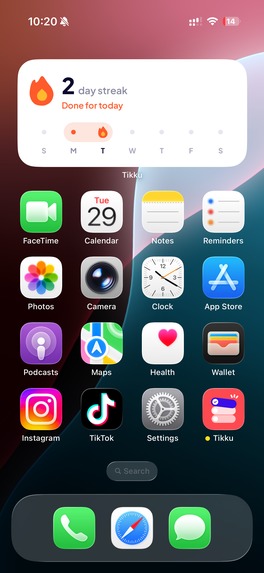
widgets
-
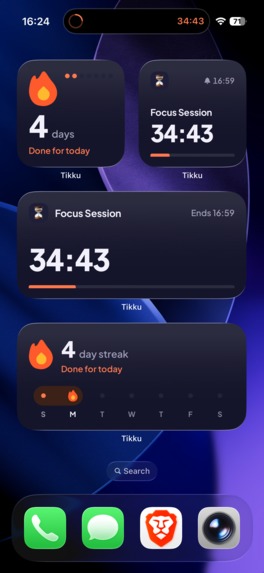
widgets-dark
-
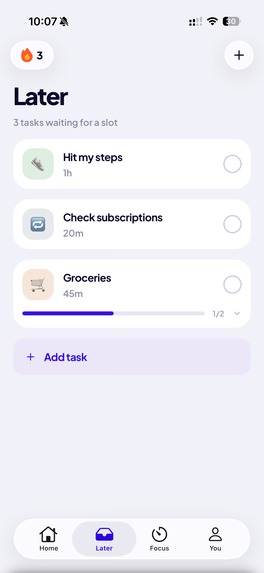
later-screen
-
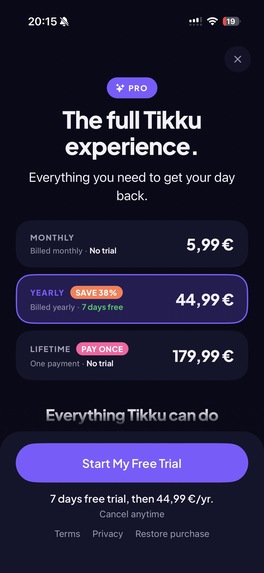
paywall
Inspiration
Tikku started with a pretty simple problem.
One of us would go to the gym and spend half the workout scrolling between sets. The other would catch himself doomscrolling during work without even realizing it.
We tried app blockers, and they do help. They give you some of that time back. But they don't really care what you're supposed to be doing with that time.
Planners have the opposite problem. They help you plan your day, but when it's time to actually do something, nothing stops you from opening Instagram or TikTok instead.
We could use a planner to decide what we want to do, and an app blocker to stop us from getting distracted. But then we're managing two different apps just to get through one task.
So we thought, why not make it one app?
That's the idea behind Tikku. You plan a workout, a study session, or anything else you want to focus on, and that task blocks the apps that usually get in the way. The time you get back goes directly toward what you planned to do.
What it does
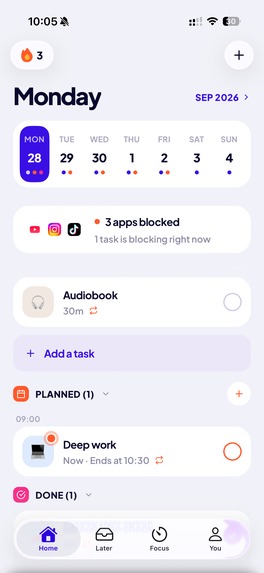
Tikku is a planner and focus app that blocks distracting apps while you do what you planned.
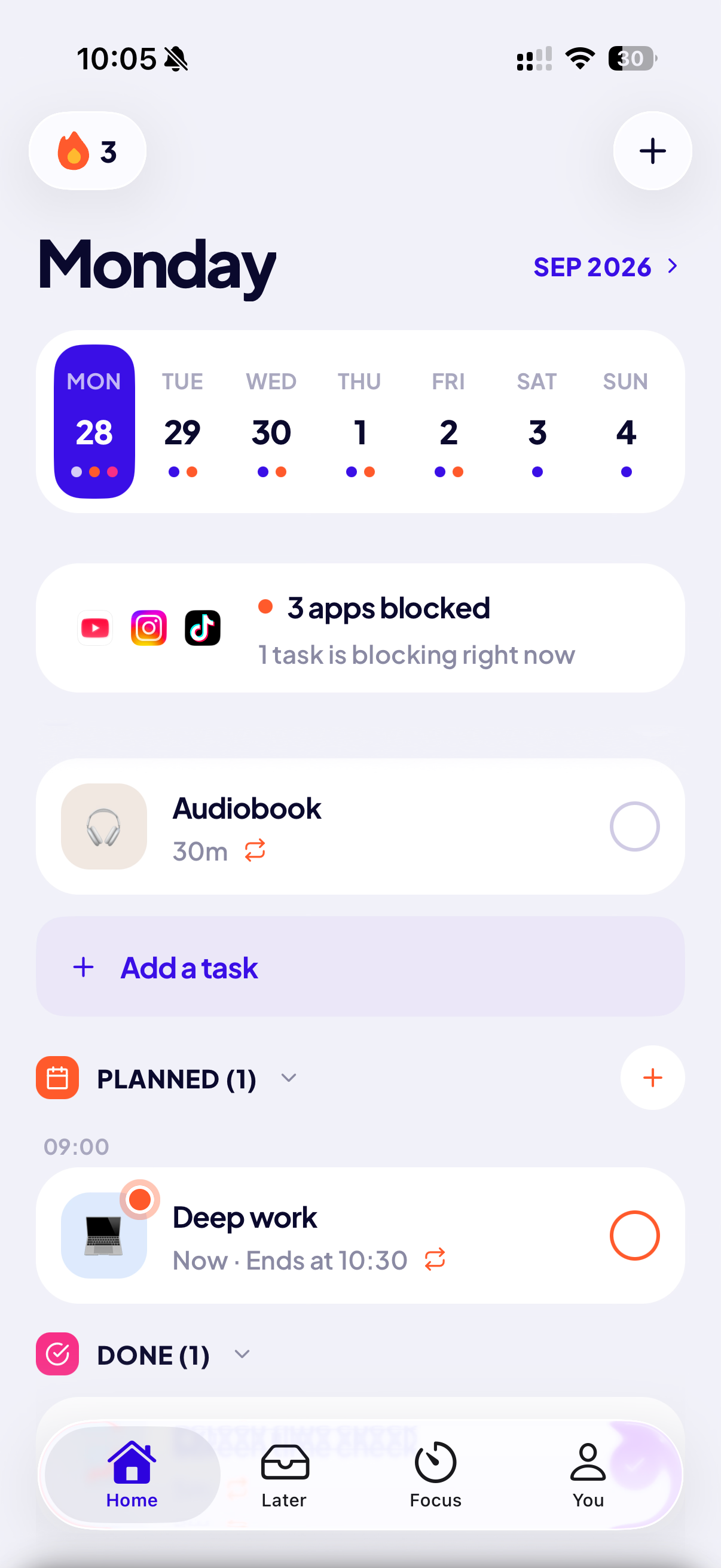
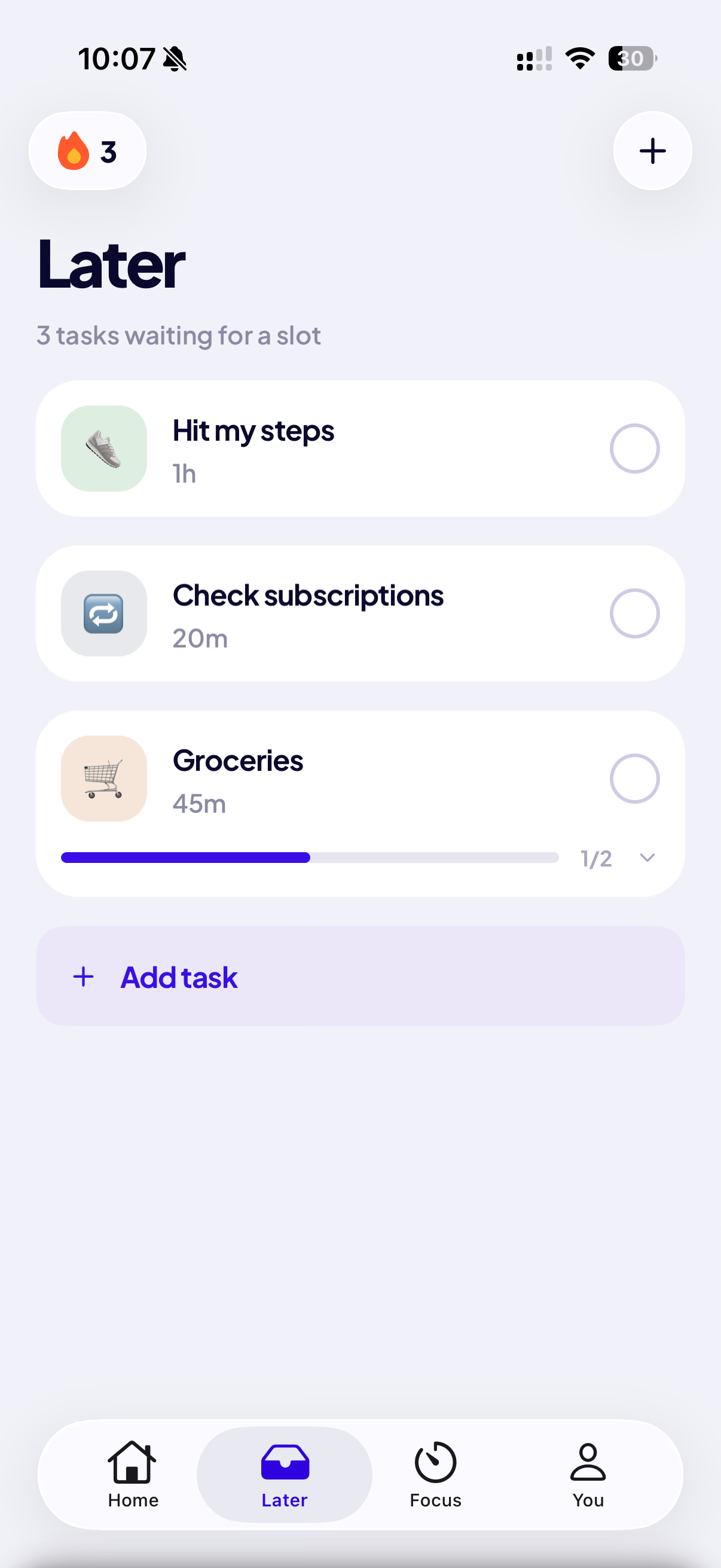
You can plan a task for a specific time, over a time range, or just put it somewhere in your day. Tasks can repeat, and they can have reminders and subtasks. Tasks without a date live in a separate list, so you can schedule them when you're ready. And if you don't want to start from an empty list, there's also a library of ready-made tasks and routines you can pick from.
By default, a task is something you tick off when you're done. But some parts of your day, like sleep or a work session, aren't really something you finish. They just last until a certain time. For those, you can make the task end on its own at that time, with nothing to tick off.
Any task can also block apps.
You can block all apps, every app except a few, or just the apps that distract you. If you use the same setup often, you can save it as a preset with a name and reuse it on any task or focus session. Edit the preset later, and every task using it gets the change too.
Once the task starts, you don't have to do anything. The apps are blocked automatically, even if you've closed the app. If you try to open a blocked app, you see which task is running and when it will end.
The block ends when the task does. For a task you tick off, the apps come back as soon as you mark it done, even if that's before its end time. For a task that ends on its own, they come back at its end time, with nothing for you to do.
But sometimes you really do need your phone. By default, you can pause a block for 1, 5, or 15 minutes, and it comes back automatically after that. You can also stop a block early, up to 3 times a week.
And if you don't want that option, there's strict mode. A strict block can't be paused or stopped until the task ends. You get one 15-minute exception a week, and that's it.
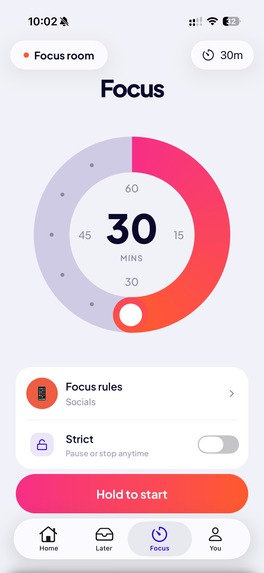
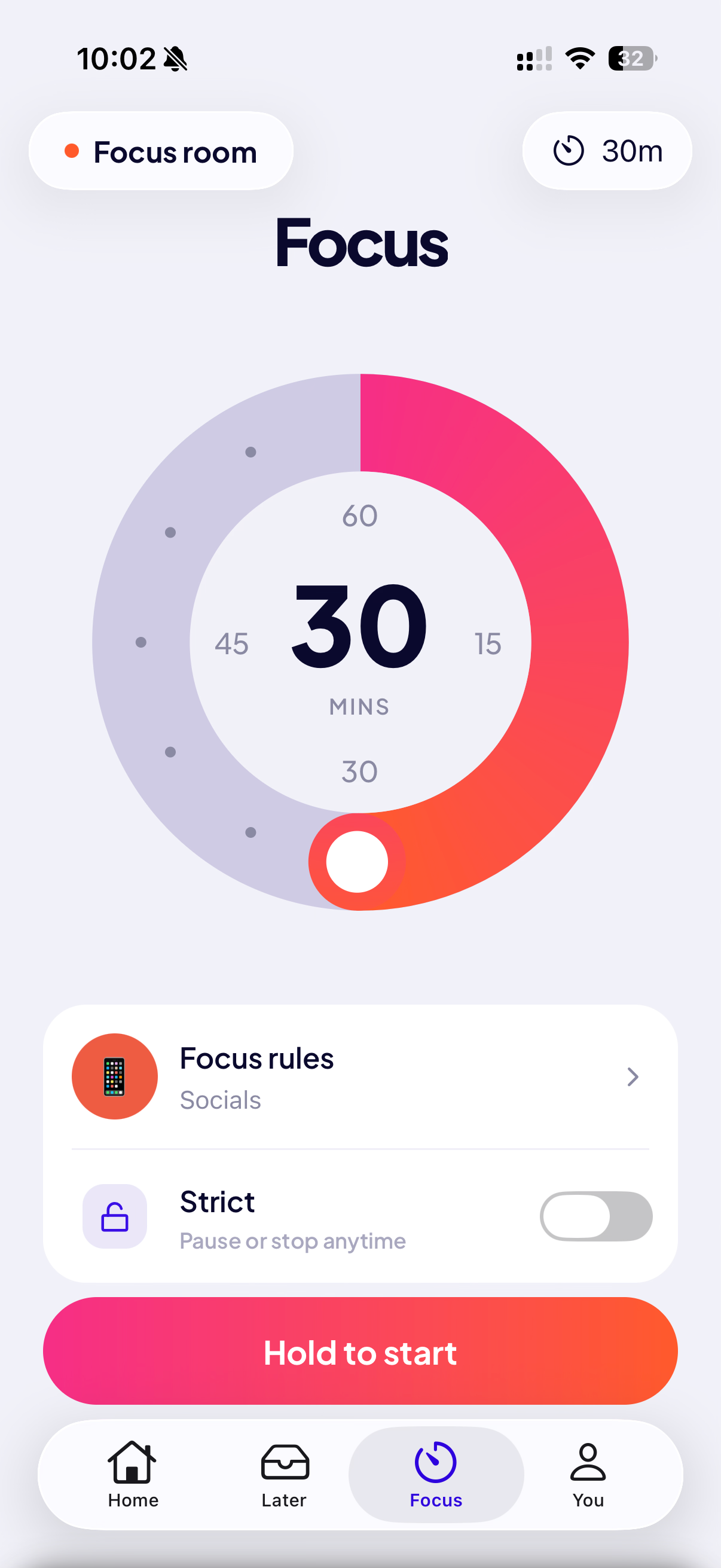
The same blocking also powers Focus, a focus timer you can start anytime.
You pick how long you want to focus, choose what to block, and start. Your blocking presets work here too. The apps stay blocked until the timer ends, and strict mode works the same way. You can also start a focus session from any task.
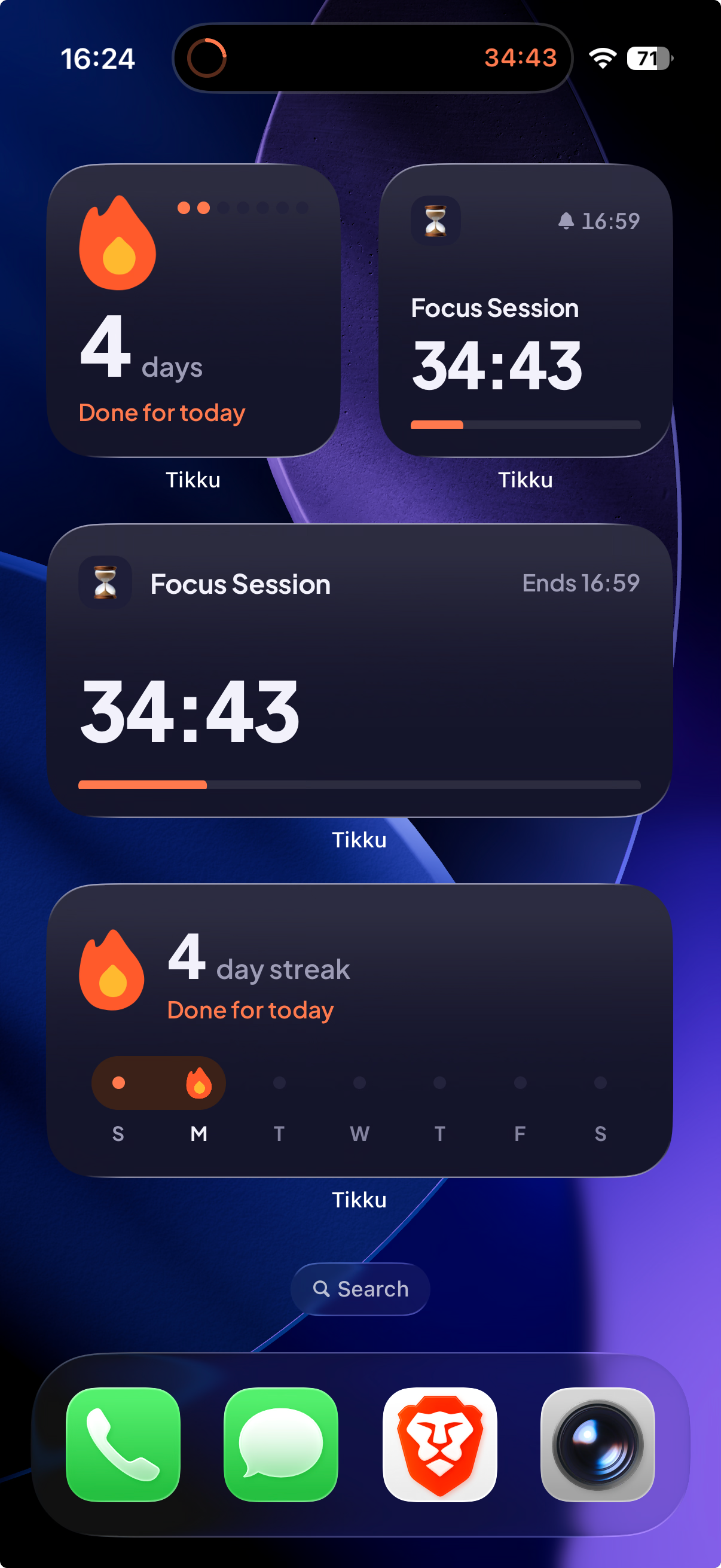
While you're focusing, the timer shows up as a Live Activity on the Lock Screen and in the Dynamic Island.
There's also a Focus Room. You can see how many people are focusing with you right now, including right on your Lock Screen. We never share what anyone is working on, only the number of people focusing. Every day, there are also two community focus events: Early Birds in the morning and Night Owls at night.
And then there are the things that keep you coming back:
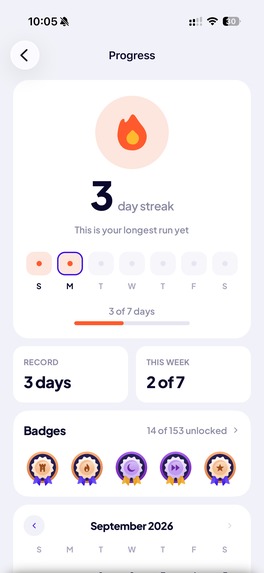
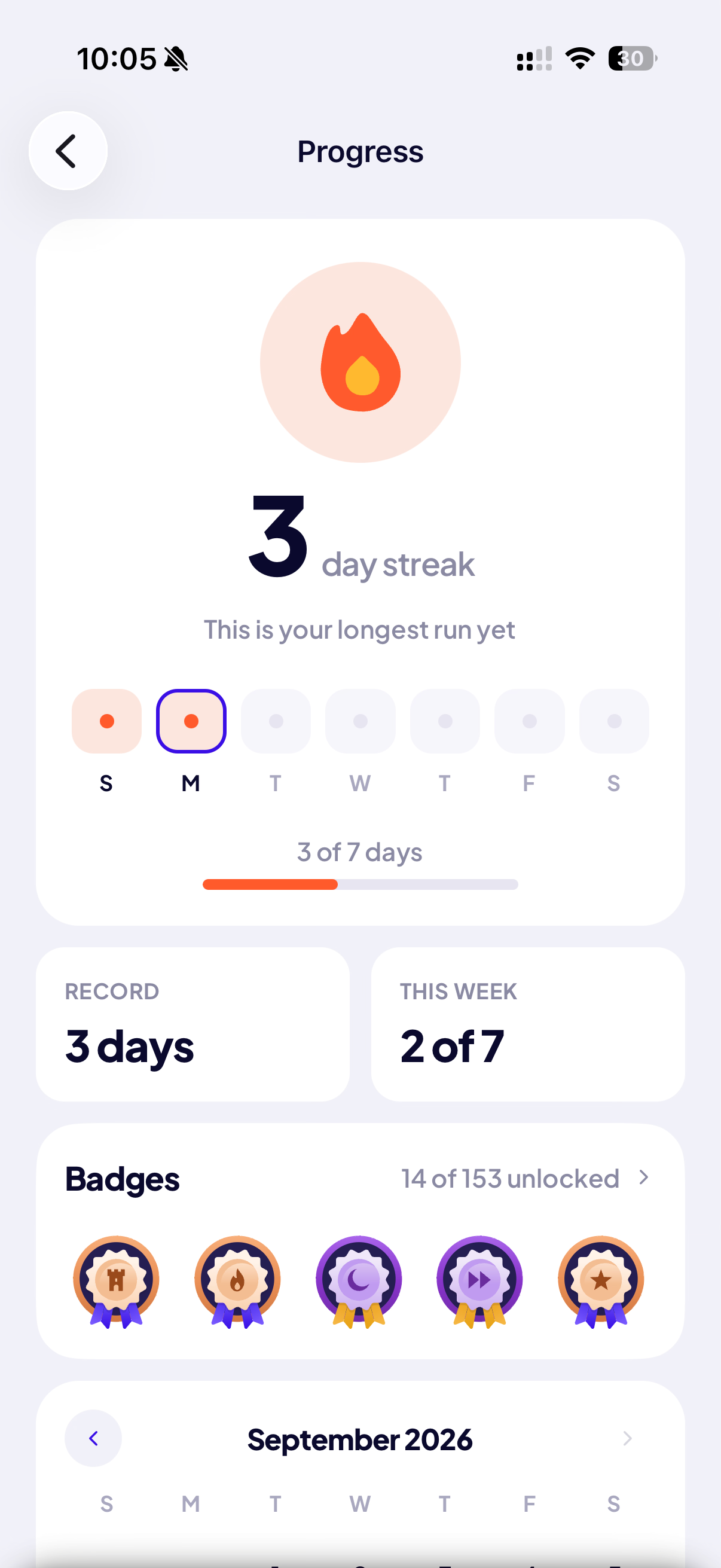
- Streaks and achievements
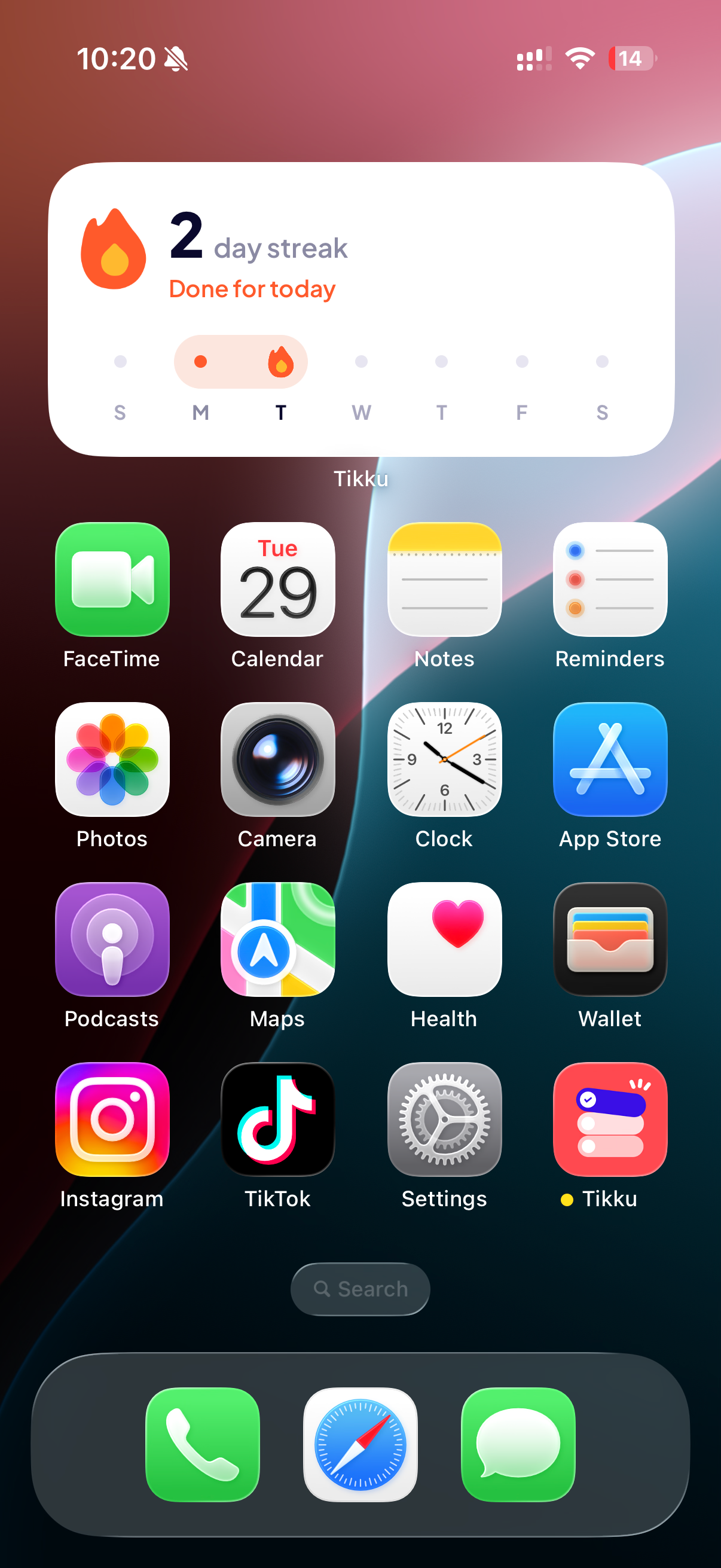
- Home Screen and Lock Screen widgets
- Your actual screen time from iOS
- A weekly report every Monday that puts your screen time next to what you got done
- An evening check-in on your screen time, and a note when you've been away for a while
You don't need an account to use Tikku, and it works offline. If you sign in, your tasks back up and sync between your devices. It supports light and dark mode, and it's available in English and seven other languages.
Awards we're entering
Grand Prize: Tikku launched on September 9. At first, we used it ourselves and shared it with family and friends, and improved the app based on their feedback. Then we started posting about it on Reddit. One of our posts became the top post of the day, with more than 400 comments, and more than 1,000 people from all over the world downloaded the app in just a few days. We listened to what they asked for and released updates that added seven more languages, better widgets and two daily events where everyone focuses together. Many of those people still use Tikku every day.
RevenueCat Design Award: We wanted Tikku to feel premium everywhere. Almost every screen went through several versions before it felt right, and the animations, micro-interactions and haptics were made to work together. The same care goes into the widgets, the Live Activity, the parts iOS draws itself, like your screen time report and the screen you see when you open a blocked app, and even our in-app messages, which we built in OneSignal's HTML editor to look like the rest of the app. Everything works in light and dark mode.
RevenueCat Peace Prize: Almost everyone loses time to their phone, and it's not a willpower problem. The apps are built to keep us scrolling. Tikku helps people take that time back and spend it on what they planned, like studying, work, sleep or exercise. When a task starts, the apps that pull them away are blocked until it ends, so they don't have to fight their phone in the moment. And when a day doesn't go as planned, the app never guilt-trips them. We also designed Tikku with people with ADHD in mind. Their whole day is laid out on a timeline, routines repeat without having to be planned again, and the Focus Room lets them focus alongside other people, like body doubling, without a camera or a chat.
OneSignal's Keep Them Coming Back Award: Everything that brings people back to Tikku runs through OneSignal. When you're in the Focus Room or one of the daily events, your Lock Screen and Dynamic Island show how many people are focusing with you right now, kept live through OneSignal's Live Activities API, even with the app closed. Our notifications are filled in on your phone with your own numbers, like your screen time today, and our Journeys send them at the right time for each person, never in the middle of a block. In-app messages point people to things they might miss, like blocking, the streak widget or the daily focus events.
How we built it
We're two developers. We started at the end of June and got the app onto the App Store in September.
Here's what we used:
- Expo and React Native in TypeScript, with Expo Router and the React Compiler. The UI is built with HeroUI Native and Tailwind through Uniwind.
- Local-first. Everything is stored on the phone in SQLite with Drizzle. On top of that, we use TanStack DB, so every screen reads from live queries on that local data. Changes show up everywhere instantly, and the app doesn't wait on the network. Our sync engine only runs once you sign in. Until then, everything stays on your phone. When it runs, it works in the background, pushes changes, pulls changes from other devices, retries when you're offline, and handles conflicts by keeping the latest edit.
- Server. A Hono API on Cloudflare Workers, with Neon Postgres and Better Auth for Sign in with Apple and Google. The app and server share types, so the API is type-safe end to end. The Focus Room and the daily events each run in a Cloudflare Durable Object.
- Animations. Reanimated and Gesture Handler handle motion and gestures. React Native Skia is used for everything we draw ourselves, including the focus dial and timer ring, the streak flame, and the achievement badges. We also time the haptics with the animations.
- Native iOS. Blocking uses Apple's Screen Time API in Swift. It's a native module plus four extensions that iOS runs on its own, which is why blocking keeps working even when the app is closed. The widgets and Live Activity are written in React with expo-widgets and Expo UI, and render as SwiftUI.
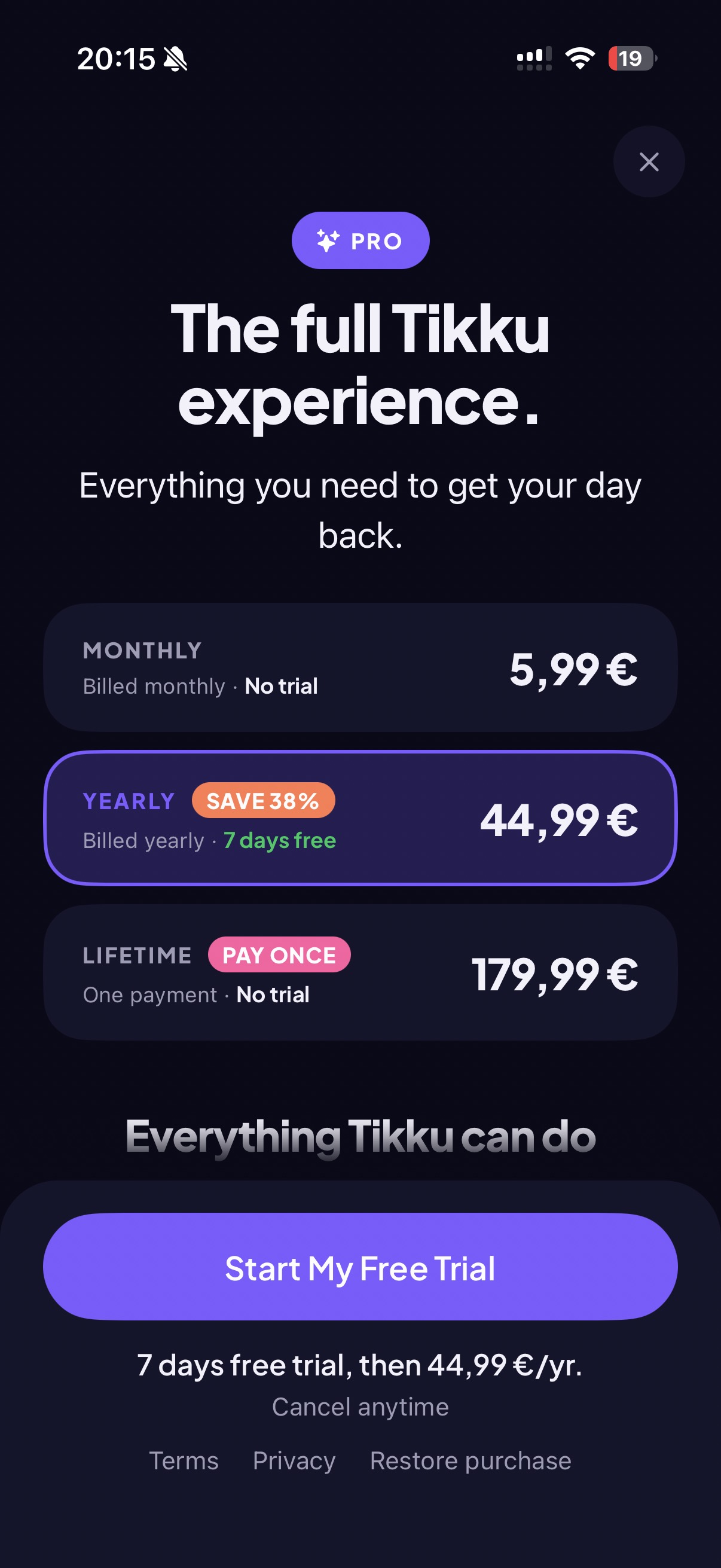
- RevenueCat handles subscriptions and the paywall. The server also checks with RevenueCat before letting someone into the Focus Room.
- OneSignal for push notifications, Journeys, in-app messages and Live Activities. Five Journeys send a daily check-in on your screen time, a weekly report, tips when you're new and a note when you've been away, each timed to you and never during a block. Our notification extension writes each one on the phone as it arrives, in your language and with your own numbers, and your screen time never leaves your phone. Our in-app messages are generated from the app's own design and translations, and point people to things they might miss, like blocking, the streak widget or the daily focus events. And the Live Activities API keeps the Focus Room and the daily events live: the number of people focusing with you updates on your Lock Screen and in the Dynamic Island within seconds, even with the app closed.
Challenges we ran into
There were four main challenges for us:
- Swift and the Screen Time API. Neither of us had written Swift before, and everything behind blocking is Swift. We had no idea how Apple's Screen Time API worked, so we learned it as we went, reading Apple's docs and digging through open source projects that did similar things. Getting blocking to work at all took a while. Getting it to work correctly and reliably, every time, was a lot harder.
- Designing it ourselves. We're both developers, with no designer on the team, and we still wanted the app to look and feel premium. Getting there took a lot of trial and error. We went through different versions of almost every screen, from the layout to the animations, micro-interactions, and the haptics that go with them.
- How strict blocking should be. If a block is too easy to get around, it doesn't help. If there's no way out at all, people get frustrated and delete the app. We went back and forth on this a lot. In the end, we made it your choice. By default, you can still pause or end a block if you really need to. If you don't want that option, you can turn on strict mode.
- Fitting it all into one app. It has tasks, blocking, focus sessions, the Focus Room, streaks, and screen time, and we didn't want it to feel like six apps in one. Keeping it simple meant making a lot of decisions about what goes where, what needs to be visible, and what we should leave out.
Accomplishments that we're proud of
- We went from starting development to a published app on the App Store in a little over two months.
- We got more than 1,000 downloads from all over the world in just a few days, only by posting on Reddit.
- We use it ourselves every day and really find it useful.
- Our friends and family are already using it every day, and they love it.
- We put a lot of care into the animations, micro-interactions, and haptics across the app. We're particularly proud of how the focus experience looks and feels.
- The feedback on our r/iosapps launch post was also really encouraging:
- "The interface is beautiful, everything is laid out really well, and it's quite intuitive to use."
- "Great UI and micro-interactions. It just feels good to use it!"
- "I just tried your focus mode for 2 hours and I really love that it blocked all the apps for me."
- "I like that the blocking is tied to the actual task instead of making me remember to start a separate focus timer."
What we learned
- You don't need to know everything before starting. Neither of us knew Swift or Apple's Screen Time API. We learned both while building the app.
- The strictest version isn't always the best one. A block with no way out does exactly what it promises, but people can still get frustrated and delete the app. Building something people keep using is different from building something that works.
- Polish takes as long as the features. The animations, micro-interactions, and haptics took about as much time as some of the features behind them, and they're also some of the first things people commented on.
- Bringing people back is about the right message at the right time, not more messages. Our notifications use your own numbers, like your screen time today or your current streak, and in-app messages point people to things they might not find on their own, like joining a focus event or setting up the streak widget.
What's next for Tikku
- Getting the app in front of more people.
- Improving the experience based on what our users tell us.
- Bringing Apple's Foundation Models into the app, for things like helping users create and prioritize tasks, breaking big tasks into smaller steps, and giving them better insights into which apps to limit, without anything ever leaving their phone or compromising their privacy.
- Bringing it to Apple Watch and iPad, and then Android.
Built With
- cloudflare
- expo.io
- hono
- ios
- lottie
- onesignal
- postgresql
- posthog
- react-native
- react-native-gesture-handler
- react-native-reanimated
- react-native-skia
- revenuecat
- sqlite
- swift
- swiftui
- tanstack-db


Log in or sign up for Devpost to join the conversation.