-
-
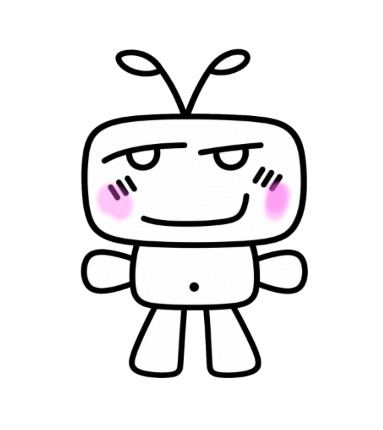
our mascot tiji!
-
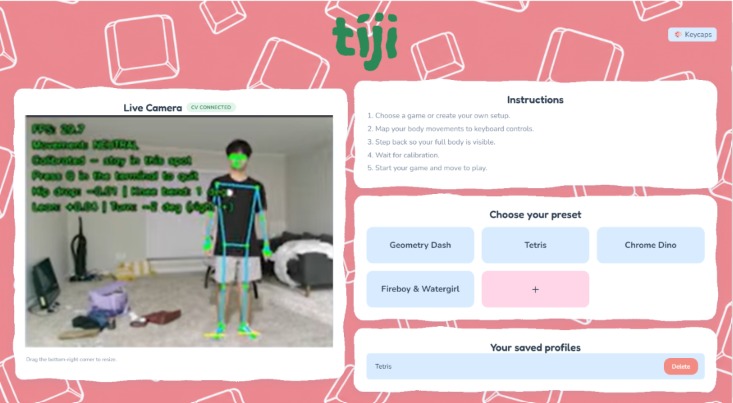
homepage
-
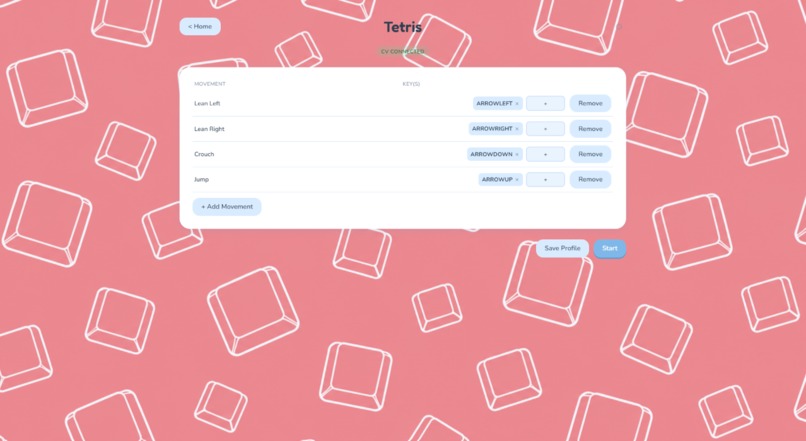
customize key bindings to gestures
-
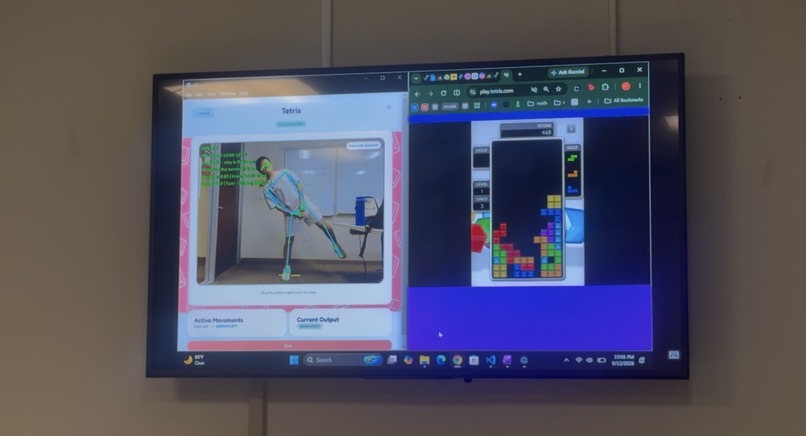
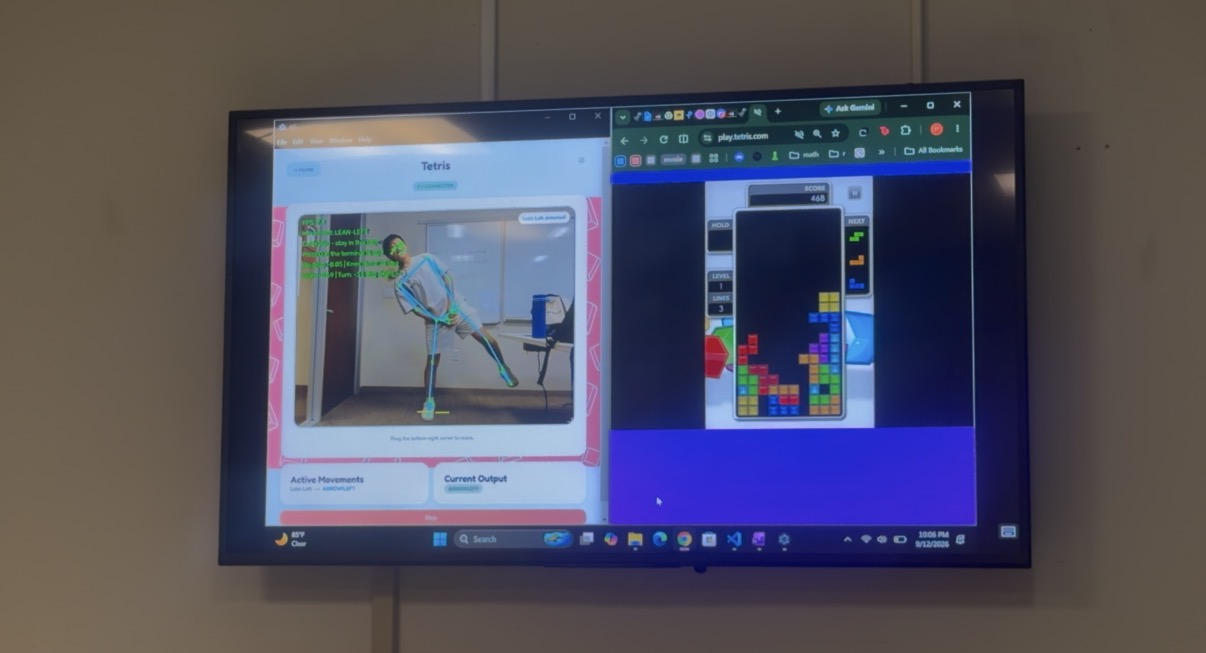
tiji x tetris
-
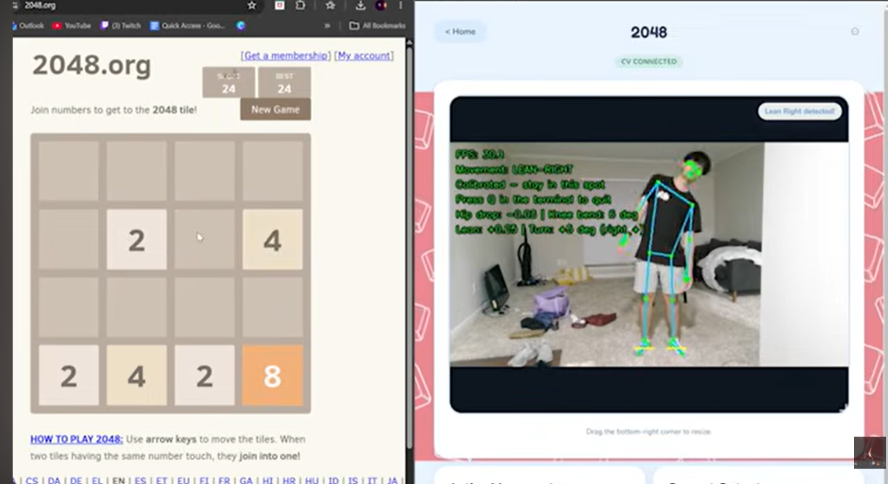
tiji x 2048
Inspiration
Our favorite games can have us sitting stationary for prolonged periods of time, so it’s often hard to stay active. We love Tetris, and some of us spend extensive amounts of time on it. Are we any good? That is a separate concern. Regardless, we imagined we could rotate the Tetris pieces with our hands and drop the pieces by jumping. But that begged the question: why can't we do this for any game we want? When your body is the most versatile and accessible controller you have, why not use it?
What it does
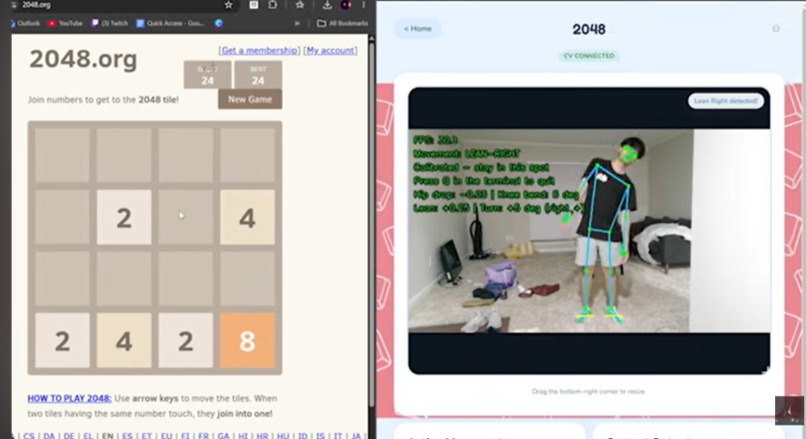
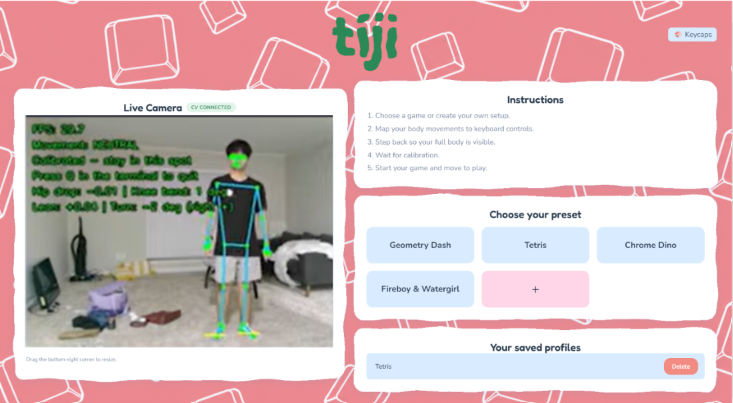
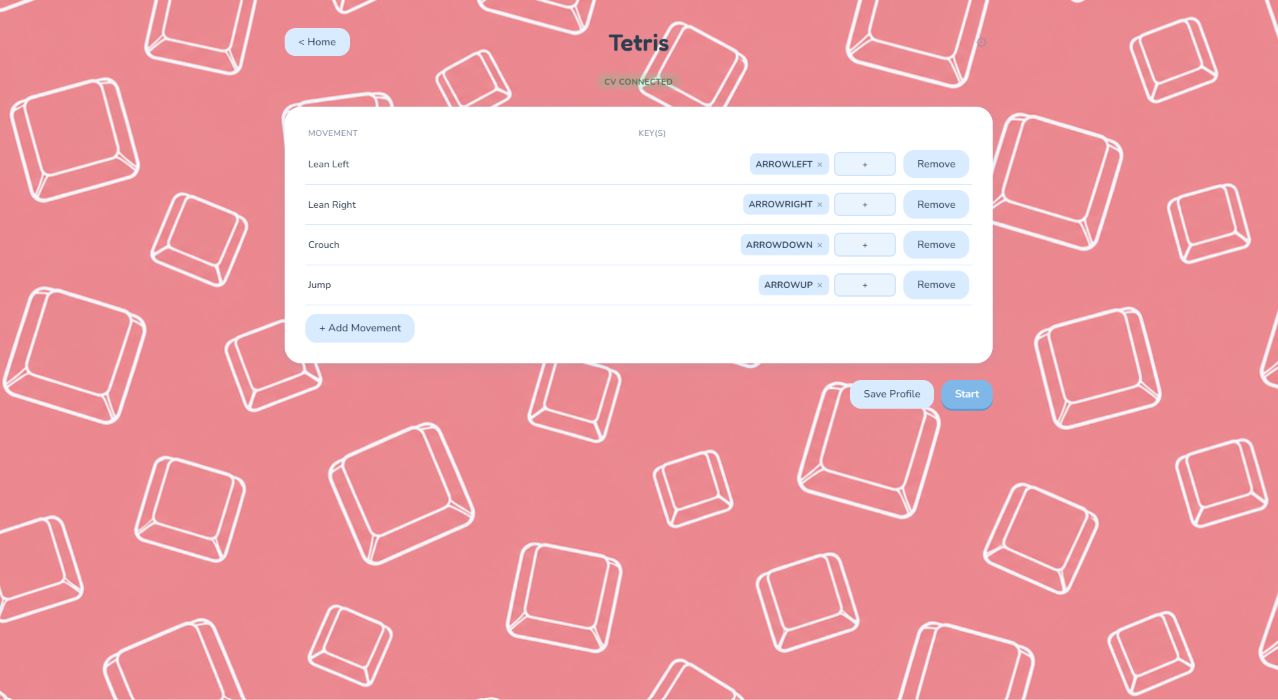
Tiji is a desktop app that allows you to map preset gestures and movements to keybinds. This way, you can create a custom computer vision controller with your own body as the medium. To get started, create a new profile and bind specific actions to specific keys. Once ready, run the program and stand entirely in frame for 3 seconds to calibrate for body proportions and camera angle. Once done, every time you perform a bound action, it will translate into real-time keyboard input, allowing you to play anything (or do anything) with nothing but yourself!
How we built it
There are three main parts to tiji:
- Backend - OpenCV, MediaPipe
- Transport protocol - WebSocket
- Frontend - Electron
The backend utilizes OpenCV to capture livestream webcam footage and MediaPipe Pose Landmarker to get 33 landmarks representing parts of the body. These landmarks are then used in 8 Python scripts, each running concurrently to classify a specific movement. Movement behavior is defined by assessing the change in particular joint positions over time to reflect how it would look in real life. For instance, a jump would involve a bending, then a straightening of the knees whilst the entire body moves upwards. We can interpret all of this by creating logical rules for changes in keypoint data over time.
We use the WebSocket protocol to enable real-time communication between the Python backend and the Electron frontend. The backend runs a GestureServer that collects movement data and hosts an asynchronous WebSocket server that transmits this data to the frontend. The Electron application connects to the WebSocket server as a client and continuously listens for movement updates without blocking the user interface, allowing users to interact with the application at the same time.
For the frontend, we used Electron to build the user interface. We chose a desktop application rather than a web application because our system needs to access Windows APIs to trigger keyboard input, which is not directly available to standard browser-based applications. We also implemented several visual themes, including the standard tiji theme, a hacker theme, a Rice University theme, and a UT Austin theme, to make the application more customizable and engaging for users.
Challenges we ran into
The primary challenges we ran into were recognizing movements and scoping our project.
At first, we wanted to detect small motions like claps. However, we soon realized it was difficult to accurately capture hand movements, so we pivoted towards using motions that were easier to detect and classify in a heuristic manner. We tested and settled on the following motions: turn-left, turn-right, stomp-left, stomp-right, lean-left, lean-right, jump, and crouch. Using the MediaPipe Pose Landmarker helped dramatically, as this framework helped us accurately capture and classify gestures.
The next major challenge we ran into was having too wide a scope. Initially, we planned on implementing the Presage library to let the user see vitals before and after gameplay and letting the users create their own custom gestures. But the core functionalities of the project took longer than expected. So, we were forced to limit the scope of our project. However, we believe that doing so helped us focus more on enhancing the user experience of our current features.
Accomplishments that we're proud of
We are really proud that we were able to get our core mechanism working: turning movement classification into keyboard input. At first, we were a little worried about how well a rule-based classification algorithm would work, especially because movement can vary so much from person to person. However, narrowing our focus to a smaller set of distinct movements made the problem much more manageable and allowed us to build something that was both reliable and responsive.
We are also really proud that our game actually works and is fun to use. We asked some Rice students we found around campus to test out our product, and even though it was not perfect, it still served its purpose and kept people engaged. Seeing people actually interact with tiji and understand how to use it was really rewarding, especially because it showed us that the idea could work outside of just our own testing.
What we learned
The biggest thing we learned was the importance of decomposing complicated systems into more manageable pieces. At first, tiji just felt like one jargon tech term after another. Thinking about our stack in three main parts, as mentioned in the How I built this section, made the project easier to approach. We also used Notability to visualize these pieces and plan how they would connect before trying to build everything at once.
We also learned a lot about communicating and working on a team where everyone has different skill sets. Since different people were more comfortable with different parts of the project, we had to explain what we were working on in a way that everyone could understand and make sure that our individual pieces would eventually fit together. That communication ended up being just as important as working on the code.
Finally, we learned just how much is possible with tools that already exist. We were really impressed by what OpenCV and MediaPipe could do with real-time video and movement tracking, and we also discovered that Windows provides APIs that let us programmatically trigger keyboard inputs. Combining these tools made an idea that initially seemed pretty complicated feel much more achievable.
What's next for tiji
Our immediate next step is to reduce latency. Right now, the user experience is noticeably affected by the delay between the video stream, gesture recognition, and the actual keyboard trigger. Improving that response time would make tiji feel much smoother and more natural to use.
After that, there are a few features we would love to tinker around with. One is allowing users to create their own custom movement patterns. Things like dances, poses, or more obscure gestures could be mapped to specific keys, making the experience much more personalized.
We would also love to implement virtual gamepad support and mouse movement. Gamepad bindings would open tiji up to many more games that do not rely primarily on keyboard controls. Adding precise hand tracking for mouse movement could also expand tiji beyond gaming and make it useful for general computer navigation and browsing, since the current version is limited to keyboard input.

Log in or sign up for Devpost to join the conversation.