-
-
-
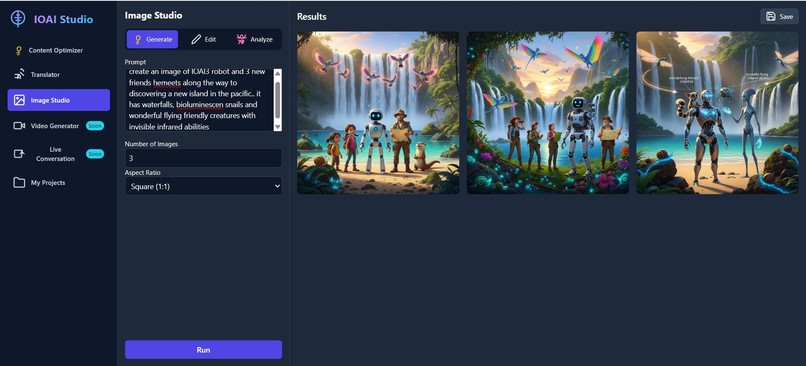
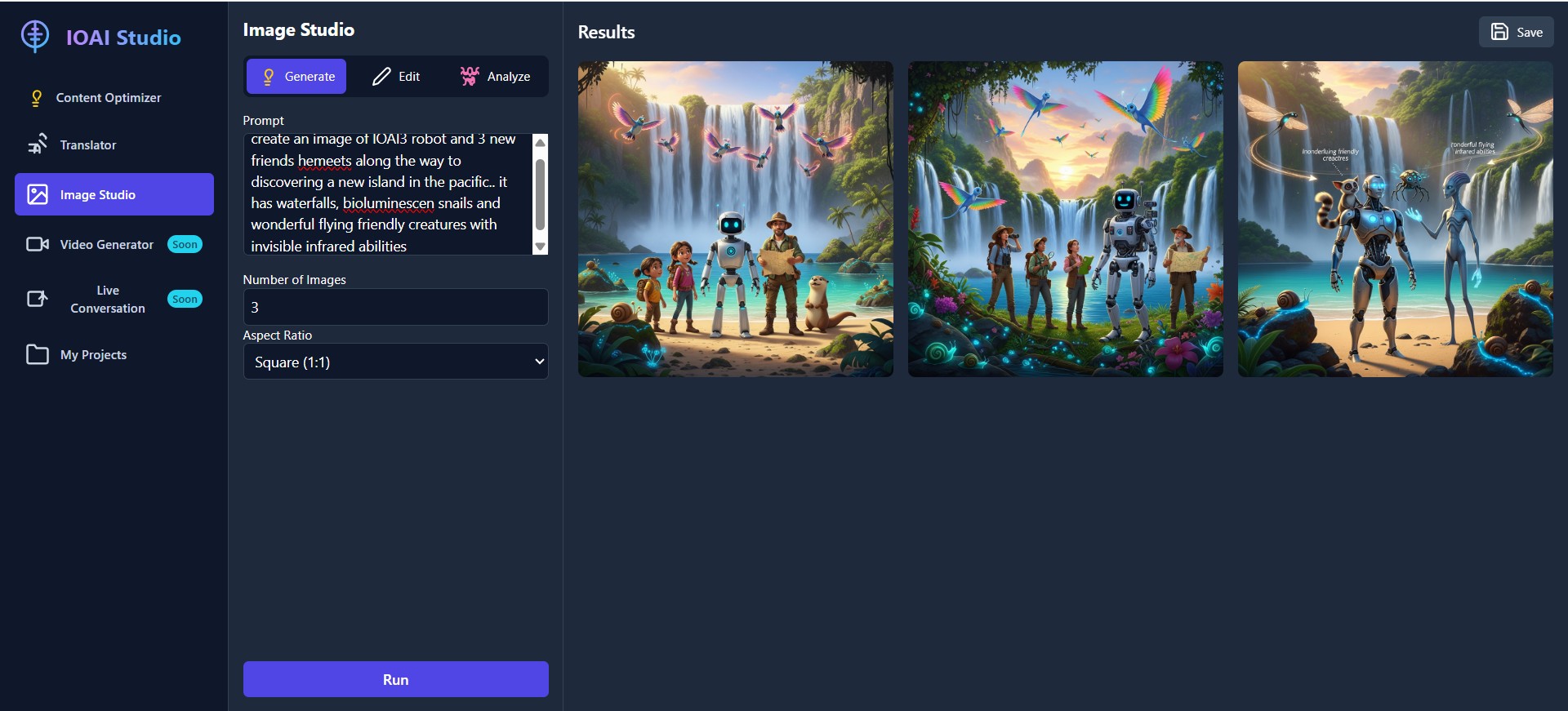
Image Generator page
-
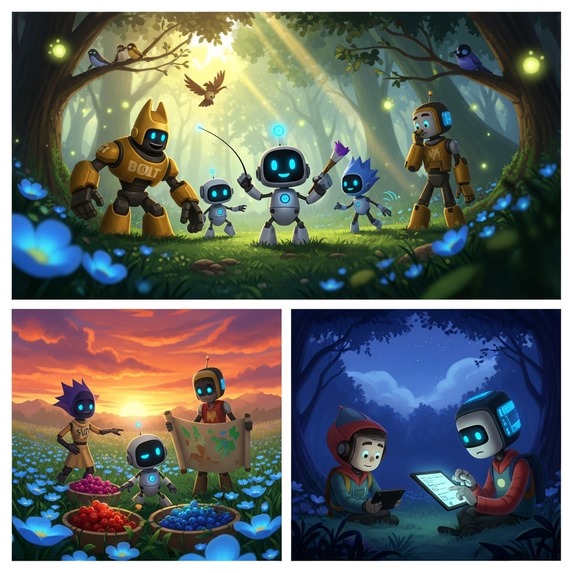
Image generator creator IOAIs adventures
-
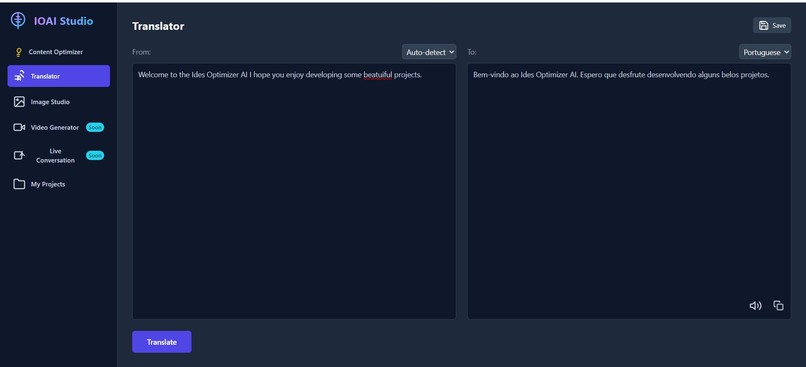
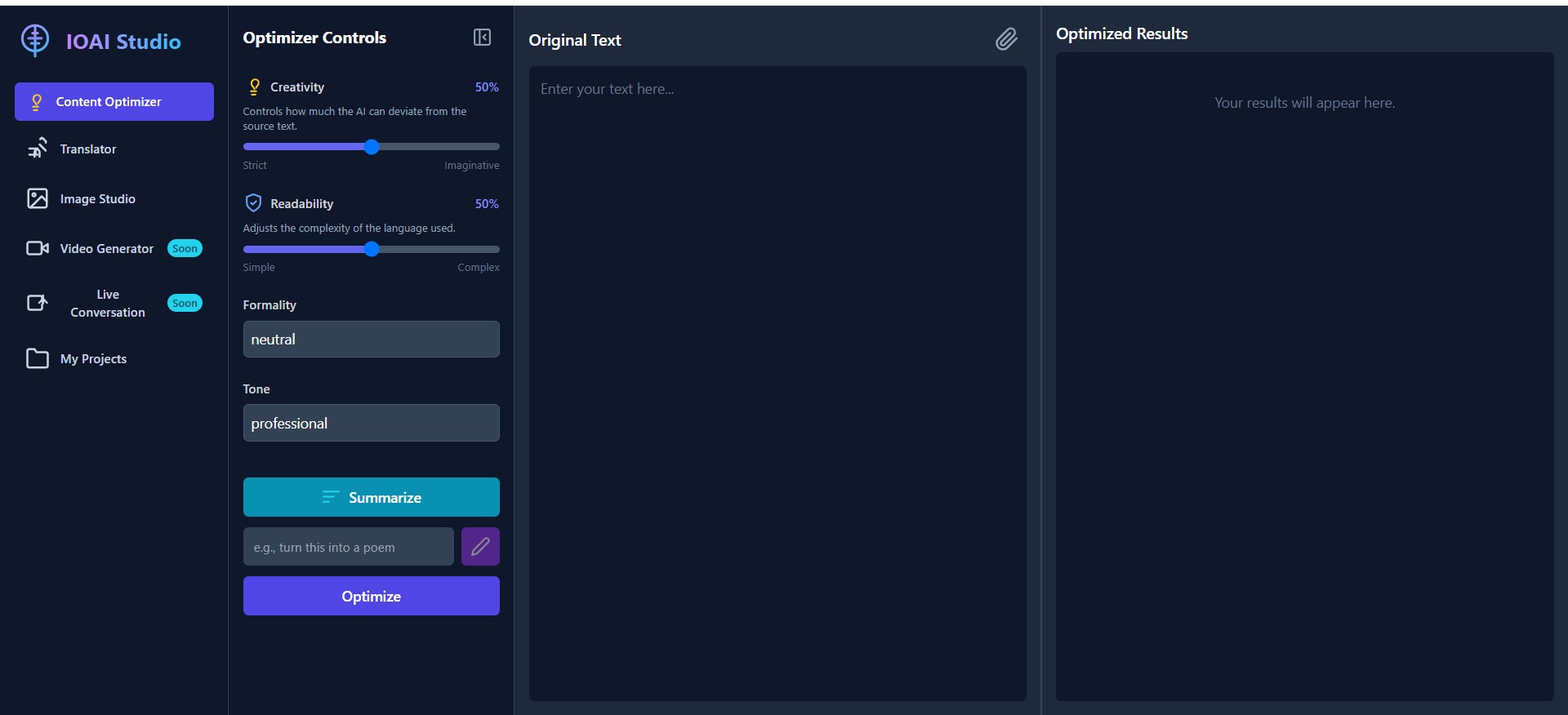
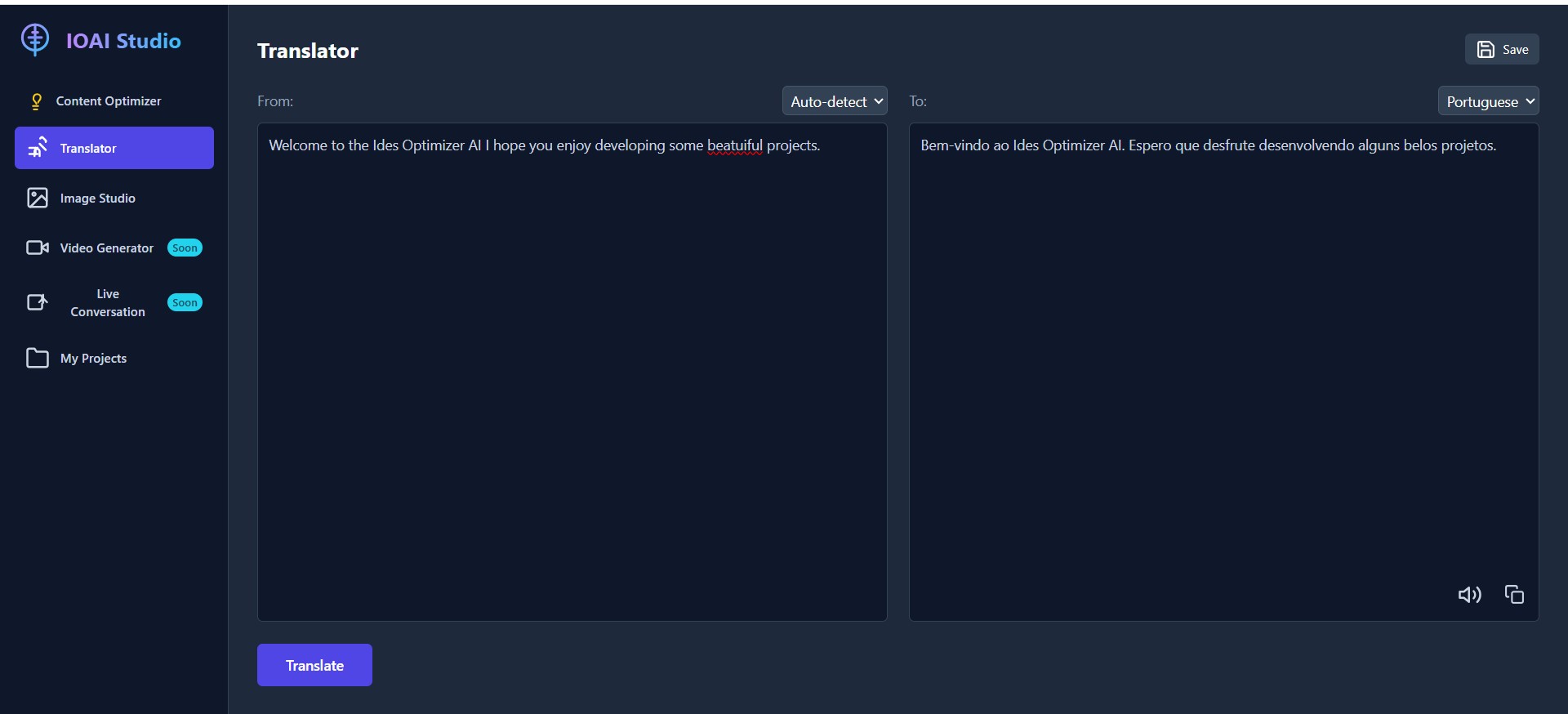
Translator page
-

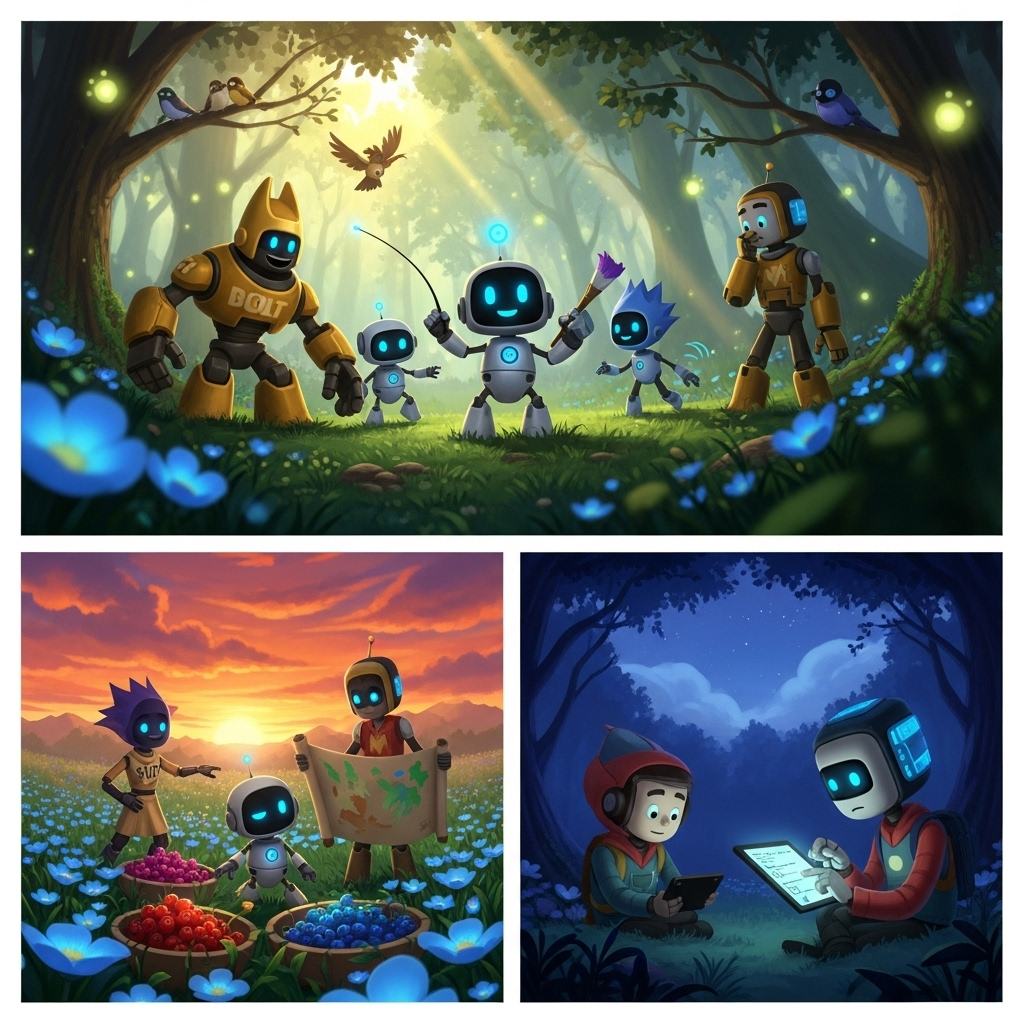
Image generator creation IOAIs adventures 2
-

Idea Optimizer AI built with your ideas in mind
-
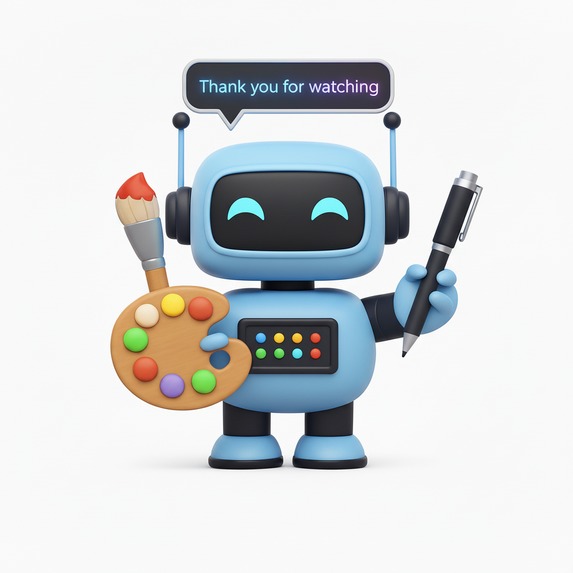


IOAI Studio
IOAI Studio was born from the idea of creating a single, cohesive, and powerful tool for creators, professionals, and students. In a world with countless specialized AI applications, we saw an opportunity to build an integrated workspace that brings together the best of text optimization, translation, and image creation and image analyzing, under one roof.
Our goal is to provide a fluid and intuitive user experience that not only showcases the incredible capabilities of Google's Gemini models but also empowers users to brainstorm, create, and refine their ideas without friction. This project serves as both a practical, everyday productivity tool and a comprehensive, open-source reference for developers looking to build their own applications with the Gemini API. We believe in making advanced AI accessible and easy to use for everyone.
IOAI Studio is a powerful, all-in-one web application that leverages the full suite of Google's Gemini AI models to provide a seamless and intuitive creative experience. As a fully client-side application with no build process, it runs directly in any modern web browser and can be deployed to any static hosting service.
Features
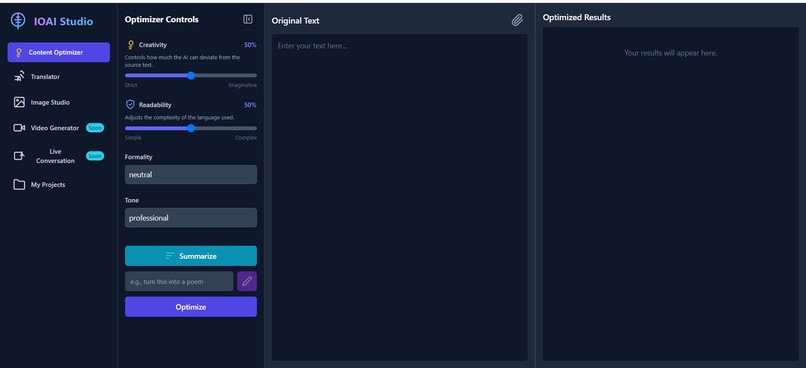
- ✍️ Content Optimizer: A versatile workspace for all text-based projects. Input your content, then Summarize, provide a custom instruction to Modify, or use fine-grained controls to Optimize it for a specific audience, goal, and tone. Supports text and image attachments for richer context.
- 🌐 AI Translator: Translate text between over 70 languages with auto-detection and text-to-speech capabilities to hear the translated content.
- 🖼️ Image Studio: Generate high-quality images from text prompts using Imagen 4, or upload your own image and use AI to edit it. Apply artistic style presets like "Photorealistic," "Anime," and "3D" to enhance your creations.
- 💬 AI Assistant: Engage with an intelligent AI assistant that provides dynamic, context-aware suggestions based on the content you are currently working on.
- 📁 My Projects: Save and organize all your work—optimized text, translations, and images—directly in your browser's local storage.
- ✨ Coming Soon: We are actively working on integrating Video Generation and Live Conversation capabilities to bring your stories and ideas to life in new dimensions.
Technology Stack
- Frontend: React, TypeScript
- Styling: Tailwind CSS -** Build Tool**: Vite
- AI: Google Gemini API (
@google/genaiSDK) - Rendering: Marked (for Markdown), KaTeX (for LaTeX math formulas)
Gemini API Showcase
This application demonstrates a wide range of Gemini API capabilities:
- Advanced Text Generation (
gemini-2.5-pro): Used in the Content Optimizer for high-quality text manipulation that requires following complex instructions. - Fast Text Generation (
gemini-2.5-flash): Powers the AI Translator, the Content Optimizer's "Summarize" action, and the AI Assistant for quick and efficient responses. - Image Generation (
imagen-4.0-generate-001): The core of the Image Studio, creating high-quality images from text prompts. - Image Editing (
gemini-2.5-flash-image): Used in the Image Studio to edit user-uploaded images based on text prompts. - Text-to-Speech (
gemini-2.5-flash-preview-tts): Powers the "Read Aloud" feature in the Translator view, converting text into natural-sounding audio.
Development Journey & Current Challenges
Building a cutting-edge AI application comes with unique challenges. Here are some we are actively addressing:
Visual Consistency in Image Generation: While the Image Studio is powerful for single generations and edits, ensuring perfect visual consistency of a character or style across multiple, separate generations remains a frontier challenge in AI image creation.
Browser Storage Limitations: The "My Projects" feature relies on the browser's
localStorage. While convenient for a client-side app, it has size limitations (typically 5-10MB). Storing numerous high-resolution images can quickly exhaust this space, leading to save errors. Future versions may explore more robust storage solutions.Real-time Information Access: The AI models do not have live access to the internet for information like today's weather or breaking news. Their knowledge is based on the data they were trained on, which has a cutoff date. Future integrations may use Gemini's tool-use capabilities to access real-time data.
Future API Requirements (Video): As we plan to integrate video generation (e.g., using Google's Veo model), users should be aware that these advanced models often have specific API key requirements, such as needing a Google Cloud project with billing enabled, which is a different setup from the standard Gemini API key used for text and image generation.
How we built it
- Built as a zero-build, client-side app (React + TypeScript) so it runs directly in the browser.
- Uses the
@google/genaiSDK to access Gemini models:gemini-2.5-pro,gemini-2.5-flash,imagen-4.0-generate-001, and live audio previews. - Optimized for Chrome Canary to leverage experimental Built-in AI features and enable the best real-time audio and TTS experience.
- Accessibility-first: text-to-speech, voice commands, and image description workflows built-in.
Challenges we ran into
- Real-time audio streaming: Browsers expose PCM streams differently than file-based APIs; we built custom encoders/decoders and buffering to keep latency low.
- Math rendering conflicts: Gemini outputs LaTeX that conflicted with Markdown rendering; we implemented a placeholder/isolation strategy and used KaTeX for final math rendering.
- CDN integrity & MIME issues: Some hosts blocked outdated integrity hashes and enforced MIME checks; we removed stale SRI attributes and added Netlify
_headersto serve correct MIME types. - Zero-build TypeScript: Maintaining TypeScript semantics without a build step required careful module handling and runtime-compatible imports.
Accomplishments that we're proud of
- Integrated the complete Gemini ecosystem (text, image, audio, and function-calling) into a single client-side product.
- Built accessibility features that address problems—multilingual audio descriptions and image analysis for visually impaired patients.
- Delivered an educational Live API Reference that exposes exact Gemini calls to teach developers.
- Achieved a zero-barrier experience: no install, no complex setup—run instantly in a browser.
- Demonstrated innovative browser-native AI interactions optimized for Chrome's Built-in AI.
What we learned
- Real-time multimodal AI in the browser is feasible and powerful when paired with the right streaming and encoding strategies.
- Chrome Canary’s experimental features (and Gemini Nano) enable useful offline and low-latency capabilities that are worth optimizing for.
- Accessibility requires deliberate design choices (TTS, clear visual affordances, robust fallback behavior).
- Transparency builds trust—showing live API calls helps both users and developers understand how the AI operates.
- Deploying zero-build apps across hosting providers demands extra attention to static asset integrity and MIME configuration.
What's next for Idea Optimizer AI
- Implement offline-first capabilities using Gemini Nano for local inference when connectivity is limited.
- Build a progressive web app (PWA) wrapper for mobile-first access and improved offline caching.
- Add collaboration features for care teams and family members (shared projects, permissions).
- Expand language and assistive-technology support to reach underserved communities.
Built With
- ai-chat
- ai-translator
- browser
- chrome
- client-side
- content-optimizer
- cross-platform
- css3
- gemini
- gemini-2.5-flash
- gemini-2.5-pro
- google-ai
- google-ai-studio
- google-cloud
- google-cloud-run
- html5
- image-editing
- image-generation
- imagen-4.0
- javascript
- katex
- localstorage
- marked
- node.js
- npm
- react
- react-dom
- rest-api
- tailwindcss
- text-to-speech
- typescript
- vite
- voice-commands
- web
- web-app

Log in or sign up for Devpost to join the conversation.