-
-
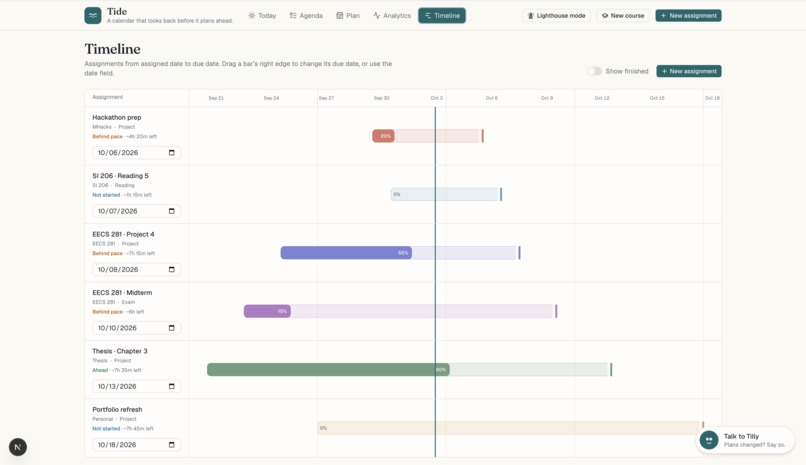
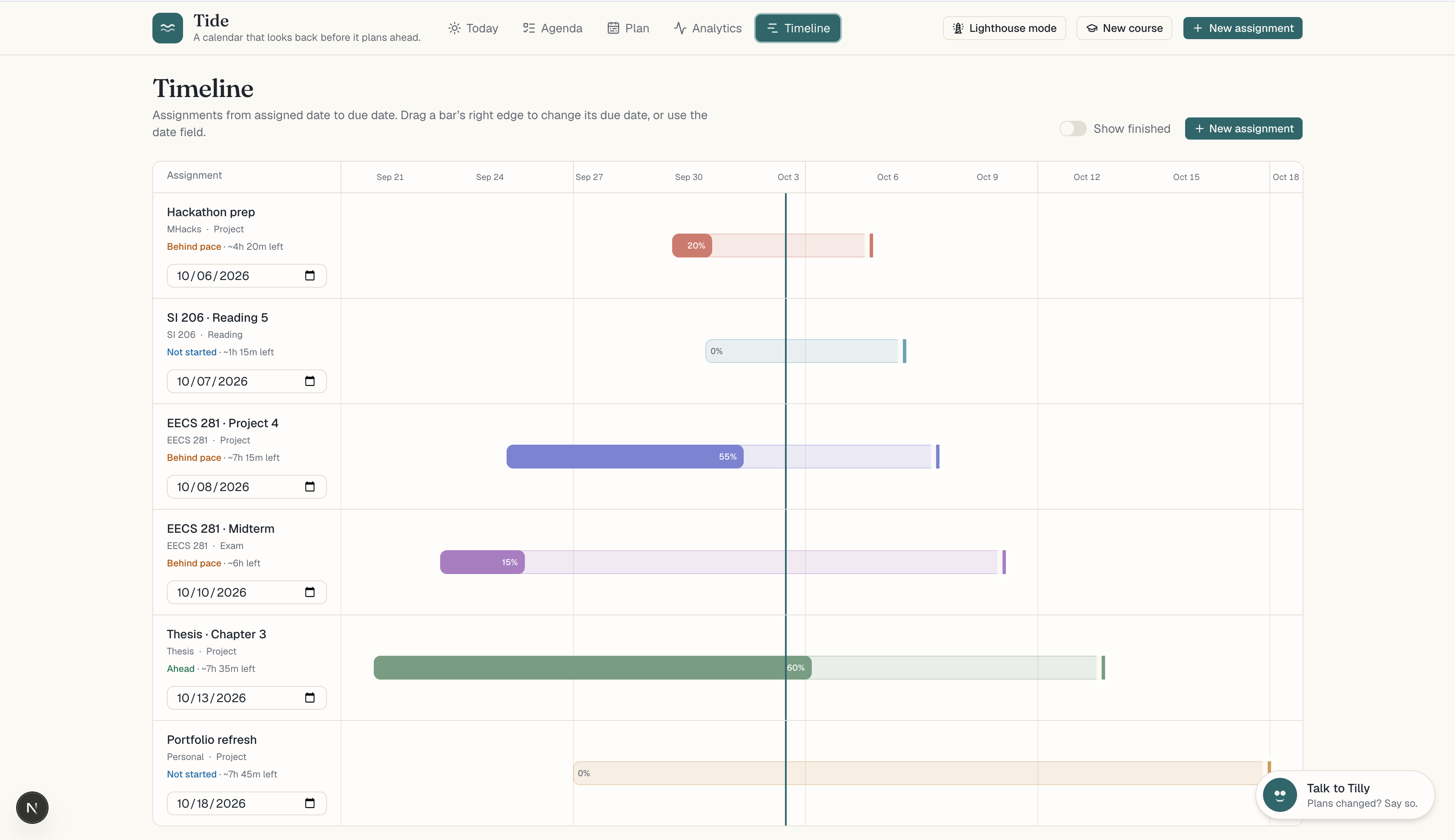
"Timeline" - Every assignment from assigned to due with progress bar fill shows if you're on pace. Dragging the end allows for quick changes
-
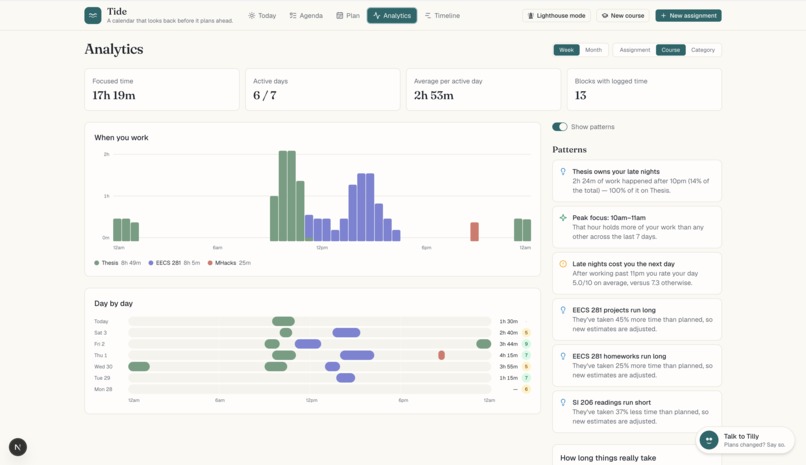
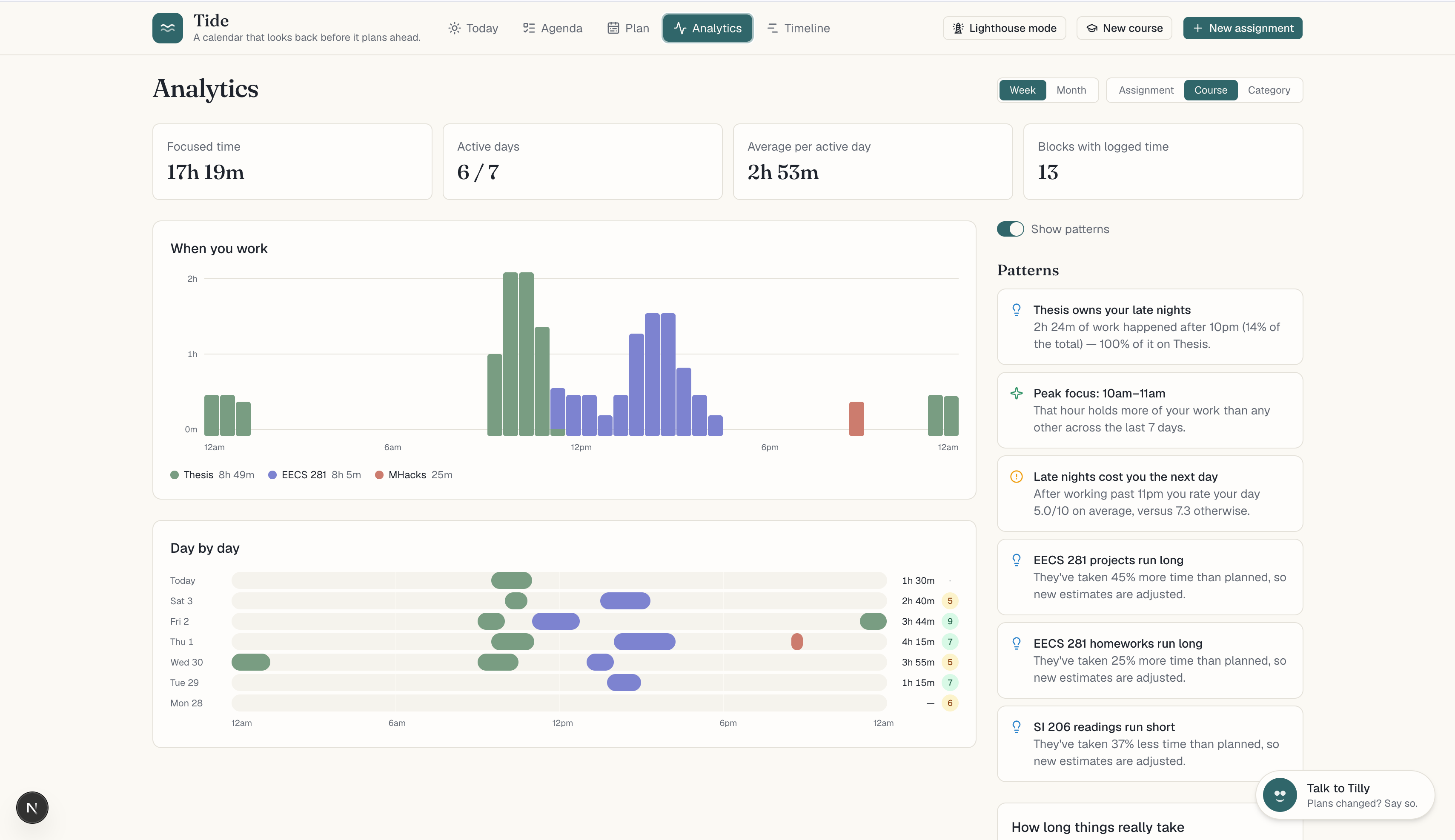
"Analytics" - Focused time and when you actually worked, by week or month. Patterns, like late nights, stay hidden until you turn them on.
-
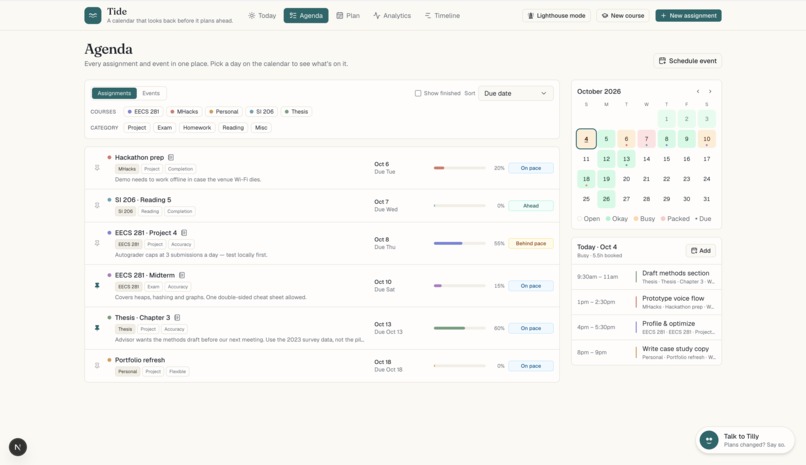
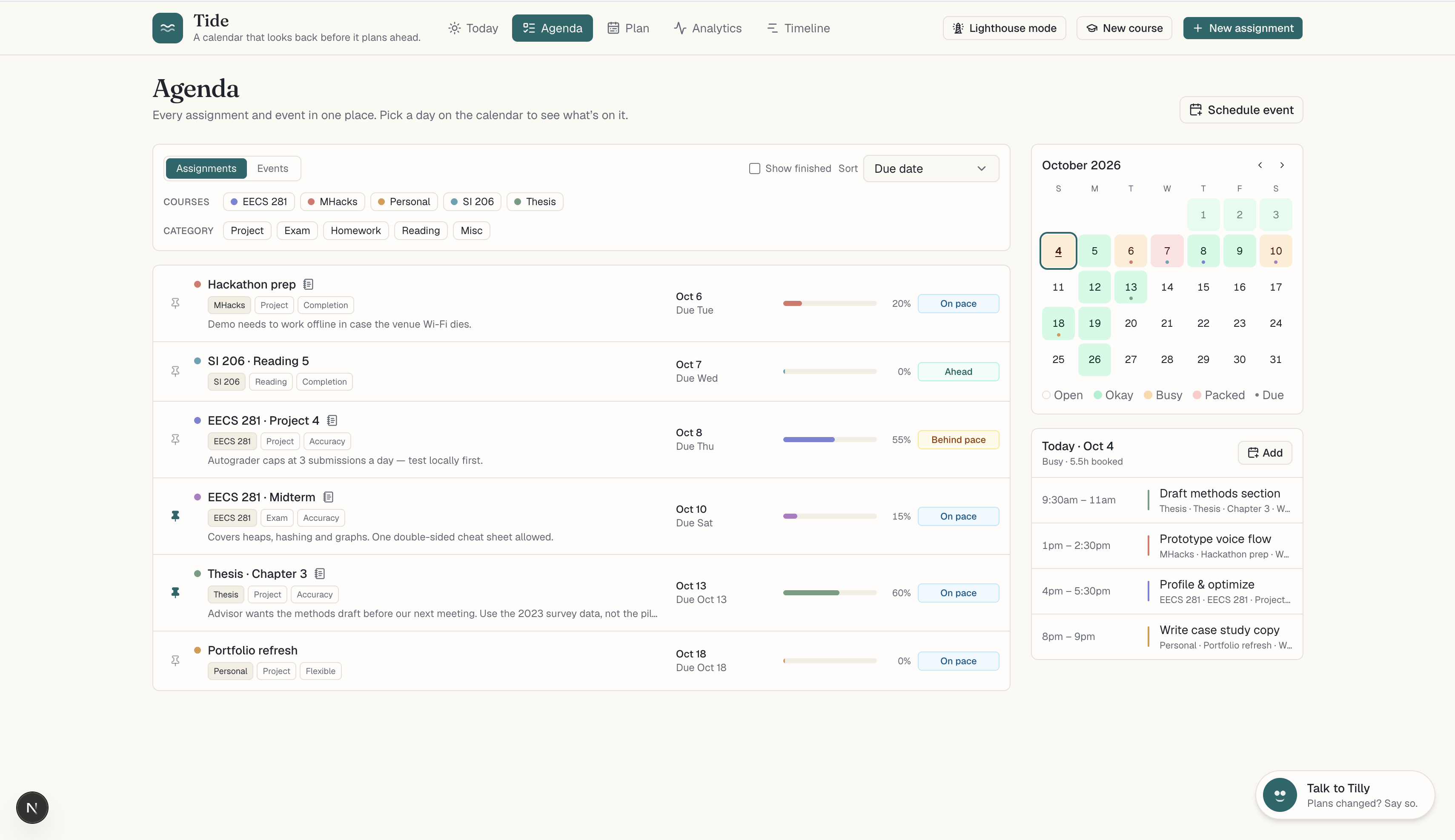
"Agenda" - Assignments and events in one list, filtered by course and urgency. The month view shades each day by how full it is.
-
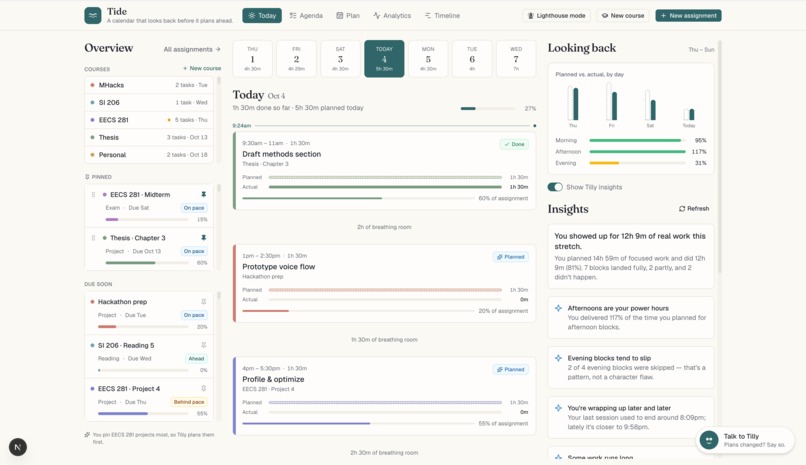
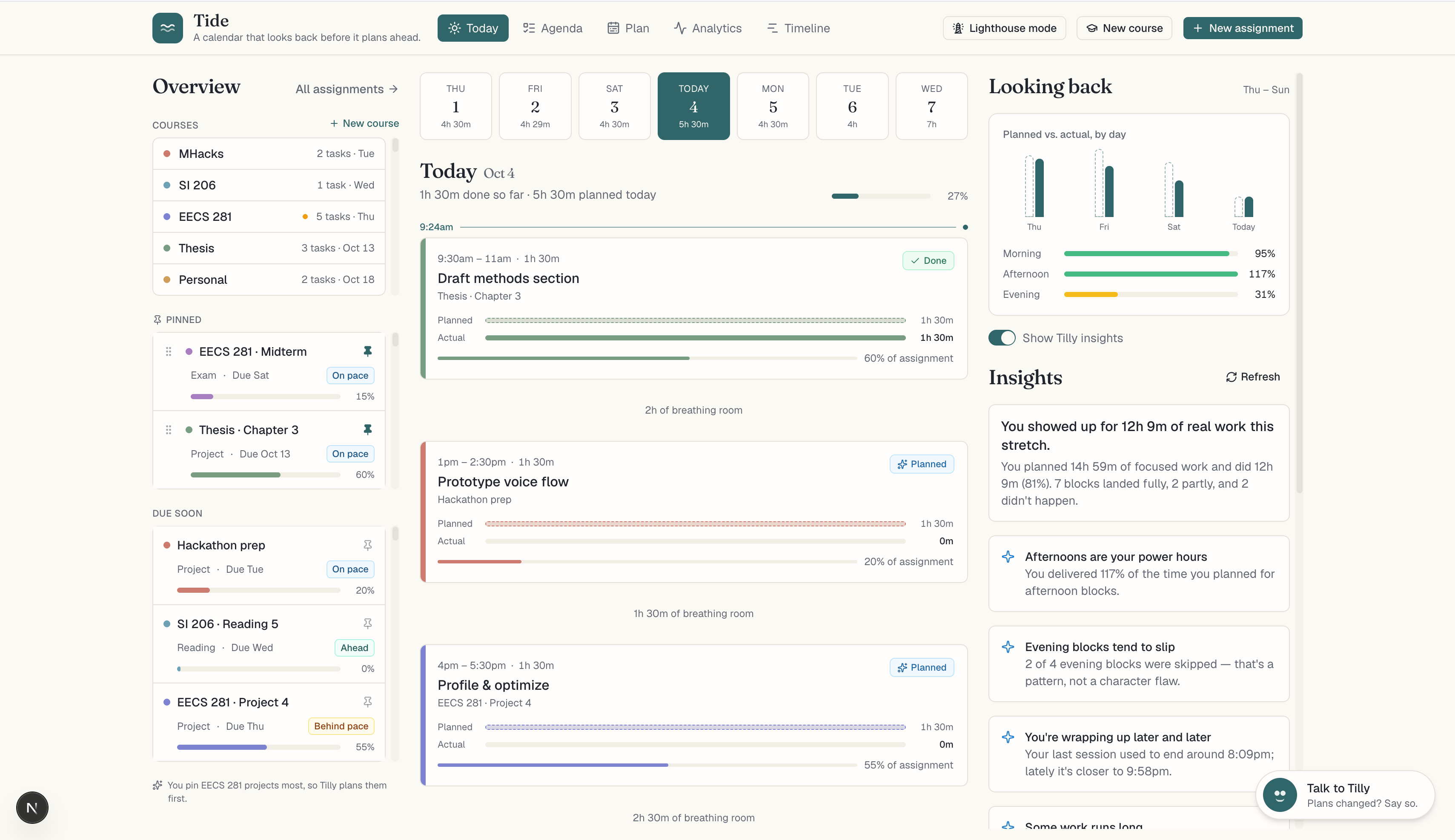
"Today" - A timeline of what you planned versus what you did. Log time, update progress, and turn on Tilly insights when you want them.
-
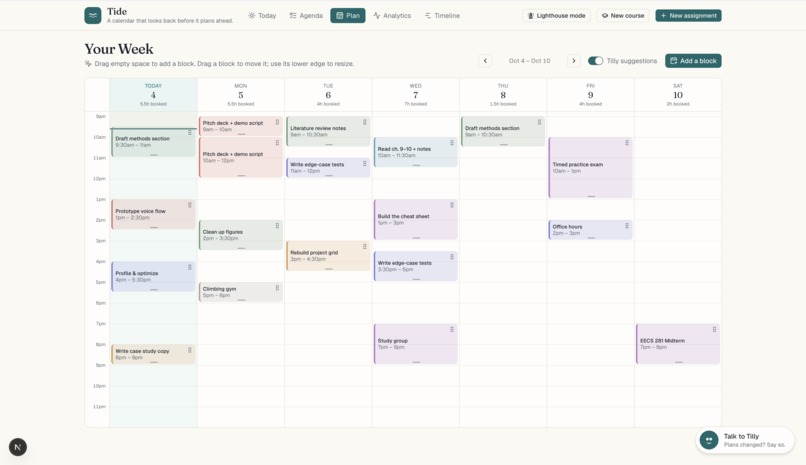
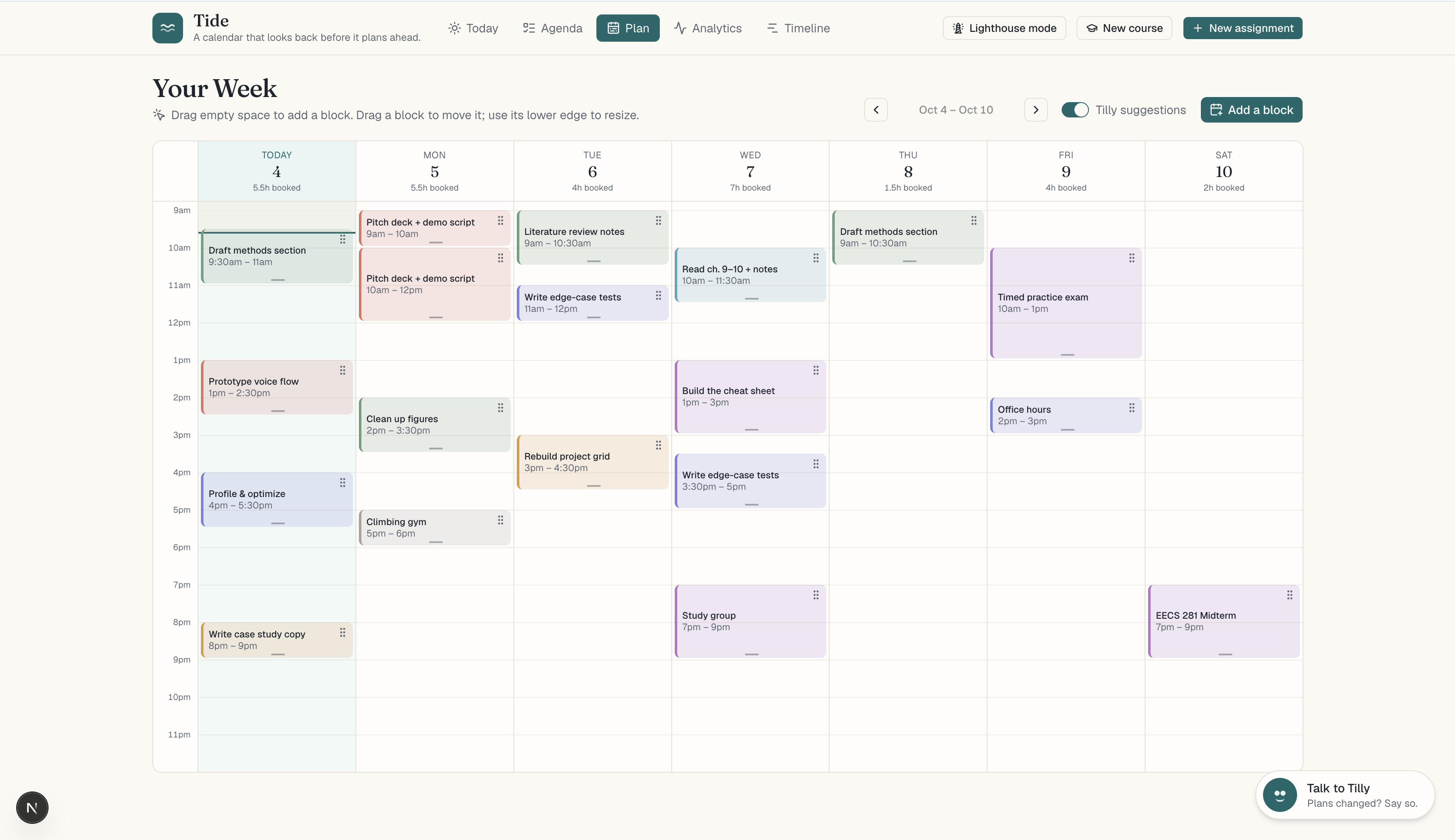
"Plan" - Page through the week, drag out blocks, and move them between days. Add Tilly's suggestions one block at a time.
-
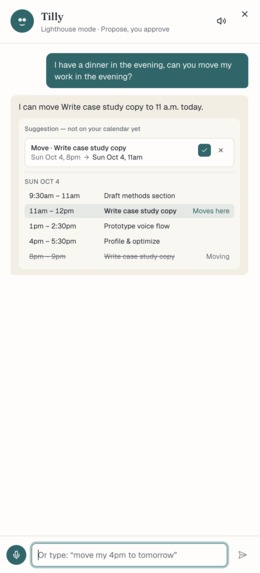
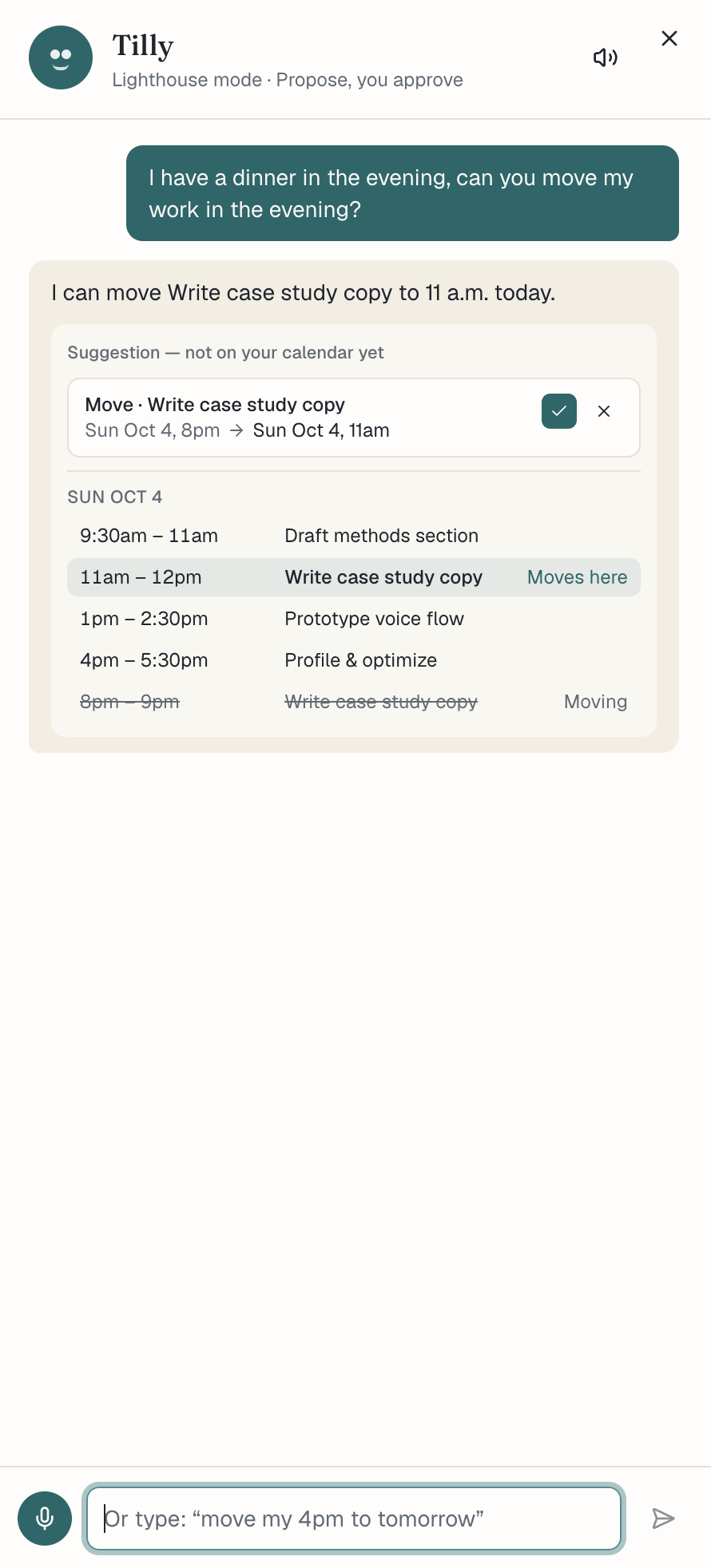
"Tilly" - Tell Tilly the plan changed. She adds the event, proposes shifts to make room, and you apply, skip, or undo each one.
-
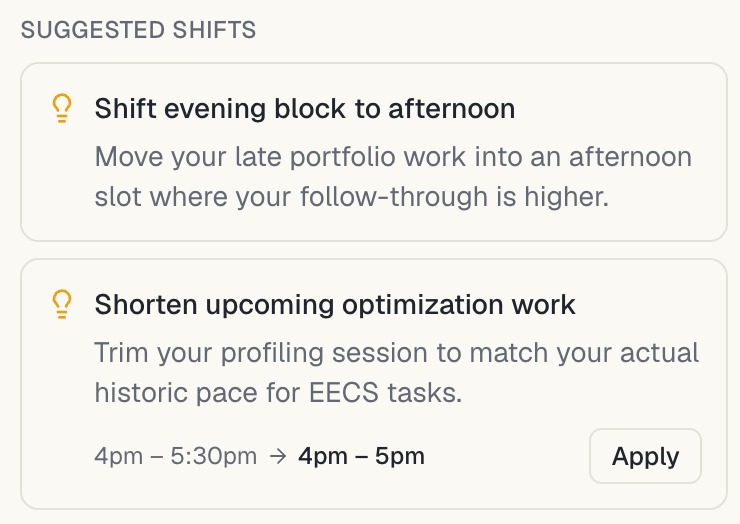
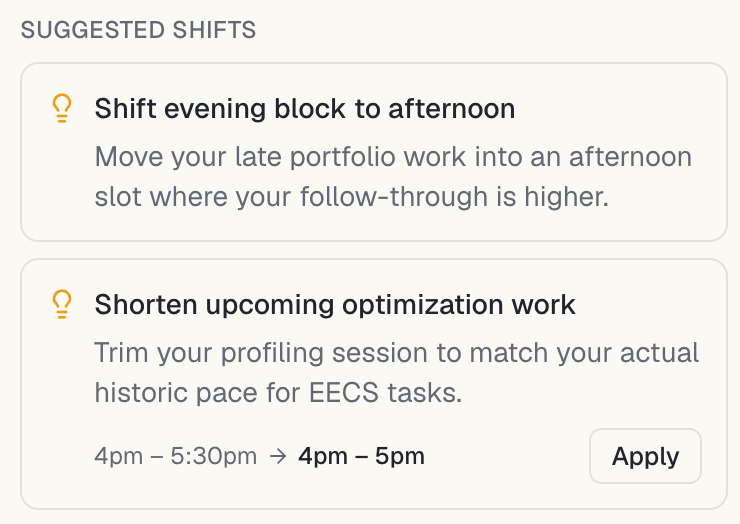
"Suggested Shifts" - Tilly analyzes your work patterns and suggests shifts in your schedule based on your current workload and commitments.
Inspiration
As a team, we realized that one of the biggest pain points in our academic lives is the disconnect between what we schedule in our calendars and what we actually get done. The EECS 281 project might take 3 hours instead of the planned 1, and a quick call home extends half an hour beyond the plan. These inconsistencies are hidden from the calendar. Life so often veers off script that we end up playing Tetris with our calendars; reflecting on the effectiveness of our scheduling becomes a task in and of itself.
What it does
At its core, Tide is a reflective calendar targeted to college students that looks back before it plans ahead, addressing deficiencies with common productivity apps such as Google Calendar and Notion. These tools allow users to track upcoming tasks and assignments and partition their time, but there is little accountability and reflection beyond the static dashboard. Tide changes this by keeping two records for every block: what you planned and what actually happened. Further, Tide automatically compiles records into a variety graphs and statistics that provides users an active view into their work habits.
Tide provides time estimates that come from a combination of user-provided sentiment data and historical patterns based on similar tasks and assignments. Logging hours along with perceived progress on an assignment constructs an automatic timeline that both gives users instant feedback on the state of their progress and allows Tide to learn what works best for future recommendations.
The agenda calendar shades each day by how heavy it really is, counting booked time plus upcoming deadlines weighted by how much each one is worth. Tide also reveals insights that would take you weeks to notice on your own, like "afternoons are your power hours" or "evening blocks tend to slip,” and it will provide suggestions to work with the impacts of those insights. And it learns what you care about: from the assignments you pin to your home page and the priorities you set, Tide suggests what to pin next and what to schedule into your time blocks while still giving users the space to build their own schedule.
When the day falls apart, you don't have to drag blocks around. You tell Tilly, Tide's voice agent, what changed, and she rebuilds the rest of your day based on how long things have actually been taking. Three modes let you choose how much control Tilly gets: Anchor keeps you in charge, Lighthouse lets Tilly take the reins, and Tide adapts to how you behave.
How we built it
- Next.js 16 (App Router) with TypeScript, Tailwind, and shadcn/ui
- Gemini powers the reflections, insights, and Tilly's reasoning
- ElevenLabs provides Tilly’s voice
- Neon Postgres stores the data
- We put the data behind one store interface with two versions, Neon and in-memory
Challenges we ran into
- Fine tuning how Tilly would make changes: its suggestions were non-configurable, making suggestions feel like a binary choice between accepting the AI suggestion, and completing everything manually.
- Creating rules for when Tide should admit it doesn't know, especially when we were facing issues with Tide making predictions based on zero progress logged.
- Persisting history for the work of individual users. We implemented a feature for removing or editing logged time without corrupting a block's status, which meant keeping time logs as a ledger, clamping at zero, and recalculating status from the actual time.
- Focusing on small but visible improvements such as cutting unnecessary gradients and editing janky colouring – all in an effort to create a clean, well-balanced application.
Accomplishments that we're proud of
- A calendar that illustrates the gap between what you planned and what you did
- Estimates that really on past data, incorporate an element of uncertainty, and make clear when it can't provide an accurate estimate due to a lack of data
- Creating a platform that responds to and anticipates a user’s needs, but keeps the user in control
- Creating unique visualizations of work and assignments that go beyond the simple (and cluttered) calendar to add an additional perspective to your work.
What we learned
- There’s quite a bit of thought that must go into the user experience - especially with how willing they would be to perform each action required for your platform. Finding the right balance between full automation and some manual control is critical, especially when considering the ideas of trust and willingness to act for a consumer.
- Even within our group, there were key differences in how we wanted the AI agent to interact with the user and how the user interface should look like. A critical change we made was the introduction of different modes of AI autonomy, as well as different visualizations of the work in the planner, to accommodate for a variety of user preferences.
What's next for Tide
- Add sync to Google/Apple Calendar to provide seamless integration with calendars people already use
- Connect screen time and app usage extensions to provide automated logging of work being completed
- Automatic time tracking from screen time and app usage, so logging becomes optional.
- Integrate course-specific information from Canvas and Gradescope to pull in assignments and deadlines automatically
- Share calendars and meeting/event invites between friends and family
- Include additional visual themes to provide more personalization options
Built With
- elevenlabs
- gemini
- neon
- next.js
- postgresql
- react
- shadcn
- tailwind
- typescript


Log in or sign up for Devpost to join the conversation.