-
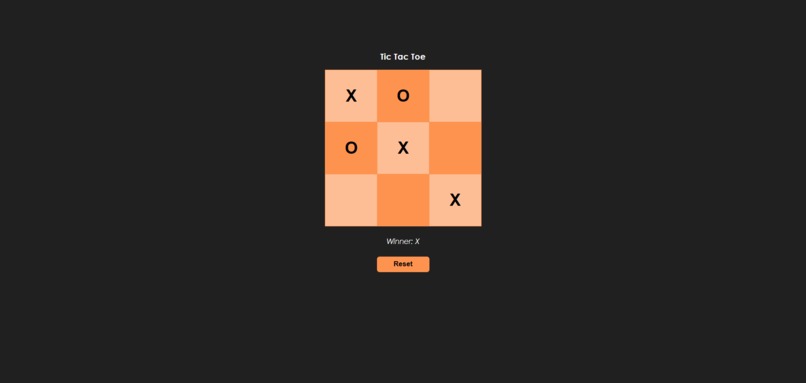
Demo
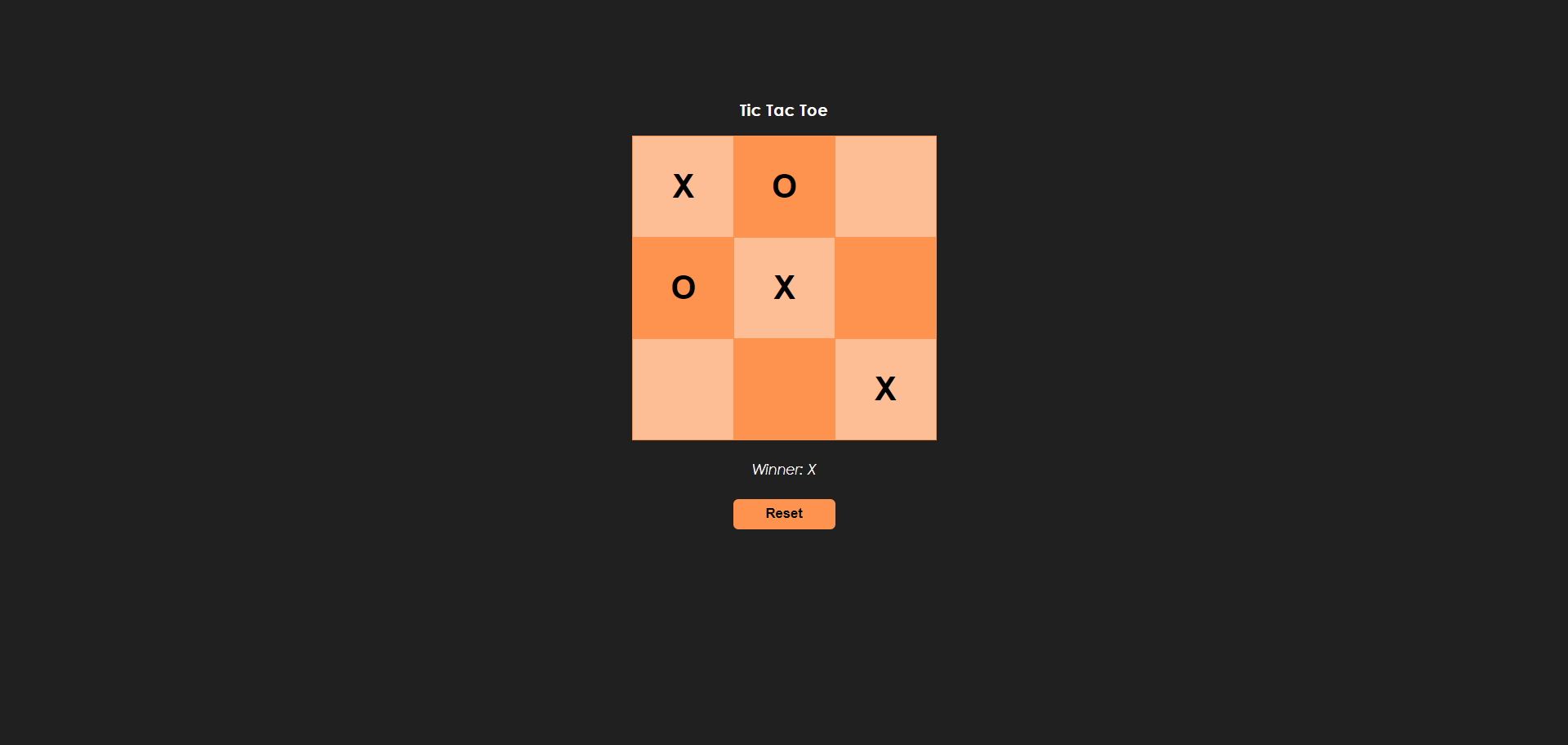
Task
Completing the GHW Games challenge - Tic Tac Toe, and Create a Two Player Game
What it does
A user can play Tic Tac Toe on a browser with their friends.
Node Dependencies
- react
- react-dom
- react-scripts
How we built it
I've created it on codesandbox.io, using the react.js template. A tictactoe board contains 9 squares, so let's create a square button component.
function Square({ value, onClick }) {
  return (
    <button className="square" onClick={onClick}>
      {value}
    </button>
  );
}

export default Square;
.square {
  cursor: pointer;
  border: 1px solid rgb(254, 147, 80);
  float: left;
  font-size: 32px;
  font-weight: bold;
  height: 100px;
  width: 100px;
  margin-right: -1px;
  margin-top: -1px;
  text-align: center;
}

.square:focus {
  outline: none;
}
Now lets create a board and place the nine squares in it, giving each a value from 0 to 0.
import Square from "./Square";

function Board({ squares, onClick }) {
  const renderSquare = (i) => {
    return <Square value={squares[i]} onClick={() => onClick(i)} />;
  };

  return (
    <div>
      <div className="board-row">
        {renderSquare(0)}
        {renderSquare(1)}
        {renderSquare(2)}
      </div>
      <div className="board-row">
        {renderSquare(3)}
        {renderSquare(4)}
        {renderSquare(5)}
      </div>
      <div className="board-row">
        {renderSquare(6)}
        {renderSquare(7)}
        {renderSquare(8)}
      </div>
    </div>
  );
}

export default Board;
Place the board on screen, along with game status, and a reset button.
import React, { useState } from "react";
import Board from "./Board";
import "./styles.css";

function App() {
  return (
    <div className="game">
      <h3>Tic Tac Toe</h3>
      <div className="game-board">
        <Board squares={squares} onClick={placeMarker} />
      </div>
      <div className="game-info">
        <div className="status">{status}</div>
        <button className="reset-btn" onClick={handleReset}>
          Reset
        </button>
      </div>
    </div>
  );
}

export default App;
Create a array of all possible square values for a player to win, and check if all three of those have the same marker (X or O). If all squares are full and no one won, display as Tie.
import React, { useState } from "react";
import Board from "./Board";
import "./styles.css";

function calculateWinner(squares) {
  const lines = [
    [0, 1, 2],
    [3, 4, 5],
    [6, 7, 8],
    [0, 3, 6],
    [1, 4, 7],
    [2, 5, 8],
    [0, 4, 8],
    [2, 4, 6],
  ];
  for (let i = 0; i < lines.length; i++) {
    const [a, b, c] = lines[i];
    if (squares[a] && squares[a] === squares[b] && squares[a] === squares[c]) {
      return squares[a];
    }
  }
  if (squares.every((square) => square !== null)) {
    return "It's a Tie";
  }
  return null;
}

// Rest of the code
Create a state variable square to track which positions have been marked and by who, and another state variable to track whose turn it is. Pass thq square to calculateWinner to grab the status, and display next turn, win, or tie accordingly.
// Rest of the code
function App() {
  const [squares, setSquares] = useState(Array(9).fill(null));
  const [xIsNext, setXIsNext] = useState(true);

  const placeMarker = (i) => {
    const newSquares = squares.slice();
    if (calculateWinner(newSquares) || newSquares[i]) {
      return;
    }
    newSquares[i] = xIsNext ? "X" : "O";
    setSquares(newSquares);
    setXIsNext(!xIsNext);
  };

  const winner = calculateWinner(squares);
  let status;
  if (winner) {
    status = "Winner: " + winner;
  } else {
    status = "Next player: " + (xIsNext ? "X" : "O");
  }

  // Rest of the code
}
Create a function to reset the game emptying the squares, which as been called from the reset button as implemented above.
// Rest of the code
function App() {
  // Rest of the code

  const resetGame = () => {
    setSquares(Array(9).fill(null));
    setXIsNext(true);
  };

  // Rest of the code
}
Full Code:
// App.js
import React, { useState } from "react";
import Board from "./Board";
import "./styles.css";

function calculateWinner(squares) {
  const lines = [
    [0, 1, 2],
    [3, 4, 5],
    [6, 7, 8],
    [0, 3, 6],
    [1, 4, 7],
    [2, 5, 8],
    [0, 4, 8],
    [2, 4, 6],
  ];
  for (let i = 0; i < lines.length; i++) {
    const [a, b, c] = lines[i];
    if (squares[a] && squares[a] === squares[b] && squares[a] === squares[c]) {
      return squares[a];
    }
  }
  if (squares.every((square) => square !== null)) {
    return "It's a Tie";
  }
  return null;
}

function App() {
  const [squares, setSquares] = useState(Array(9).fill(null));
  const [xIsNext, setXIsNext] = useState(true);

  const placeMarker = (i) => {
    const newSquares = squares.slice();
    if (calculateWinner(newSquares) || newSquares[i]) {
      return;
    }
    newSquares[i] = xIsNext ? "X" : "O";
    setSquares(newSquares);
    setXIsNext(!xIsNext);
  };

  const winner = calculateWinner(squares);
  let status;
  if (winner) {
    status = "Winner: " + winner;
  } else {
    status = "Next player: " + (xIsNext ? "X" : "O");
  }

  const resetGame = () => {
    setSquares(Array(9).fill(null));
    setXIsNext(true);
  };

  return (
    <div className="game">
      <h3>Tic Tac Toe</h3>
      <div className="game-board">
        <Board squares={squares} onClick={placeMarker} />
      </div>
      <div className="game-info">
        <div className="status">{status}</div>
        <button className="reset-btn" onClick={resetGame}>
          Reset
        </button>
      </div>
    </div>
  );
}

export default App;
// Board.js
import Square from "./Square";

function Board({ squares, onClick }) {
  const renderSquare = (i) => {
    return <Square value={squares[i]} onClick={() => onClick(i)} />;
  };

  return (
    <div>
      <div className="board-row">
        {renderSquare(0)}
        {renderSquare(1)}
        {renderSquare(2)}
      </div>
      <div className="board-row">
        {renderSquare(3)}
        {renderSquare(4)}
        {renderSquare(5)}
      </div>
      <div className="board-row">
        {renderSquare(6)}
        {renderSquare(7)}
        {renderSquare(8)}
      </div>
    </div>
  );
}

export default Board;
// Square.js
function Square({ value, onClick }) {
  return (
    <button className="square" onClick={onClick}>
      {value}
    </button>
  );
}

export default Square;
/* styles.css */
body {
  font: 14px "Century Gothic", Futura, sans-serif;
  overflow-y: hidden;
  background-color: rgb(32, 32, 32);
  color: white;
}

.game {
  height: 80vh;
  display: flex;
  flex-direction: column;
  justify-content: center;
  align-items: center;
}

.game-info {
  display: flex;
  flex-direction: column;
  gap: 20px;
  margin: 20px 0 0;
  text-align: center;
}

.board-row:after {
  clear: both;
  content: "";
  display: table;
}

.square {
  cursor: pointer;
  border: 1px solid rgb(254, 147, 80);
  float: left;
  font-size: 32px;
  font-weight: bold;
  height: 100px;
  width: 100px;
  margin-right: -1px;
  margin-top: -1px;
  text-align: center;
}

.square:focus {
  outline: none;
}

.board-row:nth-child(odd) .square:nth-child(odd),
.board-row:nth-child(even) .square:nth-child(even) {
  background: rgb(254, 190, 149);
}

.board-row:nth-child(even) .square:nth-child(odd),
.board-row:nth-child(odd) .square:nth-child(even) {
  background: rgb(254, 147, 80);
}

.status {
  font-style: italic;
}

.reset-btn {
  width: 100px;
  height: 30px;
  font-weight: bold;
  border: none;
  border-radius: 5px;
  background-color: rgb(254, 147, 80);
}

.reset-btn {
  width: 100px;
  height: 30px;
  border: none;
  cursor: pointer;
  border-radius: 5px;
  background-color: rgb(254, 147, 80);
}

.reset-btn:hover {
  background-color: transparent;
  color: rgb(254, 147, 80);
}
including the remaining react files such as /public/index.html, /src/index.js, and package.json.
Challenges we ran into
Creating a board properly :)

Log in or sign up for Devpost to join the conversation.