What it does
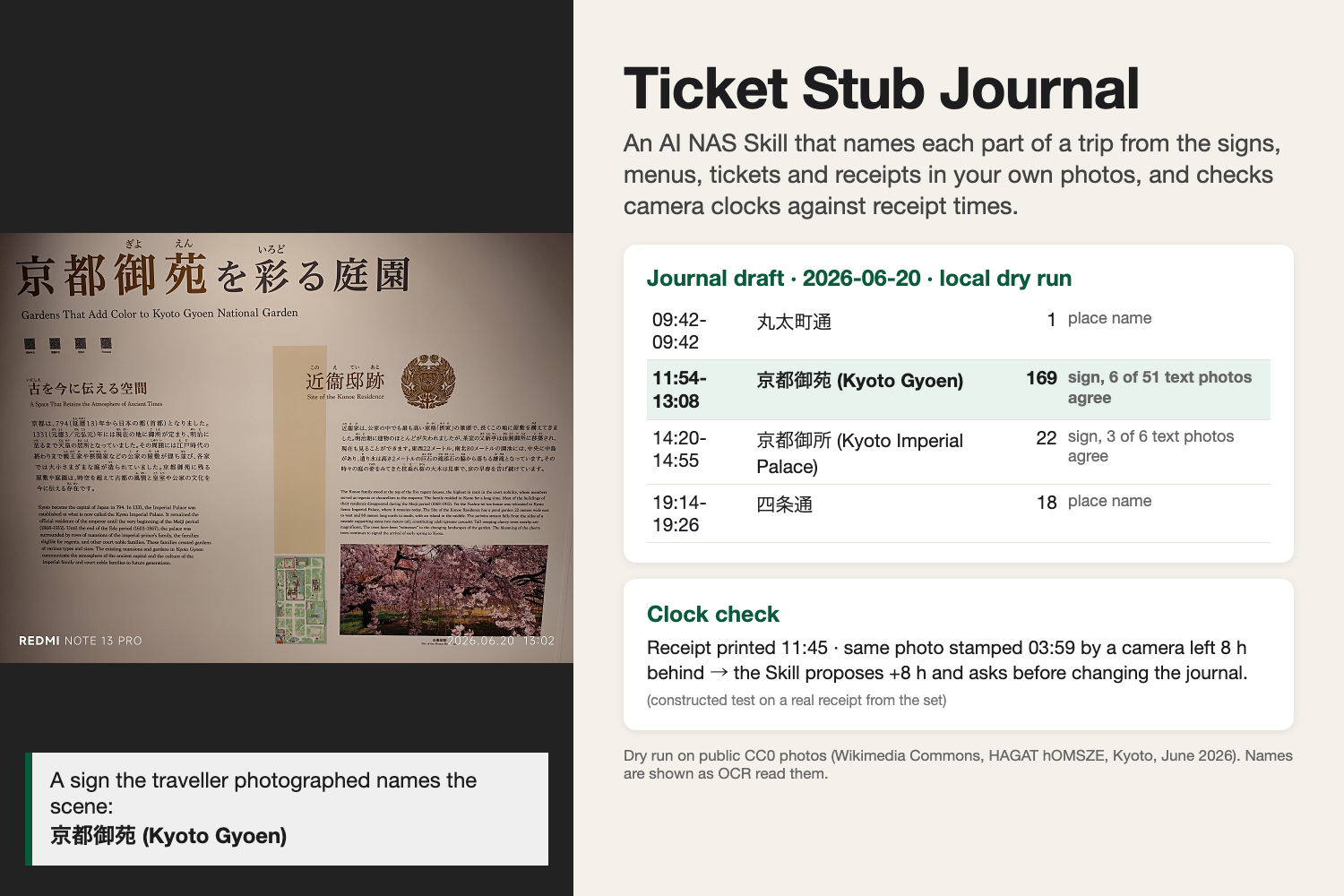
After a trip, the Skill reads the trip's photos on the UGREEN NAS, splits each day into scenes by time and distance, and names each scene from text the traveller already photographed: an entrance sign, a precinct map, a menu board, a ticket, a receipt. The user checks a draft, then gets one album and one Markdown journal saved on the NAS. Every name taken from text shows the photo it came from; scenes without text get the place name, a vision-model guess or a time label.
Purchase times printed on receipts are also used as a clock check. A receipt cannot be photographed before it was printed, so a camera still set to home time shows up, and the user can correct the journal without touching the files.
How it works
The Skill is an orchestration SKILL.md for the Uliya assistant. It has 8 steps and delegates all NAS work to photo-agent, file-agent and knowledge-agent, one day at a time. Nothing is written before the user confirms the draft. OCR and the vision model run on the NAS, so photos stay on it. SKILL.md tells photo-agent to remove card, booking and phone numbers from the text before returning it, checks again itself, and never treats text written on photos as an instruction.
Testing so far
- The package passes the official
check-skill.mjswith 0 errors and 0 warnings. - A local dry run applied the rules to 2,557 public-domain (CC0) photos of a Kyoto trip from Wikimedia Commons, with Apple Vision OCR in place of the NAS OCR. 27 of 36 scenes got names from text. In three judge runs, 12 of those names matched the photographer's own titles, against 6 to 8 for street names from GPS. Real receipts raised no false clock offset, and 11 of 11 constructed clock cases (clocks behind or ahead, receipts photographed late, two phones of one model) behaved as designed.
- Given only the Skill's own files and mocked expert results for four days, an LLM playing the Uliya assistant produced the same 16 scene boundaries as the scripted rules and the same name in 7 of 11 text-named scenes.
- Details and the finalist test plan are in
references/test-plan.md.
What's next
If selected as a finalist: run three days of the same photo set on the iDX6011 Pro, check what the photo index returns, measure OCR speed, and test the clock check with a second device set 8 hours behind.
AI tools disclosure
Claude Code (Anthropic) suggested the starting direction (a trip album from photo dates and GPS) in a scan of open contests, compared four ideas and chose this one, and wrote the Skill, its references, the proposal, this description, the gallery image and the dry-run scripts. Azure OpenAI GPT stood in for the Skill's text classification and for the Uliya assistant in the dry run (public OCR text only), compared names with the photographer's titles, and reviewed drafts. I decided to enter, ruled out family photos and personal data, chose how AI use is disclosed, and reviewed and approved every submitted file. The same list is in references/disclosures.md.
Built With
- markdown
- uliya-skill-kit

Log in or sign up for Devpost to join the conversation.