-
-
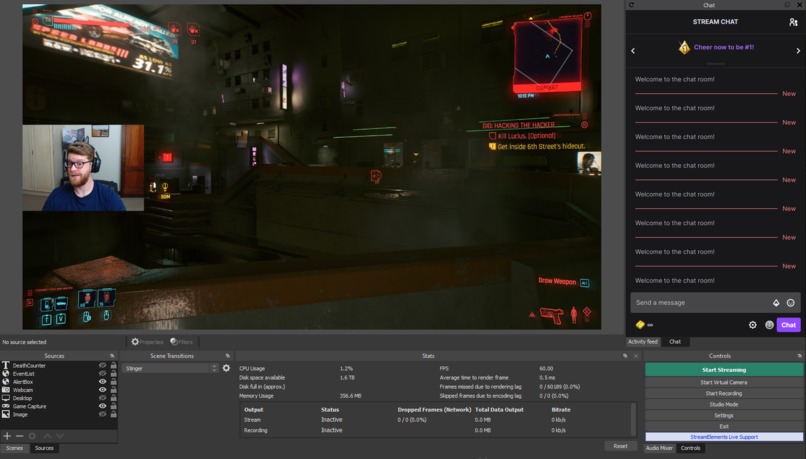
All systems nominal.
-
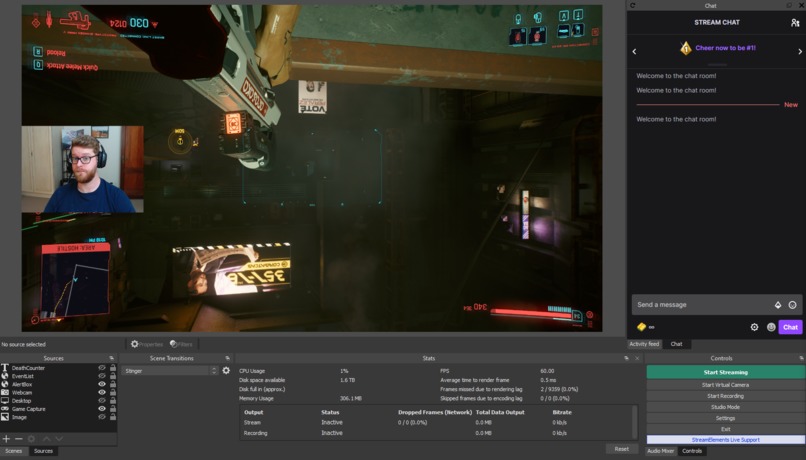
Chaos engaged!
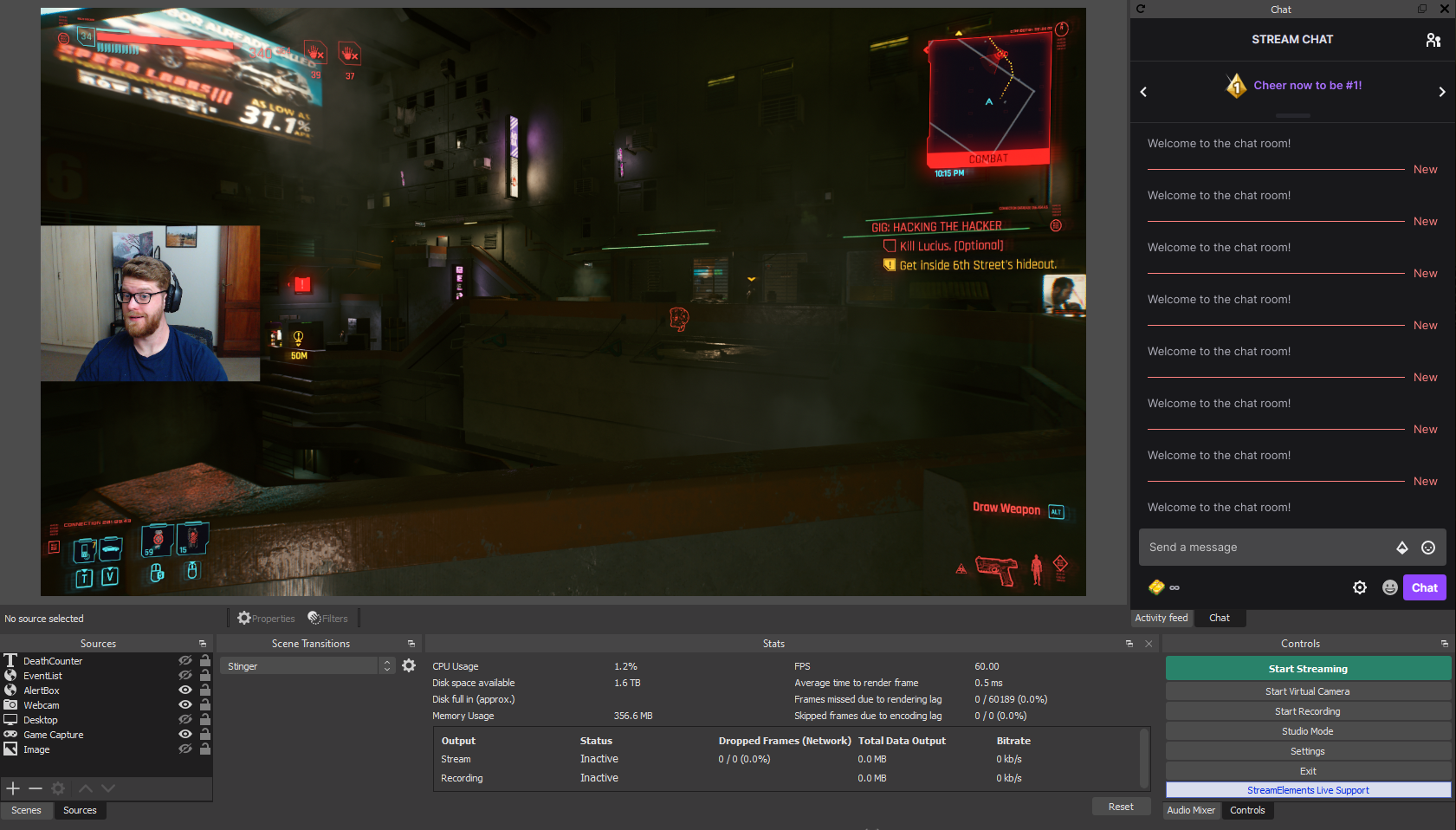
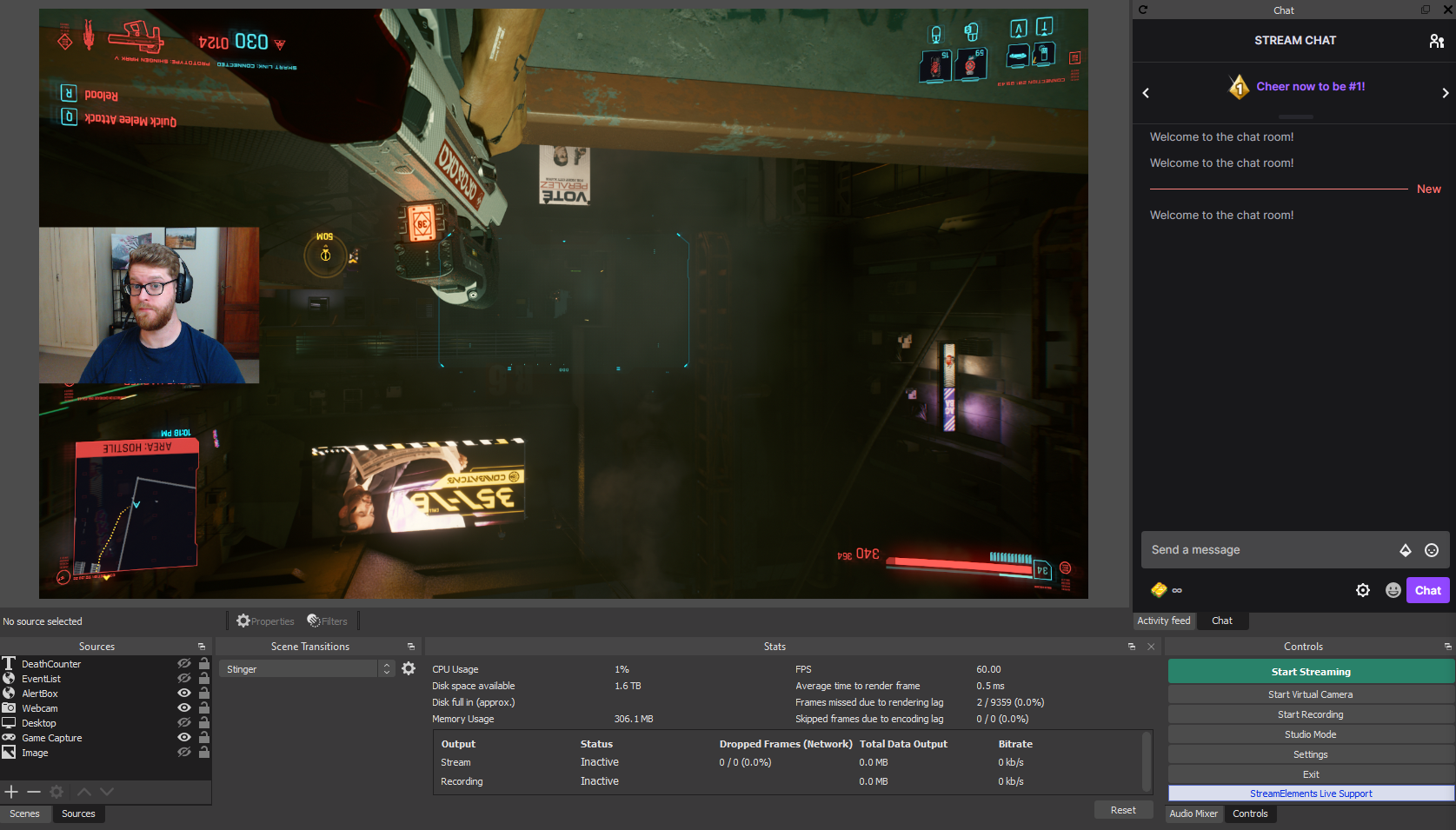
Flips & Total Chaos
Inspiration
We created this integration based on old memories of trying to find ways to even the score when playing video games. Most gamers can relate to playing video games with a friend that you were always losing to. In retaliation, we would unplug their controller, maybe block the TV, or find some other way of evening the score. Well, with our new Twitch integration, we aim to allow a Streamer's viewers to bring the same level of "evening the playing field", forcing the Streamer to prove their talents LIVE!
What it does
The script is intended to be imported into OBS Studios and allows the redemption of 3 specific types of Twitch rewards. The first reward causes the Streamer's display to flip 180 degrees; in unison the OBS source will be flipped so that viewers see the flip having occurred. The second reward results in the mixing of keys that are typically used for directional controls in a first-person shooter game (W,A,S,D). The third reward combines the two, performing both functions at the same time; giving the feeling of total chaos to the Streamer, and a unique enjoyment for viewers.
The screen flip reward can be customized to rotate the screen either 90, 180, or 270 degrees. There are also functions to enable barrel rolls (continuous rotation of the screen through the 4 axes of rotaiton) but will require more configuration and development to fully implement.
The keys are currently hardcoded (I know, shame on us), but it takes the regular WASD keys and momentarily hooks the keystrokes and reassigns them to a different key. For example, W might become D, A might become S. However, it's fully randomized. So, W could stay W, while A becomes D. This becomes especially fun when a Streamer plays a single game for a longer period and has a high degree of muscle memory that they suddenly and briefly cannot rely on.
Finally, Total Chaos is just that, chaotic! The Streamer's screen orientation is changed, and their keys are modified making the whole experience a complete orientation nightmare.
How we built it
The widget is a single script that is designed to be integrated into OBS Studios 26.1.1. The script is written in Python 3.6 due to the Python SWIG wrapper used by OBS which is anchored to that Python version. Additionally, we are using twitch-cli to generate the OAuth token and require the streamer to be responsible for its generation, refreshing, and revocation.
This integration was developed with Visual Studio Code, and originally referenced Python packages - pytwitchAPI and python-twitch-client - but could not utilize them given a lack of Python 3.6 support for the PubSub API.
Challenges we ran into
Unfortunately, because there are no testing mechanisms made available for the hackathon participants, it was not possible to develop for the channel, outside of direct help from an affiliated or partnered broadcaster. For example, icantiemyshoe would receive the following when trying to develop locally since he was not able to post channel points with his non-affiliate broadcaster account.
req = requests.post(url, headers=headers, data=body)
# {'error': 'Forbidden', 'status': 403, 'message': 'channel points are not available for the broadcaster'}
This made development difficult, because we didn't want any development errors to hurt his brand by "pushing straight to prod".
The biggest challenge was to decide the workflow for how points were redeemed while on host devices. The two major user stories we were trying to decide between were:
- Should the rewards be auto-redeemed via the PubSub or time query of the API
- Should the integration allow the Streamer to decide when or if they accept the redemption-based-change in the game play
While it would be better to allow the Streamer to give a verbal shoutout for point redemptions, making sure that the points are redeemed for the most entertainment value is paramount. Obviously, the entertainment value is increased if the Streamer has to adapt to the redemption of rewards on-the-fly, so that was the route we chose.
Although we did not choose the latter, we understand that there are times when manual redemption control is preferred. For example, if there is a long travel time between tasks or missions, you obviously would want the viewers to get the most chaos possible by redeeming it when the Streamer gets into a more opportune (READ: Difficult) position. Conversely, the Streamer may be ending the stream after getting to a certain spot when the reward is redeemed, and the viewer would not get the full value of the time for the chaos. It would be best to just refund the points or leave the rewards unredeemed to remain in the queue for the next stream.
Another problem we ran into was how the Streamer was not able to update the rewards status programatically with the OAuth token that we generated for OBS. While we were not able to pin point the exact cause of this, when icantiemyshoe would attempt to redeem a reward, the OAuth token for OBS would not be allowed to update the status of the reward as being "Fulfilled". This was even the case when Sinfathisar would make his own reward in the Twitch Channel Point dashboard and attempt to use the OBS script to redeem the reward. If the documentation on the Twitch API is valid, since none of those rewards were made with the same user token, they could not be updated as being "Fulfilled". There are some rewards the developers would like to be able to read from the queue in order to auto redeem some actions. We assumed that the PubSub was meant for rewards that "skip the queue", but ran into trouble performing this user story since asyncio and websockets had minimal support for python 3.6.
However, there isn't a really good reward integration inside of OBS so we had to make it work as best as possible so it could be usable for Sinfathisar, and produce a working demo for the event.
Accomplishments that we're proud of
We are proud of being able to coordinate the development effort in only our spare time while also learning some brand new development and creative skills along the way.
Not to mention, we're pretty proud of the quality and content of the demo video.
This was also the first time that icantiemyshoe used a SWIG wrapper for Python. So, the fact that we were able to sync the device operations with what was reflected on the stream, provided a unique learning experience. This really made icantiemyshoe think more about how to integrate online performances with IOT devices and real-world events.
What we learned
We discovered that since icantiemyshoe's developer account was not at the Twitch affiliate level, he (and the other developers) were not able to test locally with the point redemptions and had to schedule time with our only available affiliate account (Sinfathisar19) to perform testing of our channel integrations. Obviously, it significantly slowed down development, having to align all of our schedules.
What's next for Flips and Total Chaos
We have the following as stretch goals and may explore these in the future.
- Help your friends make your Streamer's experience far more challenging! Work together to block Streamer's abilities. But, this comes with a cost - it's a gamble for your points every time!
- Have a stream of chaos where all redemption costs and cooldowns are reduced. Your viewers will go wild making you lose your mind.
- Control your Streamer's lighting on their keyboard, their nanoleaf array, or other RGB lighting setup. Create a Raspberry Pi companion that controls devices that in the viewers's field of view. Rewards can be used with the device to change the lighting, music (speed, volume, etc.), or any kind of animatronics that we may make to mess with Sinfathisar.
- Visualizations for performers and non-game Streamers: It would be fun to allow for a Bonaroo-like experience where the video stream can have the color, orientation, or filters be controlled by redeeming rewards. For example, viewers could cause the screen to have a Kaleidoscope effect, or adjust the color scheme, to enhance the viewing experience of the viewer. This will allow the performer to keep streaming, but allows the viewers to participate in a unique experience.


Log in or sign up for Devpost to join the conversation.