

Inspiration
Managing finances as a busy mom can feel overwhelming—juggling kids, household expenses, and future goals with limited time and confusing jargon. We wanted to create a supportive companion that speaks in plain language, celebrates small wins, and helps moms take control without the stress.
What it does
ThriveMum is a mobile financial assistant designed for busy moms in the US and UK. It offers:
Emergency Fund Calculator
Set a 3-month savings target with weekly breakdownsInvestment Simulator
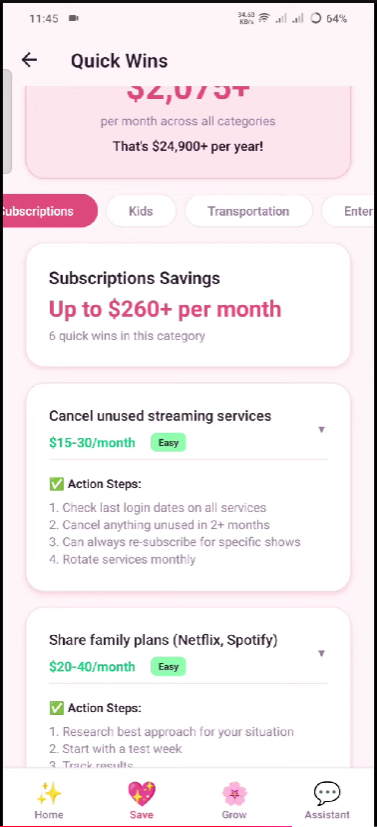
Visualize how small monthly contributions grow over timeGrocery Savings Planner
Budget per person with smart 10% savings suggestionsAI Assistant
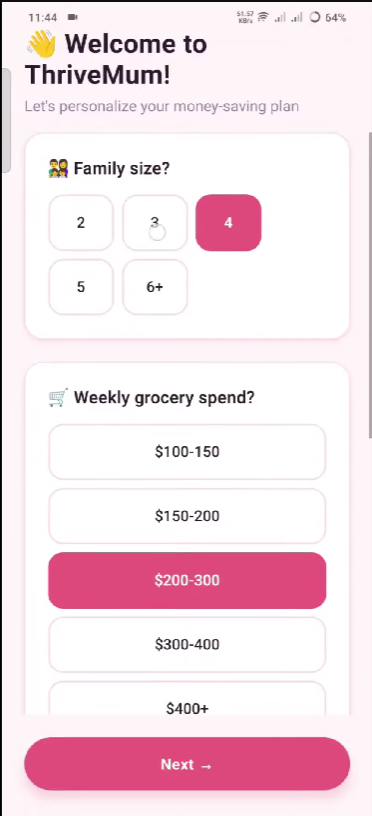
Chat-based guidance with supportive, jargon-free advicePersonalized Onboarding
Tailored setup based on family size, income, and goals
How we built it
- React Native + Expo for cross-platform mobile development
- React Navigation (Bottom Tabs + Native Stack) for seamless navigation
- Custom Design System with calm colors, consistent spacing, and reusable components (Button, Card, ProgressBar)
- React Hooks (useState, useMemo) for live calculations and real-time updates
- Native Components (@react-native-picker/picker, @react-native-community/slider) for smooth UX
Challenges we ran into
Dependency Conflicts
Aligning React Native versions with Expo 54 and navigation libraries required careful version managementLive Calculations
Ensuring compound interest and budget calculations updated instantly without performance issuesDesign Balance
Creating a calming, premium feel while keeping the UI minimal and unclutteredTypography & Spacing
Establishing a consistent visual hierarchy across all screens
Accomplishments that we're proud of
- Built a fully functional financial tool suite in a clean, supportive UI
- Implemented real-time compound interest calculations with dynamic currency formatting
- Created a cohesive design system with depth, shadows, and smooth interactions
- Achieved a calm, wellness-inspired aesthetic that reduces financial anxiety
- Made complex financial concepts accessible through plain language and simple visuals
What we learned
- How to structure a React Native + Expo project with scalable folder architecture
- Implementing live calculations with useMemo for optimal performance
- Building reusable component systems (Card, Button, ProgressBar) for consistency
- Balancing design aesthetics with functional simplicity
- Managing version compatibility across React Native, Expo, and navigation libraries
What's next for ThriveMum — the financial assistant
AI Integration
Connect real LLM API for personalized financial coachingData Persistence
Add AsyncStorage or secure storage for saving progressGoal Tracking
Visual progress charts for emergency fund and savings goalsPush Notifications
Weekly reminders and motivational check-insCommunity Features
Safe space for moms to share tips and support each otherMulti-currency Support
Expand beyond USD/GBP to support global usersExpense Tracking
Import bank transactions for automated budget insights
Built With
- expo.io
- javascript
- metro
- node.js
- react-hooks
- react-native
- react-navigation


Log in or sign up for Devpost to join the conversation.