Thrifty - Resource Management Mini-Game
Inspiration
At esports events and gaming booths, there's a constant challenge: how do you engage both hardcore fans and casual attendees? Traditional esports games require mechanical skill and game knowledge that excludes newcomers. Watching competitive gameplay is entertaining but passive. Trivia games work but lack the excitement of active gameplay.
We were inspired by the strategic essence of VALORANT's economy system - the tension of deciding "Do I save for a Vandal or force-buy a Spectre now?" This resource management creates dramatic moments in competitive play, but it's buried under mechanical complexity (aim, movement, ability usage) that makes VALORANT inaccessible for casual players.
The insight: extract the economic decision-making from VALORANT and make it accessible through a simple catching game. No aim required, no agent knowledge needed - just quick reflexes and smart budgeting. Perfect for a Cloud9 x JetBrains hackathon event booth where people queue up, play 2-3 minutes, and compete on a leaderboard.
The name "Thrifty" comes from an actual VALORANT in-game accolade awarded when a team wins a round while spending fewer credits than opponents. This creates a subtle connection for VALORANT fans while remaining intuitive for newcomers.
What it does
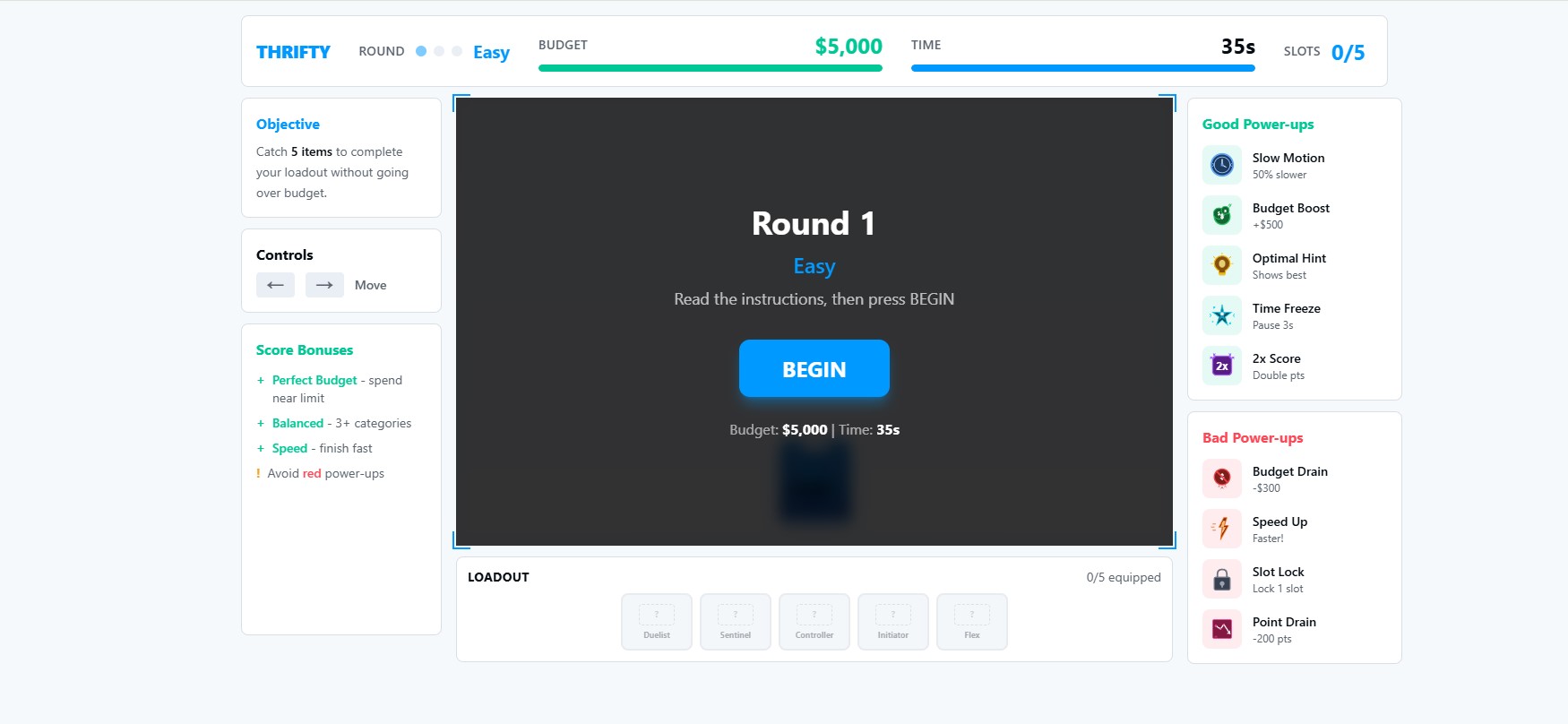
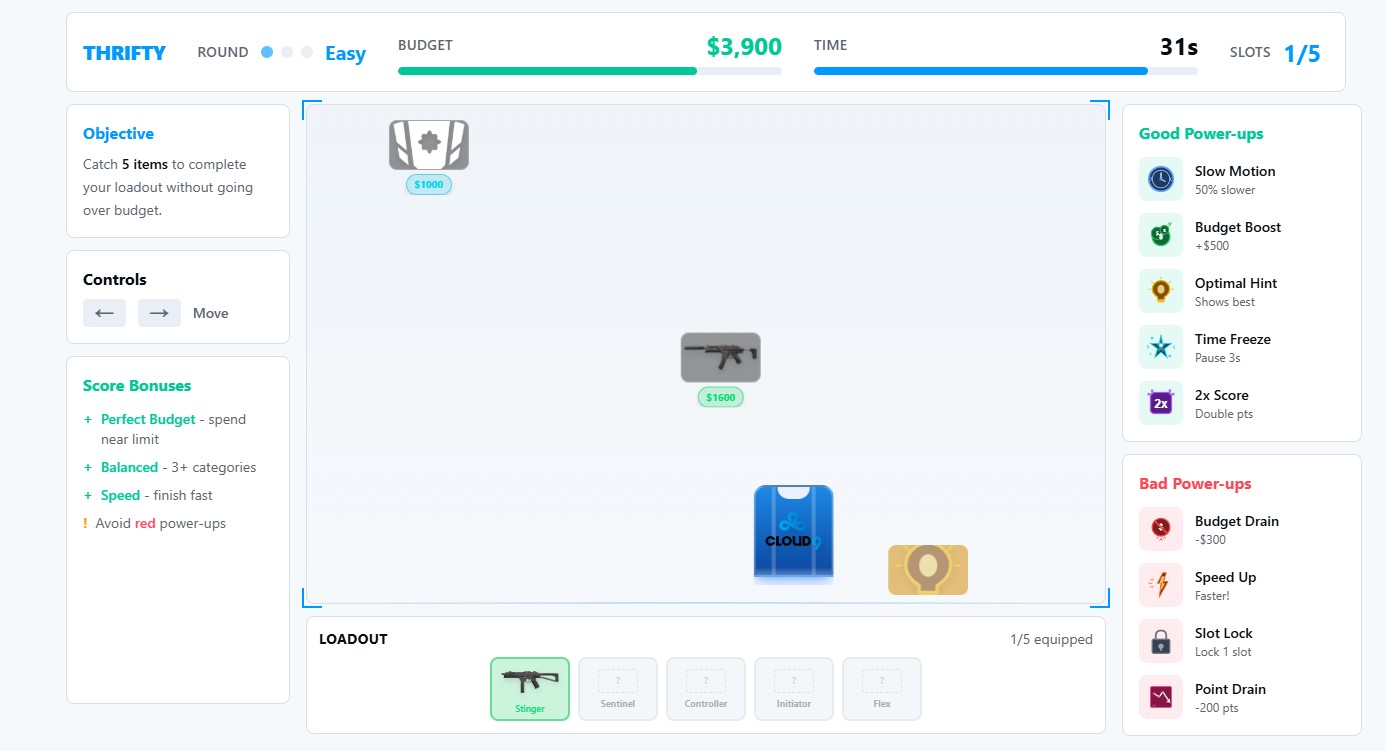
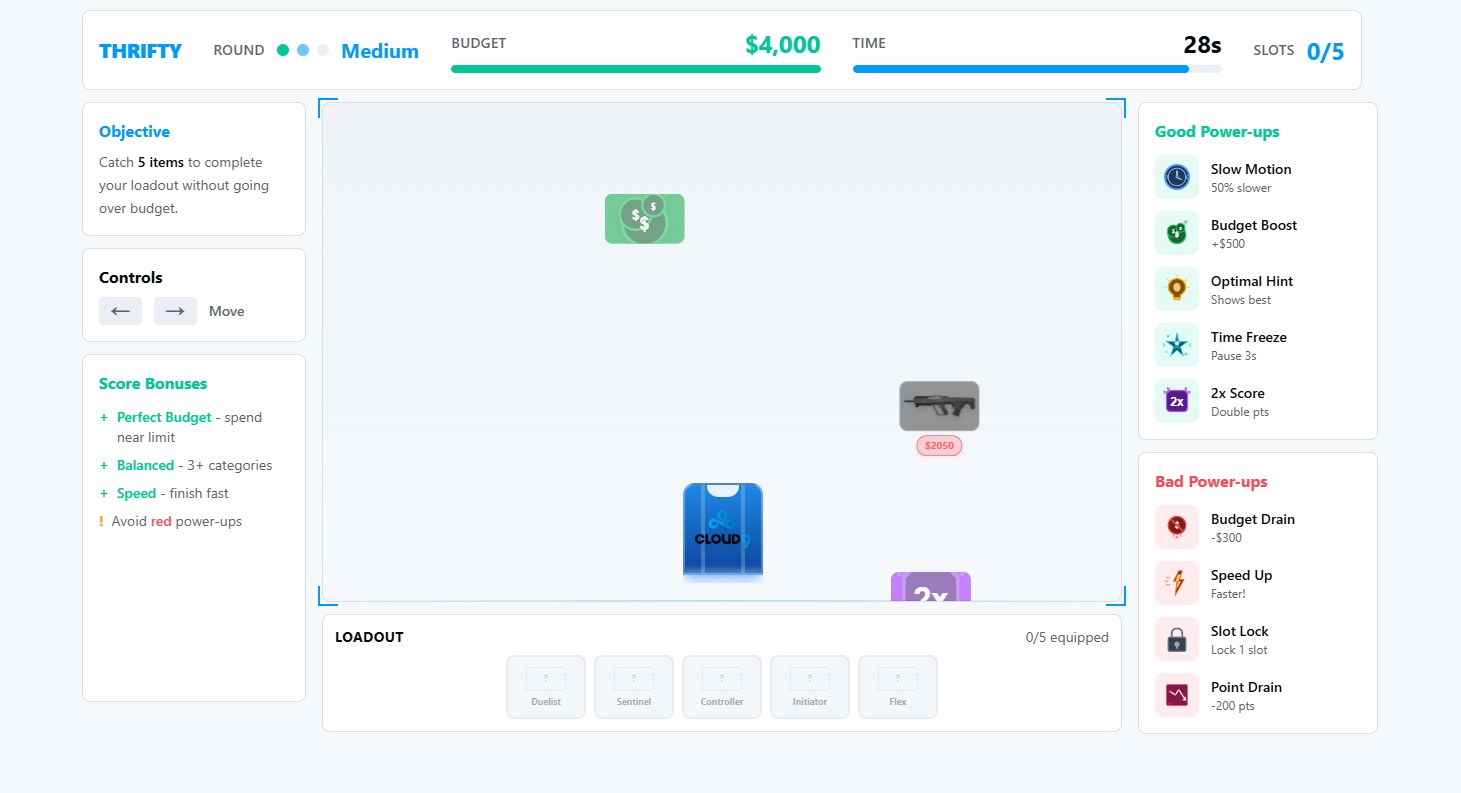
Thrifty is a fast-paced resource management mini-game where players control a catcher (styled as a Cloud9 jersey) to catch falling items and equip a 5-player team - all while staying under a strict budget limit.
Core Gameplay Loop:
- Move Catcher: Use arrow keys (or swipe on touch) to move horizontally
- Catch Items: Items automatically caught when they overlap with catcher
- Strategic Dodging: Actively avoid expensive items when budget is tight
- Fill 5 Equipment Slots: Each caught item fills one player slot (P1 through P5)
- Budget Management: Every item costs credits - don't exceed your budget or you bust!
- Time Pressure: Complete all 5 slots before time runs out
5 Item Categories (Color-Coded for Quick Recognition):
- 🔫 Weapon (Red): 500-1,500 credits - Primary offensive gear
- 🛡️ Shield (Teal): 300-800 credits - Defensive protection
- ⚡ Utility (Yellow): 200-600 credits - Gadgets and tools
- 💎 Premium (Purple): 1,000-1,800 credits - High-value luxury items
- 🎁 Bonus (Green): 0-100 credits - Free or very cheap items (great deals!)
Progressive Difficulty (5 Rounds):
- Round 1 (Pistol): 4,500 budget, 30 seconds, slow fall speed - learn the mechanics
- Round 2 (Eco): 4,000 budget, 28 seconds, medium-slow speed - tighter constraints
- Round 3 (Bonus): 3,500 budget, 26 seconds, medium speed - strategic decisions matter
- Round 4 (Force): 3,000 budget, 24 seconds, medium-fast speed - high pressure
- Round 5 (Championship): 2,500 budget, 22 seconds, fast speed - ultimate challenge
Each round increases difficulty through multiple vectors: tighter budget, less time, faster item fall speed, higher spawn rate, more power-ups (including negative ones).
Power-Up System (Adds Excitement and Unpredictability):
Positive Power-Ups:
- 🐢 Slow Motion (Blue): Reduces fall speed 50% for 5 seconds
- 💰 Budget Boost (Gold): Adds +500 credits instantly
- 👁️ Optimal Hint (Cyan): Highlights best value items for 4 seconds
- ⏸️ Time Freeze (White): Pauses countdown timer for 3 seconds
- ⭐ Score Multiplier (Orange): Next caught item worth 2x points
Negative Power-Ups (Obstacles):
- 💸 Budget Drain (Dark Red): Removes 300 credits from budget
- 🔥 Speed Up (Orange): Increases fall speed 50% for 4 seconds
- 🔒 Slot Lock (Gray): Locks one random empty slot for 5 seconds
- 💔 Point Drain (Black): Removes 200 points from round score
Power-ups are visually distinct (pulsing glow, sparkle trail) and create strategic decisions: "Do I catch that Budget Drain to fill a slot, or dodge and wait for a better item?"
Sophisticated Scoring System:
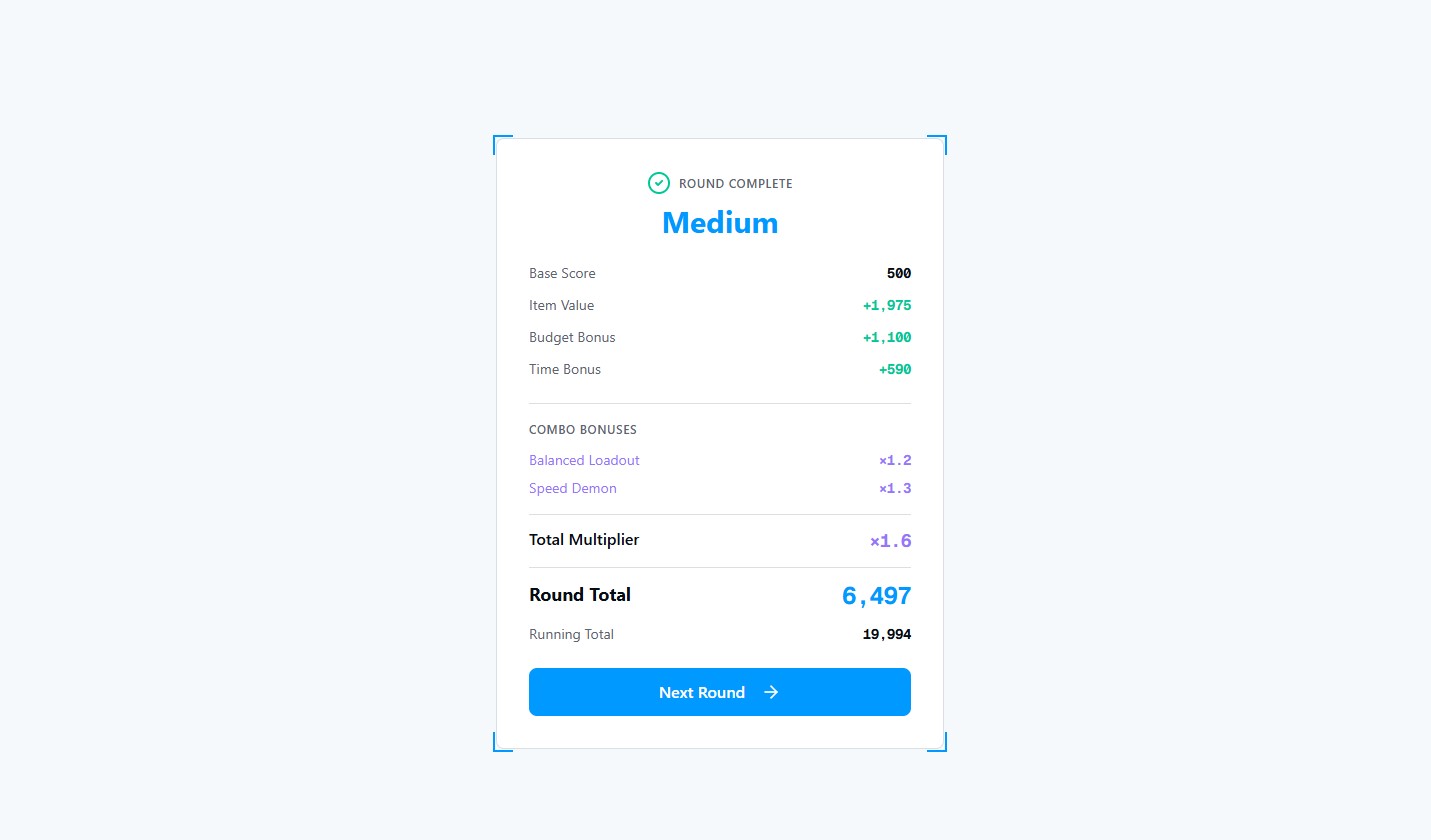
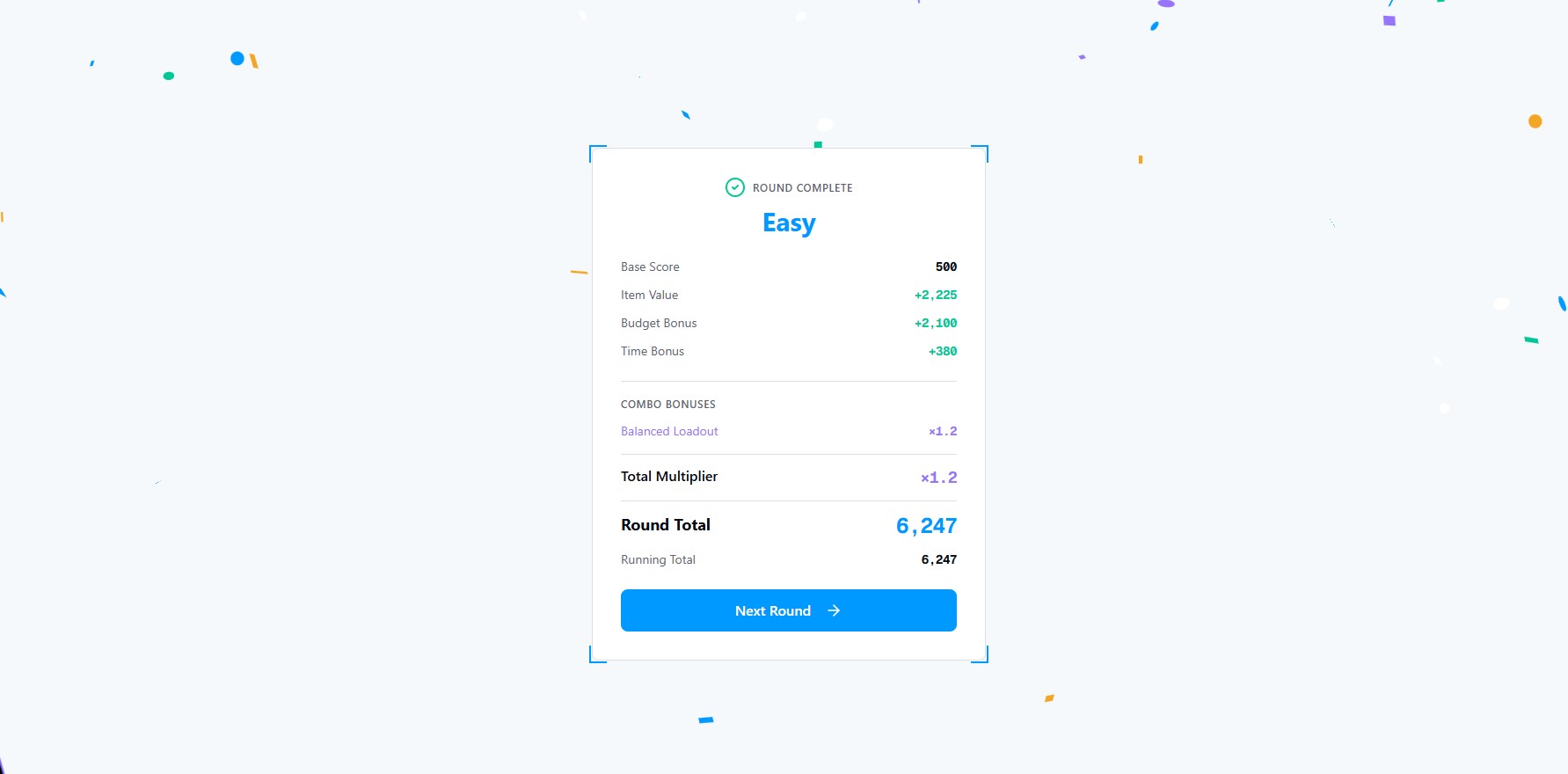
- Base Score: 500 points for completing the round
- Item Value: Sum of all caught items' value scores (hidden calculation)
- Budget Bonus: Remaining credits × 2 (rewards efficiency)
- Time Bonus: Remaining seconds × 30 (rewards speed)
- Combo Multipliers (Stack Multiplicatively):
- Perfect Budget (exactly 0 remaining): 2.0× multiplier
- Balanced Loadout (3+ different categories): 1.2× multiplier
- Specialist (4+ items of same category): 1.5× multiplier
- Speed Demon (15+ seconds remaining): 1.3× multiplier
- Thrifty (50%+ budget remaining): 1.4× multiplier
Example Score Calculation:
Round completed with:
- 5 items (total value: 2,100)
- Starting budget: 3,500
- Remaining budget: 450
- Time remaining: 8 seconds
- Balanced (3 categories)

Base Score:      500
Item Value:    2,100
Budget Bonus:    900 (450 × 2)
Time Bonus:      240 (8 × 30)
─────────────────────
Subtotal:      3,740
Combo: Balanced 1.2×
─────────────────────
Final Round Score: 4,488
Total game score = sum of all 5 round scores. Target ~25,000-35,000 for competitive players.
Competitive Leaderboard:
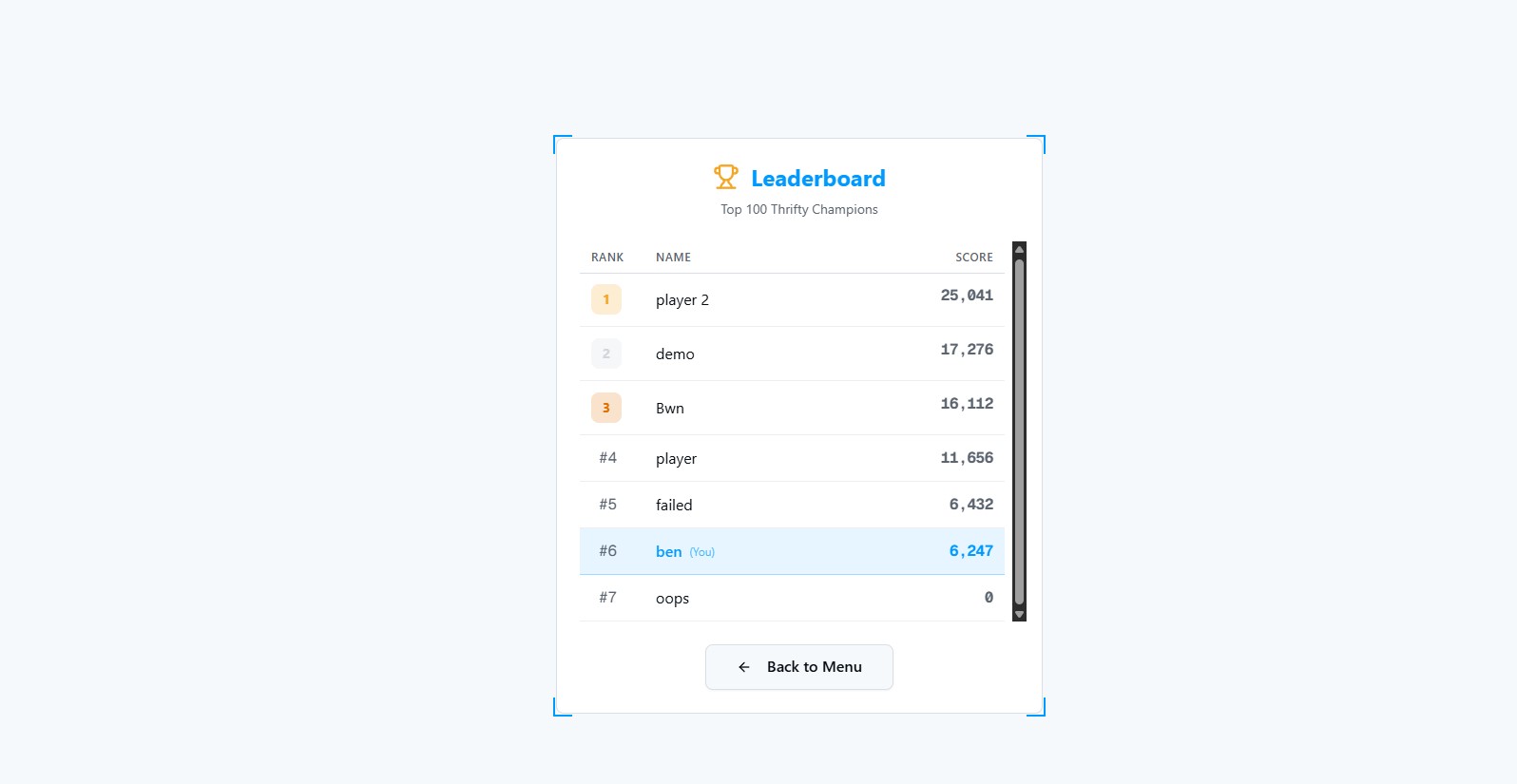
- Top 100 scores retained in browser localStorage
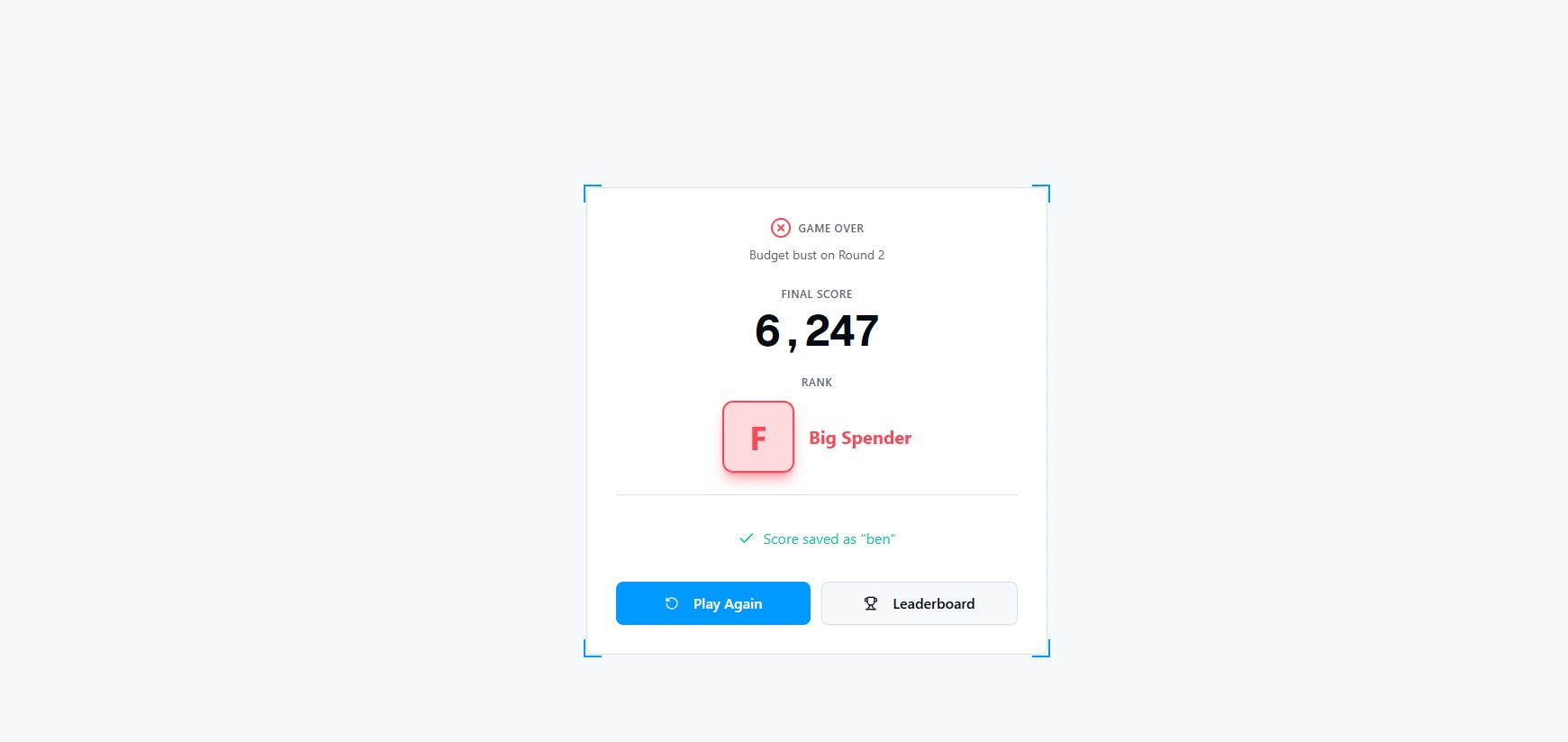
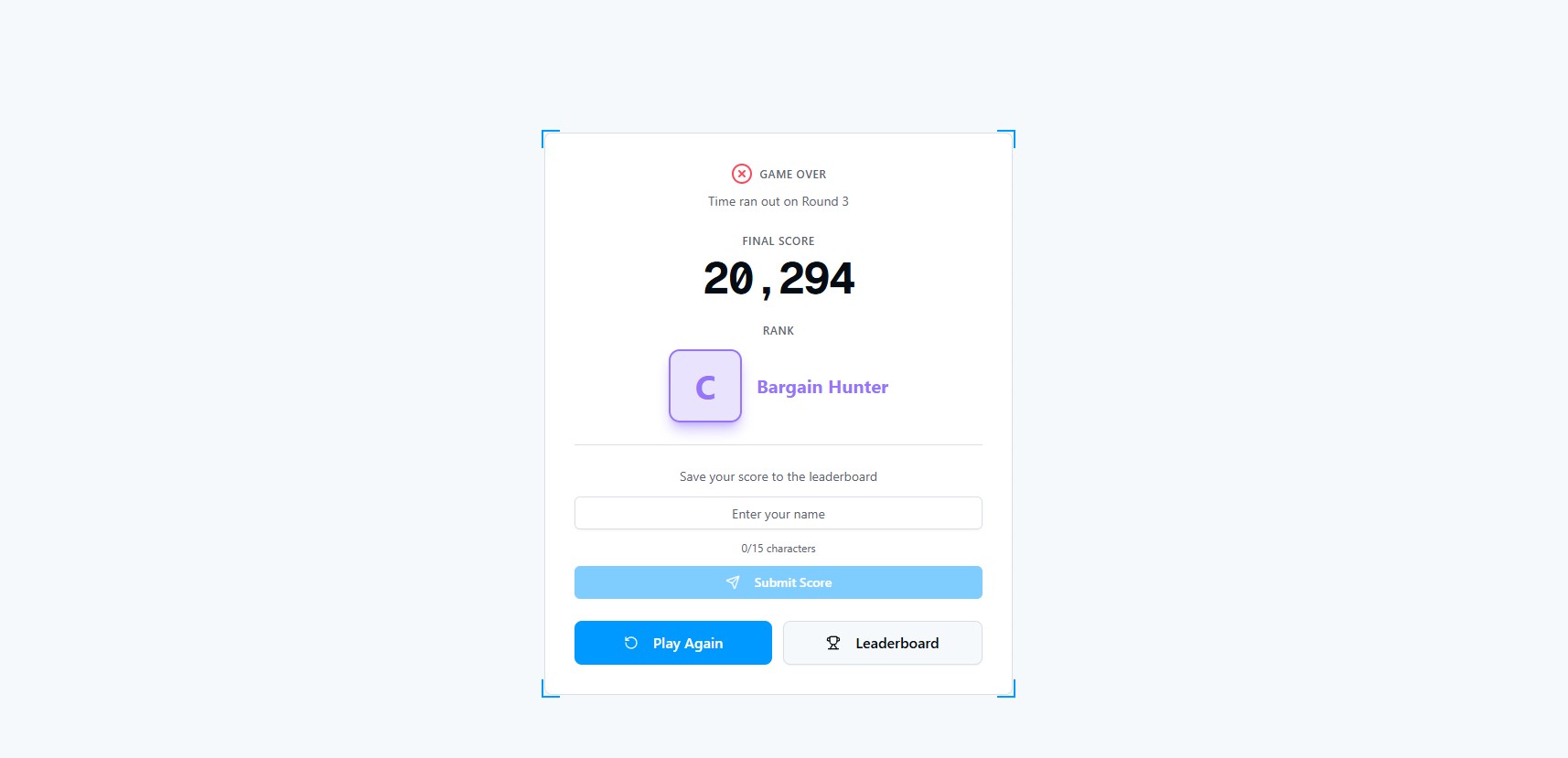
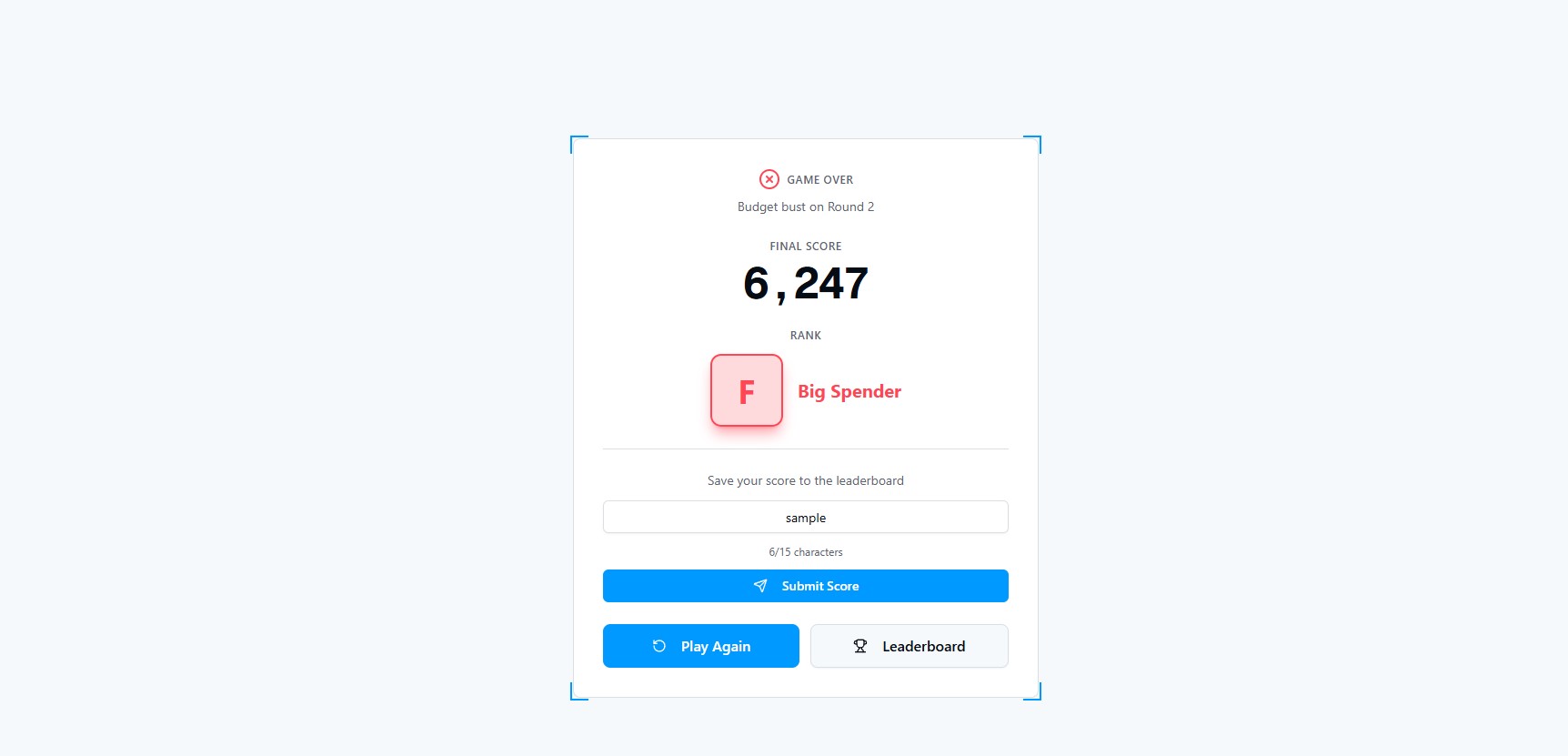
- Rank Titles: S-Rank "Thrift Master" (35K+), A-Rank "Budget Boss" (30-35K), B-Rank "Smart Shopper" (25-30K), etc.
- Name entry after game over (15 character max)
- Large display mode for external monitor at event booth
- Daily/weekly leaderboard resets for ongoing competition
Cloud9 × JetBrains Branding:
- Cloud9 Integration: Catcher styled as C9 jersey/shield, primary color palette (C9 Blue, White, Navy), 5 equipment slots shown as C9 player silhouettes with jersey numbers, "Gear up the Cloud9 squad" narrative
- Junie the JetBrains Cat: Sidekick and commentator in bottom-left corner
- Reacts to player actions in real-time with emojis + text bubble
- 😸 "That's thrifty!" (catch cheap item)
- 😰 "Big spender..." (catch expensive item)
- 😻 "Squad ready!" (round complete)
- 🙀 "Over budget!" (budget bust)
- 😿 "Watch the budget!" (budget warning <20%)
- Adds personality without distracting from gameplay
Event Booth Optimizations:
- 2-3 minute gameplay: Perfect for queue rotation at busy event booths
- One-button controls: Left/Right arrows or touchscreen swipes - instantly accessible
- No tutorials needed: Mechanics self-evident from watching one round
- Offline-first: Runs locally, no internet dependency for booth operation
- Auto-restart: After leaderboard display, game resets for next player
- Attract mode: Demo gameplay loops on idle to draw booth visitors
How we built it
Game Engine:
- React with hooks for state management
- TypeScript for type safety across game logic, items, power-ups, scoring
- HTML5 Canvas for 60 FPS rendering with smooth animations
- Custom physics engine for item falling with acceleration curves
- Optimized collision detection using bounding boxes and spatial hashing
- Responsive design works on touchscreens, desktop, mobile (360px-800px width)
State Management Architecture:
- React hooks manage core game state:
budget: Current remaining creditsslots: 5 equipment slots (empty/filled)score: Running total across roundstimer: Countdown per roundroundNumber: Current round (1-5)activePowerUps: Array of active effects with durationsfallingItems: Array of on-screen items with positions, velocities
- Immutable state updates for predictable game logic and easy debugging
- Round progression system with difficulty scaling (fall speed, spawn rate, budget)
- Persistent leaderboard using browser LocalStorage (upgradeable to backend API)
Item Generation System (Procedural with Weighted Randomness):
- Spawn Logic:
1. Select category based on drop rate % (Weapon 30%, Shield 25%, Utility 25%, Premium 15%, Bonus 5%) 2. Generate cost within category range (uniform random) 3. Calculate value: cost × (0.8 to 1.2 random multiplier) × category_multiplier 4. Assign random horizontal spawn position (10%-90% of screen width) 5. Add to falling items array with initial velocity - Spawn Rate Scaling: Round 1: 1 item/1.2s → Round 5: 1 item/0.7s
- Fall Speed Acceleration: Round 1: 2 px/frame → Round 5: 8 px/frame
- Smart Spawning: Prevents duplicate items flooding screen simultaneously
- Power-Up Spawn Rules:
- Total power-up rate: 20%-30% depending on round
- Cannot spawn in first 3 seconds of round
- Positive/negative ratio: 60% positive, 40% negative
- Effects don't stack (new effect replaces old)
Item Value Calculation (Hidden from Player, Creates Variation):
function calculateItemValue(cost: number, category: string): number {
  const baseMultiplier = {
    weapon: 1.0,
    shield: 1.1,     // Shields slightly more valuable
    utility: 1.2,    // Utility items good value
    premium: 0.9,    // Premium items slightly overpriced
    bonus: 2.0,      // Bonus items are great deals
  }

  const randomVariance = 0.8 + Math.random() * 0.4  // 0.8 to 1.2
  return Math.floor(cost * baseMultiplier[category] * randomVariance)
}
This creates variation where sometimes cheap items are great deals (high value-to-cost ratio) and sometimes expensive items are overpriced - adding strategic depth beyond just "catch cheapest items."
Scoring Algorithm Implementation:
// Base components
baseScore = 500
itemValue = sum(all caught items' value)
budgetBonus = remainingBudget * 2
timeBonus = remainingSeconds * 30

// Combo multipliers (multiplicative)
multiplier = 1.0
if (remainingBudget === 0) multiplier *= 2.0              // Perfect Budget
if (uniqueCategories >= 3) multiplier *= 1.2               // Balanced
if (maxCategoryCount >= 4) multiplier *= 1.5              // Specialist
if (remainingTime >= 15) multiplier *= 1.3                // Speed Demon
if (remainingBudget >= startBudget * 0.5) multiplier *= 1.4  // Thrifty

// Final calculation
finalScore = (baseScore + itemValue + budgetBonus + timeBonus) * multiplier
Graphics & Animation:
- Custom sprite system for item icons (weapons, shields, utility visualized)
- Smooth falling animations with easing functions (ease-in for acceleration)
- Particle effects for successful catches (sparkles, coins bursting)
- Screen effects for power-ups:
- Slow motion: subtle blue tint overlay
- Speed up: subtle orange tint + motion blur
- Budget bust: red flash + screen shake
- Progress bars with gradient fills for budget visualization (green → yellow → red)
- Confetti particle system for round completion
- Combo name text flies across screen on achievement
Audio & Visual Feedback:
- Sound effects: soft "pop" on catch, "click" on slot fill, magical chime on positive power-up, warning buzz on negative power-up
- Budget warning system:
- Green bar: >50% remaining
- Yellow bar: 20-50% remaining
- Red bar + pulsing: <20% remaining
- Screen shake + alert sound: approaching budget limit
- Timer color changes red and pulses in final 5 seconds with ticking sound
- Visual cues for every interaction: budget deduction animates down, slots glow on fill
Control Systems:
- Keyboard: Left/Right arrow keys for movement, Enter/Space for menu confirm
- Touch/Mobile: Swipe left/right for movement, or hold left/right side for continuous movement, tap for menu confirm
- Control Feel:
- Instant response (no acceleration delay)
- Catcher crosses full screen in ~1.5 seconds
- Smooth movement (not jerky)
- Bounded by screen edges (no wrapping)
- Generous hitbox for accessibility (slightly larger than visual)
Event Booth-Specific Features:
- Quick Loading: All assets preloaded on mount, instant game start (<3 seconds)
- Clear Visual Hierarchy: Budget bar prominent, player slots visible, falling items distinct with cost labels
- Forgiving Collision: Slightly generous hitboxes prevent frustration for booth visitors
- Attract Mode: When idle 30+ seconds, demo gameplay loops to draw attention
- Admin Controls (Hidden): Leaderboard reset, data export for event organizers
Development Tools:
- JetBrains WebStorm for TypeScript development and real-time debugging
- Junie AI for game logic optimization, physics tuning, collision detection debugging
- Canvas debugging tools for hitbox visualization during development
- Performance profiling to maintain locked 60 FPS even with 20+ items on screen
- React DevTools for state inspection during testing
Challenges we ran into
1. Balancing Difficulty Curve: Early versions were either too easy (boring after Round 2) or too hard (frustrating by Round 3). Finding the right balance of budget reduction, time pressure, fall speed, and spawn rate took extensive playtesting. We ran 50+ playtest sessions adjusting parameters by 5-10% increments until we hit the sweet spot.
2. Touchscreen Input Lag: Event booth touchscreens have 50-100ms input latency (older hardware). Desktop testing felt responsive, but booth testing felt sluggish. We added input buffering (queue inputs) and predictive movement (start moving on touch down, not touch release) to mask hardware lag.
3. Collision Detection Performance: With 20+ items falling simultaneously in Round 5, naive collision checking (every item × catcher every frame) caused frame drops from 60 FPS to 40 FPS. We implemented spatial hashing (divide screen into grid cells, only check items in catcher's cell and adjacent cells). Restored locked 60 FPS even with 30 items.
4. Budget Management Clarity: Playtesters didn't notice they went over budget until the round ended (frustrating). We added progressive warnings:
- Yellow bar at 80% budget used
- Orange bar + subtle alert sound at 90%
- Red bar + pulsing + screen shake at 95%
- Loud warning sound + red flash on budget bust
This reduced "accidental bust" rate from 40% to 15%.
5. Scoring System Perceived as Unfair: Early scoring heavily favored speed over strategy. Players rushed, went over budget (-500 penalty), lost more points than they gained from time bonus. We increased budget bust penalty to -500, added budget efficiency bonus (+200 for finishing under 50%), and introduced combo multipliers to reward smart play. Now strategic players consistently outscore rushers.
6. Power-Up Visual Clarity: Initial power-ups looked like regular items - players caught Budget Drains accidentally. We made power-ups visually distinct:
- Pulsing glow effect (not static)
- Sparkle particle trail while falling
- Larger size (80px vs 60px regular items)
- Negative power-ups have spiky borders + red tint
Accidental negative power-up catches dropped from 35% to 10%.
7. Leaderboard Persistence: Initially used in-memory storage - scores lost on page refresh (terrible for multi-hour booth operation). Migrated to LocalStorage with JSON serialization. Added error handling for quota exceeded (fall back to session storage). Scores now persist across browser reloads and device restarts.
8. Item Spawn Clustering: Random spawning caused "item droughts" (no items for 5 seconds) followed by "item floods" (8 items on screen). We implemented spawn rate regulation:
- Track time since last spawn
- Increase spawn probability if drought detected (>2 seconds)
- Decrease spawn probability if flood detected (>6 items on screen)
- Guarantees consistent item flow
Accomplishments that we're proud of
1. Truly Accessible Yet Strategically Deep: Non-gamers can play immediately (just move left/right), but mastering budget efficiency, optimal item selection, and combo multiplier strategies takes skill. We achieved the rare balance of low floor, high ceiling. Casual players enjoy it, competitive players optimize it.
2. Locked 60 FPS Performance on Modest Hardware: Even with 20+ falling items, particle effects, screen effects, and animations, the game maintains buttery smooth 60 FPS on basic event booth computers (no dedicated GPU). Spatial hashing, object pooling, and optimized rendering made this possible.
3. Perfect Event Booth Format: 2-3 minute sessions hit the sweet spot for queue rotation. People can watch one game, understand it, want to try, play, and either walk away satisfied or queue again to beat their score. The leaderboard creates repeat engagement - players try 3-4 times to crack top 10.
4. VALORANT Economy Authenticity: Item categories (weapon/shield/utility), pricing tiers, and round budget progression mirror actual VALORANT economy. Hardcore fans appreciate the accuracy ("This is exactly how buy rounds feel!") while casual players just see "catch items, manage budget."
5. Cloud9 + JetBrains Branding Integration: The game feels like an official Cloud9 booth experience, not a generic mini-game. Color scheme, logo placement, C9 player slots, and Junie mascot create cohesive branding. Event attendees associate the fun with the sponsors.
6. Polished Visual Feedback for Every Interaction: Catches sparkle, slots glow, budget animates, combos fly across screen, round completions have confetti. The game feels satisfying to play because of dozens of micro-animations and sound effects. This level of polish is rare in hackathon projects.
7. Offline-First Architecture: Runs entirely in browser without server dependency. Event booth can operate all day without internet. LocalStorage handles leaderboard persistence reliably. Perfect for event environments where WiFi is unreliable.
8. Power-Up System Adds Replayability: Every round plays differently based on which power-ups spawn. Slow Motion in Round 5 feels like a lifeline. Budget Boost right before going over is clutch. Speed Up when you're already stressed is chaos. Randomness creates memorable moments without feeling unfair.
What we learned
1. Difficulty Curves Require Extensive Playtesting: The difference between "challenging" and "frustrating" is 10-15% adjustment in parameters. Round 3 with 3,500 budget is engaging. Round 3 with 3,200 budget is rage-inducing. We learned small tweaks have outsized impact on player experience. You can't design difficulty on paper - you must playtest.
2. Visual Feedback > Instructions: We removed the tutorial screen entirely. Instead, exaggerated visual feedback (items bouncing when caught, budget bar depleting, score popups) teaches mechanics implicitly. Players learn by playing, not by reading. Show, don't tell.
3. Forgiveness Creates Better UX for Casual Games: Slightly generous collision hitboxes (10-15% larger than visual) feel fair to players. Exact-pixel hitboxes feel unfair, even when technically correct. For event booth games targeting casual audiences, perception > technical precision.
4. Leaderboards Drive Replay Value: Players who'd play once will play 3-4 times trying to beat the top score. The competitive element transformed a "fun distraction" into a "I need to beat my friend's score" experience. Social comparison is a powerful motivator.
5. Performance Profiling is Non-Negotiable for Canvas Games: Our initial version dropped to 40 FPS with 15 items on screen. Performance profiling revealed inefficient collision detection was the bottleneck. Measure before optimizing. Guessing wastes time. Profiling points you to the exact problem.
6. Budget Constraints Create Drama: The most exciting moments aren't catching expensive items - they're the tense decisions of "I'm at 2,450/2,500 budget, do I risk catching one more item?" Constraints drive engagement. Tension makes games fun.
7. Simplicity Enables Polish: By keeping mechanics simple (move left/right, catch items), we had bandwidth to polish animations, sound, visual effects. Complex mechanics spread development thin. Depth through refinement, not feature bloat.
8. Touch Controls Need Extra Attention: What feels responsive on keyboard can feel laggy on touch. Input lag is cumulative (touch sensor + OS + browser + game logic). We learned to anticipate inputs (start moving on touch down) and buffer inputs (queue up actions) to mask latency.
What's next for Thrifty
1. Online Leaderboards with Backend API: Deploy leaderboard to Supabase backend. Global high scores across all Cloud9/JetBrains event booths. Compete against players from different cities/events. Real-time leaderboard updates streamed to booth display.
2. Team Cooperative Mode: Two players cooperate - one controls the catcher, one makes budget decisions (approve/reject catches via button press). Forces communication and coordination. Adds social gameplay dimension.
3. Challenge Modes for Replayability:
- Pistol Only: No premium/weapon items, maximize utility and shields only
- Eco Speed Run: Equip team with minimum possible budget as fast as possible
- Premium Rush: Only premium items (1K+ credits) allowed - high risk, high reward
- Perfect Efficiency: Finish exactly at budget limit (0 credits remaining) - surgical precision
- Survival Mode: Endless rounds, progressively harder, see how far you get
4. Power-Up Expansion:
- Slow: All items slowed down for 10 seconds (existing)
- Spree: Bunch of items fall at once (double-edged sword - opportunity + chaos)
- Speed: Increase catcher speed for 8 seconds (faster reactions, riskier)
- Vision: See prices of items before they enter screen (strategic planning)
- Magnet: Auto-catch items within wider radius for 5 seconds (ease mode)
5. Agent Abilities (VALORANT-Themed Catchers): Different catcher skins with unique abilities:
- Jett: Dash across screen instantly (1 use per round)
- Omen: Teleport to any item location (2 uses per round)
- Sage: Slow all falling items in radius for 6 seconds (1 use)
- Raze: Explode unwanted items to remove from board (3 uses) Adds pre-round strategy: "Which agent's ability is best for this budget/time constraint?"
6. Tournament Mode for Major Events: Best-of-3 rounds, finals bracket, live stream integration. Thrifty becomes a spectator esport at Cloud9 major events. Commentators analyze player efficiency, budget decisions, clutch moments.
7. Mobile App Release: Full mobile version for iOS/Android app stores. Practice at home, compete remotely, sync scores with event booth leaderboards. Extend engagement beyond physical events.
8. Cosmetic Unlocks and Progression: Earn skins for catcher, visual effects for catches (gold sparkles, C9 logo particles), victory animations through gameplay. Progression system for repeat players across multiple events.
9. Sponsored Items Integration: Partner brands' items appear as falling objects. "JetBrains Junie plushie = bonus points", "Cloud9 jersey = special power-up". Gamifies sponsor branding.
10. Analytics Dashboard for Event Organizers: Track aggregate stats - most popular rounds, average scores, peak play times, demographic insights (kids vs adults). Help organizers optimize booth operations and measure engagement ROI.
11. Custom Branding Tool (White-Label Version): White-label Thrifty for other orgs' events. Upload logo, set colors, configure items - instant custom booth game. Licensing opportunity beyond Cloud9/JetBrains.
12. Accessibility Mode: Colorblind-friendly palette options, adjustable contrast, audio cues for visual events (item spawned, budget warning), keyboard-only navigation. Make the game playable by everyone.
Built With
- claude
- cursor
- docker
- jetbrains
- junie
- react
- supabase
- typescript
- webstorm


Log in or sign up for Devpost to join the conversation.