Inspiration
The community I'm part of — a local church — has a growing number of international members, some who arrived as refugees, many with little or no English. Everyone is genuinely welcoming, but I kept noticing the same thing: welcome alone isn't enough when there's a language wall. The groups, the classes, the volunteering all run on WhatsApp and personal referrals, and if you don't already know someone, you can't get in. And this isn't unique to one place — small charities, refugee-support groups, food banks, and community centres everywhere run on the same informal, word-of-mouth coordination, and the people who most need connection are exactly the ones least able to navigate it. I wanted to build something that gets a newcomer from "lost and alone" to "introduced to a real person" — in their own language, without needing to know the right someone first.
What it does
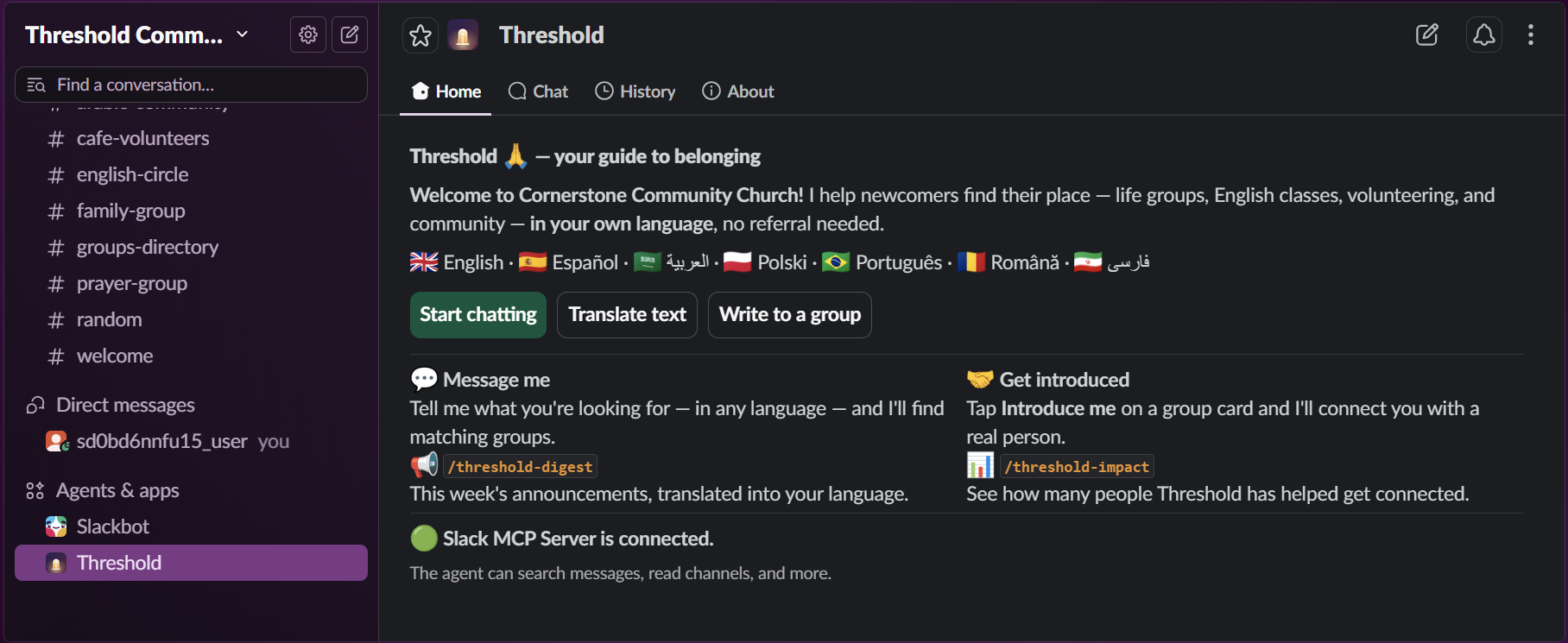
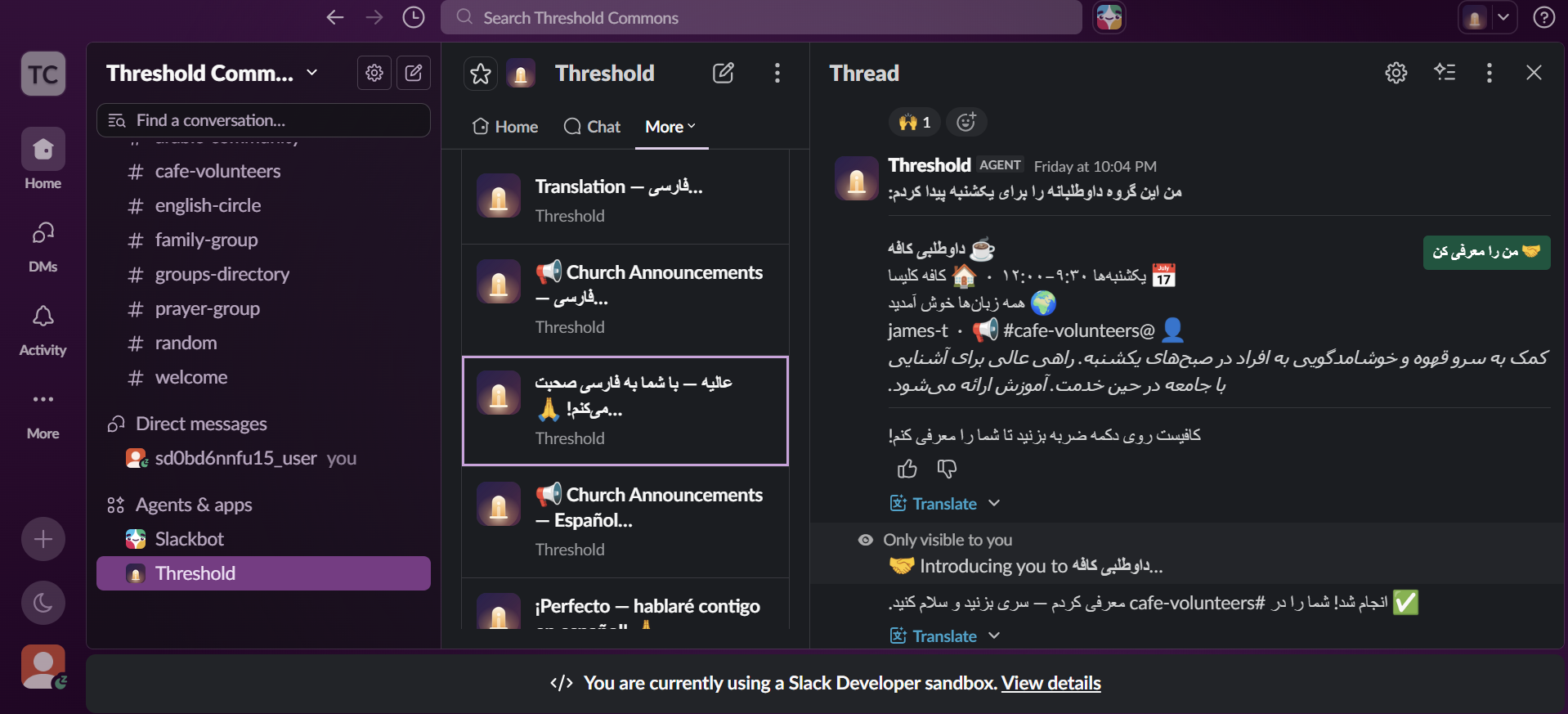
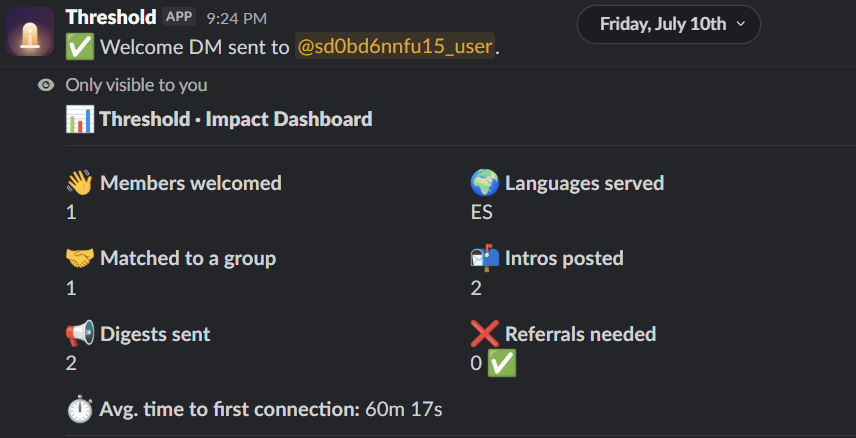
Threshold is a multilingual Slack agent for small, migrant-serving charities, community organisations, and churches. A newcomer is welcomed in their own language, which Threshold remembers. They can ask, in any language — "I'd like to volunteer on Sundays" — and Threshold runs a live search of the organisation's group directory through the Slack MCP Server, then shows a group card in their language. One click introduces them to a real contact by posting into that group's channel. They can translate any message on demand, and through Write to a group they can compose in their own language and have it delivered to a channel in English with attribution — so they can finally speak to the community, not just understand it. Translated announcement digests keep them in the loop, and an impact dashboard tracks real outcomes. Seven languages, including Spanish, Persian, and Arabic.
How I built it
Python and Slack Bolt in Socket Mode, so the deployment needs no public URL. A Pydantic
AI agent drives Gemini with a resilient fallback chain (Gemini 2.5 Flash → 3.1 Flash-Lite
→ GitHub Models GPT-4.1). Every workspace action — directory search, announcement reads,
introductions, group posts — goes through the Slack MCP Server. Group cards render in
Block Kit. Introductions and group posts call the MCP slack_send_message tool
deterministically and log an impact event only after the post succeeds, so the dashboard
never lies. Language preferences and impact data live in SQLite. The whole thing is
Dockerised on a DigitalOcean droplet with --restart=always and a bind-mounted volume, so
it survives reboots and keeps its data through judging.
Challenges I ran into
- Socket Mode doesn't hand Bolt a per-user OAuth token, so MCP calls run on an operator token — which means that account has to be a member of every channel the agent reads or posts in. Designing cleanly around that took real thought.
- The dashboard once logged a successful introduction when the MCP post had actually failed
with
not_in_channel. I fixed it by resolving the channel and recording impact only after a confirmed post — trustworthy metrics matter more than flattering ones. - Repeat demos inflated the counts, so I moved welcomed/matched to distinct-person metrics.
- A run of Windows-specific gremlins on a fresh machine: the Slack CLI splitting hook command
paths on whitespace, a bare
python3resolving to a non-functional Windows Store stub, and PowerShell's quoting breaking the CLI's hook runner. Each was a genuine debugging session.
Accomplishments that I'm proud of
- The Slack MCP Server is genuinely load-bearing — the product doesn't work without it, it's not a wrapper around a chatbot.
- A real human handoff: someone who knew nobody gets introduced to a real person, in their own language.
- Two-way language access — understand the community and speak to it.
- An honest, measurable impact dashboard.
- It runs at essentially £0 — on the free Slack nonprofit tier and a free model — so even the smallest, most under-resourced charity or community group can actually adopt it.
What I learned
Building for a real community I know changed almost every design decision — I kept choosing the deterministic, demoable path over clever-but-fragile agent behaviour because I could picture a real person hitting the failure. I also learned how much stronger a project becomes when the required technology is the centre of gravity, not a bolt-on.
What's next for Threshold
Per-installation OAuth so it can run across many workspaces as a Marketplace app; a contact-side "I'll help" button so the other person can respond in one tap; scheduled follow-ups to check whether the connection actually happened; and scaling from a single organisation to a network of charities and community groups sharing the same tool.
How to test it
Threshold is live in the developer sandbox linked above. Judge accounts ([email protected] and [email protected]) have been added as Members.
Judge accounts ([email protected] and [email protected]) have been added as Members with access to all channels — including #cafe-volunteers, #groups-directory, and #announcements — so you can see every part of the flow.
- Open the sandbox and find Threshold in the sidebar under Apps.
- Open its Home tab. You should see a green "MCP connected" status, the language list, and three buttons.
- Click Start chatting — Threshold DMs you and asks for your language. Pick one (try 🇮🇷 فارسی or 🇪🇸 Español) and it greets you in that language.
- In that DM, ask for what you need in your own words. For example:
- Persian:
میخواهم روزهای یکشنبه داوطلب شوم - Spanish:
Me gustaría ayudar en el café los domingos. - English:
I'd like to volunteer on Sundays.
- Persian:
Threshold runs a live search of the group directory through the Slack MCP Server and returns a matching group card, in your language.
- Click the introduction button on the card, then open #cafe-volunteers — you'll see a real introduction posted, naming you and the group's contact. (Impact is only logged after the MCP post actually succeeds.)
- Back on the Home tab, click Write to a group, type a message in any language, pick #cafe-volunteers, and send — it arrives in the channel translated to English, with attribution.
- Run
/threshold-impactto see the measurable outcomes, and/threshold-digestfor a translated summary of announcements.
All data in the workspace is synthetic (Cornerstone Community Church) — no real people or real congregation content is used anywhere.

Log in or sign up for Devpost to join the conversation.