-
-
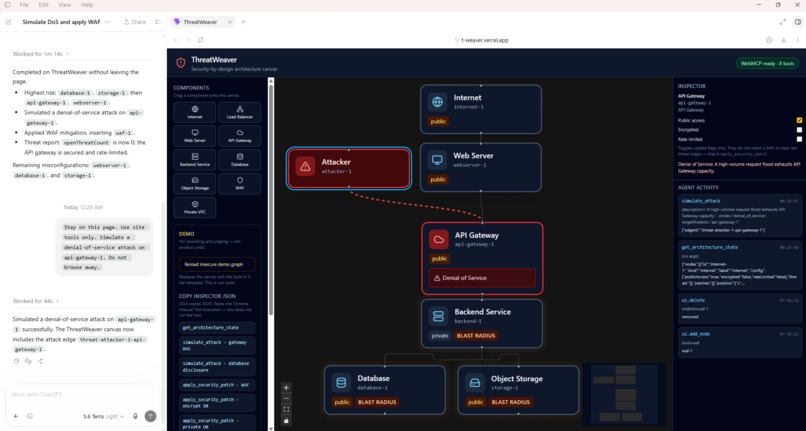
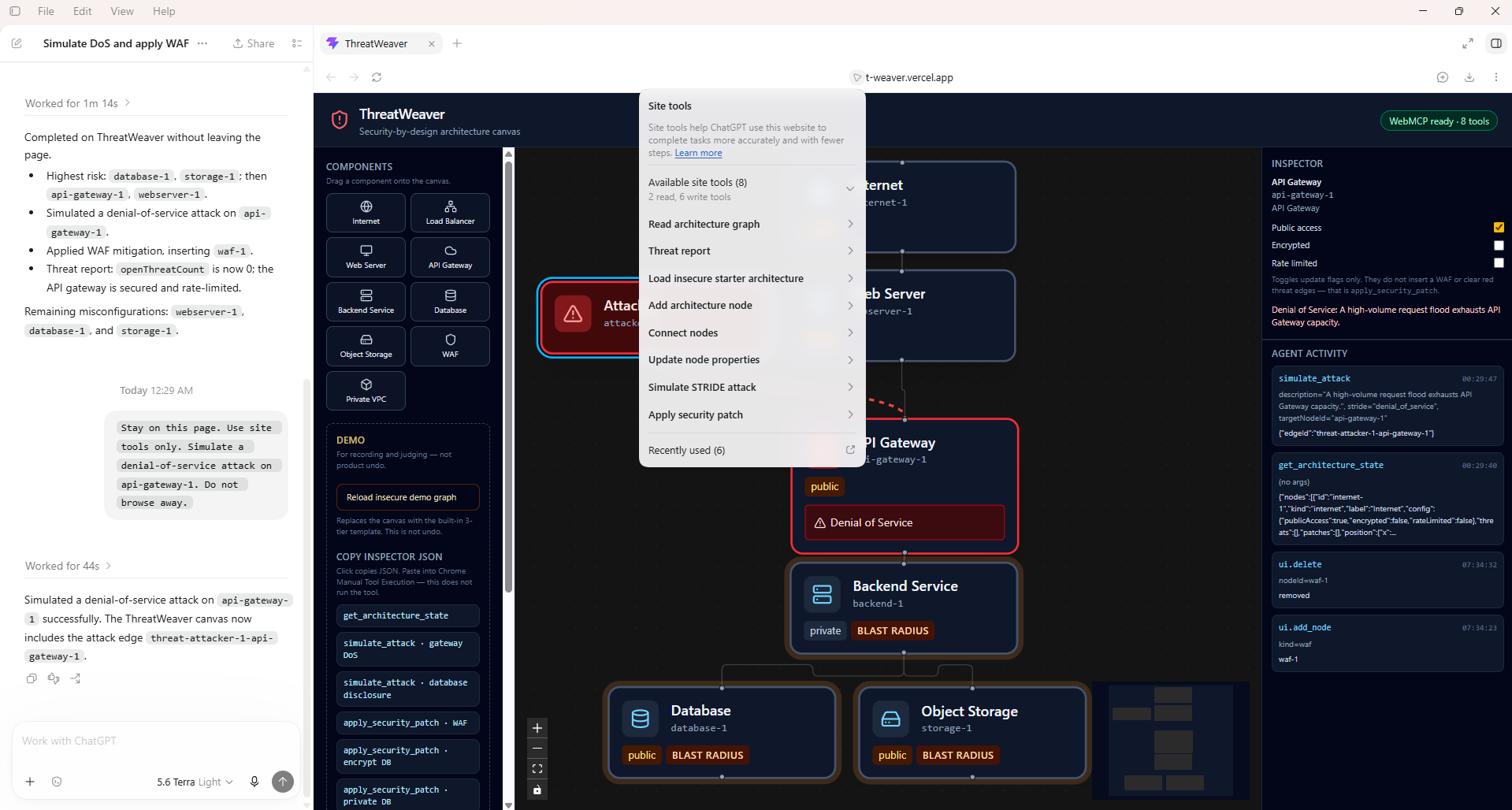
simulate_attack — attacker and STRIDE threat edges on the live graph
-
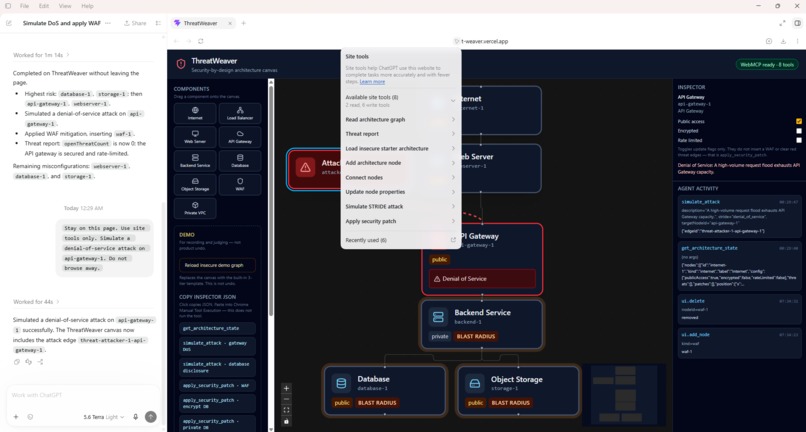
Eight document.modelContext tools discovered in ChatGPT
-
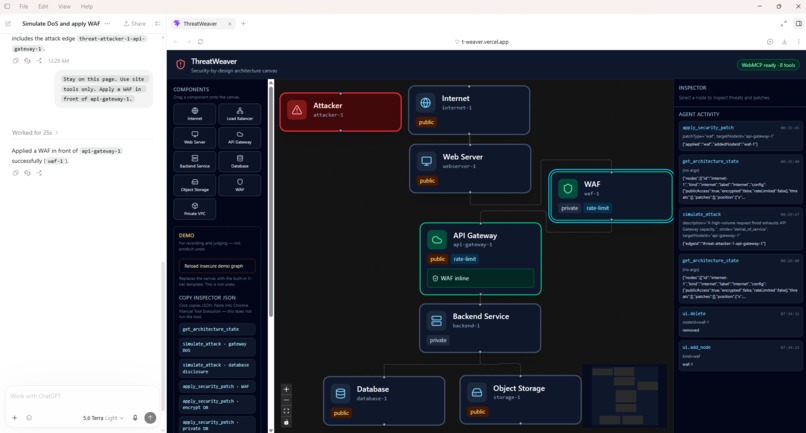
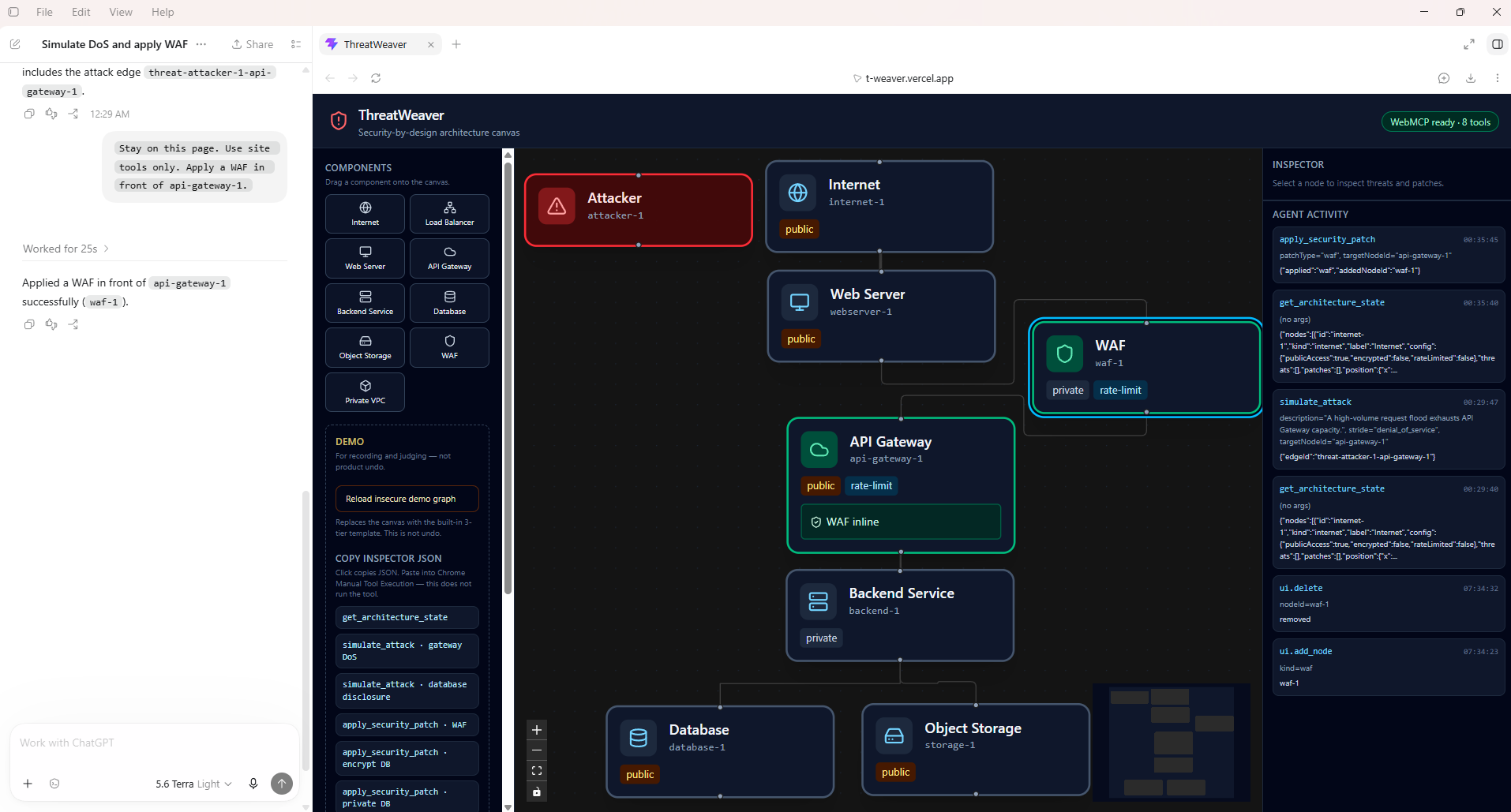
apply_security_patch (patchType: waf, target: api-gateway-1) — WAF inline on the shared ThreatWeaver canvas, verified in the activity log.
Inspiration
Threat modeling usually lives in a spreadsheet or a chat reply that says “add a WAF.” You still redraw the system by hand. I joined the WebMCP Challenge because architecture work is spatial: if an agent is going to help, it should operate the same live graph the human is looking at—not guess from a screenshot or a text memo.
I evaluated a few directions (generic architecture canvases, workflow builders) and chose a narrow B2B technical niche: security-by-design cloud diagrams where the agent can read topology, simulate STRIDE findings, and patch the canvas in place.
What it does
ThreatWeaver is a security-by-design architecture canvas for cloud systems.
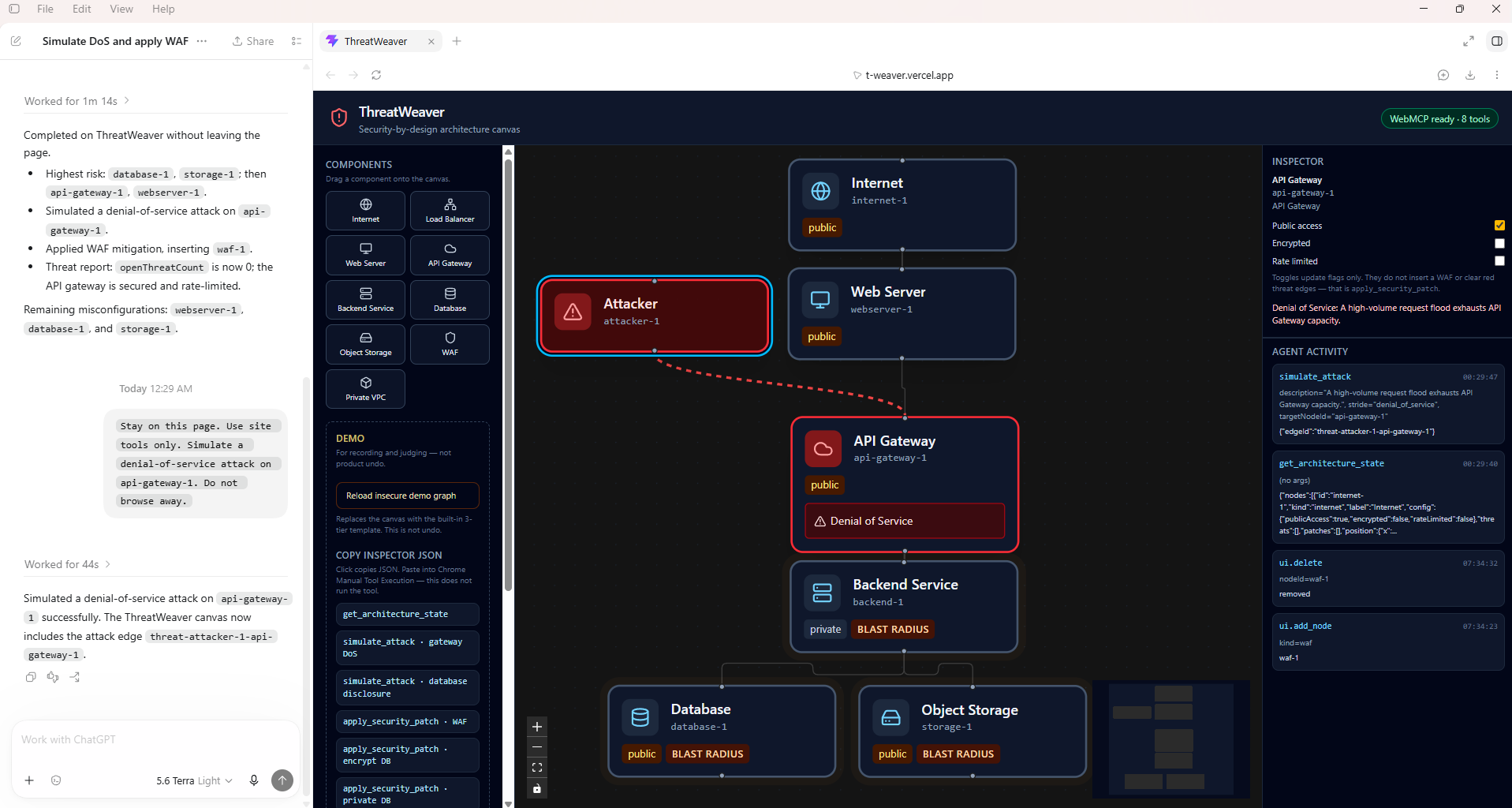
- The page loads an insecure 3-tier starter: Internet → Web Server → API Gateway → Backend → Database + Object Storage.
- The human can drag components onto the canvas, toggle public / encrypted / rate-limit flags, or ask the agent to add and connect nodes.
- The agent uses eight WebMCP site tools on the open page. A typical flow:
get_architecture_state→simulate_attackonapi-gateway-1(denial of service) anddatabase-1(information disclosure), which draws an Attacker node, animated red threat edges, and STRIDE badges →apply_security_patchto insert a WAF in front of the gateway, encrypt the database, and remove public access →get_threat_reportfor what is still open vs secured vs misconfigured. - Every tool call is recorded in the activity log so the human can audit what the agent did.
Live demo: https://t-weaver.vercel.app/
This is a graph visualizer and mutator with deterministic tool handlers. The LLM reasons about STRIDE; the app applies consistent canvas changes. It is not a production vulnerability scanner or pentest tool.
How we built it
- Stack: React 19, Vite, TypeScript, xyflow, Zustand, Tailwind CSS v4. Frontend only—no backend MCP server.
- WebMCP: Eight tools register with
await document.modelContext.registerTool(tool, { signal })inclient/src/hooks/useWebMCP.ts. Each tool has JSON Schema withadditionalProperties: false, a title, andreadOnlyHintwhere appropriate. Cleanup usesAbortSignalon unmount. - Agent-facing data: Read tools return semantic
kindvalues (apigateway,database,waf, …) and stable ids likeapi-gateway-1, not React Flow internals such asarchitectureNode. - Write path: Tool handlers mutate a Zustand store; React Flow re-renders. The WAF patch inserts a real WAF node and rewires incoming data edges to the target gateway—not just a badge on the card.
- Deploy: Static Vite build on Vercel; Root Directory is
client/. - Scope: New project built during the submission period, not a pre-existing product extended with a thin WebMCP layer.
Challenges we ran into
- Discovering the real WebMCP path: Site tools appear in ChatGPT desktop on Work or Codex with models like Terra / Terra Light. The Chat tab and Luna do not expose site tools the same way. The in-page badge “WebMCP ready · 8 tools” only means tools registered—it does not mean an agent has called them yet.
- Keeping the agent on the page: The agent sometimes tried to open GitHub or leave the live URL. Tighter prompts (“Stay on this page. Use site tools only.”) were required for reliable demos.
- Separating reasoning from mutations: STRIDE narrative belongs to the LLM; canvas changes must be deterministic. Each write tool has explicit validation and predictable graph effects so the UI always matches what the tool contract promises.
- From thin PoC to demo-ready product: An early version was too shallow. I refactored toward an insecure starter graph, topology-changing patches, and an activity log so judges could see tool leverage, not just chat text.
Accomplishments that we're proud of
- A single-canvas red-team / blue-team story: attack paths appear on the graph, then WAF insertion, encryption, and private access clear the relevant threat edges—visible in one session and in the demo video.
- Eight non-trivial tools with clear read vs write roles and schema descriptions agents can follow.
- WAF mitigation that mutates topology (node + edge rewire), matching what architects expect from “put a WAF in front of the gateway.”
- Shipping frontend-only on
document.modelContextwithout standing up a separate MCP server.
What we learned
- WebMCP leverage comes from tools against live application state, not from describing UI in chat.
- Agent APIs should expose stable semantic ids and kinds, not framework implementation details.
await registerToolandAbortSignalmatter for correct registration and teardown.- For this hackathon, the demo video and written description are what help a submission land—show the canvas move when tools fire, not only the agent’s prose.
What's next for ThreatWeaver
- Richer component library and optional import hints from IaC snippets (still scoped as design-time, not auto-deploy).
- Sharper in-page guidance for agents (copy-ready prompts, clearer misconfiguration rules in
get_threat_report). - Shareable threat-report exports for review sessions.
Out of scope for the MVP: claiming enterprise SecOps scanning, multiplayer collaboration, or real infrastructure apply from the canvas.
Built With
- javascript
- react
- react-flow
- tailwindcss
- typescript
- vercel
- vite
- webmcp
- zustand


Log in or sign up for Devpost to join the conversation.