Inspiration
Cybercrime is no longer a distant threat — it's an everyday reality. Every 39 seconds, a cyberattack occurs somewhere in the world. Phishing alone accounts for over 36% of all data breaches, yet most people still can't tell a fake login page from a real one at a glance.
I wanted to build something that bridges that gap — not just another URL checker, but a live, intelligent agent that sees what you see, understands what you're looking at, and speaks the danger to you in plain English. That idea became ThreatLens AI.
The inspiration also came from a personal frustration: existing threat detection tools are either too technical for average users or too shallow for real-world threats. Most of them check URLs against static blocklists — they can't analyze a screenshot of a fake banking page or correlate visual content with a suspicious domain. Gemini's multimodal capability changed that entirely.
What it does
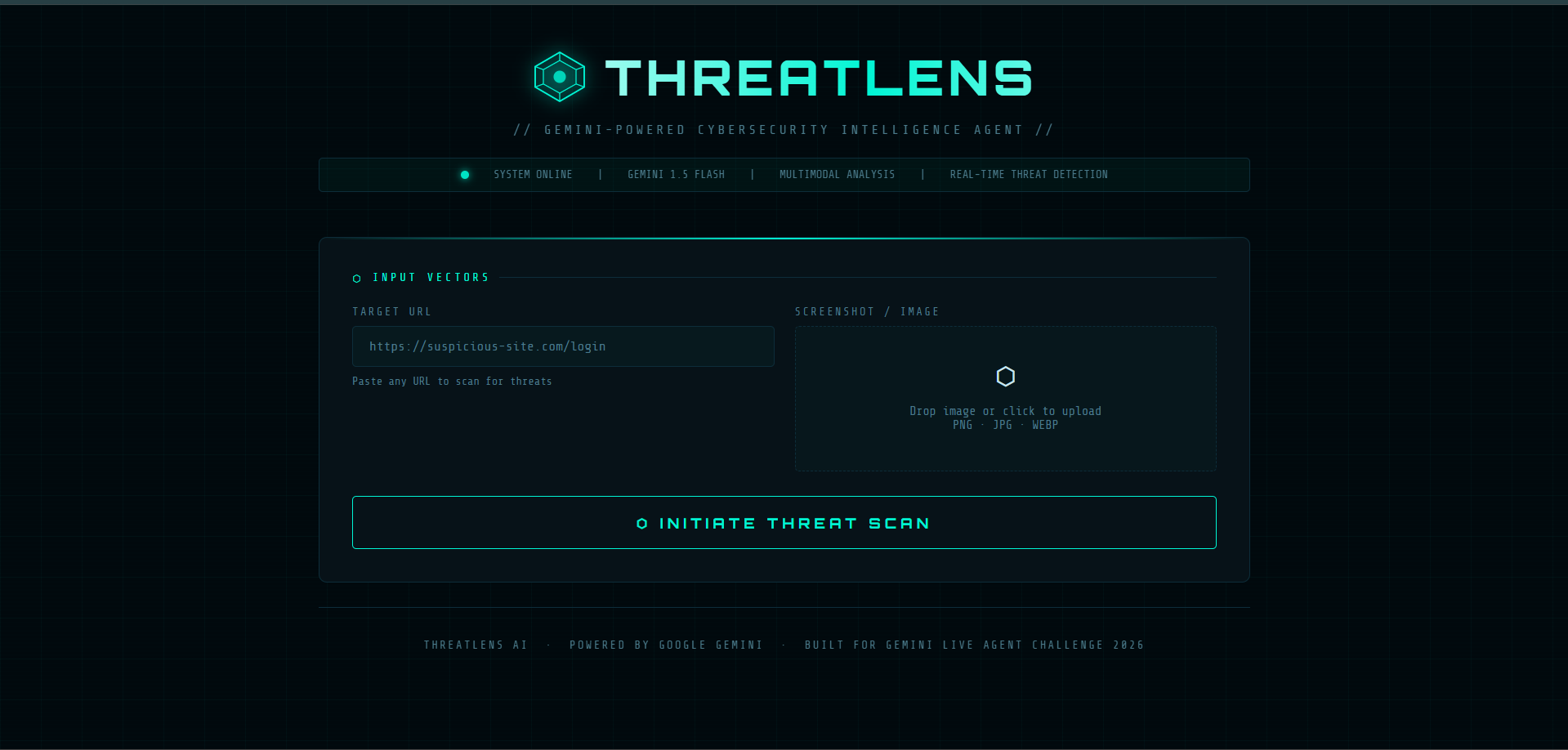
ThreatLens AI is a real-time multimodal cybersecurity intelligence agent powered by Google Gemini 1.5 Flash. It accepts:
A suspicious URL — analyzed for phishing patterns, typosquatting, homograph attacks, and malicious redirects A screenshot or image — scanned visually for fake login pages, social engineering cues, brand impersonation, and credential harvesting forms Both together — Gemini correlates the visual content with the URL for a deeper, combined threat assessment
How we built it
User Input (URL + Screenshot) ↓ Flask Backend (Python) ↓ Google Gemini 1.5 Flash (Vision + Language Analysis) ↓ Structured JSON Response ↓ Frontend — Risk Badge + Voice + Report
Challenges we ran into
- Structured Output Reliability Getting Gemini to return valid JSON every single time — even for edge cases like ambiguous inputs or very short URLs — required extensive prompt engineering. I added a robust fallback parser that strips markdown fences and handles partial responses gracefully.
2. Multimodal Prompt Design
Designing prompts that work equally well for URL-only, image-only, and combined inputs was tricky. Each mode needed a different context framing while sharing the same output schema. I solved this by writing three distinct prompt templates that all funnel into one unified JSON contract.
3. Voice Naturalness
The voice_script field had to sound like a real security expert
speaking — not a robotic list of facts. Prompt-engineering the tone
of the spoken output (conversational, calm, authoritative) alongside
the content took several iterations.
4. UI Performance
Keeping the cyberpunk animated interface smooth while running async API calls required careful DOM management — scan messages cycle, the loader runs, and results animate in — all without blocking the main thread.
Accomplishments that we're proud of
Built a fully working multimodal threat agent in under 48 hours Achieved reliable structured JSON output from Gemini across all input modes using prompt engineering alone (no fine-tuning) Delivered a voice-spoken threat briefing — making security intelligence accessible to non-technical users Designed a production-grade, animated UI with zero external CSS/JS frameworks
What we learned
How to leverage Gemini's vision capabilities for real-world security analysis beyond simple classification
- The power of prompt engineering as architecture — a well-designed system prompt can replace entire ML pipelines
- How to structure multimodal API calls with base64 image payloads in Python
- That voice output transforms an AI tool from a dashboard into a true agent experience — the difference is felt immediately ## What's next for ThreatLens AI
Live screen capture — analyze threats as you browse in real time
- Email header analysis — detect spear-phishing from raw email source
- Threat history dashboard — track and log all past scans
- Browser extension — one-click scanning from any tab
- Gemini Live API integration — fully bidirectional voice conversation with the threat agent
Built With
- base64
- css3
- flask
- flask-cors
- gemini-1.5-flash
- git
- github
- google-ai-studio
- google-cloud
- google-cloud-build
- google-cloud-run
- google-gemini-api
- google-generativeai
- html5
- javascript
- json
- python
- rest-api
- speechsynthesis
- vs-code
- web-speech-api

Log in or sign up for Devpost to join the conversation.