-
-
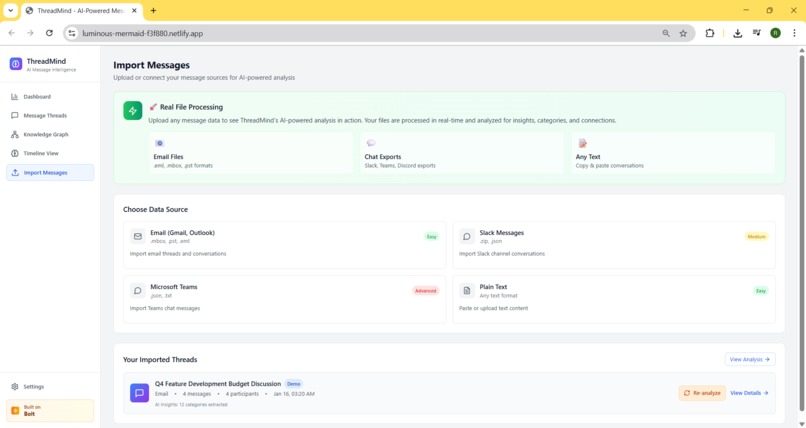
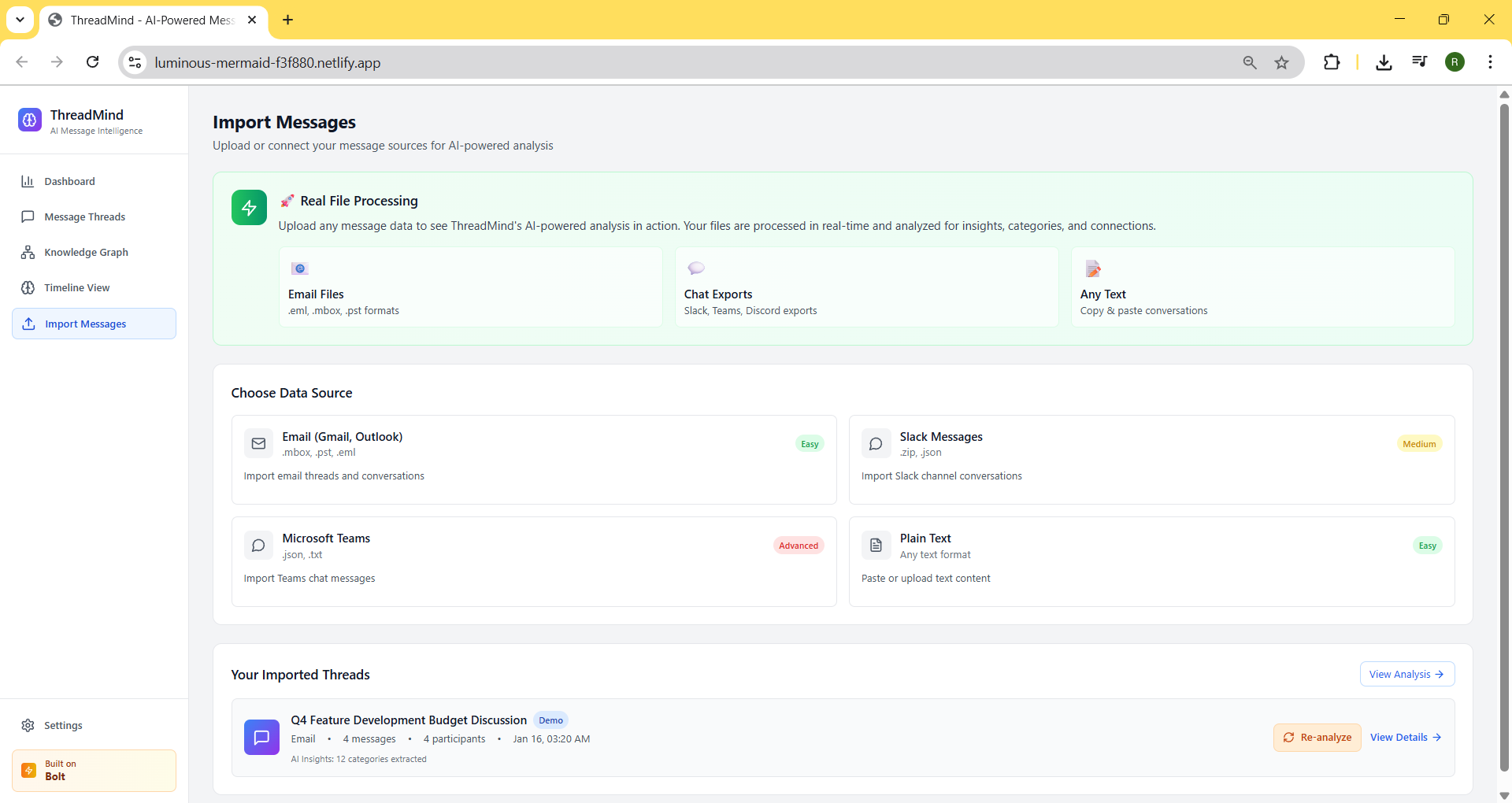
page to upload email/msg/ any conversation from any platform. Once the message is analyzed, insights will appear.
-
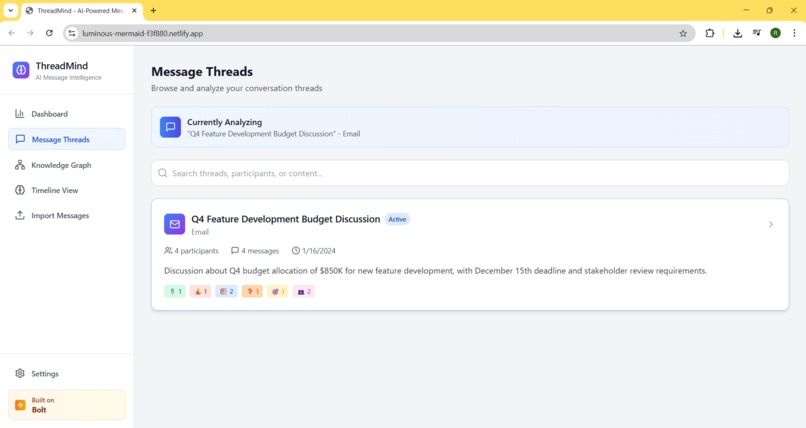
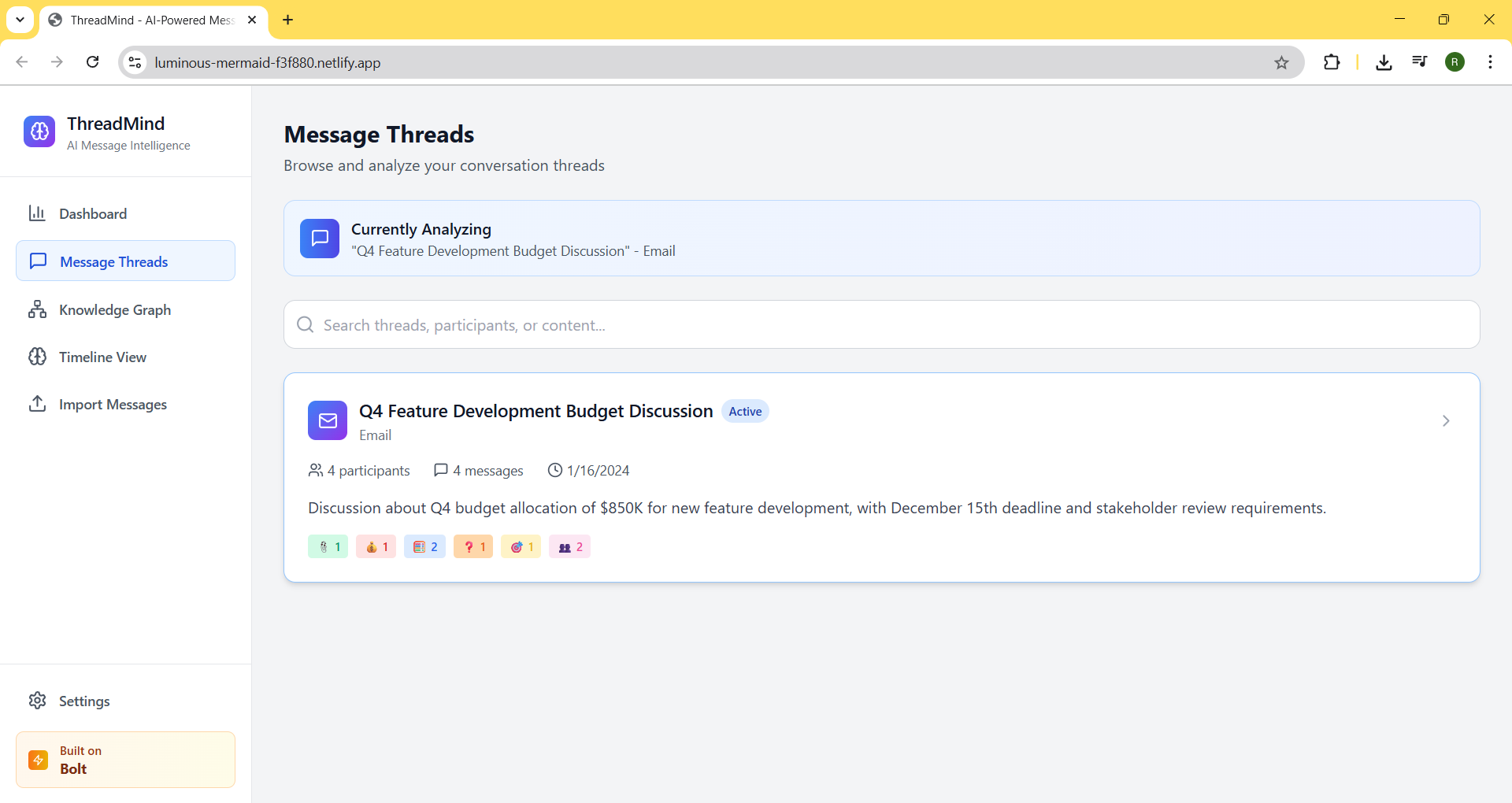
All uploaded conversation threads with insights.
-
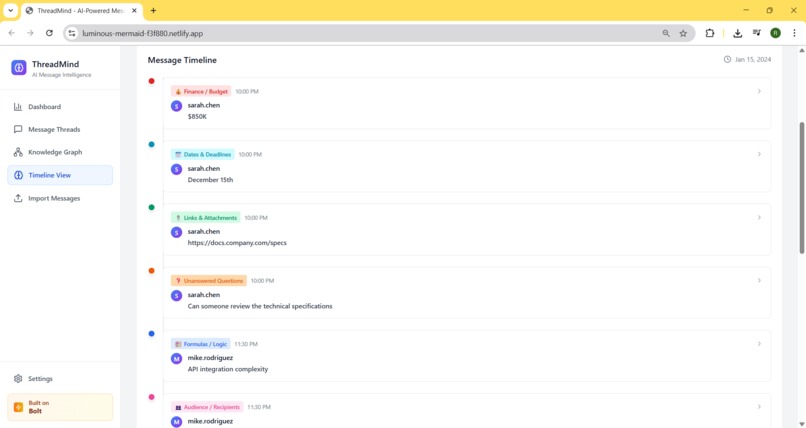
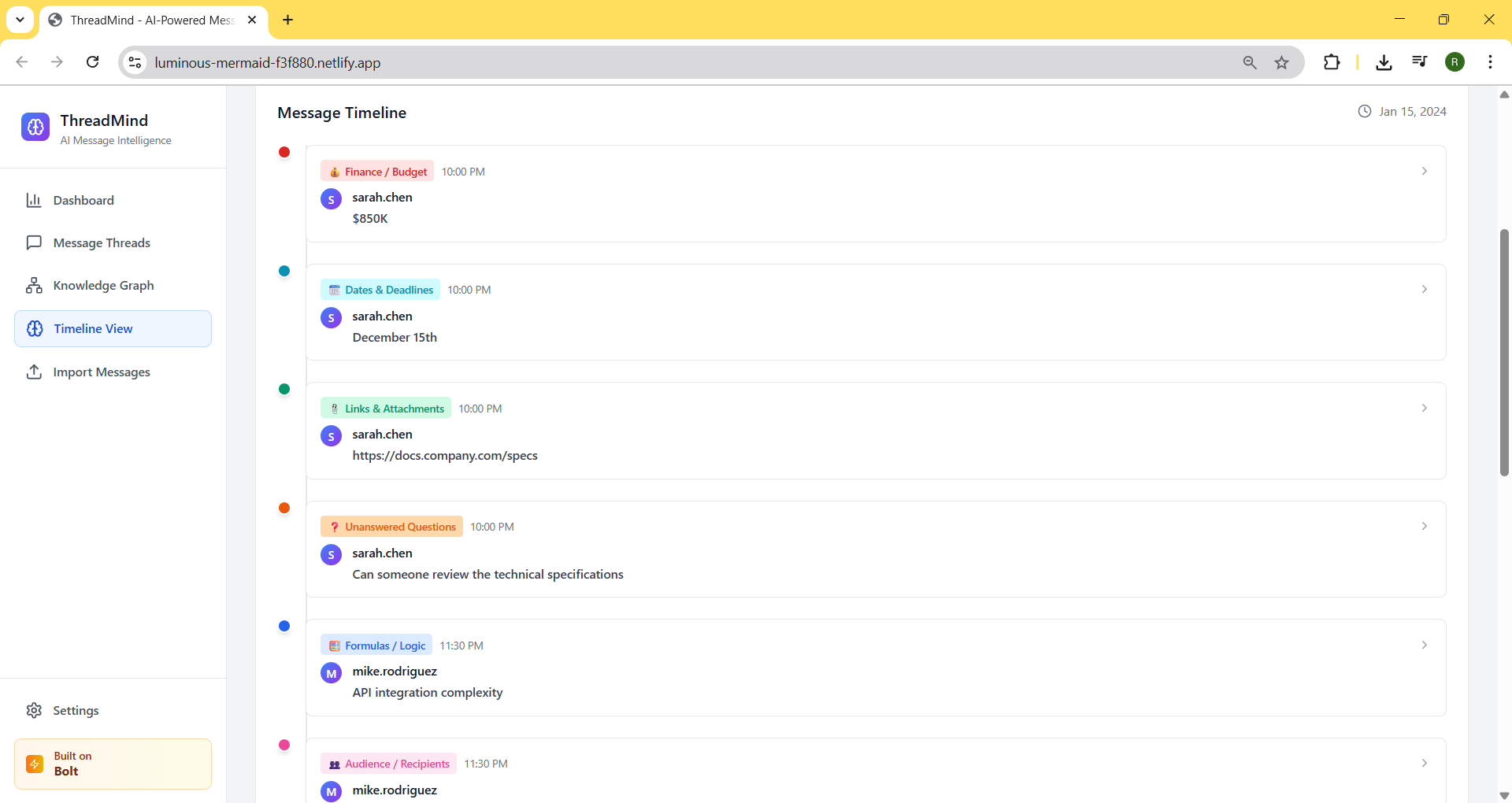
Timeline of each conversation data points captured
-
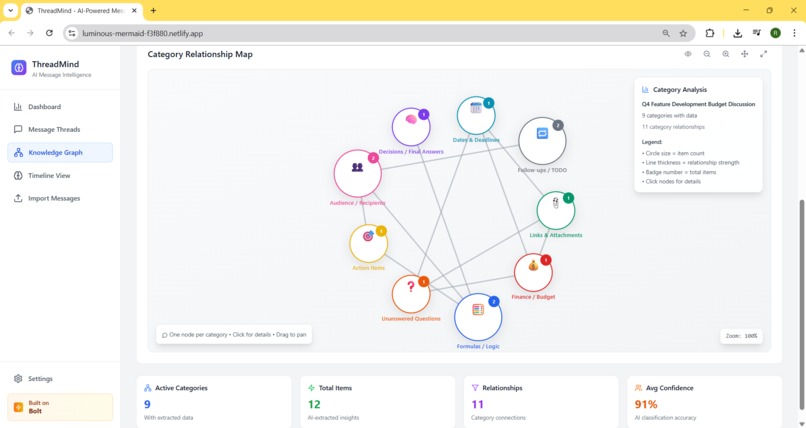
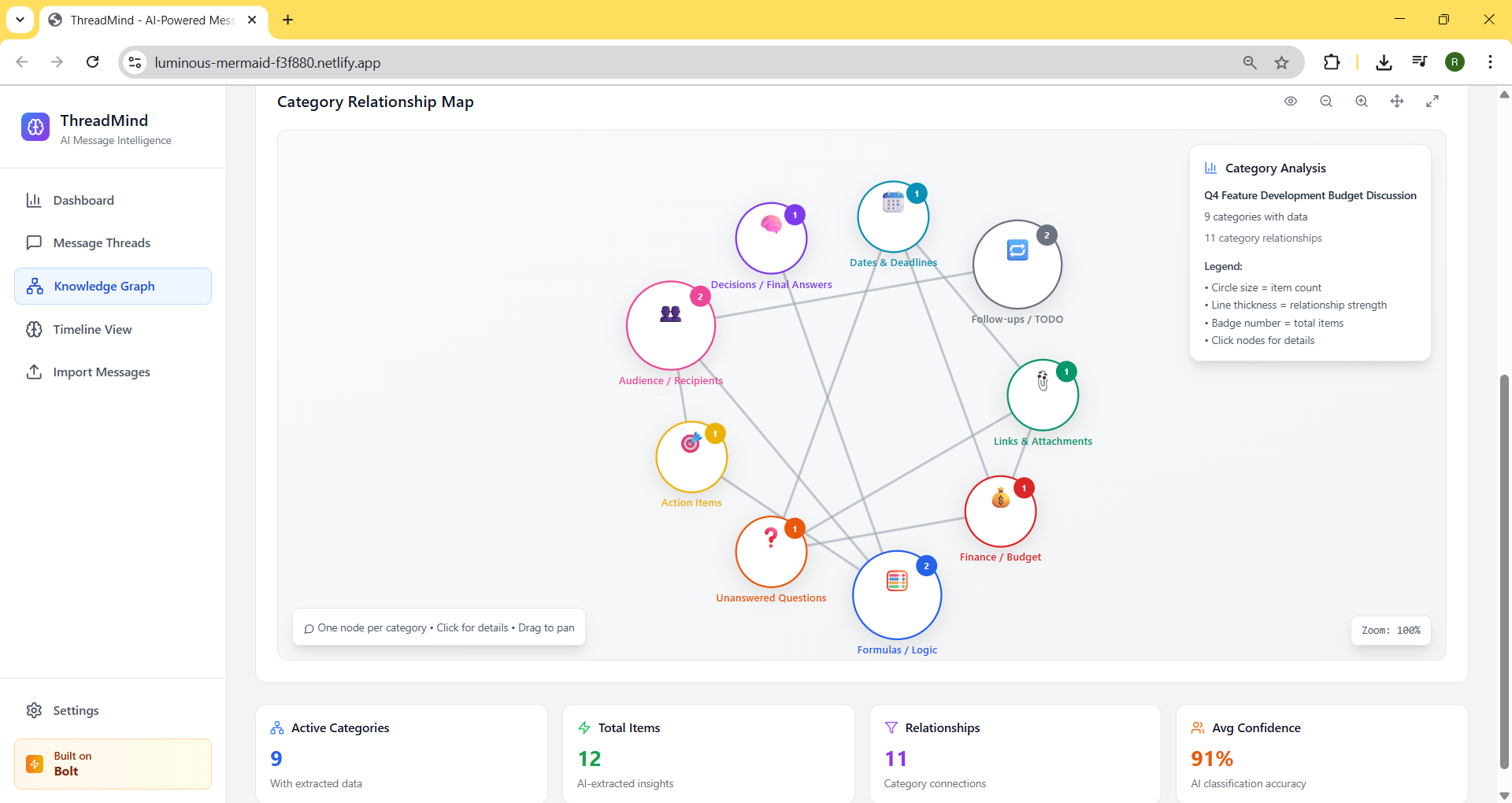
Quick interactive graph to get the insight of the large conversation trail. Each node is color coded and holds categorized data points.
-
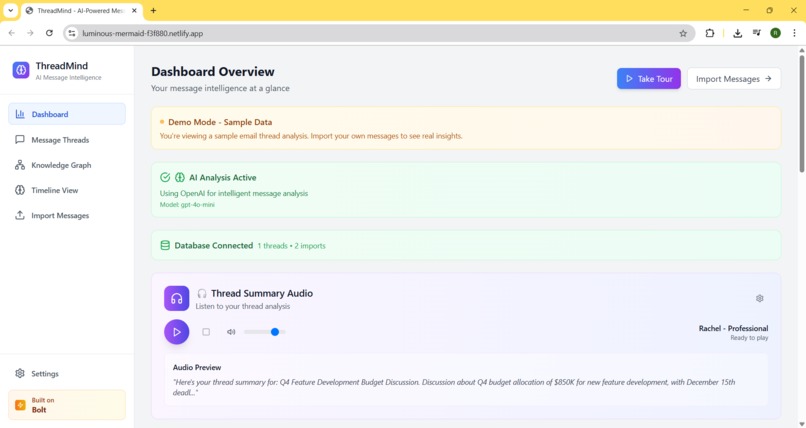
Dashboard page to see the analysis highlight. Take a tour widget will help user to understand the website.

✨ Inspiration
The inspiration came from a pain every developer and team member has faced — losing key decisions, action items, or context in long, messy email threads. Whether it's Gmail, Outlook, or Slack, critical info like links, deadlines, or answers often get buried in back-and-forth messages. We wanted to build a smart tool that doesn’t just summarize emails, but actually helps you see the signal through the noise — instantly.
💡 What it does
ThreadMind reads through long email or chat threads (from platforms like Gmail, Outlook, or Slack), and extracts structured, meaningful insights using AI. It classifies each message into categories like:
- 🔗 Links & Attachments
- 💰 Budget & Finance Mentions
- 🎯 Action Items
- 🧠 Final Decisions
- ❓ Unanswered Questions, and more
These are then visualized in a color-coded graph, where each node represents a category and links show relationships across the thread. You also get a high-level summary, sentiment, topics discussed, and audio narration (via ElevenLabs) for quick consumption.
🛠️ How it is built
We built the frontend entirely using Bolt.new, leveraging its flexible components to create an interactive, scrollable email viewer and an AI-powered summary dashboard. We simulate or integrate real .eml/.mbox/.msg file parsing and pass message data to an AI prompt that structures it per category. ElevenLabs is integrated to convert summaries into natural-sounding audio. Supabase is optionally used to store the extracted metadata for scalability.
🚧 Challenges encountered
- Structuring diverse email formats from different sources (Outlook, Slack, Gmail) into a common structure
- Getting clean AI output that respects strict category labels
- Visualizing email thread content as a graph with time + intent awareness
- Making everything run inside Bolt.new without relying on backend code
🏆 Accomplishments to showcase
- Achieved accurate message parsing across varied formats using a single AI prompt
- Designed an elegant and intuitive visual graph of message content
- Embedded real-time voice summaries with ElevenLabs
- Made it all work inside Bolt with zero backend dependency
📚 Learnings
- Bolt.new is surprisingly powerful for building rich, interactive UI with very little code
- AI can be highly structured and accurate with the right prompt design
- Even simple features like color-coded graphs or voice summaries can drastically reduce cognitive load in busy teams
🔮 What's next for ThreadMind
- Support full Outlook, Gmail and Slack workspace integration for bulk processing
- Let users click on graph nodes to jump to the source platform.
- Personalize voice summaries by role or department (PM, Dev, Finance)
- Auto-summarize daily threads and send digest reports
- Offer a browser extension for Gmail and Outlook users
- Build a full SaaS offering around team email intelligence
Built With
- 11labs
- openai
- react
- supabase
- vite


Log in or sign up for Devpost to join the conversation.