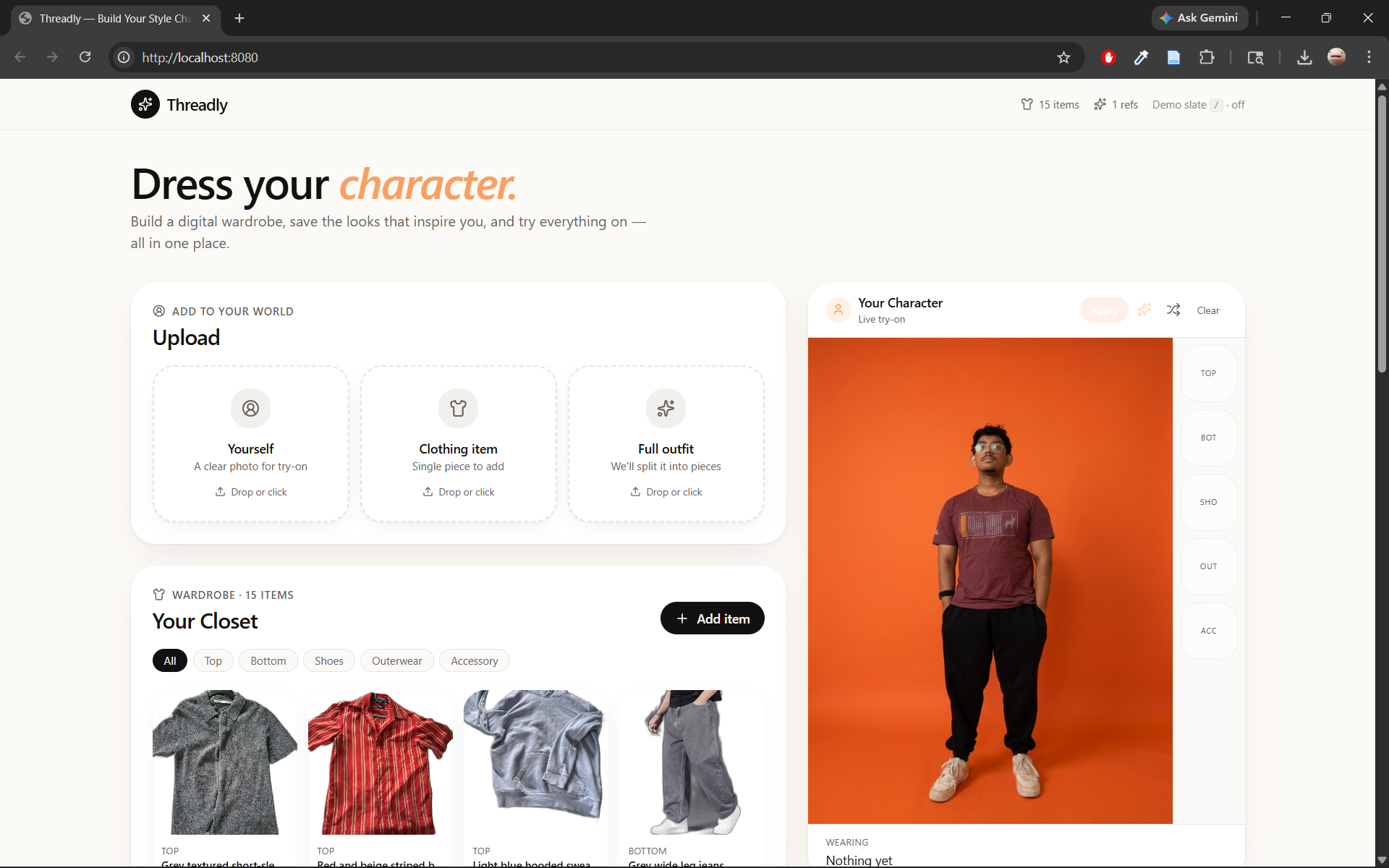
Threadly — AI Stylist
Build a digital wardrobe, pin style references, and get AI-generated outfit recommendations powered by Claude.
What It Does
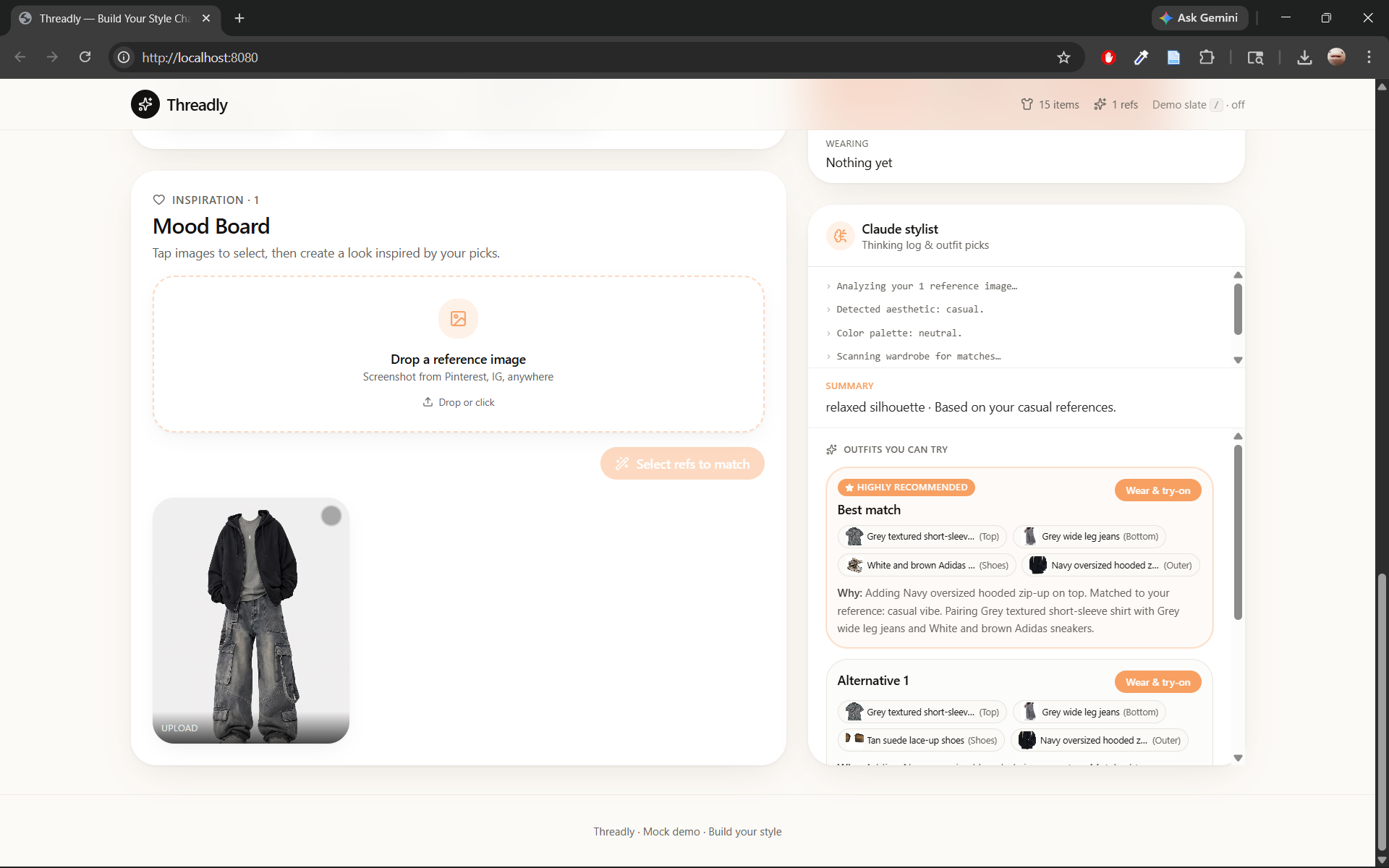
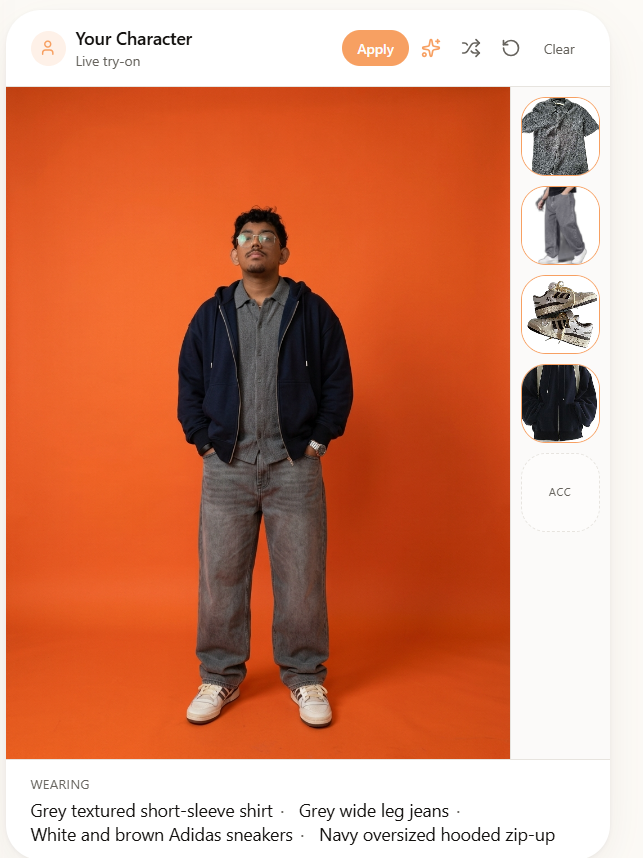
Threadly is an AI-powered personal stylist. Upload photos of your clothes, pin style inspiration, and Claude picks a complete outfit tailored to your aesthetic, occasion, and the current weather — in real time.
Core loop:
- Upload garment photos → AI vision strips backgrounds and tags each item
- Pin style references → AI reads your aesthetic from the board
- Pick an occasion → Claude runs a live tool-use loop (catalog + weather) and selects a complete outfit
- Chat to refine → iterate on the outfit conversationally
Tech Stack
| Layer | Technology |
|---|---|
| Frontend | React 19, TanStack Router, Tailwind v4, Framer Motion, shadcn/ui |
| Backend | Python, FastAPI |
| AI Model | Claude Sonnet 4 via OpenRouter |
| AI Vision | Claude vision — background removal, garment tagging, aesthetic analysis |
| AI Styling | Claude tool-use loop — get_items → get_weather → select_outfit |
| MCP | FastMCP server exposing styling tools |
| Deployment | Cloudflare Workers (frontend), uvicorn (backend) |
| Runtime | Bun (frontend), Python venv (backend) |
How the AI Works
Claude drives outfit generation through a multi-step tool-use loop:
User request
    ↓
Claude calls get_items()       → reads the clothing catalog
Claude calls get_weather()     → fetches live NOAA forecast
Claude calls select_outfit()   → finalizes top + bottom + shoes with reasoning
    ↓
Response: outfit + explanation
The same Claude integration handles conversational refinement — the user says "make it warmer" or "swap the shoes" and Claude loops again with updated context.
Vision analysis runs on every upload: garments are cropped from outfit photos, backgrounds are stripped with rembg, and Claude tags each item with type, name, aesthetic, and style tags. Reference photos are analyzed to build an aesthetic profile that influences future outfit picks.
Getting Started
Prerequisites
- Python 3.11+
- Bun
- An OpenRouter API key
Backend
cd backend

python -m venv .venv
.venv\Scripts\Activate.ps1        # Windows
# source .venv/bin/activate       # macOS/Linux

pip install -r requirements.txt

# Add your key to backend/.env
echo "OPEN_ROUTER_KEY=sk-or-..." > .env

uvicorn main:app --reload --port 8000
API docs available at http://localhost:8000/docs.
Frontend
cd frontend
bun install
bun run dev
App available at http://localhost:3000.
API Reference
| Method | Endpoint | Description |
|---|---|---|
POST |
/wardrobe/upload |
Upload garment photo — single item or full outfit |
GET |
/wardrobe/library |
Retrieve persisted wardrobe |
DELETE |
/wardrobe/items/{id} |
Remove item |
POST |
/wardrobe/search |
Semantic search across wardrobe |
POST |
/references |
Upload style reference photo |
GET |
/references |
List all references |
POST |
/generate-outfit |
Generate outfit with Claude tool loop |
POST |
/chat |
Conversational outfit refinement |
POST |
/analyze |
Vision analysis of a photo |
POST |
/tryon |
Virtual try-on |
Project Structure
backend/
  main.py                  FastAPI app
  routes/                  One file per feature endpoint
  services/
    claude.py              Tool-use loop orchestration
    vision.py              Claude vision integration
    wardrobe_store.py      In-memory + manifest persistence
    reference_store.py     Reference image store
  mcp/
    server.py              FastMCP standalone server
    tools/                 get_items, get_weather, select_outfit

frontend/
  src/
    routes/index.tsx       Main app — all state lives here
    components/
      WardrobeCloset.tsx   Wardrobe grid
      ReferenceBoard.tsx   Style inspiration pinboard
      Mannequin.tsx        Virtual try-on display
      ChatPanel.tsx        AI chat refinement
      UploadDrop.tsx       Drag-and-drop upload
    lib/mock-data.ts       Types and seed data
Built at the CBC Hackathon.


Log in or sign up for Devpost to join the conversation.