-
-
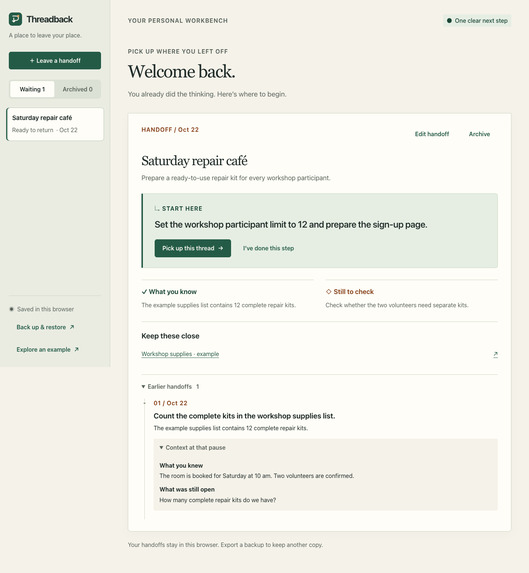
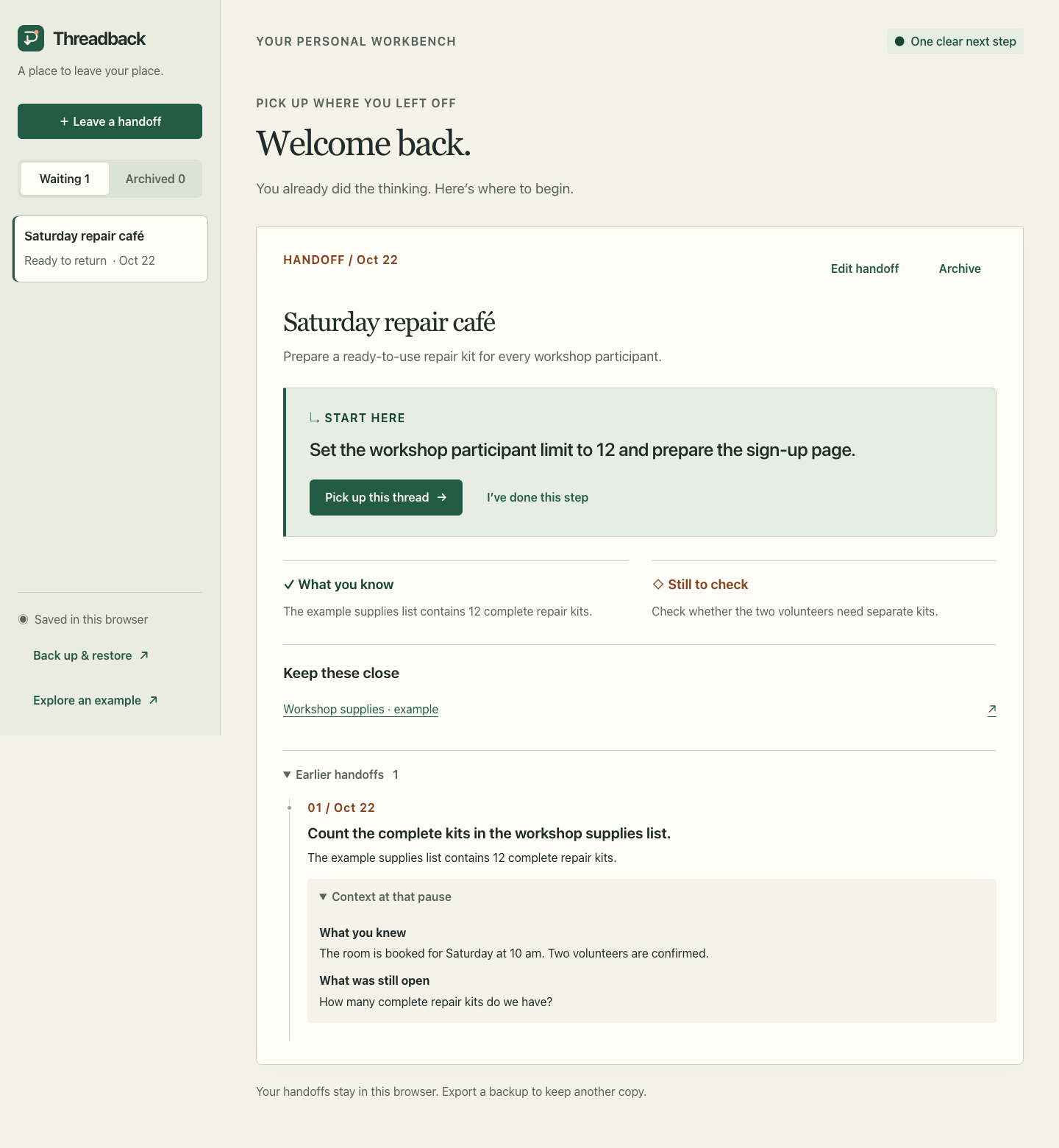
One clear next move, with the result and the earlier context kept together.
Inspiration
Returning to unfinished work starts with a familiar question: where was I? A task title rarely holds the answer. The useful details are the goal, the facts already confirmed, the question still open, and the next move.
Threadback gives those details a home. It turns the moment before a pause into a clear handoff to your future self, then puts that handoff at the centre of your return.
What it does
Save a handoff with your goal, confirmed context, open questions, next action, and useful links. Return to a workbench that puts the next action first. Open the reference you need, take an optional five-minute focus step, then record the result and leave a new next move.
Progress keeps its history. Earlier handoffs preserve the completed action and the context at that pause, so the reasoning remains available as the work develops. Finished threads can be archived and restored.
Everything runs in the browser without an account or API key. Handoffs persist in the current browser, and downloadable backups carry them to another one. Restoration checks the backup before replacing the current collection.
How we built it
The application uses plain HTML, CSS, and JavaScript, with a small Node.js server for local use. Core data operations are separated from browser views and storage, making creation, progression, archiving, and backup validation independently testable.
The design takes its cues from a paper workbench: warm white, forest green, a restrained orange accent, and a clear next-action panel. Responsive layouts keep visible text at least 16 pixels across the checked browser widths.
The implementation went through separate requirements, opposition, and visual reviews. Core regression tests and Chrome browser checks cover the complete handoff journey, downloaded backups, invalid imports, storage failures, timer expiry, and stale-tab protection. The demonstration records the running application and a fictional practice task.
Challenges
The central design challenge was preserving reasoning while the work moves forward. Keeping only the latest result would lose the context that made an earlier action useful. Progress entries now retain the prior confirmed context and open question, available under “Context at that pause” and preserved through backup restoration.
Browser storage also needed deliberate handling. Failed writes retain the entered form. Invalid imports leave the current collection intact. When another tab changes the saved threads, an older tab blocks a stale save and asks for a reload. Those cases are part of the tested workflow.
Accomplishments we are proud of
Threadback delivers a complete pause-to-progress loop: create, save, reload, resume, act, record the result, and review the history. Each step has a clear place in the interface.
The implementation includes nine core regression tests and ten distinct browser cases recorded in the verification report. Desktop and narrow-screen checks at 320, 390, 768, and 1440 pixels found no page-level horizontal overflow and visible text measured at least 16 pixels.
A demonstration under 90 seconds shows the actual application creating and reloading a handoff, resuming work, recording progress, expanding earlier context, and exporting a backup. The source, planning documents, and verification record make the design and implementation inspectable.
Engineering lessons
A useful handoff needs both a next action and the context behind it. Saving earlier context makes progress history meaningful; preserving only completed labels does not provide the same continuity.
Data behaviour also shapes the experience. A failed save should keep the work in the form, and a backup flow should verify the chosen file before changing the current collection. Testing those transitions helped define the product as clearly as testing its main journey.
What's next
The next priority is hands-on feedback from people returning to interrupted work: which context they save, whether the next action is specific enough, and what they reach for first on return. That feedback can guide refinements to the handoff prompts and reference workflow. Real-device checks can extend the responsive browser verification.
Skill Pack usage
The official Devpost Learn Skill Pack provided the planning structure for the scope, product requirements, technical specification, build checklist, and app map. Its templates helped organize the handoff-to-action loop and connect the planned behaviour with implementation and verification evidence.

Log in or sign up for Devpost to join the conversation.