-
-
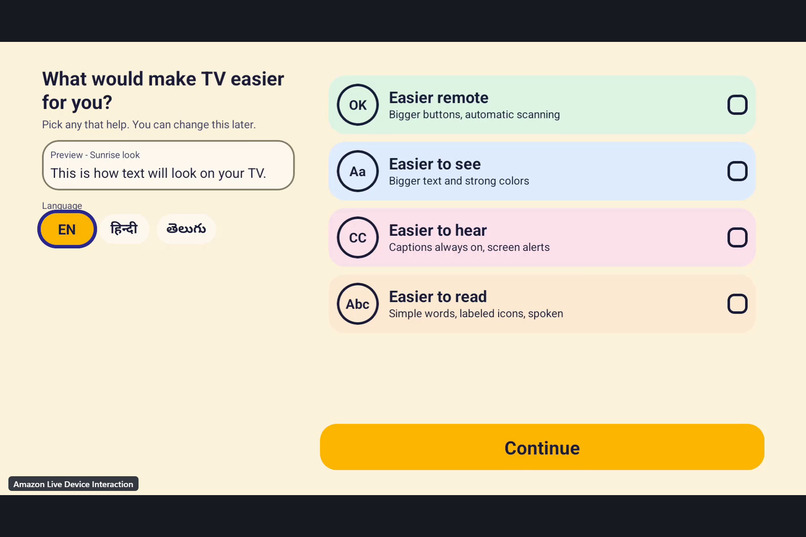
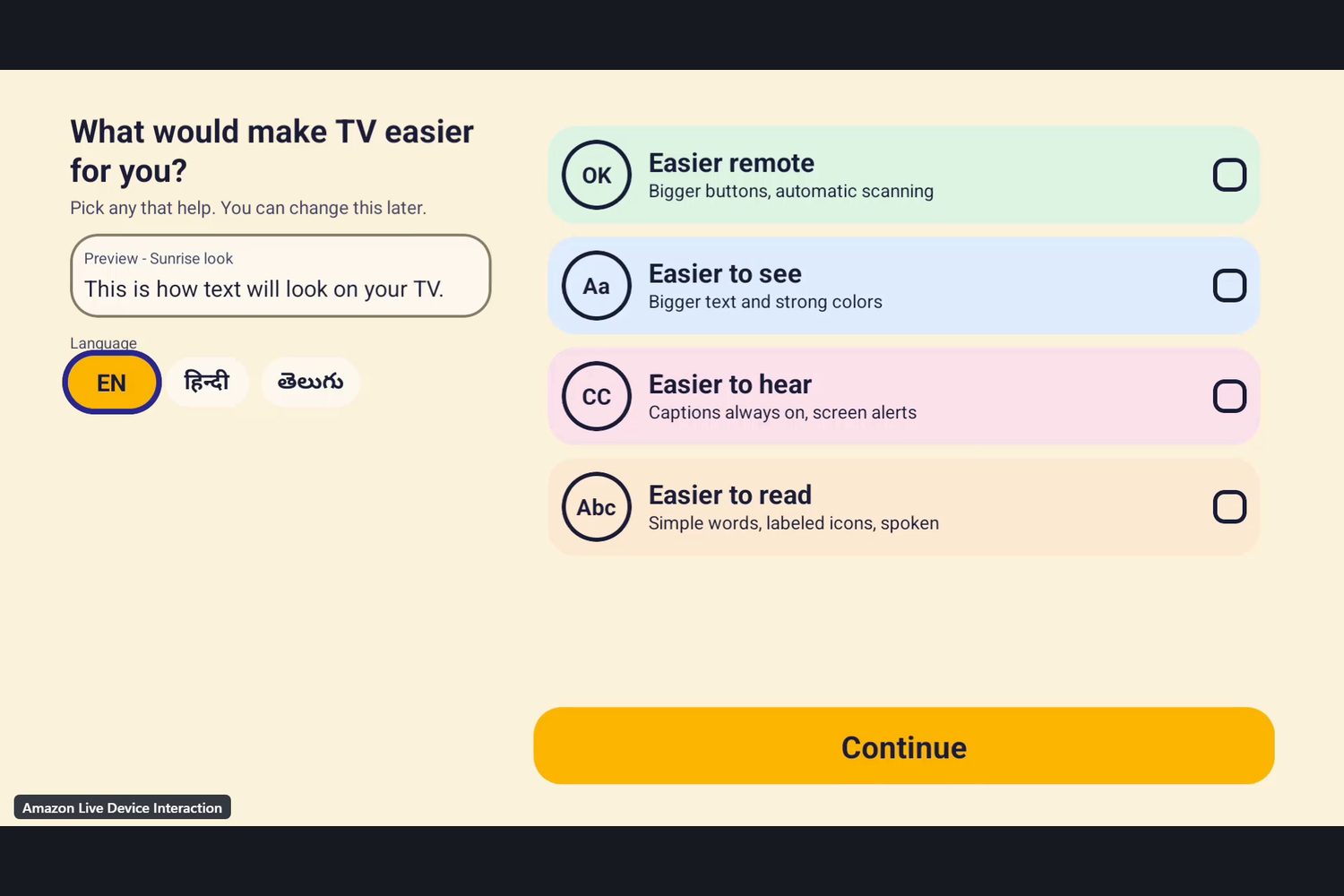
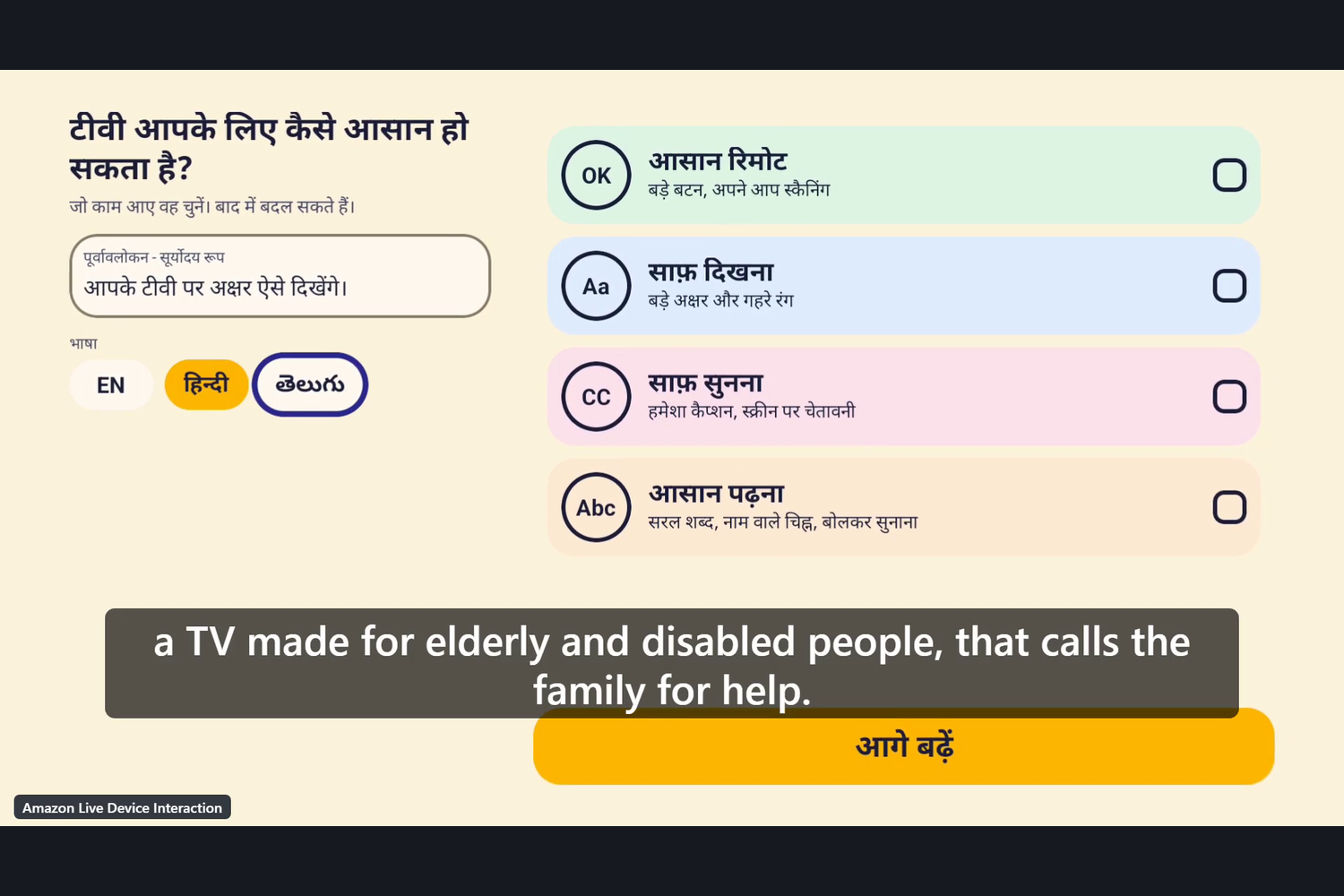
First-run setup: the TV asks what would make it easier, with four choices: Easier remote, see, hear, read. Amazon Fire TV cloud device.
-
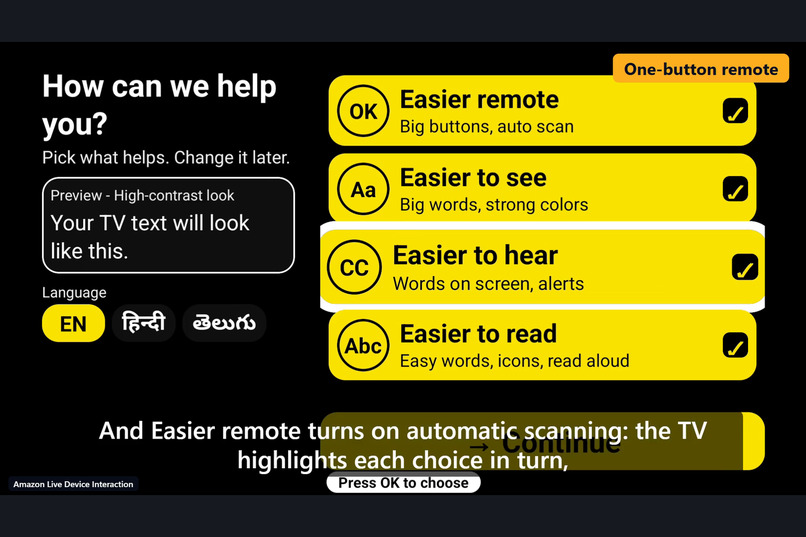
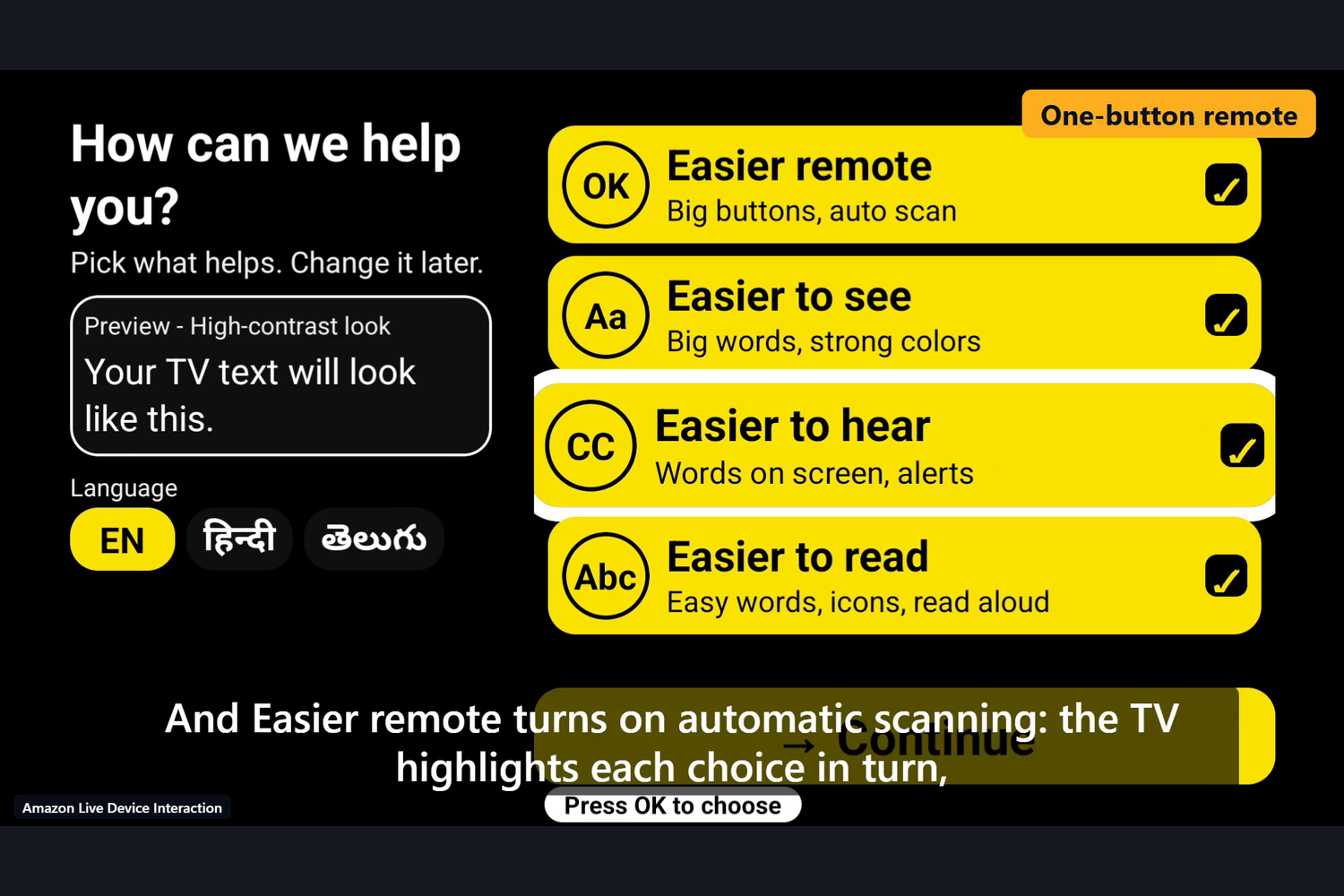
Easier remote turns on automatic scanning: the TV highlights each choice in turn and one press of OK picks it. Amazon Fire TV cloud device.
-
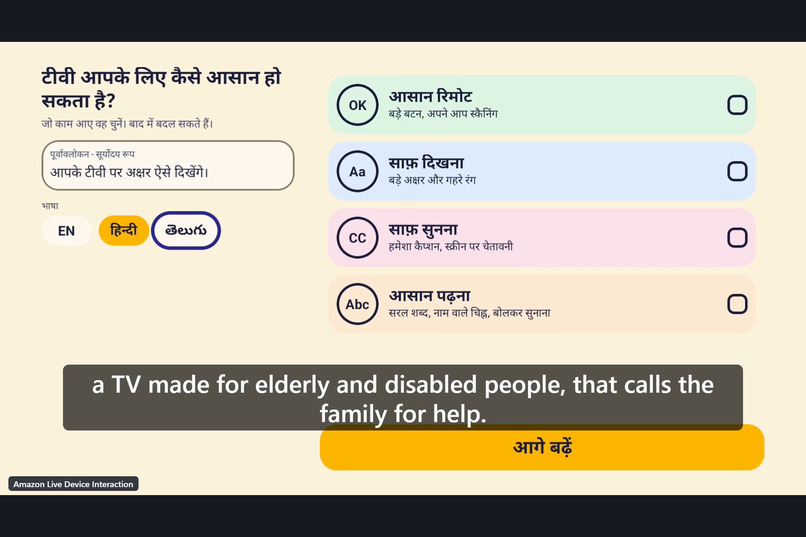
The interface can switch between English, Hindi and Telugu. Hindi shown. Recorded on an Amazon Fire TV cloud device.
-
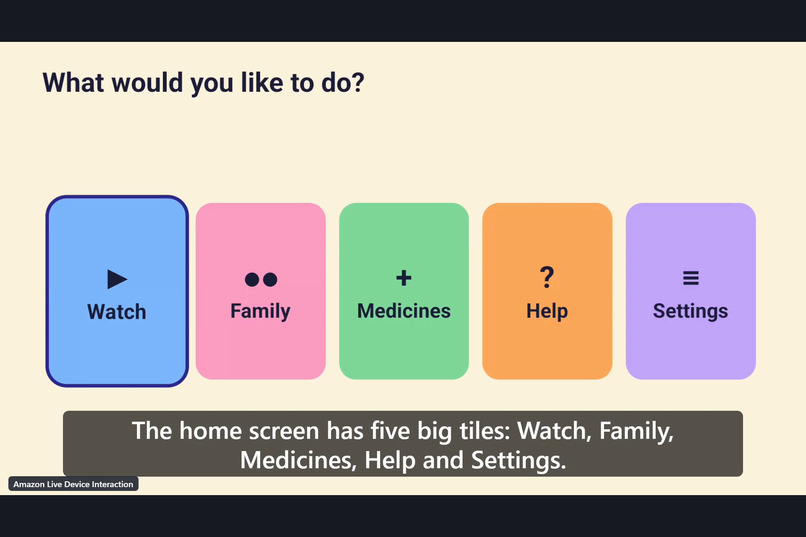
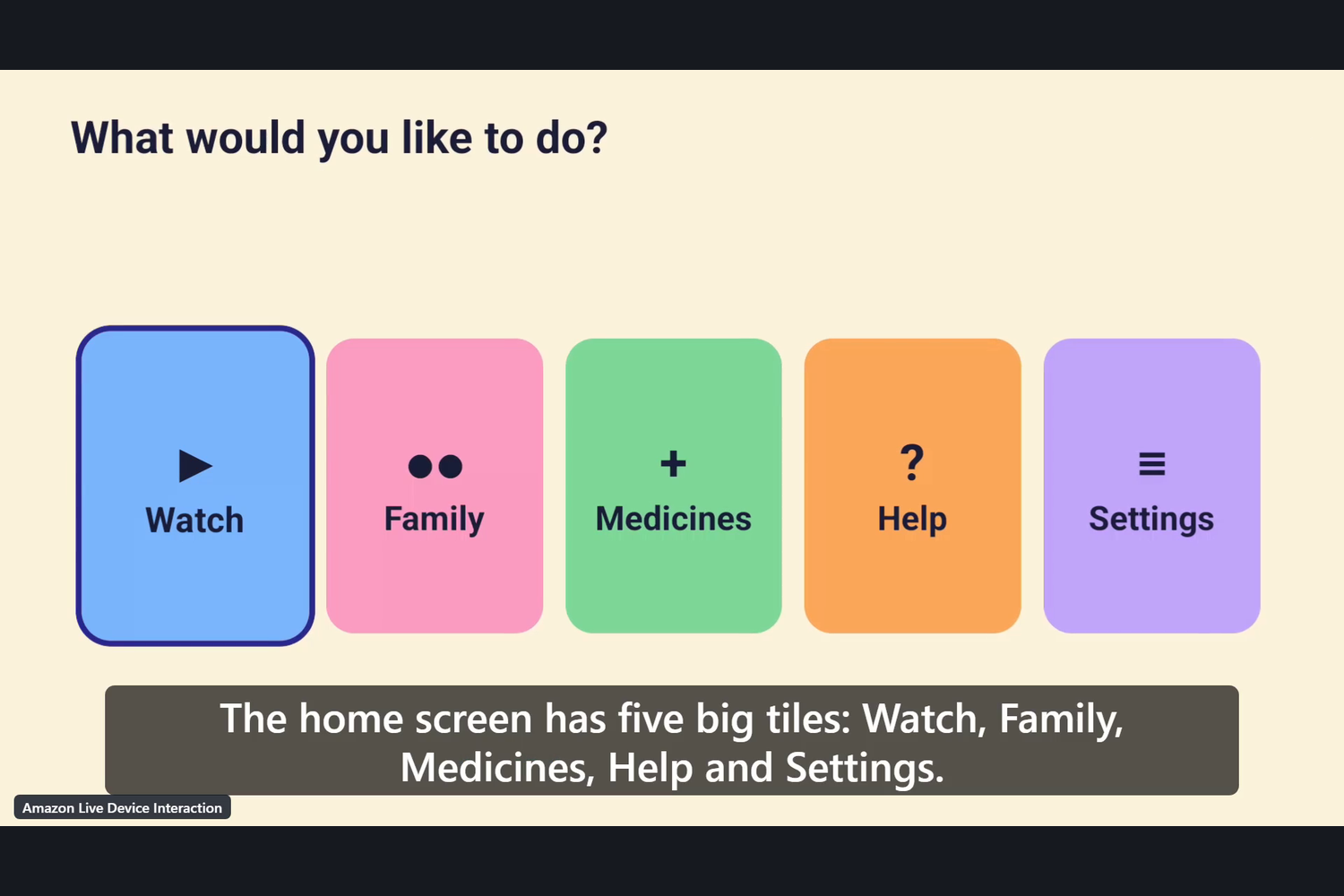
Home screen with five big tiles: Watch, Family, Medicines, Help and Settings, all used with the arrow keys and OK.
-
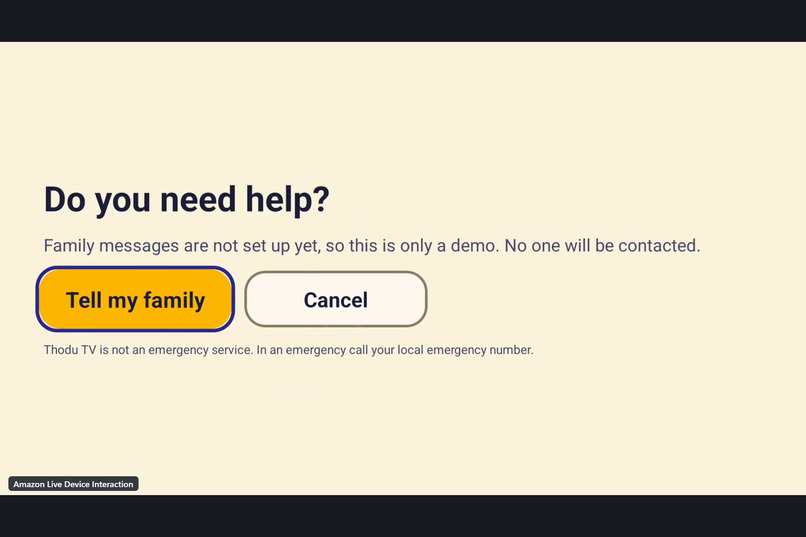
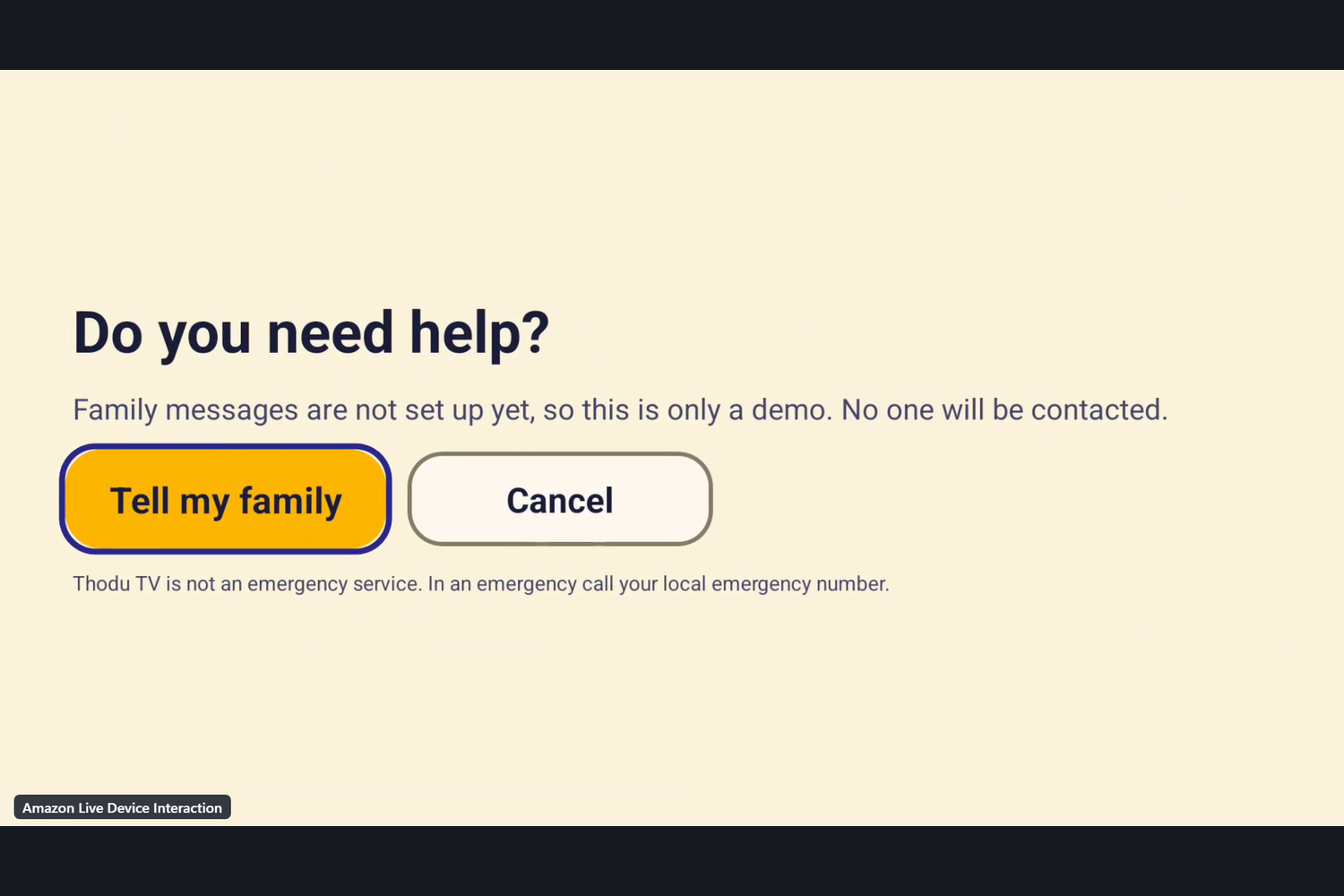
Help asks once to confirm. This judge build runs in demo mode: no one is contacted. Amazon Fire TV cloud device.
-
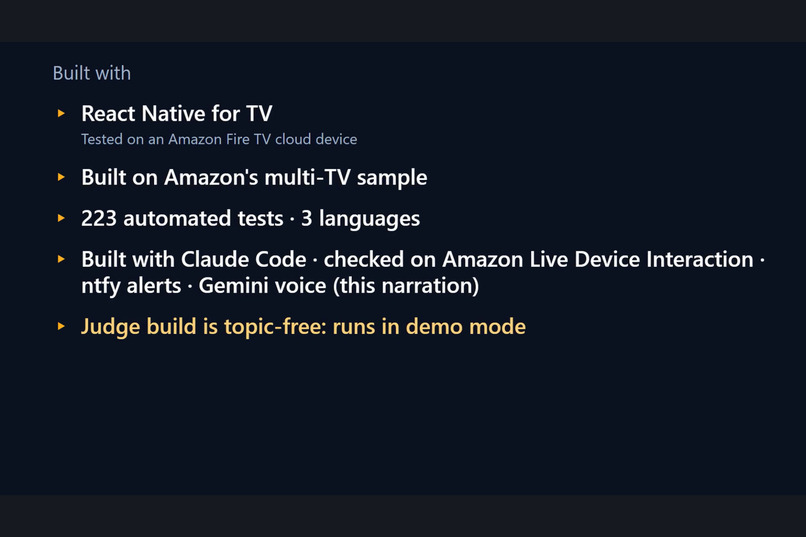
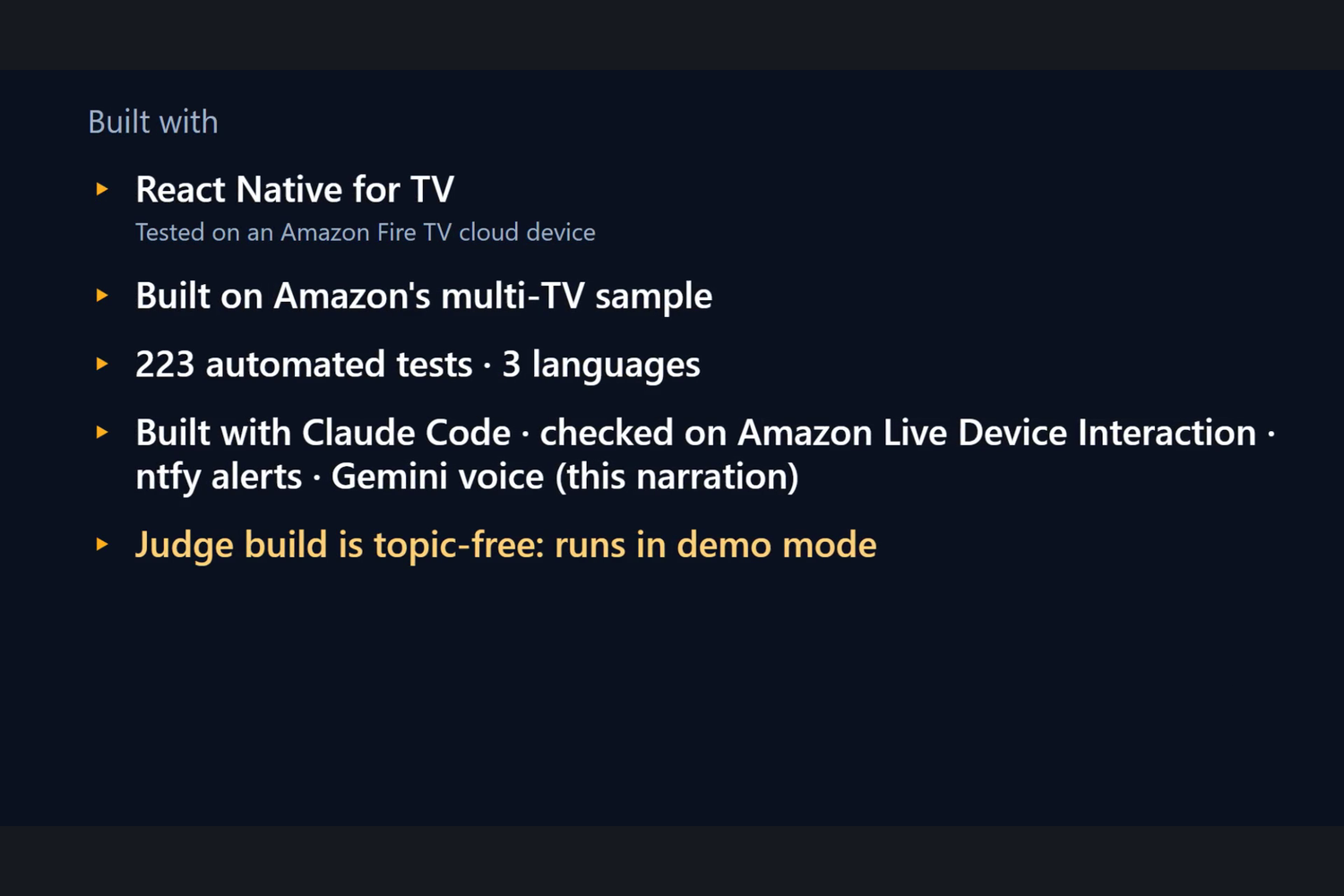
Built with React Native for TV on Amazon's multi-TV sample, 223 automated tests, Claude Code and ntfy alerts. Judge build: demo mode.
Inspiration
Our starting assumption (not a measured finding) is that some older viewers and people with low vision, hearing loss, limited hand control or reading difficulty can find a TV remote, small text and dense menus hard to use, and that a settings menu is not an easy answer for them. We wanted a TV that starts from the person's need instead of from the menu, and that lets them tell a family member something with one button. Thodu means "companion" in Telugu.
Why this matters (context, cited)
Context from official sources, not results of Thodu TV (full quotes, dates and URLs in docs/SOURCES.md, opened 2026-10-19):
- WHO: "An estimated 1.3 billion people experience significant disability. This represents 16% of the world's population, or 1 in 6 of us." (WHO fact sheet, 7 March 2023.)
- WHO: the share of the world's population aged 60 and over "will increase from 1 billion in 2020 to 1.4 billion" by 2030, and "common conditions in older age include hearing loss, cataracts and refractive errors". (WHO fact sheet, 1 October 2025.)
- Government of India (PIB, 28 October 2025): the elderly population (60+) is "projected to more than double from 100 million in 2011 to 230 million by 2036", with "above-average elderly populations" in southern states; "technology adoption barriers, lack of training and accessible devices" are listed among the challenges of the elderly.
- MoSPI, Census 2011 (published 2016): "about 2.68 Cr persons are 'disabled' which is 2.21% of the total population."
- Amazon: Fire OS already ships its own screen reader, VoiceView. Thodu TV is a layer of one-button setup and family contact, not a replacement for it, and it has not been tested with VoiceView.
We did not find an official source for how many TV households there are or how hard remotes are to use, so we state no number for them. Thodu TV has had one consented family session (n = 1, an anecdote), described in docs/USER_TESTING.md; it is not evidence of benefit.
What it does
Thodu TV is an accessibility-first Fire TV / Android TV app. The first screen asks "What would make TV easier for you?" with four large choices and the whole screen restyles live as the person chooses:
- Easier to see: text 1.6x, a black/white/yellow high-contrast theme, a thick focus ring, larger buttons.
- Easier to hear: captions always on in the Watch demo and a flashing banner after Help (it reads "ALERT SENT" only when a real message got an HTTP 2xx; in demo mode it reads "Demo only" and says nobody was told).
- Easier remote: one-button auto-scanning: one item is highlighted at a time and a single OK press chooses it (three speeds).
- Easier to read: read-aloud with Android text-to-speech, simple wording and a glyph beside every action button.
The interface is in English, Hindi and Telugu. Home has five tiles: Watch (a labelled demo panel with sample captions; no real video), Family, Medicines (a one-press "Did you take your medicine? Yes, I took it" check-in; no timed reminders), Help, and Settings. Family, Medicines and Help send one short, generic message through the public ntfy.sh service to a family member's phone. The app says "Family notified" only after the service answered with an HTTP 2xx, shows an honest failure message in all three languages otherwise, and runs in a clearly labelled demo mode until a test message has succeeded. Thodu TV is not an emergency service and not a medical device.
How we built it
A React Native app on Amazon's react-native-multi-tv-helloworld sample (Expo SDK 55, react-native-tvos 0.83) in a Yarn workspaces monorepo. All app logic is pure TypeScript with no React Native imports, so it is covered by 223 Jest tests in 16 suites [unit test]: needs to settings, themes and contrast, the scanner state machine, versioned persistence, the ntfy client with timeout, retry and a 3-second debounce, and string parity across languages. A script (tools/a11y-measure.mjs) measures the real theme colours: 73 colour pairs, none below target, lowest text contrast 7.79:1, smallest text 22 design px, 25 of 25 focusable elements labelled [script]. The built APK declares a leanback launcher, touchscreen not required, a banner, minSdk 24 and no Google Play Services [APK static]. There is no backend: the only network call is the optional notification.
Where it was run (honestly)
- Amazon Appstore Quality Central, Live Device Interaction: the app ran on an Amazon cloud Fire TV device (first on 2026-10-14 with an older build
[cloud Fire TV, 2026-10-14, older build]; the footage in the demo video is from the cloud device too). No Fire OS version is claimed; the device list only says "FOS 14 3P TV" and "Smart TV - Amazon Fire TV". - The developer's Sony TV running Android TV (not a Fire TV): onboarding, language switch, high contrast, D-pad navigation and Settings, and, in a consented family session on 2026-10-20, several real Help alerts that reached the family phone through the ntfy app
[real Android TV, Sony, user-reported]. That session used a build of the same code that had a private notification topic; the judge build is the same code with the topic removed. - Android TV emulator for development
[emulator]. - Not done: real VoiceView/TalkBack; spoken output verified on the cloud device; a delivery test from a Fire TV; any study with more than one person.
Challenges we ran into
From our friction log (40 entries: 33 from notes kept at the time, 7 user-reported, including 5 first-hand facts about the Live Device Interaction recorder, input and session): a Windows 260-character path limit that broke the native build of the Amazon sample (about 35 minutes), a stale-JavaScript trap in the Gradle bundle task (about 25 minutes), and the fact that useTVEventHandler receives no key events when no view has focus, which cost most OK presses in scanning mode until we added one invisible focusable "sink" view (about 35 minutes). Each has a workaround and a suggestion in FRICTION_LOG.md.
Accomplishments we are proud of
- One-button scanning that works with a single OK key, with unit-tested state machine.
- Measured, re-runnable accessibility numbers instead of adjectives.
- Notification behaviour that never lies: success text only after HTTP 2xx, demo mode clearly labelled, failure text in three languages.
- A judge build that contains no notification topic.
What we learned
Remote-first design means every state needs a visible focus and a way out; "honest status" text is as important as the feature; and a public notification topic is a shared secret, not access control.
What's next
Beyond the hackathon, as plans only: real video-app integration, scheduled medicine reminders, a caregiver view with a private notification channel, more languages, a Vega OS port. None is built.
Built With
- android
- asyncstorage
- expo-build-properties
- expo-crypto
- expo-router
- expo-speech
- expo.io
- fire-os
- gradle
- hermes
- jest
- ntfy.sh
- react
- react-native
- react-native-multi-tv-helloworld
- react-native-reanimated
- react-native-screens
- react-native-tvos
- typescript
- yarn

Log in or sign up for Devpost to join the conversation.