-
-
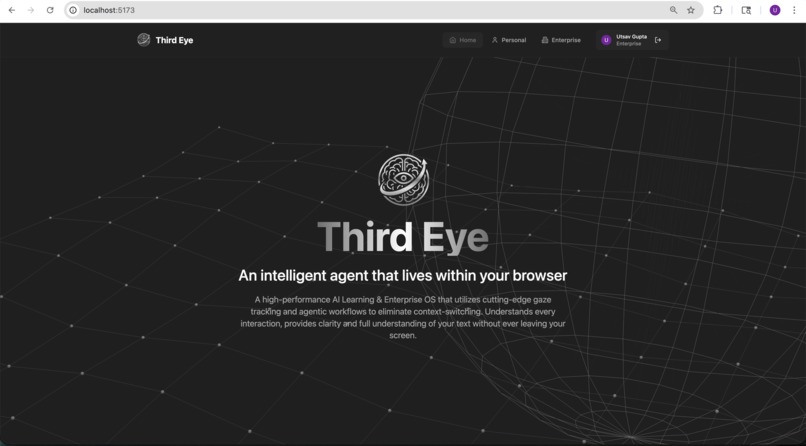
Website homepage
-
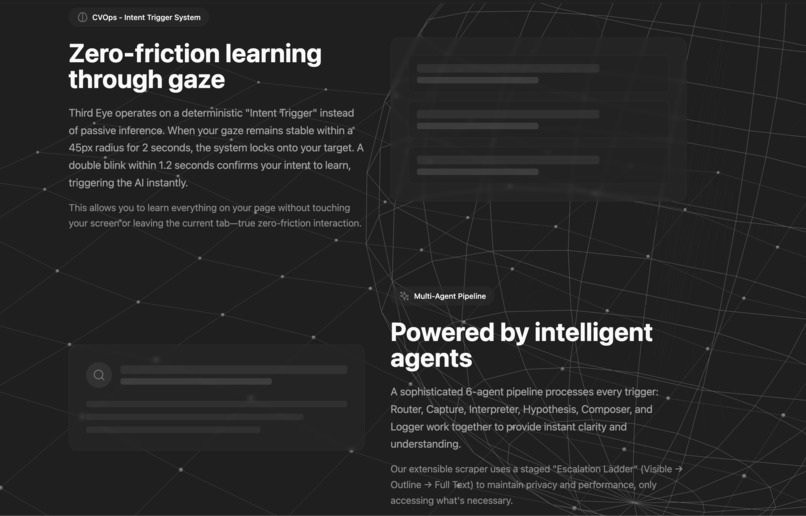
Homepage
-
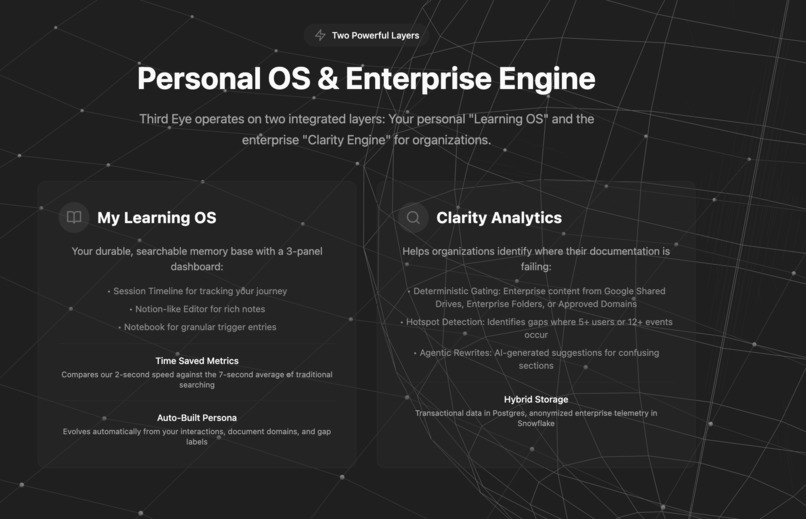
Homepage
-
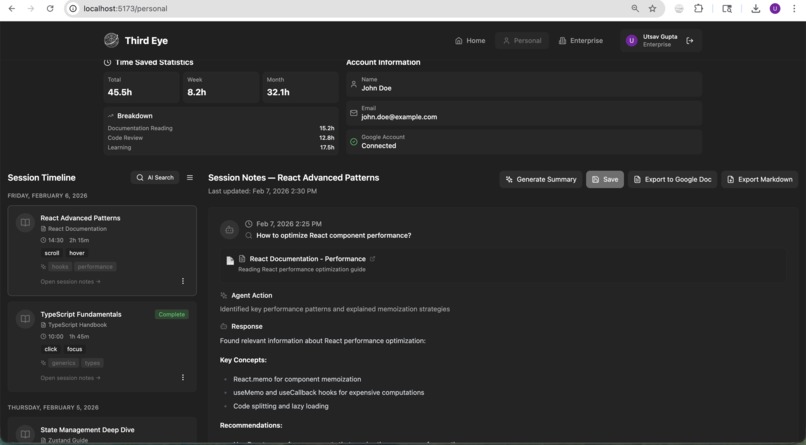
Personal analytics
-
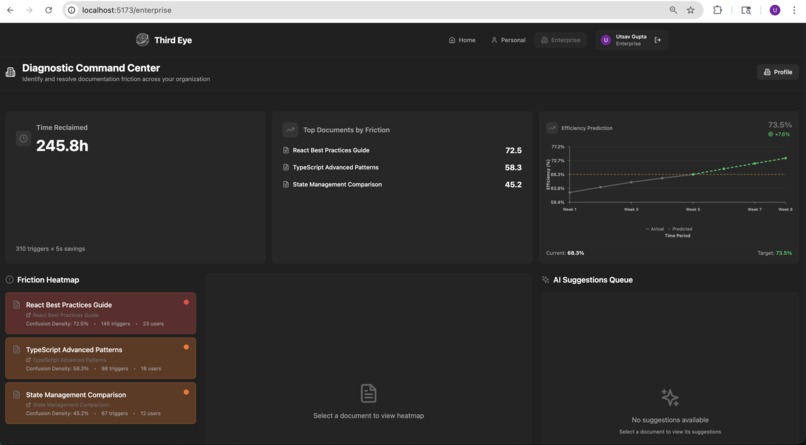
Enterprise analytics
-
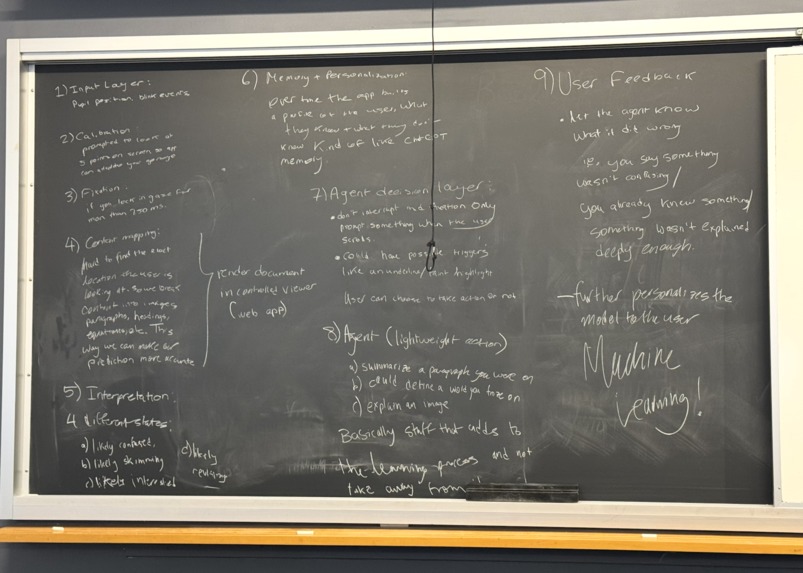
Initial idea
Inspiration
- Confusion forces users to context-switch: leave the page, open a new tab, search, parse results, then re-enter flow. The average search takes ~7 seconds, but cognitive recovery to regain deep focus can take up to 23 minutes.
- Your eyes already reveal exactly where you’re struggling. Gaze is an unexploited, intentional input signal.
- Founding idea: treat gaze as input, so the browser can respond instantly.
The Biggest Problem for Enterprises
- Individual confusion scales into an organizational knowledge bottleneck.
- Senior staff lose ~25% of their week answering repetitive questions about internal docs.
- Teams enter meetings with uneven understanding of SOPs, specs, and briefs.
- This “Alignment Gap” silently kills productivity.
- Confusion shouldn’t stay private. “I don’t understand this” is valuable organizational data.
What it does
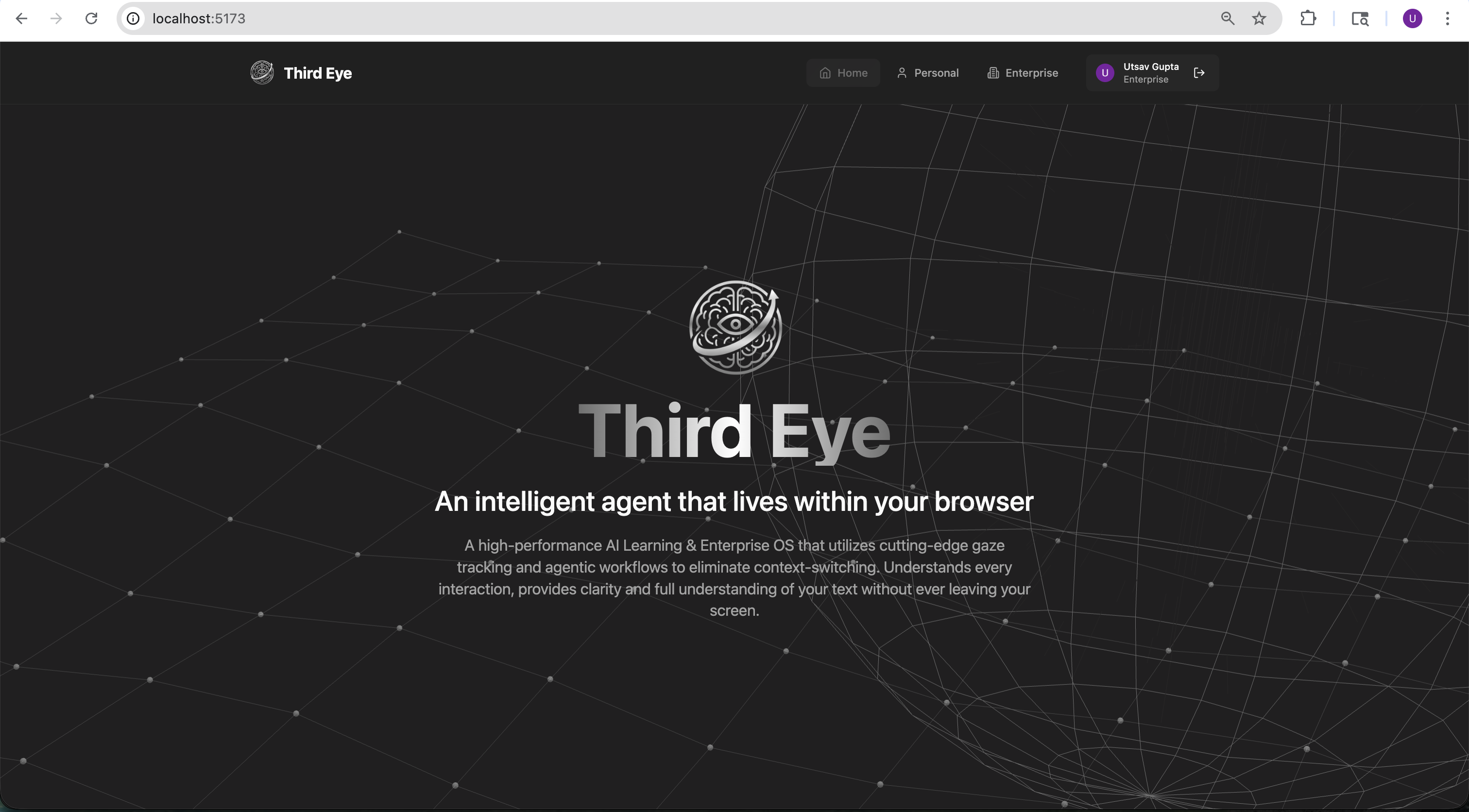
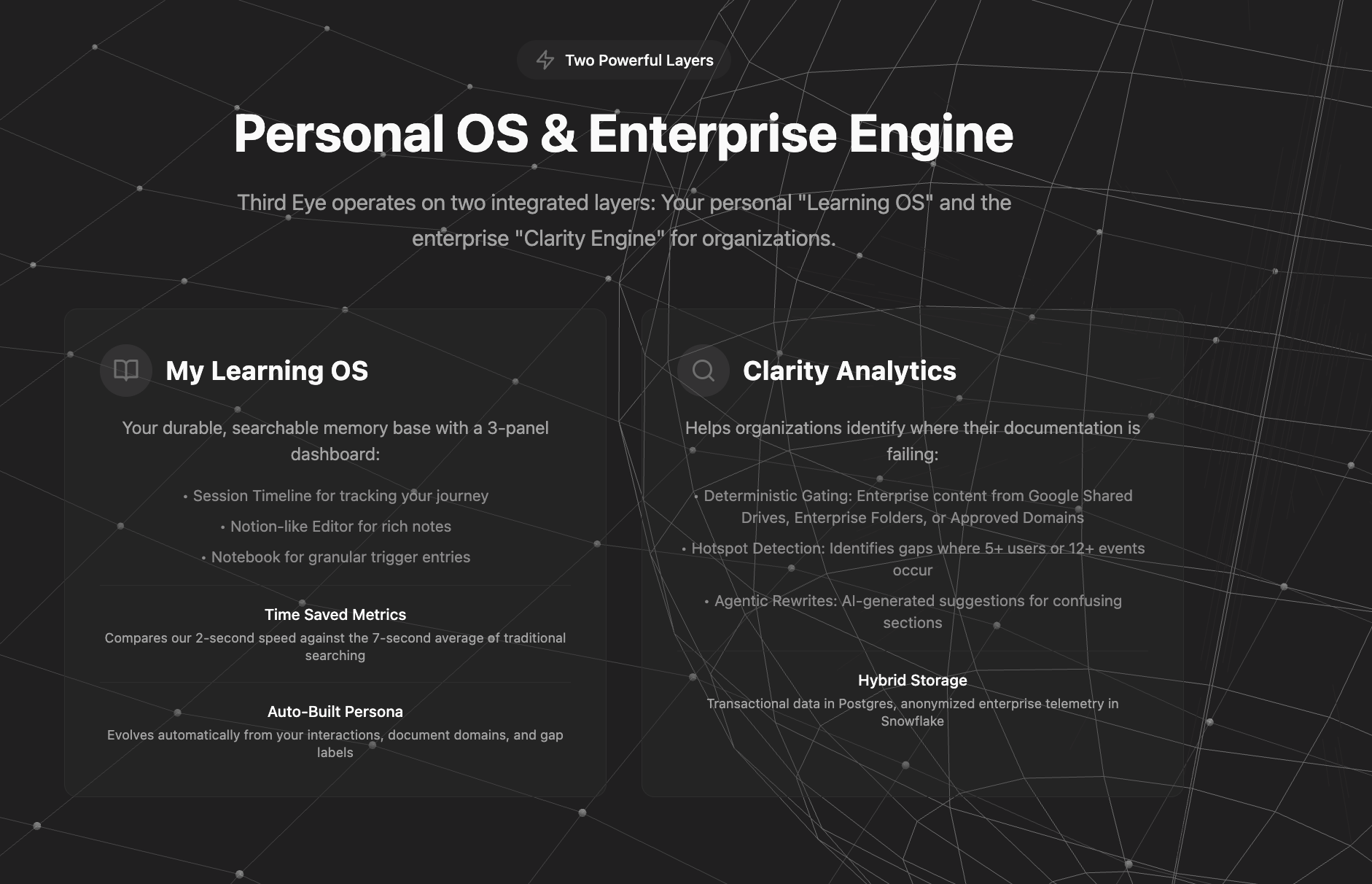
- ThirdEye is an AI-powered "Learning OS" that acts as an intelligent layer over your browser to bridge the gap between information and understanding.
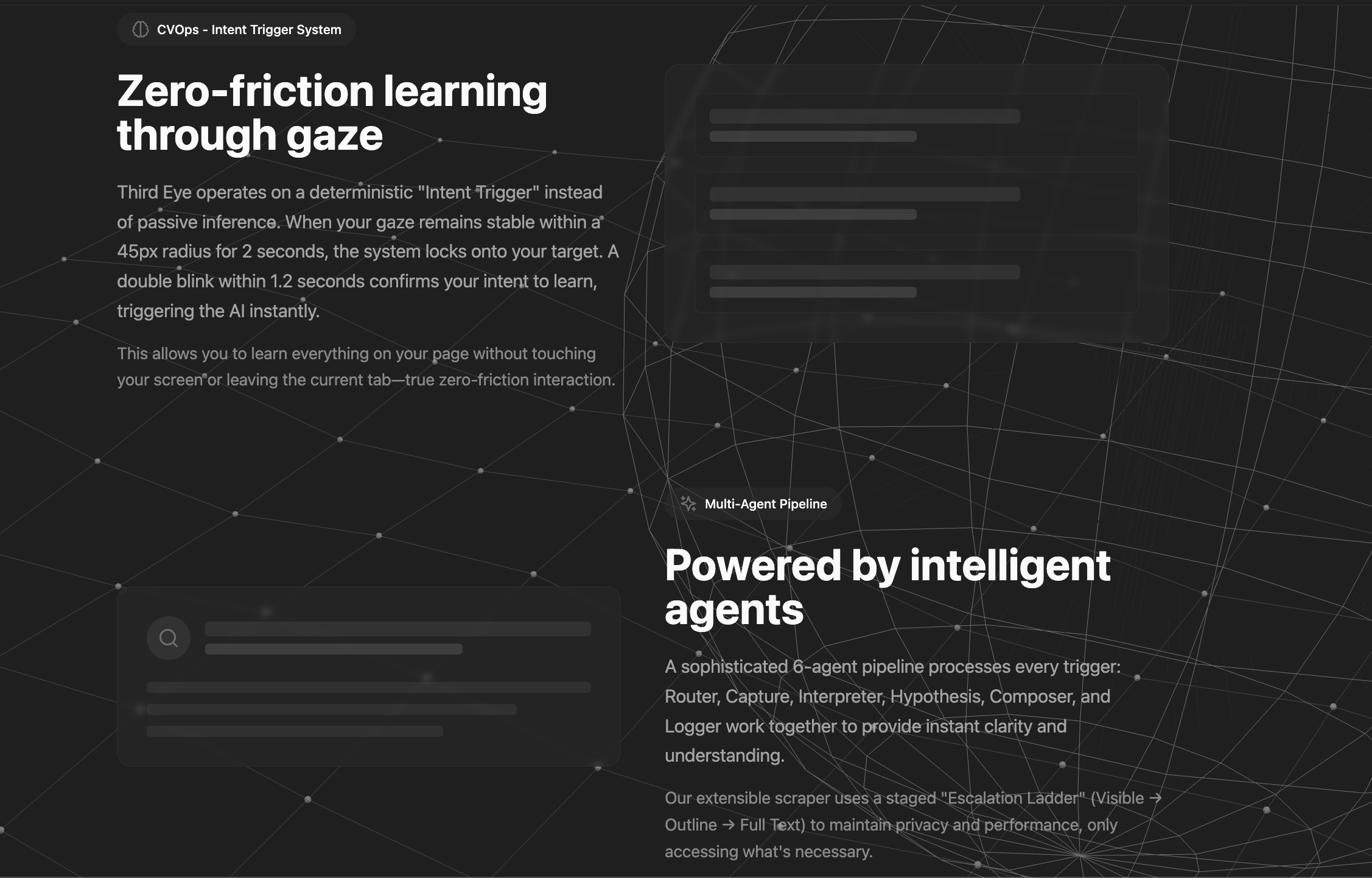
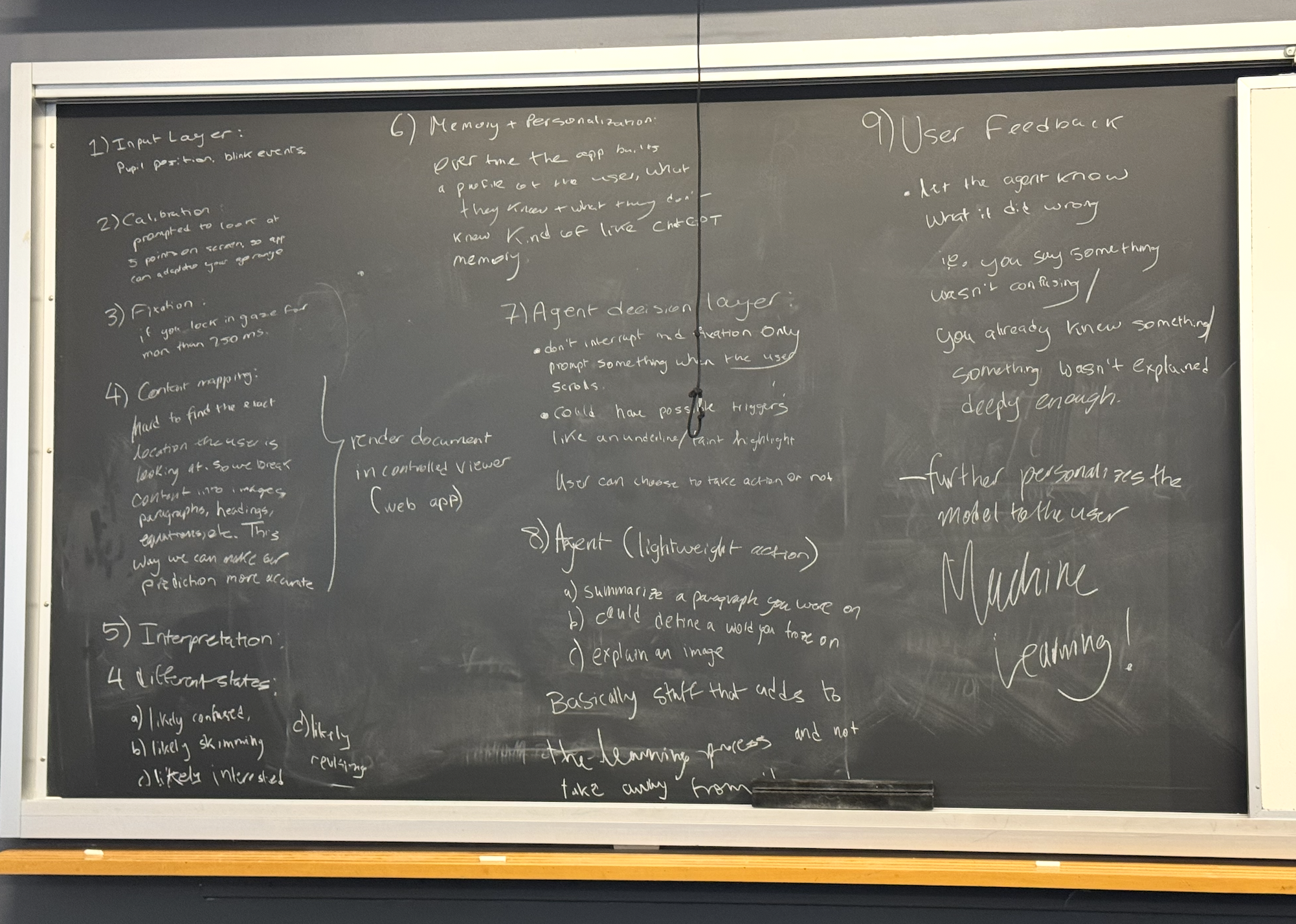
- It uses a tracking system (webcam-based gaze tracking) to detect when you are struggling with content. After a 2-second dwell, it captures the text and surrounding context.
- Unlike generic AI, ThirdEye uses Agent 1 (User Profile Agent) to analyze your Google Search history and Docs to build a map of your expertise.
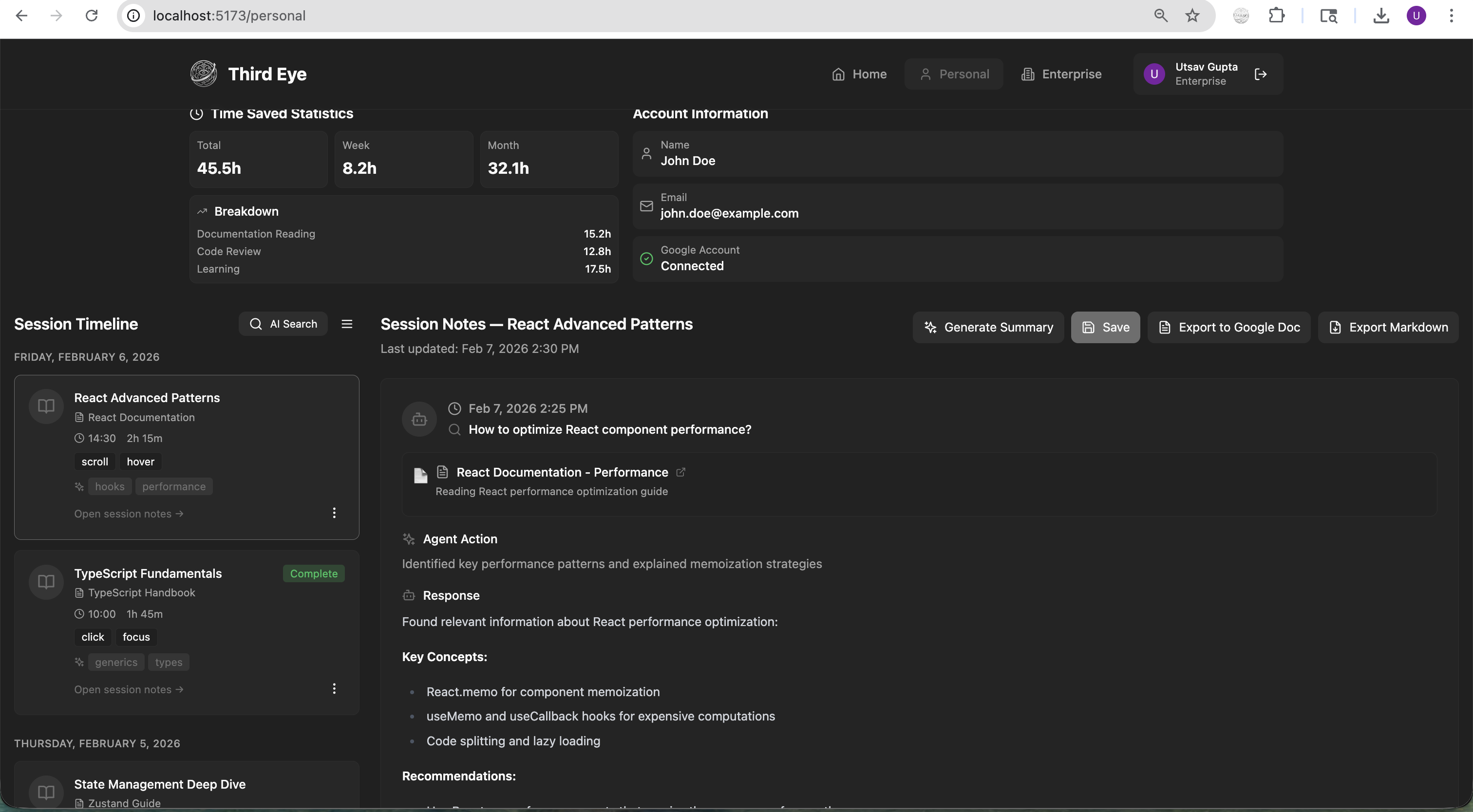
- Agent 2 then provides explanations tailored specifically to your knowledge level and logs them into a persistent, searchable Personal Notebook. The notebook consists of a 3-panel dashboard (Session Timeline, Notion-like Markdown Editor, Notebook Entries) acts as a durable, searchable memory of everything you've looked up.
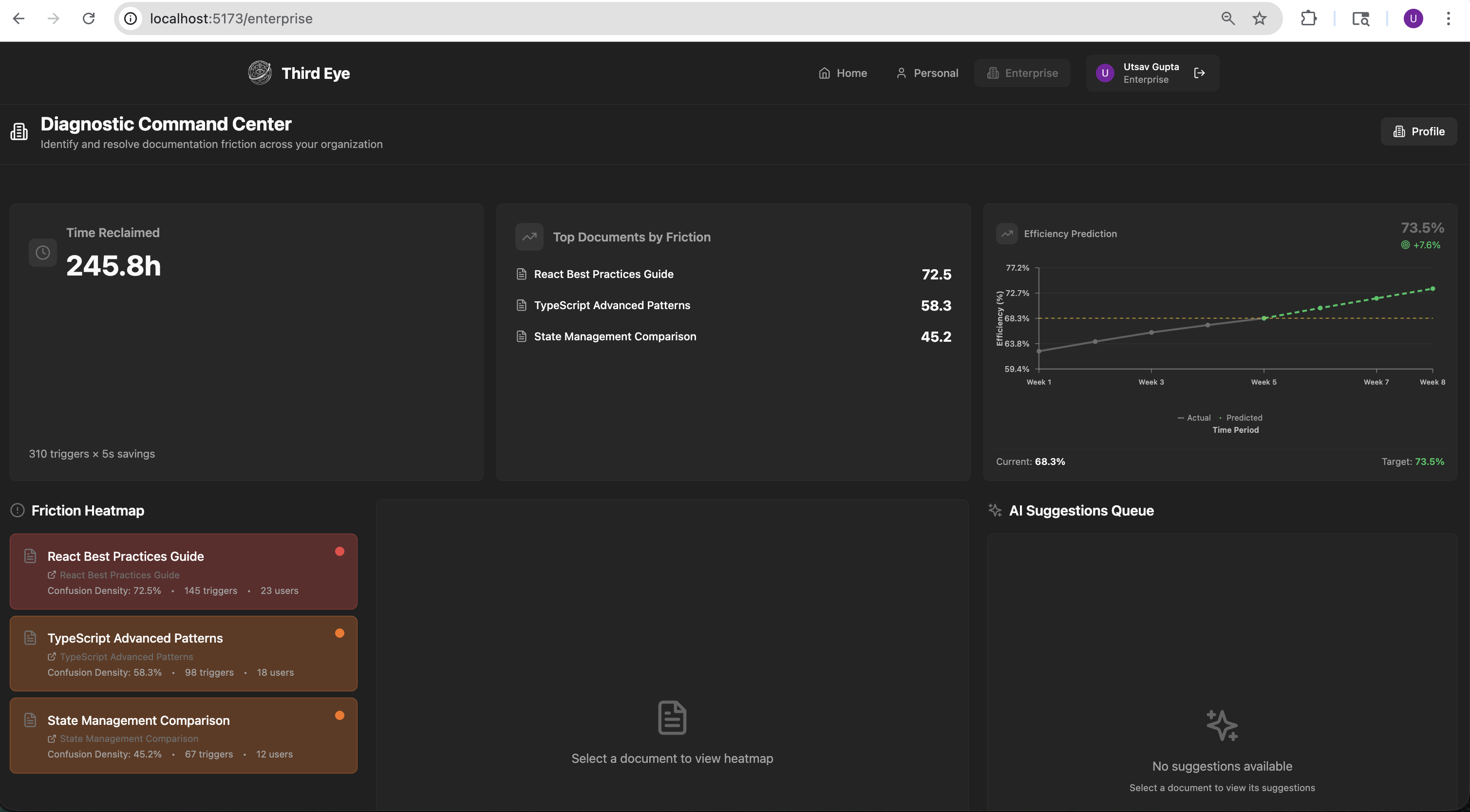
- For organizations, Agent 3 (Enterprise Intelligence) serves as an analytics layer that identifies "friction hotspots" where multiple employees are confused. It generates heat maps and confidence scores for company SOPs and policies, then allows admins to "auto-patch" confusing documents by pushing AI-optimized rewrites directly back into Google Docs.
How we built it
ThirdEye has three major layers:
- Chrome Extension (JavaScript, Manifest V3): The extension uses an offscreen document running MediaPipe FaceLandmarker (478 face landmarks including iris centers) via WebAssembly for in-browser gaze estimation. A One-Euro filter smooths raw gaze coordinates for low-latency, low-jitter output. The content script renders the gaze overlay, handles dwell detection, and extracts text from the page (with special handlers for Google Docs, Slides, and PDF.js). A 9-point calibration system computes an affine transform for accuracy. Communication between offscreen document, background service worker, and content scripts uses Chrome's message-passing API.
- Python Backend (Flask, WebSockets, OpenCV, MNN): The gaze2 subsystem uses GazeFollower with MGazeNet (an MNN-format neural network) for a higher-fidelity native gaze pipeline. It streams coordinates over WebSocket at ~60 FPS with an HTTP polling fallback. The agent action layer processes Area-of-Interest (AOI) events: it acquires text through a priority cascade (text hint --> document provider --> OCR via pytesseract --> image-only heuristics), infers content type (paragraph, equation, code, table, figure), detects reader state, and generates prompt variants for LLM completion.
- React Frontend (TypeScript, Vite, Tailwind CSS, Framer Motion): The web app features a landing page with a Vanta.js animated globe, Google OAuth authentication, and two main experiences: a Personal dashboard with session timelines, a rich Markdown editor, and AI search chat; and an Enterprise dashboard with diagnostic KPIs, confusion-density heatmaps, efficiency prediction charts, AI suggestion queues, and batch export to Google Docs. State management uses Zustand and data fetching uses React Query.
Challenges we ran into
- Porting gaze models to the browser: The Python pipeline uses MGazeNet in MNN format, which has no JavaScript/WebAssembly runtime. The original PyTorch source isn't publicly available, and MNN has no standard export path to ONNX. We had to pivot to MediaPipe FaceLandmarker for the in-browser path, effectively reimplementing the gaze pipeline from scratch using iris landmark ratios and head pose estimation.
- Chrome Manifest V3 constraints: MV3's service worker model means no persistent background page. Managing the offscreen document lifecycle (creating/closing it for camera access), relaying gaze coordinates between isolated contexts, and handling camera permissions across extension pages required careful orchestration.
- Gaze noise and accuracy: Raw iris positions are noisy. We implemented a two-layer noise rejection system: a deadband filter (100px threshold) to suppress small jitters, plus a One-Euro filter for smooth yet responsive tracking. Calibration drift and edge-of-screen clamping also required special handling.
- Content extraction: Every page type is different. We built separate extraction paths for plain HTML, Google Docs, Google Slides, and PDF.js viewers, plus an OCR fallback for anything else.
Accomplishments that we're proud of
- Fully in-browser gaze tracking: The MediaPipe pipeline runs entirely in a Chrome offscreen document. No servers, no Python, no external dependencies. Model size is only ~3.6 MB, and the total extension is ~8 MB!
- Sub-2-second context delivery: From the moment your gaze locks on confusing content to seeing an explanation, the entire pipeline completes in under 2 seconds, a 3.5x improvement over the 7-second average for manual searching.
- Dual-mode architecture: The system works both as a standalone Chrome extension (MediaPipe in-browser) and with the higher-fidelity Python gaze backend (MGazeNet over WebSocket), with seamless fallback between the two.
- Enterprise-scale analytics: The Clarity Engine doesn't just help individuals, but also aggregates anonymized gaze telemetry across an organization to surface exactly which paragraphs, equations, or code blocks in shared documentation are causing the most confusion, complete with AI-generated rewrite suggestions that can be pushed back to Google Docs.
- Privacy-first design: Camera frames are processed locally and never stored or transmitted. No video leaves the device. The scraper uses a staged "Escalation Ladder" (Visible --> Outline --> Full Text) to only access the minimum content necessary.
What we learned
- Gaze is a surprisingly rich input signal: Even with consumer webcams and no specialized hardware, iris tracking plus head pose provides enough accuracy for dwell-based interaction. The key was pairing it with aggressive smoothing and a generous dwell radius rather than trying to achieve pixel-perfect accuracy.
- Browser extension architecture is its own discipline: Chrome's Manifest V3, offscreen documents, sandboxed iframes, content script isolation, and message-passing topology each introduced constraints we had to design around. Understanding the security model was as important as the ML work.
- Reader state matters more than raw text: The same paragraph needs different explanations depending on whether someone is confused, interested, skimming, or revising. Routing by reader state (detected via dwell time and regressions) made the AI output dramatically more useful.
- The gap between "model works in Python" and "model works in the browser" is enormous: Converting between ML runtimes (MNN -> ONNX -> TFLite -> WASM) isn't just a tooling problem; it's often an architecture problem requiring complete reimplementation.
What's next for ThirdEye
- Blink-based intent confirmation: a "double blink within 1.2 seconds" trigger to confirm intent. This is the target interaction model, where dwell identifies the target and a deliberate blink says "explain this to me."
- Chrome Web Store publishing: The extension is currently loaded in developer mode. Polishing the onboarding flow (camera permissions, calibration walkthrough) and publishing to the Web Store will make ThirdEye accessible to everyone.
- Offline model bundling: MediaPipe currently loads from CDN. Bundling the WASM runtime and model for fully offline operation would make ThirdEye work in air-gapped and low-connectivity environments.


Log in or sign up for Devpost to join the conversation.