-
-
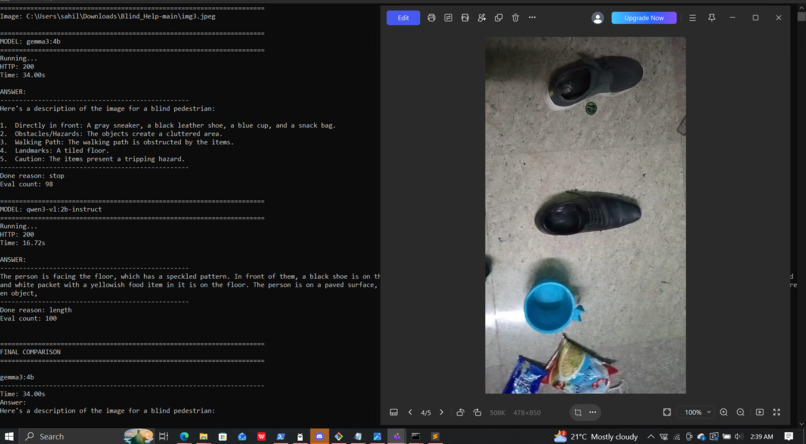
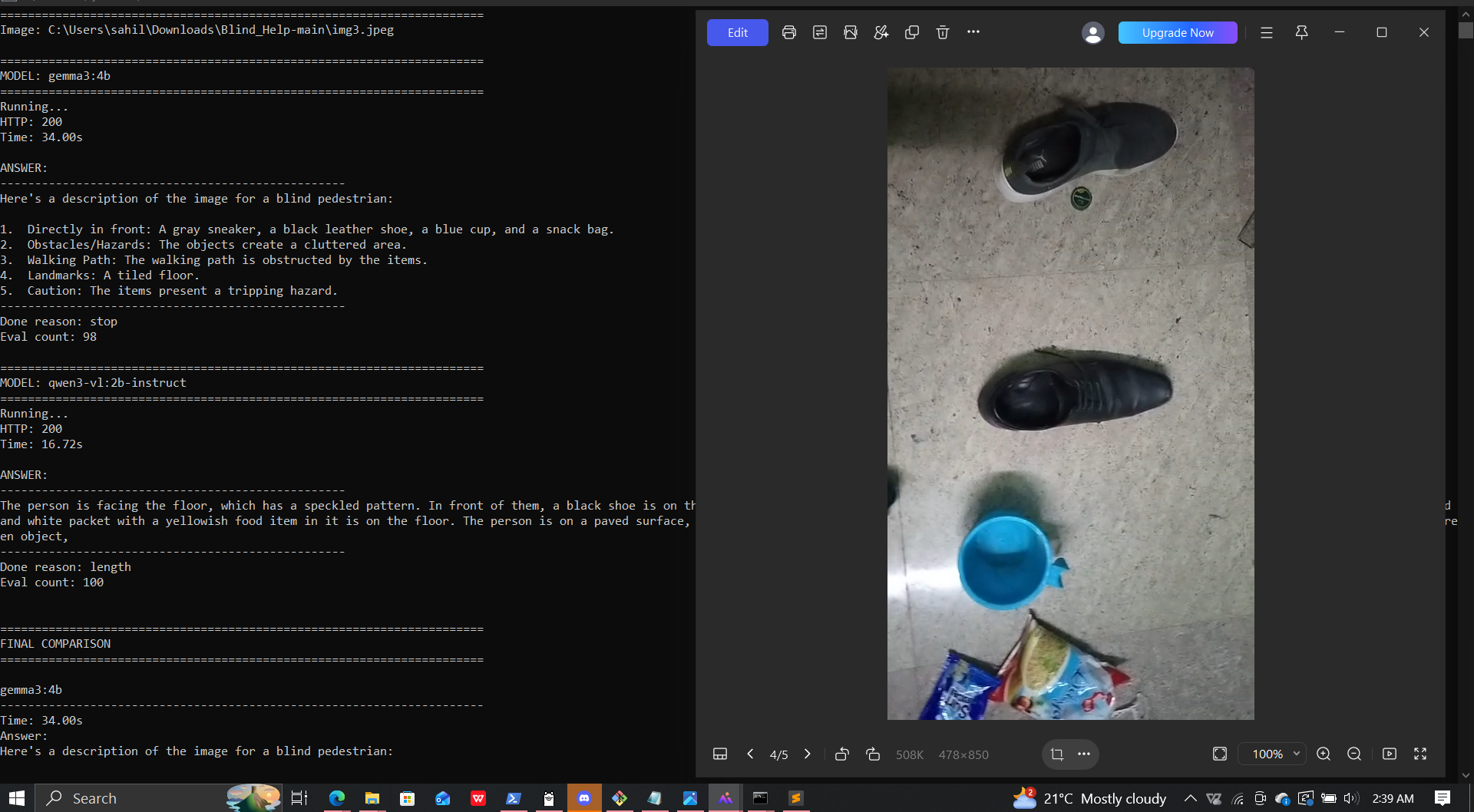
models identifying the surroundings
-
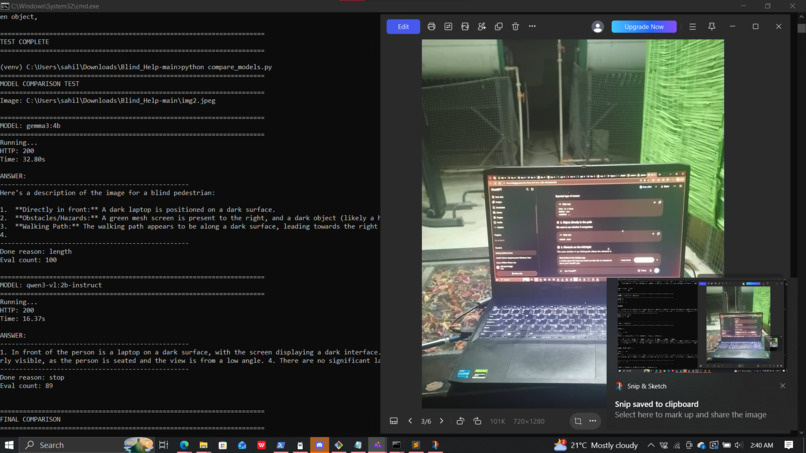
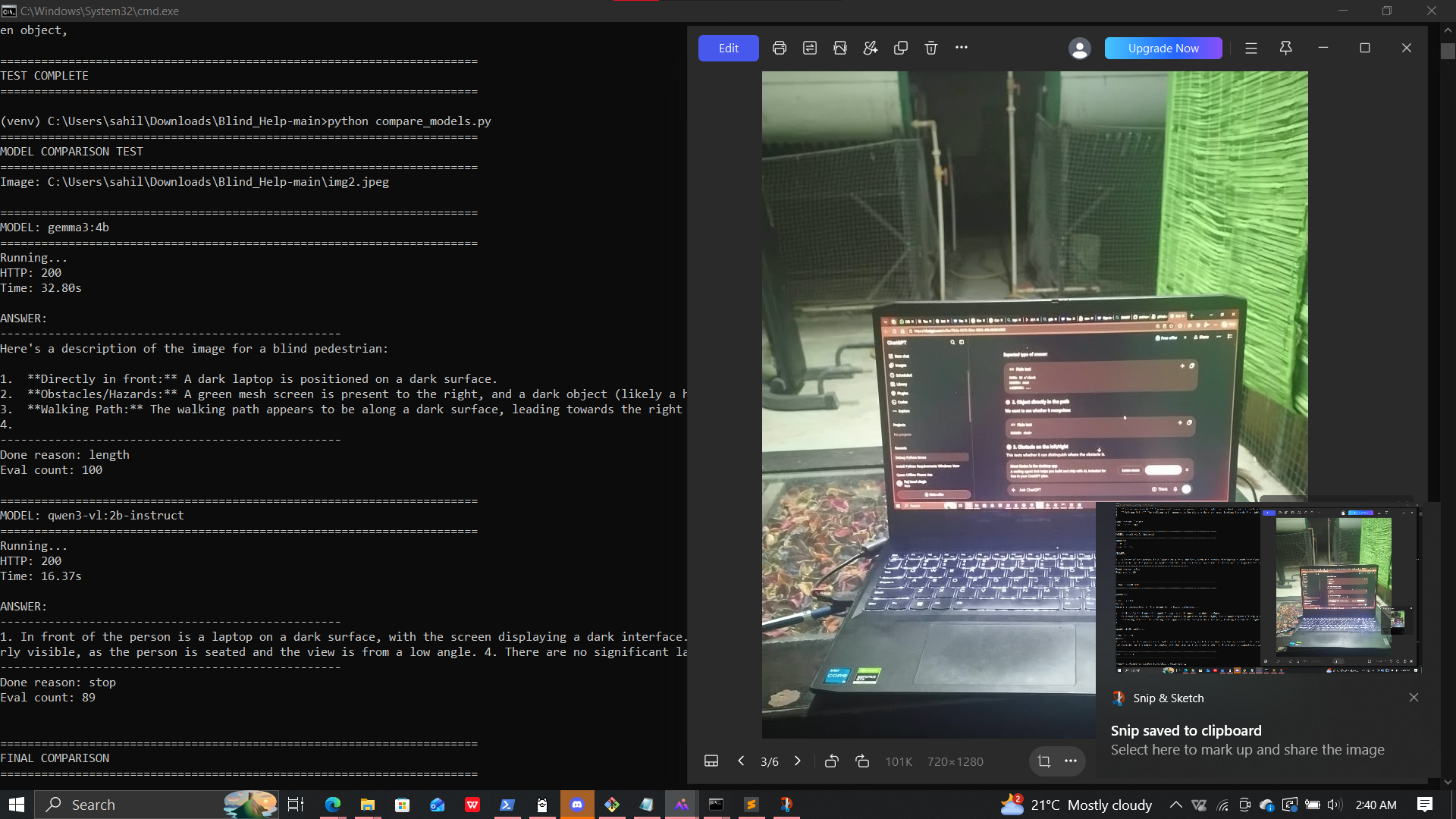
how modes identity the surrounding
Inspiration
Try navigating a room without seeing the furniture, the walls, or the person walking toward you. That’s the reality for many blind and visually impaired individuals. I wanted to see if AI and computer vision could bridge that gap.
So I built Third Eye. It’s an experimental system designed to help users understand their surroundings. The tool merges real-time object detection ** with **AI scene analysis. Voice interaction ties it all together.
What it does
Third Eye relies on a phone camera for video input, handing the processing off to a laptop. The system handles three distinct tasks.
First, it flags obstacles in real time. YOLO spots objects, and ByteTrack follows them frame by frame. Custom proximity heuristics then judge whether an object is actually concerning. If so, the system triggers a spoken warning or an audible beep.
Second, it describes the scene. Gemma 3 runs locally via Ollama. It analyzes the camera image alongside the detected-object data to generate a description of the surroundings.
The prototype also includes a voice-interaction pipeline using Whisper for speech recognition and Windows text-to-speech for spoken responses. However, the spoken feedback system is not yet working reliably and requires further debugging.
I am also exploring how Google Maps could be integrated in a future version, allowing users to select or mark destinations and potentially connect location information with environmental assistance. This functionality is still in the planning and development stage.
How we built it
I built Third Eye in Python using several computer-vision and AI technologies:
OpenCV for camera capture, frame processing, and the live video interface.
YOLO11 for object detection.
ByteTrack for tracking objects across frames.
Custom Python logic for proximity-based alerts and approximate time-to-collision estimates.
Gemma 3 and Ollama for local AI-powered scene understanding.
Faster-Whisper for speech recognition.
Windows SAPI for text-to-speech output.
The application uses separate threads for camera capture, object detection, AI processing, and audio output. The local AI pipeline is designed to process images on the laptop, with an optional cloud backend also available.
Challenges we ran into
Getting real-time object detection to play nice with the heavy lifting of an AI vision model on the same machine has been a headache. Camera connectivity, getting the model initialized, handling concurrent processing, and keeping latency down—all of that demanded constant attention.
Then there’s the audio pipeline. We’ve got speech recognition and text-to-speech built in, sure, but the spoken feedback is still unreliable. Debugging and integration are far from over.
Obstacle awareness is tricky too. Bounding-box size and movement give you rough proximity clues, but they don’t guarantee accurate physical distance or catch every potential collision. And tying navigation and destination selection into Google Maps? That’s another layer of complexity. Location-based guidance has to mesh seamlessly with the camera system, which isn’t exactly simple.
Accomplishments that we're proud of
I am proud to have developed a prototype that brings together several AI and computer-vision components in a single application.
Some of the key accomplishments include:
Connecting a phone camera feed to a live computer-vision pipeline.
Integrating YOLO object detection with ByteTrack object tracking.
Developing custom proximity-based alert logic.
Integrating Gemma 3 through Ollama for scene understanding.
Designing a modular architecture for camera processing, AI inference, and audio feedback.
Establishing a foundation for future voice interaction and location-aware assistance.
This project has given me the opportunity to work through the practical challenges of building an integrated AI system rather than experimenting with a model in isolation.
What we learned
I learned that building an assistive AI application involves much more than detecting objects. Responsiveness, reliability, audio feedback, model limitations, and user experience all matter.
I also learned how object detection and vision-language models can complement each other: object detection identifies specific objects, while a vision model can provide broader descriptions of a scene.
Debugging the spoken feedback pipeline has reinforced the importance of testing every component independently before relying on the complete system.
Most importantly, I learned that assistive technology must be developed responsibly. A working prototype is only an early step toward a dependable tool, and real-world reliability requires extensive testing and user feedback.
What's next for Third Eye
The next stage is to improve the existing prototype and gradually expand its capabilities.
Planned improvements include:
Debugging and stabilizing spoken feedback and voice interaction.
Improving object detection and reducing false alerts.
Evaluating proximity estimates and alert timing.
Improving the speed and reliability of scene descriptions.
Exploring Google Maps integration for destination selection and marking.
Investigating how location information could complement camera-based environmental awareness.
Exploring mobile deployment to reduce dependence on a laptop.
Conducting usability and safety testing with appropriate feedback from visually impaired people.
The long-term vision for Third Eye is to combine environmental awareness with location-based assistance in a more portable and accessible system.
Current status: Experimental laptop-based prototype under active development. Google Maps integration is planned, and spoken feedback still requires debugging. The system is not a validated mobility aid and should not be relied upon as the sole means of navigation or obstacle avoidance.
