-
-
-
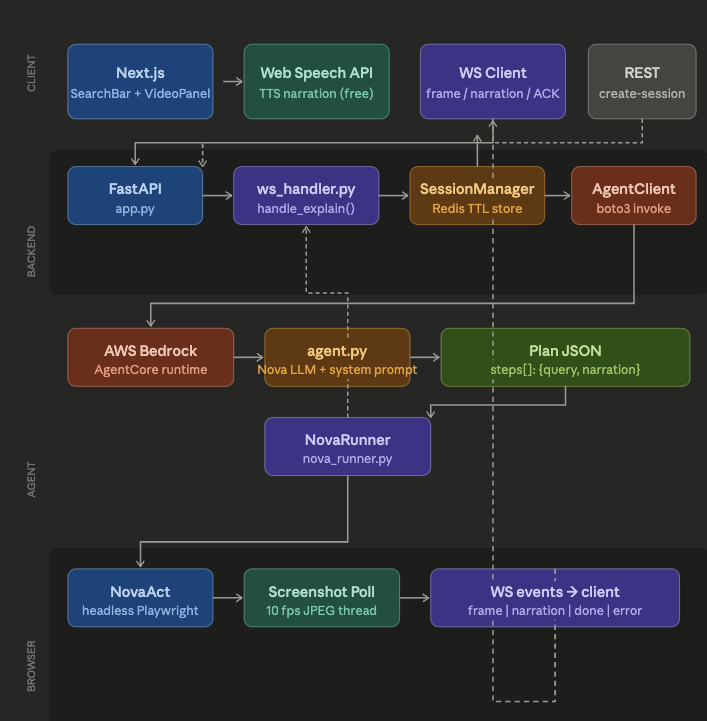
Architecture of ThinkOva
-
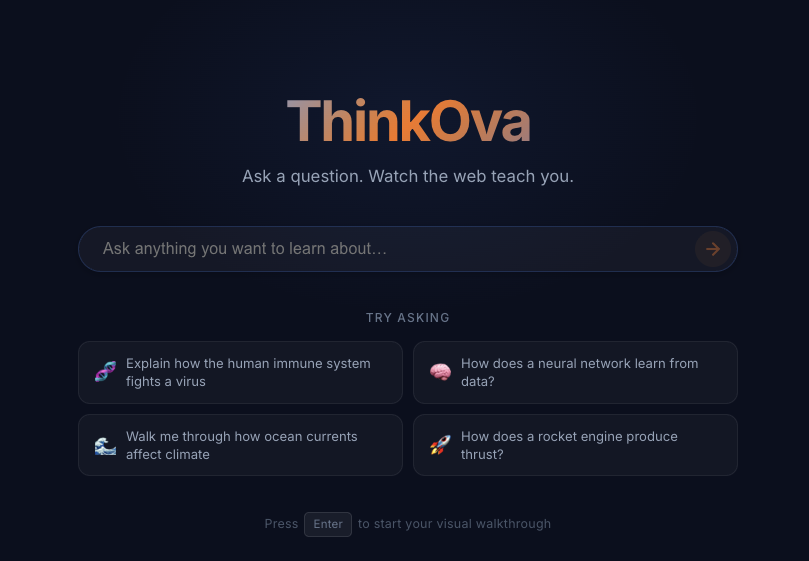
Front_UI
Inspiration
Most learning tools give you a wall of text or a pre-recorded video someone else made.We wanted something different — a tool that answers your exact question by showing you the answer live, the way a human tutor would: opening a browser, navigating to the right places, and narrating what's happening in real time.
The inspiration came from a simple frustration: searching "how does HTTPS work" returns 10 blue links. None of them show you. We wanted to fix that. Nova Act made it possible— a real browser under AI control meant we could go beyond static answers and actually demonstrate concepts on the live web.
What it does
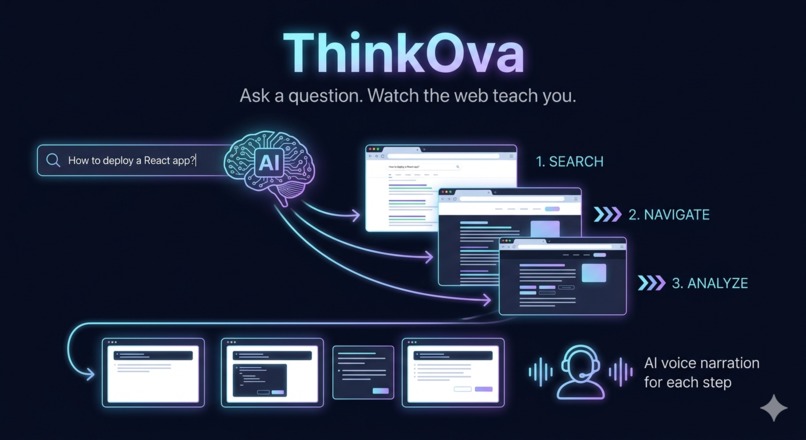
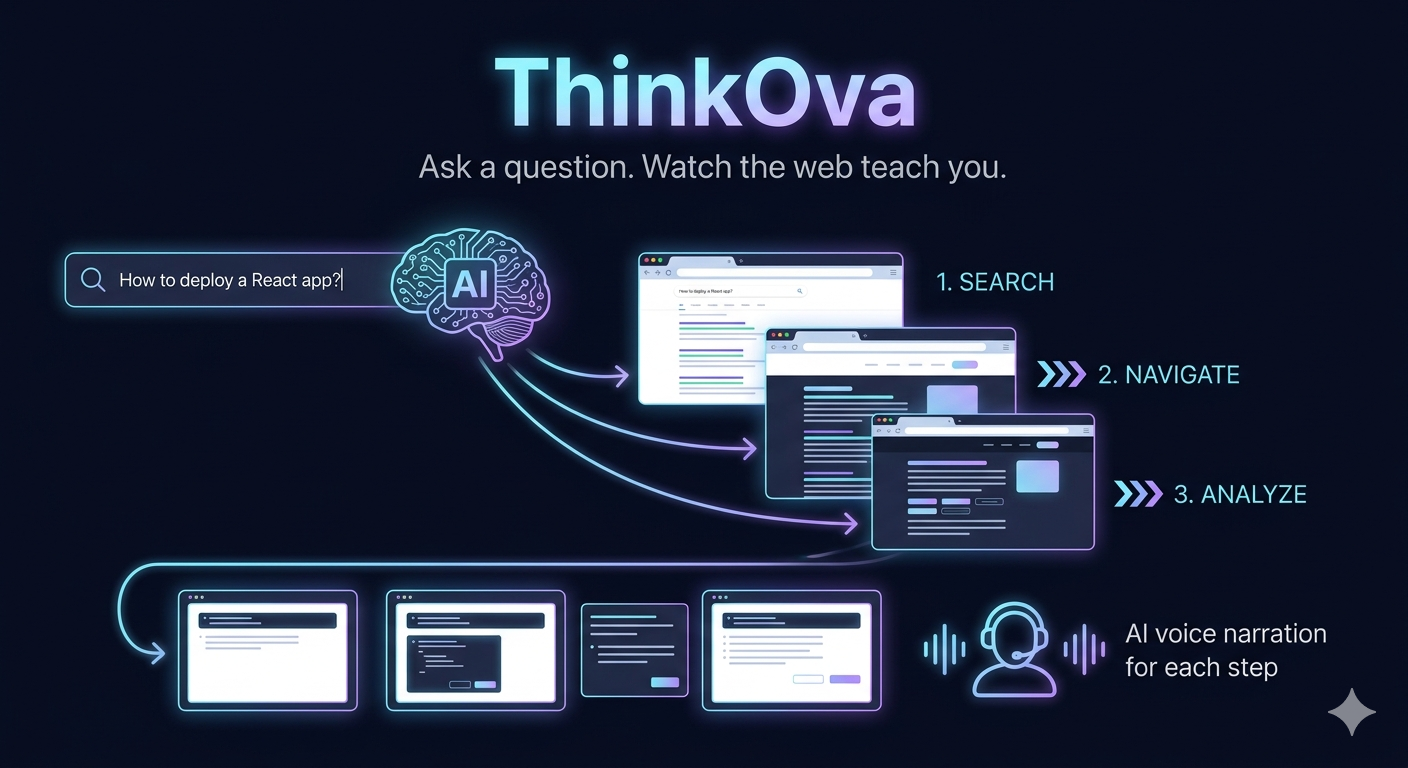
ThinkOva takes any question or topic and turns it into a live, narrated web walkthrough.
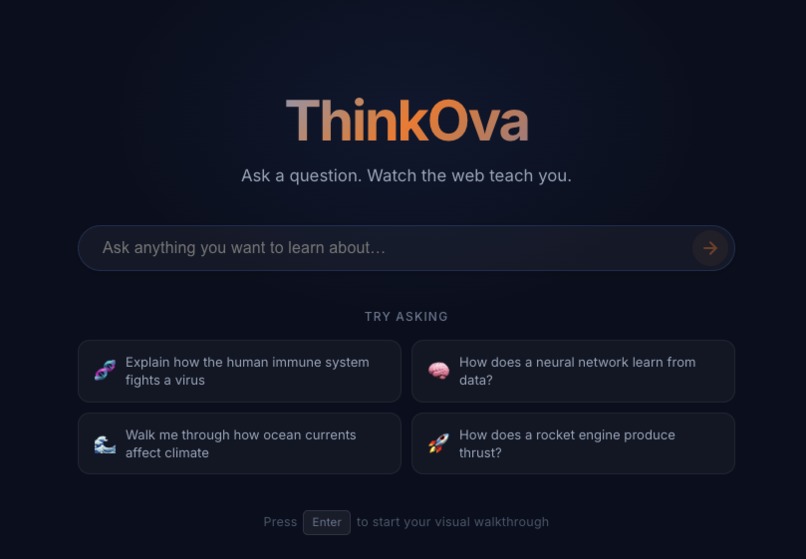
- You type a question — "How does HTTPS work?" or "What is gradient descent?"
- Our AI agent generates a step-by-step visual plan
- A real browser opens and navigates the web autonomously
- Live screenshots stream to your screen at 10fps
- ElevenLabs AI voice narrates each step as it happens
- You watch and listen — no reading, no clicking, no searching
How we built it
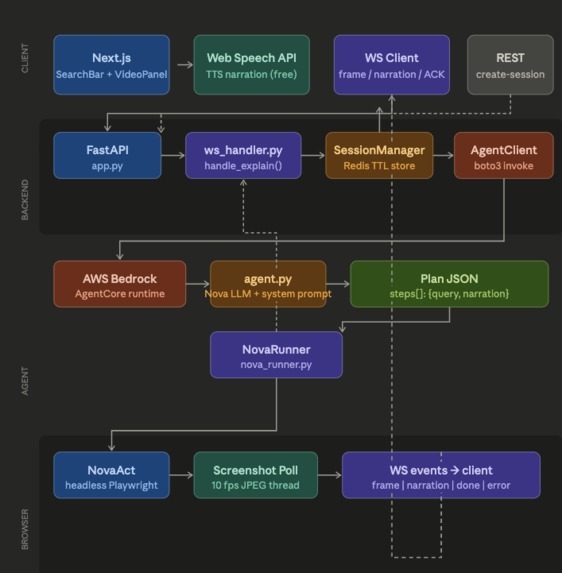
ThinkOva is built across three layers: Frontend — Next.js app with a WebSocket client that receives live JPEG frames and renders them to a canvas element in real time. ElevenLabs TTS narrates each step via the browser's native AudioContext API. An ACK handshake ensures voice and browser stay perfectly in sync. Backend — FastAPI server managing WebSocket connections, session state via Redis, and orchestrating the flow between the AI agent and the browser runner. Agent + Browser — AWS Bedrock AgentCore runs our Nova LLM agent which produces a structured JSON plan of steps. NovaRunner drives Nova Act (headless Playwright), polling screenshots on a daemon thread at 10fps while nova.act() executes each step on the main thread.
Challenges we ran into
Keeping voice and browser in sync — Nova Act's act() call is blocking and wants to race to the next step immediately. Without our ACK gate the browser would move to step 2 while the user was still listening to step 1. We solved this by making the backend wait for an explicit confirmation from the frontend — sent only after the audio Promise resolves.
ElevenLabs in the browser — The official JS SDK uses Node.js built-ins and cannot run in a browser context. We had to implement TTS using the browser's native fetch and AudioContext APIs directly with no SDK dependency.
Accomplishments that we're proud of
- Built a fully working end-to-end pipeline — from a single text prompt to a live narrated browser walkthrough — in one hackathon sprint
- Solved a genuinely hard real-time sync problem between a blocking browser agent, async WebSocket streams, and audio playback — the voice and video never fall out of sync.
- The product actually works on real websites with real content — not a mock or a demo environment.
- Clean two-layer AI design — one model thinks, one model acts — that turned out to be more reliable than we expected.
What we learned
- AI orchestration is fundamentally a sequencing and state machine problem — every component needs to know exactly when to wait and when to proceed
- Structured LLM output (strict JSON schema) makes the entire downstream pipeline reliable — the runner becomes purely data-driven with no parsing or guessing
- Browser automation latency is unpredictable — most steps take 2–4 seconds but occasionally 15–20 seconds, so the UI must handle variable cadence gracefully
- The gap between "it works on my machine" and "it works reliably" is almost entirely about edge cases in async coordination
What's next for ThinkOva
- Step replay and scrubbing — rewatch any part of the walkthrough
- Follow-up questions mid-walkthrough without starting a new session
- Multi-language narration via ElevenLabs voice cloning
- User annotations on live frames during playback
- Mobile support for learning on the go
Built With
- amazon-web-services
- bedrock
- boto3
- docker
- fastapi
- github
- javascript
- next.js
- npm
- postman
- python
- redis
- uv
- vscode


Log in or sign up for Devpost to join the conversation.