-
-
WebMind – AI Note & Mind Map Chrome Extension
-
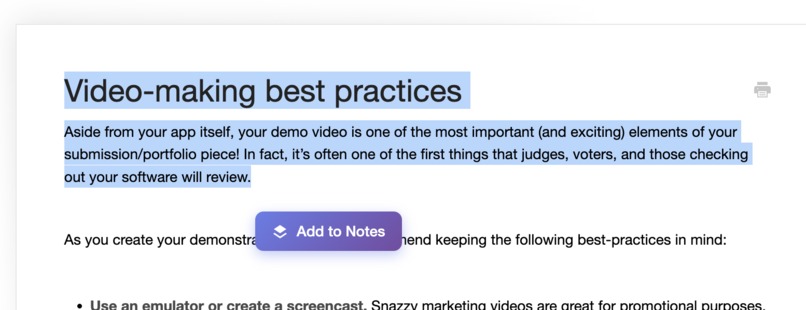
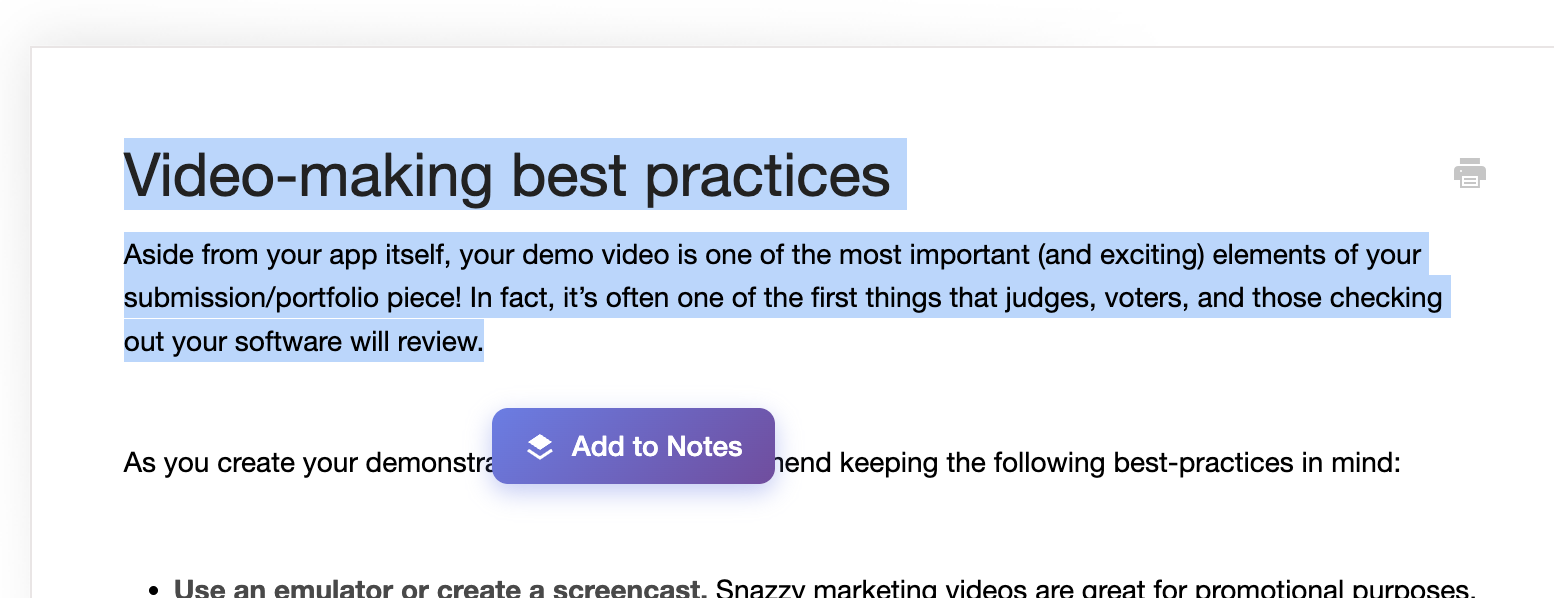
Highlight any text to instantly summarize with Chrome’s built-in AI
-
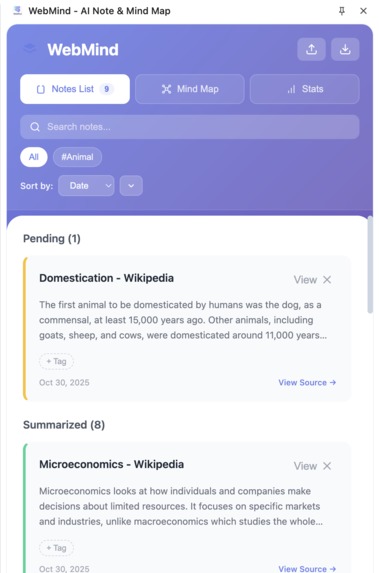
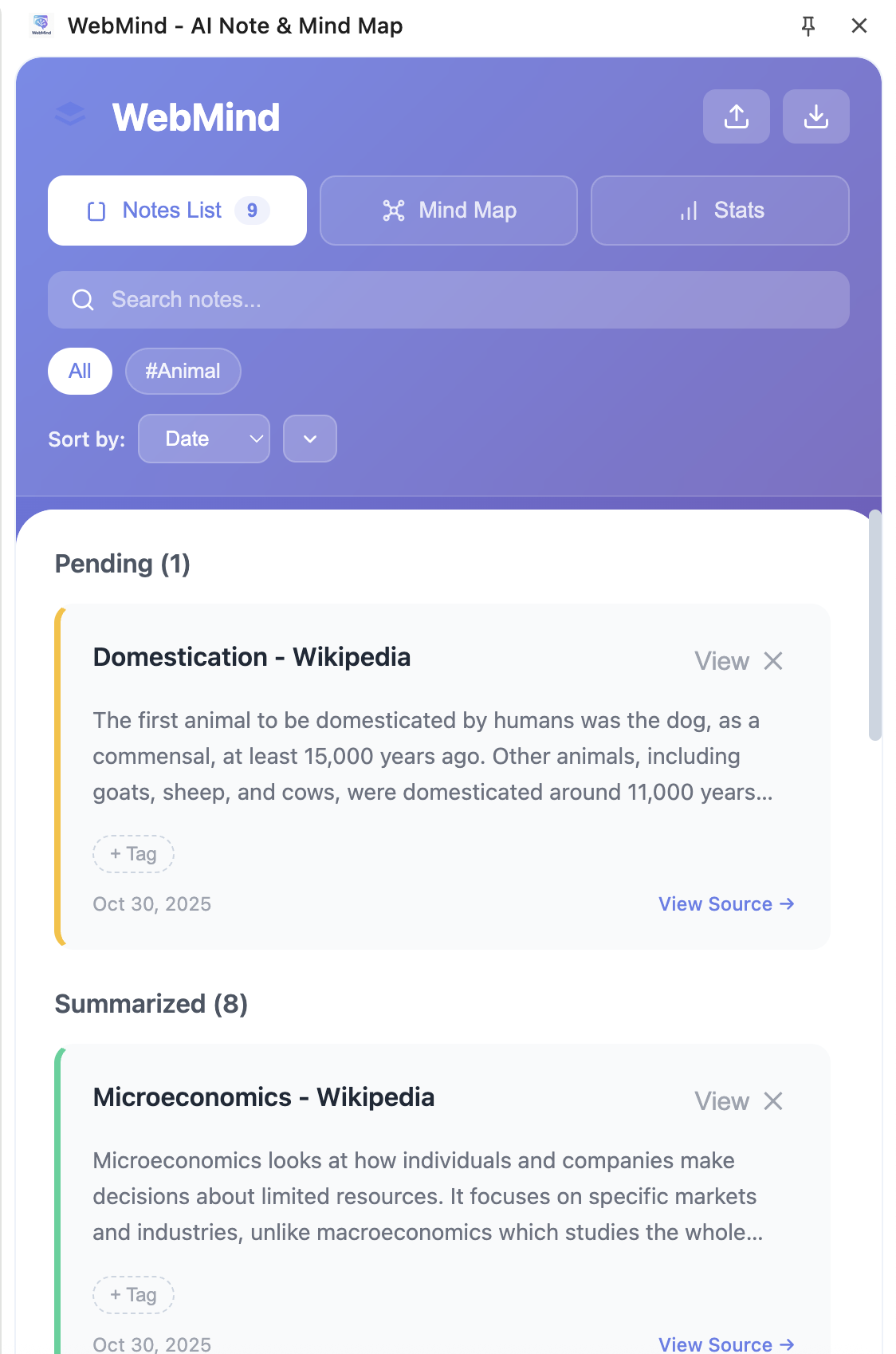
View and organize all AI-generated notes inside the Chrome side panel
-
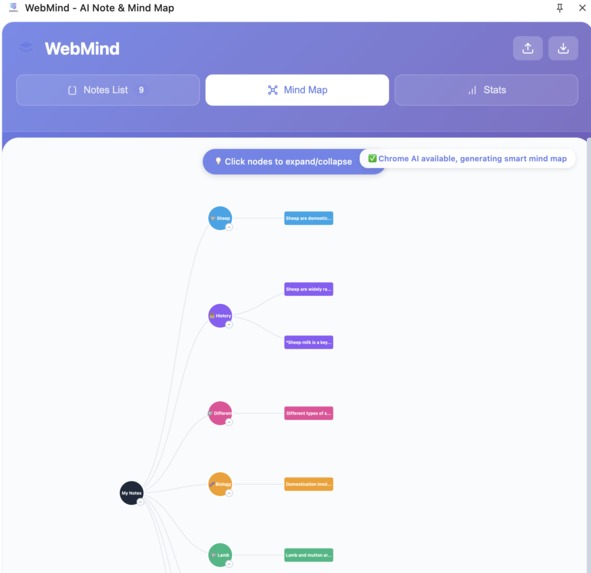
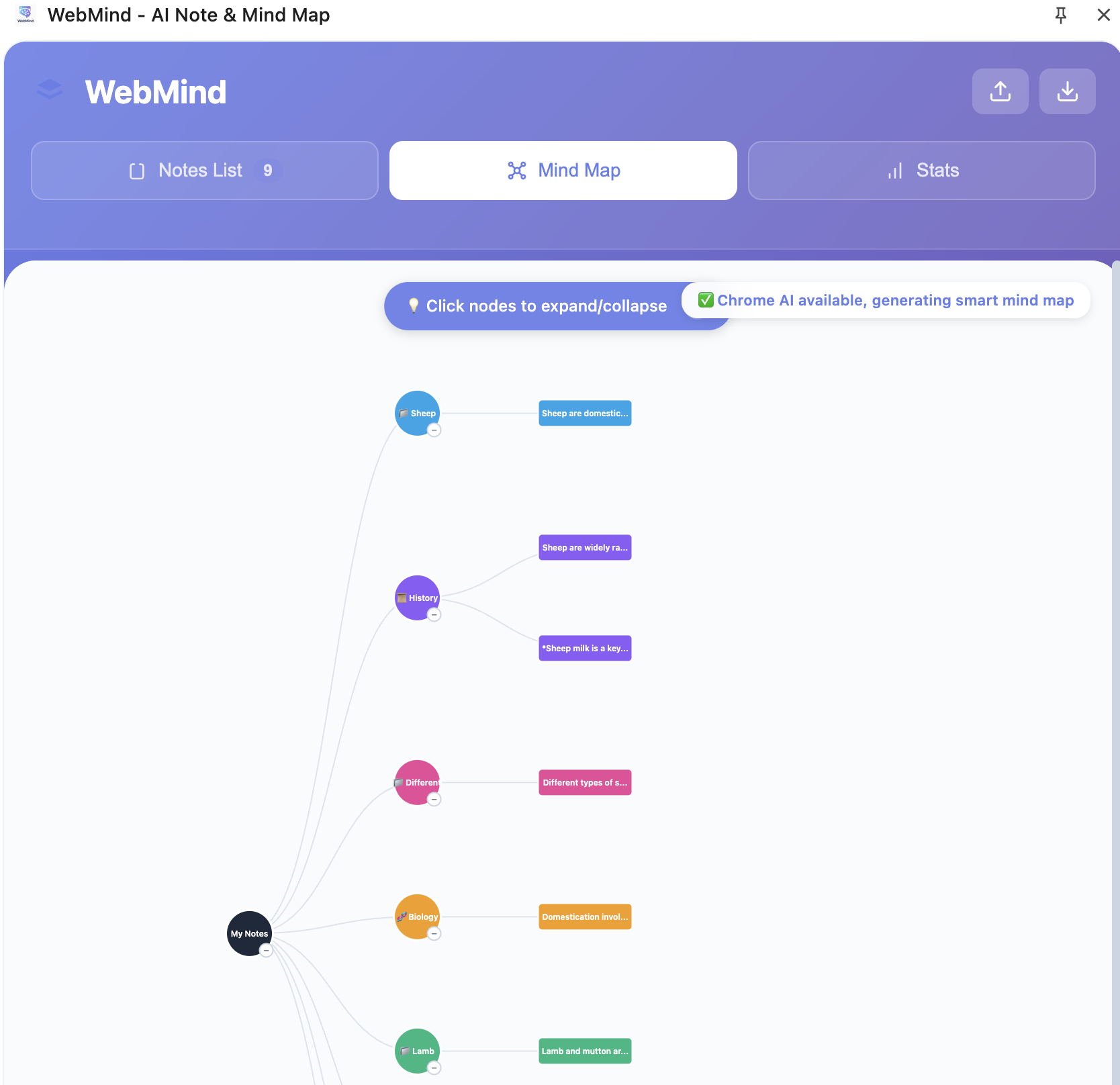
Interactive mind map showing relationships between your notes
-
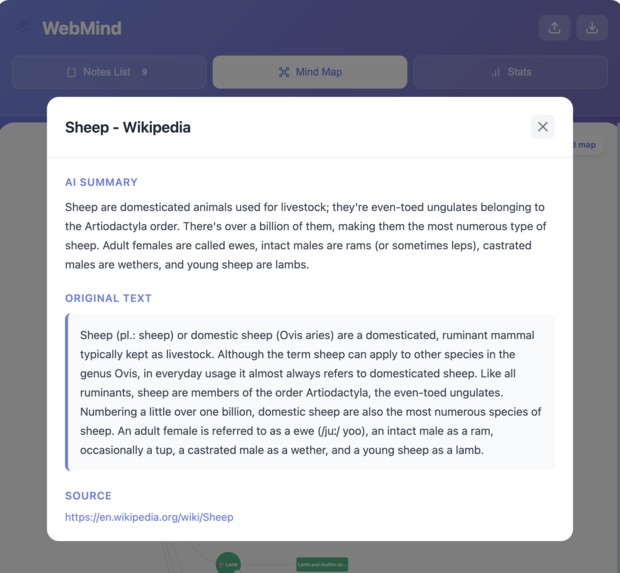
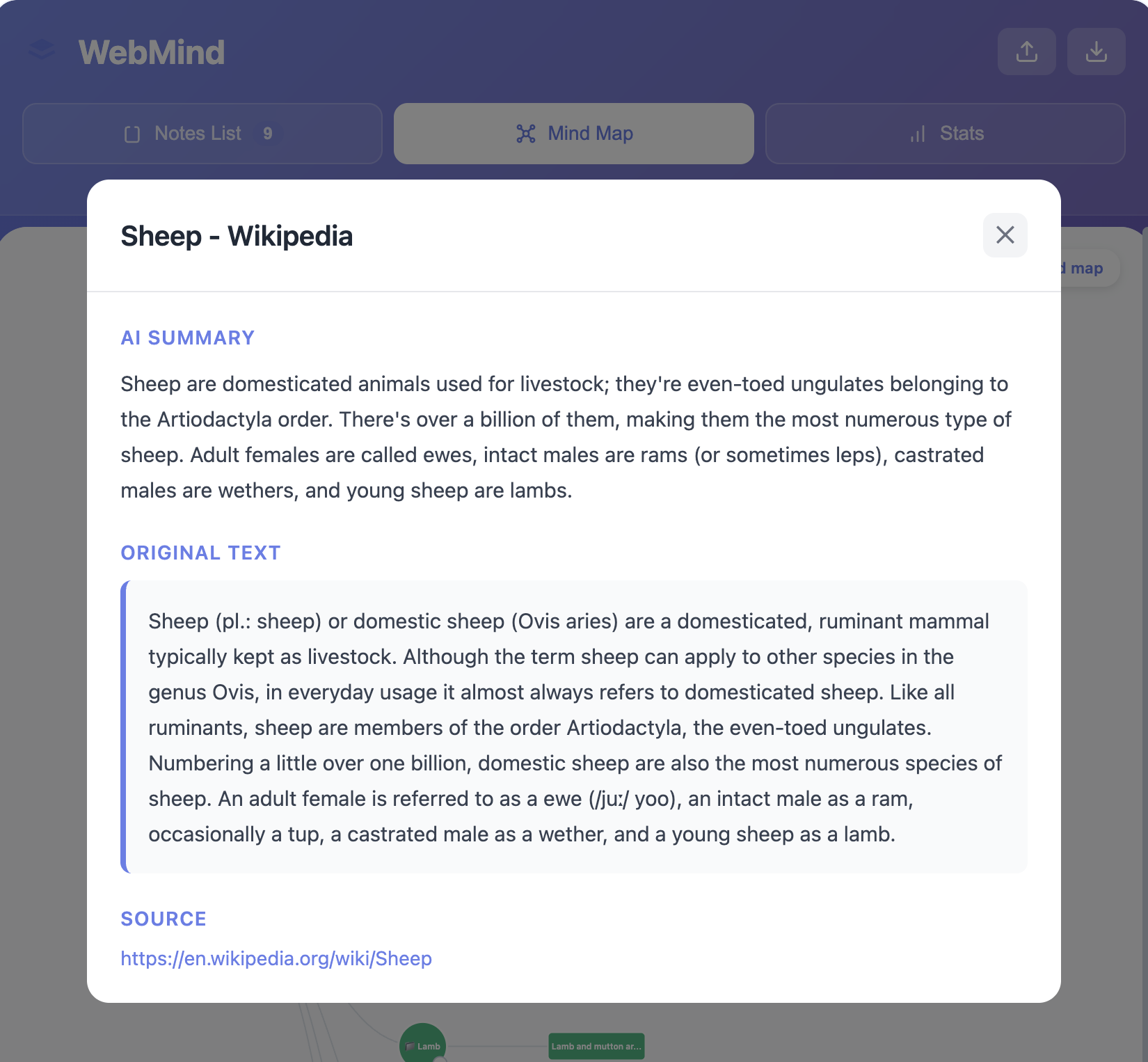
AI-generated summary from selected webpage text
-
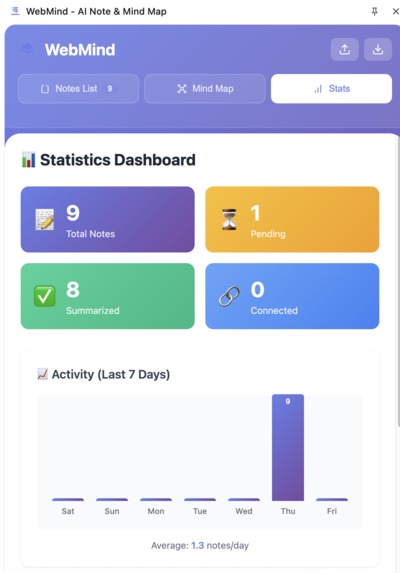
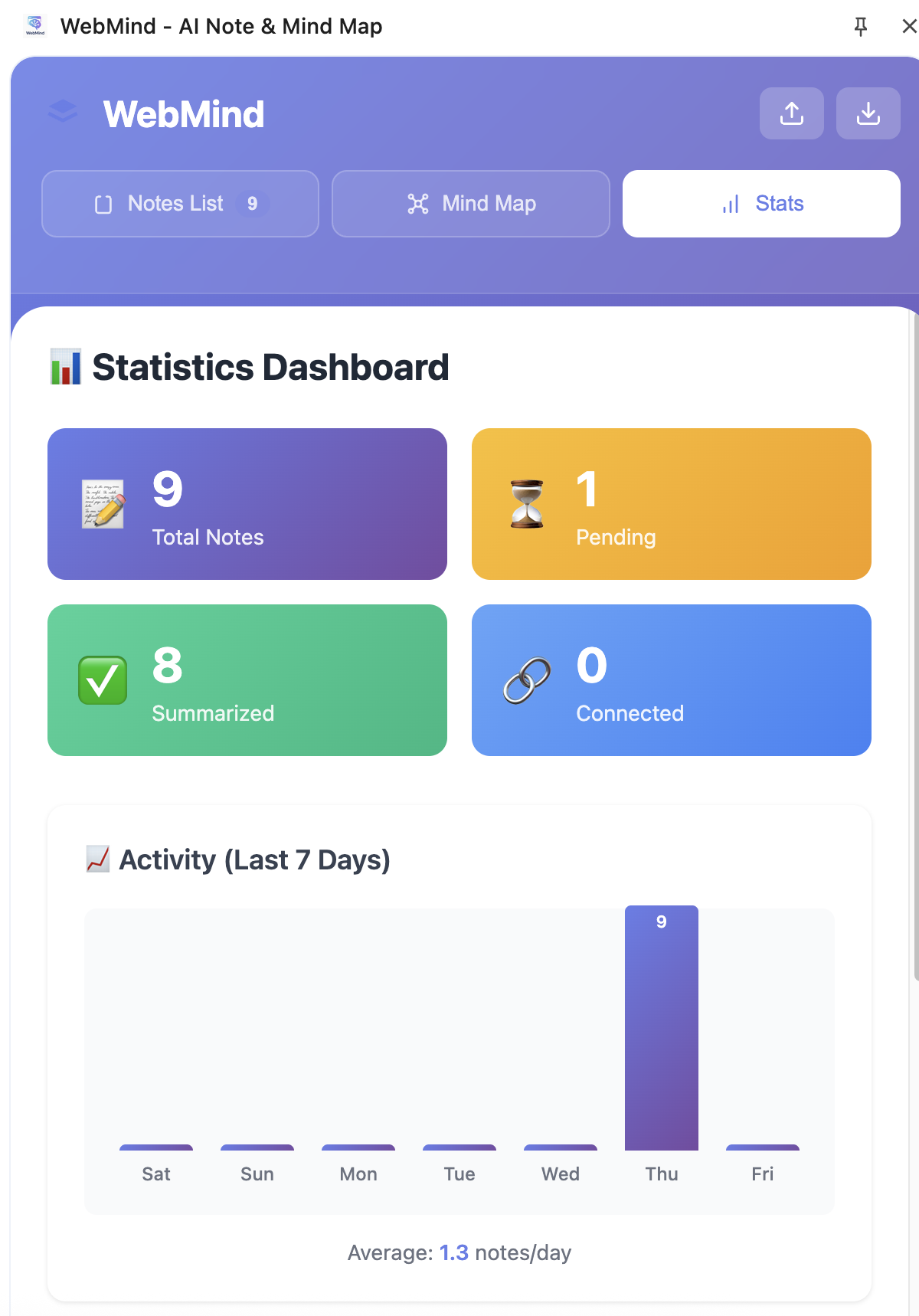
Statistics Dashboard – Overview of total notes, summaries, and activity trends
Inspiration
When learning online, I often highlighted key insights from articles, tutorials, and research papers — yet those fragments never connected. My browser was filled with open tabs, each representing a thought that disappeared as soon as I closed it. I wanted a way to organize knowledge directly where learning happens — inside the browser — so that what I read could naturally grow into a structured understanding over time.
This idea became WebMind — a Chrome extension that turns scattered reading into connected learning. Using Chrome’s Built-in AI Summary API, WebMind helps users capture, summarize, and visualize what they learn, transforming everyday browsing into a continuous process of knowledge building.
What it does
WebMind allows users to highlight any text while browsing. A small popup appears, instantly summarizing the passage through Chrome’s built-in AI. The summarized notes are saved locally and displayed in a side panel, where users can browse, search, and connect ideas.
As notes accumulate, WebMind detects relationships between topics and displays them as interactive mind maps. Over time, a personalized knowledge network takes shape — showing how understanding evolves, one highlight at a time.
It feels like having a quiet, intelligent companion inside Chrome that organizes your thoughts as you learn.
How we built it
- Frontend/UI: Built with React + TypeScript + TailwindCSS, bundled via Vite for rapid iteration.
- Chrome Extension Framework: Implemented under Manifest V3, integrating
content_scripts, a backgroundservice_worker, and thesidePanelAPI. - AI Integration: Used Chrome Built-in AI Summary API (
window.ai.summarizer) for on-device summarization. - Storage: Managed persistence through
chrome.storage.localand IndexedDB for a privacy-first, offline experience. - Visualization: Combined Mermaid.js and D3.js to render dynamic, expandable knowledge graphs inside the side panel.
Challenges we ran into
- Working with early experimental Chrome AI APIs and limited documentation.
- Managing asynchronous message passing between the content scripts, background service worker, and side panel.
- Maintaining smooth UI performance while local AI inference runs on-device.
- Designing a lightweight knowledge-linking algorithm that connects notes meaningfully without relying on cloud services.
Each challenge deepened our understanding of Chrome’s new architecture and reinforced the idea of treating AI as a local, contextual assistant — not just a remote API.
Accomplishments that we’re proud of
- Built a fully local AI summarizer with zero external dependencies — ensuring privacy and speed.
- Designed a highlight-and-save workflow that feels intuitive and native to Chrome.
- Integrated AI summarization and knowledge visualization into one unified experience.
- Demonstrated how browsing can evolve from passive reading to active, structured learning.
WebMind doesn’t just collect information — it helps users see how their ideas connect and grow over time.
What I learned
- Hands-on experience integrating Chrome’s Built-in AI Summary API.
- Advanced skills in Manifest V3 development and asynchronous communication.
- The importance of designing context-aware AI interfaces that assist without overwhelming.
- A deeper understanding of how browser-native AI can enhance lifelong learning and knowledge organization.
What’s next for WebMind
- Add multi-language summarization and translation to support global users.
- Introduce a Study Mode that generates key-point quizzes from saved notes.
- Enable optional cross-device sync via Google Drive integration.
- Improve semantic clustering and visualization using embeddings.
- Evolve WebMind into a self-contained personal knowledge system that runs entirely within the browser.


Log in or sign up for Devpost to join the conversation.