Inspiration
Remote collaboration tools lack the natural, intuitive interaction we have in physical spaces. We envisioned a future where design brainstorming in Google Meet feels as effortless as sketching on a whiteboard but with AI superpowers. What if you could literally wave your hands and create UI mockups that everyone sees in real time?
What it does
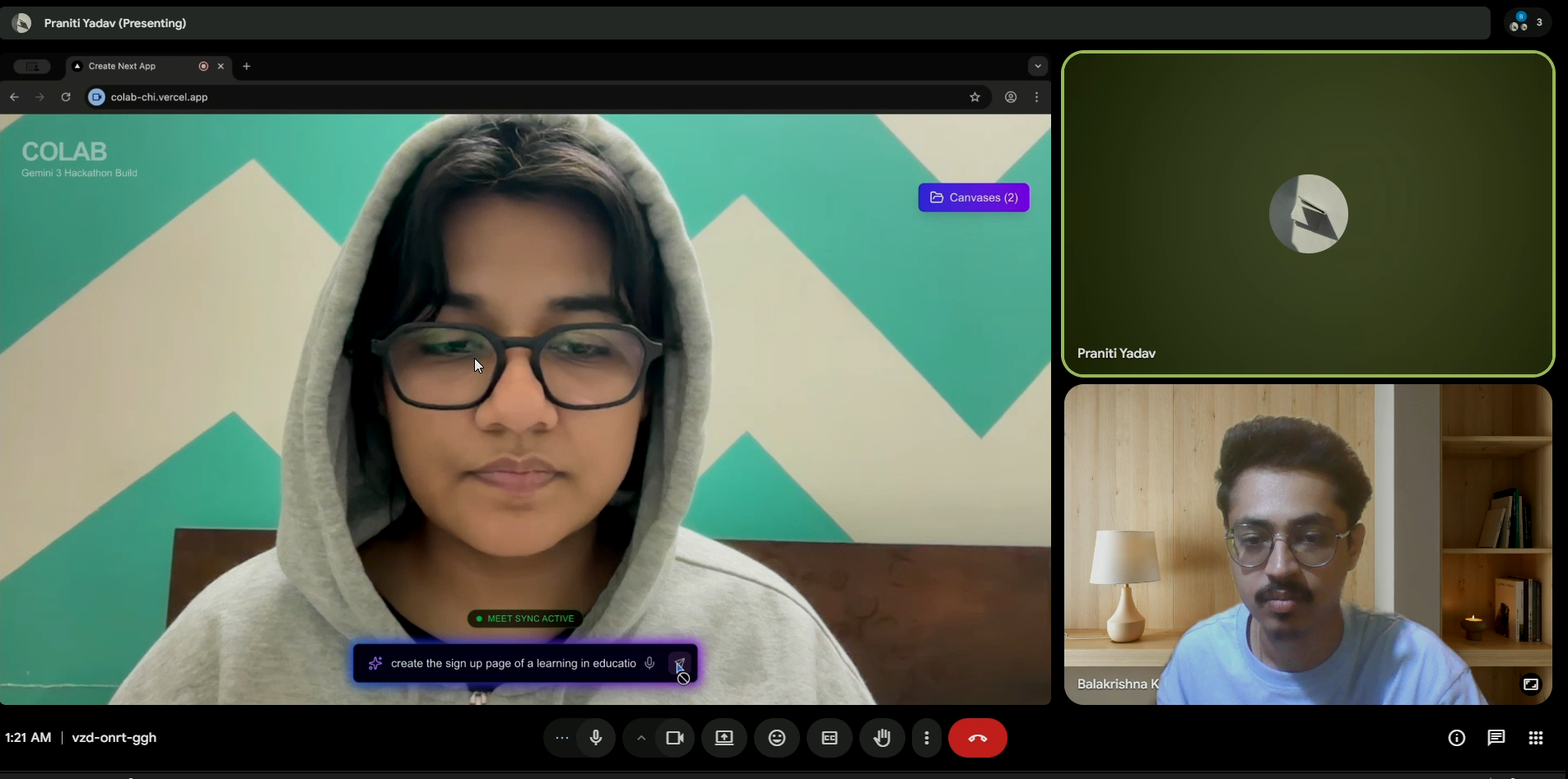
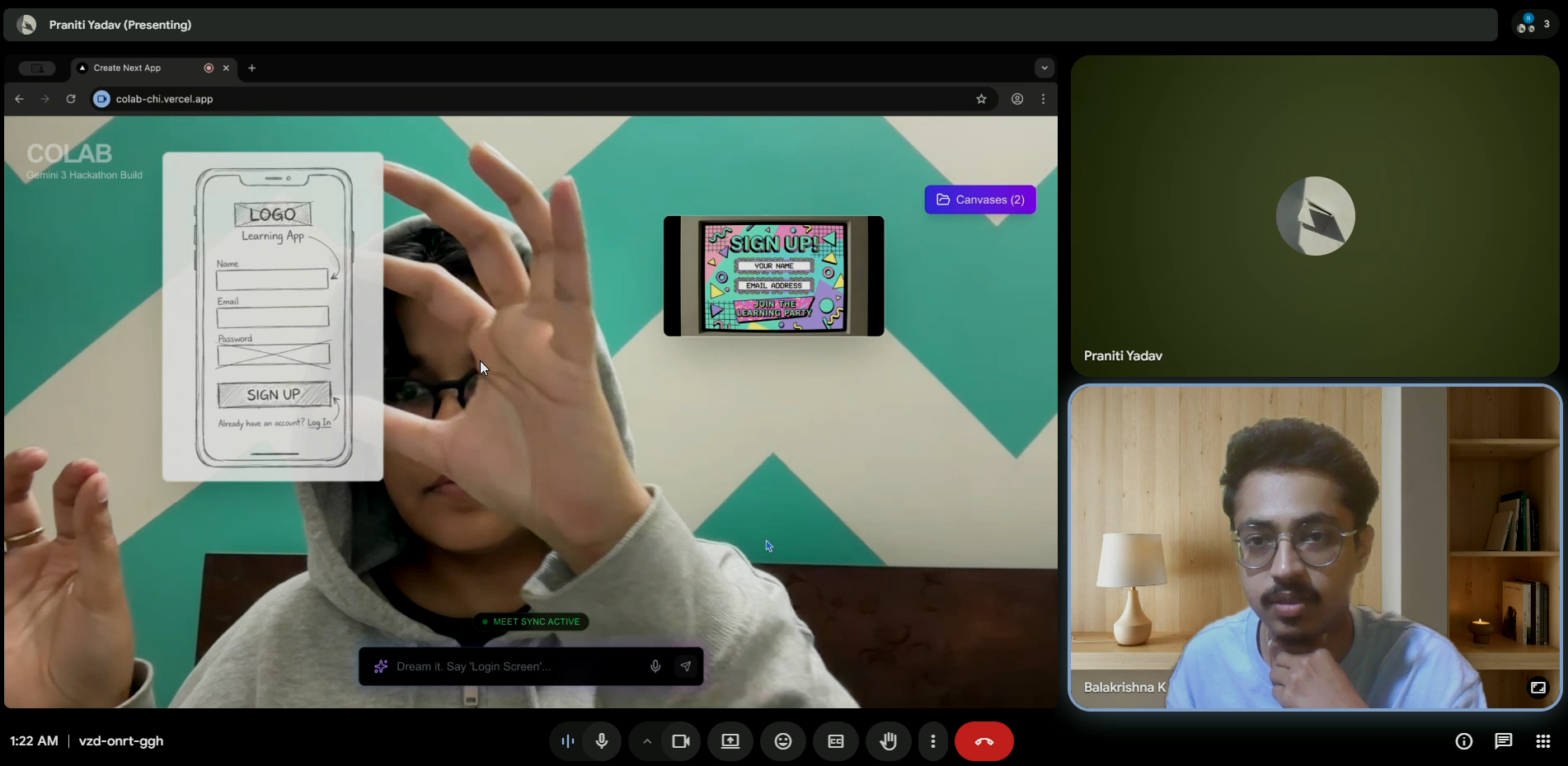
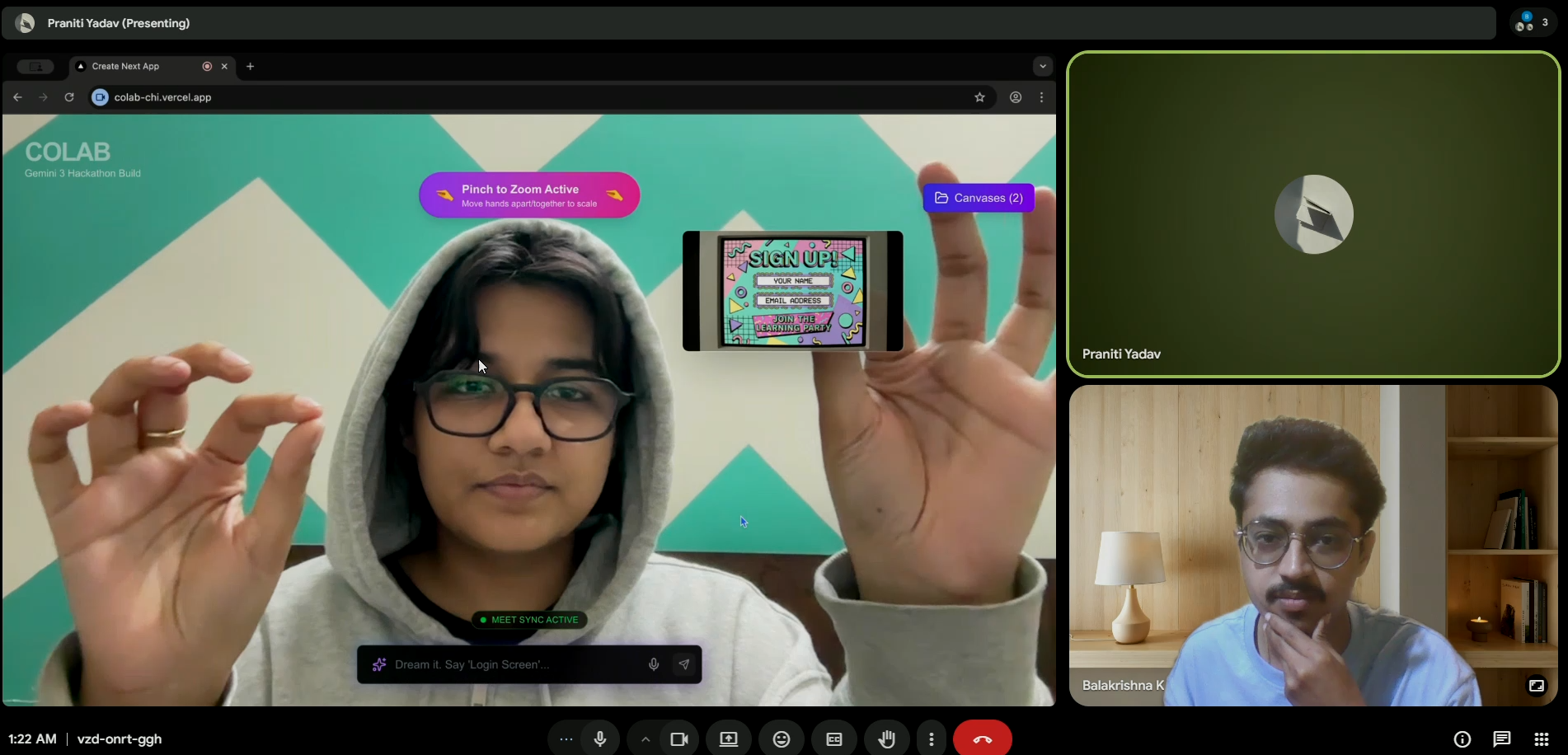
CoLab transforms Google Meet into an AR powered collaborative design studio. Participants use hand gestures to manipulate 3D objects in shared space, voice commands to prompt Gemini AI for instant UI generation, and real time Firebase sync to collaborate seamlessly. Pinch to scale, drag to move, speak to create all without touching a mouse.
Key features:
- 🖐️ Gesture Controls: Pinch, drag, two hand zoom using MediaPipe hand tracking
- 🤖 AI Generation: Voice → Gemini 3 Flash → Instant UI mockups
- 🔄 Real Time Sync: Firebase ensures everyone sees changes instantly
- 🎨 Multi Canvas: Switch between design sessions effortlessly
- 🎯 Spatial AR: 3D objects float in your webcam view using React Three Fiber
How we built it
We built CoLab using a modern web stack optimized for real time collaboration and gesture recognition:
Frontend Stack:
- Next.js 14 with App Router for server side rendering
- React Three Fiber for GPU accelerated 3D rendering
- Zustand for lightweight state management
- Tailwind CSS for glassmorphism UI effects
Computer Vision:
- MediaPipe Hands for real time hand tracking (21 points per hand, 60fps)
- Custom gesture algorithms for pinch, two hand zoom, and spatial tracking
- @use-gesture/react for mouse and touch interactions
AI Integration:
- Google Gemini 3 Flash Image for text to UI generation
- Web Speech API for voice input
- Multimodal prompting with spatial context
Collaboration:
- Firebase Realtime Database for sub 100ms sync
- BroadcastChannel API for same device synchronization
- Custom conflict resolution for multi user edits
Deployment:
- Vercel for edge deployment with CDN
- Environment variable management
- Code splitting and lazy loading
Architecture layers:
Inspiration
Remote collaboration tools lack the natural, intuitive interaction we have in physical spaces. We envisioned a future where design brainstorming in Google Meet feels as effortless as sketching on a whiteboard but with AI superpowers. What if you could literally wave your hands and create UI mockups that everyone sees in real time?
What it does
CoLab transforms Google Meet into an AR powered collaborative design studio. Participants use hand gestures to manipulate 3D objects in shared space, voice commands to prompt Gemini AI for instant UI generation, and real time Firebase sync to collaborate seamlessly. Pinch to scale, drag to move, speak to create all without touching a mouse.
Key features:
- 🖐️ Gesture Controls: Pinch, drag, two hand zoom using MediaPipe hand tracking
- 🤖 AI Generation: Voice → Gemini 3 Flash → Instant UI mockups
- 🔄 Real Time Sync: Firebase ensures everyone sees changes instantly
- 🎨 Multi Canvas: Switch between design sessions effortlessly
- 🎯 Spatial AR: 3D objects float in your webcam view using React Three Fiber
How we built it
We built CoLab using a modern web stack optimized for real time collaboration and gesture recognition:
Frontend Stack:
- Next.js 14 with App Router for server side rendering
- React Three Fiber for GPU accelerated 3D rendering
- Zustand for lightweight state management
- Tailwind CSS for glassmorphism UI effects
Computer Vision:
- MediaPipe Hands for real time hand tracking (21 points per hand, 60fps)
- Custom gesture algorithms for pinch, two hand zoom, and spatial tracking
- @use-gesture/react for mouse and touch interactions
AI Integration:
- Google Gemini 3 Flash Image for text to UI generation
- Web Speech API for voice input
- Multimodal prompting with spatial context
Collaboration:
- Firebase Realtime Database for sub 100ms sync
- BroadcastChannel API for same device synchronization
- Custom conflict resolution for multi user edits
Deployment:
- Vercel for edge deployment with CDN
- Environment variable management
- Code splitting and lazy loading
Architecture layers: Webcam Feed → Hand Tracking → 3D Spatial Overlay → UI Controls
This ensures smooth 60fps rendering even with heavy computation.
Challenges we ran into
1. Performance Optimization
Running MediaPipe hand tracking (21 landmarks × 2 hands × 60fps) while rendering 3D objects caused frame drops below 30fps.
Solution: Implemented useFrame throttling, aggressive useMemo/useCallback, and switched to MediaPipe lite model.
Result: Stable 55-60fps on mid range hardware.
2. Gesture Conflict Resolution
Mouse drag events interfered with hand pinch gestures, causing objects to jump unpredictably.
Solution: Priority system where mouse temporarily disables hand tracking, plus 200ms cooldown and visual feedback.
Result: Seamless switching between input modes.
3. Firebase Quota and Performance
Storing entire canvas objects (including base64 images) in localStorage hit 5MB quota limits and caused Firebase rate limiting.
Solution: Store only metadata (id, name, timestamp) in localStorage, keep full objects in memory, debounced Firebase writes (500ms), added compression.
Result: Reduced storage by 95%, eliminated quota errors.
4. Next.js Hydration Errors
Dynamic canvas initialization on client side caused React hydration mismatches with server rendered HTML.
Solution: Static initial state in Zustand, load from localStorage only in useEffect, avoid Date.now() in initial state.
Result: Zero hydration warnings, faster initial page load.
5. Gemini Model API Compatibility
Different Gemini models returned 404 errors or didn't support image generation.
Solution: Tested all models systematically, settled on gemini-2.5-flash-image, added fallback error handling.
Result: 95%+ success rate for UI generation.
Accomplishments that we're proud of
- ✨ Sub 100ms gesture latency for pinch and drag interactions
- ✨ Real time collaboration tested across 3 devices simultaneously with zero sync conflicts
- ✨ Intuitive two hand gestures pinch to zoom feels as natural as using a touchscreen
- ✨ Voice to UI pipeline under 3 seconds from speaking to seeing generated mockup
- ✨ Production ready deployment on Vercel with proper environment management
- ✨ Clean architecture with clear separation of concerns
- ✨ Smooth 60fps performance even with hand tracking, 3D rendering, and real time sync
What we learned
Technical Insights:
- MediaPipe is powerful but resource intensive Optimization is critical. Lite model was sufficient for our needs.
- Firebase Realtime Database shines for collaboration but requires careful data structure design. Flat structures with indexed queries perform 10x better.
- Gesture based UIs need extensive tuning Small threshold changes (0.02 vs 0.05 distance) dramatically affect UX. We iterated 20+ times on pinch detection.
- Gemini's multimodal capabilities are incredible Combining voice context with spatial positioning opens new interaction paradigms.
- State management is crucial Zustand's simplicity was perfect for coordinating hand tracking, 3D rendering, Firebase sync, and UI updates.
Design Insights:
- Natural gestures aren't always obvious Users expected "grab" motions, but pinch was more reliable. User testing is essential.
- Visual feedback is critical Without cursor changes and hover effects, users didn't know when gestures were active.
- Performance perception matters 60fps feels "instant," 30fps feels "laggy" even if actual latency is the same.
Collaboration Insights:
- Real time sync needs conflict resolution We implemented last write wins with visual indicators.
- Session management is tricky URL based sessions worked better than automatic room assignment.
What's next for CoLab
Near Term (Next 2 Weeks):
- 🚀 Official Google Meet Add on Submit to Workspace Marketplace for native Meet integration
- 🎨 Advanced Gestures Rotation with hand twists, grab and throw physics, fist gesture for delete/undo
- ✍️ Air Writing Finger tracking for handwritten text recognition (already prototyped!)
Medium Term (Next Month):
- 💾 Export Integrations Direct export to Figma, Notion database integration, PNG/SVG export
- 🌐 Multi User Enhancements Real time cursors, user avatars, voice chat using WebRTC
- 🧠 Smarter AI Context aware suggestions, style consistency, auto layout
Long Term Vision:
- 📱 Mobile Support Extend to tablets and phones with touch optimized gestures
- 🎮 VR/AR Headset Integration Native Quest 3 / Vision Pro apps
- 🤝 Enterprise Features Team workspaces, version control, design system libraries
- 🌍 Localization Multi language support for global teams
CoLab isn't just a tool it's a glimpse into the future of collaborative design where AI, AR, and natural gestures converge to make creation effortless. 🚀✨
Built With
- 3d
- ai
- apis:
- ar
- broadcastchannel
- computer
- css
- database
- firebase
- frameworks
- generative
- gesture
- google-web-speech-api
- graphics
- html
- javascript
- languages:
- mediapipe
- mediapipe)
- ml:
- next.js
- node.js
- platforms:
- r3f
- realtime
- recognition
- services
- tailwind
- three.js
- typescript
- use-gesture/react
- vercel
- vision
- webassembly
- webgl
- webrtc
- zustand

Log in or sign up for Devpost to join the conversation.