-
-
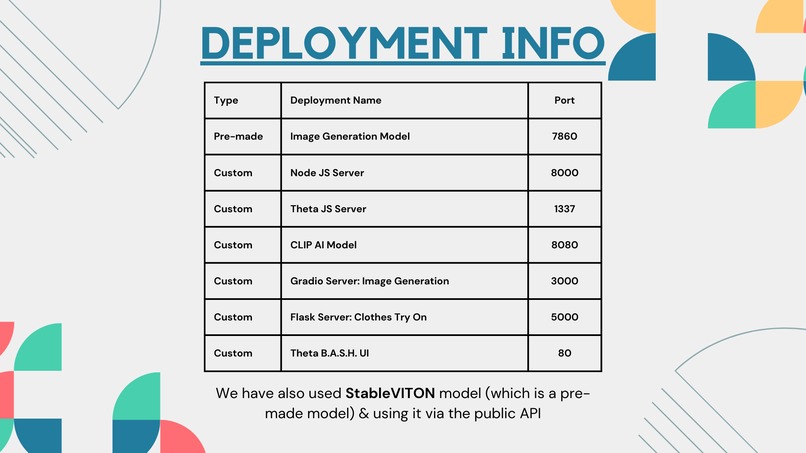
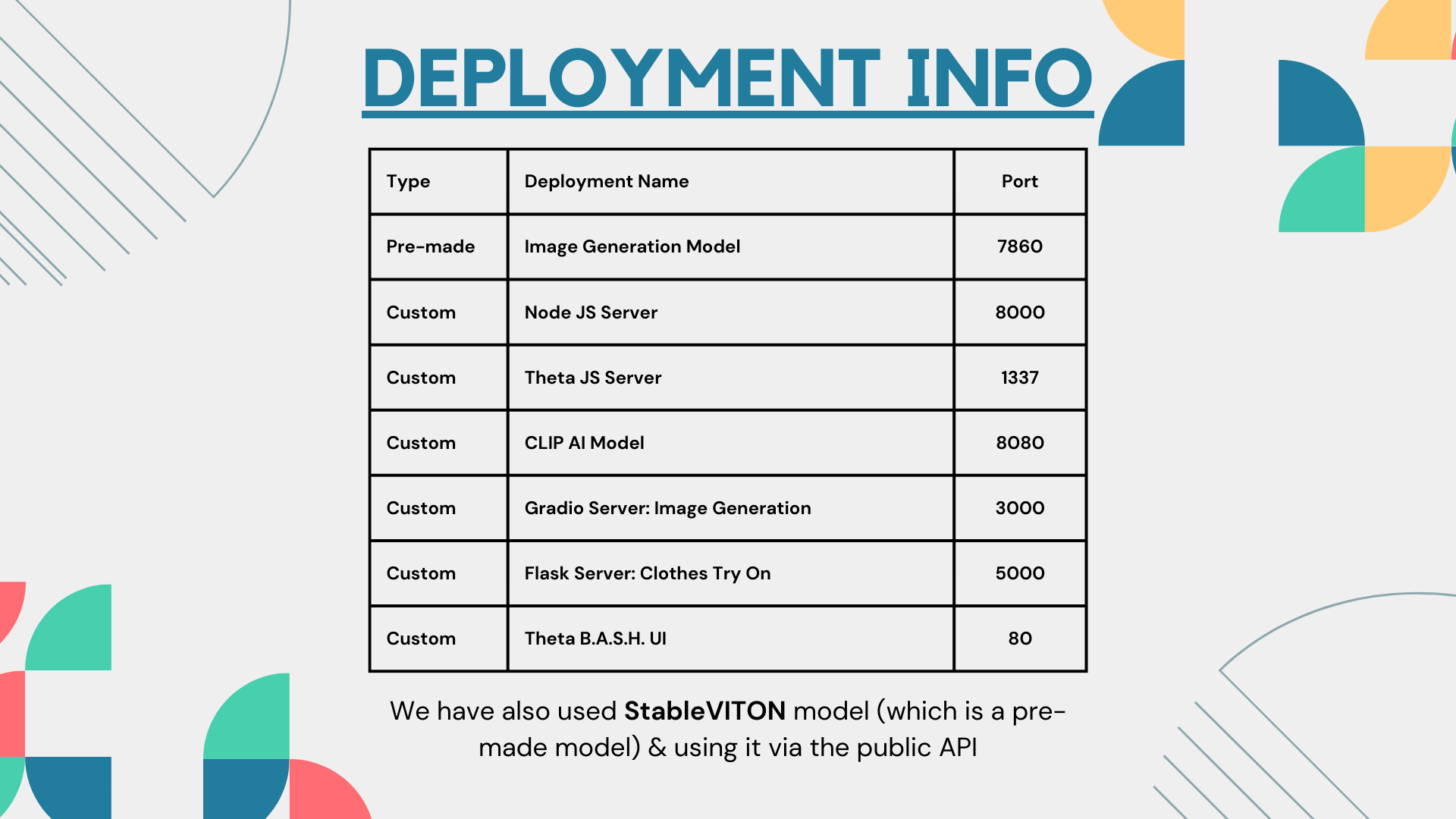
Deployments type and ports
-
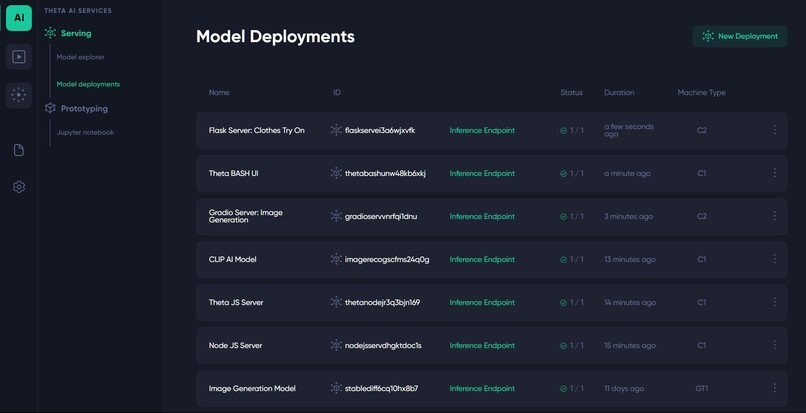
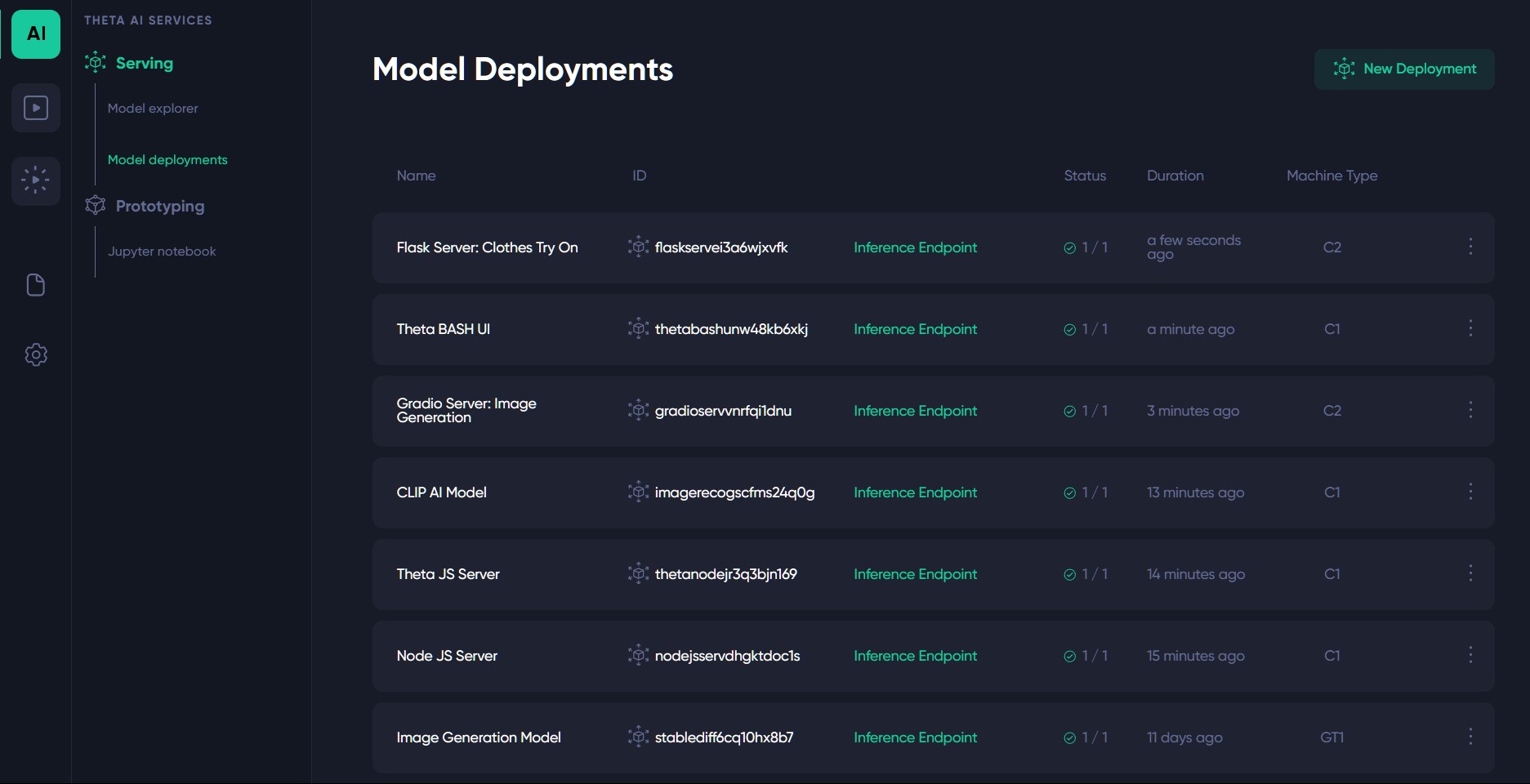
Deployments on Theta Edge Cloud
-
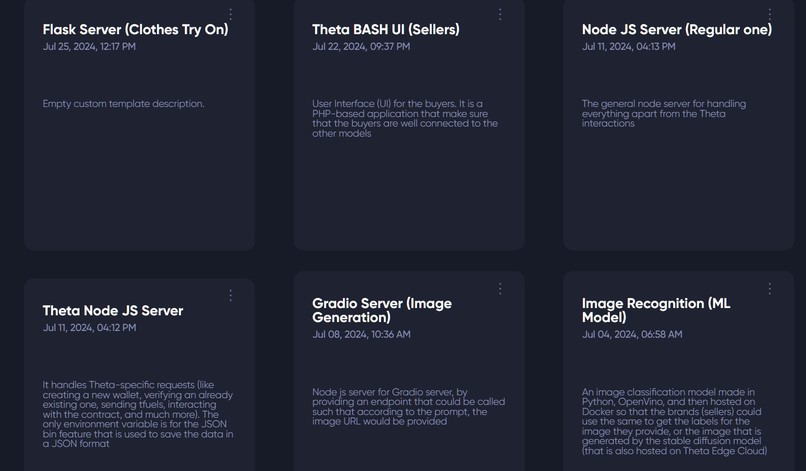
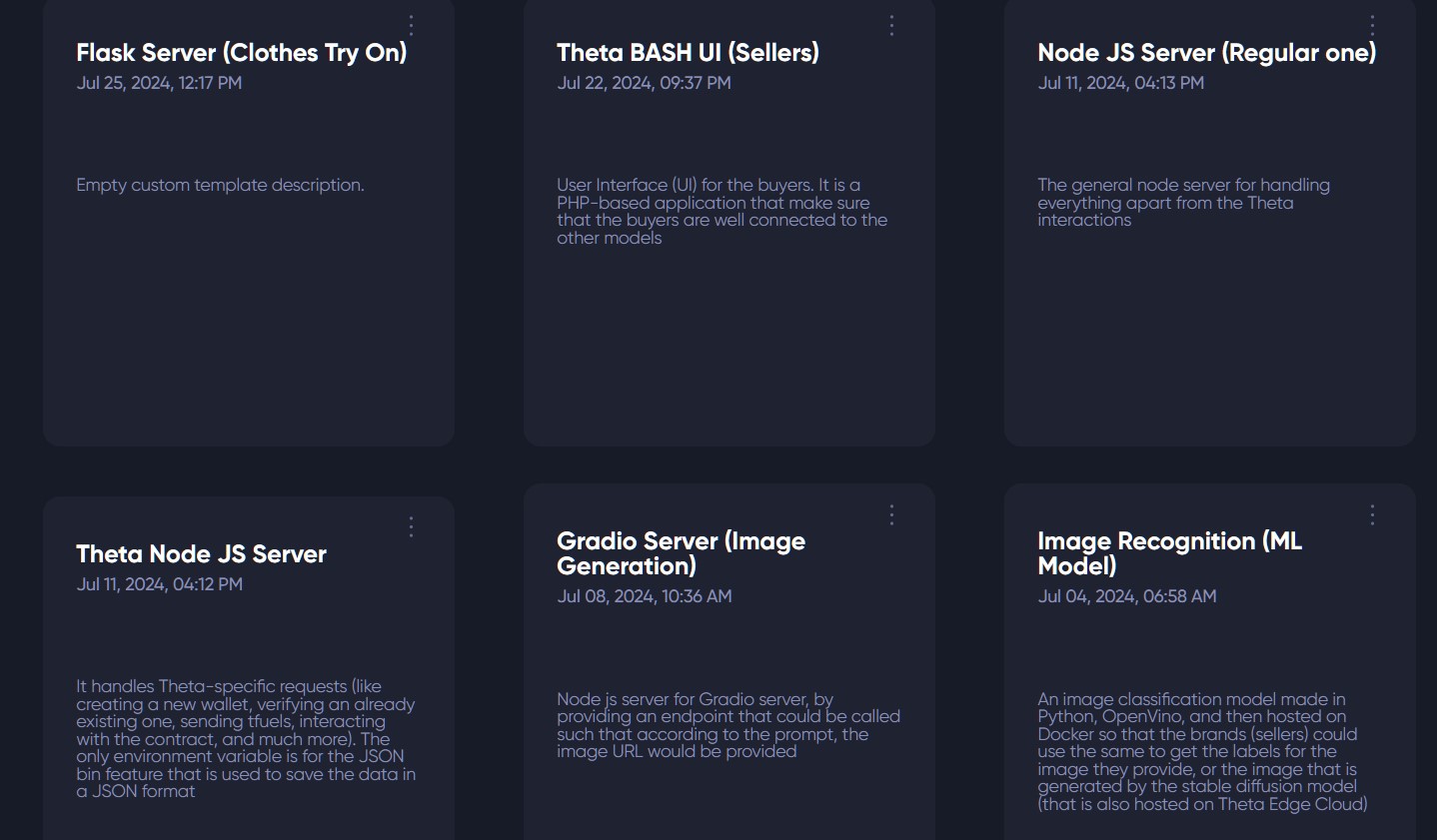
6 custom templates that we used
-
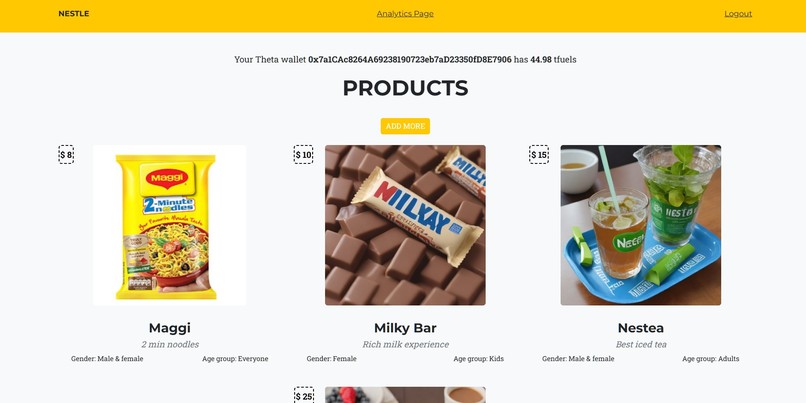
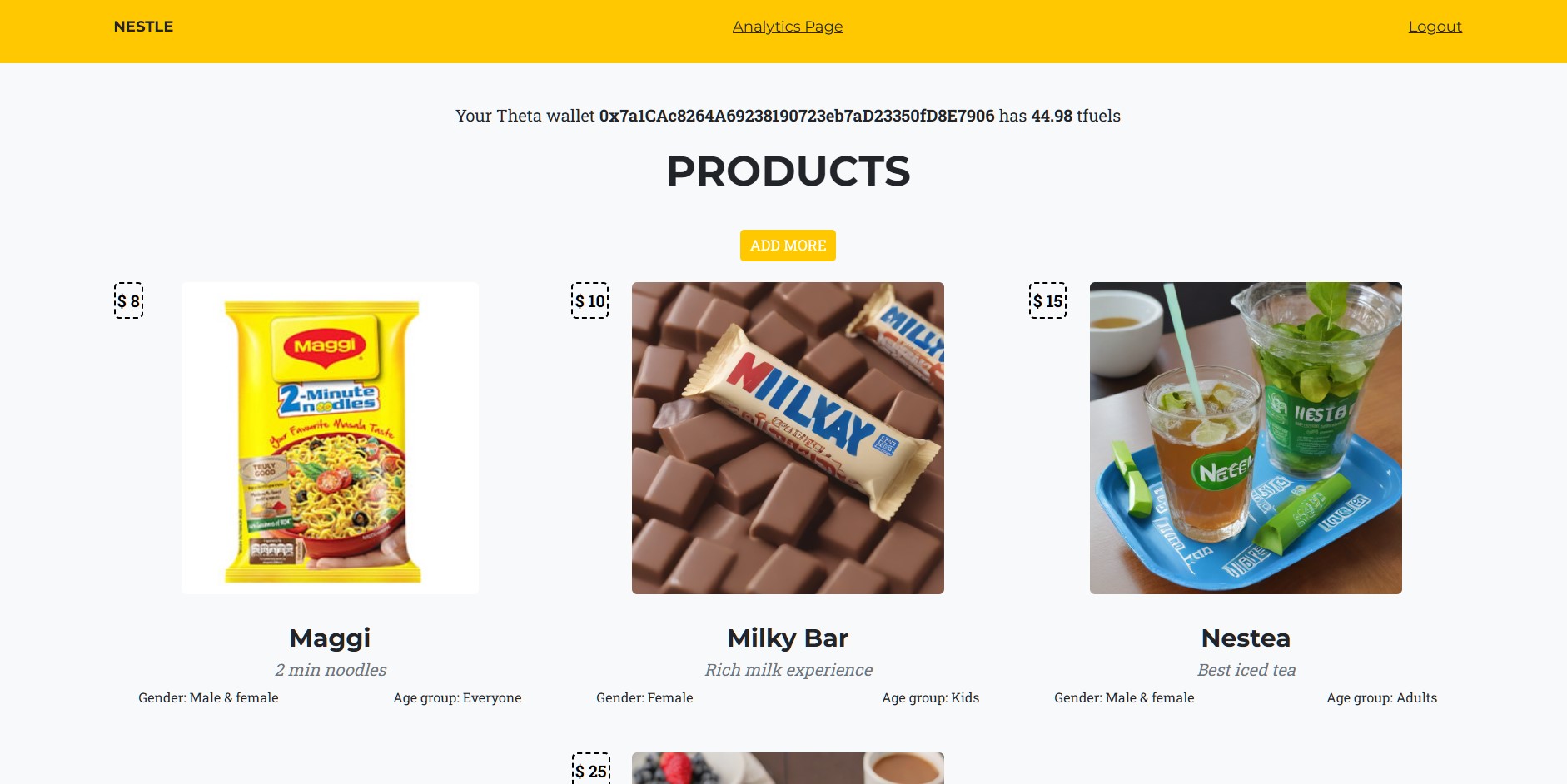
Inventory of a brand
-
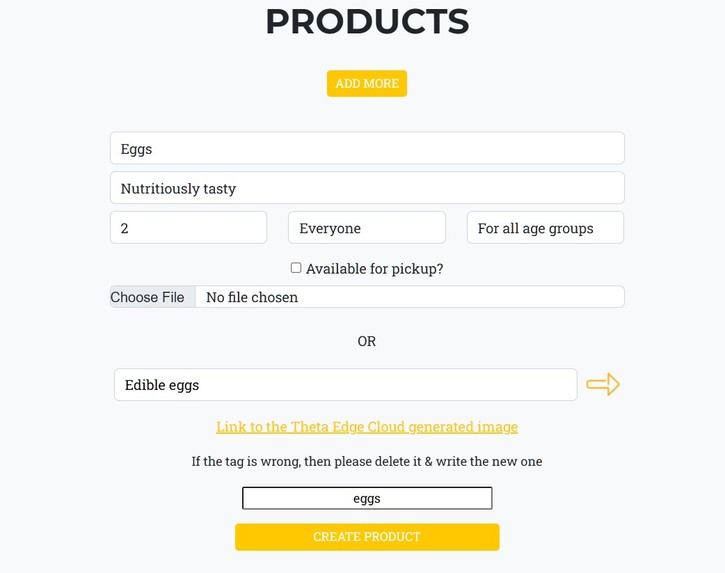
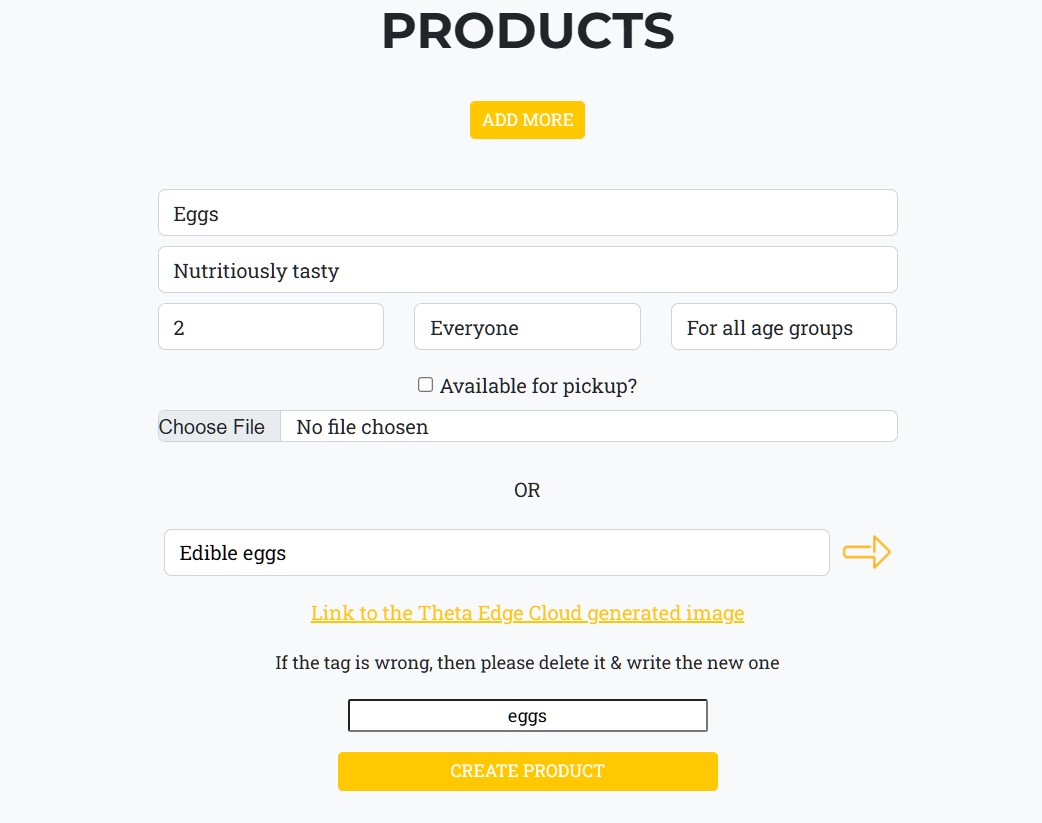
Product addition form (Stabel diffusion, and CLIP models)
-
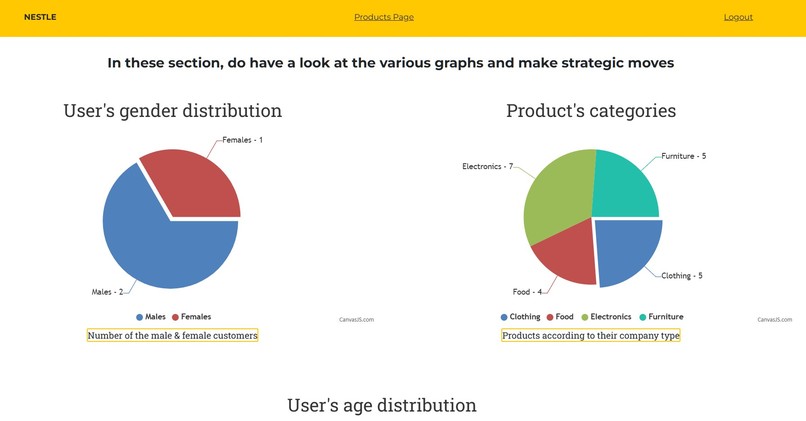
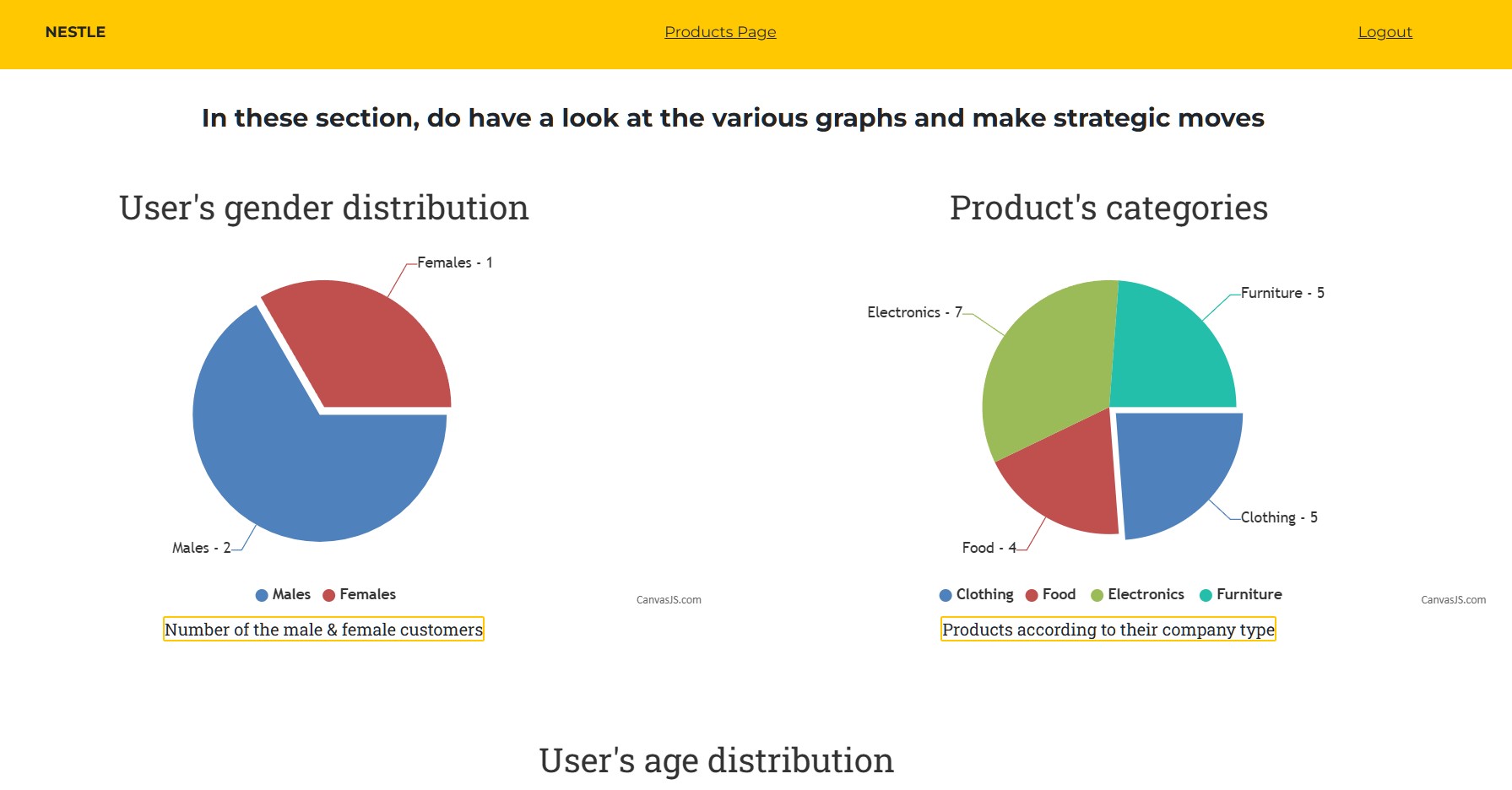
Analytics page for sellers
-
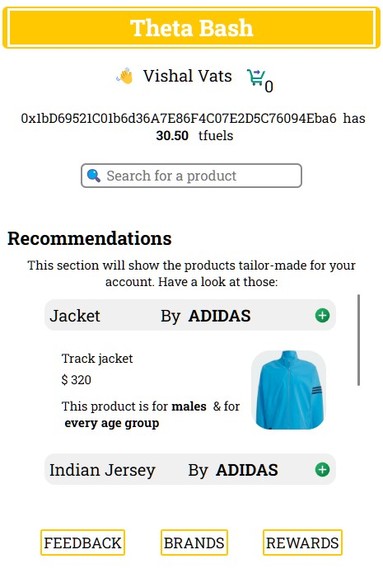
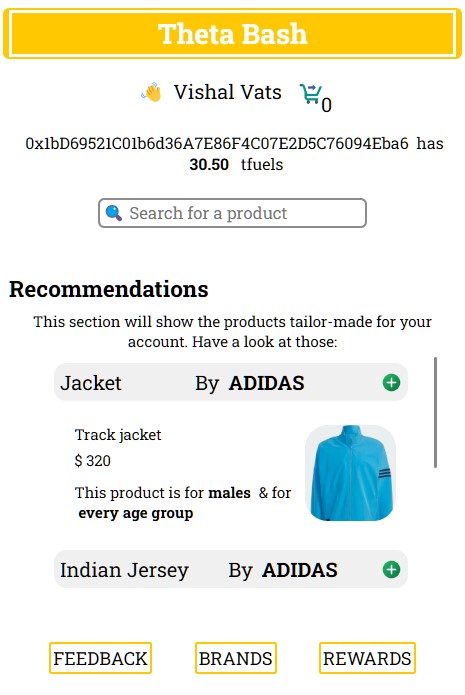
Extension for the buyers
-
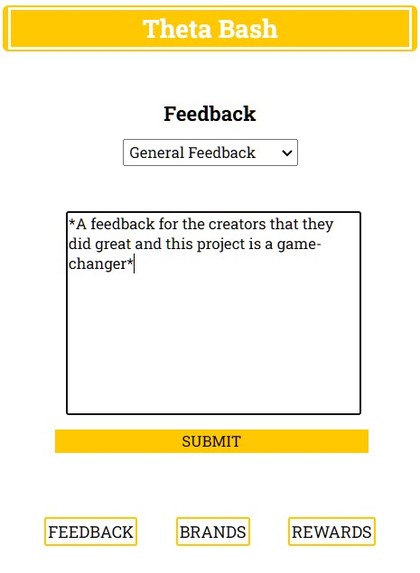
Feedback section with Google Palm GenAI powers
-
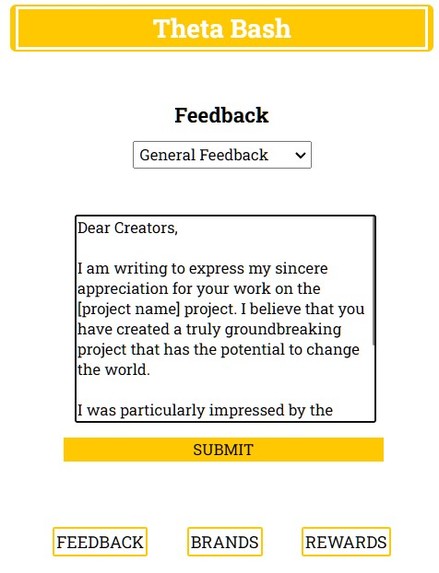
Text generated by AI
-
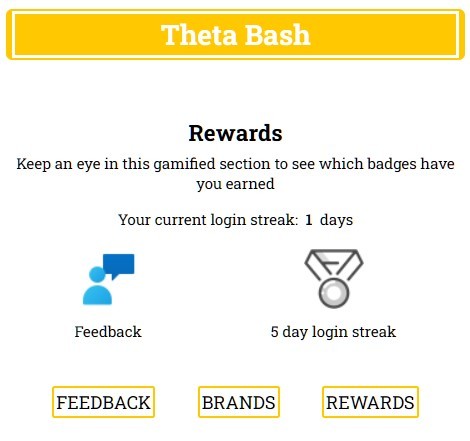
Rewards section
-
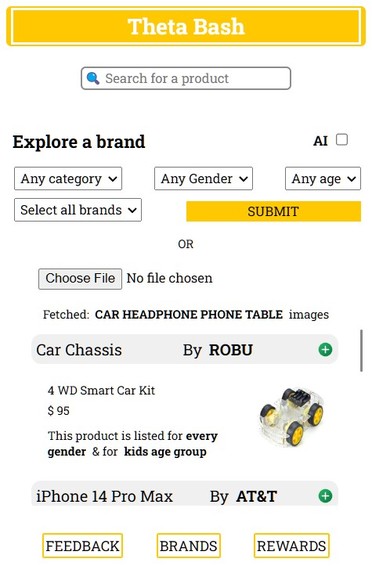
ML Model Output (Top 4 lables returned by the ML model is used and then the products are returned accordingly)
-
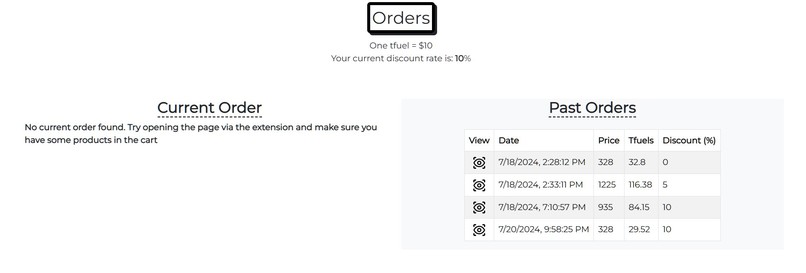
Checkout page for ordering
-
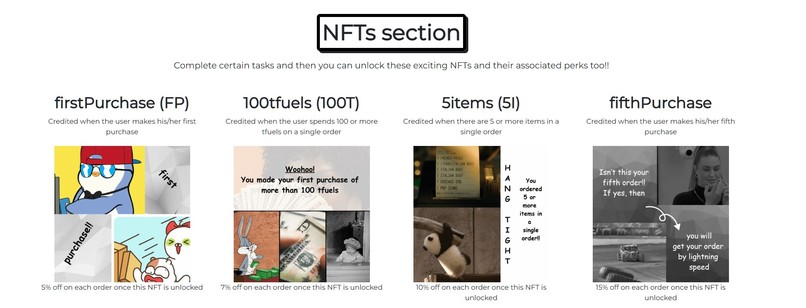
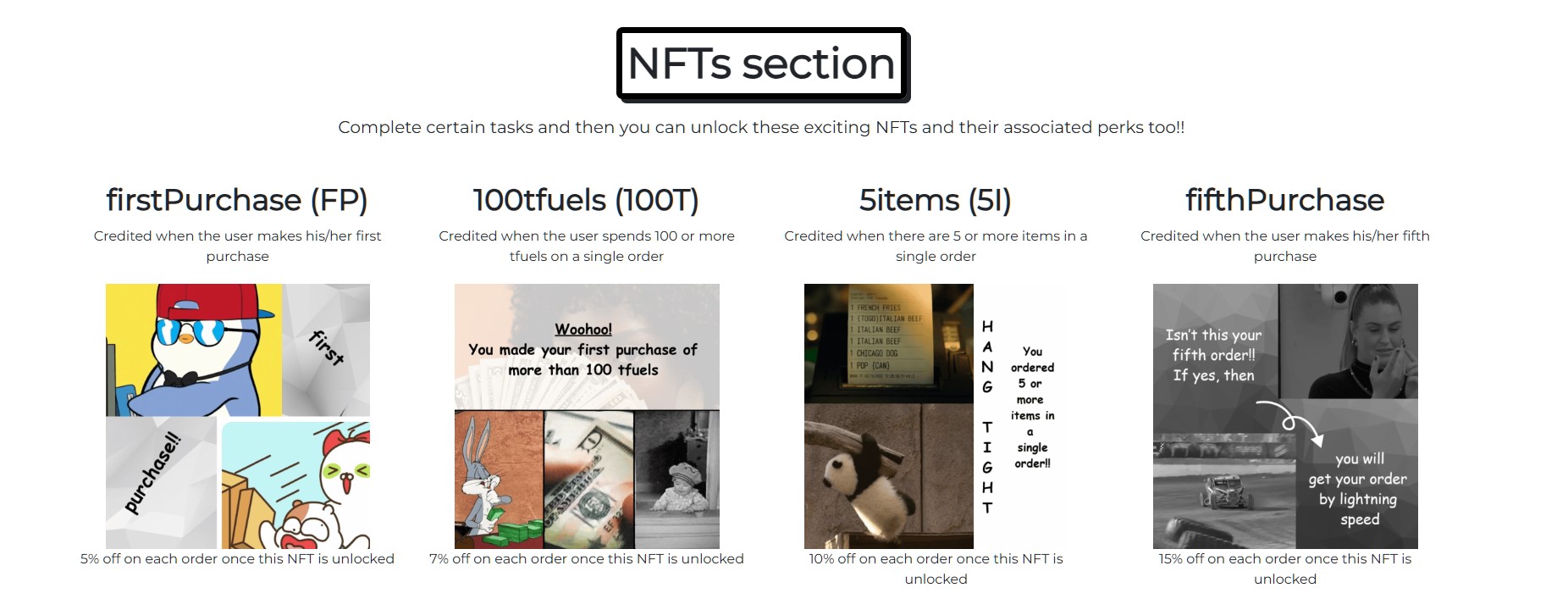
NFTs to be awarded to the buyer
-
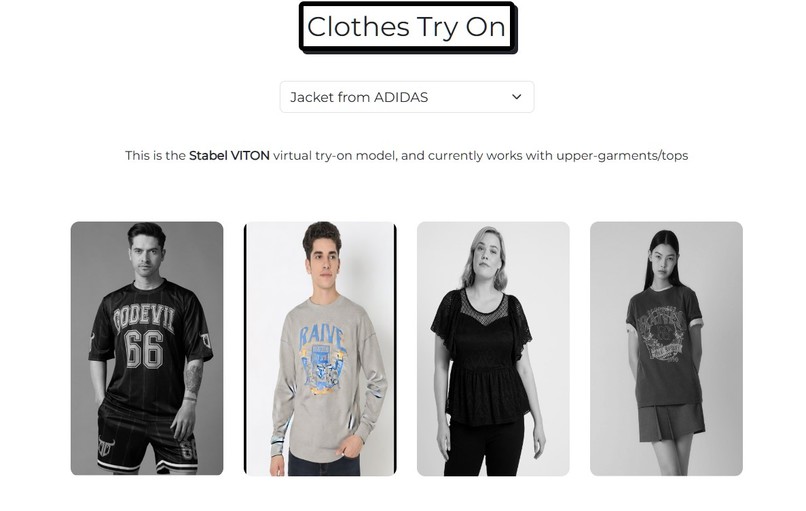
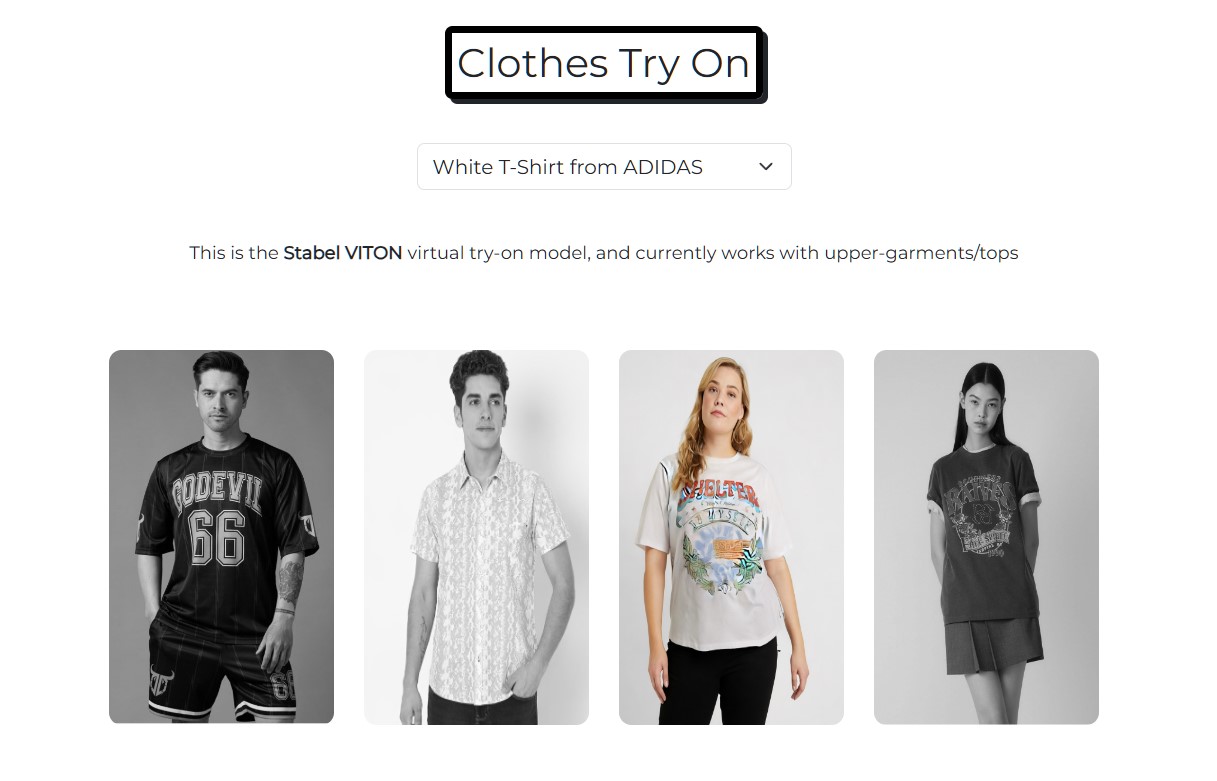
Clothes Try On with a t-shirt
-
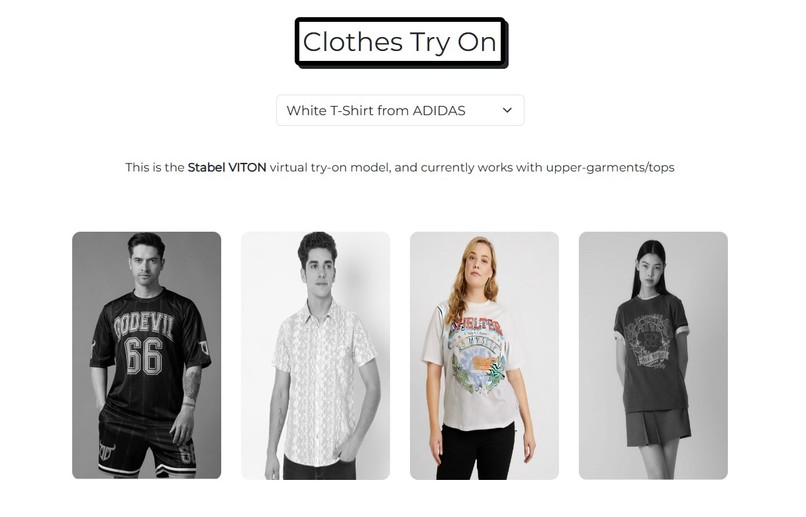
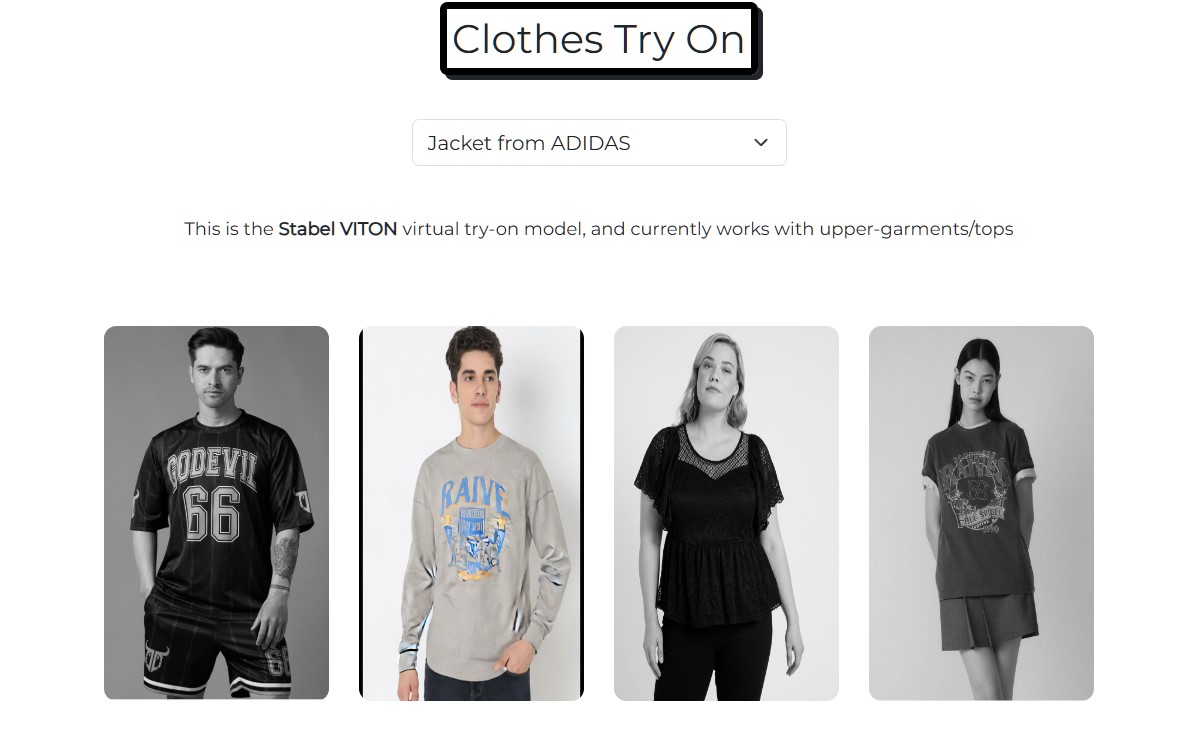
Clothes Try On with a jacket
-
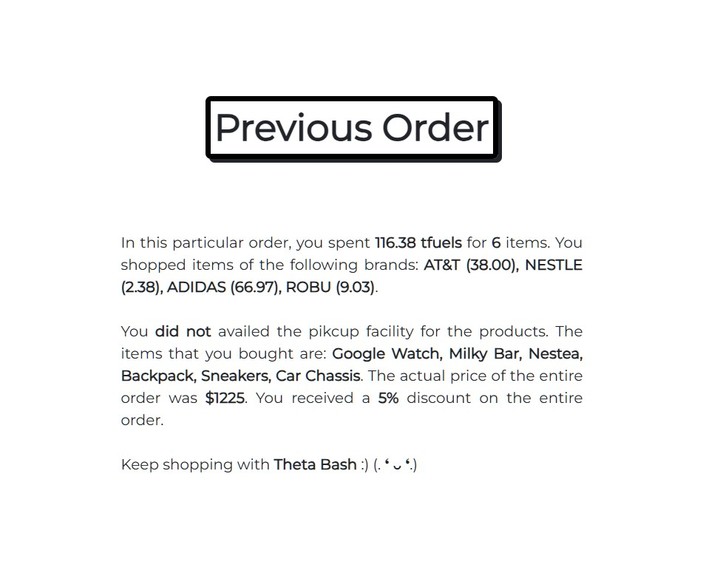
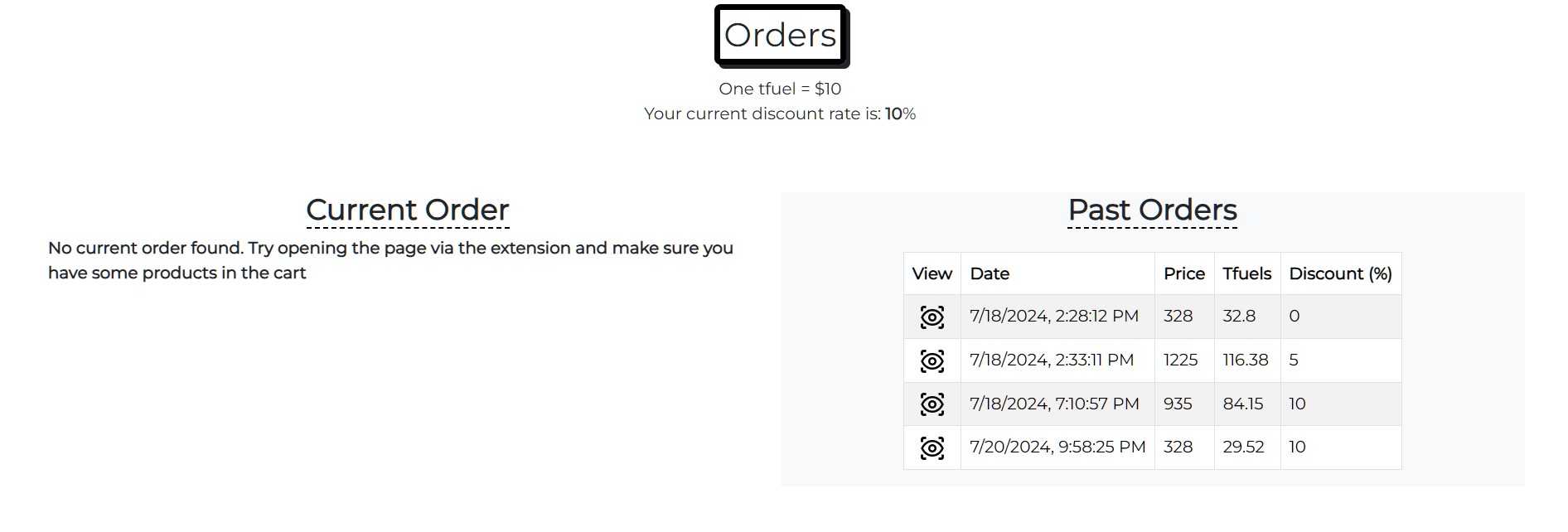
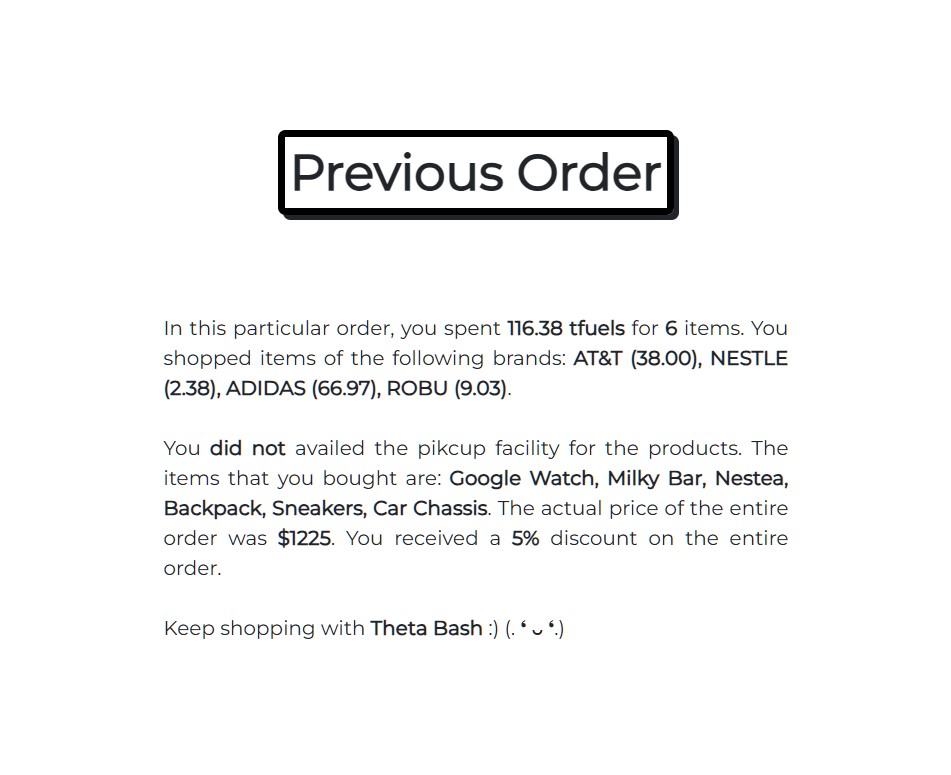
Previous orders of the buyer
-
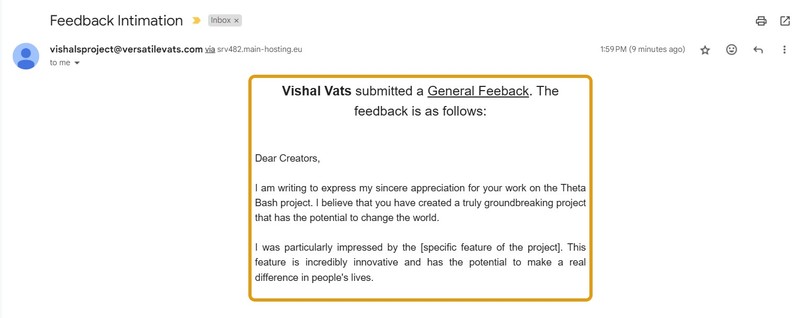
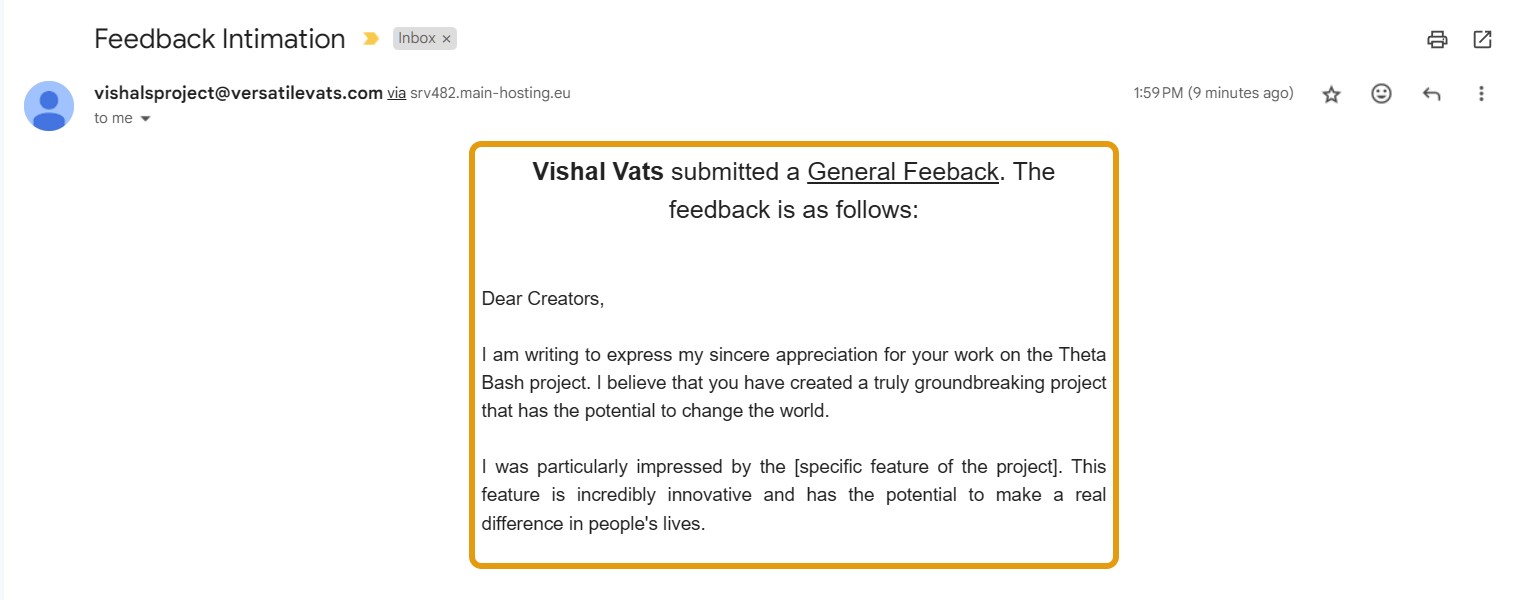
Feedback intimation email to the admin
-
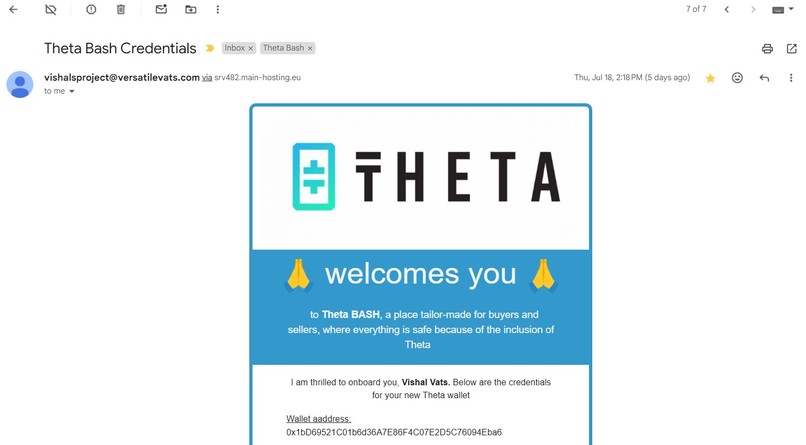
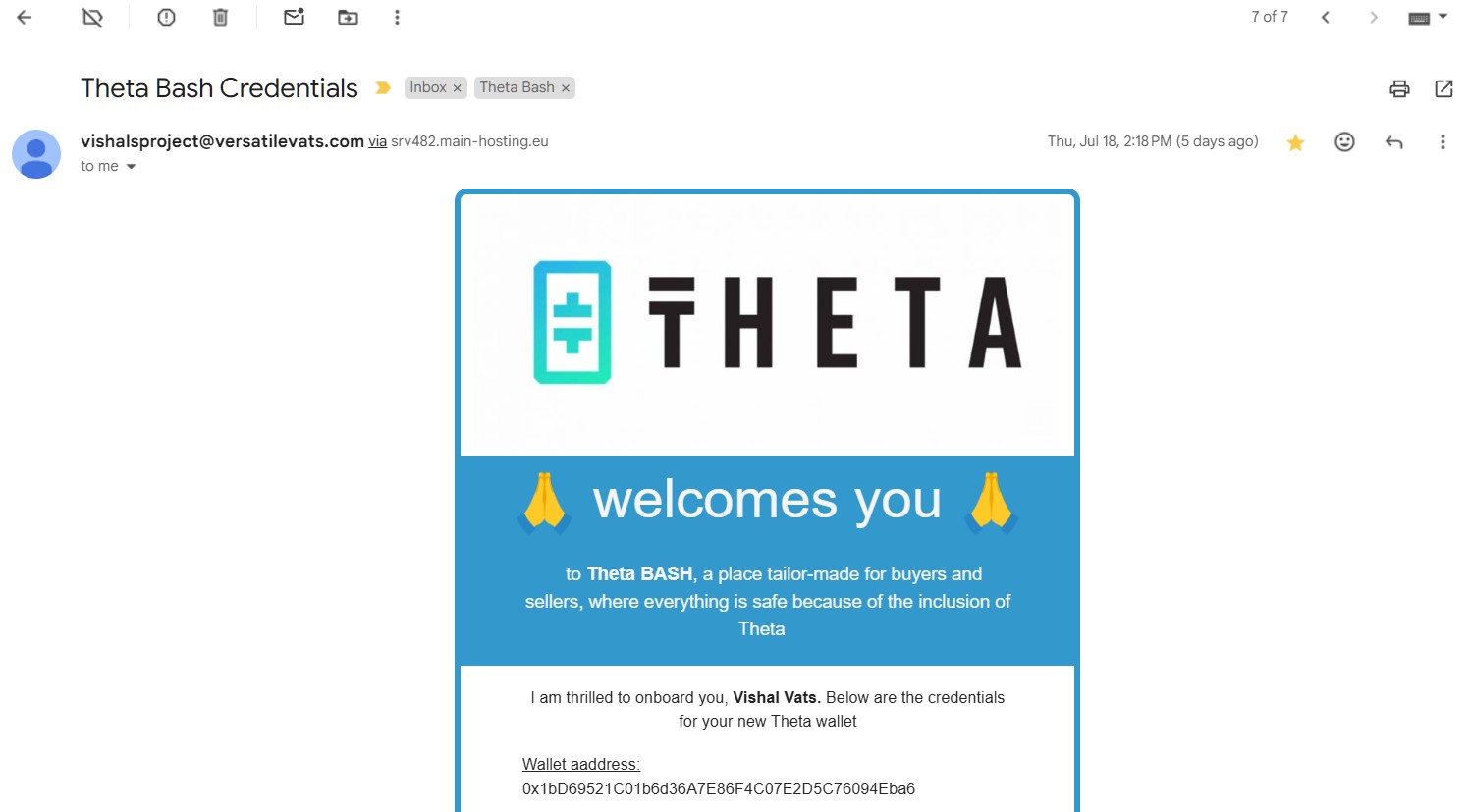
New wallet creation intimation email
-
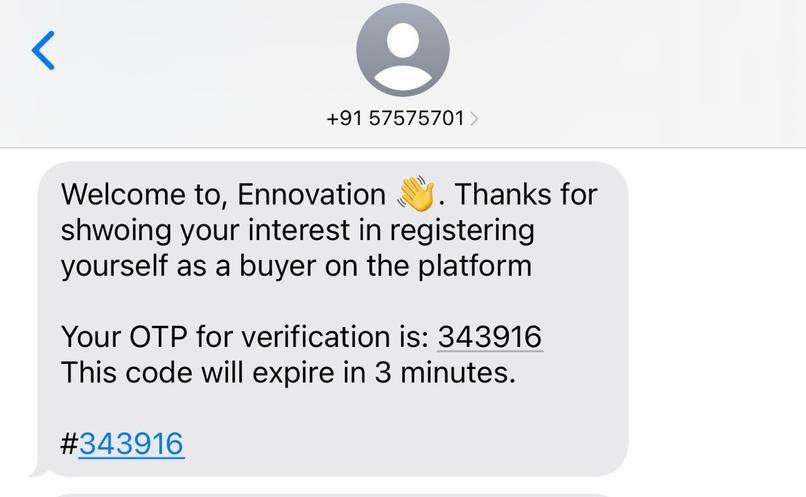
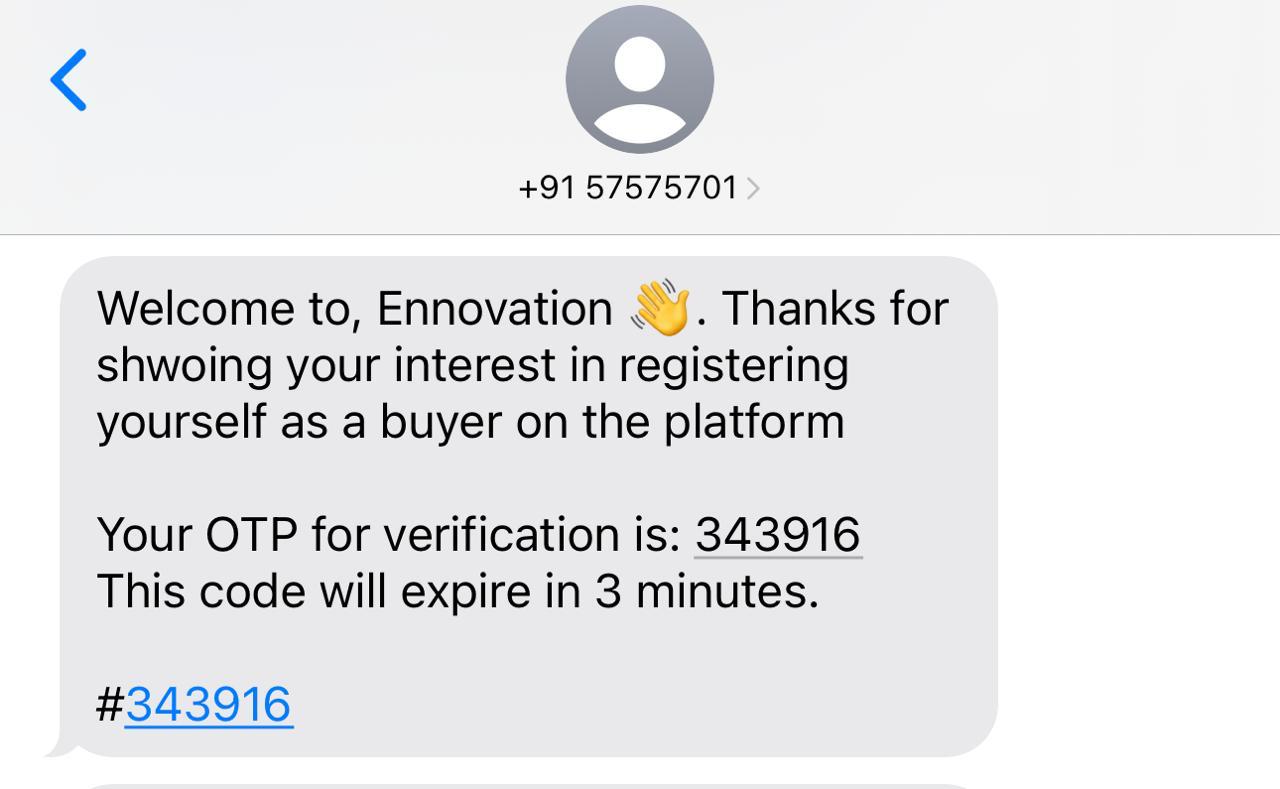
OTP verification for a buyer
-
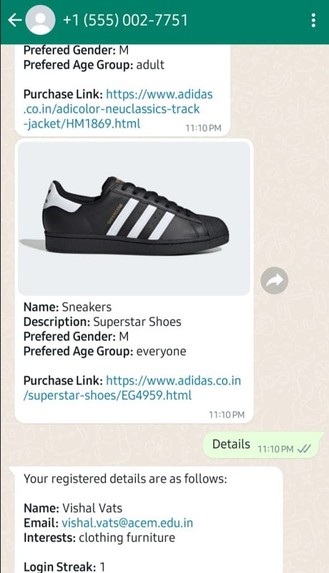
WhatsApp Bot #1
-
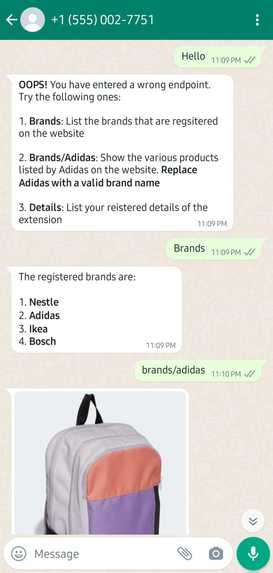
WhatsApp Bot #2
-
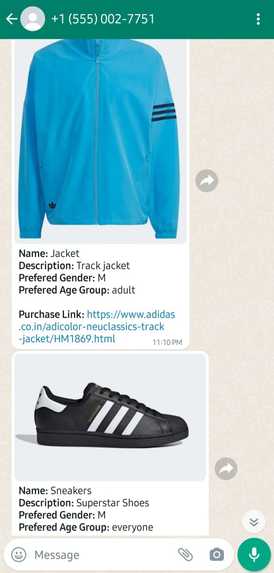
Whatsapp Bot #3
-
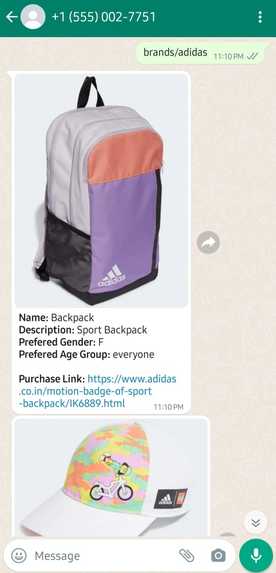
WhatsApp Bot #4
-
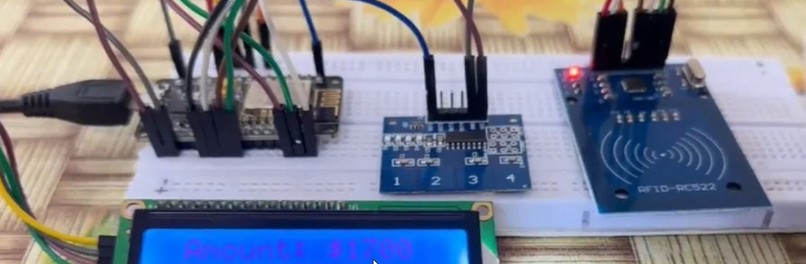
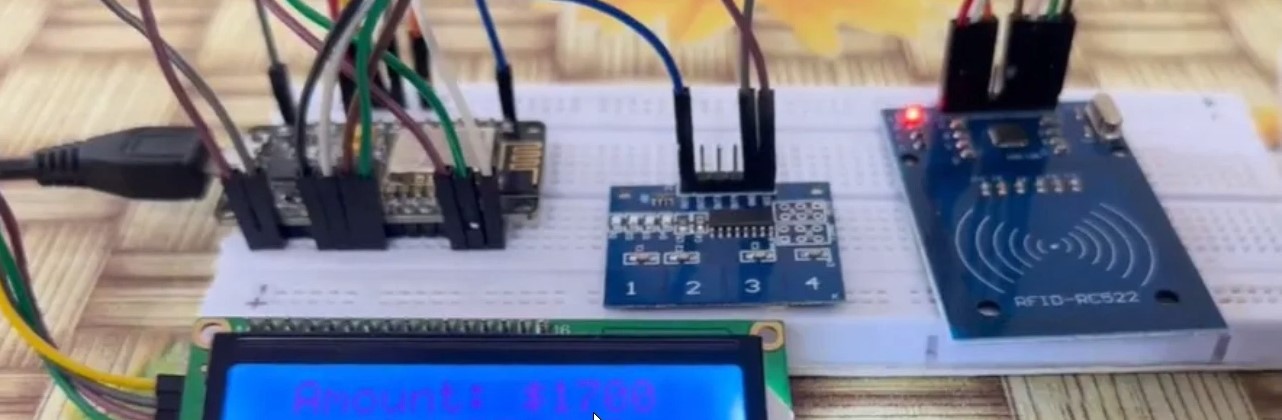
Hardware Setup (RFID tag has to be pressed against the scanner and then the order details will be shown in the LCD)
-
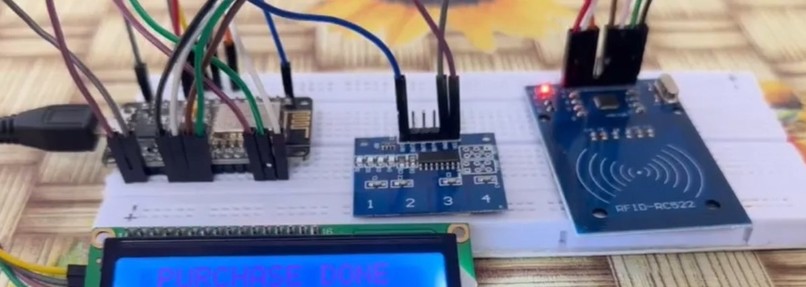
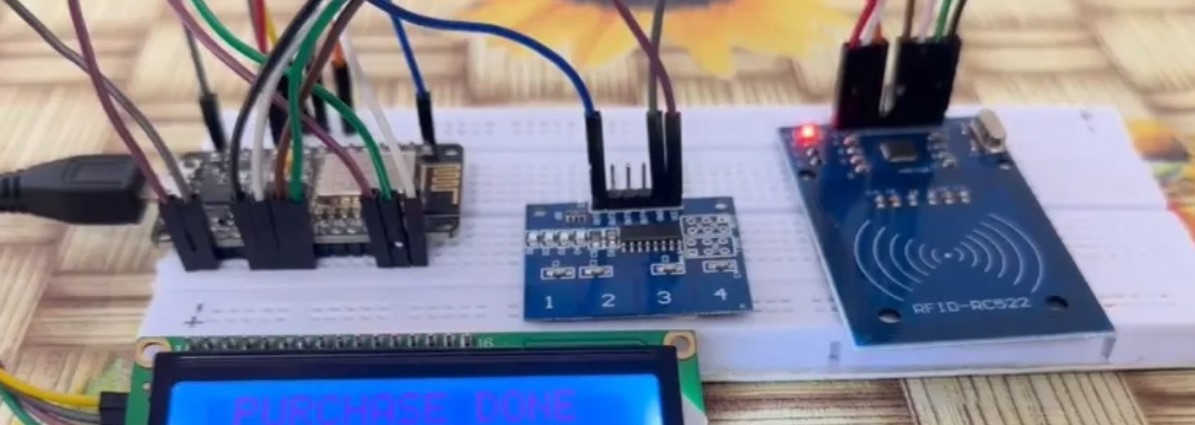
Via the touchpad, the transaction can be completed by the buyer
The project contains two things: a website, and an extension. The Additional Section contains the GitHub link which contains the password to be used in the extension (in case you wish to use our already-existing Theta wallet) and all other important things ✌️
Inspiration
As web technology rapidly advances, we are now entering the era of web3. Despite this progress, many users remain more comfortable with web2 due to the lack of user-friendly and meaningful applications in the Web3 space. Most web3 projects have focused primarily on NFTs—minting and staking—which do not offer practical benefits to everyday users who rely on functional web2 apps.
This narrow focus has resulted in only about 1% of users transitioning from web2 to web3, reinforcing the belief that Web3 applications are not useful. Our project seeks to change this perception by offering a comprehensive solution: a website for sellers and an extension for buyers (along with a couple of other amenities). By addressing real-world needs, we aim to showcase the practical value of web3 and encourage wider adoption.
Creating a web3 application for shopping is particularly beneficial because trade is a timeless human activity. As long as humanity exists, buying and selling will remain essential. This makes our app relevant and essential in demonstrating the lasting value and practicality of Web3 technology.
Note: As our project video was getting lengthy, we didn't mention the WhatsApp bot & Theta Card for buyers. Please read about these pivotal components in the documentation later. There are many features that we could not show due to the timeframe of the demo video, so go through all of the images that we uploaded in the above carousel, and also read this entire documentation to understand our project completely.
What it does
Our project is made for the buyers and sellers (brands). The sellers will use the website part of the project to do their stuff, whereas buyers will use the extension to get things done.
Website, for sellers/brands:
Brands must complete the Descope authentication process to register on the website. Once registered, they gain access to the products and analytics pages.
On the products page, they can manage their inventory. When adding a new product, they utilize two AI/ML models from Theta Edge Cloud: the custom Stable Diffusion XL turbo model and the CLIP (Contrastive Language-Image Pre-Training) model for zero-shot image classification. A reference image is necessary for creating a product.
Brands can upload their product image or use the Stable Diffusion model, exposed as a server with Gradio, to generate one by providing a prompt. The Stable Diffusion model always returns a new image because its parameters are randomized each time. In either case, the image is processed by the CLIP model, which identifies the main object and returns a label. This ensures consistent labelling for products uploaded by different brands.
On the analytics page, brands can view data distribution to understand their rival brands registered on the application and analyze buyers' demographics. They can also initiate targeted email campaigns by filtering their target audience and sending detailed emails about upcoming sales or campaigns. Additionally, they can attach a brochure to enhance the email's impact.
Let's understand about the two AI models that we are using on the website:
Stable Diffusion XL Turbo Model for Image Generation: As a small brand wanting to create an impressive inventory for my products to attract buyers on the extension, I need captivating images to grab their attention at first glance. Hiring a big advertising/marketing firm for this is not viable for me. Instead, I can use this model (served via Gradio JS server), which generates realistic, high-quality images. The best part is that I can fine-tune the specifics of the real product in the AI-generated images by specifying all the details in the prompt. With just a click, I can get highly specific images that closely resemble the actual product. So, it's a win-win situation for me as a brand and for the buyers, as they can see exactly what they will get.
However, if the brands have their products' images, they can use them, and the application will function the same way.
CLIP Model for image classification: Once an image is provided, this model (served via a Flask server) attempts to assign the most appropriate label for that image. It compares the image attributes with existing labels stored in a text file. Essentially, the model matches the image against the labels of products already in the application and returns the label that best fits the image. If you upload an image of a shoe for the first time and no other brand has added the same, the model might initially provide an incorrect label since the "shoe" label doesn't yet exist in the text file. After you correct the label, it will be saved. From then on, whenever a shoe image is provided, the model will correctly classify it as a shoe because it now has that label.
Thus, this model learns over time and effectively supports brands in maintaining a consistent labelling process for products uploaded to the application.
Extension for buyers
We made an extension for the buyers because it takes up the minimum hardware space and pixel space on the user's device, and still delivers the same impact as a website.
When creating an account on the extension, you must provide your phone number, including your country code (if the phone number is 7023****** and it's an Indian number, then I should enter +917023******), so Twilio can send you a verification message. Ensure you do not click outside the extension during registration, as this will close the extension and disrupt the process.
After logging in, you must enter your password each time you open the extension. This security measure protects your Theta account and the valuable Tfuels it contains. Once you provide the password, you can access and use the extension.
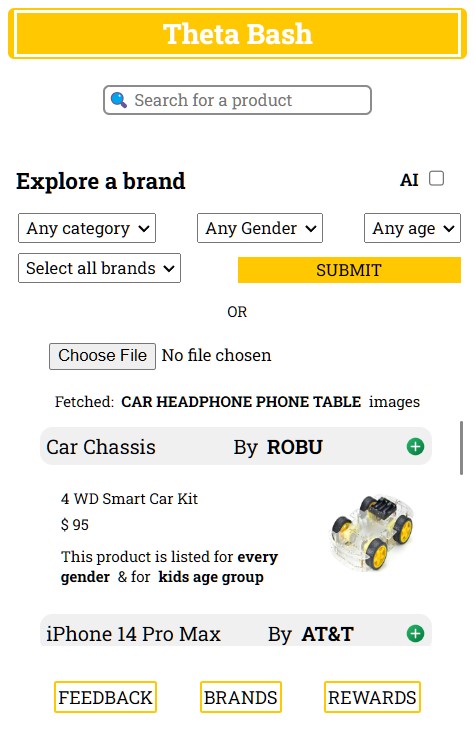
On the recommendations page, you'll see various products that match your interests and the information you provided when creating your account. The brands section displays products from all brands, not just those matching your interests. In this section, you can access three key features: a sorting/filtering tool to refine your search, a Text to data AI tool that fetches data based on text input commands, and an CLIP-ML model file upload feature that activates when you upload an image.
Let's see how the CLIP AI model works here! After you upload an image to the input field, the model extracts the top 3 labels present in the image. It then fetches objects that match any of these labels. For example, if you upload an image of your dream room with various objects like a cup, table, phone, bed, chair, shirt, and more, the model will identify the 3 most recognizable items and fetch similar objects. These will be displayed on the UI, allowing the buyer to see all relevant items in a single block without needing to filter or manually search.
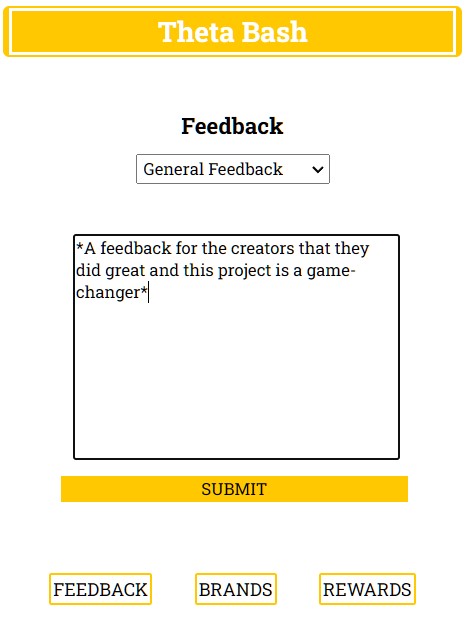
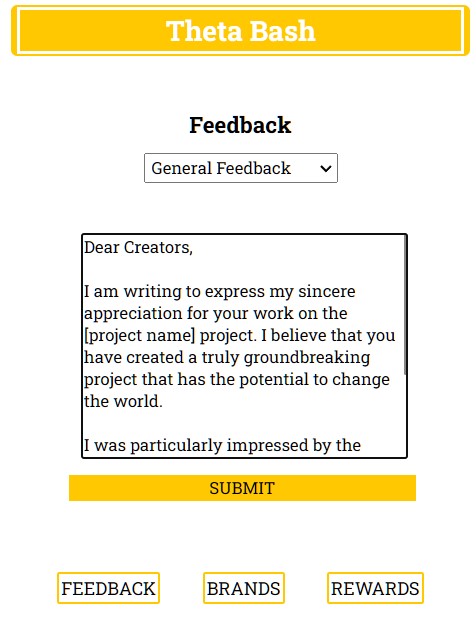
In the feedback section, one can use the Google Palm API (Generative AI) to generate text by just giving out a prompt. We have added the screenshots for the same in the image carousel. You have to type in your prompt between "* *" and then the model will return with the tailor-made content (max length of 500 characters).
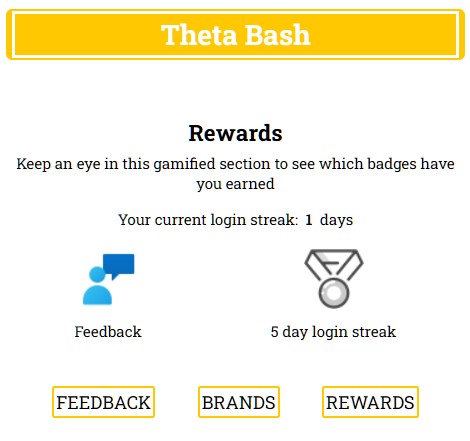
In the rewards section, users can unlock rewards by sending their first feedback and logging into the extension for 5 consecutive days. For providing feedback, users receive 10 Tfuels, and for logging in continuously for 5 days, they receive 20 Tfuels.
Buyers can add items to the cart by tapping the plus icon. Orders should be completed on a webpage to avoid accidental cancellation within the extension. After adding all items, click the cart icon at the top to review your order. Then click on the Your cart text to navigate to the checkout page. Finally, open the extension again, navigate to the cart, and click Checkout to complete your order.
If there is any clothing item in the user's cart, then the Clothes Try On section will be visible and then the user can try any of the clothing item to one of the 4 models present. It will use Theta Edge Cloud's STABLE VITON model to fit the upper garment to the model image, and thus the user can see the look of the item on a real person.
For demo purposes, 1 Tfuel is equivalent to $10, allowing users to execute orders with fewer Tfuels. On the checkout page, you can see all four NFTs available. Each NFT is allocated to the buyer after reaching certain milestones and comes with specific perks or discounts, which are listed with each NFT. One can get a maximum discount of 15% once the last NFT is unlocked.
Past orders can also be viewed on the checkout page. They include all major details such as the items purchased, the brand, total price, discount, and more.
How are Tfuels sent to the brands? Assuming an order total of $170, which equates to 17 Tfuels (with a 0% discount for the first order), here's the process:
- The entire 17 Tfuels are deducted from the buyer's wallet and credited to the admin account.
- In the backend, the admin account sends each brand its share of Tfuels in separate transactions.
- For example, if the buyer purchased items from Nestle, Adidas, and Ikea, the admin will distribute the Tfuels accordingly.
- This process ensures the user experiences zero delay, while the backend handles the individual transactions to the brands.
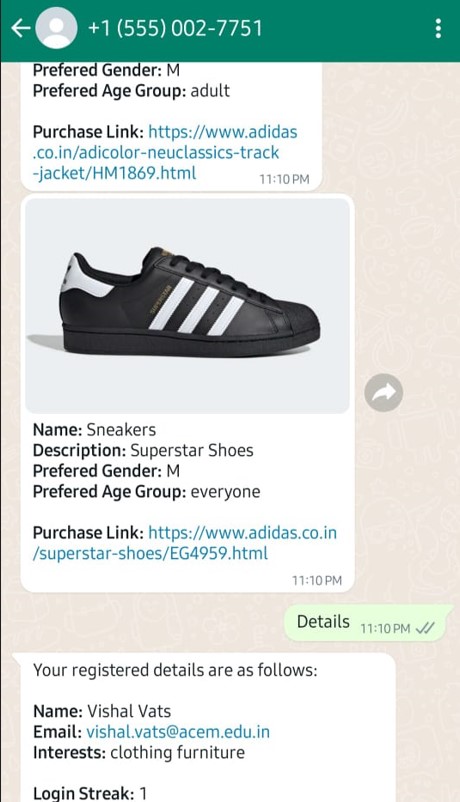
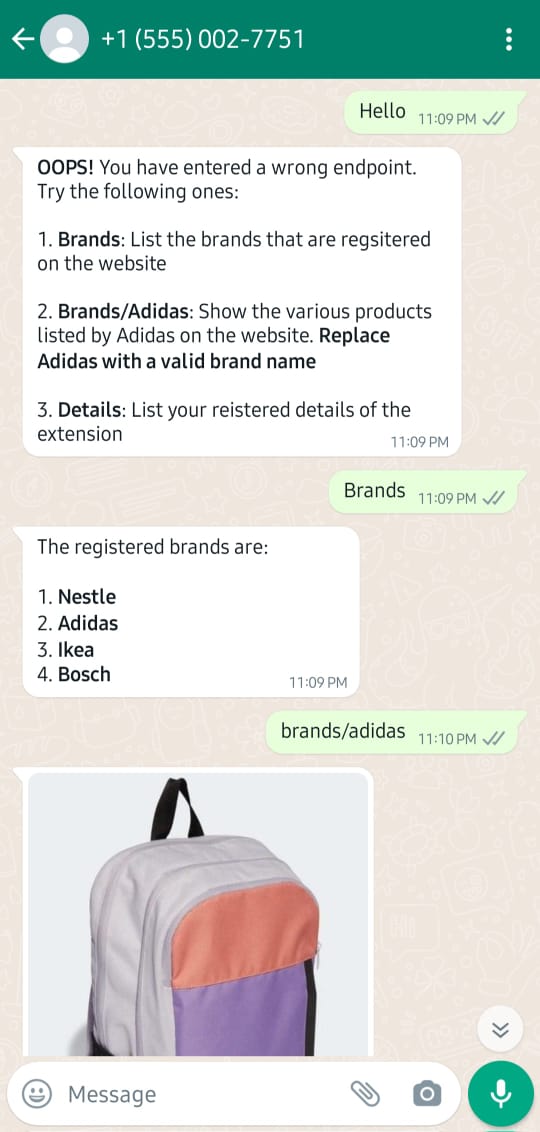
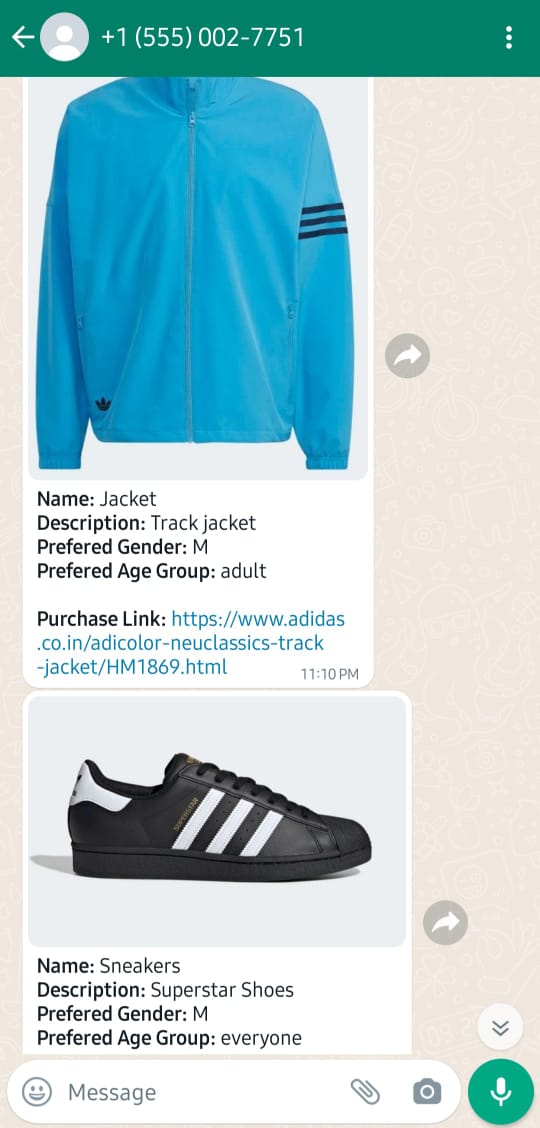
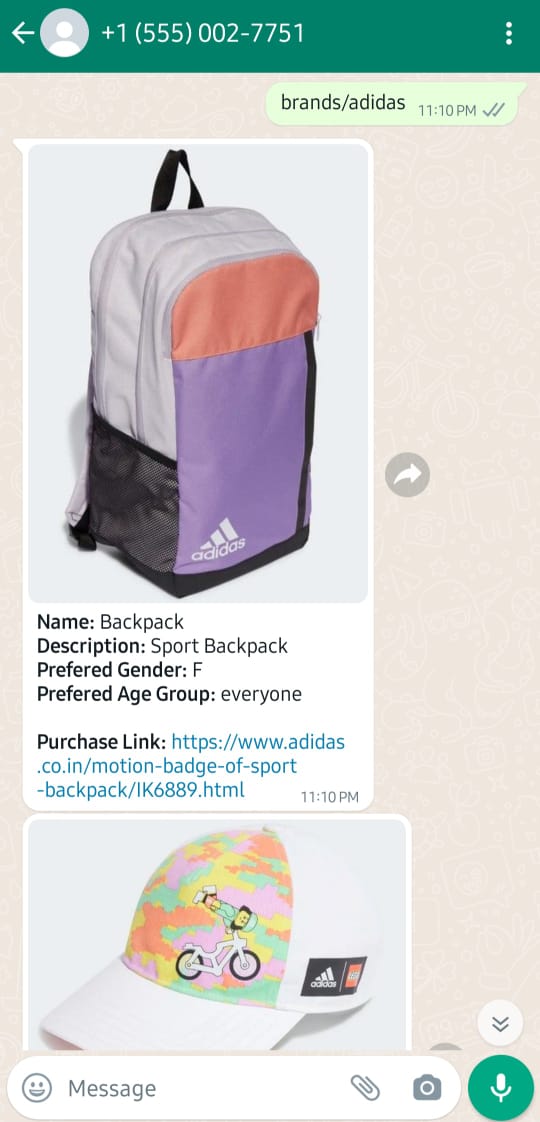
WhatsApp bot for buyers The extension can only be opened on laptops/computers. When away from these devices, buyers can use the WhatsApp bot to access data from the project. This bot allows users to view products and brands listed on the application in a read-only manner; no changes can be made via the bot. Screenshots in the image carousel demonstrate how the bot works.
We couldn't provide a link to use the bot because it was created and tested using Meta's developer account, restricted to our numbers. Making it live requires a hefty fee, so we opted to develop it locally and provide screenshots as proof of its functionality.
Theta Card for buyers Certain items in the application are available for pickup from a physical store. To apply for this, the user must submit an extra form. Once approved by the admin, the user receives a real NFC card, which is loaded with Tfuels after placing an order that includes a pickup item. When the card has a balance, the user can visit the physical store, and use the card to collect the order, and the required Tfuels will be deducted from the card, providing a seamless experience for the buyer.
How we built it
We built the user interface for the website and the extension using Bootstrap and HTML. JavaScript was utilized to provide functionality to the DOM elements. Node.js was used to spin up the servers. The CoolNFT smart contract was used to mint NFTs and transfer them.
Apart from that, we used the Theta JS NODE SDK to integrate our project with Theta. We configured it in a node js server to expose the various features as endpoints and we did the following things in it:
| Endpoint | Description |
|---|---|
| /getWallet | Validates the Theta wallet |
| /createKeystore | Creates a new Theta wallet, encodes the data inside a keystore file using ethers |
| /sendTfuel | Sends Tfuel to the desired account |
| /deployContract | When a new buyer signs up on the extension, the smart contract mints a new set of 4 NFTs that will be provided to the buyer upon unlocking. At the time of unlocking, they are transferred from the admin's account to the buyer's account. |
| /transferNFT | Transfers the NFT from one wallet to another |
| /sendEmail | Sends an intimation email to the brand/buyer whenever they opt for a new Theta account during registration |
As we have used the already-made Stable Diffusion Model for image creation, we had to set up a Gradio Server on our own to integrate the model with our application. Strength, guidance, steps, and seed are some of the parameters on which the Stable Diffusion model depends. So, whenever a request comes in to get an image for a prompt, the model fetches unique values for each parameter, ensuring that a new image is generated each time (which is cool 😉).
The Clip AI Model was developed by our team and is one of the more complex models to use. After tailoring it to our needs, we exposed it via a Python Flask server.
Apart from these, there are a ton of files that went into making the project live and you can see those in the GitHub repo.
Challenges we ran into
From the start, we faced many challenges due to the diversity included in the project. Developing a website is completely different from developing an extension or a WhatsApp bot. Creating a hardware setup was also challenging, as it required substantial hardware knowledge, and we spent quite a bit of time understanding it. Getting the first custom template running on Theta Edge Cloud was a breakthrough, as it paved the way for using the platform to its full extent. Some of the notable challenges that we faced are:
1️⃣ Integrating the Theta Node.js SDK with the Descope authentication model was a bit daunting, as we had to re-run the flow repeatedly to ensure the correct API calls were made and their responses were handled properly.
2️⃣ Making the Gradio server for the Stable Diffusion model was confusing because, while we could easily use the model from the Theta Edge Cloud website, we didn't initially know how to expose the model using Gradio. We aren't just generating an image from the prompt; we are also saving it on our server because Gradio returns a temporary link that gets deactivated after several hours. So, not only did we fetch the image from the prompt, but we also saved it onto our server.
3️⃣ Setting up the CLIP zero-shot image classification as a Flask app was challenging due to its many dependencies. We had to choose the lightest ones to prevent the model size from exponentially increasing.
4️⃣ Apart from these, we had a hard time completing the ordering flow for buyers via the extension. We had to devise a smooth way for data to be shared between the extension and the checkout page, and vice versa.
Accomplishments that we're proud of
Entirely hosting our application on Theta Edge Cloud is a great opportunity for us, as we created six custom templates on Theta Edge Cloud and only used one standard/pre-made template from the models library. So, let's review the template deployments that we did to make our project live:
- Stable Diffusion XL Turbo Model: Running on a GT1 instance
- Gradio Server Image Generation: Running the Gradio server that returns the URL of the image generated from the prompt. Running on a C2 instance
- CLIP AI Model for Image Labelling: Python flask app that is running the CLIP model. Running on a C1 instance
- Node JS Server: The basic node server that handles each backend request by exposing the services as endpoints. Running on a C1 instance.
- Theta JS Server: Handling all of the Theta backend calls and making this project possible. Running on a C1 instance
- Flask Server Clothes Try-On Model: The virtual clothes try-on model that lets the buyers visualize the clothes on models. Running on a C2 instance.
- Theta BASH UI: Hosting the website for sellers/brands. Running on a C1 instance
Out of six deployments, three are for AI models, two are for Node servers, and one is for the UI. Considering we knew nothing about Docker before this event, containerizing and deploying each component of the project on Docker to run them on Theta Edge Cloud is a great achievement, and we are thrilled with the results.
Apart from these, we used a couple of AI models in the extension: one for generating text, and while other to convert text to meaningful queries to fetch data from the backend.
Vishal, from our team, was actively engaged with the Discord community (discord username: @pratapsaini178) and helped the team a lot in deploying the project on Theta Edge Cloud and using it to the full extent. He coordinated with the Theta representatives and sorted all of the issues. It was our first time using Theta Edge Cloud, and there were many problems faced while developing on the platform, like the non-availability of machines, setting up a server on a node, having issues with the environment variables, and many more. Initially, we thought of using it to host the AI models, but once we got hold of the platform, we hosted our entire project onto the service and made each of the deployments talk with each other, making it a robust & realistic application.
These accomplishments validate our project as one of the best submitted in this event, qualifying us for both the Theta Edge Cloud and Generate AI tracks (but we are still aiming for the top spot 😉)
What We Learned in This Event
During this event, we learned a multitude of skills and gained valuable experience. Here are some key takeaways:
Theta Edge Cloud Utilization: We discovered how to effectively use Theta Edge Cloud services, creating six custom templates and leveraging the platform's capabilities to the fullest extent.
Gradio Integration: We learned how to set up a Gradio server for our Stable Diffusion model, enabling us to generate and save images from prompts, despite initial confusion about exposing the model via Gradio.
Handling Complex Dependencies: Setting up the CLIP zero-shot image classification model as a Flask app taught us how to manage complex dependencies and optimize for model size.
Authentication and API Integration: Integrating the Theta Node.js SDK with the Descope authentication model required us to repeatedly run flows to ensure correct API calls and response handling, deepening our understanding of authentication processes.
Order Flow Optimization: We devised a smooth method for data sharing between the extension and the checkout page, ensuring a seamless ordering flow for buyers.
Docker and Deployment: We went from knowing nothing about Docker to containerizing and deploying all components of our project, enabling us to run them efficiently on Theta Edge Cloud.
Flask Servers: To use the custom-made CLIP AI model and the pre-made STABLEVITON model, we used Python flask servers to expose the required endpoints to our applications, we set up the flask servers such that they handled everything beautifully.
Overall, this event provided us with a comprehensive learning experience, enhancing our technical skills and project management capabilities.
What did we do in the one-week extension period?
When we heard of the extension, we took it as an opportunity to polish our project. So, we made the following additions to our project in that extra time:
1️⃣ We noticed that a couple of new models were added to Theta Edge Cloud, and to our surprise, one of them was the StableVITON model for virtual try-on of clothes. We thought it would be a great addition to our application. Therefore, we integrated it on the buyer's side, allowing users to try on clothing items virtually before making a purchase decision. We accomplished this by setting up a Flask server to handle requests and download the provided files.
2️⃣ Some minor UI and programmatic tweaks to make the code cleaner and more reliable.
Do check out GitHub to see the credentials that you can use to access the extension. For the website, you have to create your account as it is tied to each email and the email is required to access an account on the website
What’s next for Theta BASH
We have covered the entire shopping cycle and encapsulated that within the Theta blockchain. We just wish to cover the post-orders part where the delivery of the product would also be provided. But we are very happy and confident with what we created and presented for this event ✌️


Log in or sign up for Devpost to join the conversation.