-
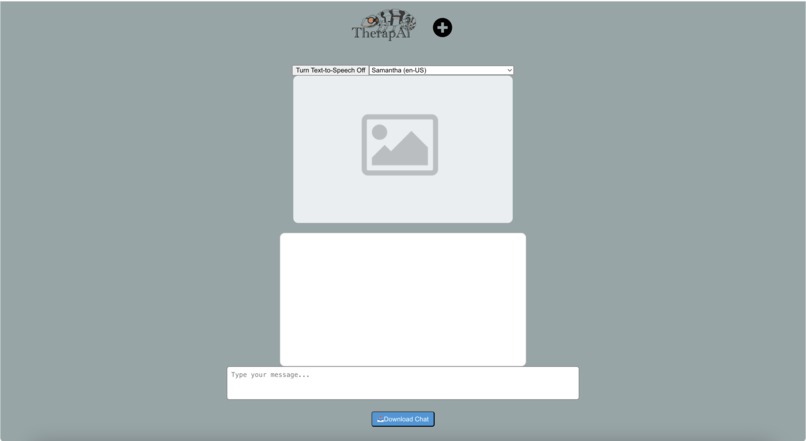
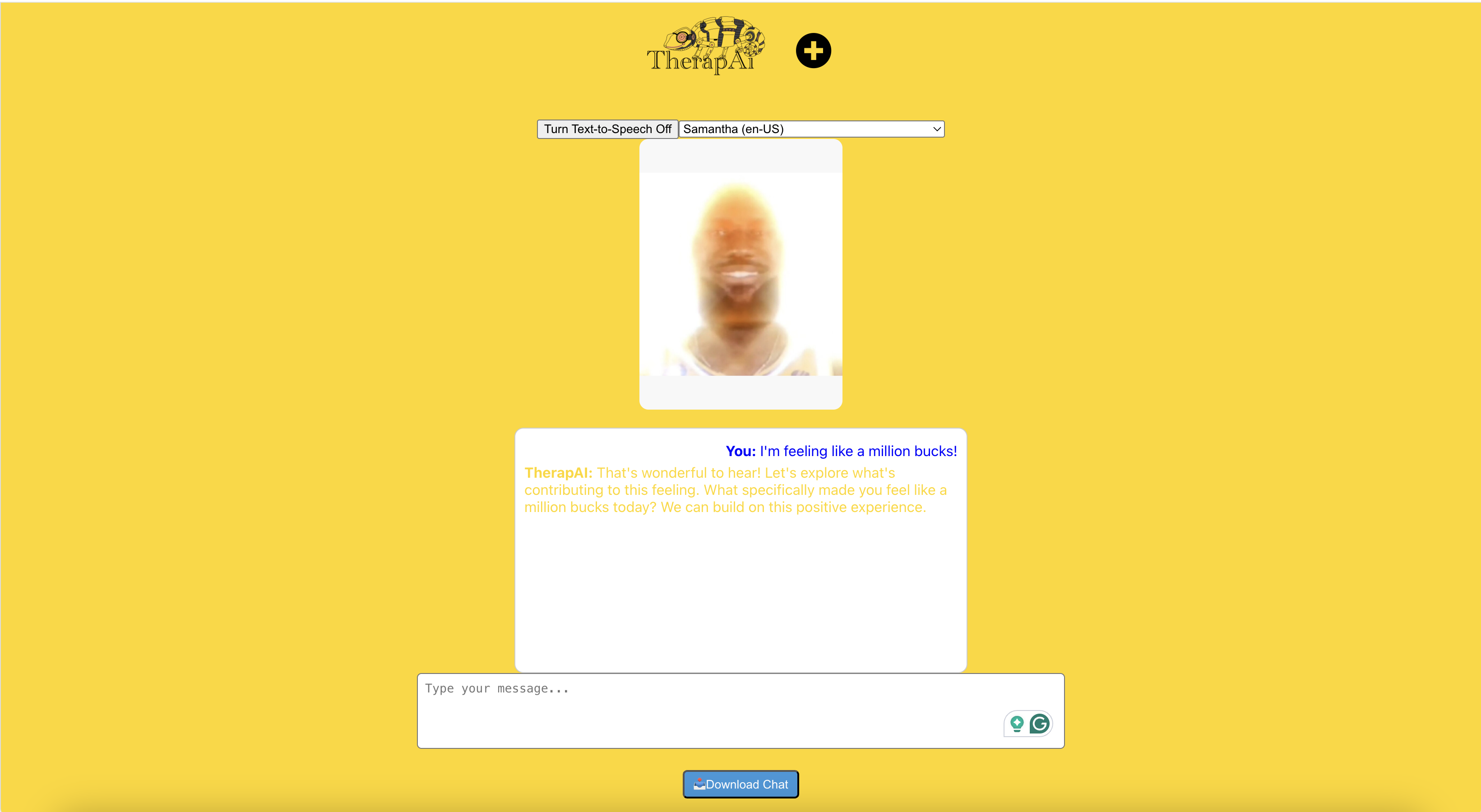
the initial state of the app
-
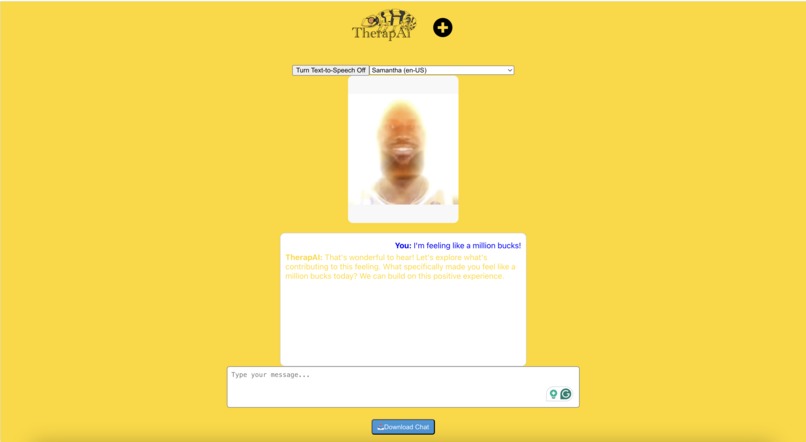
example avatar as well as mood reactive background
-
Logo
Inspiration
After realizing that everyone on our team was interested in using and building AI, we brainstormed about AI projects related to each track and decided that creating an AI therapist would be a good project within the Health for Social Good track. The Health for Social Good track is about working on projects that help people who cannot access appropriate medical treatment or health-related services due to various barriers, and receiving psychological therapy is often downplayed as a need or socially stigmatized by the patient or those around them. Therefore, we hope that our AI Therapist will help alleviate the burden of psychological therapy, improve accessibility, and ultimately help people improve their mental health.
What it does
This project is creating an app that helps users track mental health symptoms and suggests coping mechanisms or professional help.
- Conversational AI: Users can chat with TherapAI, which responds with meaningful text-based interactions.
- Chat History Export: The AI remembers the previous conversations. Users can download their conversation as a text file for reference.
- Text-to-Speech (TTS): Responses can be spoken aloud using the browser's Speech Synthesis API.
- Voice Selection: Users can choose from available system voices or languages for text-to-speech.
- Image Upload: Users can upload an image to personalize their chatbot experience.
- Responsive UI: The interface adapts for a smooth user experience.
- Dynamic Background Color: The background changes based on the chatbot’s response to indicate different moods.
How we built it
It uses a React frontend that passes form data through Flask to our Python backend which takes that form data and sends it to the Gemini API along with our custom context to make the AI a therapist and disable certain behaviors and bugs. Then, it takes the response from the Gemini API and passes it as well as some sentiment analysis through Flask back to the React frontend where we use it to update the display. The TTS is built in and does not require any libraries.
Challenges we ran into
We have never used Github collaboratively before, so we decided to use Google Drive at the same time to share our progress more easily. Merging our code additions together, especially based on the system or machine that we use, was another challenge we faced, but we managed it.
Accomplishments that we're proud of
We were able to add a lot of the aesthetic feature ideas that we did not know if we would be able to implement near the beginning of the hackathon. The new and various skills we learned in the workshops and the collaboration between team members made our project more dynamic and allowed us to complete the project in less time than expected. We also love our logo, which is transparent so the chameleon changes colors based on the background's color.
What we learned
We learned a lot about React and Flask as those were the frameworks we were using for the project. While everyone on the team had basic coding skills in Python, it was rewarding for all of us to take it a step further and learn how to use React and Flask to turn our code into something tangible, like a website or chatbot.
What's next for TherapAI
Since it was our first hackathon, we did not really set out to make something that would change the world. However, if this project or a similar program were to go public in the future, it would definitely help ease the pressure on people to seek mental health counseling and make it more accessible, both technologically and psychologically. To do that, if we were to continue the project in the future, we would like to tweak the AI's responses so that it has a more natural and concise conversation, like a real therapist, rather than the unnecessarily detailed and lengthy responses we often get from AIs online. We are all very happy with what we have created, and we are sure that the real prize from this hackathon is the new knowledge, skills, and experience we have gained. Plus, we are all looking forward to learning more about our work and the technologies we used after the hackathon is over.


Log in or sign up for Devpost to join the conversation.