Inspiration
Many people working long hours in an office forget to stay hydrated. This robot was designed around the idea of making it easier to get people drinking water.
What it does
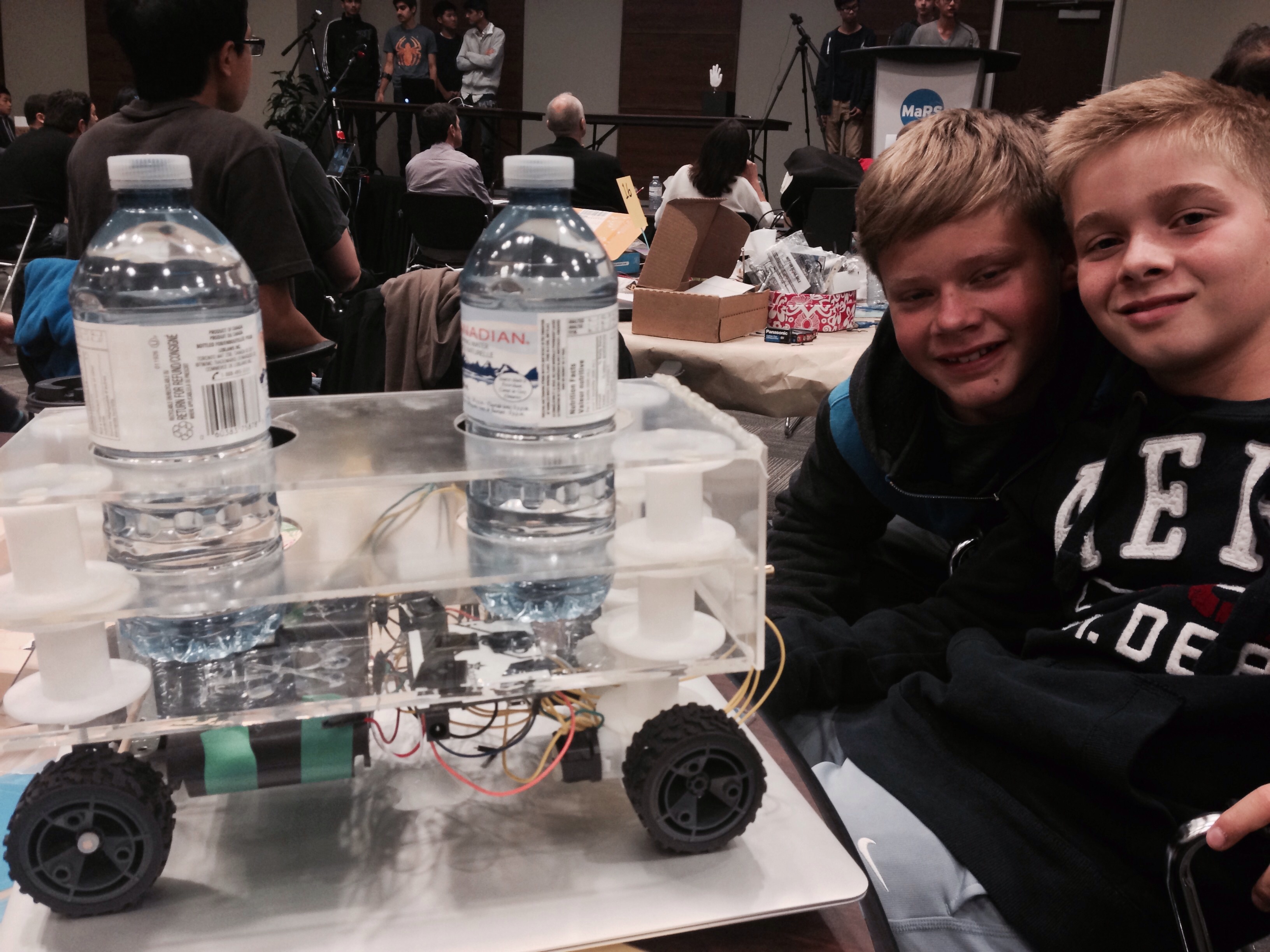
Often you forget to drink water because you are very engaged in what you are doing so it's easy to become dehydrated without even know it. Our robot reminds you to drink water. Our robot walks around an office reminding people to drink water by stopping for 20 seconds and buzzing outside every office. Our robot carries two bottles of water at a time (but could be adapted to carry more). The water bottles are sitting on pressure sensors which allows the robot to sense when someone has takes the water. The robot will move on to the next person's office either after 20 seconds or after someone has taken the water bottle off of the robot.
How we built it
We decided to build a drink tray with cup holders which would hold the water bottles. We used a laser cutter to cut out the holes into the acrylic (which is the material we used for the robot) and used hot glue to hold all the pieces together. Next we glued the front wheels on the motors and glued those to the bottom of our robot. We aded two wheels on an an axle to provide balance to the rear of the robot. Next we added a motion sensor the the front of the robot which could detect obstacles. We then added the pressure sensors where the water bottles are to sit as well as a buzzer which would buzz outside of every persons office to notify them that the water has arrived. Next we programmed the robot to to move forward, stop outside of an office, wait for the water to be taken and then move on to the next persons office.
Challenges I ran into
our initial challenge was to understand that we were building a prototype which did not have to do everything we had imagined it would do but rather a sample of what we were to accomplish. Our second challenge was how to attach the wheels to the motor as we had difficulty finding the correct parts. Our third challenge was how to attach the pieces of acrylic and what to use as spacers for the different shelves. Our fourth challenge was to get the battery holder to work as the wires were not wired correctly. Our final challenge was how to program the robot as we don't have any experience programming.
Accomplishments that I'm proud of
We are really proud that we learned the basics of how to build a robot and that we could make it do something useful.
What I learned
We learned so much this weekend. We learned how to program a robot. We learned how to 3D print. We learned how to laser cut and we learned how to build a robot.
What's next for The Waterbot 9000
So many opportunities!!

Log in or sign up for Devpost to join the conversation.