Inspiration
Navigating the world with visual impairments usually means relying on a cane or expensive hardware. We wanted to build a "Sixth Sense"—or rather, a Third Eye—that uses the power of modern AI to verify that the path ahead is actually clear.
We were inspired by the idea that computer vision shouldn't just be for robots. We wanted to create an affordable, software-defined assistant that gives a blind user the confidence to walk freely.
What it does
The Third Eye is a real-time AI co-pilot for navigation. It doesn't just look for objects; it understands space.
- It Sees the "Unknown": Unlike standard AI that only spots cars or people, our system uses a depth map to detect anything solid—walls, boxes, street poles—even if it doesn't know the name of the object.
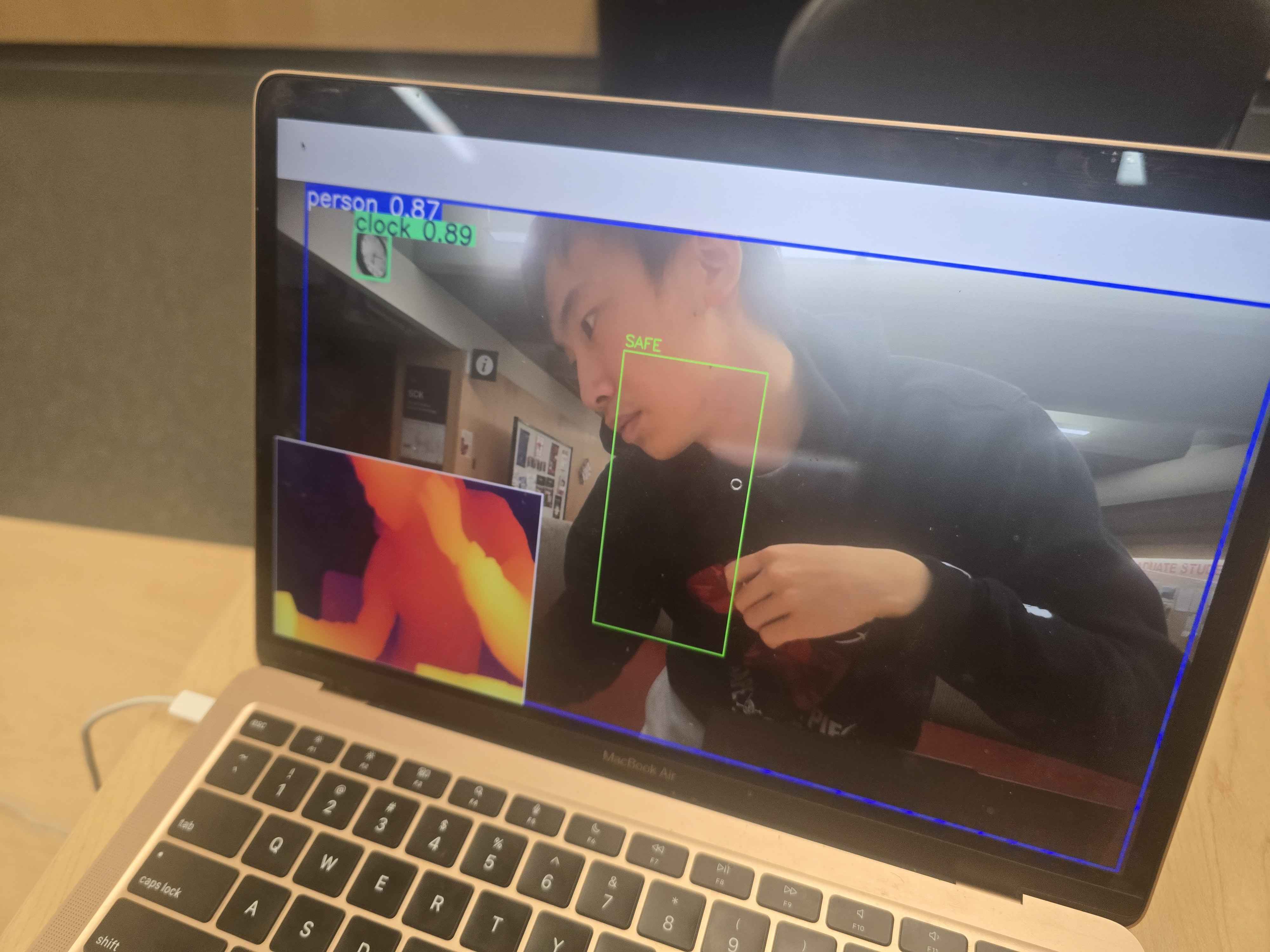
- The Safety Zone: It monitors a specific "corridor" in front of the user (where they are about to step). If any physical mass enters this zone, it triggers an alert.
- The Voice: It acts as a vocal guardian. When the path is blocked, the audio system immediately communicates the danger to the blind user ("Stop," "Obstacle Detected"), allowing them to react instantly.
How we built it
The core is built in Python, designed to run on a standard laptop. We used a "Dual-Brain" architecture:
- The Eyes: We used YOLO for object detection, but paired it with Hugging Face's Depth Anything V2. This was critical because we needed a pixel-perfect heatmap of distance, not just bounding boxes.
- The Voice: We implemented RealTimeTTS to handle the audio. This allows the system to speak warnings in the background without pausing the video feed.
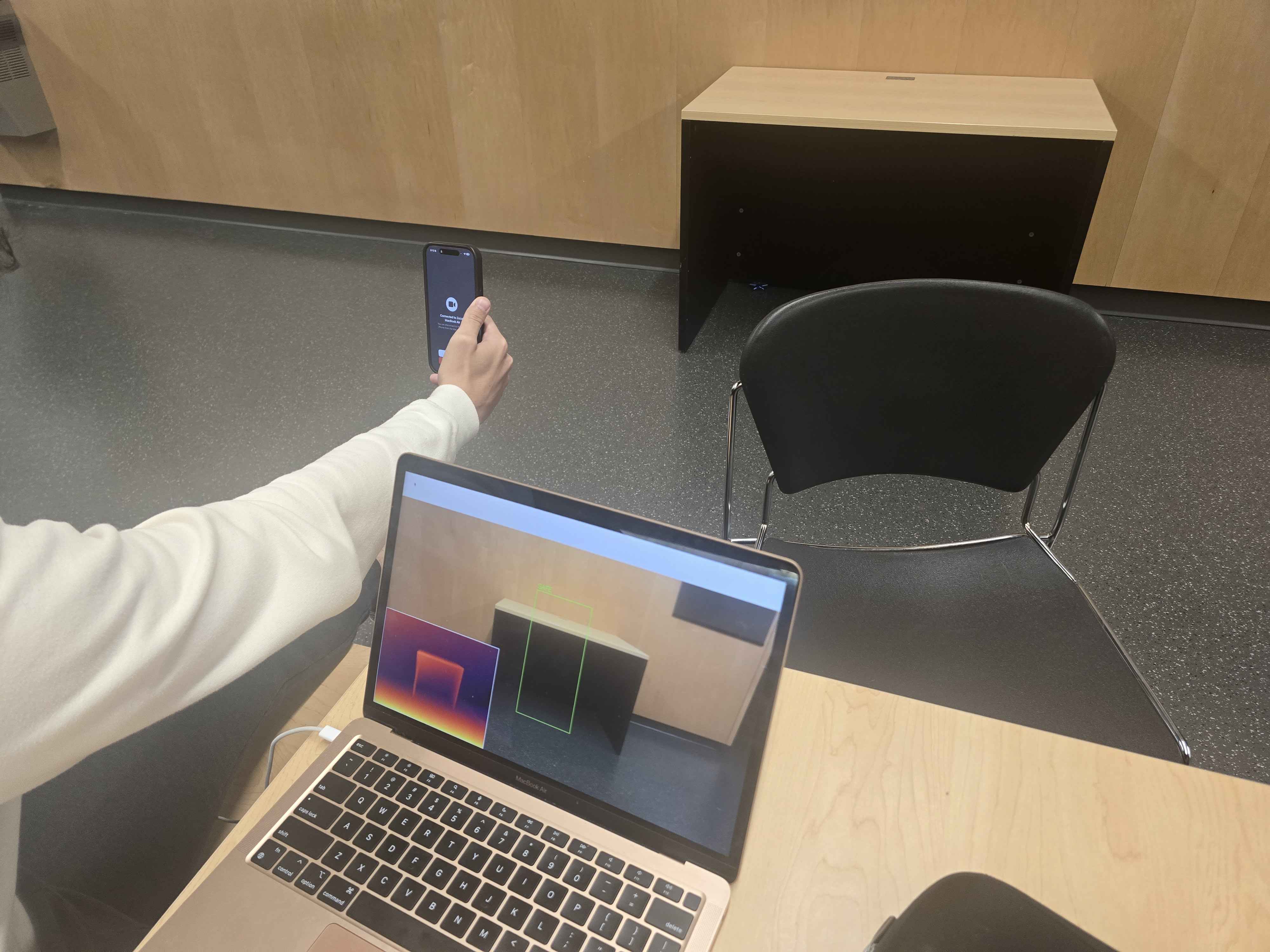
- The Logic: We wrote a custom algorithm that analyzes the depth heatmap. It slices a "human-sized" box in the center of the frame and calculates the density of obstacles. If the heatmap glows too "hot" (too close), the alarm sounds.
Challenges we ran into
YOLO Wasn't Enough. We started out just using YOLO (the standard object detector), but we quickly realized a massive flaw: YOLO only knows what it has been trained on. It can see a "cat" or a "car," but if you walk toward a generic brick wall or a pile of trash, YOLO stays silent because it doesn't have a label for "random wall." We had to completely rethink our approach and add a Depth Estimation model. Now, the system doesn't care what the object is—it just knows there is something solid in your way.
The "Freezing" Problem. Getting the AI to speak was harder than getting it to see. Every time we tried to make the computer talk using standard Python libraries, the camera feed would freeze for two seconds while it spoke. Imagine a self-driving car closing its eyes every time it honked—that's what was happening. We had to rip out the old audio system and build an asynchronous streaming solution so the "Third Eye" never blinks, even while it's talking.
Accomplishments that we're proud of
- Solving the "Wall" Problem: Successfully combining object detection with depth mapping so we can detect everything, not just specific objects.
- Zero-Lag Audio: Achieving a system where the vision processing runs at high speed while the voice speaks smoothly in the background.
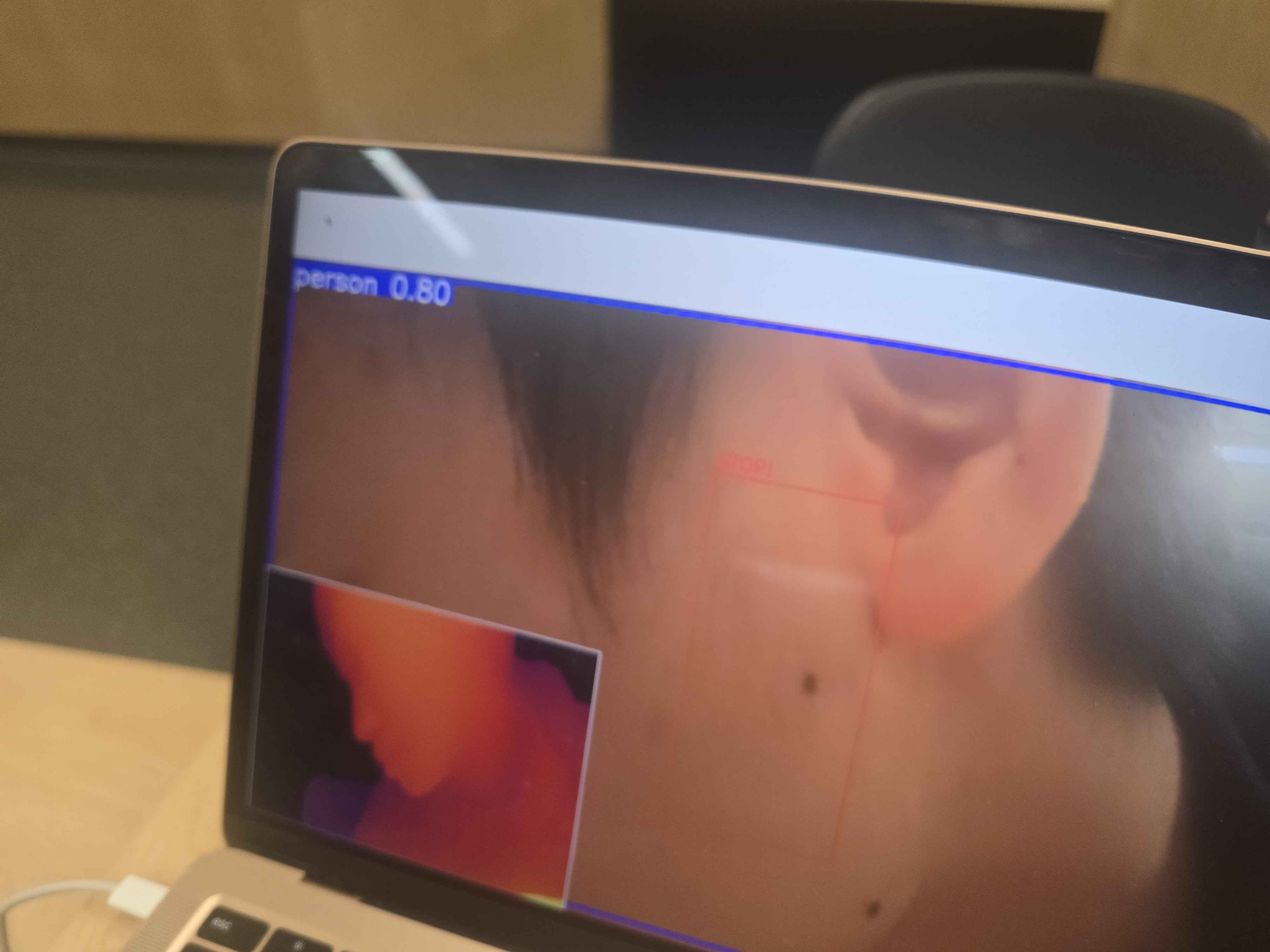
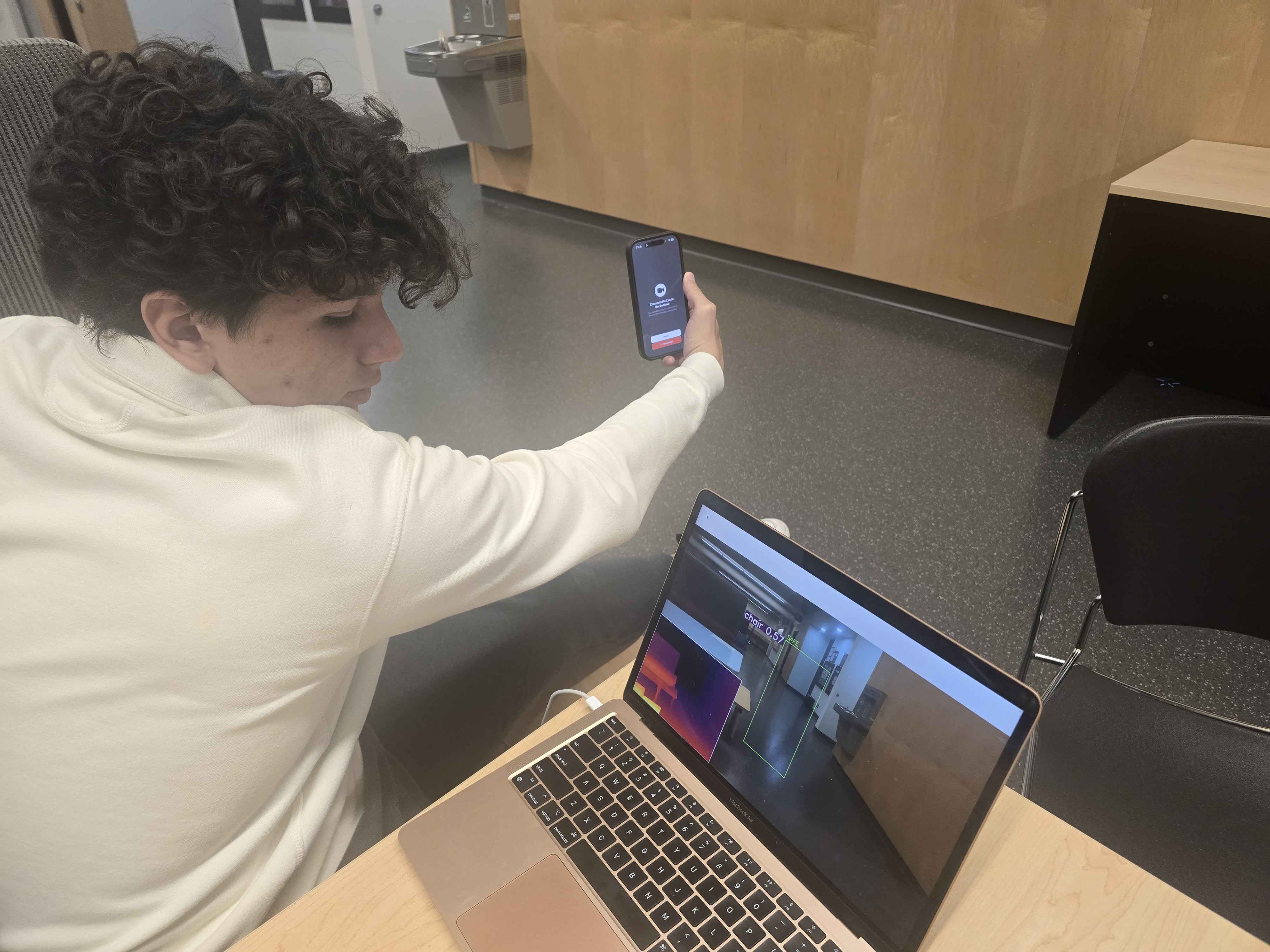
- The "Predator" View: We built a picture-in-picture thermal heatmap for debugging. It allows us to see exactly what the AI sees—bright orange for "dangerously close" and dark purple for "safe."
What we learned
- Context Matters: Knowing "that is a chair" is useful, but for a blind user, knowing "there is a solid mass 1 meter away" is vital. Depth is just as important as recognition.
- Audio is Tricky: We learned that audio threads in programming fight for resources just as much as video threads do.
- Simplicity Saves Lives: A tool that beeps constantly is annoying. A tool that speaks only when you are in danger is a lifesaver. Tuning that balance was a huge lesson in user experience.
What's next for The Third Eye
- Semantic Narration: Now that we don't hit walls, we want to bring YOLO back into the mix to say what the obstacle is (e.g., "Person ahead" vs "Wall ahead").
- Haptic Feedback: Integrating a vibration motor so the user can "feel" obstacles before they hit them, essentially acting as a virtual cane.
- Hardware Downsizing: Porting the code from


Log in or sign up for Devpost to join the conversation.