-
-
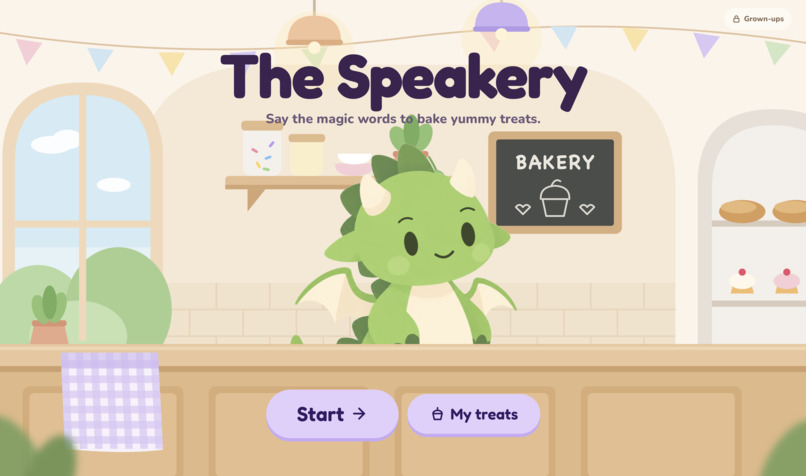
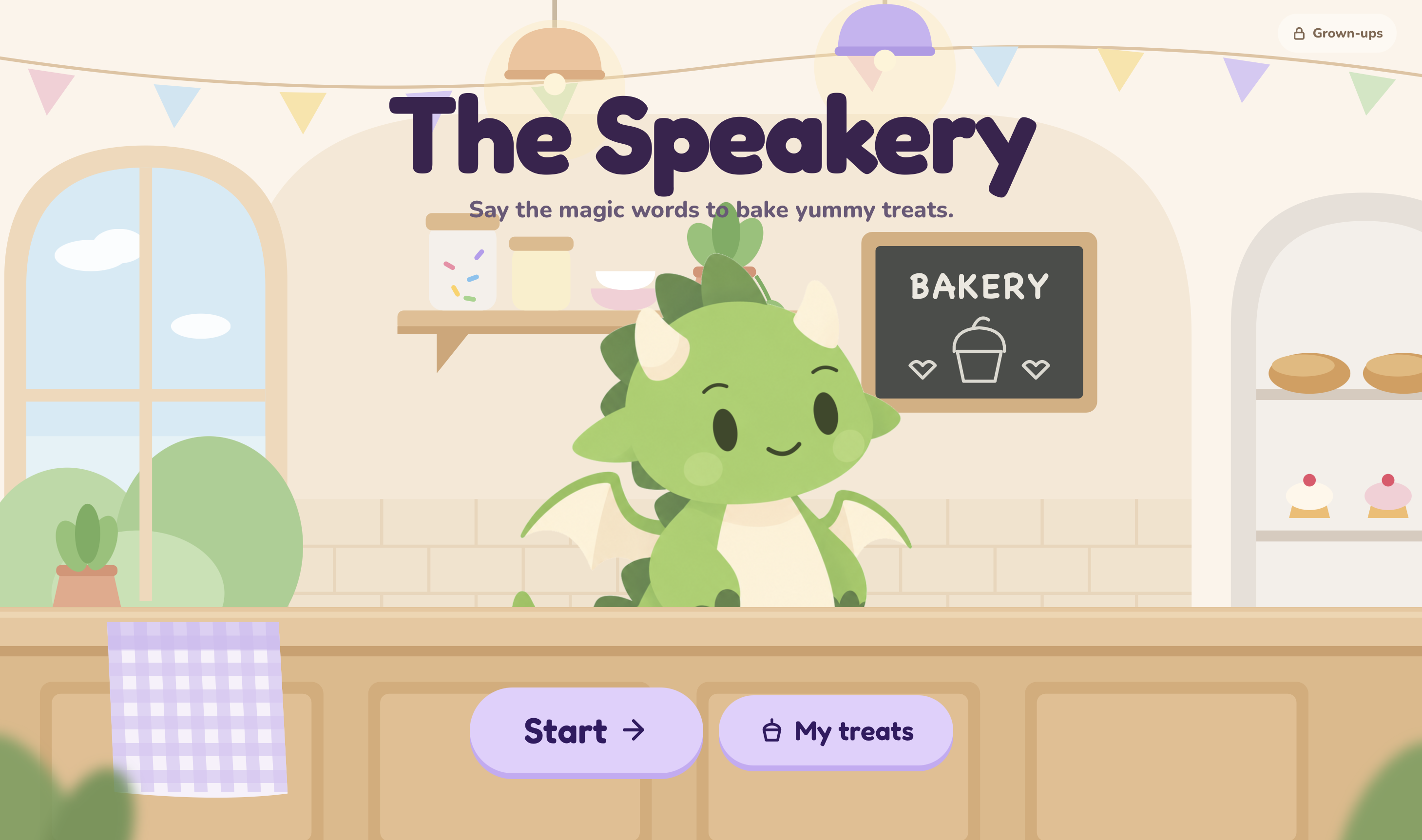
Front screen of The Speakery
-
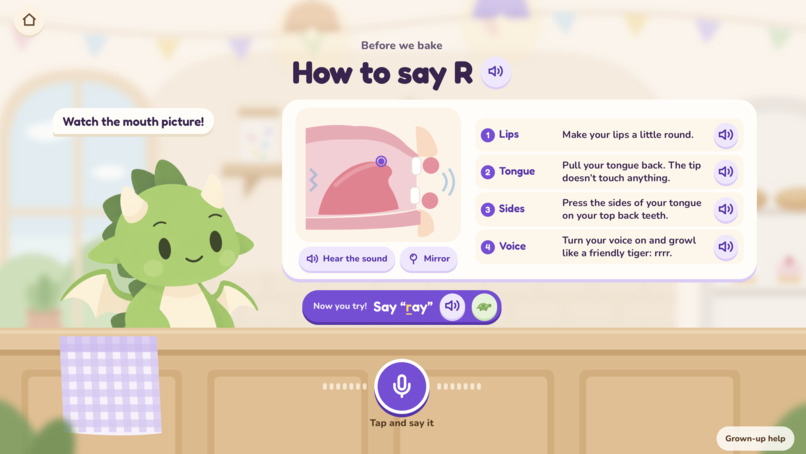
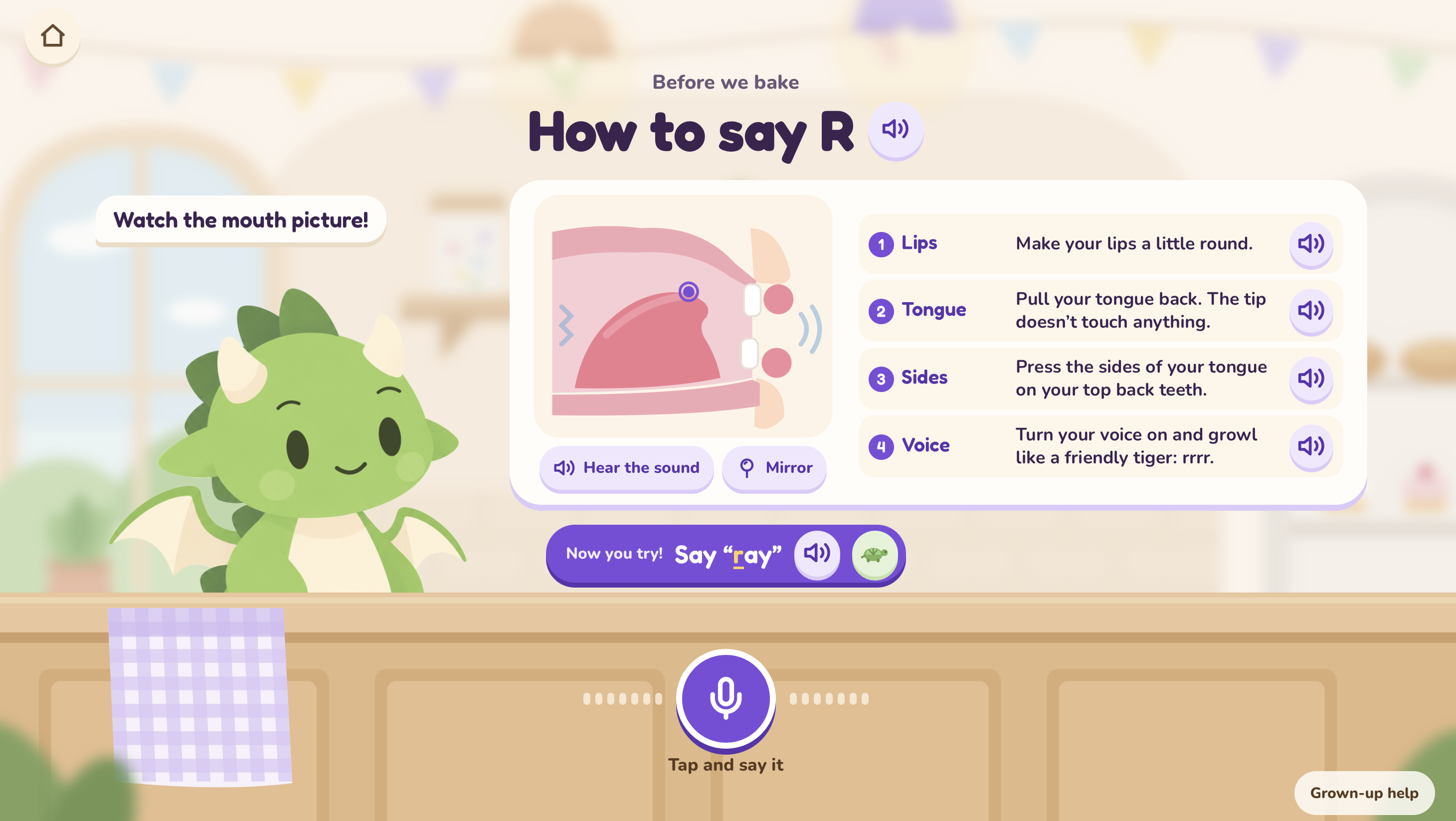
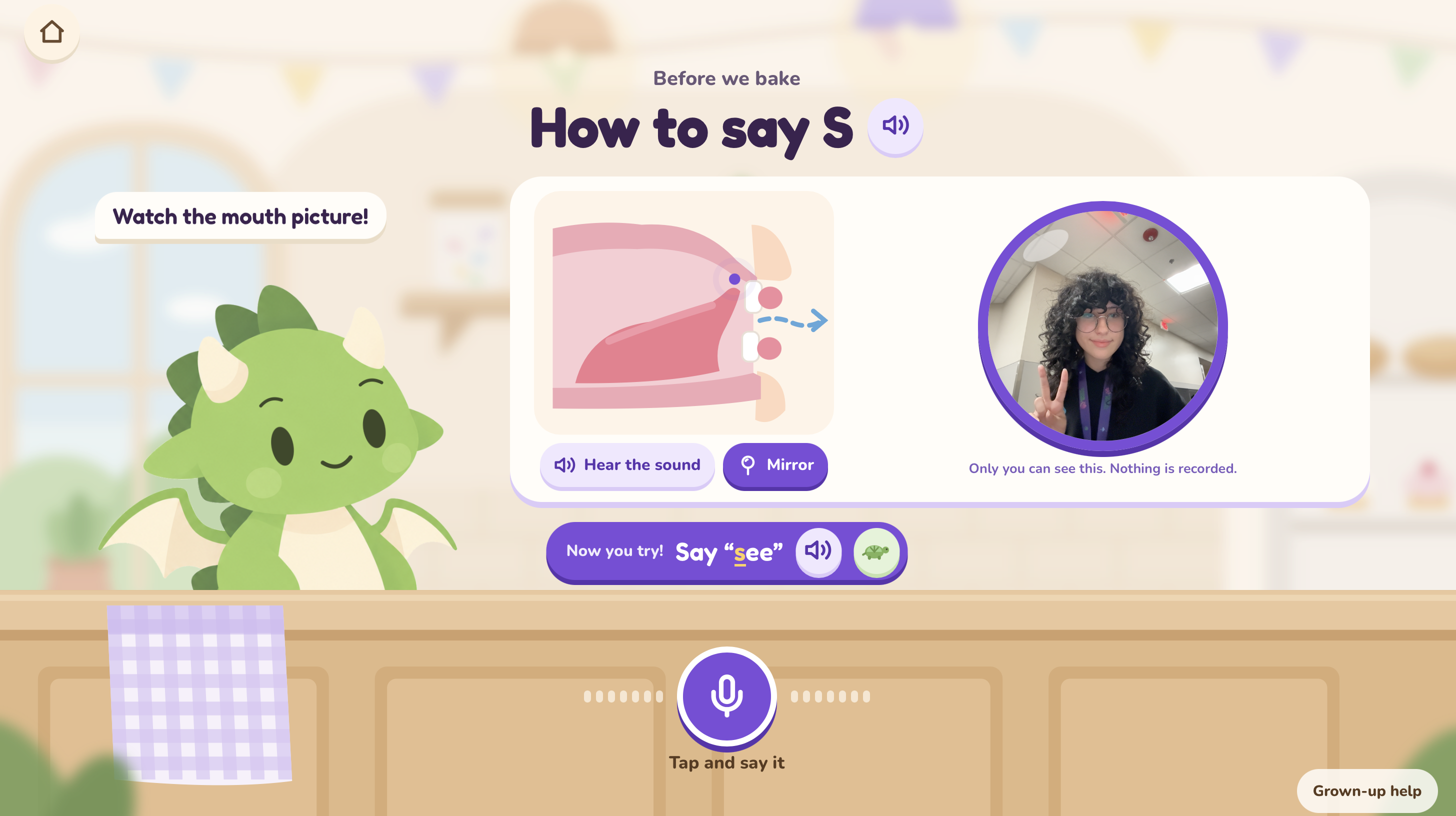
Diagram visual for tongue and mouth placement
-
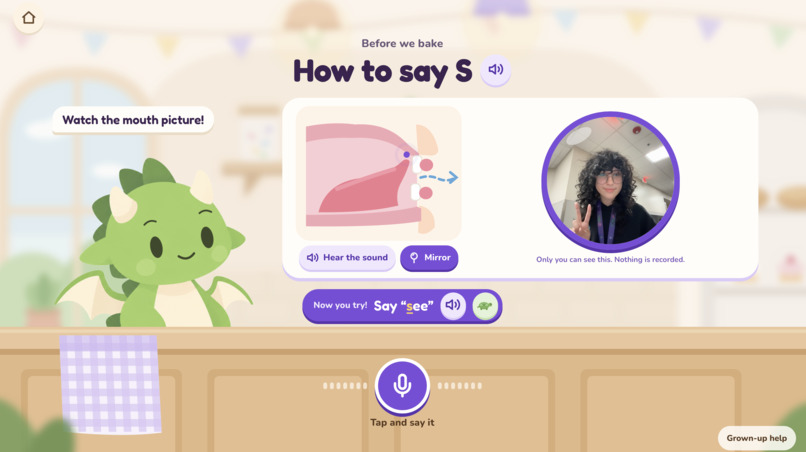
Mirror mode, allowing the child to look at themselves while practicing mouth posture
-
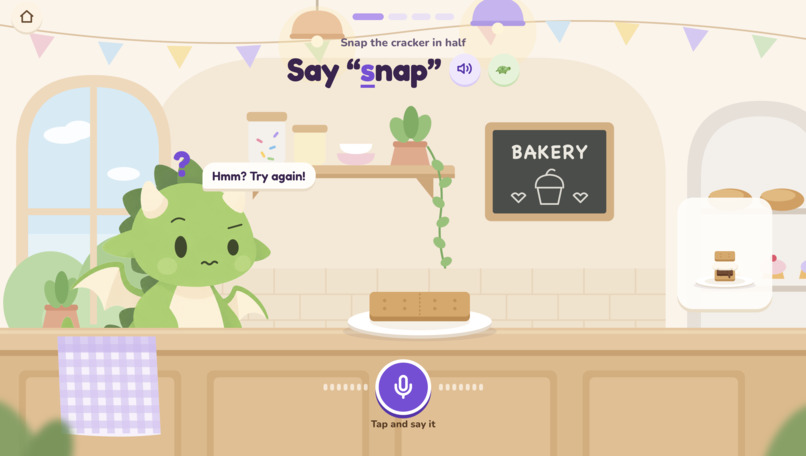
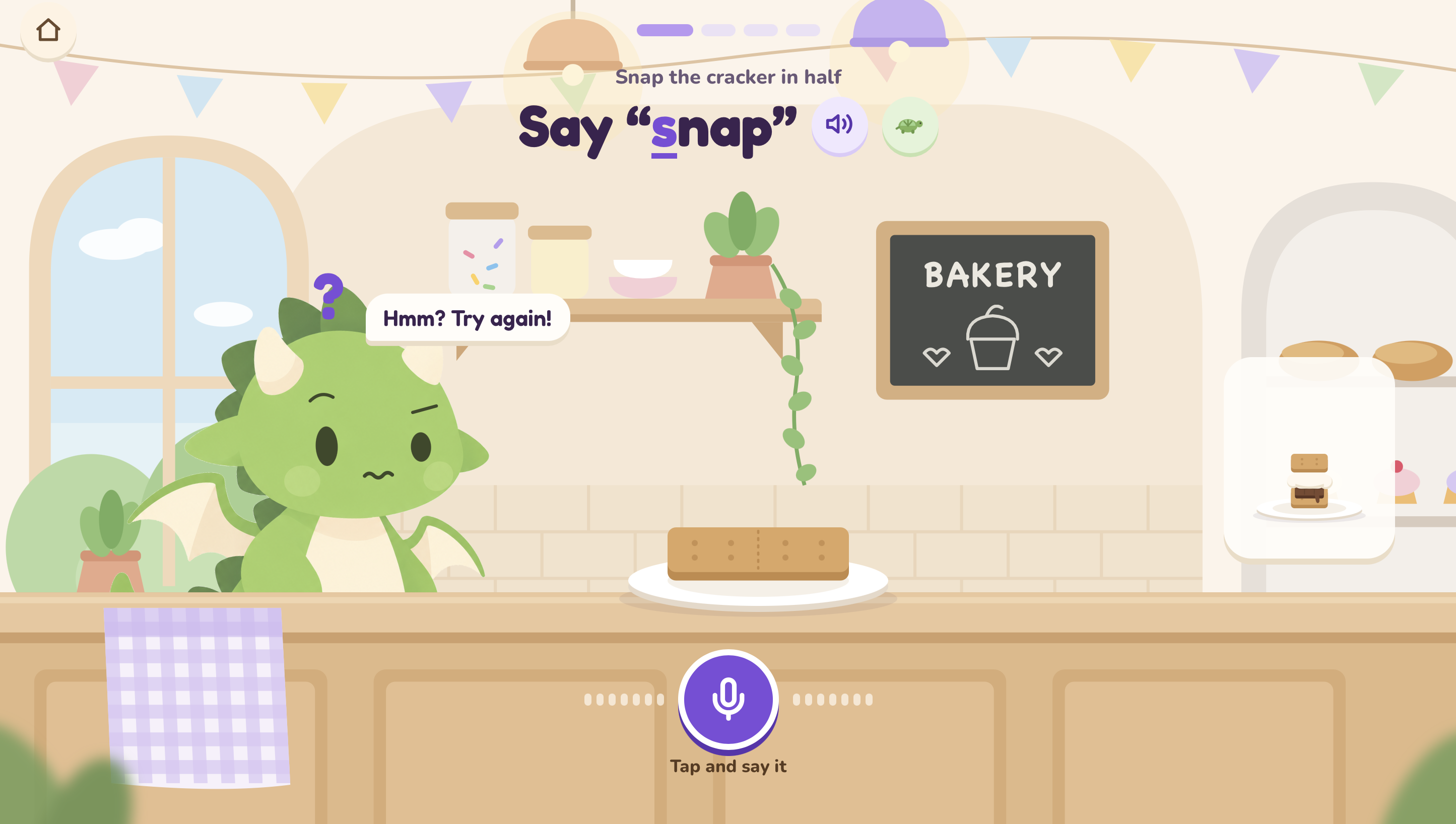
Lenny the dragon makes a confused face when the child mispronounces a word
-
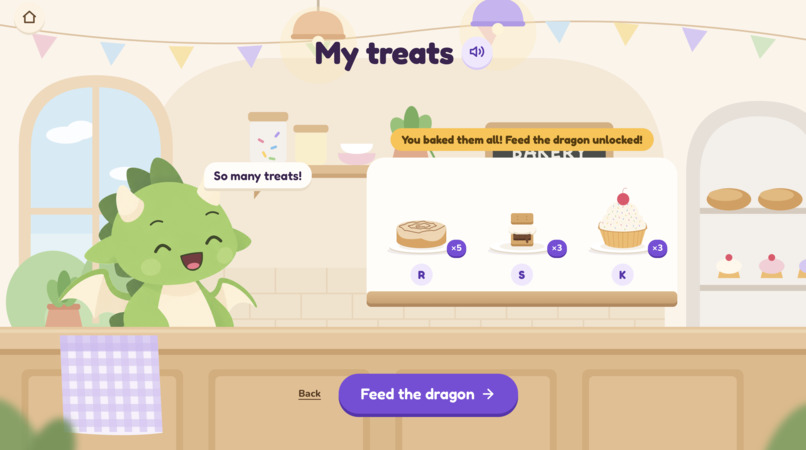
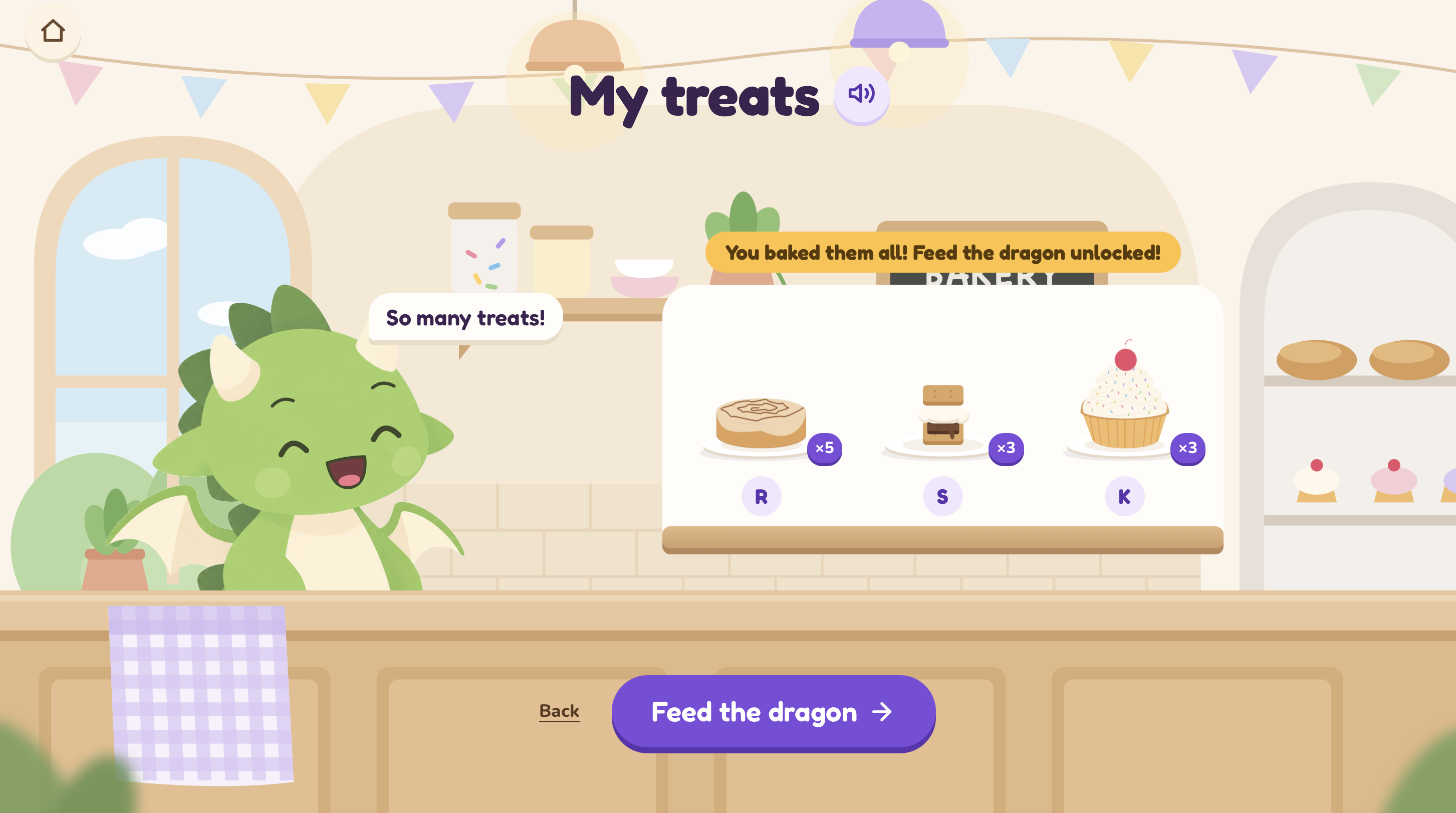
Shelf of completed lessons
-
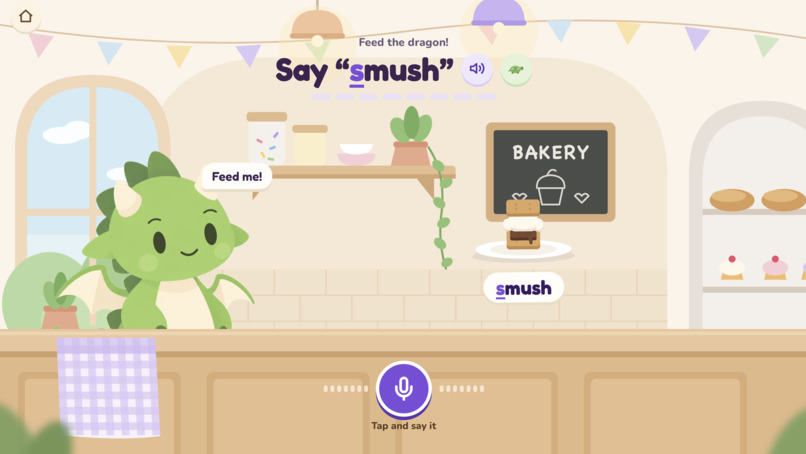
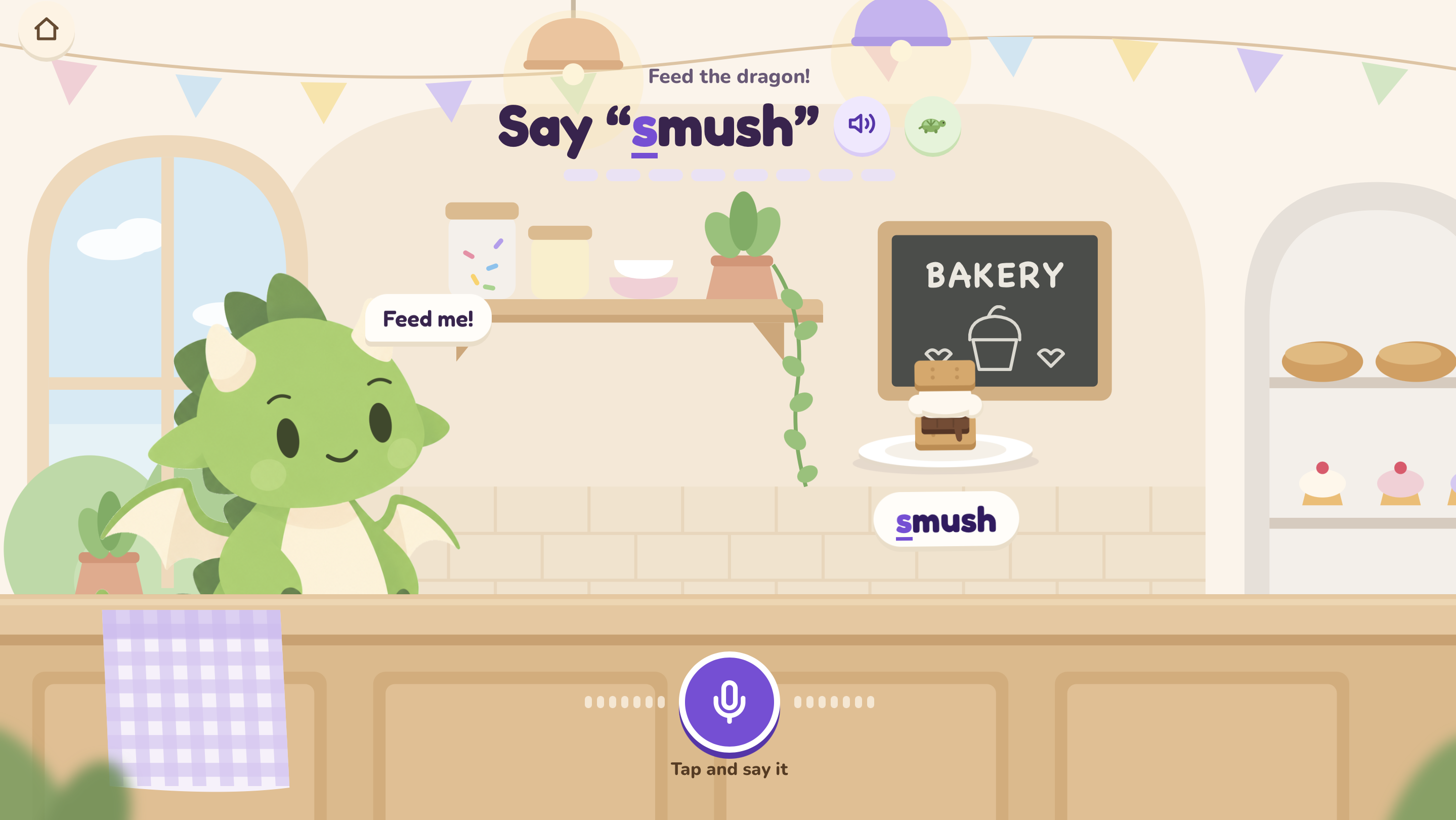
Feed the dragon surprise minigame, unlocked when all lessons are completed
-
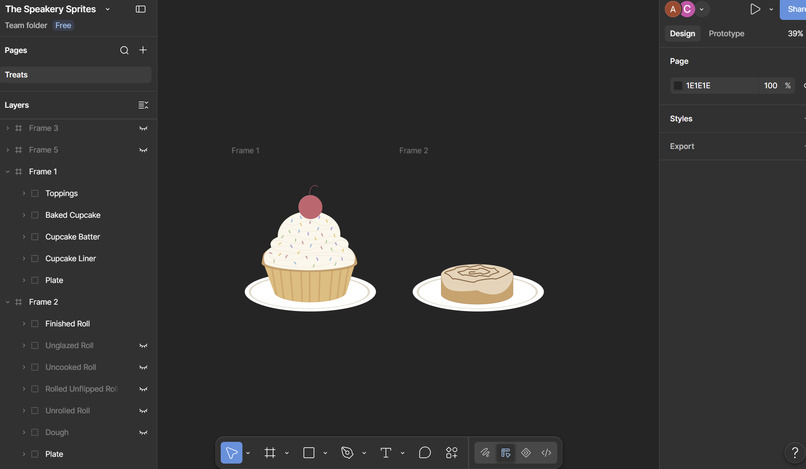
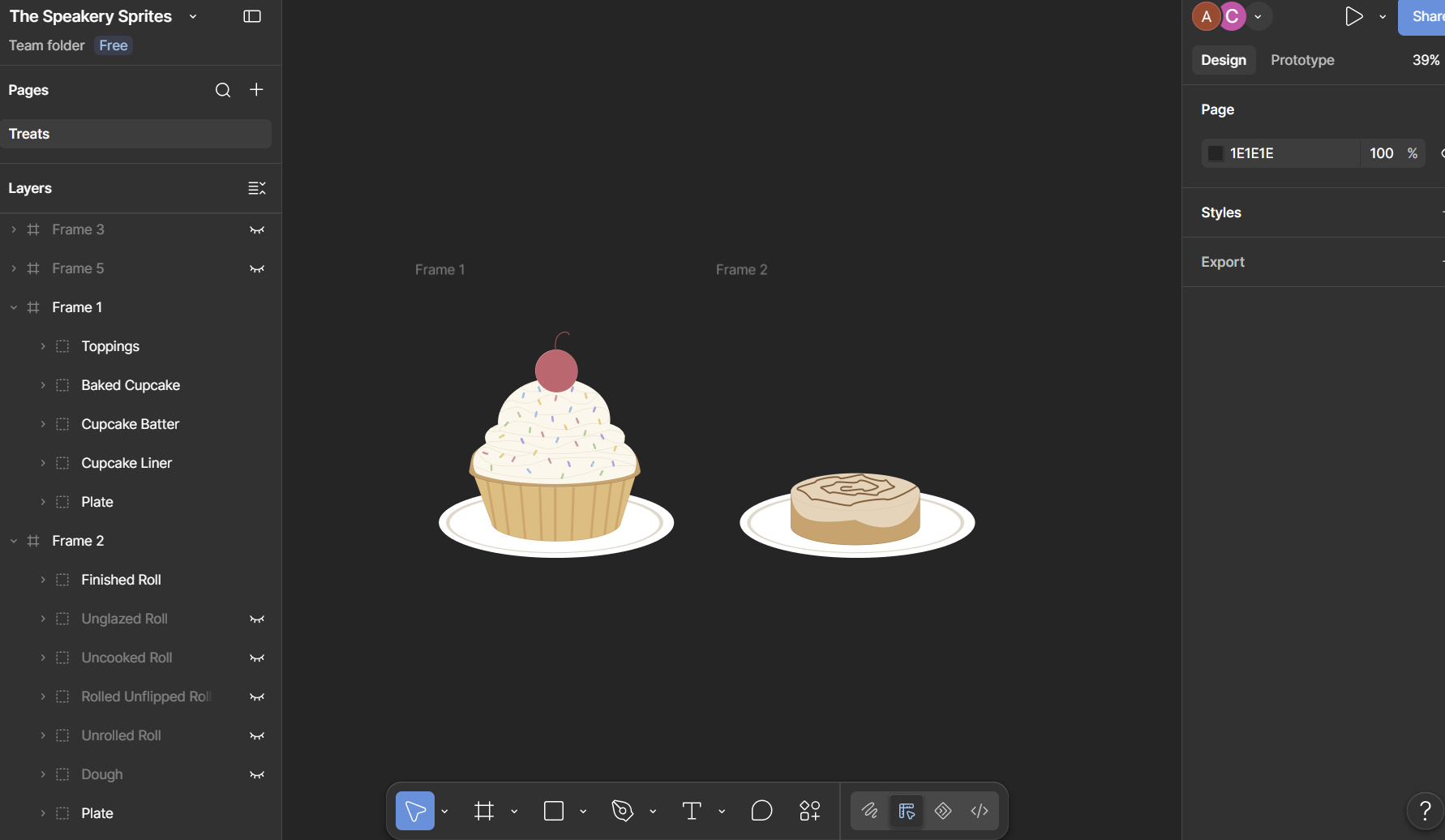
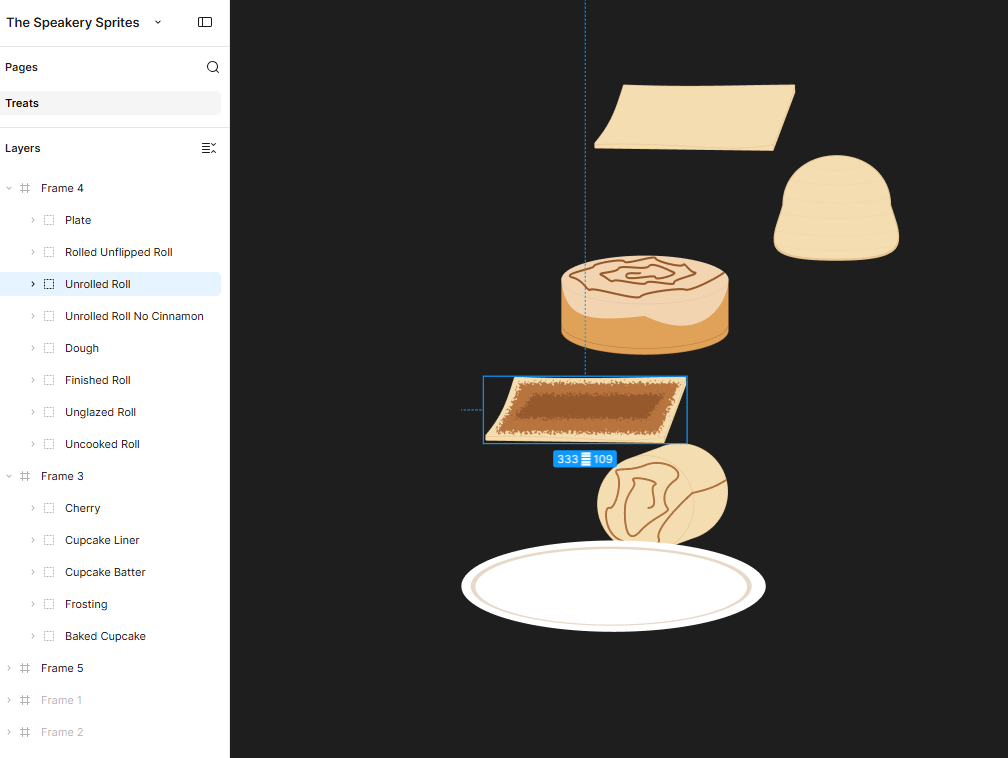
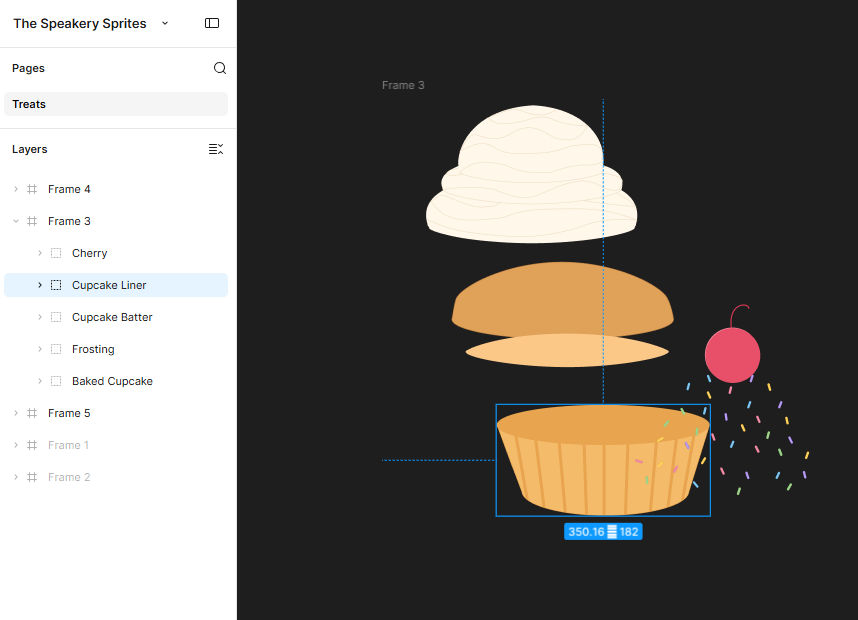
Creating assets in Figma
-
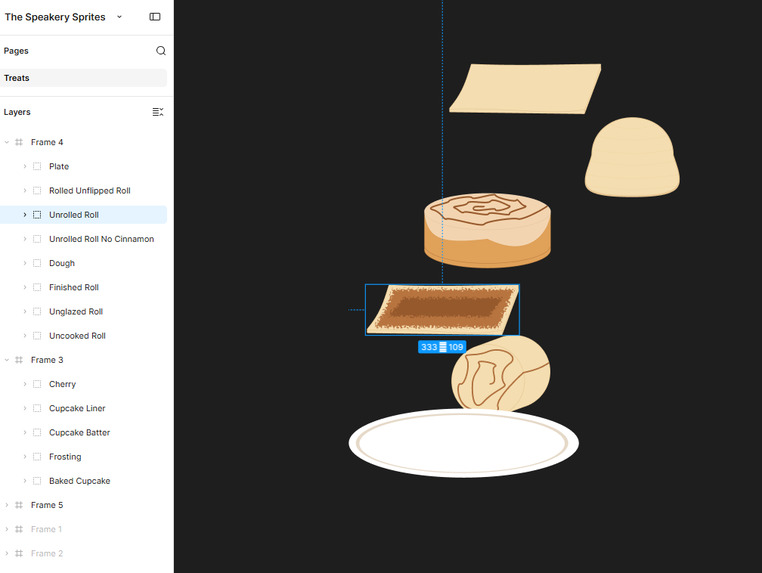
Creating the Cinnamon Roll in Figma
-
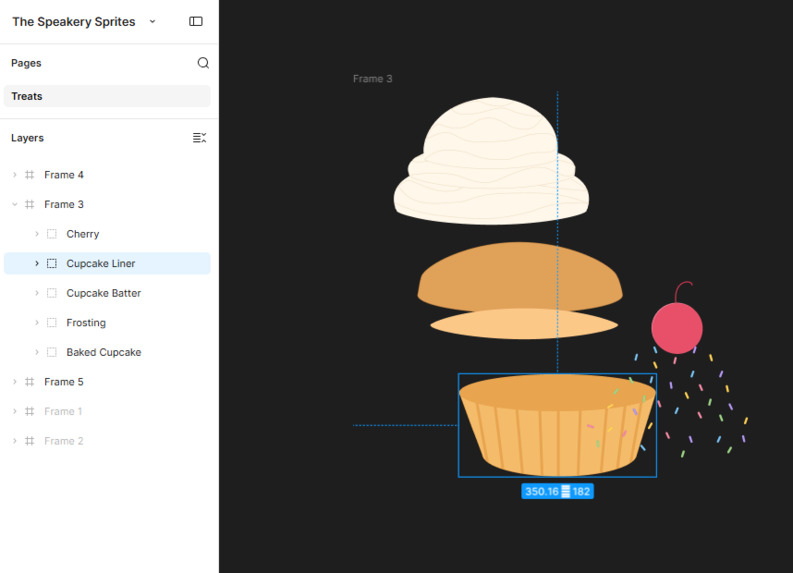
Creating the Cupcake in Figma
-
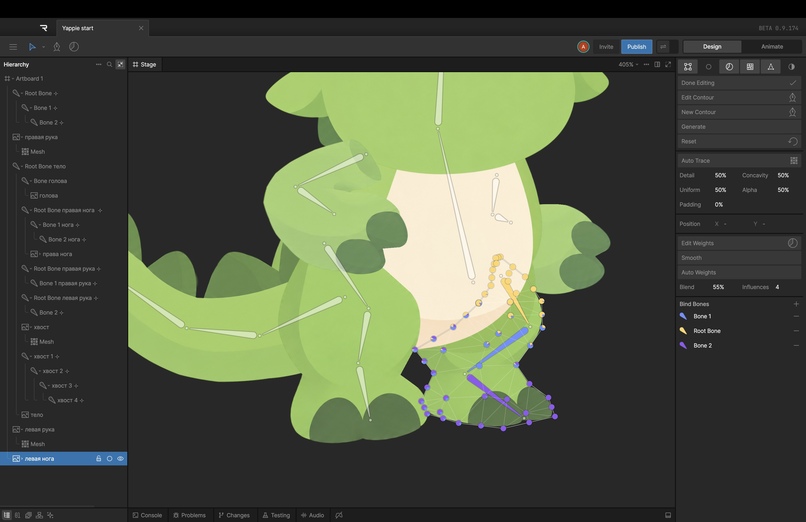
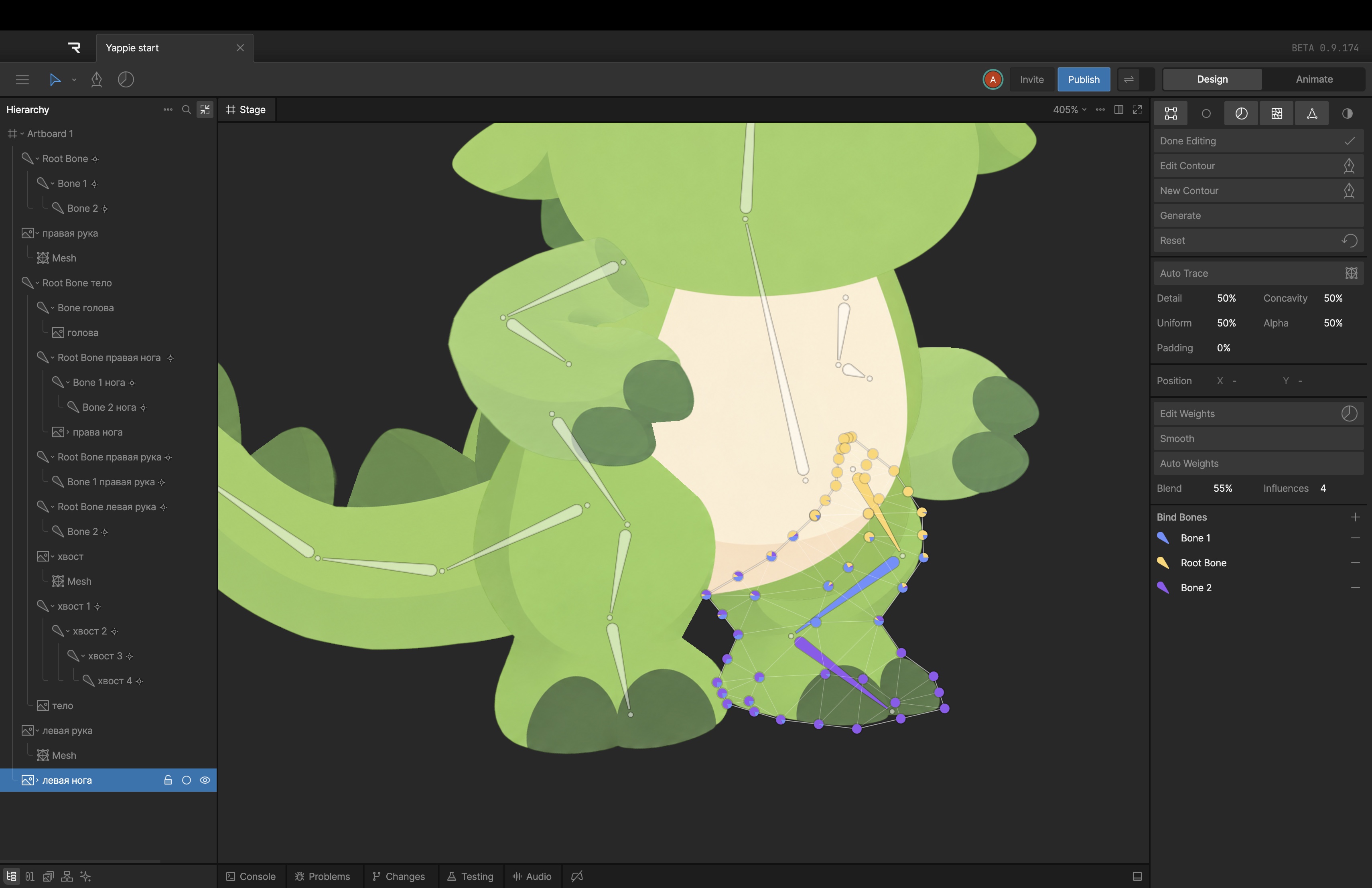
Creating Lenny the Dragon's model
Inspiration
Speech therapy for children can often be frustrating for everyone involved, the child, the parent, and the instructor. One of our members, Cameron, received speech therapy as a child until he was 11 years old, and had to work on critical sounds like S, and R. However, with the help of fun activities, he was able to learn these sounds and speak properly today. That experience shaped how we approached this game. We wanted to create something fun and engaging for a kid, that makes learning correct pronunciation an adventure. We also wanted to use this project to learn new skills, and adding speech mechanics into a game was something new for all of us. We loved Knight Hacks' mascot Lenny and thought he would be the perfect guide!
Functionality
The Speakery is a fun easy-to-use speech-learning game for children guided by the Knight Hacks mascot Lenny! Children open the website, then choose a technique to master. Currently the options consist of "R" "S" and "K" sounds, as these are commonly difficult for children. "R" makes a cinnamon roll, "S" makes a s'more, and "K" makes a cupcake. After a choice is selected, the baking process begins, which goes as follows:
- Lenny will place an order based off the child's choice! Example: "One cinnamon roll, please!"
- The child will learn the sound in the practice menu. The practice menu is a visual demonstration as well as a step-by-step guide read out by Lenny. The child then practices with a warm-up word (Example: "key"). If they properly say it, they can begin their bake!
- Our game uses speech to bake treats! Each step of the process is a new word the child must properly say based off the sound they chose at the start. For example "S" sounds might include "Snap," and "Set". If a child can't properly say a word after two attempts, they'll return to the practice menu.
- After the treat is completed, the child can hand the dessert to Lenny by tapping the screen! The treat then goes on the child's shelf to showcase their accomplishment! Hooray!
But the bake cycle was not all we incorporated, here are some other important features we added!
• We coded the R sound to be stronger, and detect when a child says something like "way" instead of "ray". Lenny will even tell you when this happens!
• Every line is read out loud by Lenny, as some children may not be able to read yet.
• A turtle button will make Lenny speak the target word slowly, which may help struggling children sound the word out.
• In the practice menu, children can enable mirror mode to view themselves and match the visual demonstration
• We added a grown-up mode that allows grown-ups to override the practice menu if a child begins to get frustrated.
• The treat shelf acts as an achievement board and if the child completes all 3 sound tracks, they unlock a hidden minigame that involves sounds from every track!
• No accounts or log in required, everything is saved to the device.
How it was Built
The Speakery is a React + Vite web app coded in plain JavaScript, and hosted on Vercel at thespeakerygame.com. There's essentially no backend: Kids' voices are private so we didn't save or upload anything ourselves.
Listening: The browser's built-in Web Speech API turns what the kid says into words. the API uses its best guess, however we ask again when it isn't confident. Every word has a short list of "near misses" that never count as right. These are the real words the browser hears when a kid swaps a sound: "tea" for "key," "thee" for "see," "way" for "ray." Each one is tied to a specific tip, which is how the dragon knows what to say.
Voice Lines: The dragon talks using an ElevenLabs voice. We wrote every line in one file (125 of them) and a small script records them all into mp3s ahead of time. That means no API key ever ships to the browser, and the voice works on bad Wi-Fi. The game has a back-up through the browser's built-in voice if necessary.
Art: Lenny was drawn by Altynai. We kept it exactly as drawn and only removed the face, then drew the eyes, brows, and mouth on top in code, so he can look happy, puzzled, or heart-eyed while eating. The cinnamon roll and cupcake sprites were created in Figma by Cameron. We built a script that centers each one on its plate. The bakery scene, the mouth diagrams, and the s'more are SVG. Altynai also designed animations for the baking steps
Saving: The treat shelf, the grown-up corner's numbers, and settings live in the browser's local storage. This way the child's information can be kept private.
Team: Rachel (project lead, game code and speech features), Altynai (created dragon sprites and animation) and Cam (created food sprites), and Ben (sound and audio). We also used Claude as a coding partner the whole weekend, especially for the audio math.
Challenges
One challenge we faced was that the browser kept accepting pronunciation mistakes and denying correct pronunciation . Kids who have trouble with R often say it like a W, so “brown” comes out “bwown” and “wrap” comes out “wap.” We’d say “bwown” into the mic on purpose and the game would count it as correct. Speech recognition is built to figure out what you meant, so we had to stop listening to words and start listening to sound. A real R pulls one of your voice’s resonances (called F3) way down, which adds energy in the middle pitches at the start of the word. A W leaves that range quiet. So for R words, the game keeps the kid’s try in memory for a moment, measures that sound shape with the Web Audio API, and scores it from “sounds like a W” to “sounds like an R.” If it’s clearly a W, Lenny tells you your R sounded like a W, even when the browser thought you nailed it.
Our first version looked for the F3 dip directly, and it flagged too many correct R’s, especially with background noise and on high voices (kids have high voices!). With Claude’s help we rebuilt it and tested it on hundreds of computer-generated R and W versions of our words, across different voices, pitches, and noise levels. On our five R words it now catches about 9 in 10 W-swaps in a quiet room and about 8 in 10 with noise, while flagging almost no correct R’s. Those are computer voices, not real kids, so when it isn’t sure, it trusts the browser. It’s not perfect, but it’s better than celebrating “bwown.”
Another challenge we faced was that Lenny kept getting cut off. At first the game moved to the next screen on a timer, so longer lines got chopped in half. We also noticed when the mic turns on or off, Macs (and especially AirPods) switch sound modes for a split second, and anything the dragon said in that moment came out as a glitchy noise. Our fix was to make the game wait for him to finish, and give the audio a beat to settle before he talks. This worked!
Safari proved to be a source of trouble. For example, the checkered tea towel on the counter showed up as a solid black square. Also, the mirror opened the camera but stayed blank. Both worked fine in Chrome, which is where we'd been testing. We fixed these bugs, but learned to always test in every browser.
Accomplishments
• Lenny actually listens and responds back. We said "tea" instead of "key" and he answered "Hmm? I heard 'tea'!"
• It never makes a kid feel bad. There's no "wrong," no red X, no buzzer. Missing a word leads to practice and a tip, and a grown-up can always unlock the next step.
• It's live on a real domain, works on a phone, and keeps progress without asking anyone to make an account.
• Privacy without a privacy policy wall. Everything is saved to the child's device. That means we never save voice recordings, names, and there are no servers that could be leaked!
What was Learned
• Speech recognition is built for adults who want to be understood. It's really good at guessing what you meant, but hard when it has to be exact, and kids' voices make it even harder.
• Designing for kids who can't read changes everything. Every prompt needs to be spoken, every button needs to be huge, and "try again" needs to feel like an invitation. The game has to be fun at every moment!
• Small details carry the final result. Some of our favorites were the dragon's puzzled head tilt, the turtle button, the treat landing on the shelf. Those took the least code and made the biggest difference.
• We learned to commit often, read what GitHub Desktop says before you push, and never click "Replace" on a folder.
What's Next?
Here are some things we want to add!
• A way for the API to listen to sounds, not just words. The R check proved the idea works in the browser. Next is an S check for lisps and a K check for when it slides forward into a T, ideally using a model trained on children's voices instead of adult ones.
• More sounds. L, TH, and SH are the obvious next three, and each one gets its own treat.
• Harder levels. Right now the target sound is mostly at the start of the word. Therapists move from sounds, to words, to sounds at the end of words, to whole sentences, so the dragon's orders should too: "Roll the dough!"
• A progress report a parent can share. The grown-up corner already tracks the useful stuff on the device. Letting a parent export it for their child's SLP, still without any server, would close the loop between home practice and therapy.
Built With
- css
- elevenlabs
- figma
- github
- javascript
- react
- vercel
- vite
- web-audio-api
- web-speech-api



Log in or sign up for Devpost to join the conversation.