Answers to DevPost write-up:
1) What is the problem your solution addresses?
Event-goers and creatives lack a dedicated space to preserve, share, and relive live event experiences after the fact. Once a concert or event ends, memories become fragmented across generic platforms that weren't built to hold them. Current platforms like Instagram, TikTok, and VSCO are either too broad, algorithm-driven, or lack event-specific community layers. There’s no centralized hub where fans can archive memories organized by event, and where creatives can showcase their work in a meaningful context. This means irreplaceable moments fade simply because there’s nowhere to keep them.
2) Why did you pick this solution, and does it address the problem?
We chose artscape because it directly addresses the “After the Fact” track, and because nothing like it exists. Instagram and TikTok organize content around people and algorithms. artscape organizes everything around the event. That makes it easy to find everyone who was there, see the show through their eyes, and connect with the creatives who captured it best.
The platform creates a simple cycle: fans contribute memories, creatives gain visibility and real commission opportunities, and organizers get a living archive that markets every future event. The feature prioritization matrix confirmed that an event archive paired with community interaction delivered the highest combined impact and uniqueness. We built around that.
artscape transforms fleeting moments into a lasting, community-curated collection, because great experiences shouldn’t disappear once they’re over.
Appendix
Inspiration
As college students, we’ve all lived through experiences we desperately wanted to hold onto, and didn’t know how. The most vivid of those, for all of us, have been concerts. The show ends, the lights come up, and you’re left standing in a crowd of strangers who all just shared something extraordinary with you. And then everyone goes home.
We’ve also all been navigating the recruiting process, and the daunting nature of professional networking after an event is a feeling that maps almost perfectly onto that post-concert loss. You meet someone, you exchange details, and then the connection quietly disappears. Knowing how to follow up, how to preserve that relationship after the fact, is harder than it should be.
For our team, these weren’t abstract problems. One of us is a freelance graphic designer who has spent years making art for local shows, with almost no way to get that work in front of the people who would actually want it. The fans who were there, who felt what she felt, never see it. Another team member is a musician who constantly struggles to find collaborators who care about the same things. And for the rest of us, we’ve all walked out of concerts feeling that particular ache of not being able to share it – because most of our friends weren’t there, and the ones who were have already moved on.
Those experiences converged on three questions: How can I preserve this memory? What can I do with it? And who can I connect with because of it?
Meet artscape, your all-in-one event diary, archive, and outreach base, built to answer all three.
Design Process
Competitive Landscape
Why artscape surpasses current social media apps for event content creation and outreach:
- Instagram --> too broad, no event-specific archive
- TikTok --> algorithm driven, not community curated
- VSCO --> no community/event layer
- Reddit --> unstructured, no creative monetization
artscape is the only platform where the event is the organizer, not the individual or the algorithm.
User Research
We found people who fit both of our core personas: fans who regularly attend live events and creatives who produce event-specific work. We noticed that fans want to find others who share their taste, and creatives want their work seen in context.
Feature Prioritization
Every design decision was run through a prioritization matrix that scored features across four dimensions: impact/value, feasibility, reach potential, and alignment with our core concept. The results guided our prototype scope directly.
| Feature                      | Impact/Value (3=high) | Feasibility/Cost (3=best) | Reach (3=broadest)    | Alignment/Uniqueness (3=best) | Final |
|------------------------------|-----------------------|---------------------------|-----------------------|-------------------------------|-------|
| Event archive                |           3           |             3             |           3           |               3               |  12   |
| Community forum              |           2           |             2             |           3           |               3               |  10   |
| Personal profile/Portfolio   |           3           |             3             |           1           |               3               |  10   |
| Messaging/Chats              |           3           |             1             |           1           |               2               |   7   |
| Search + Filters             |           3           |             3             |           2           |               2               |  10   |
| Map view                     |           1           |             1             |           2           |               2               |   6   |
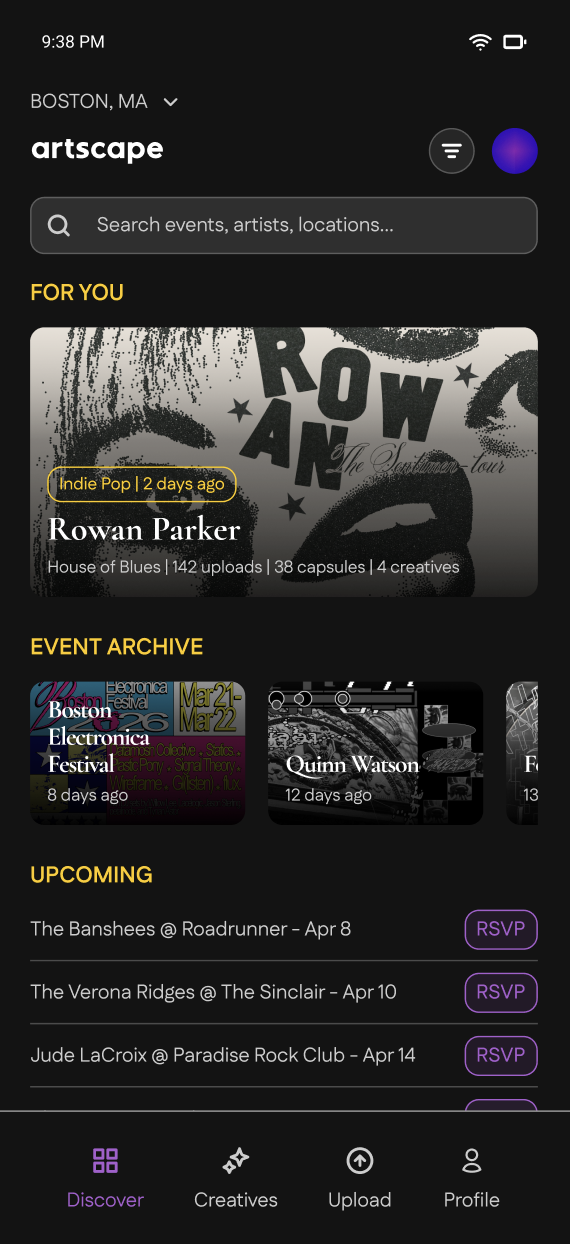
Based on these values, we prioritized an "event archive" (or capsule) that captures images and videos from the event. We then proceeded to integrate a community forum that is specific to each event, and this leads into the specific "creatives" sections (personal profile/portfolio section) that allow artists to showcase, promote, and market their works. We also made it easy for fans and creatives alike to be able to search for specific events and filter genres through our navigation bar at the top of our homepage.
What it does
The apps serves two core user groups, fans and creatives. Fans wish to relive their favorite memories "after the fact" by viewing photos, videos, and interacting with their peers. Artists (creatives) help to document the event through their preferred medium (e.g., photography/videography, illustration, design). Both user groups are able to utilize 'capsules', which are personal diary entries of events, and these can be shared or kept private.
Key features: Fans vs. Creatives
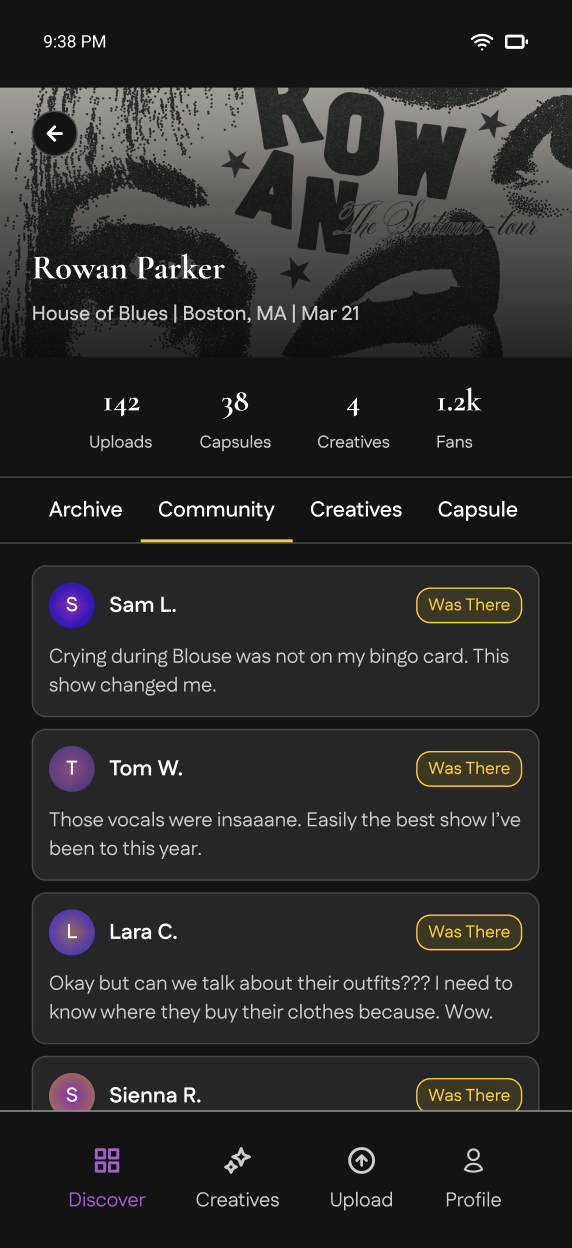
Fans have access to a main event archive with creatives' uploads and community capsules where all users can interact and bond over the experience of the shared event. Fans can upload photos, videos, ideas, etc. to their personal capsule (sorted by the specific event) afterwards. Sharing their experiences and interacting with community capsules allow them to connect with other users that attended the same event and with those who are interested in attending future events (marked interest by RSVP). Users can also request videos and photos of particular songs, parts of the show, and other specifics within the community forum.
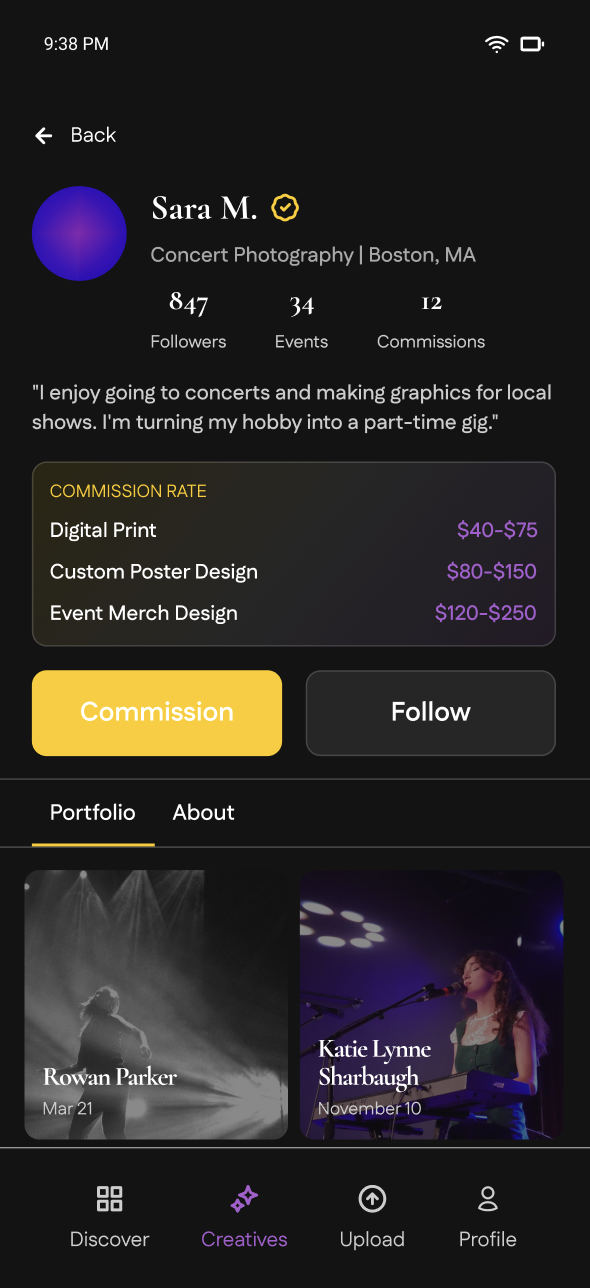
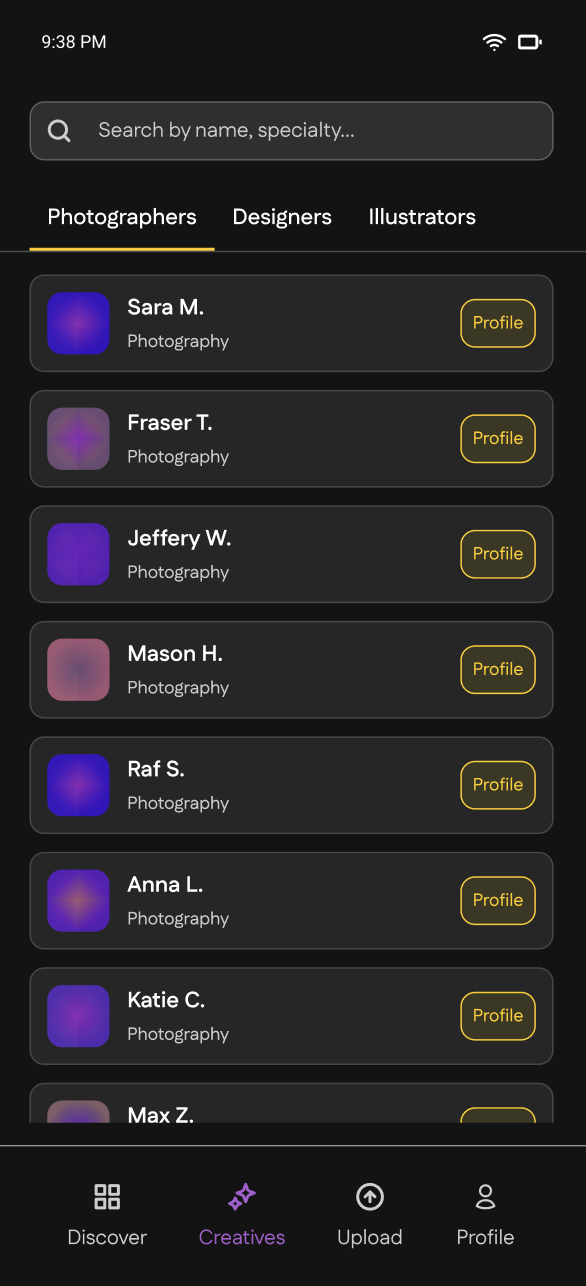
Creatives (which include freelance photographers, graphic designers, illustrators, etc.) have access to all the same features, in addition to a "professional" event archive. They have the ability to create a personal profile that acts like a "portfolio" and can upload photos, videos, and their own created illustrations and designs from shows, sorted by event. Creatives are also able to network with each other, especially if they're attending and covering the same event - based on their RSVP, their names and profiles (indicating their specialty and number of photos uploaded) will be displayed on the event page.
How we built it
All design work was done in Figma, where we mapped out user flows, built the component library, and animated screen transitions.
Challenges we ran into
The hardest design problem we encountered was the intersection between the fan community and the creative network. Both groups needed to coexist in the same event space without one overwhelming the other. A general community feed may bury creative work in casual fan posts, whereas a fully separate creative section risks making the platform harder to navigate. Our solution was a tabbed architecture within each event page (Photos, Capsule, and Creatives) that keeps both experiences accessible from the same entry point without forcing them to compete for the same space. The Creatives tab gives professional work its own dedicated surface, while the Capsule tab preserves the more personal, diary-like fan experience.
Accomplishments that we're proud of
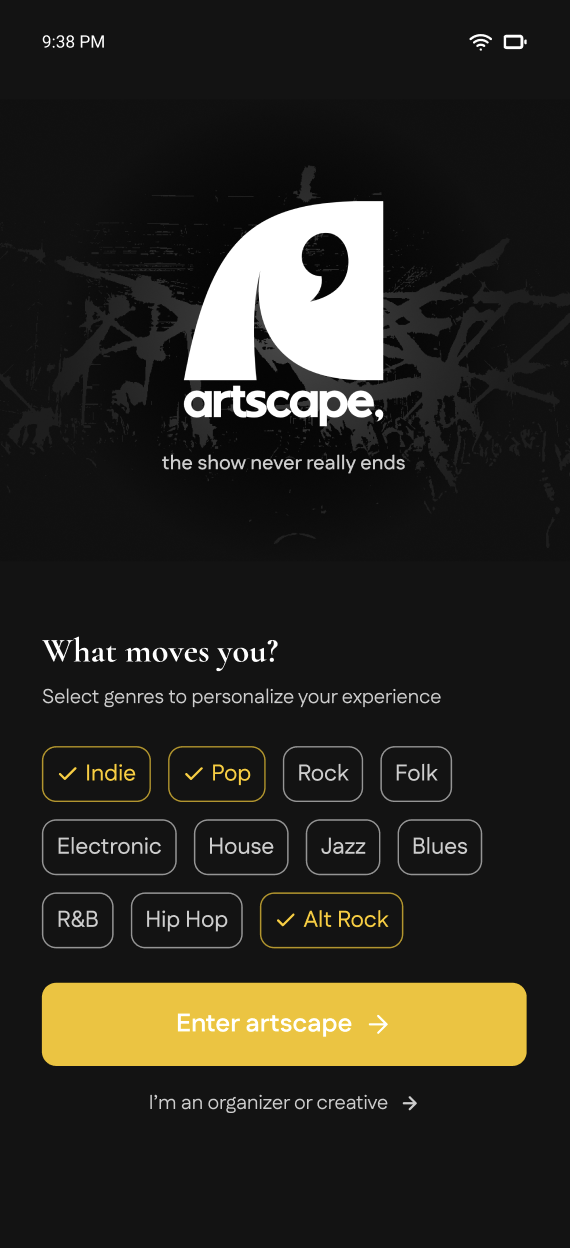
We are really proud of our logo, color scheme, and layout! Mentioned in our video, we chose to place a comma within our 'a' character (for artscape) in order to remind our users to pause and reflect on the experiences that they've had at their favorite events -- specifically to coincide with the "After the Fact" track for this designathon. We chose our contrasting purple and yellow style to offset and capture the attention of our users, whose artscape screens are perpetually set to dark mode to best reflect the environment of a concert (our primary event). Finally, our intuitive layout is meant to allow users to easily adapt to our platform and be able to navigate it easily to best suit their needs.
What we learned
We learned a lot about the importance of pausing and reflecting when thinking about the intentional designs for this project. Every tiny decision can have a huge impact on user experience, and what seems like an obvious choice often has alternatives and requires justification. We wanted to create something we ourselves would use, and made UI decisions with this in mind, which we found to be effective. Along the way, we learned how to better collaborate virtually with each other. We needed to be more deliberate about documentation and decision-making, and we found that what we were trying to build into artscape (connecting, reflecting, being intentional) applied just as much to our own process.
What's next for artscape
We hope to be able to advance our product by eventually adding an event locator and tracker in the form of an interactive map - allowing users to have a broad visual overview of their shared experiences based on geographical locations. Longer term, we see artscape expanding into a commission marketplace with structured pricing tiers, a collaborative capsule feature that lets multiple fans co-author a shared memory of the same event, and deeper organizer tools that let venues and promoters embed artscape archives directly into their own event pages.
Built With
- figma


Log in or sign up for Devpost to join the conversation.