-
-
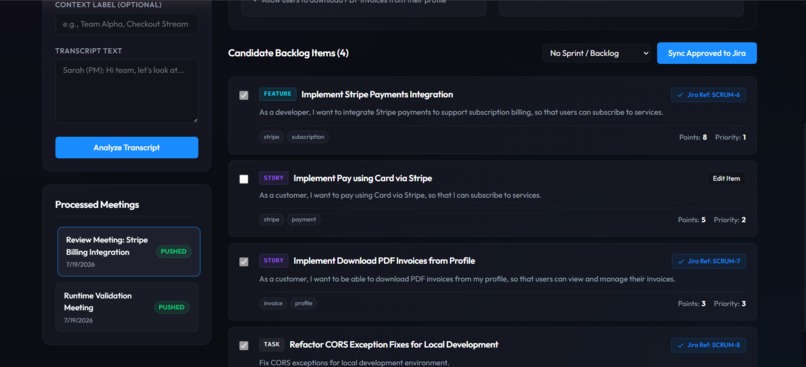
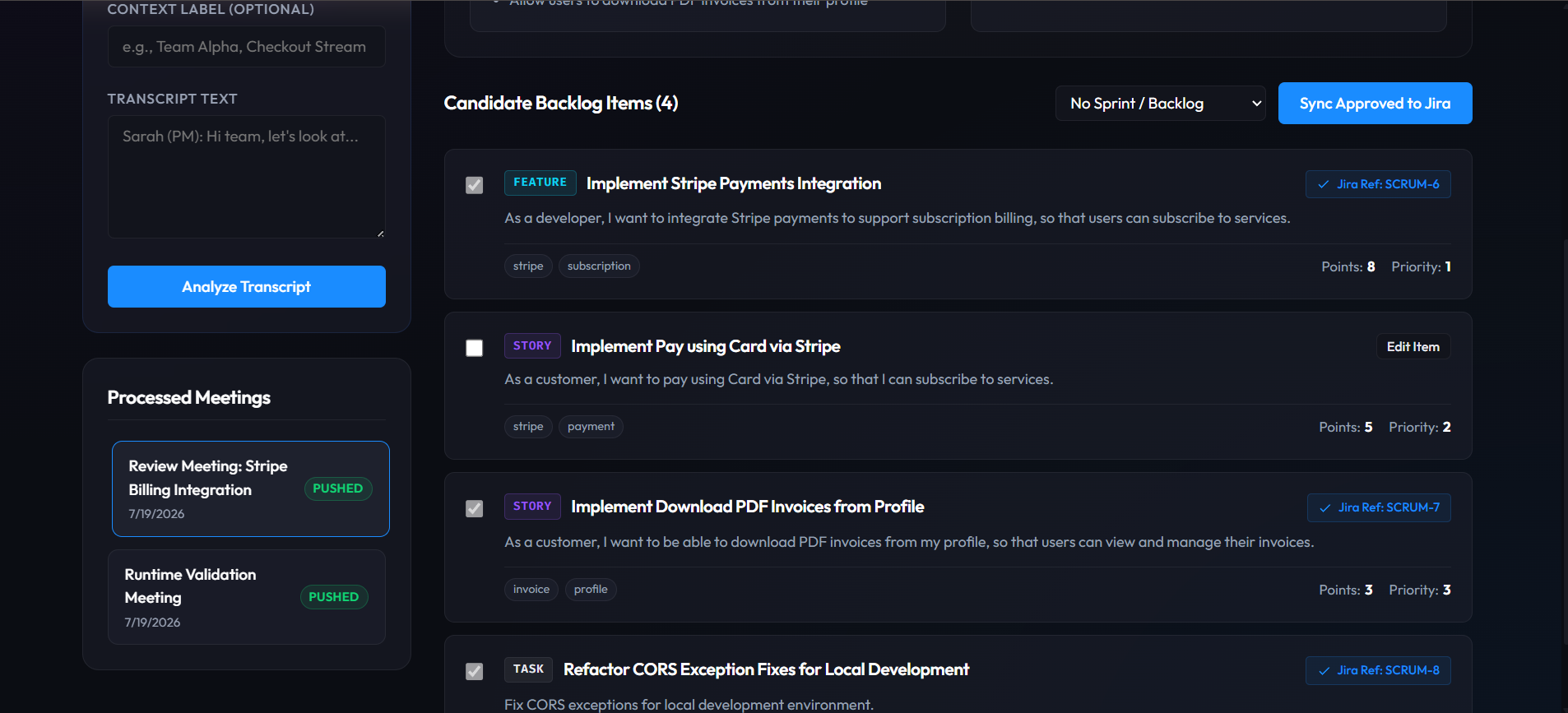
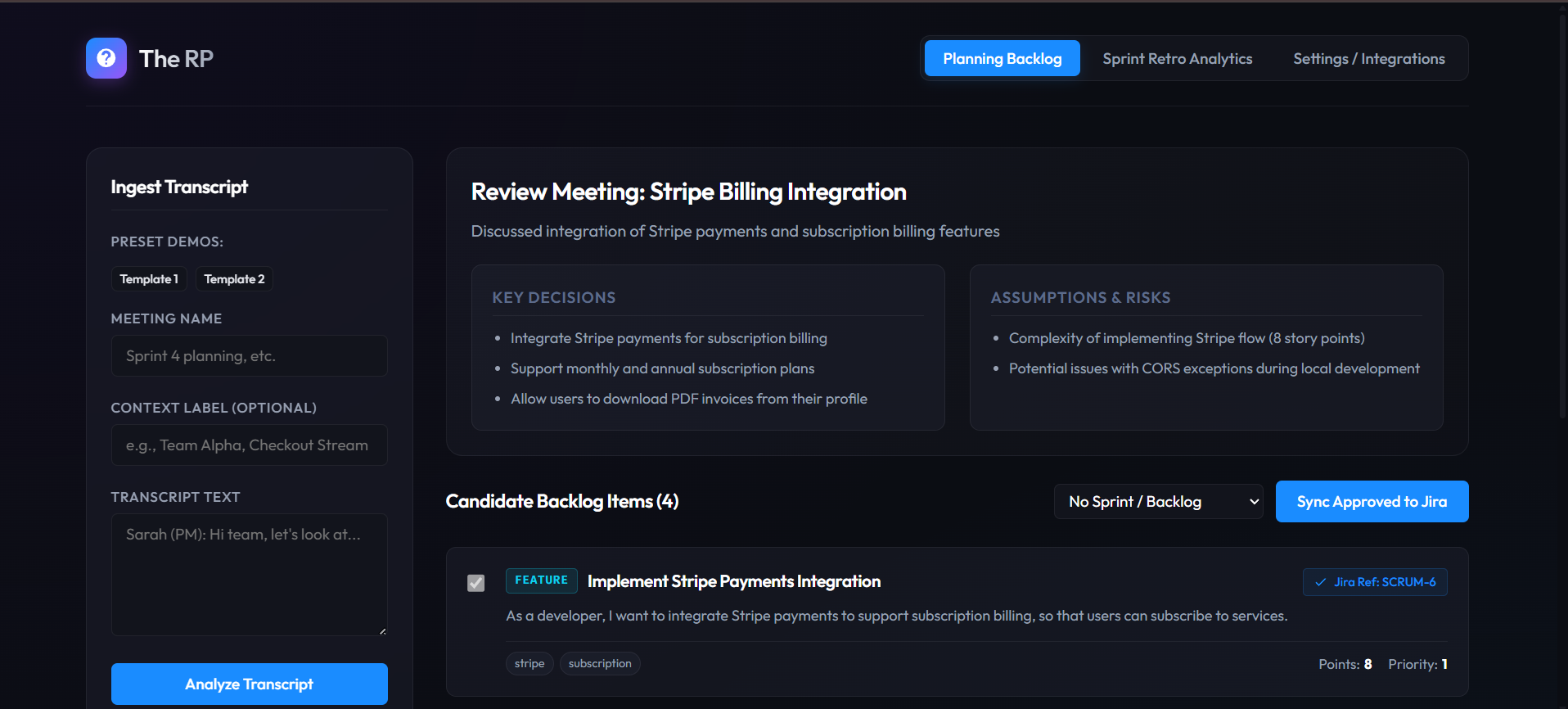
backlog items extracted from sprint planning meeting transcript.
-
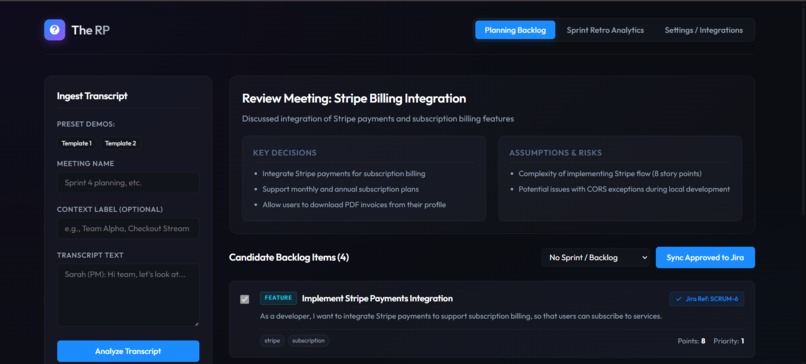
Upload and analyze transcript. Processed to see meeting summary extract
-
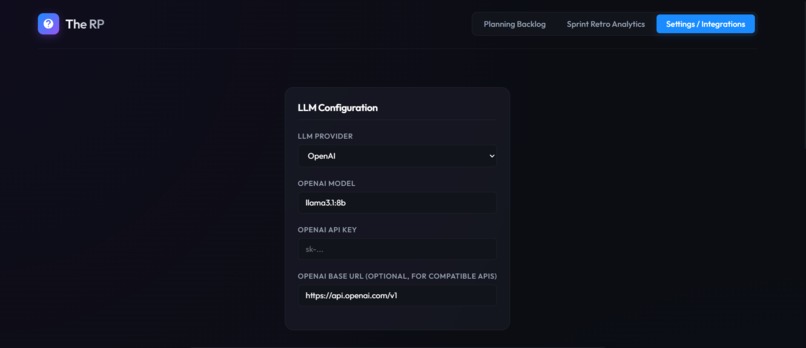
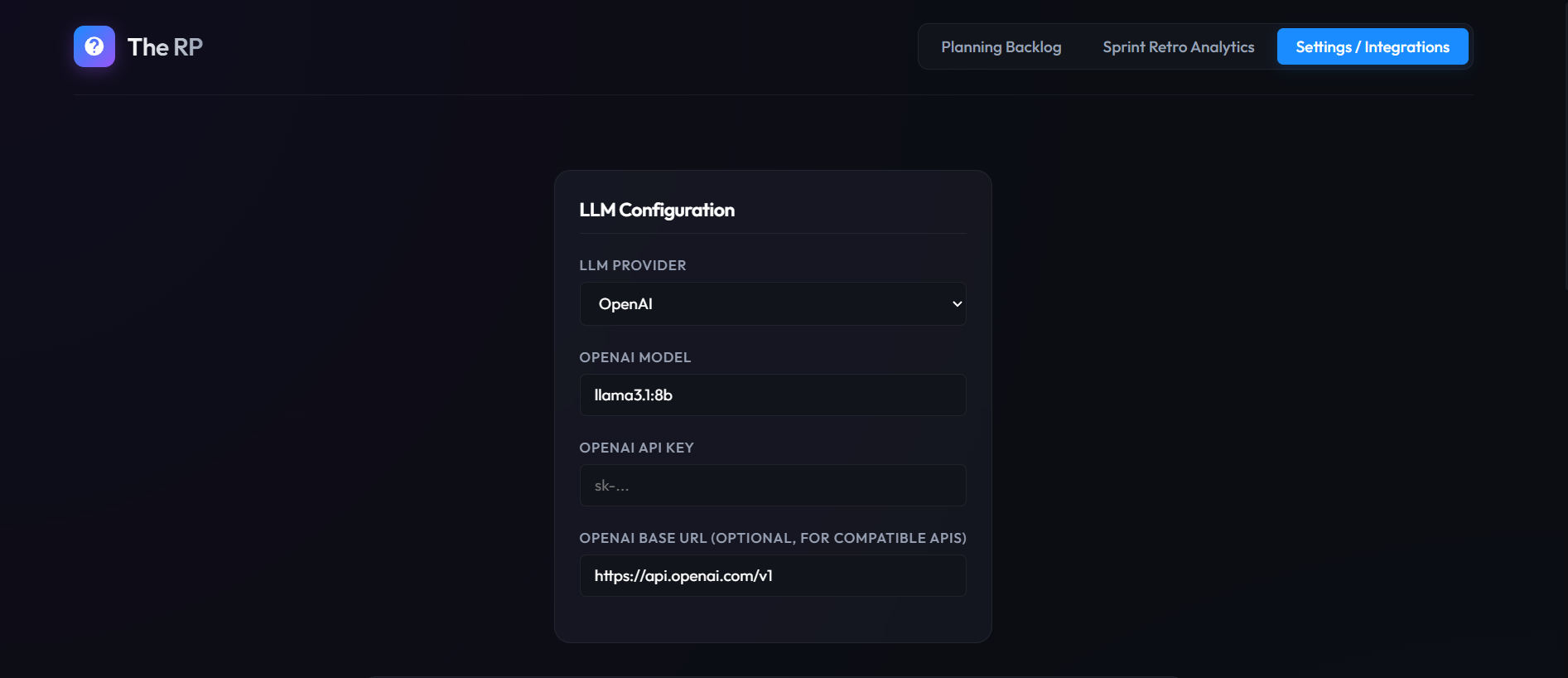
Configure llm used
-
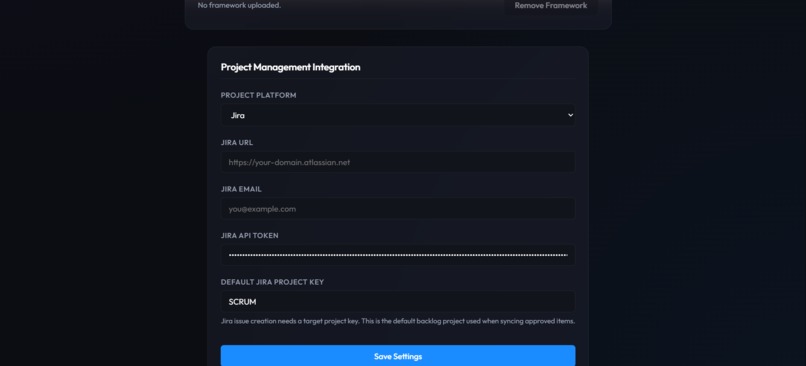
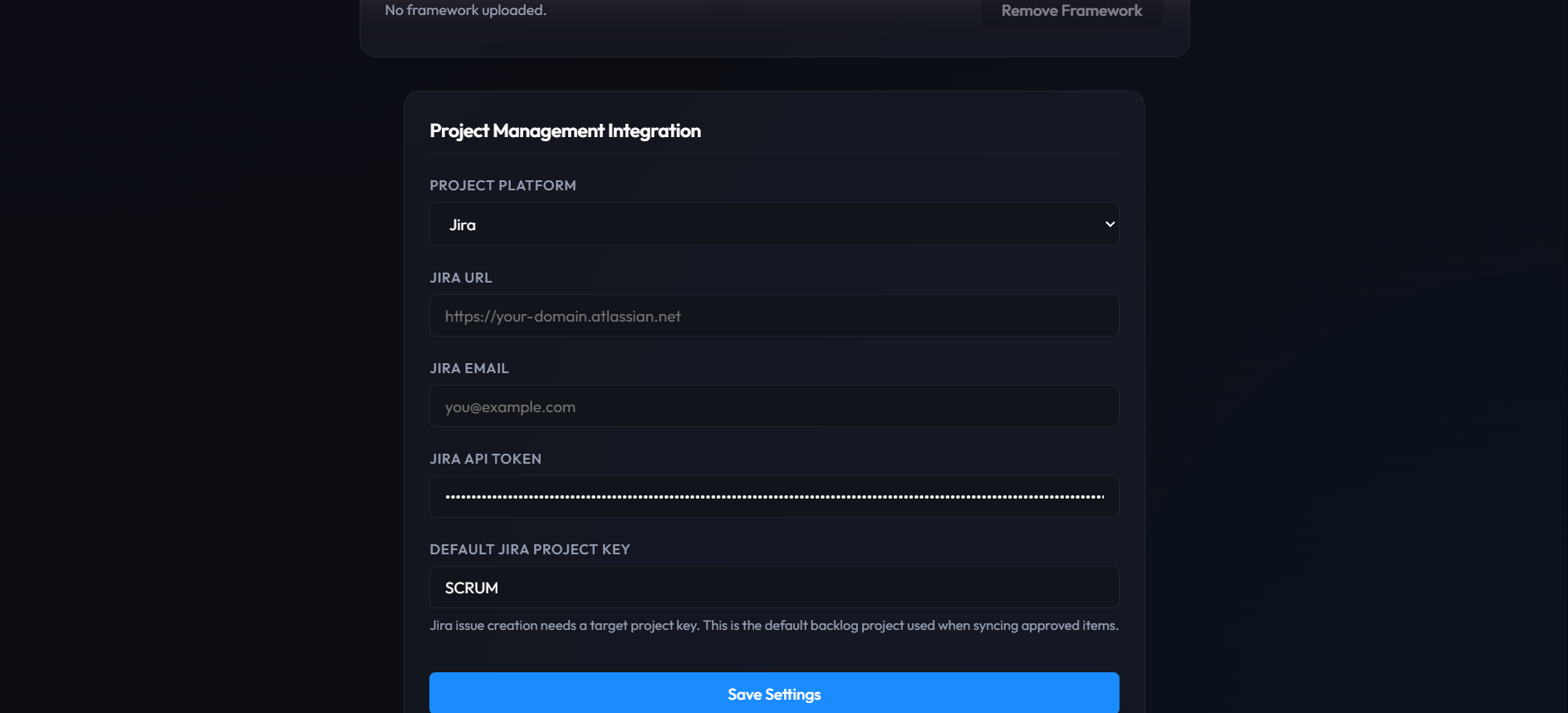
project management platform integration page (jira/azure)
-
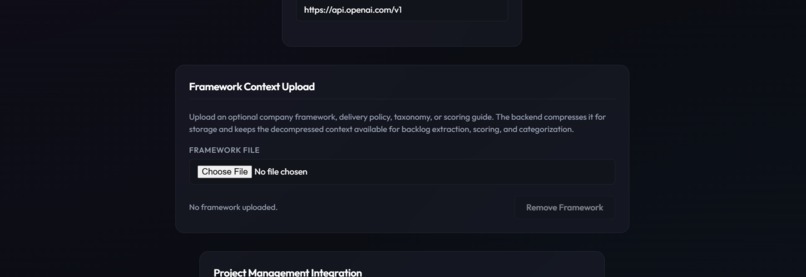
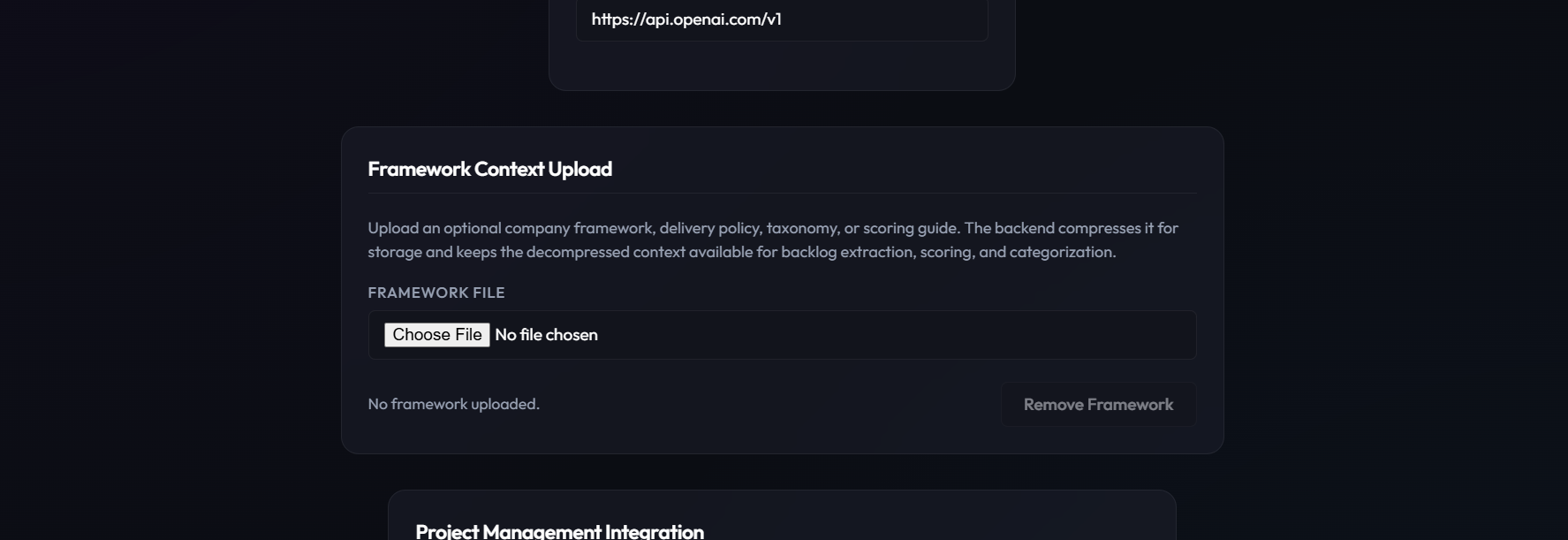
upload project management framework for scoring and classifying ticket items context
-
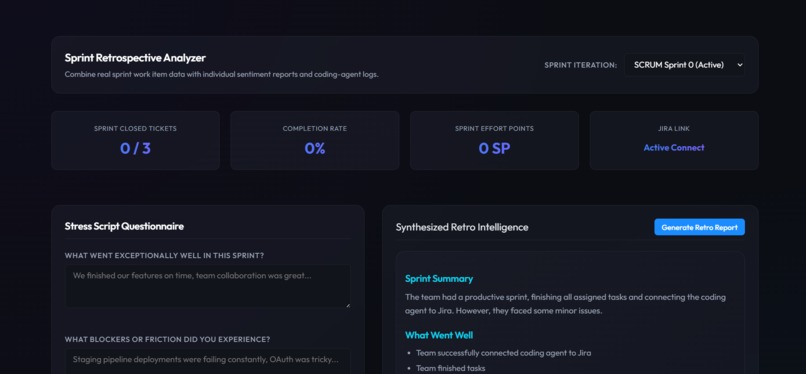
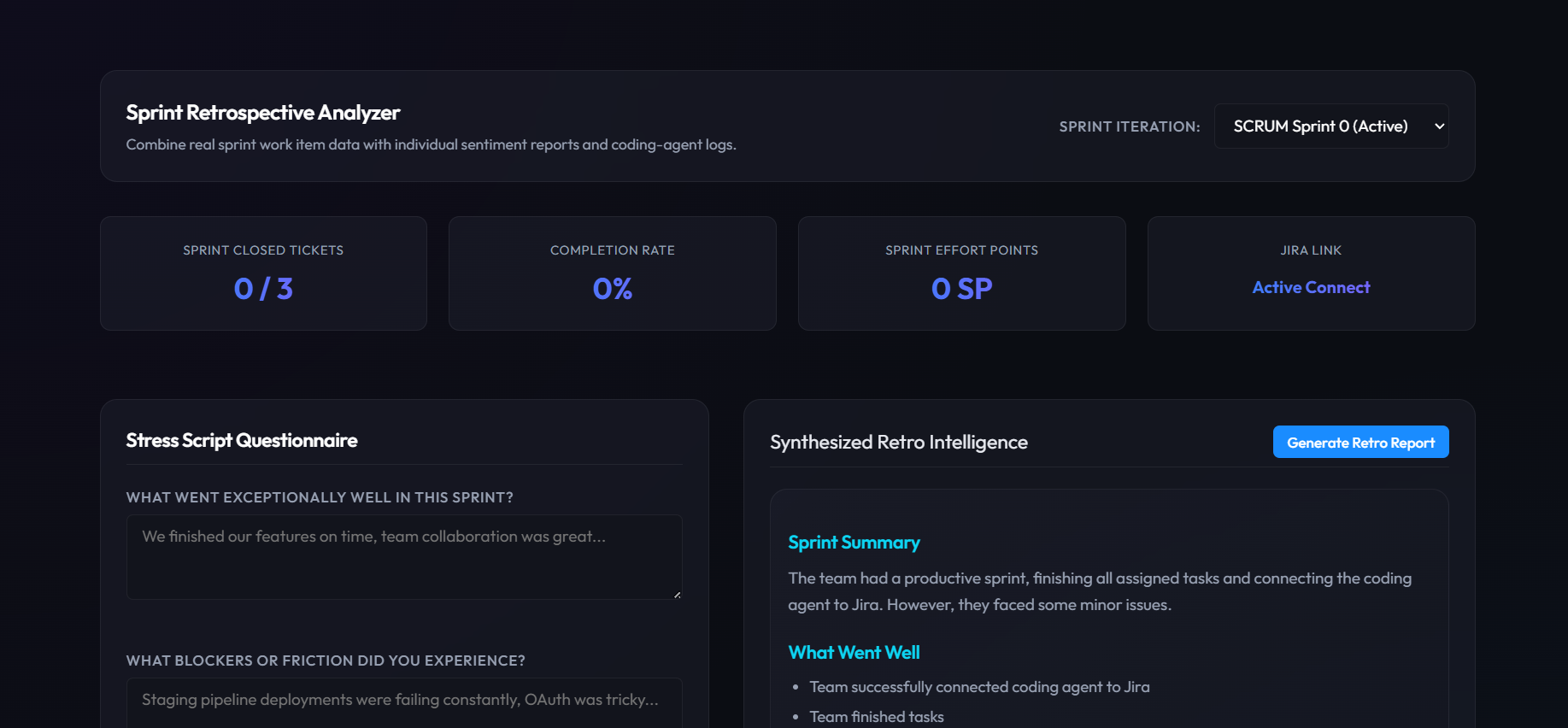
Retospective Ai assistant
-
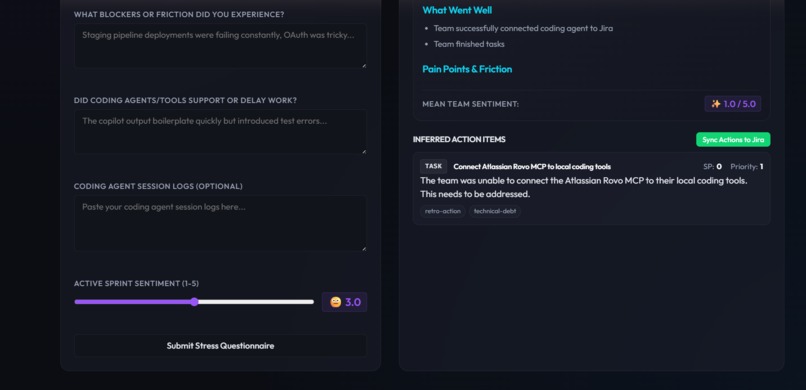
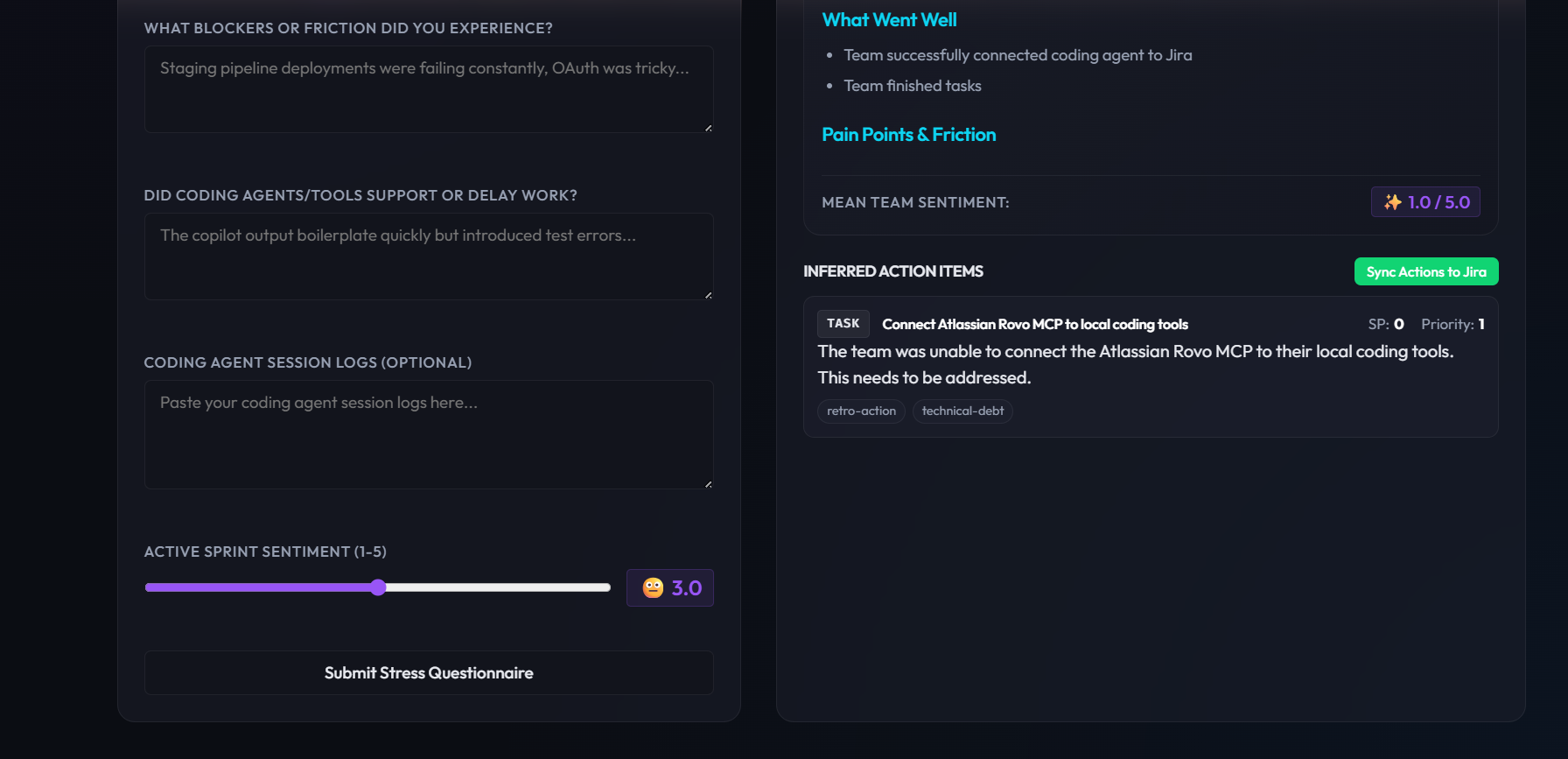
retro sentiment view. Retro remedy suggestion.
-
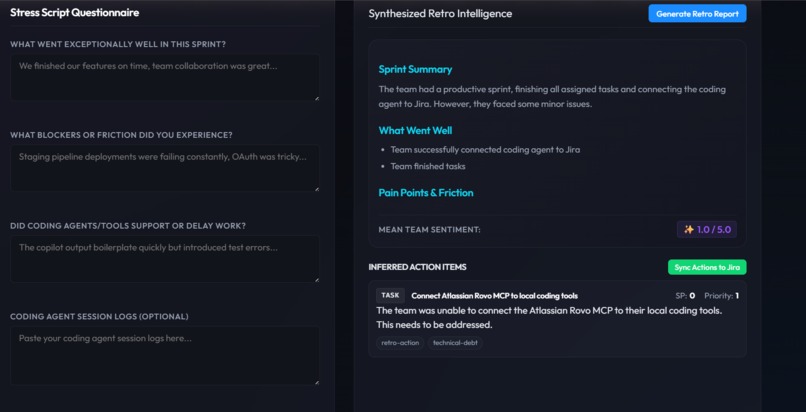
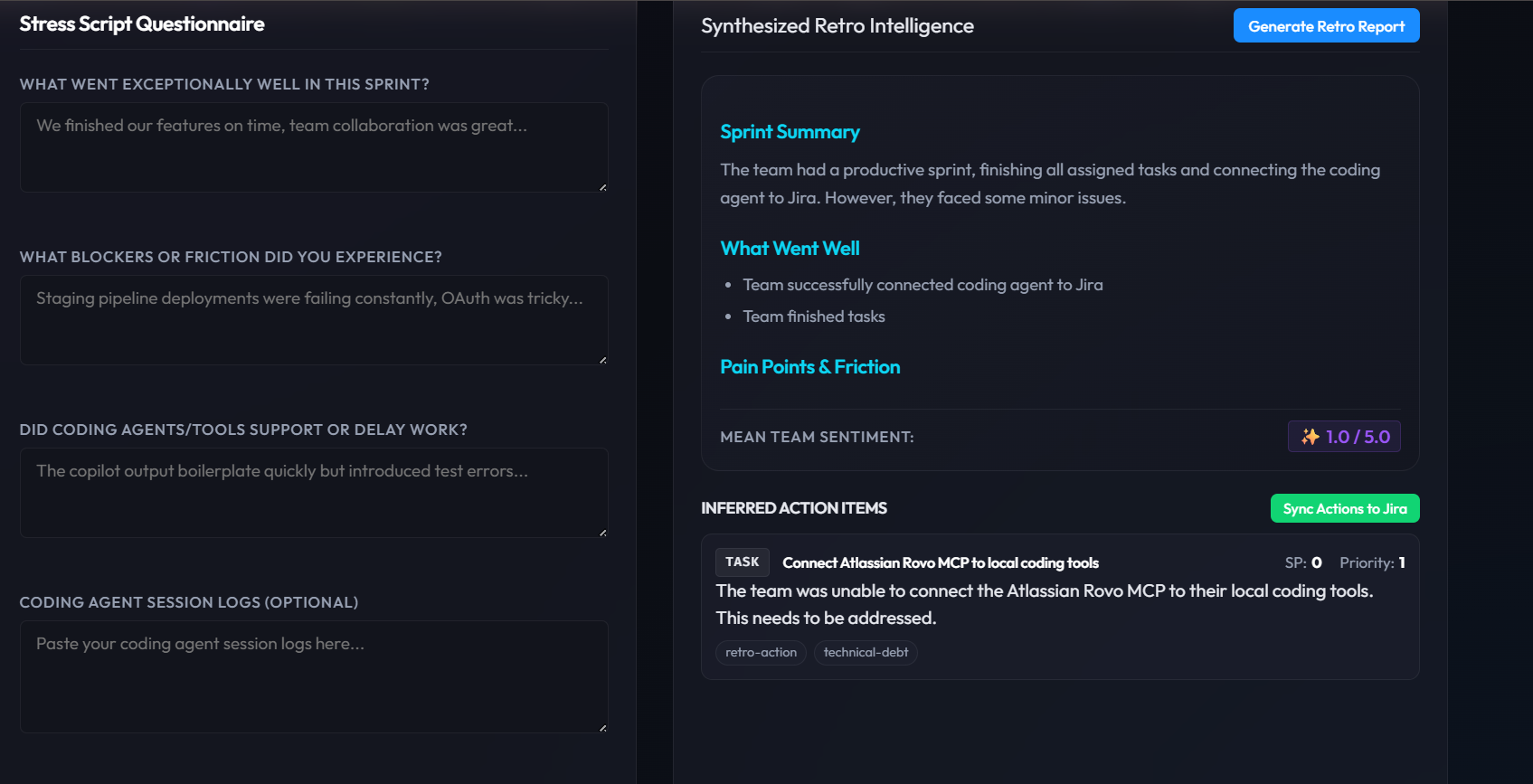
stress questionnaire and suggested retro answers.
About the project
Inspiration
Modern dev teams have great tools for writing code, but clumsy tools for turning conversations into actual work. Planning and review meetings still end up as long notes, screenshots, or someone’s half‑remembered summary. Later, during sprint planning, teams retype all of that into tickets on their boards.
At the same time, coding assistants make it easier than ever to ship code quickly. That creates a new problem: the backlog lags behind. Stories drift away from what was agreed in the meeting, and retros become a formality instead of a useful feedback loop.
The idea for The RP came from that gap:
What if the sprint’s source of truth started in the meeting transcript, and the board just kept up automatically, including the retro?
The goal was a lightweight, developer‑first tool that sits next to existing boards like Azure Boards and Jira, and helps teams keep planning, execution, and reflection in sync.
What we built
The RP is a workflow tool that:
- Turns planning conversations into structured backlog items (features, stories, tasks) that can be synced to existing boards.
- Helps teams run a simple, repeatable retro using a short “stress script” and a generated summary with concrete action items.
There are two main flows.
1. Meeting to backlog
- A user pastes a planning transcript, names the meeting, and optionally adds a context label.
- The system summarises the discussion, highlights key decisions and risks, and proposes candidate backlog items with titles, descriptions, acceptance criteria, points, and priorities.
- The Planning Backlog view shows these items in a table where the team can edit them, approve or reject them, and pick a sprint or backlog bucket.
- When the user clicks “Sync Approved to Board”, the app creates issues in the selected project board (for example Azure Boards or Jira) with the right types and fields set.
This turns a messy conversation into reviewable, board‑ready work without taking control away from the team.
2. Sprint to retro
- A user selects a sprint or iteration. The RP fetches work items for that sprint and calculates basic metrics such as total items, completed items, and effort.
- Team members fill out a short stress script: what went well, what was painful, how tools and agents affected the sprint, and a simple stress score. They can also paste coding‑agent session logs if they want more context.
- The app combines the sprint metrics and stress script responses to produce a retro summary: what went well, pain points and friction, average sentiment, and a list of suggested follow‑up actions.
- With one click, those actions are turned into “Retro” tasks on the chosen board, ready to be pulled into later sprints.
The idea is that one loop connects everything:
Meeting → Backlog → Sprint → Retro → Next Backlog
without adding heavy process or another noisy dashboard.
How we built it
Architecture and stack
We chose a simple full‑stack setup that is easy to run but realistic for a product:
Backend: Python with FastAPI
- SQLite with SQLAlchemy for storage.
- Core models for meetings, backlog items, and retro feedback.
- Endpoints for:
- Ingesting transcripts and running the analysis pipeline
- Listing and editing backlog items and approvals
- Syncing items to project boards
- Fetching sprint summaries
- Capturing and aggregating retro responses
- SQLite with SQLAlchemy for storage.
Board integrations:
- A small integration layer handles REST calls to tools like Azure Boards and Jira.
- Configuration is done through settings and environment variables.
- The layer:
- Creates issues with appropriate types
- Sets fields like title, description, sprint/iteration, points, and priority
- Queries items by sprint or iteration to build summaries
- A small integration layer handles REST calls to tools like Azure Boards and Jira.
Frontend: React with TypeScript
- Planning Backlog page for transcript input, meeting summaries, decisions, risks, and candidate items.
- Sprint Retro Analytics page for sprint selection, metrics, stress script responses, and retro reports.
- Settings / Integrations page for model provider selection, framework upload, and board configuration.
Analysis layer:
- A single client abstraction wraps calls to GPT‑style models.
- Different prompts are used for:
- Meeting summary
- Item extraction
- Scoring and categorisation
- Retro aggregation
- Output is validated as JSON before being stored or used.
How Codex and GPT‑5.6 fit in
We used Codex as a coding assistant rather than as the product itself. It helped with:
- Scaffolding the FastAPI backend and Pydantic models.
- Generating SQLAlchemy models and wiring up integrations to the board APIs.
- Building the first versions of the React pages and forms.
We then iterated on that code, adding our own structure, naming, and error handling.
GPT‑5.6 is used at runtime to:
- Turn raw transcripts into summaries and structured items.
- Propose points, priorities, and suggested sprints.
- Blend sprint metrics and stress script responses into retro summaries and action items.
In other words, Codex helped build The RP, and GPT‑5.6 helps The RP think.
What we learned
- Guardrails matter more than clever prompts. Strong JSON schemas, validation, and smaller steps gave better results than trying to do everything with one big prompt.
- Real meeting transcripts are messy. Allowing the system to ignore vague fragments instead of forcing everything into a ticket produced cleaner backlogs.
- Different boards have different shapes, but the workflow is the same. A thin integration layer kept the core product logic consistent across tools.
- Retros are better when you mix hard data and human experience. Combining sprint stats with stress script answers produced retro outputs that felt fair and practical.
- Coding assistants shine on glue work. Automating the boring plumbing freed up time to focus on the workflow and the experience.
Challenges
- Keeping the scope small enough for a short demo while still telling an end‑to‑end story.
- Managing consistency across several analysis steps for a single meeting.
- Making configuration and integration setup simple enough for a hackathon, yet credible as a starting point for a real product.
Despite these, the project reinforced the idea that a thin, focused layer around existing boards can make a big difference to how teams capture intent, structure work, and learn from what actually happened.
Built With
- azure-devops
- codex
- fastapi
- gpt-5-6
- jira
- llm
- ollama
- openai
- python
- react
- rest-api
- sqlalchemy
- sqlite
- typescript

Log in or sign up for Devpost to join the conversation.