-
-
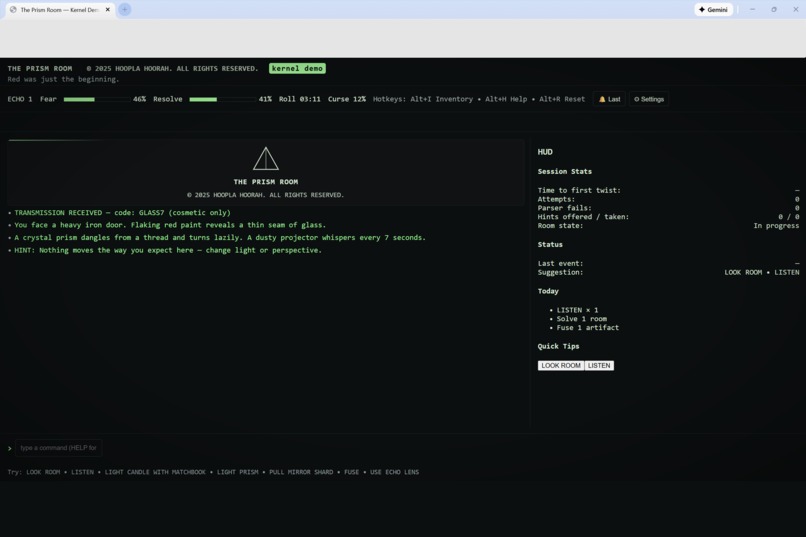
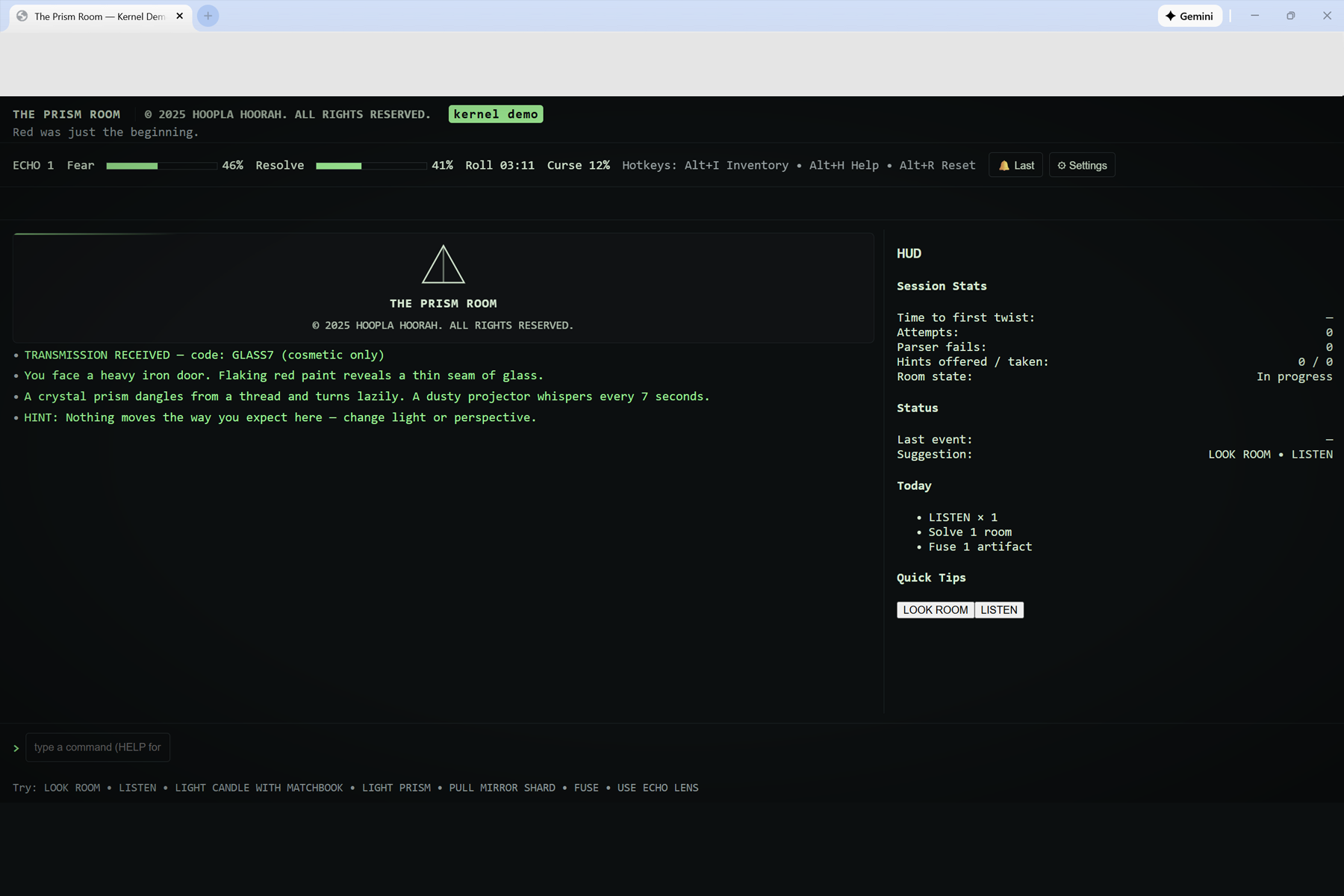
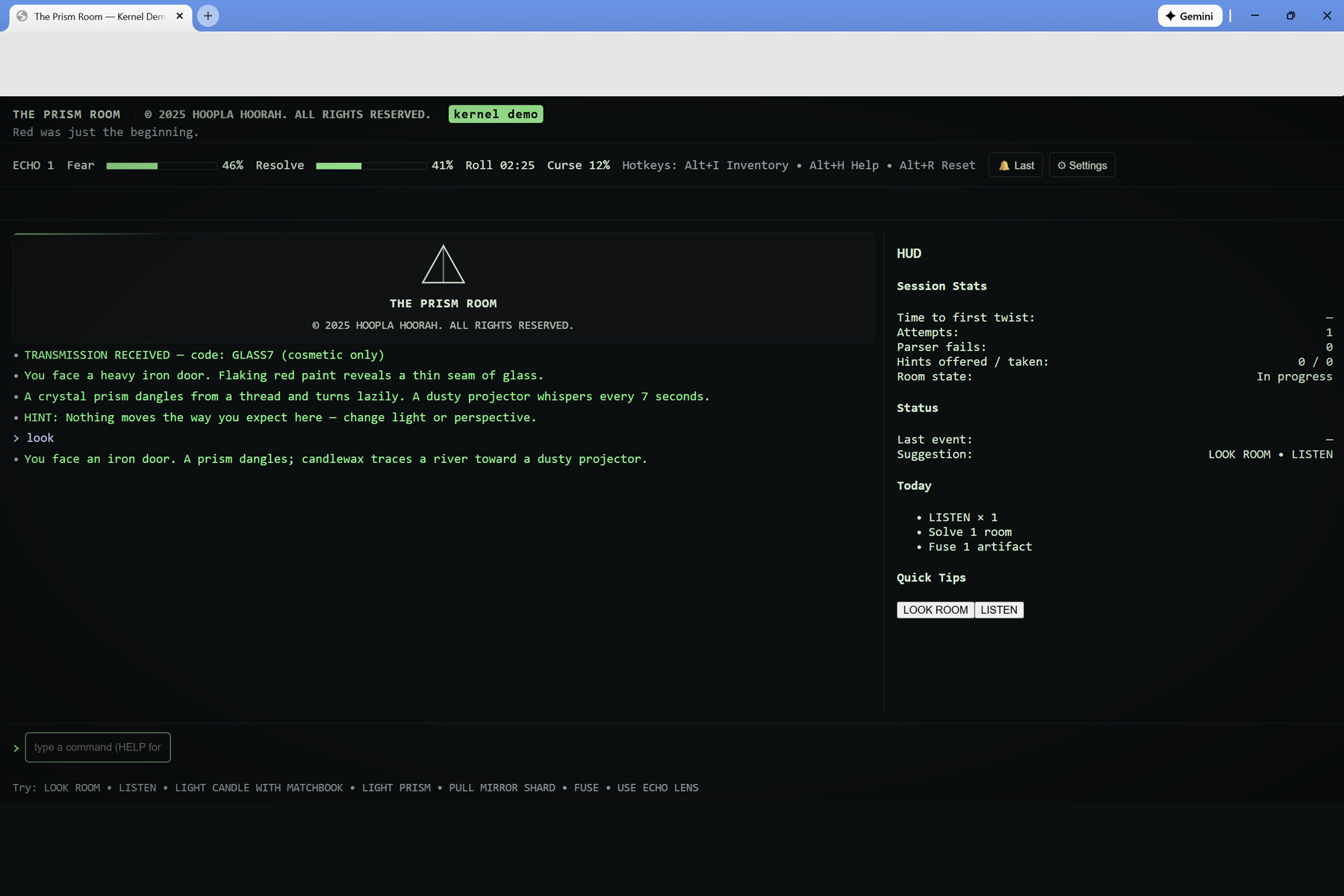
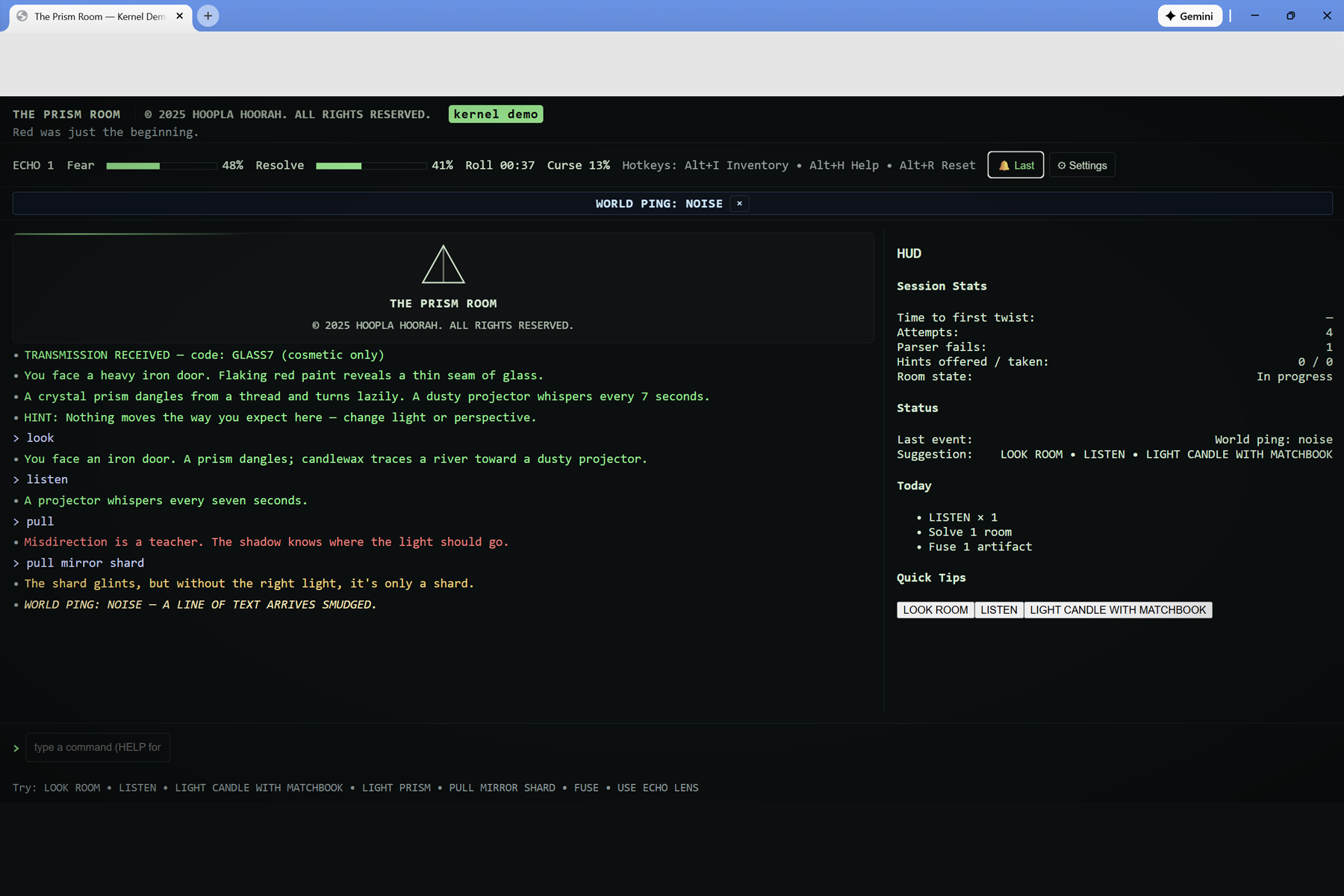
Starting HUD: The Prism Room kernel demo boots up with the iron door, GLASS7 transmission, and first ambient hint.
-
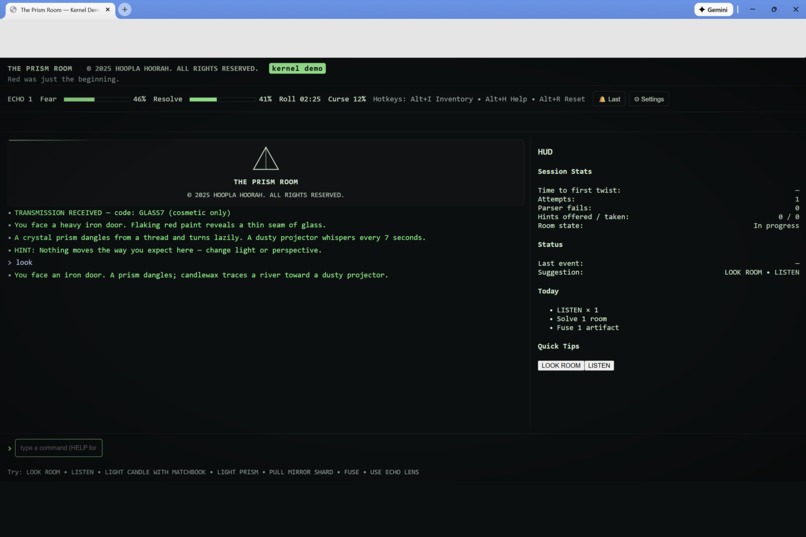
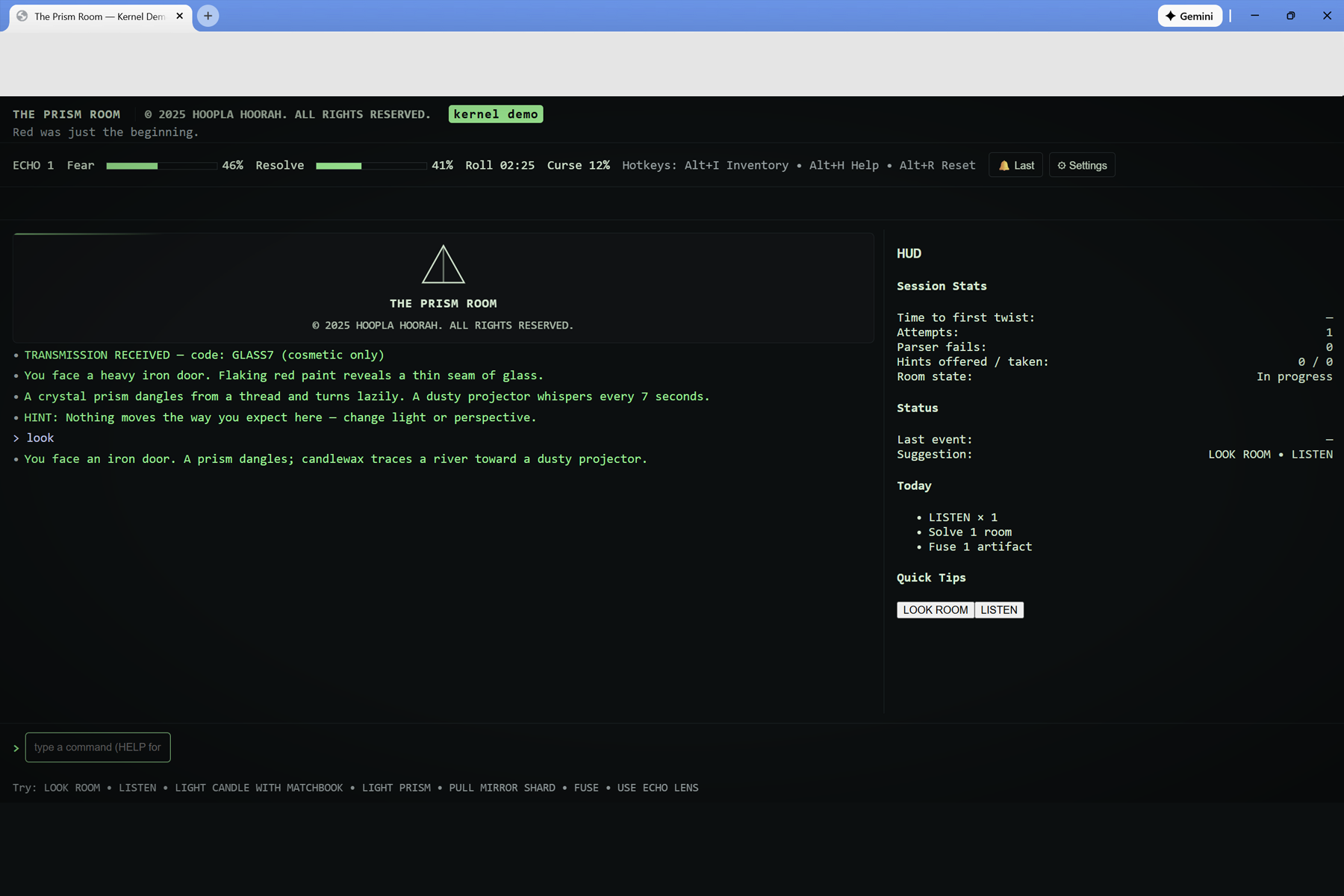
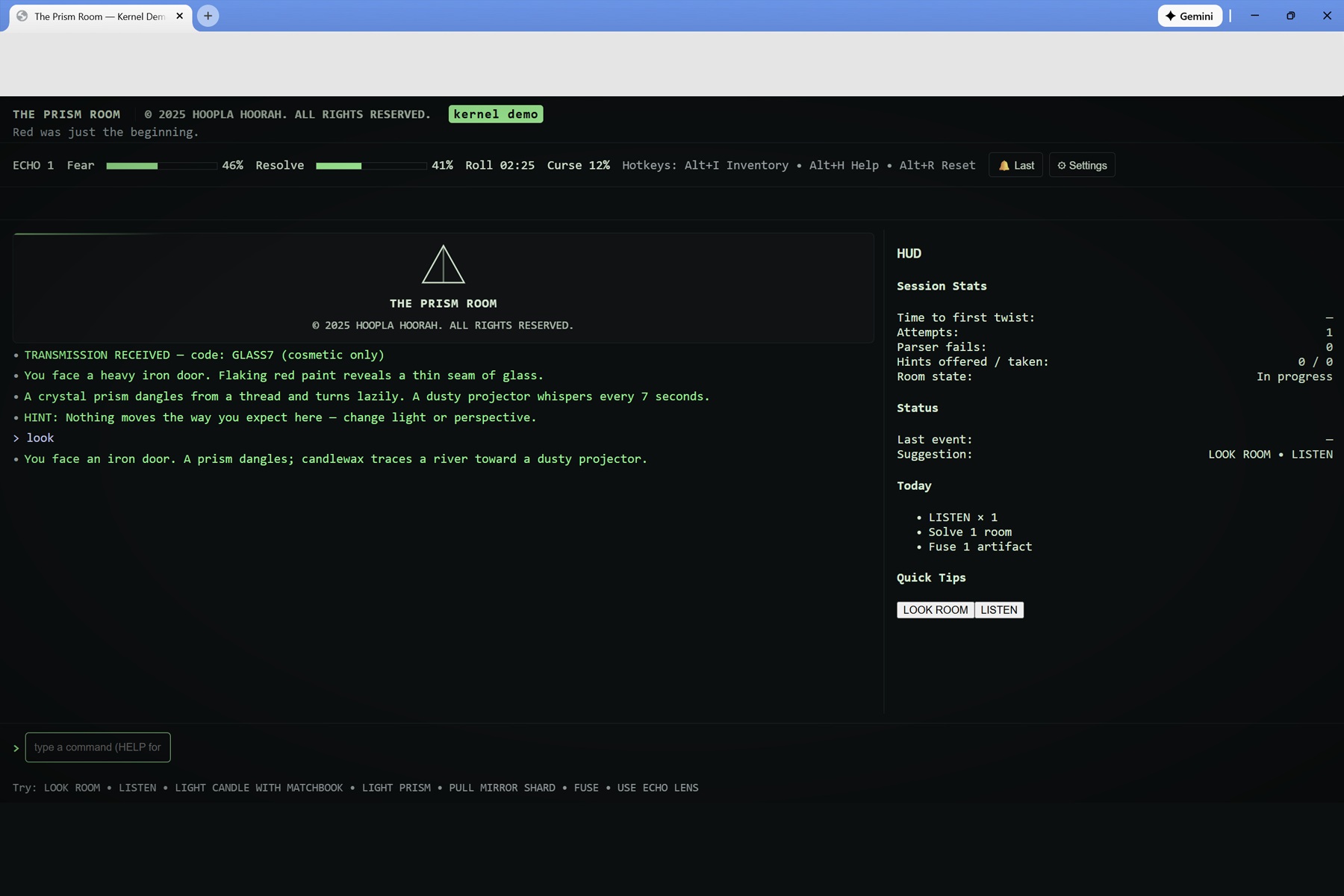
First command: Using LOOK to rescan the room tightens the description around the door, prism, candlewax, and projector.
-
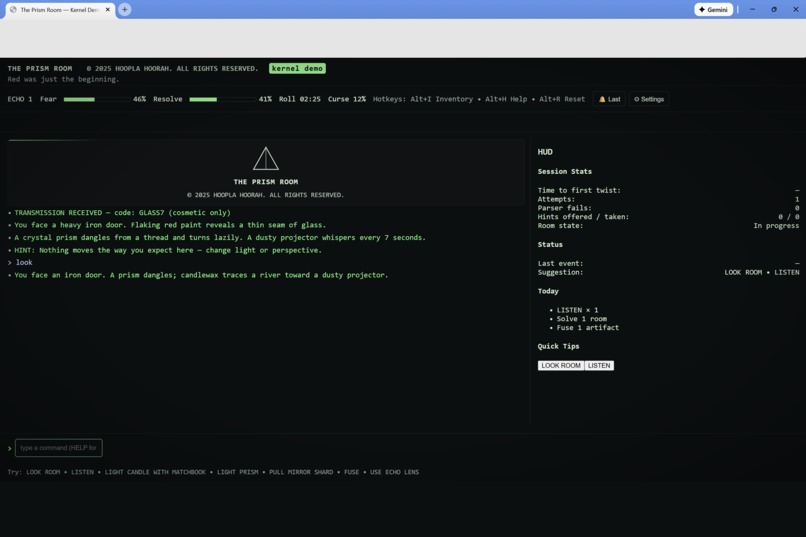
Early exploration: The parser log fills as the player tests simple verbs and begins mapping how the room responds.
-
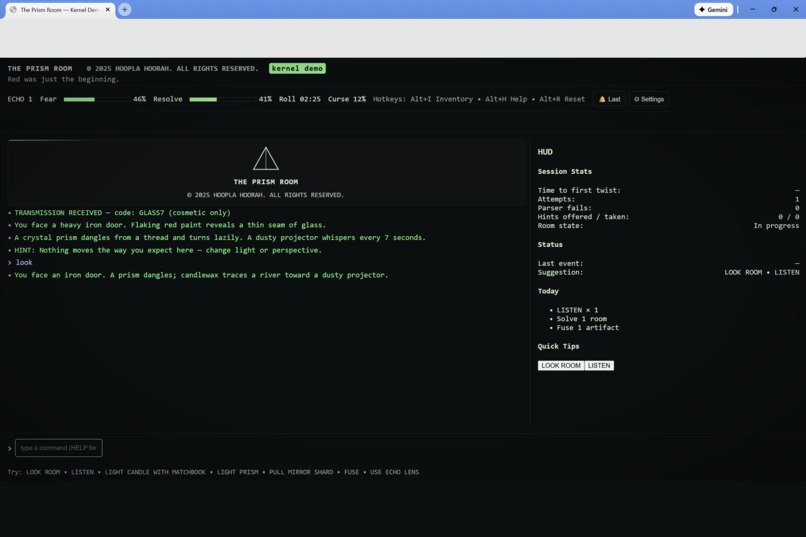
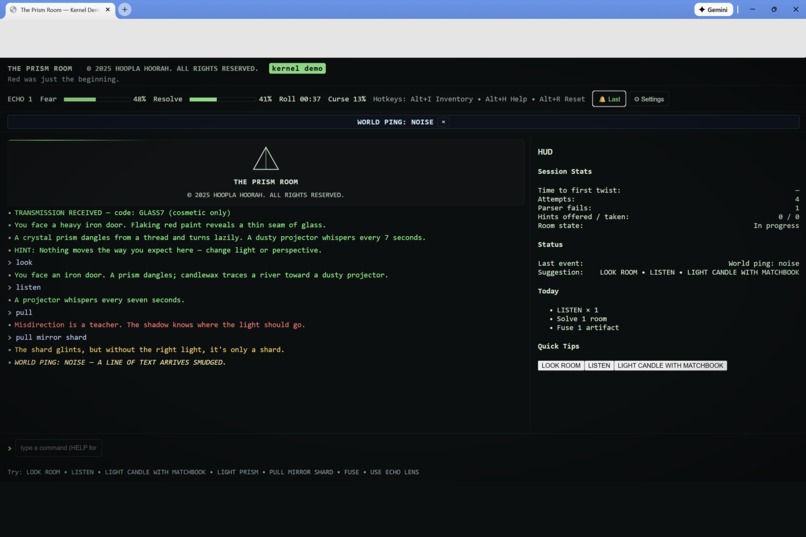
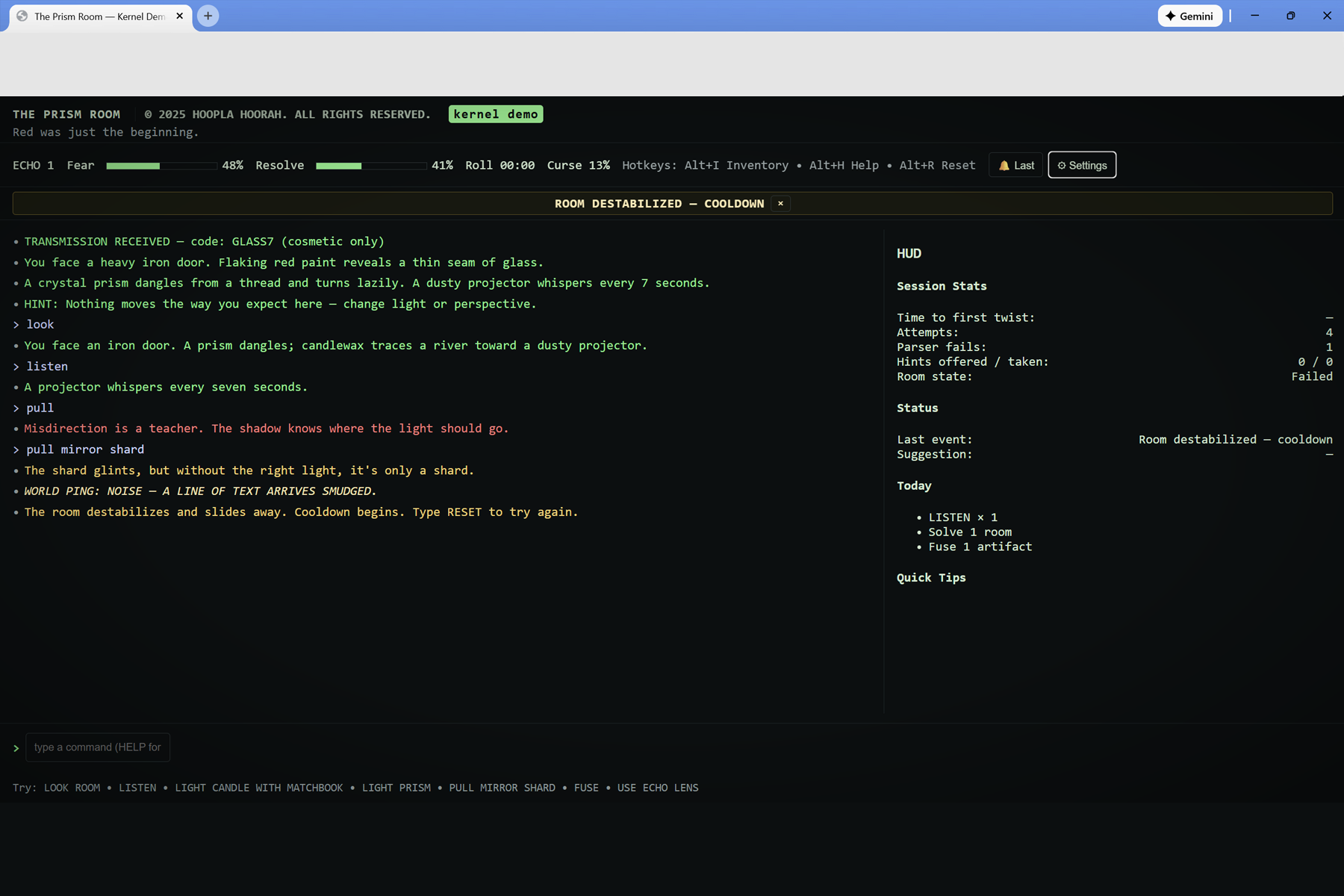
World ping event: A WORLD PING: NOISE banner cuts across the top, showing how global disturbances echo into the room.
-
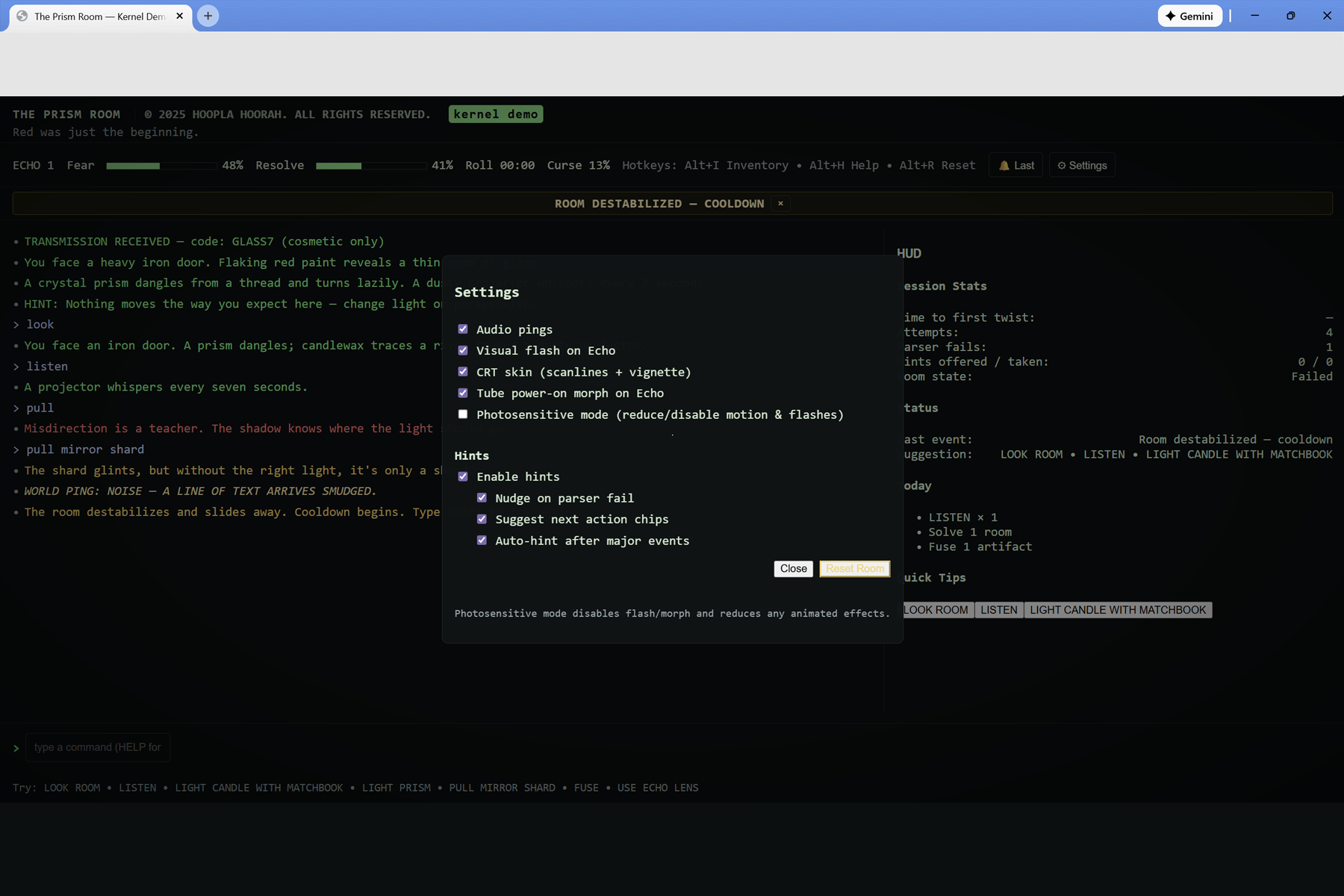
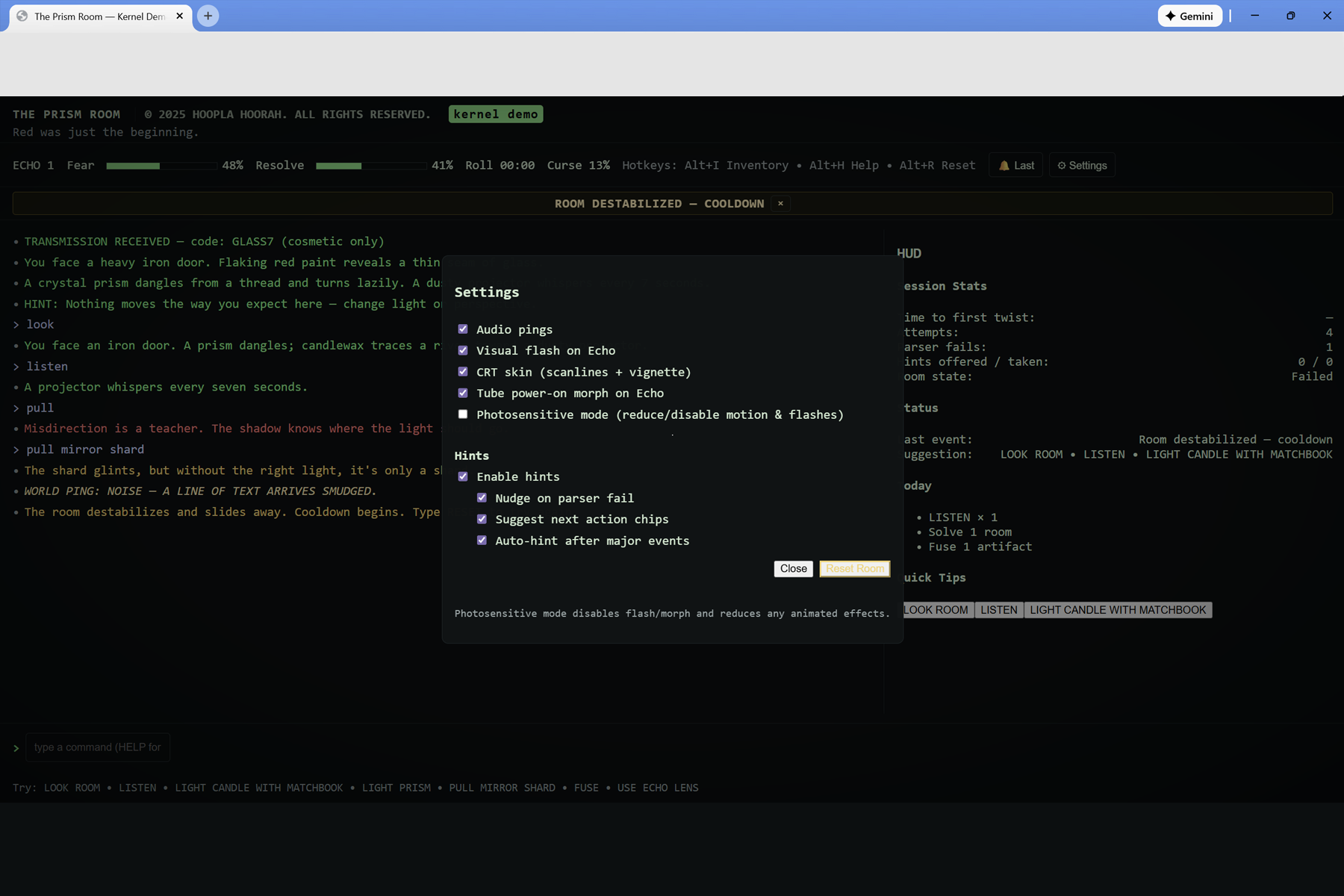
Settings overview: The Settings modal exposes audio pings, visual flash, CRT skin, tube morph, and Photosensitive Mode.
-
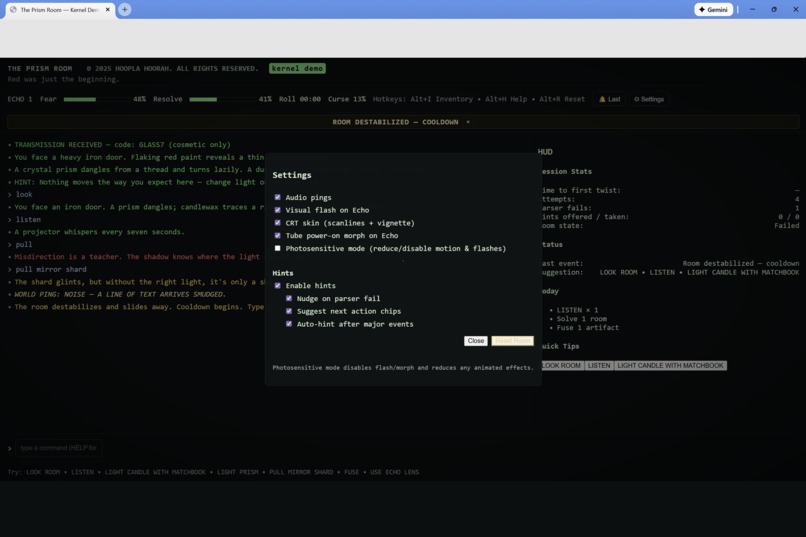
Hint tuning: Hint options—parser nudges, suggested next actions, and auto-hints—are toggled to keep Skeleton Crew runs approachable.
-
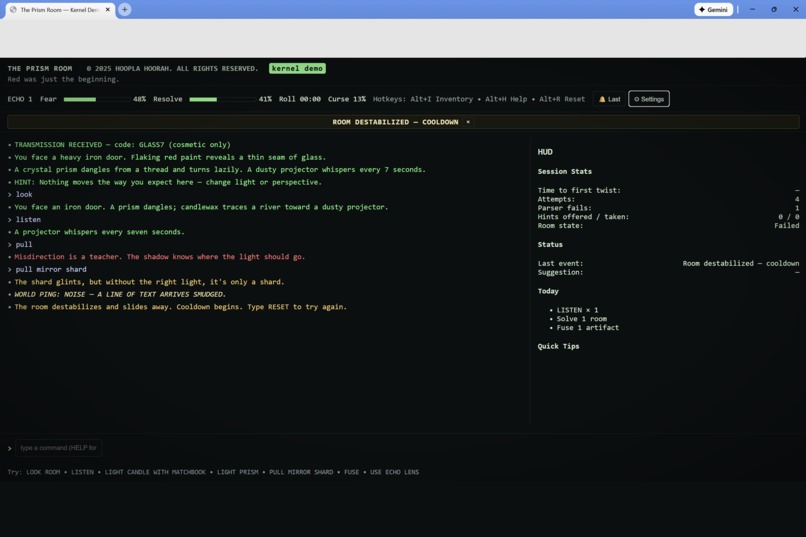
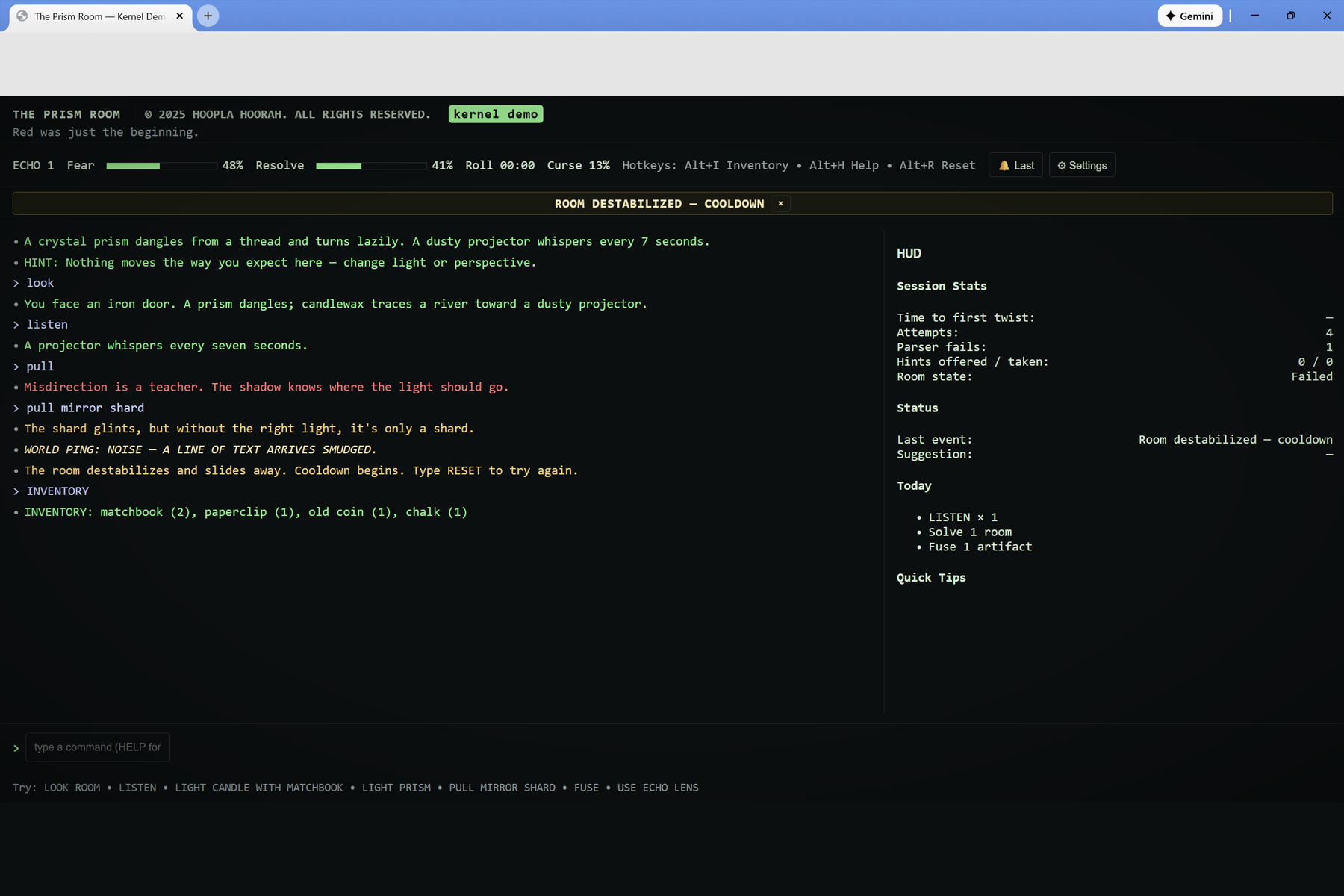
Room destabilized: The ROOM DESTABILIZED — COOLDOWN banner fires as the run fails, with the HUD logging attempts and room state.
-
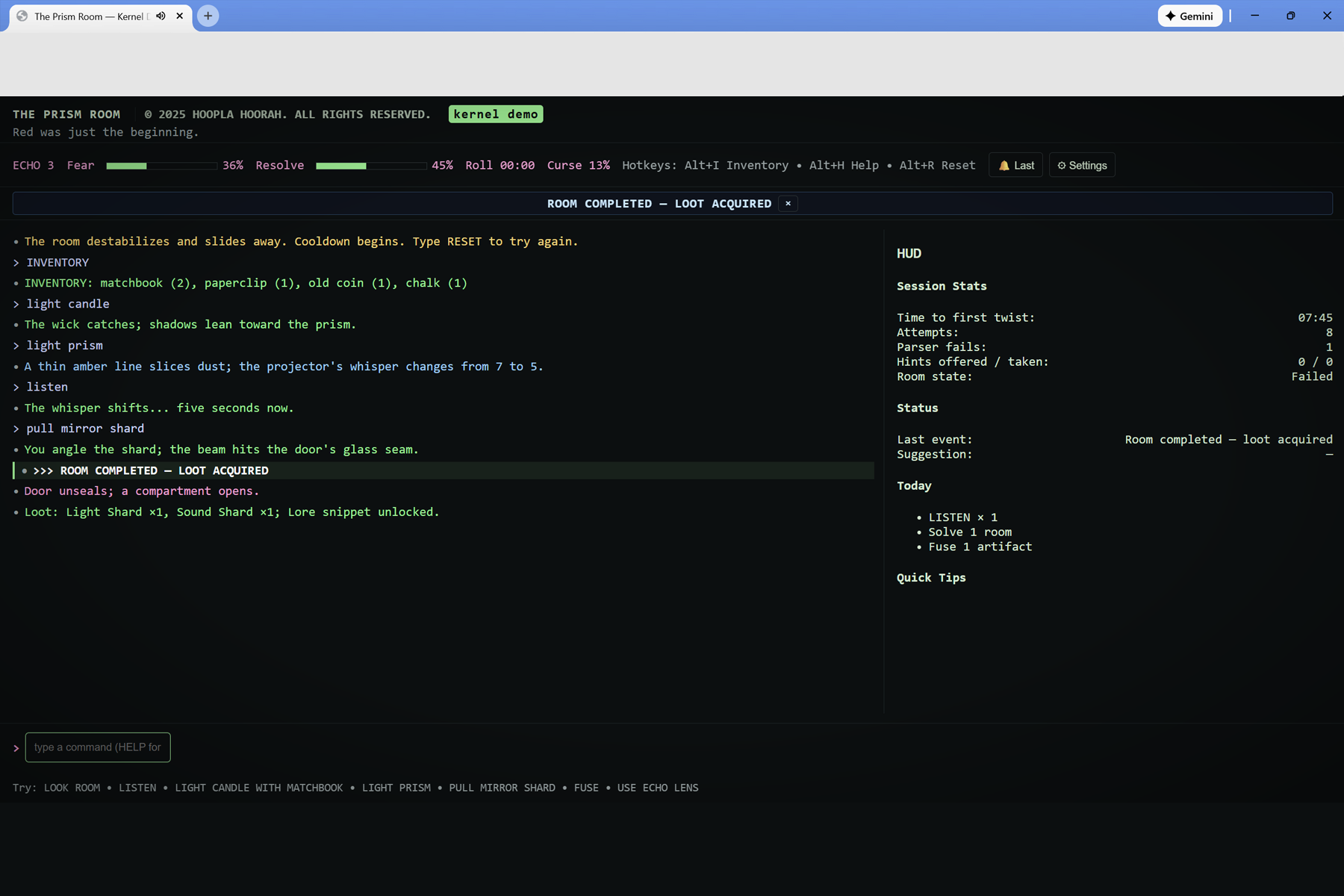
Checking inventory: An INVENTORY command reveals matchbook, paperclip, old coin, and chalk as the core puzzle tools.
-
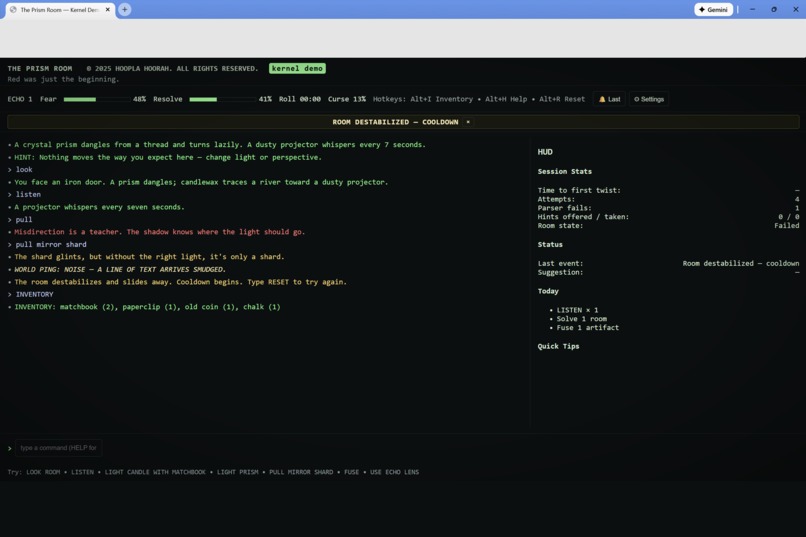
Solving the puzzle: Lighting the candle and prism in sequence redirects the beam toward the glass seam in the iron door.
-
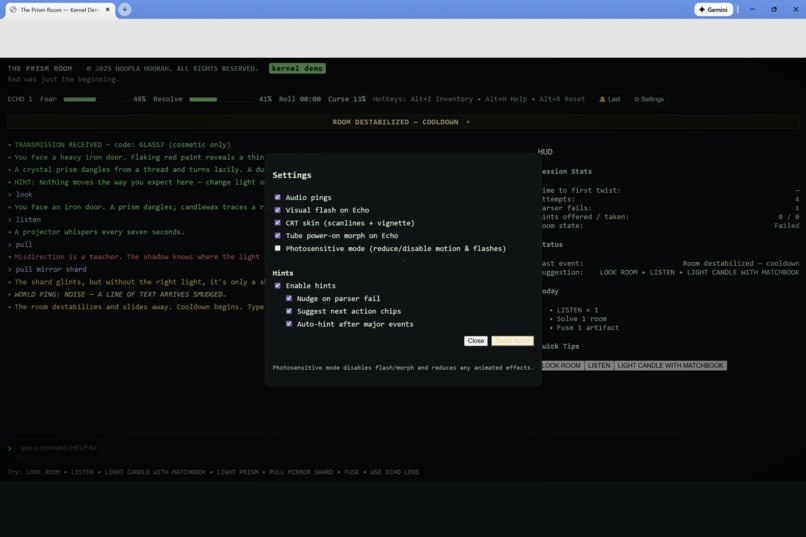
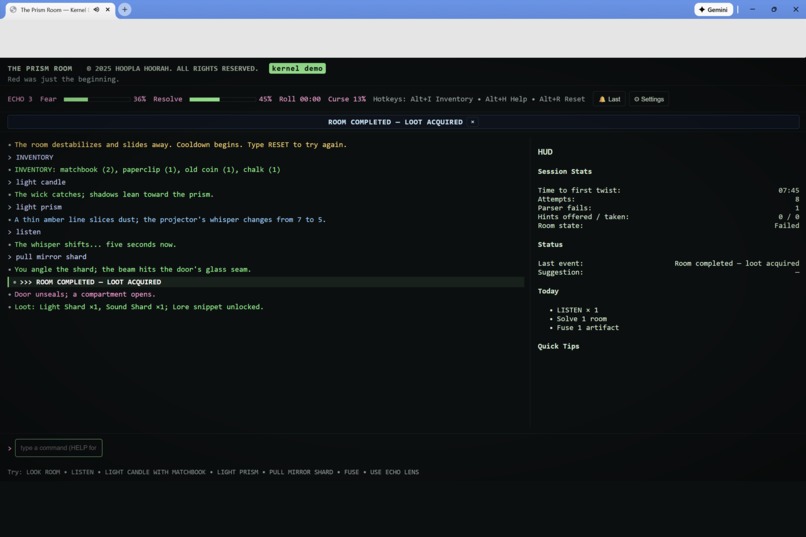
Run complete: The ROOM COMPLETED — LOOT ACQUIRED banner appears, awarding Light Shard, Sound Shard, and a lore snippet.
-
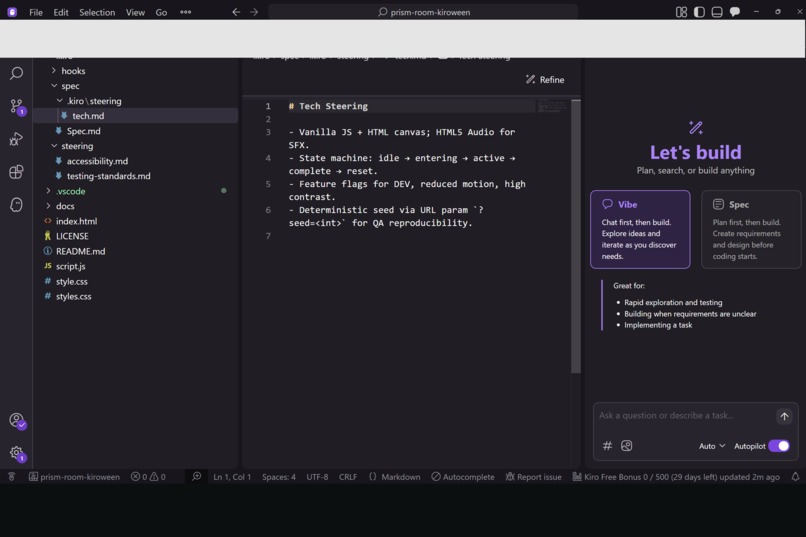
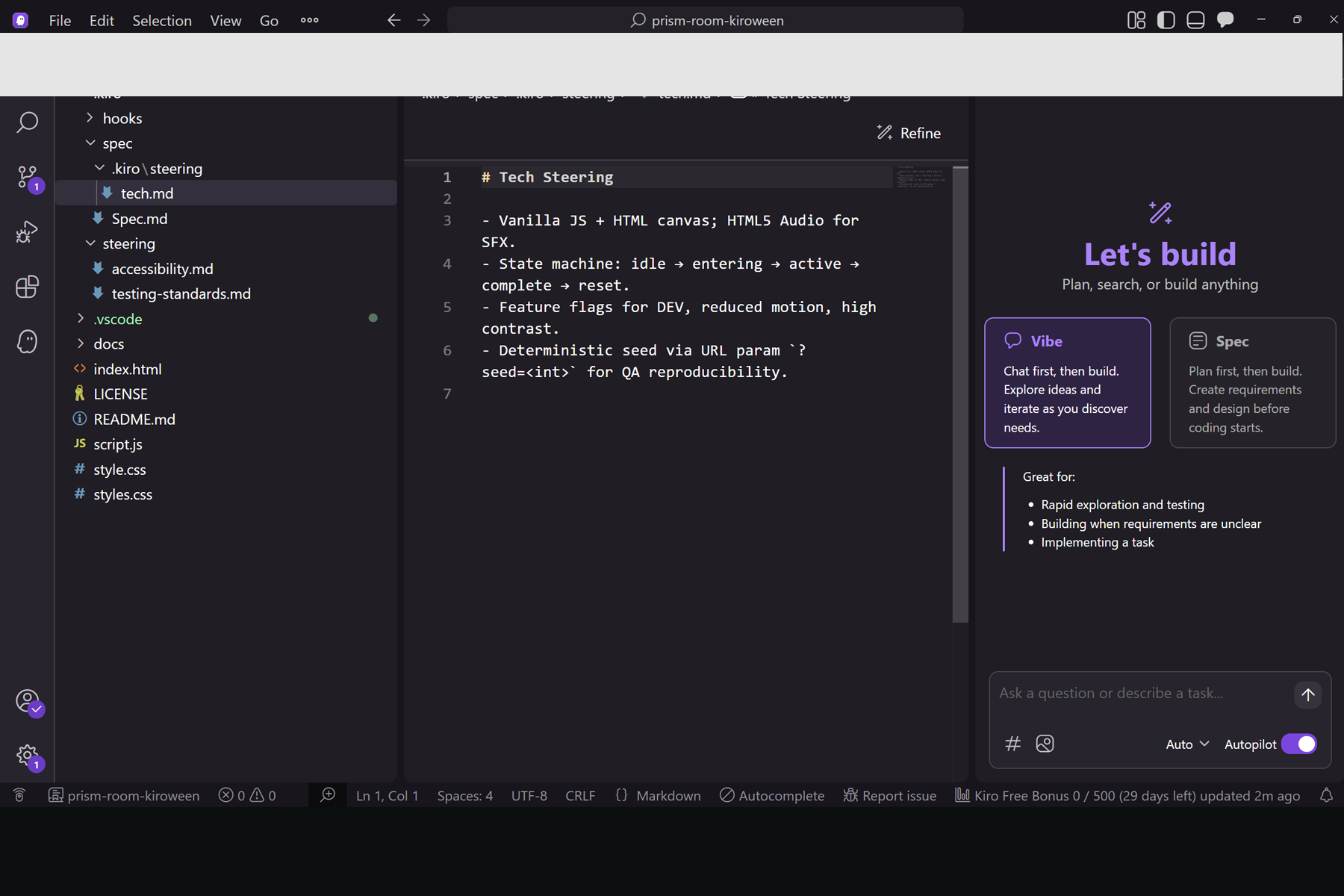
Tech steering in Kiro: tech.md outlines the kernel’s tech steering—vanilla JS stack, state machine, etc. for reproducible runs.
-
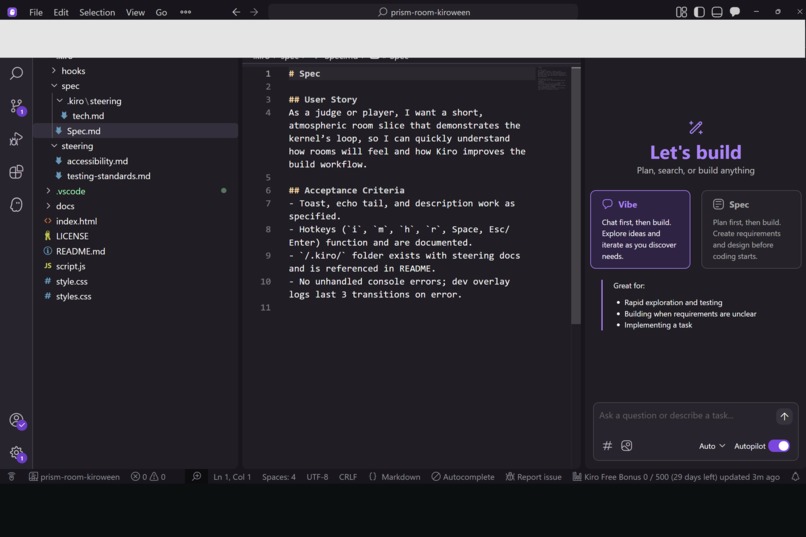
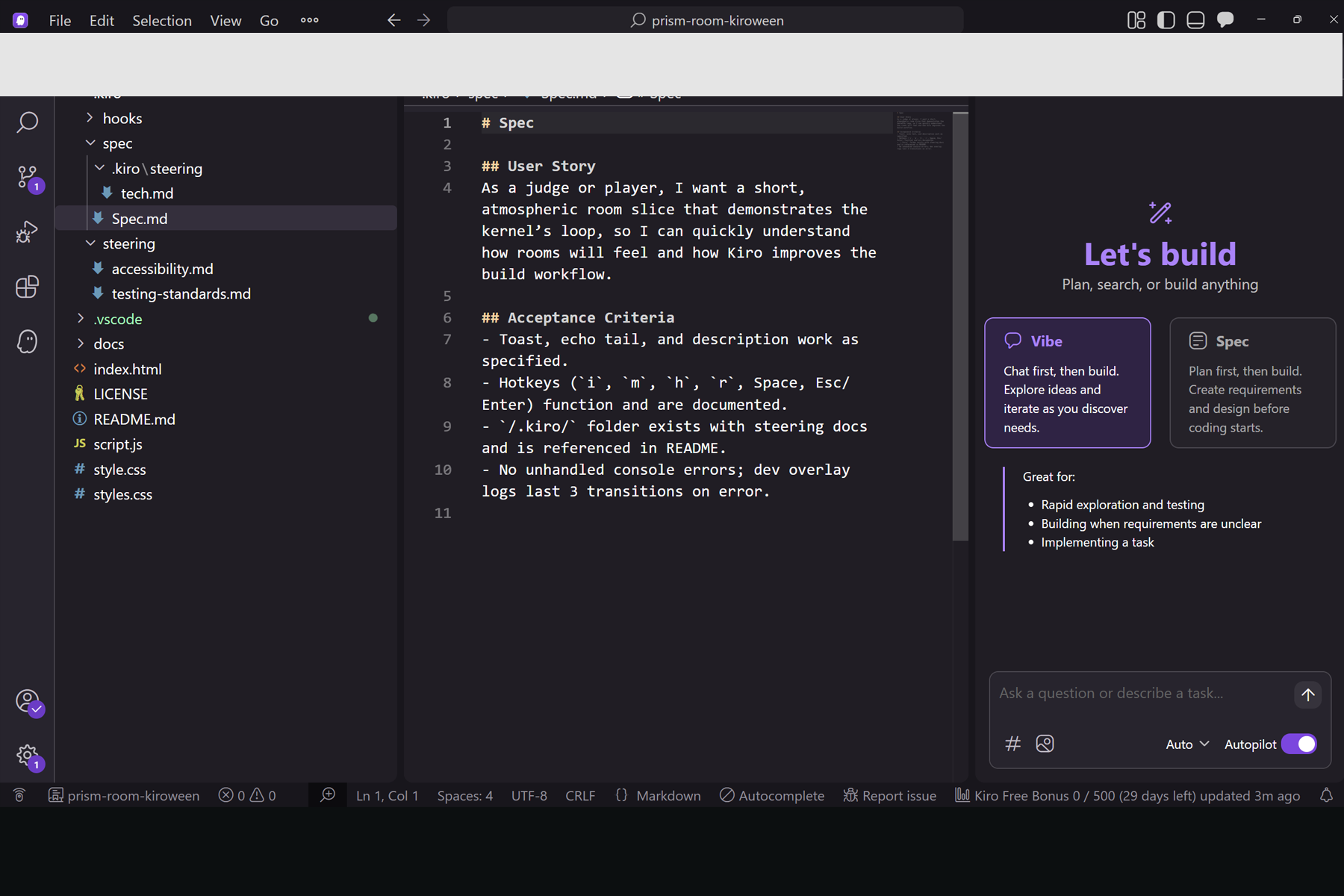
Spec and acceptance criteria: captures the user story plus acceptance criteria so everyone can see exactly what the room slice promises.
-
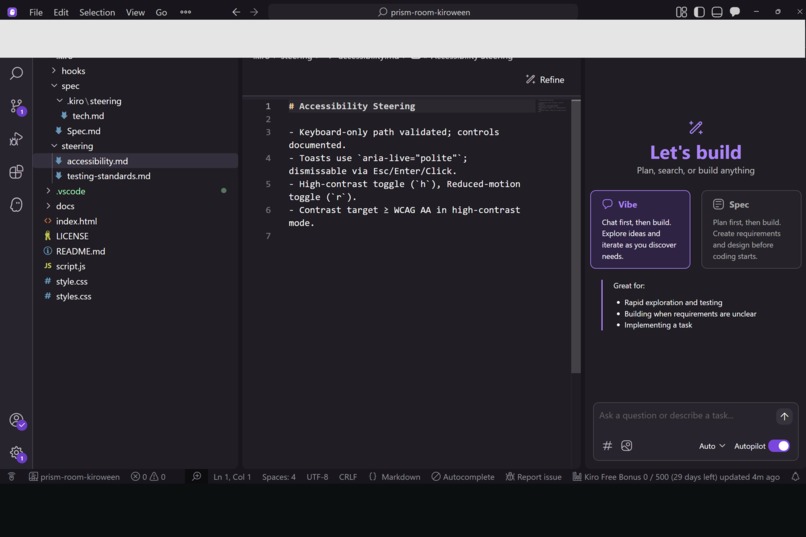
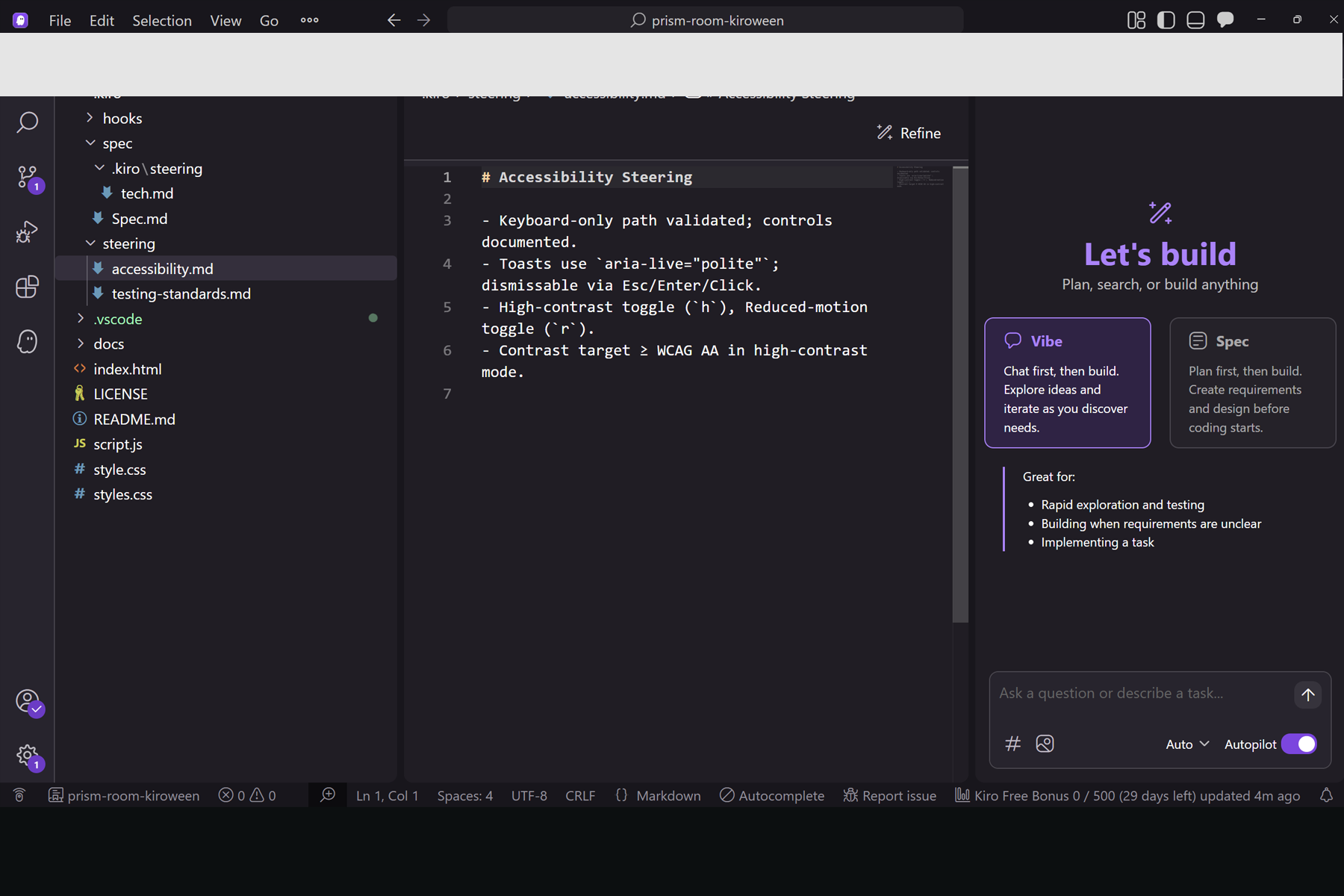
Accessibility steering: documents keyboard-only paths, ARIA toasts, reduced-motion / high-contrast toggles, etc. baked into the build.
The Prism Room — Kiroween Kernel (v1.3.9)
Inspiration
Inspired by H. G. Welles' "The Red Room" and the Kiroween theme, we set out to build a tiny, testable room loop kernel for a larger interactive fiction project called The Prism Room. Instead of a full game, we focused on a single haunted door, a tight HUD, and a short, replayable loop that could be cloned into future rooms.
We also wanted to see how far we could get by leaning into Kiro's agentic IDE and spec-driven development: using specs, flows, and hooks to keep our scope disciplined, our code portable, and our Skeleton Crew build shippable within the timeframe.
What it does
This project is a reusable single-room kernel that runs entirely in the browser:
- A minimal HUD shows Echo, Fear, Resolve, Curse %, a Roll timer, basic session stats, and a compact inventory.
- A parser-style input loop powers fundamental interactions:
LOOK,LISTEN,LIGHT PRISM,PULL MIRROR SHARD,FUSE,USE ECHO LENS, and a few small variations. - A sticky event banner surfaces key narrative beats (e.g., world pings, discoveries, completion messages) with the ability to replay the last event.
- A Settings modal exposes Photosensitive Mode, hint toggles, audio ping mute, and a quick reset to replay the room.
- A completion sequence shows a
ROOM COMPLETED / LOOT ACQUIREDbanner and awards echo-themed loot, hinting at a broader meta-progression for The Prism Room universe.
It’s deliberately small: one haunted door, one loop, and one screen that can be dropped into other projects or extended into more rooms.
How we built it
The kernel is implemented as a static front-end:
- Tech stack: HTML, CSS, and vanilla JavaScript — no build step, no backend, no frameworks.
- The parser normalizes input, matches verbs and simple noun phrases, and updates the HUD, sticky banner, and log.
- The HUD state machine tracks timers, Fear/Resolve adjustments, Curse percentage, and inventory, ensuring each action has a clear, visible effect.
- The Settings modal and accessibility features are wired with standard ARIA practices and focus management.
On the Kiro side, we used:
- Specs to define the room loop requirements (verbs, win/lose conditions, HUD behavior, accessibility constraints).
- Steering/docs to align with UI and accessibility conventions from the start instead of bolting them on at the end.
- Hooks to automate checks and keep the static bundle (including the Kiroween build zip) in sync with the code.
Challenges we ran into
- Accessibility vs. atmosphere. Balancing a spooky, high-contrast HUD with Photosensitive Mode, readable text, and predictable motion took iteration. We repeatedly tuned the banner timing, contrast, and animation to avoid overwhelming the player.
- Settings UX and scope. Early on we had competing settings layouts; bringing everything back into a single, focused modal without breaking keyboard navigation or ARIA behavior was trickier than expected.
- Tight kernel scope. It’s tempting to bolt on more verbs, more rooms, and more narrative. Sticking to a Skeleton Crew-appropriate kernel forced us to say "no" a lot and ship a small thing well rather than a big thing half-finished.
- Cross-browser consistency. Making the HUD, timers, and sticky banner behave the same way across modern desktop browsers surfaced little layout and timing bugs that we had to iron out.
Accomplishments that we’re proud of
- A polished, shippable kernel. We ended up with a small but complete room loop that feels like a finished micro-experience, not just a tech demo.
- Accessibility baked in. Photosensitive Mode, keyboard-first interaction, ARIA live regions, and robust Settings controls made accessibility a first-class citizen.
- A reusable structure. The loop, HUD, and parser are intentionally generic. You can change the text content and a few parameters and have an entirely new room without rewriting the core.
- Template-friendly repo. The project is structured so it can act as a starter template for future Prism Room content or for other devs who want to fork and build their own rooms.
What we learned
- Specs are guardrails, not paperwork. Writing specs for verbs, HUD behavior, and accessibility up front reduced last-minute ambiguity and made Kiro’s assistance more effective.
- Tiny kernels are powerful. A small, deterministic kernel is easier to test, polish, and reason about than a sprawling prototype — especially in a time-boxed hackathon.
- Accessibility pays dividends. Designing for Photosensitive Mode, keyboard navigation, and screen reader support early helped us catch layout and state issues that might have been missed otherwise.
- Kiro fits the "vibe-first, scope-tight" workflow. Using Kiro for steering and hooks made it easier to stay inside our Skeleton Crew scope while still exploring different HUD and text treatments.
What’s next for The Prism Room — Kiroween Kernel (v1.3.9)
- Expand beyond a single door. Turn this kernel into a multi-room progression, with different fear profiles, timers, and loot, all reusing the same HUD and parser foundation.
- Add meta-systems. Introduce run history, light scoreboards, and persistent echo artifacts so players can track their "Echo trail" across rooms.
- Experiment with optional flair. Revisit a gentle title splash, subtle ambient audio, and cosmetic CRT/vignette treatments — all gated behind Settings and Photosensitive Mode.
- Improve hints and copy. Make hints more context-aware and responsive to player behavior, refining the room’s narrative rhythm without overwhelming the player.
- Explore AI integration (post-hackathon). Carefully experiment with AI-assisted flavor text and variations while keeping the deterministic kernel intact for gameplay.
How to run
- Clone or download the repository from GitHub:
HooplaHoorah/prism-room-kiroween - Open
index.htmldirectly in any modern desktop browser — no build step or server required. - Press the space bar or click to send a ping toward the door and watch the HUD respond.
- Use verbs like
LOOK ROOM,LISTEN,LIGHT PRISM,PULL MIRROR SHARD,FUSE, andUSE ECHO LENSto progress through the loop. - Open Settings to enable Photosensitive Mode, toggle hints, mute the audio ping, or reset the room for another run.
Accessibility notes
- Photosensitive Mode: Reduces or disables potentially intense flashes or motion.
- Keyboard accessibility: All core interactions work via keyboard; the Settings modal traps focus correctly and can be dismissed with Escape.
- Live announcements: Important events are announced via ARIA live regions, and the sticky banner can be replayed using the "Last" control so players can re-read key moments.
- Audio controls: Audio pings can be muted independently from the rest of the experience.
Category & judging criteria
- Category: Skeleton Crew — a compact, reusable kernel starter for building interactive fiction and HUD-driven room experiences.
- Potential value: The kernel can be cloned into new rooms and extended into a larger Prism Room experience (or other projects) without rewriting the core loop, making it a practical starter kit.
- Implementation quality: We used Kiro specs, steering, and hooks to maintain a tight scope, strong accessibility, and a clean, static deployment path.
- Quality & design: The minimalist HUD, sticky banner, Photosensitive Mode, and configurable hints/audio create an accessible, polished micro-experience that still leaves room for future expansion.

Log in or sign up for Devpost to join the conversation.