The Pourtrait
Inspiration
We were inspired by the fluid mechanics and aesthetic appeal of acrylic paint pouring (link, link, and link). Our goal was to design a system that captures the physical act of pouring and translates it into a controlled, repeatable digital pipeline that produces marbled silhouettes.
What it does
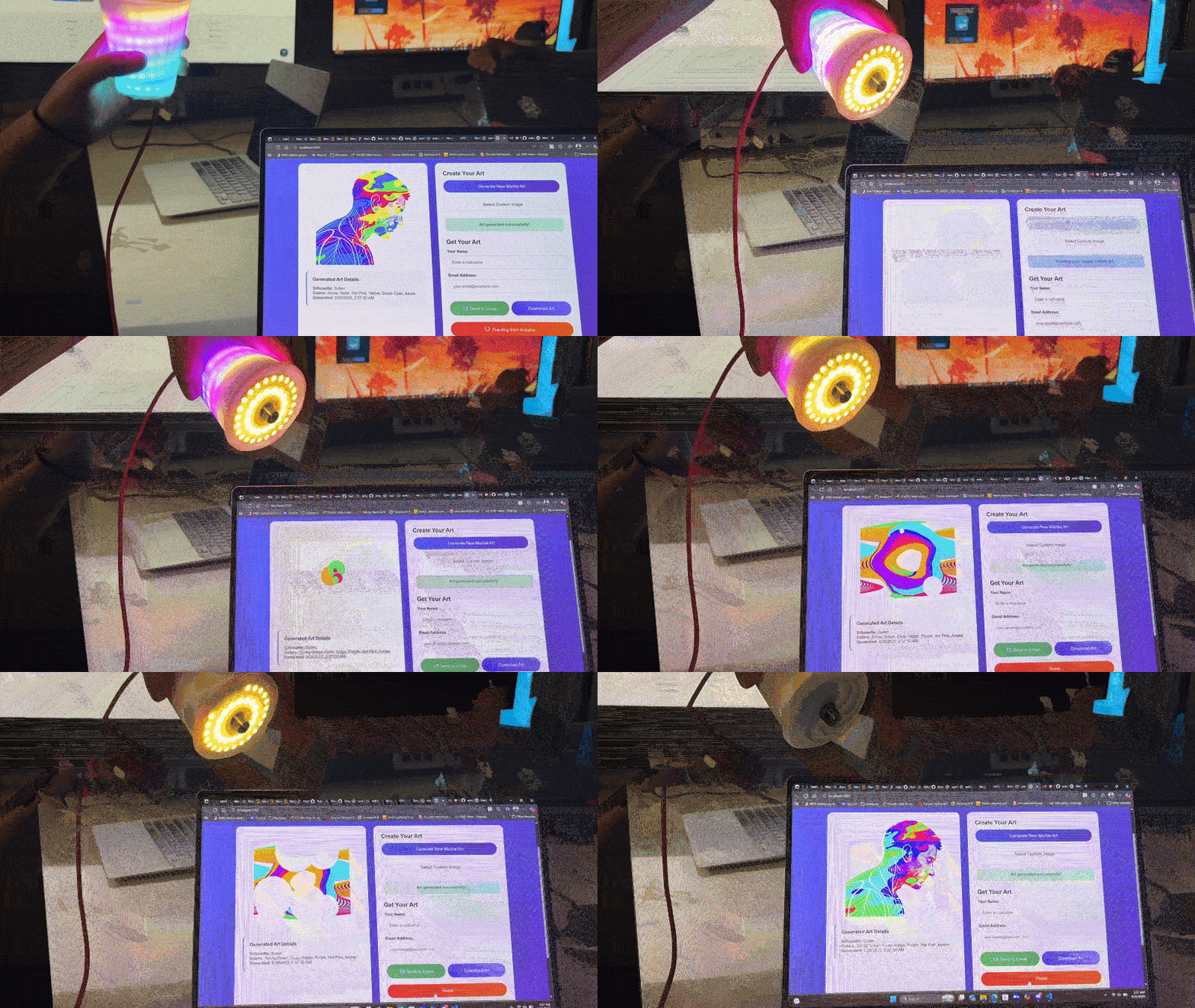
The Pourtrait is an interactive system that bridges physical interaction and digital rendering to create marbled silhouettes.
- Users select a silhouette template (PNG/JPG).
- A physical cup with embedded electronics lets them choose up to six colors using a rotary encoder and Neopixel feedback.
- Tilting the cup (detected via a tilt switch sensor) streams data to an Arduino Metro Mini, which transmits the selected colors via serial.
- A Python Flask backend receives the data, applies a marbling algorithm (polar-coordinate–based sine/cosine perturbations with NumPy acceleration), and renders the effect into the silhouette.
- The final artwork is displayed in-browser and optionally emailed to the user via Gmail SMTP with embedded inline images.
How we built it
Hardware:
- Arduino Metro Mini board (USB serial link to host)
- Tilt switch sensor for discrete pour detection
- Rotary encoder for color selection input
- Neopixel strip + two Neopixel rings for real-time color feedback
- Custom physical housing (plastic cup, Mylar lining, foam core structure, hot glue assembly)
Software:
- Arduino C++: Reads tilt + encoder input, transmits JSON-formatted data over serial
- Python + Flask: Backend server handling serial input, marbling generation, and web communication
- NumPy: Vectorized operations for fast marbling simulation
- Pillow (PIL): Image processing for silhouettes
- HTML/CSS/JavaScript: Frontend with a color wheel and live canvas preview
- Fetch API + Flask-CORS: Client-server data exchange
- SMTP (smtplib): Automated email delivery of final artwork
- Batch scripts: Simplified local deployment
- Optional Pygame module: Real-time reveal animations
Challenges we ran into
- Sensor interface conflicts: Initially attempted to use a 9DoF IMU, but multiple peripherals on I²C with different frequency requirements caused bus conflicts. Switching to a tilt switch simplified integration and improved reliability.
- Color calibration: Neopixels with differing GRB/RGB color profiles produced mismatched outputs. Implemented translation arrays to align hardware display with selected digital colors.
- Marbling algorithm: Early implementations produced non-organic results. Adopted polar coordinate transforms with sine/cosine waves for smooth, aesthetically consistent marbling.
Accomplishments that we’re proud of
- Successfully integrated Arduino hardware with a Python-based marbling pipeline through serial communication
- Developed a marbling algorithm that balances randomness with aesthetic appeal
- Built an end-to-end pipeline: physical input → serial data → digital rendering → email export
- Optimized pour visualization timing for a natural, consistent user experience
What we learned
- Techniques for interfacing microcontrollers with host-side Python applications
- Serial communication strategies for real-time input streaming
- Image rendering optimizations with NumPy and Pillow
- Practical considerations in hardware-software synchronization for interactive art systems
What’s next for The Pourtrait
- Migrating from wired USB to wireless (BLE or Wi-Fi) for portability.
- Improving the loading animation.
- Using a 9DoF to track cup motion to create interesting patterns - Jack Pollock style maybe.
- Expanding silhouette and color libraries, categorizing silhouette library.
- Improving marbling simulation performance and realism with GPU acceleration (e.g., WebGL or OpenGL)
- Refining industrial design of the cup for durability, ergonomics and UX.
- Adding support for physical outputs such as instant Polaroid-style printing or laser engraving.


Log in or sign up for Devpost to join the conversation.