-
-
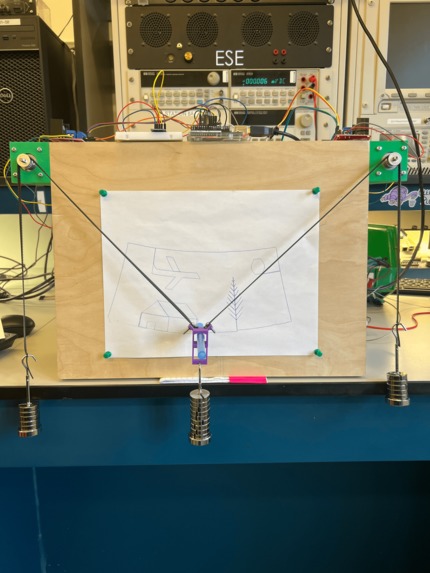
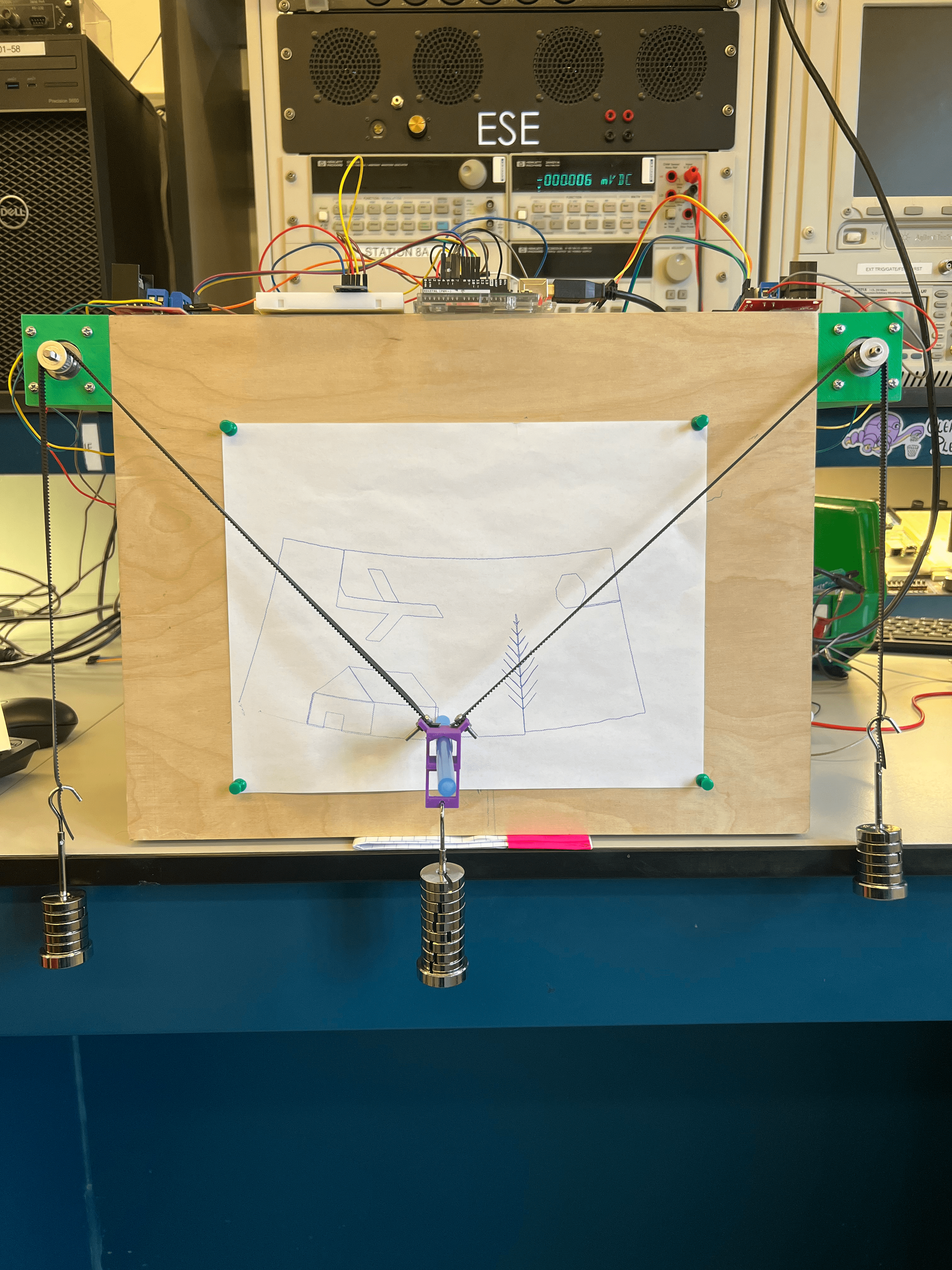
The Polargraph setup and a sample sketch
-
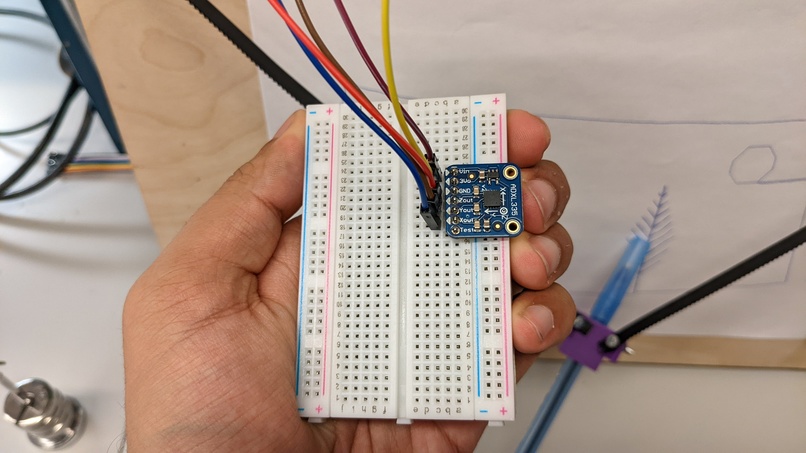
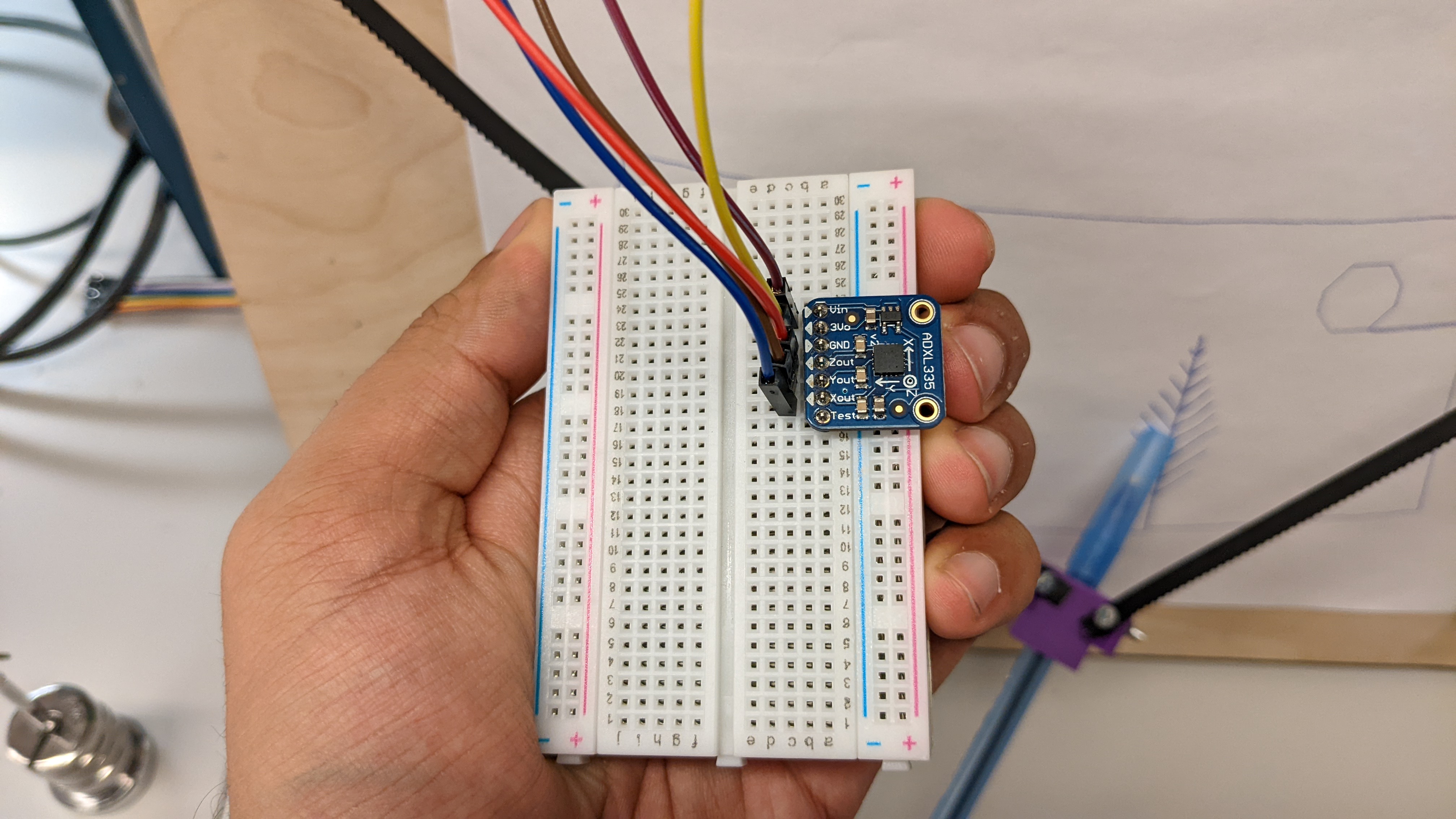
Gesture Remote
-
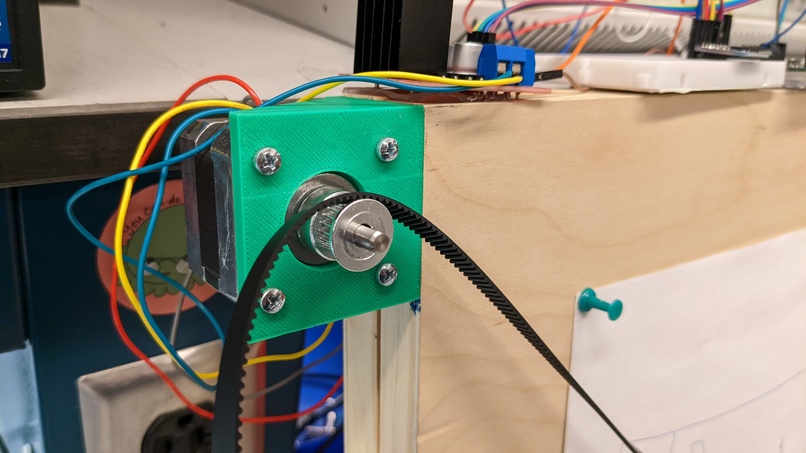
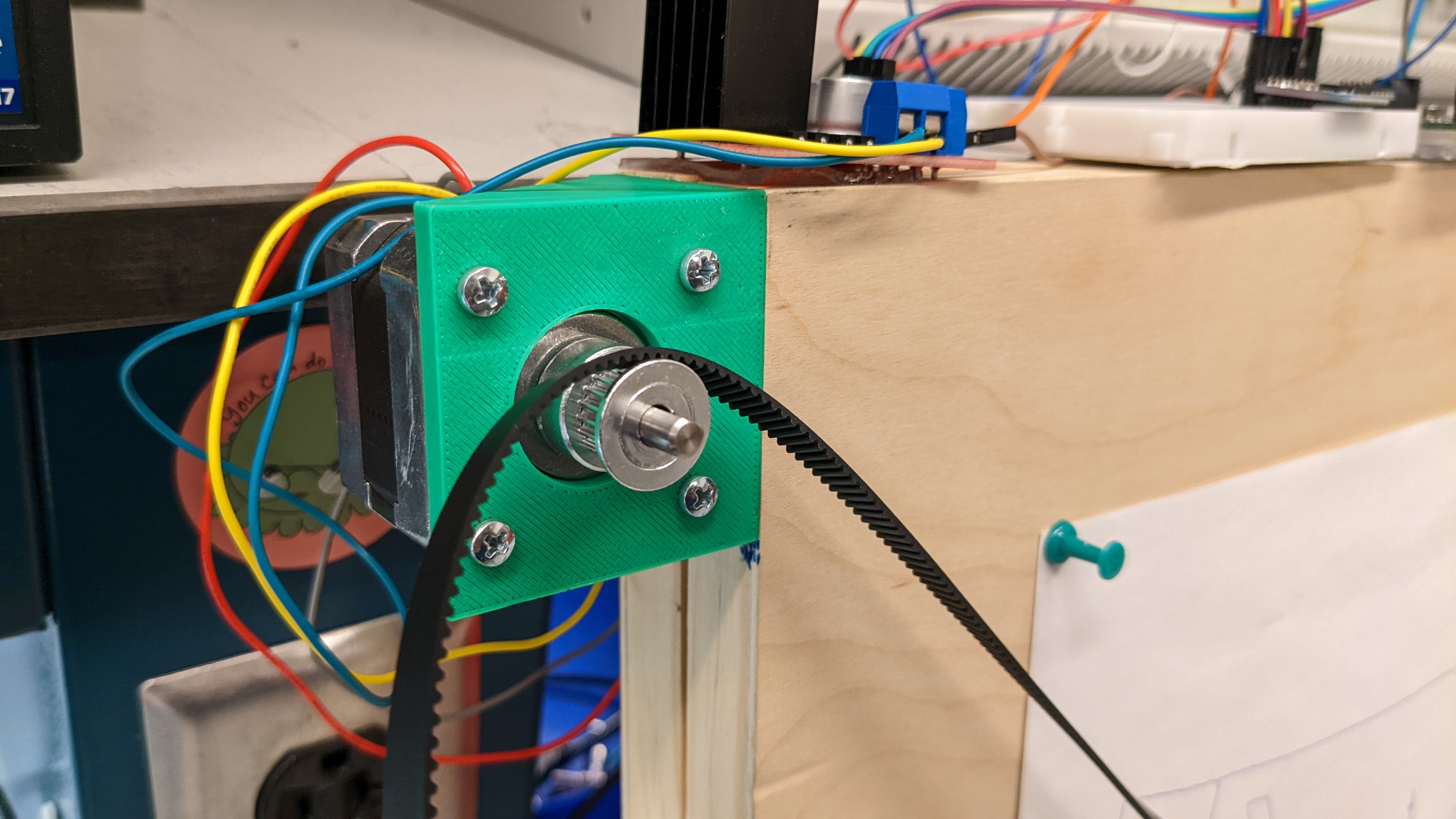
Brackets for Stepper Motor
-
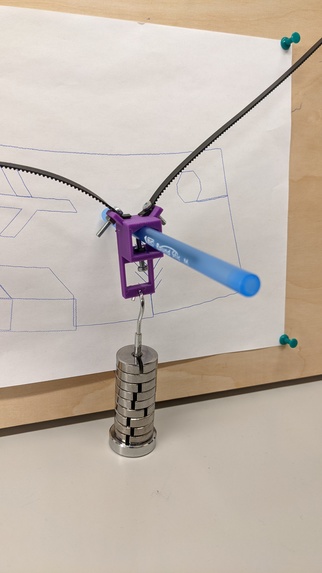
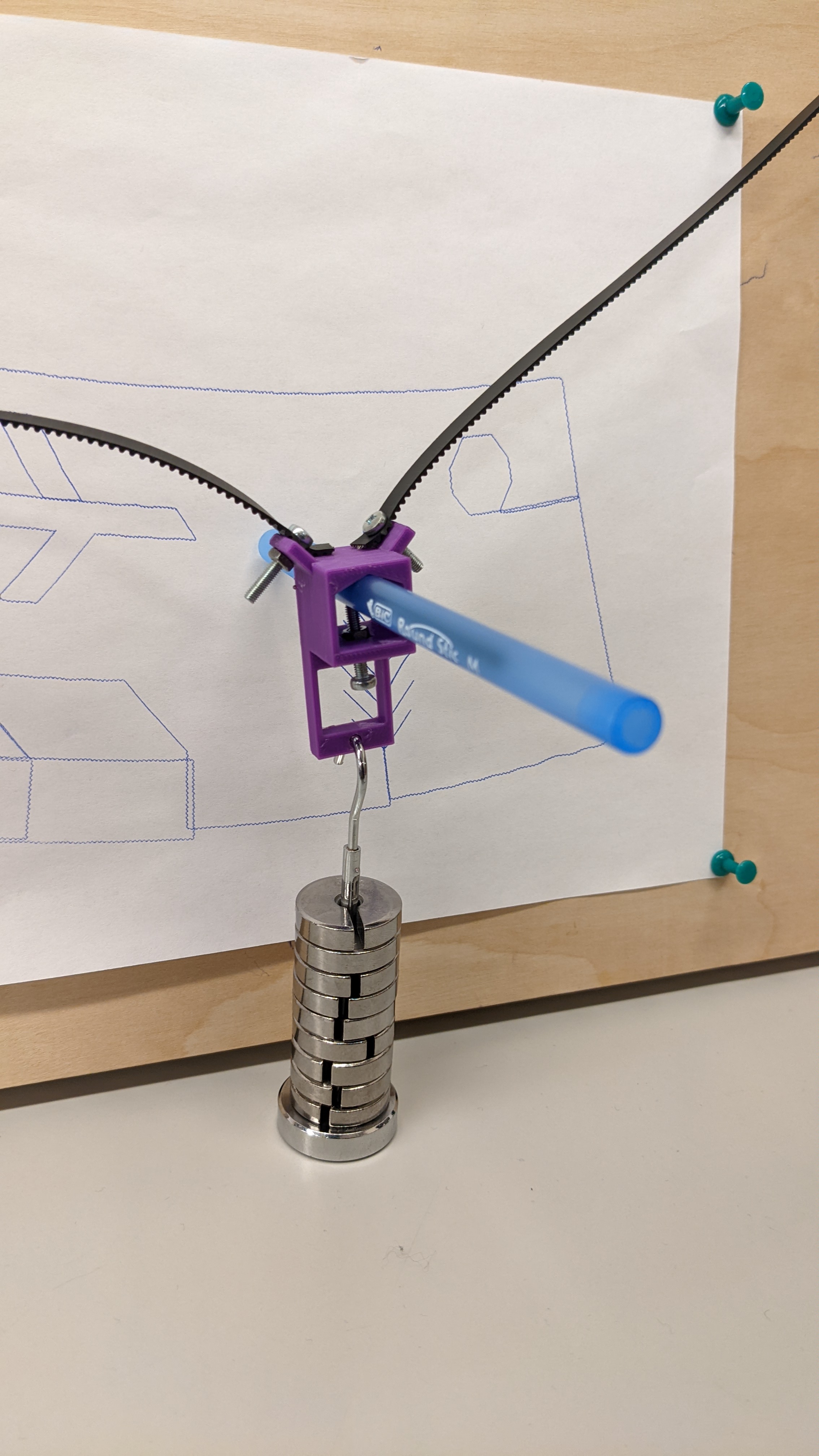
Gondola
Inspiration
The motivation of this project is shaped mostly by our personal experiences. Sketching and drawing is a time taking process and also needs a certain amount of skill. But does that mean partaking in it should be limited to a select few? This question motivated us to implement the polargraph. With this device, anyone can draw any image that they can describe using a set of simple functions. The interesting part of this plotter is that it creates vectorized versions of input functions. This means any image that is recreated will be in a stylized manner which will set it apart from the original. Avant-garde, if you will.
What it does
The polargraph draws vectorized images with the help of two hanging stepper motors. The contraption also has an accelerometer-based gesture remote which can be used to control the drawing of lines.
How we built it
We started with interfacing the stepper motor with the Arduino. The stepper motor works on the basis of magnetization of coils inside the motor. To accomplish this we enable and disable different pins on the Arduino and control the motors. We created two basic functions to rotate the motors clockwise and counterclockwise. Using these basic functions we moved on towards creating more modular functions which accomplished operations such as drawing straight lines in vertical and horizontal plains. We also coded functions to draw angular/steep lines.
These functions are used as the building blocks for more complex shapes and drawings. Using these functions we were able to draw basic geometrical shapes. For our first milestone, we were able to showcase a rough square drawn by the setup.
After the first milestone, we focussed on making our code more modular. We modified the functions such that sizes and dimensions could be passed as arguments and the motors would function on the basis of these. Meanwhile, we also started working on the ADXL-335 accelerometer. To interface this, we had to employ the concepts of ADC and sensor data processing. The ADXL has three output pins namely Xout, Yout and Zout. To read data from here, we need to enable the ADMUX and then switch between reading the X and Y pinout values. The ADMUX is, as the name suggests, a multiplexer that, based on its control line, chooses which input to output. The ADC values from the sensor are read into the Arduino and we get the values in terms of an integer value. We examined and found the sensor values for different orientations and then set threshold values based on which the motors move.
After perfecting the working of the accelerometer, we shift back to the control of motors and draw finer images. We used our basic building functions to draw simple geometric shapes. These shapes were finally used to compose more complex sketches. Our final demonstration shows a simple scenery sketch and it makes use of the composition of various geometric shapes.
Challenges we ran into
There were multiple challenges on the way. Firstly drawing curves and therefore circles and arcs is a complicated process using Stepper Motors. To draw any kind of curve we would have to convert it into a rational Bezier curve and then use De Casteljau's algorithm to plot it using the motors. To overcome this problem we used an algorithm to plot a many-sided polygon with very small sides and approximated this as a circle. The second problem we faced is the one that is introduced by Mercator projection. This means, since we are using hanging stepper motors, there are no X or Y coordinates to follow. Rather there are polar coordinates. And as we start reaching the edges of the drawing surface the motors draw stretched out images. The demonstration video shows how the entire image is drawn as an arc and not a straight line. This also happens because of the same effect. Although we have compensated for the sketches that are drawn towards the edge, making the entire image in a straight line will need some mathematical approximation equations. The final challenge was converting any given image into a polargraph image. This requires vectorization of the image and then path planning on the basis of these vectors. This challenge can be overcome with more time.
Accomplishments that we're proud of
This project was a long time in the making. Our first accomplishment was being able to interface the stepper motors and run them using bare-metal C programming. From there to be able to draw a scenery with multiple objects in it is something we are quite happy with. Integrating the accelerometer also left us quite satisfied since it is a complex process requiring the use of ADC. The integration of all these features results in a fun contraption that can draw images with acceptable accuracy and can be controlled manually using the gesture remote.
What we learned
In the process of building the polargraph, we learned using the stepper motor with the help of bare-metal C. We also learned the difficulties in drawing curves with stepper motors. Using the accelerometer was challenging at the beginning given the use of the Arduino's ADMUX. However, by the end of the project, we learned how to properly interface and use the ADXL-335.
What's next for The Polargraph
We aim to be able to draw proper curves moving forward and polish our libraries to make them more modular. Making the gesture remote wireless using NodeMCUs is also one of our future goals with this project. Finally, building a proper firmware that can take any input image, vectorize it and draw it on the board is our final goal.
Built With
- atmega
- atmel
- avr
- c

Log in or sign up for Devpost to join the conversation.