-
-
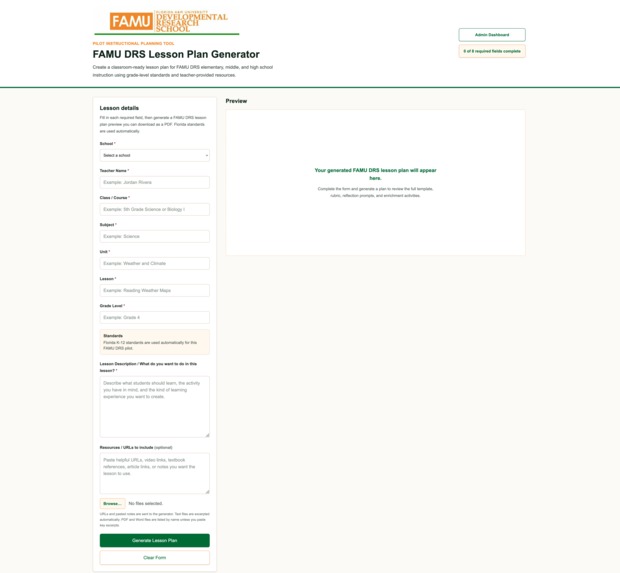
Project Homepage
-
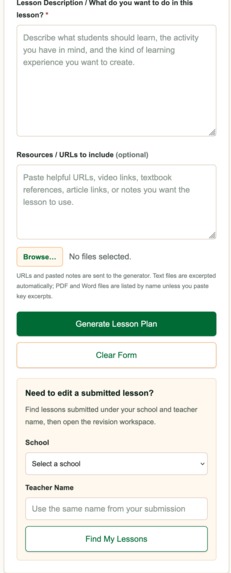
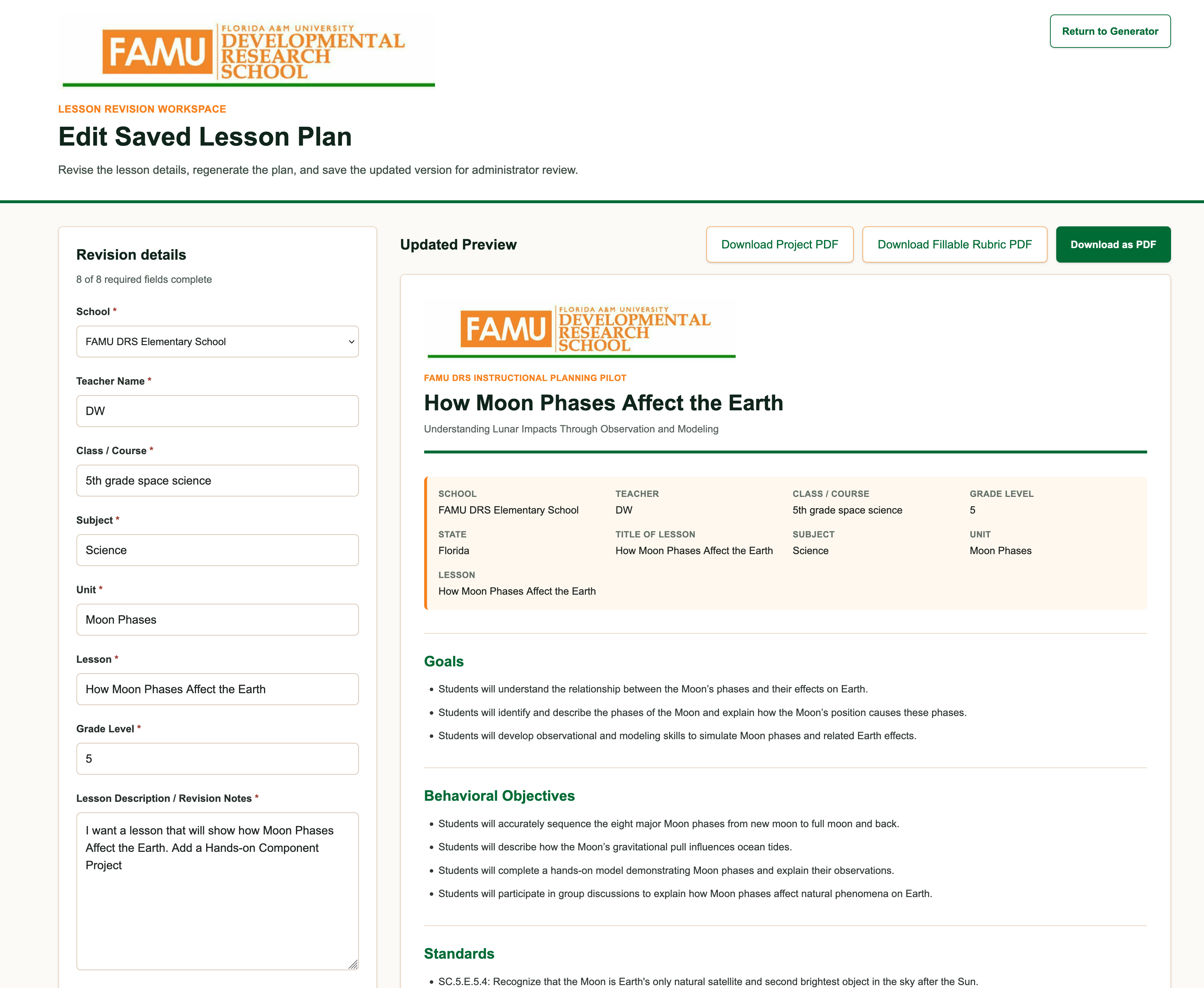
Teacher Functionality
-
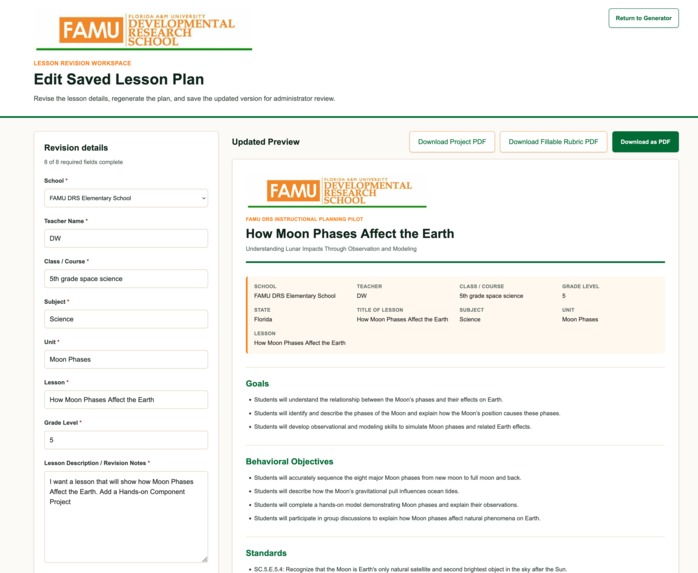
AI-Generated Lesson Plan
-
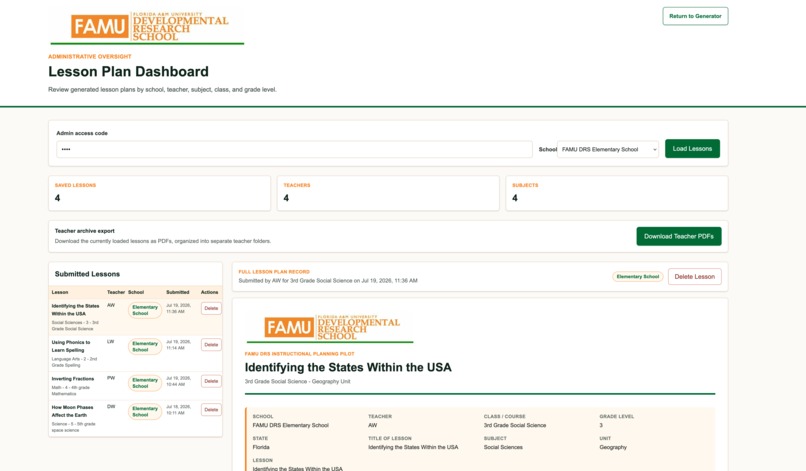
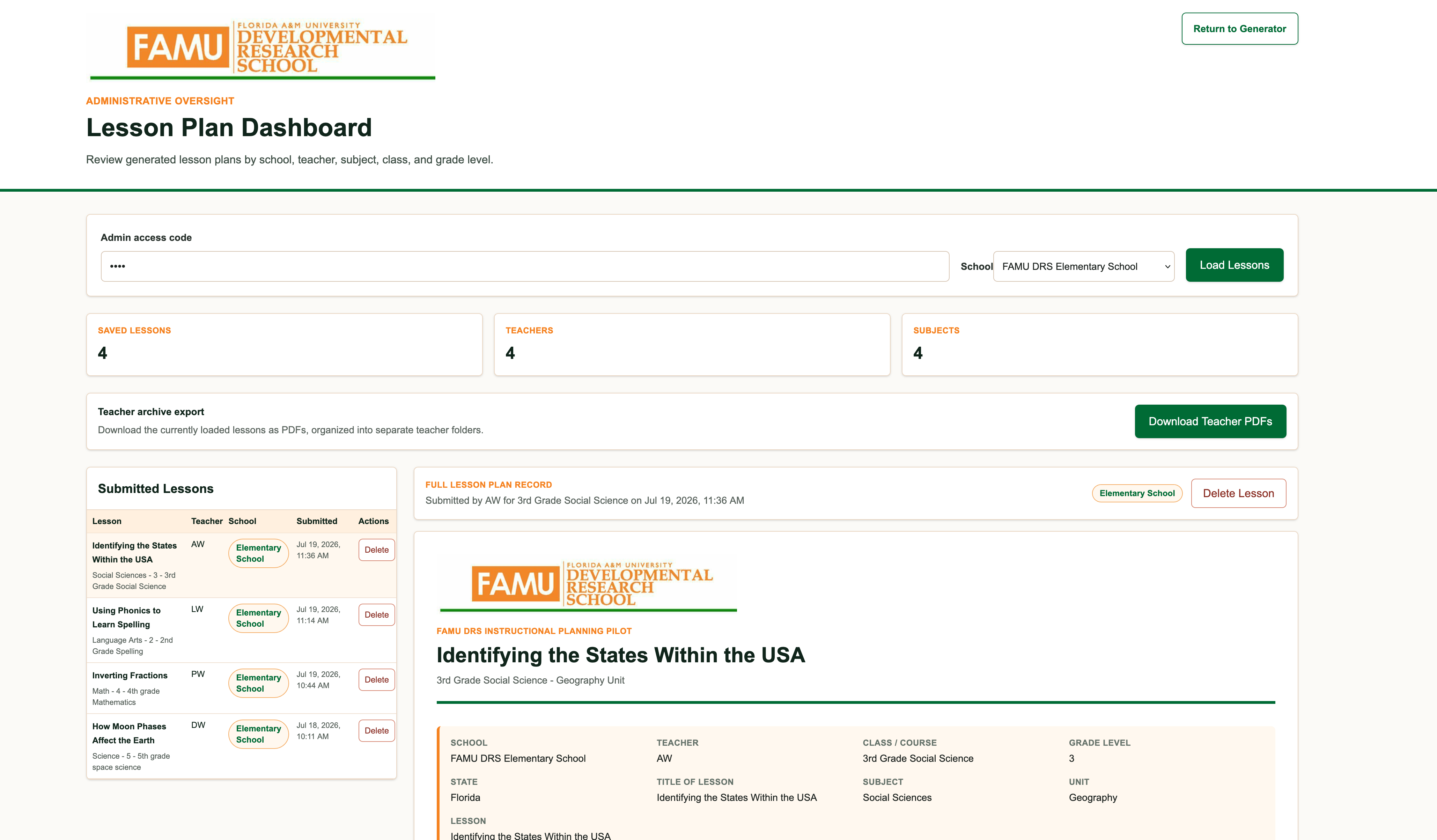
Administrative Dashboard
-
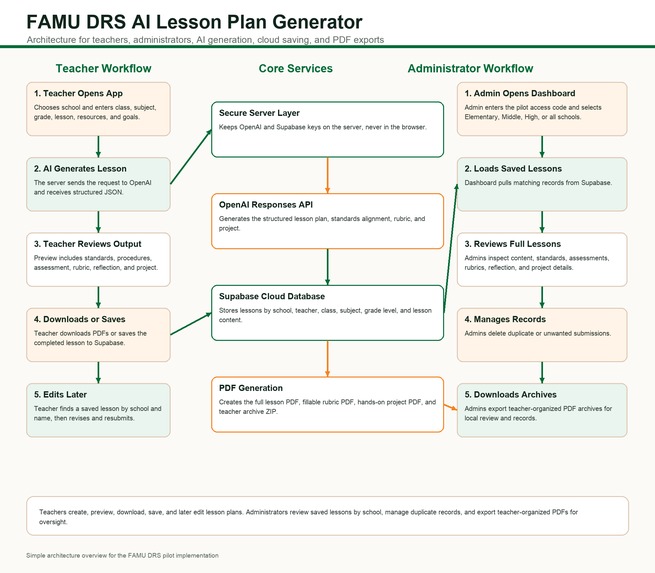
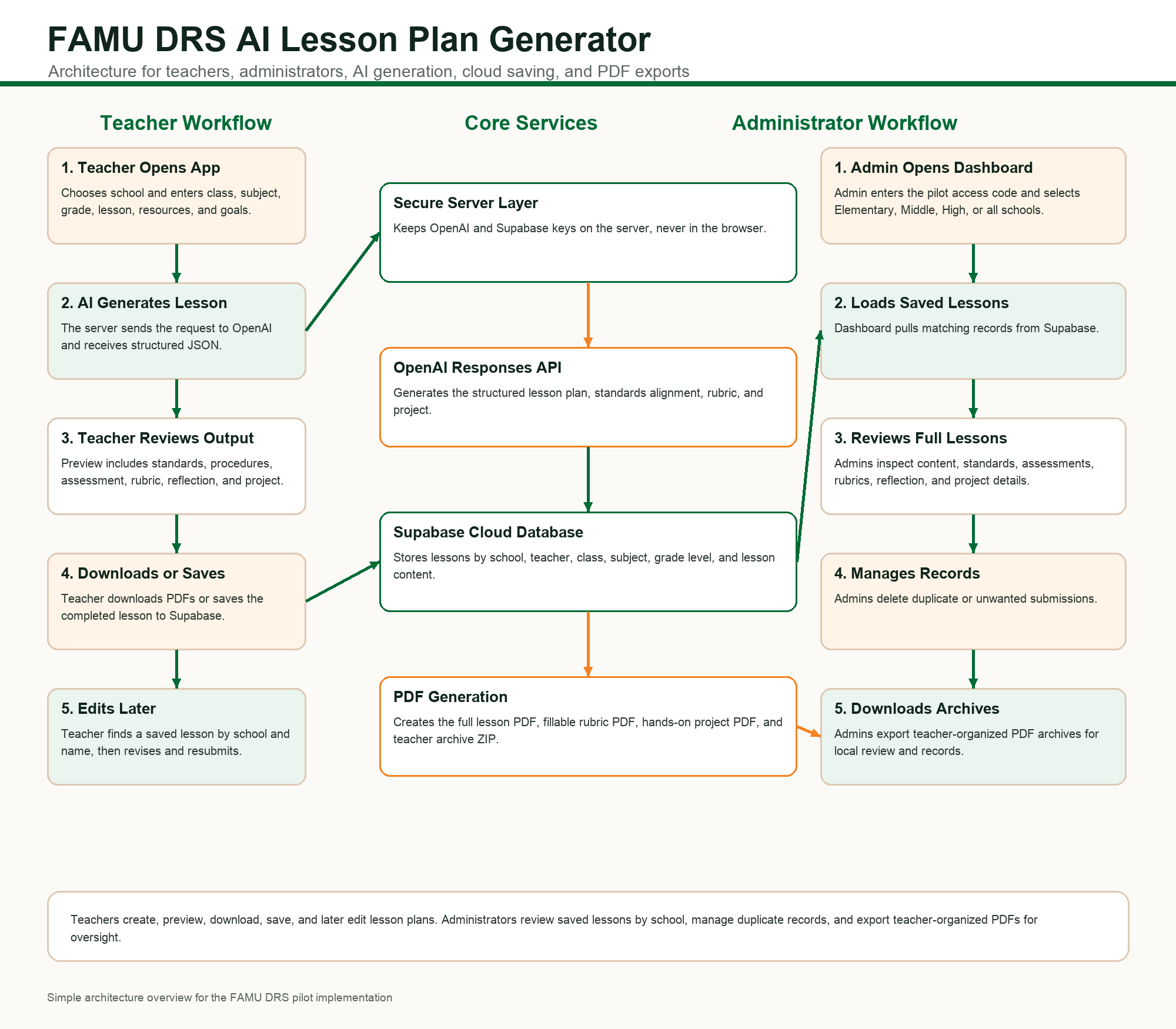
Architecture Diagram
-
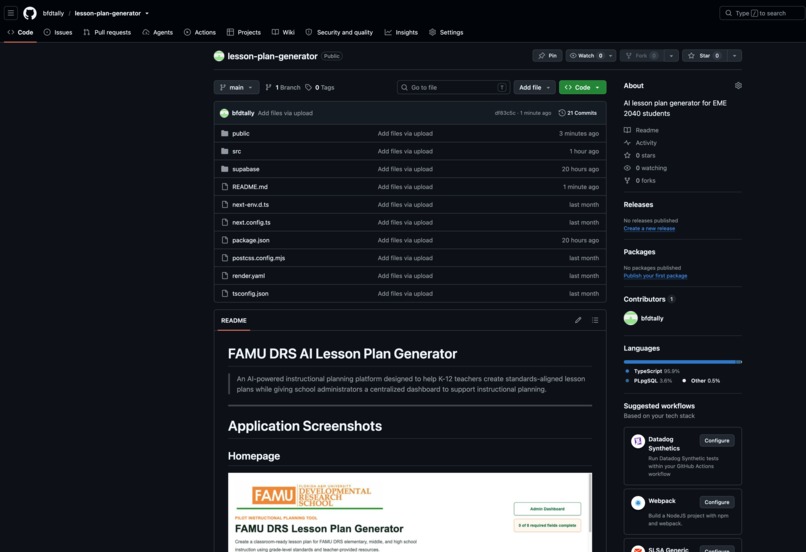
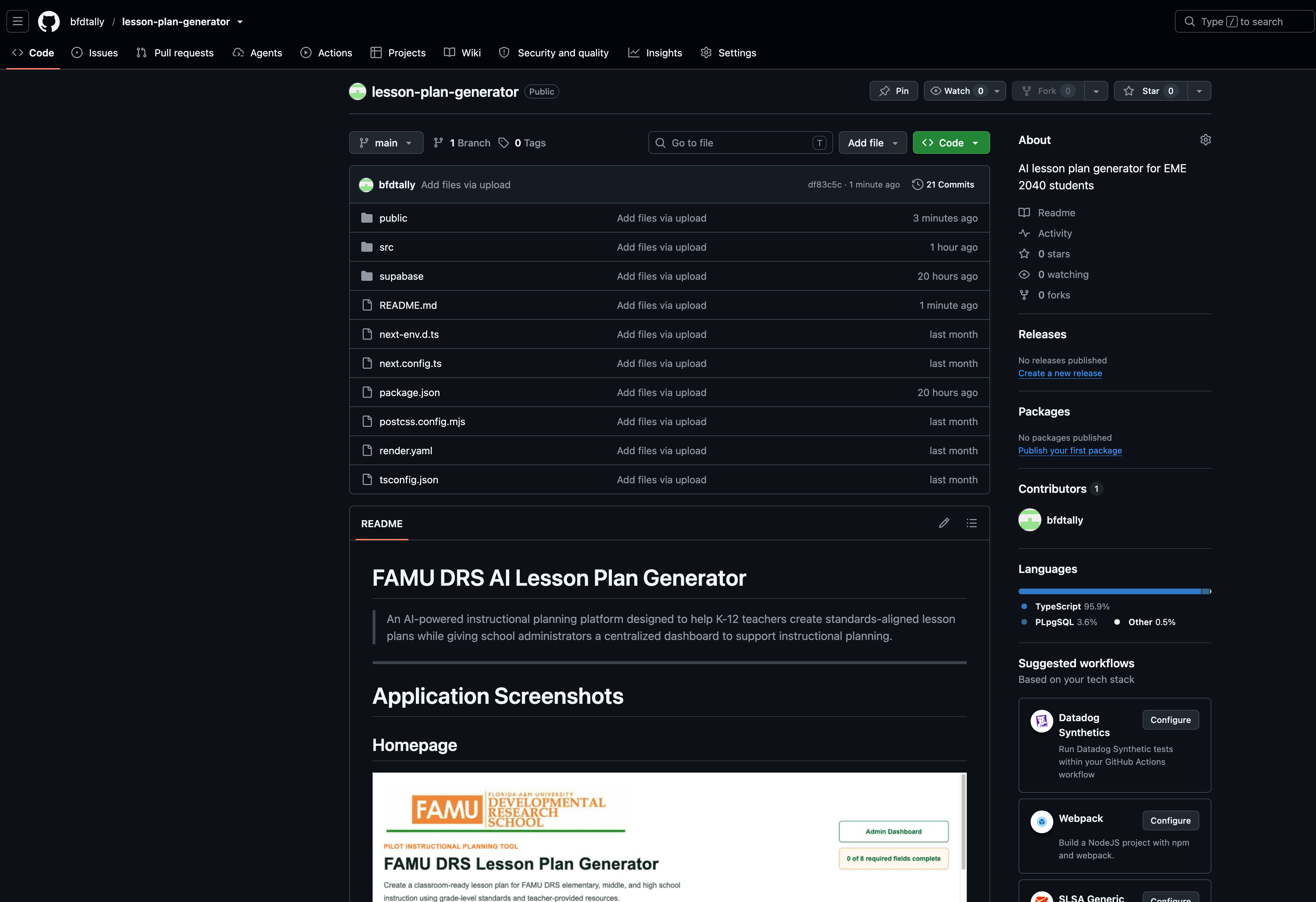
Opem Source Repository
-
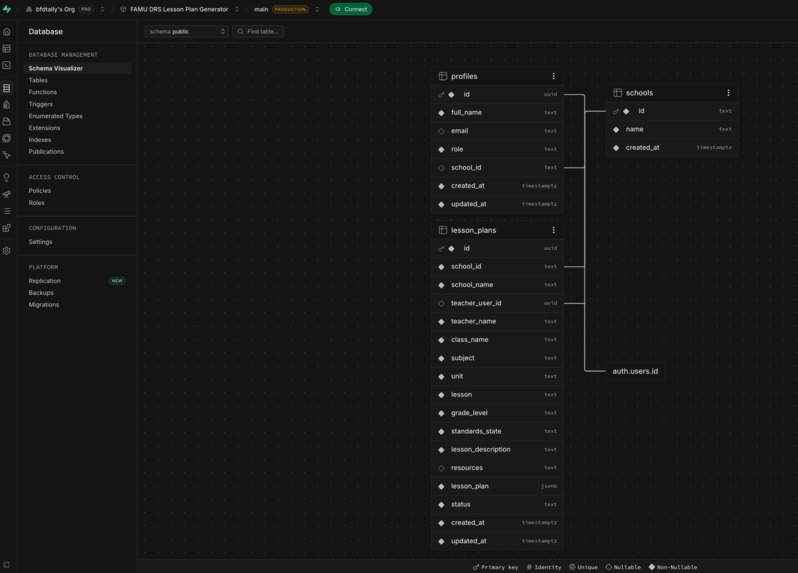
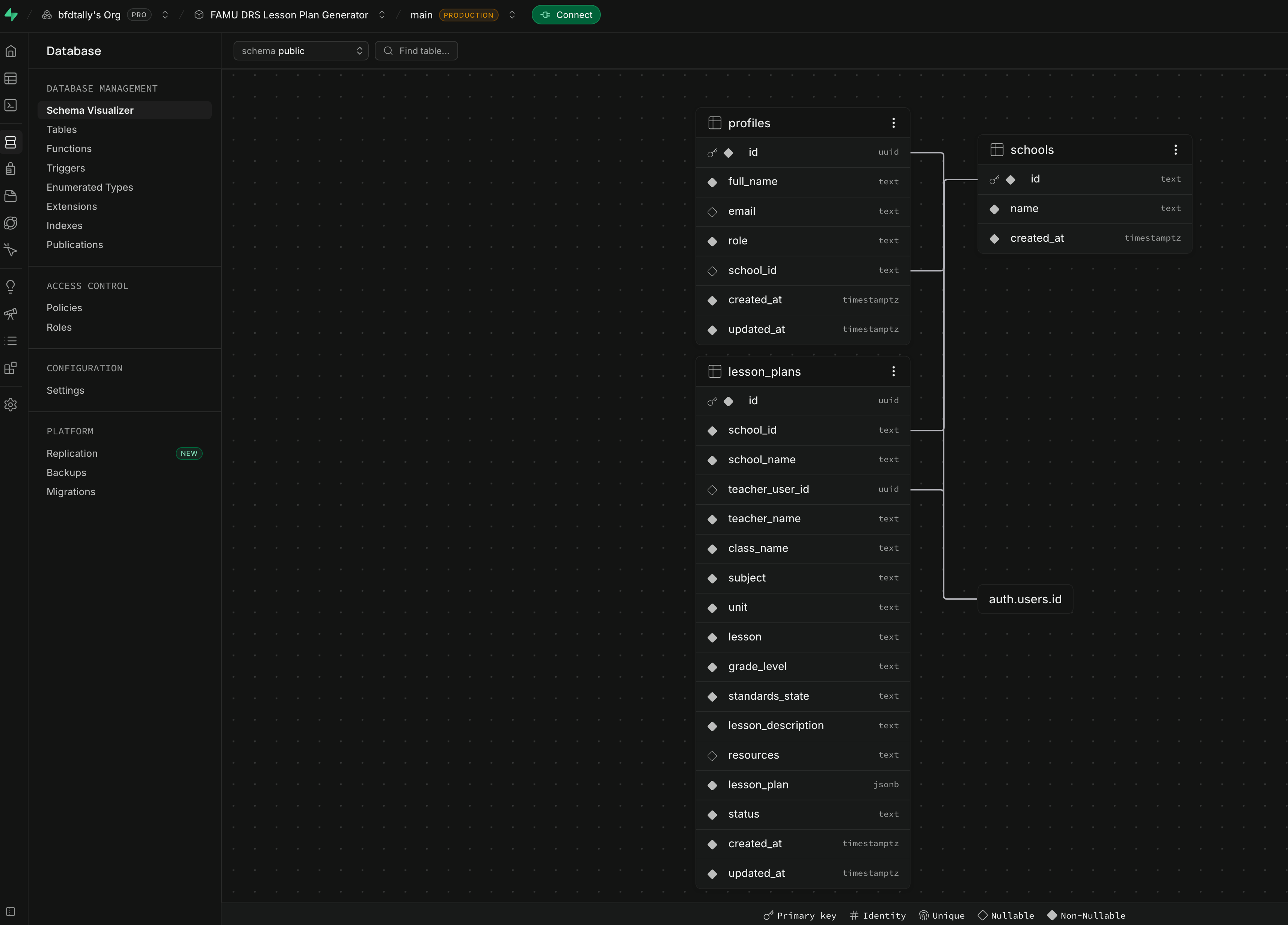
SupaBase Schema Visualizer
-
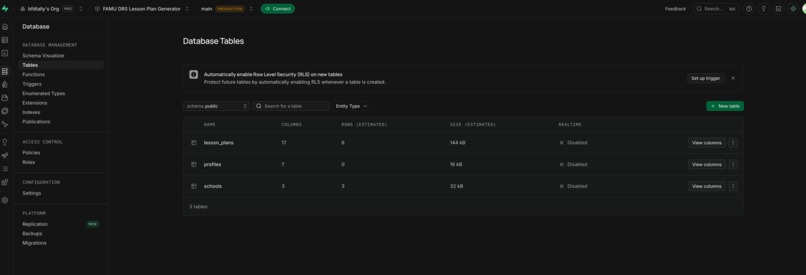
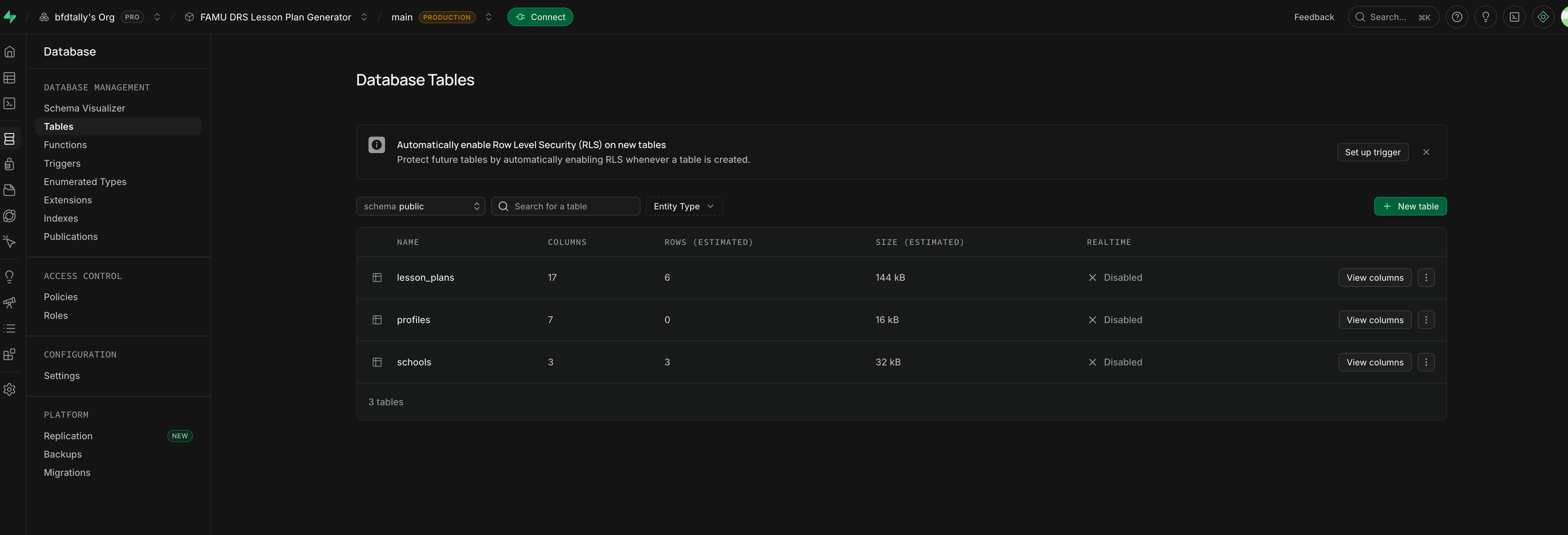
SupaBase Tables
-
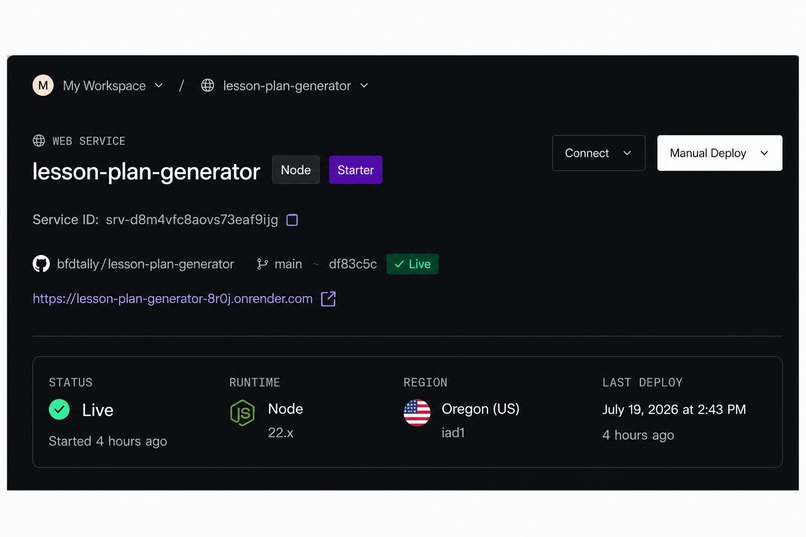
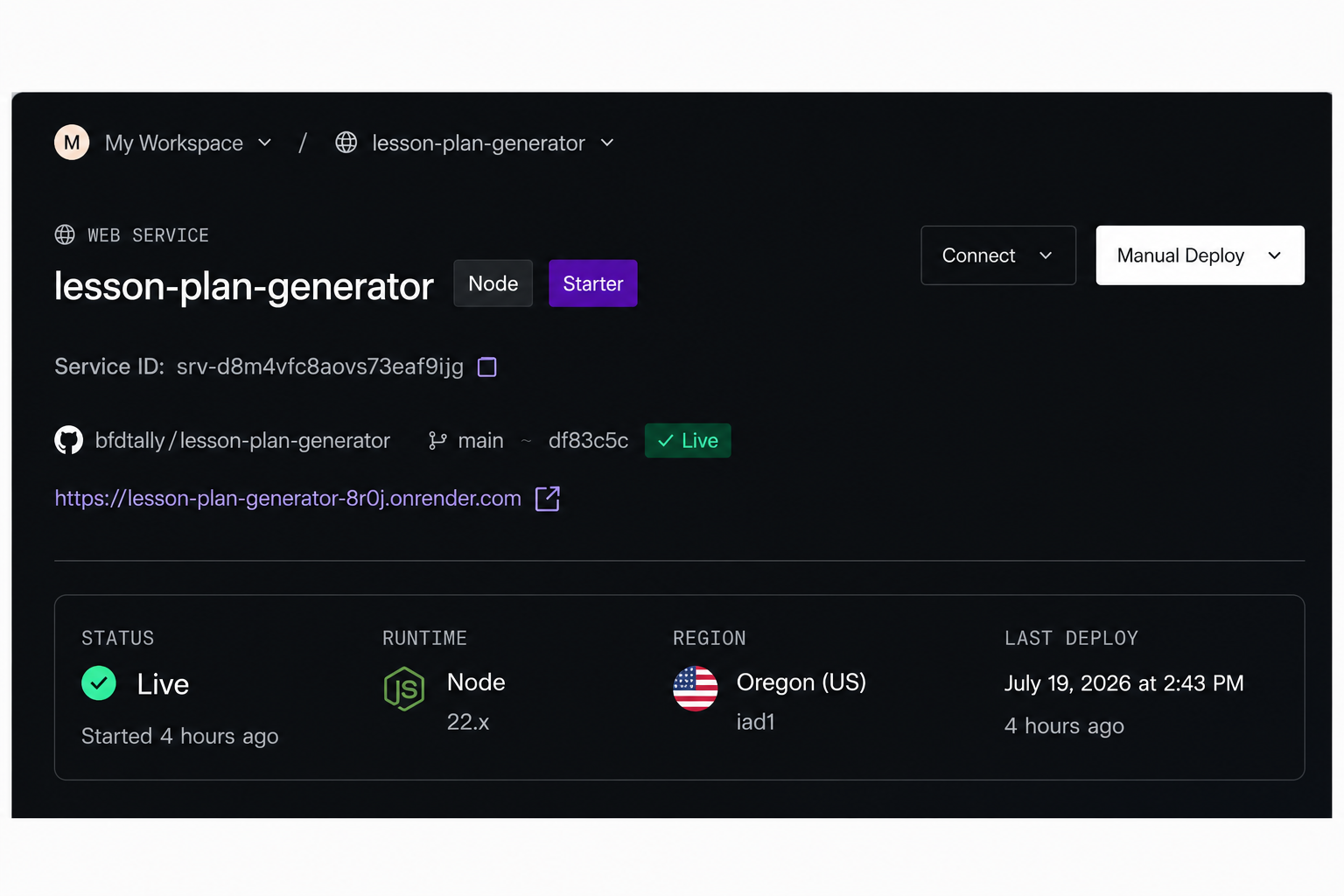
Render LIVE Status
-
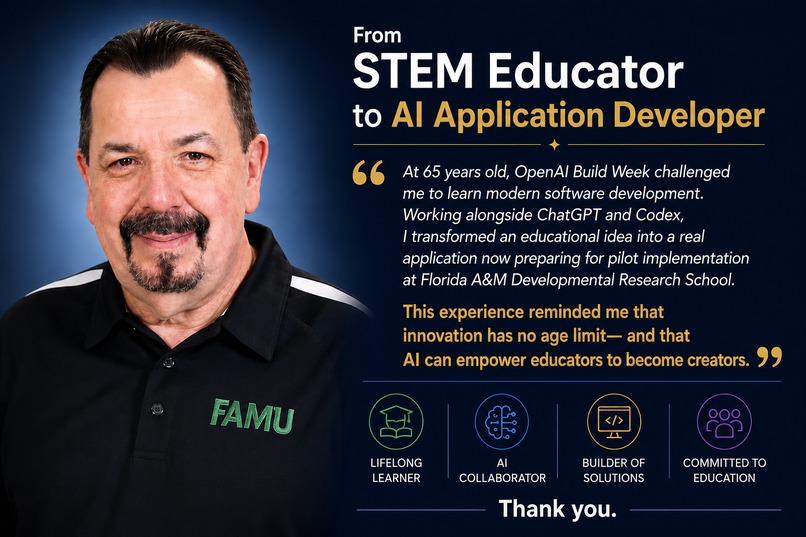
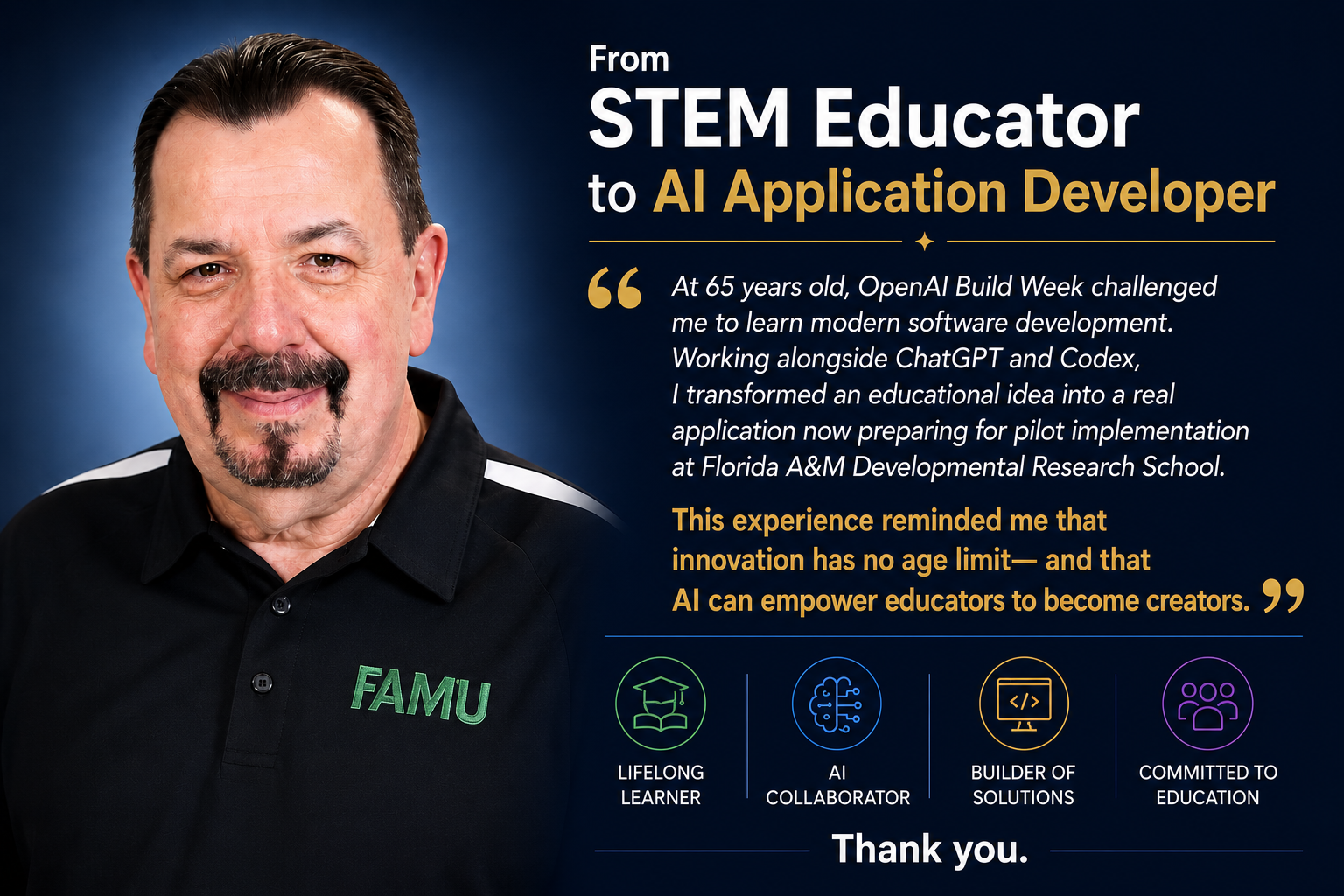
Thank You for Your Consideration!
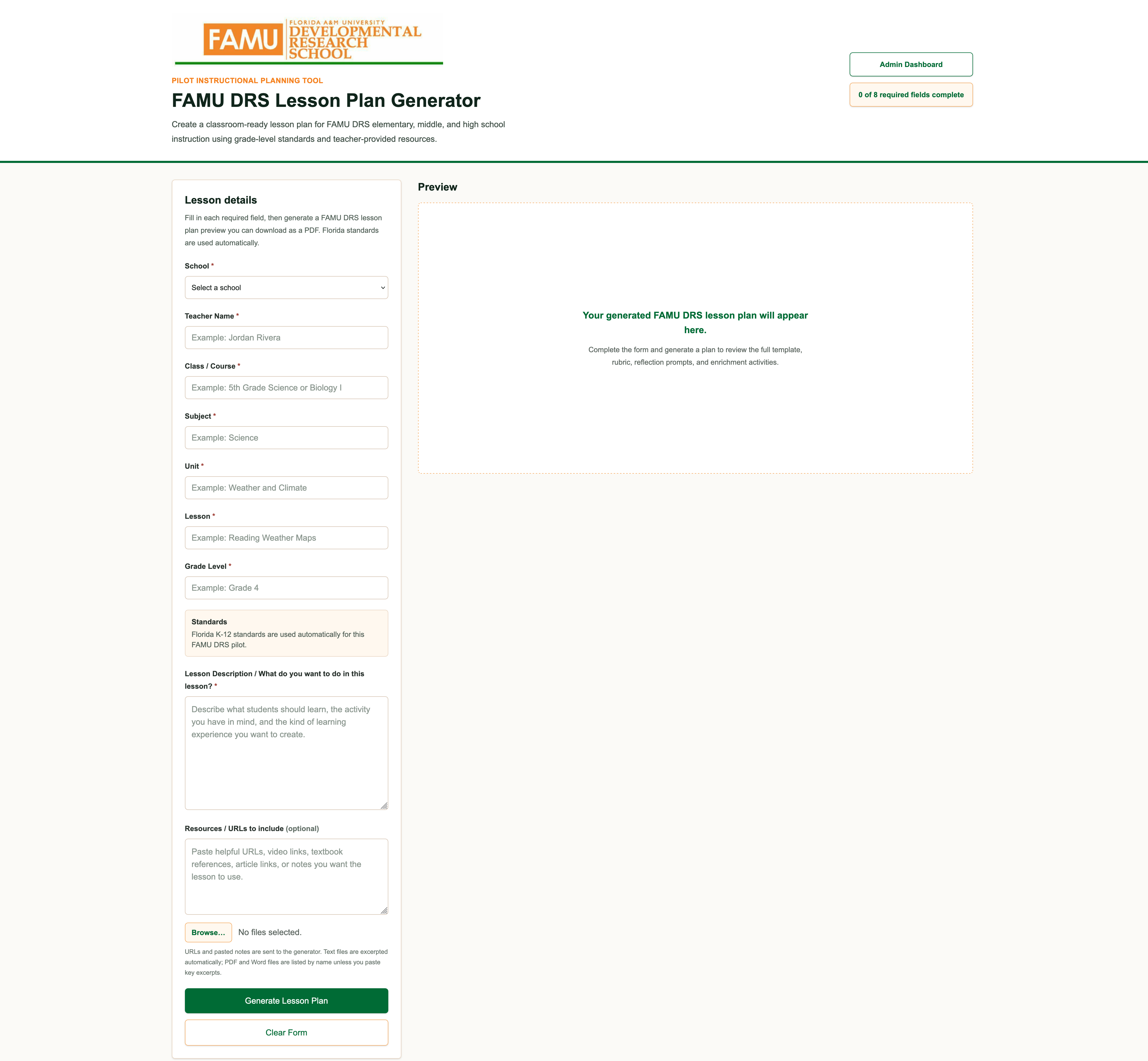
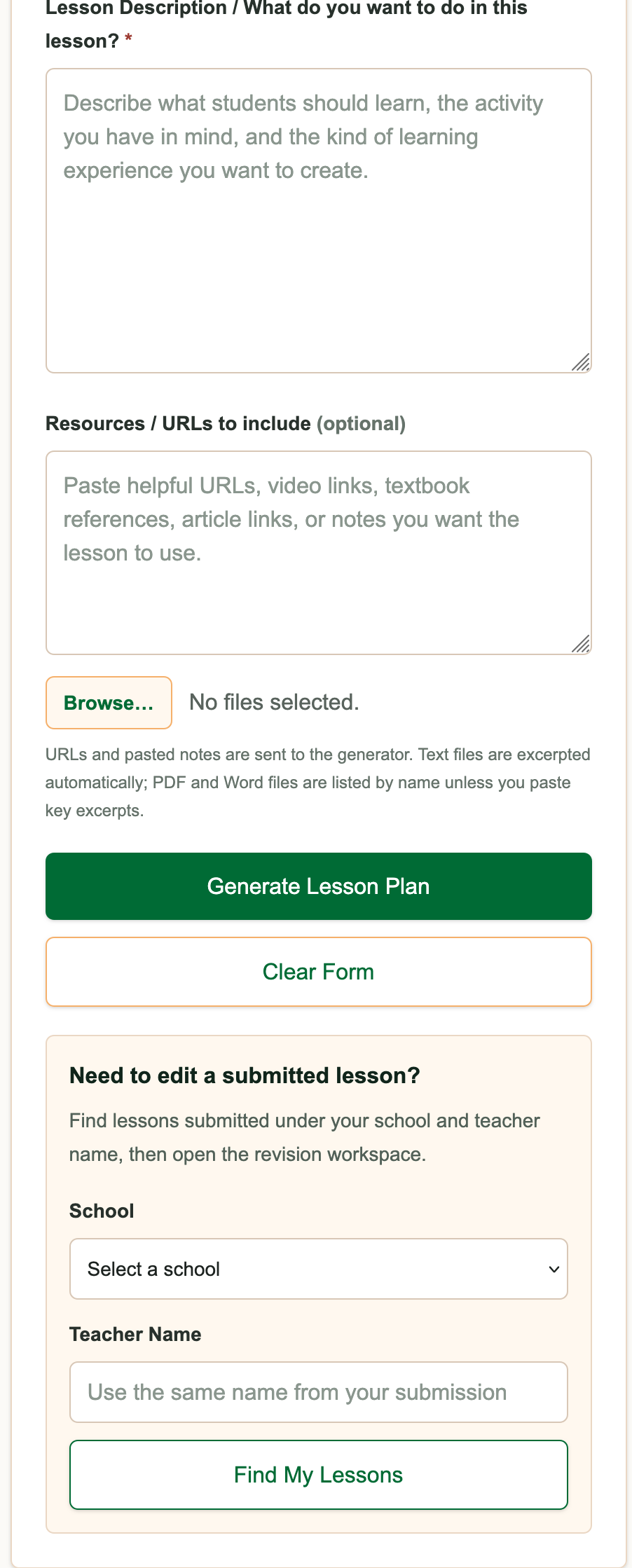
Inspiration
I am a Professor of STEM Education at Florida A&M University, and I originally created this project for my undergraduate teacher education students.
My initial goal was to help future teachers understand how artificial intelligence could be used responsibly to support lesson planning. Teachers often spend many hours writing objectives, aligning lessons with standards, developing assessments, creating rubrics, and formatting instructional documents. I believed AI could reduce some of that repetitive work and give educators more time to focus on instruction, students, professional development, and research.
Before writing code, I used ChatGPT extensively to develop and refine the educational prompts behind the application. ChatGPT became my brainstorming and instructional design partner. It helped me think through lesson structure, standards alignment, grade-level appropriateness, assessments, differentiation, rubrics, and the information teachers would need to provide to generate useful results.
The original version was intended primarily as a learning tool for my undergraduate students.
Then the project began to evolve.
When I demonstrated it to teachers at the Florida A&M University Developmental Research School, or FAMU DRS, they immediately saw its practical value. They recognized that the application could save teachers a significant amount of planning time and asked whether it could be adapted for use in their school.
During OpenAI Build Week, I showed the application to FAMU DRS administrators. They responded enthusiastically, but they also helped me see that the project could become much more than an individual lesson plan generator.
They needed a platform that could serve elementary, middle, and high school teachers while also giving administrators a centralized way to organize, review, monitor, and support instructional planning.
That conversation became the catalyst for the major changes I made during Build Week.
What it does
The AI Lesson Plan Generator is a cloud-based instructional planning platform designed for K-12 teachers and school administrators.
Teachers enter information such as:
- Grade level
- Subject
- Unit
- Lesson topic
- Instructional goals
- Lesson description
- Available resources
- Additional classroom needs
The application then uses artificial intelligence to generate a structured, standards-aligned lesson plan.
Depending on the teacher's selections and needs, the generated plan may include:
- Learning objectives
- Standards alignment
- Materials and resources
- Instructional procedures
- Opening and closing activities
- Differentiation strategies
- Assessments
- Rubrics
- Reflection prompts
- Supporting instructional content
During Build Week, I significantly expanded the platform beyond its original university classroom purpose.
I created dedicated pathways for elementary, middle, and high school teachers while maintaining a central lesson-generation system. This allows the application to better reflect the instructional differences among grade bands rather than treating every teacher and classroom the same.
I also added an administrative component that transforms the project from an individual teacher tool into a school-wide instructional platform.
The administrative dashboard gives authorized school leaders a centralized location to manage and support the lesson-planning process. Administrators can oversee teacher participation, review saved lesson plans, organize instructional content, and better understand how the tool is being used across the school.
The current version is being prepared as a pilot for FAMU DRS during the upcoming academic year.
What I built during Build Week
The application existed in a more limited form before Build Week, but I made substantial changes during the event.
The original project was primarily a lesson planning tool for my undergraduate teacher education students.
During Build Week, I transformed it into a broader K-12 instructional planning platform.
My Build Week contributions included:
- Expanding the application for use by practicing K-12 teachers
- Creating separate elementary, middle, and high school pathways
- Reworking the main lesson-generation workflow
- Improving the application's interface and user experience
- Adding secure account and data-management capabilities
- Building lesson-saving functionality
- Creating a centralized system for organizing generated lessons
- Developing an administrator dashboard
- Adding teacher and administrator user roles
- Connecting the application to Supabase
- Improving the deployment and production workflow through Render
- Managing and tracking development through GitHub
- Testing, debugging, and refining the platform through repeated Codex sessions
- Preparing the application for a real-world pilot at FAMU DRS
These were not minor cosmetic changes. Build Week changed the scope, structure, audience, technical architecture, and intended use of the project.
By the end of the week, the application had evolved from a university instructional example into a cloud-based platform intended to support an entire K-12 school.
How I built it
This project was built through a combination of educational expertise, careful prompting, AI-assisted development, and continuous feedback from teachers and administrators.
I used ChatGPT to develop the instructional foundation of the application.
ChatGPT helped me:
- Refine the lesson-generation prompts
- Organize the required teacher inputs
- Improve the quality and structure of generated lessons
- Consider grade-level differences
- Strengthen standards alignment
- Develop assessment and rubric components
- Think through teacher and administrator workflows
- Translate educational needs into clear development instructions
ChatGPT helped me define what the application should do.
Codex helped me learn how to build it.
Before this project, I considered myself a novice coder. I had ideas, educational experience, and a clear understanding of what teachers needed, but I did not have extensive experience building and deploying a production-ready web application.
Codex became much more than a coding assistant. It became my development mentor.
Through Codex, I learned how to break a large project into manageable tasks, describe features clearly, identify problems, test solutions, and improve the design through repeated iteration.
I used Codex to help me:
- Build new application features
- Improve the user interface
- Create teacher and administrator workflows
- Connect the application to Supabase
- Implement data storage
- Work through authentication and user roles
- Debug errors
- Refactor code
- Review project structure
- Improve reliability
- Prepare deployment updates
- Understand how changes in one part of the application affected the rest of the system
The project uses:
- ChatGPT for ideation, instructional design, prompt development, and feature planning
- Codex for coding, debugging, design improvement, implementation, and technical learning
- GitHub for source control, code storage, version history, and project management
- Render for cloud hosting and deployment
- Supabase for database services, authentication, saved lesson data, and administrative functionality
- AI models for generating standards-aligned instructional content
How Codex changed my experience
One of the most meaningful parts of Build Week was not simply completing the project. It was how much I learned while building it.
I began this process as a novice coder.
GitHub, Render, Supabase, authentication, databases, deployments, environment variables, repositories, commits, debugging, and production workflows were all areas in which I had limited experience.
Codex helped make those concepts understandable.
It did not simply provide code. It helped me understand the purpose of the code, where it belonged, how the different services worked together, and how to troubleshoot problems when something failed.
Through this project, I gained a much better understanding of GitHub.
I learned how a repository serves as the central home for the application, how changes are tracked, how files are organized, and how updates move from development into deployment.
I also learned how Render connects to GitHub and turns the repository into a live web application. Deployment was no longer an abstract technical concept. I could make a change, commit it, deploy it, test it, and see the results online.
Supabase was another major learning experience.
With Codex's assistance, I began to understand how a cloud database could store lesson plans, support authentication, distinguish between teacher and administrator accounts, and provide the foundation for a centralized dashboard.
Codex also helped me become a better designer.
As I built the application, I learned that software design is not only about colors, buttons, and page layouts. It is about understanding the user's journey.
I began thinking more carefully about:
- What teachers should see first
- Which questions are essential
- How much information should appear on one screen
- How elementary, middle, and high school users differ
- How administrators need to navigate information
- How to reduce confusion
- How to provide useful feedback
- How to make the application feel approachable rather than technical
Codex helped me move from simply adding features to thinking more intentionally about usability, organization, workflow, and user experience.
This was a truly wonderful experience for me as a novice coder.
I did not feel as though I was simply asking AI to complete tasks for me. I felt as though I was learning alongside it.
Challenges I ran into
The greatest challenge was transforming a relatively focused lesson-generation tool into a platform that could support an entire school.
Lesson generation alone was only one part of the problem.
The expanded platform also needed to address:
- Different grade bands
- Different user roles
- Saved lesson plans
- Teacher accounts
- Administrator access
- Data organization
- Authentication
- Security
- Database structure
- Cloud deployment
- User-friendly navigation
- Future scalability
The administrative component was especially challenging because it required me to think beyond the needs of an individual teacher.
Administrators need to see information differently. They need centralized access, organized records, appropriate permissions, and an interface that helps them support instruction without making the platform feel intrusive or difficult for teachers.
Another challenge was learning how GitHub, Render, and Supabase worked together.
A change that looked simple on the screen could involve several layers of the application. I sometimes had to update the code, check environment variables, review database settings, redeploy the application, test permissions, and then return to Codex to troubleshoot unexpected results.
Codex helped me work through these challenges systematically.
Rather than abandoning a feature when it became difficult, I learned how to describe the problem, examine the likely cause, test a solution, and continue improving it.
Every technical obstacle became part of the learning experience.
Accomplishments that I am proud of
I am proud that this project grew from a university teaching tool into a platform with real potential for K-12 implementation.
I am proud that practicing teachers immediately saw value in it.
I am proud that FAMU DRS administrators responded positively and helped inspire the administrative component.
I am proud that I completed substantial development during Build Week rather than making only minor changes to an existing application.
I am especially proud that the platform is being prepared for a pilot at FAMU DRS during the upcoming school year.
This means the project is not simply a hackathon demonstration. It is being developed for use by real teachers and administrators in a real educational setting.
I am also proud of my own growth.
During this process, I learned how to use:
- ChatGPT as a prompting and design partner
- Codex as a development mentor
- GitHub as a version-control and project-management platform
- Render as a cloud deployment service
- Supabase as the database, authentication, and storage foundation of the application
As a professor who began this project with limited coding experience, building and deploying a functional educational platform has been one of the most rewarding professional learning experiences I have had.
What I learned
I learned that artificial intelligence can support educators in more than one way.
The first is through the application itself.
AI can reduce the time teachers spend on repetitive planning and formatting tasks. This does not replace teacher judgment, creativity, or professional expertise. It gives teachers a starting point that they can review, revise, personalize, and improve.
The second is through the development process.
AI can also help educators become creators of the tools they need.
Before this project, I might have needed to explain my idea to a software development team and hope they understood the educational problem.
Through ChatGPT and Codex, I was able to participate directly in every stage of the process.
I could describe the instructional need, develop the prompts, design the workflow, test the interface, review the outputs, identify problems, and work through the technical implementation.
I also learned that prompting is a form of design.
The quality of the application depends heavily on the clarity of the questions, the organization of the information, and the instructions given to the model.
My background in education helped me create better prompts, while ChatGPT helped me refine and structure those prompts.
I learned that coding is not only about writing syntax.
It is also about:
- Problem solving
- Planning
- Testing
- Organization
- Communication
- User experience
- Persistence
- Continuous improvement
Most importantly, I learned that being a novice coder does not mean being incapable of building meaningful software.
With the right tools, support, curiosity, and willingness to learn, an educator can transform an idea into a working platform.
Educational impact
Teachers are responsible for far more than classroom instruction.
They must develop lesson plans, align instruction with standards, create assessments, differentiate for learners, document their work, communicate with families, participate in professional development, and complete many additional administrative responsibilities.
A tool that reduces the time spent on repetitive planning tasks can give teachers more time for higher-value professional work.
The purpose of this project is not to replace teachers or remove their professional judgment.
The generated lesson plan is a starting point.
Teachers remain responsible for reviewing, editing, adapting, and approving the content based on their students, curriculum, classroom context, and professional expertise.
The administrative component is also intended to support educators rather than simply monitor them.
A centralized dashboard can help school leaders organize instructional information, identify support needs, encourage collaboration, and gain a clearer understanding of lesson-planning activity across the school.
The upcoming FAMU DRS pilot will provide an opportunity to gather real feedback from both teachers and administrators.
That feedback will be essential to determining which features are most useful, what needs improvement, and how the platform can responsibly support educators in practice.
What's next
The FAMU DRS pilot is the next major stage of the project.
During the upcoming school year, I plan to gather feedback from teachers and administrators and use that feedback to refine the platform.
Future development may include:
- Enhanced administrator analytics
- Improved reporting tools
- School and district-level dashboards
- Collaborative lesson planning
- Curriculum mapping
- Expanded assessment generation
- Additional rubric options
- Support for standards from additional states
- Teacher-editing and revision tools
- Lesson-plan sharing
- Export and document-management improvements
- Learning Management System integrations
- Additional AI-powered teacher productivity tools
I also want to continue improving the user experience for educators who may not consider themselves highly technical.
The platform should feel clear, supportive, and easy to use from the first screen.
My long-term goal is to build an AI-powered instructional planning platform that helps teachers spend less time on repetitive administrative work and more time teaching, mentoring, collaborating, conducting research, and supporting students.
Final thoughts
I originally created this application to help my undergraduate teacher education students understand how artificial intelligence could support lesson planning.
Teachers at FAMU DRS helped me see its practical classroom value.
Administrators helped me see its potential as a school-wide platform.
ChatGPT helped me develop the ideas, instructional structure, and prompting strategy.
Codex helped me turn those ideas into working software.
During Build Week, I did not simply add features to an application. I learned how to think more like a developer and a software designer.
I gained a much clearer understanding of GitHub, Render, Supabase, cloud deployment, databases, authentication, debugging, user roles, and application design.
For someone who began as a novice coder, this has been a truly wonderful and empowering experience.
I set out to build a better tool for teachers.
Instead, Codex also helped build a better developer.
Built With
- chatgpt
- codex
- github
- render
- supabase
