-
-
AUDIO TRANSMISSION USING LI-FI
Inspiration: The fact that everyone across the country is unable to get the same facility of Wifi is really disturbing. Due to the unavailability of money or Wifi, many students do not have access to internet. Also. Wifi is really harmful for human beings as it causes cancer, so the search for new and safe, easily accessible medium to generate high data rates began.
What it does: Lifi provides high speed data rates and is capable of becoming the most secured connection system in the world due to its ability to prevent data leakage.
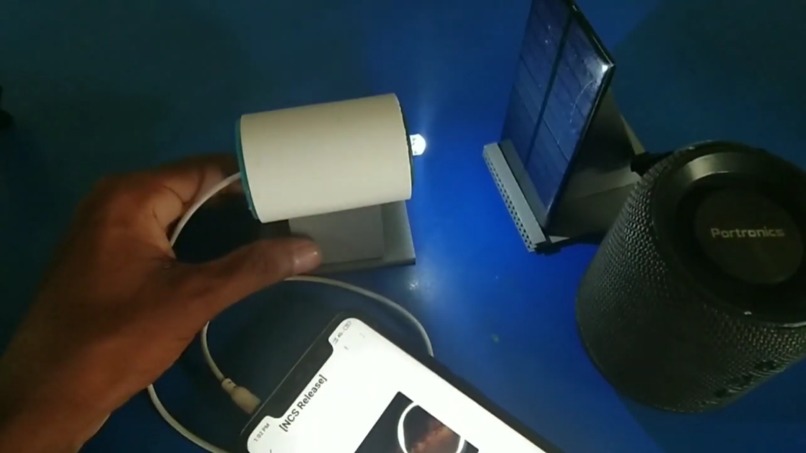
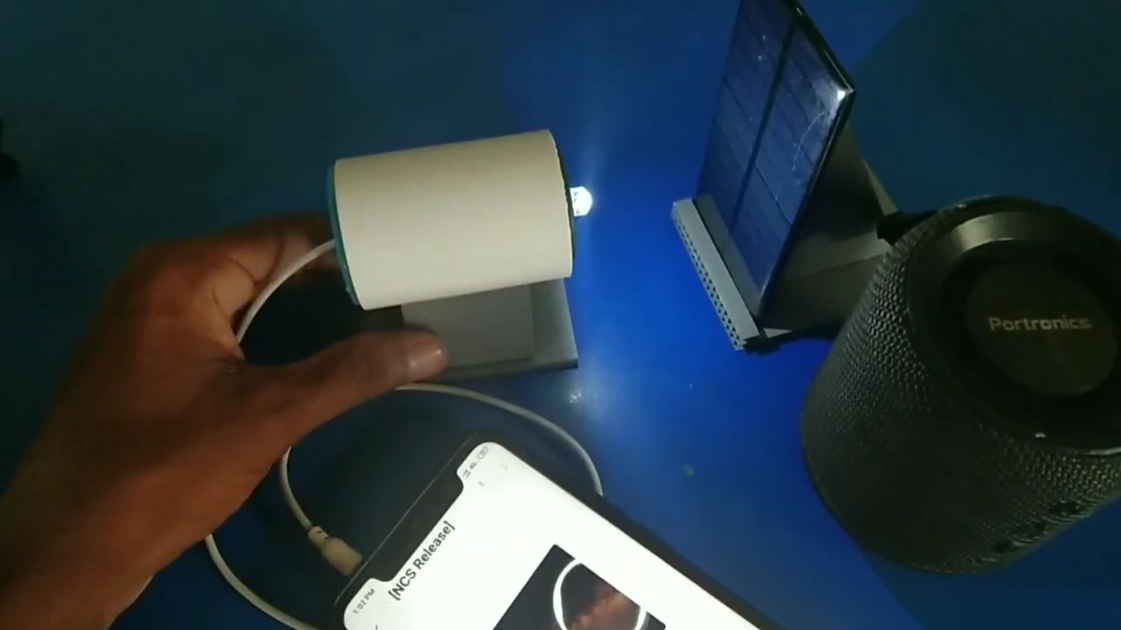
How I built it: Our first project was to try audio transmission using Lifi. First all the products are to be gathered-- the LED, resistors, jacks,batteries. Then Connect the Negative (-ve) Terminal of your LED with the GROUND terminal of the Headphone Jack. Now, Connect the Resistor to the Positive (+ve) Terminal of the LED. Connect the Positive (+ve) Terminal of your 9 Volt Battery with the Resistor. Now at last connect the Negative (-ve) Terminal of the Battery with the common wire of LEFT and RIGHT Terminals from the 3.5 mm Jack to Complete the Circuit.
So, We've made the LiFi Transmitter and now its turn to make the receiver that will Receive these LiFi signals. Solder the wires to the Positive (+ve) and Negative (-ve) Terminals of the Solar Panel. Now, Connect the Negative (-ve) Terminal to the GROUND Terminal of the other Jack. The Positive (+ve) Terminal is left so connect the Positive (+ve) Terminal of the Solar Panel to the Common wire of LEFT and RIGHT Terminals from the jack to complete the Circuit. Now our Receiver is also built and the only thing left is to assemble both the circuits in a cardboard box.We'll cut out the pieces of Cardboard.Now we'll use glue to make a L shaped Structure with the 2 bigger pieces of Cardboard. Attach the Cardboard Supports on both sides of the L joint to make it more stable. Place the Battery near the inside of joint. Make a hole on one of the big cardboard pieces.Pass the LED through the hole and glue it there. Glue the resistor and wires according to the empty space left. Glue the wire of the Jack at the end of the Lower cardboard and the Transmitter is ready to go. We put this whole circuit in a cardboard because it is much safer to protect the whole circuit than to keep it in the open. Next, is the testing part. We'll take the LiFi Transmitter Jack and Connect it with the Phone through the 3.5 mm Female Jack. Next the LiFi Receiver Jack will be connected with a Pre-Amplified Speaker in the AUX Input Port. Next the LiFi Transmitter and LiFi Receiver will be placed face to face with each other with a distance of about 5 cm between them. Finally, connect the Battery to the 9 Volt Battery Connector in the LiFi Transmitter. The LED will light up. If we play any song on the connected phone, we can see that the song will also start to play on the speaker too!
Challenges I ran into: The whole designing process is a little bit problematic. In the beginning, when the whole thing was rudimentary, we found determining the right terminals really challenging. But since, audio transmission is the first step of data transmission in the Lifi process, so I'm gonn a kick it off and say that it wasn't as much challenging as we thought it would be.
Accomplishments that I'm proud of: This whole project for us was an accomplishment. To be honest, we weren't very hopeful that we'd be able to succeed but at the end we were. The whole idea of Lifi is so intriguing that one can't help but to research more on this topic. Through this project we were able to design a totally new thing which might be the face of digitisation in India.
What I learned: We actually learned a lot about the analog and digital circuits, their working and how the photodiodes convert binary signals into electric signals to generate a certain output.
What's next for THE LI-FI(LIGHT FIDELITY) PROJECT: The next thing we are aiming is to transfer image and video using LI-FI. Also, we are trying to generate internet connection in a small enclosed room using LI-FI.
Built With
- analogcircuit
- led
- modulator
- receiver
- sensor
- solar







Log in or sign up for Devpost to join the conversation.