-
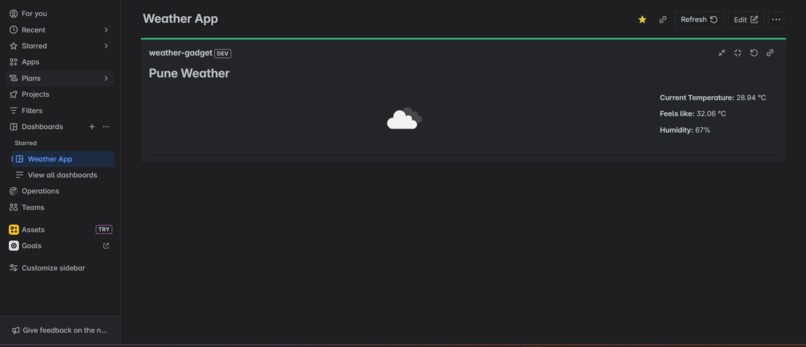
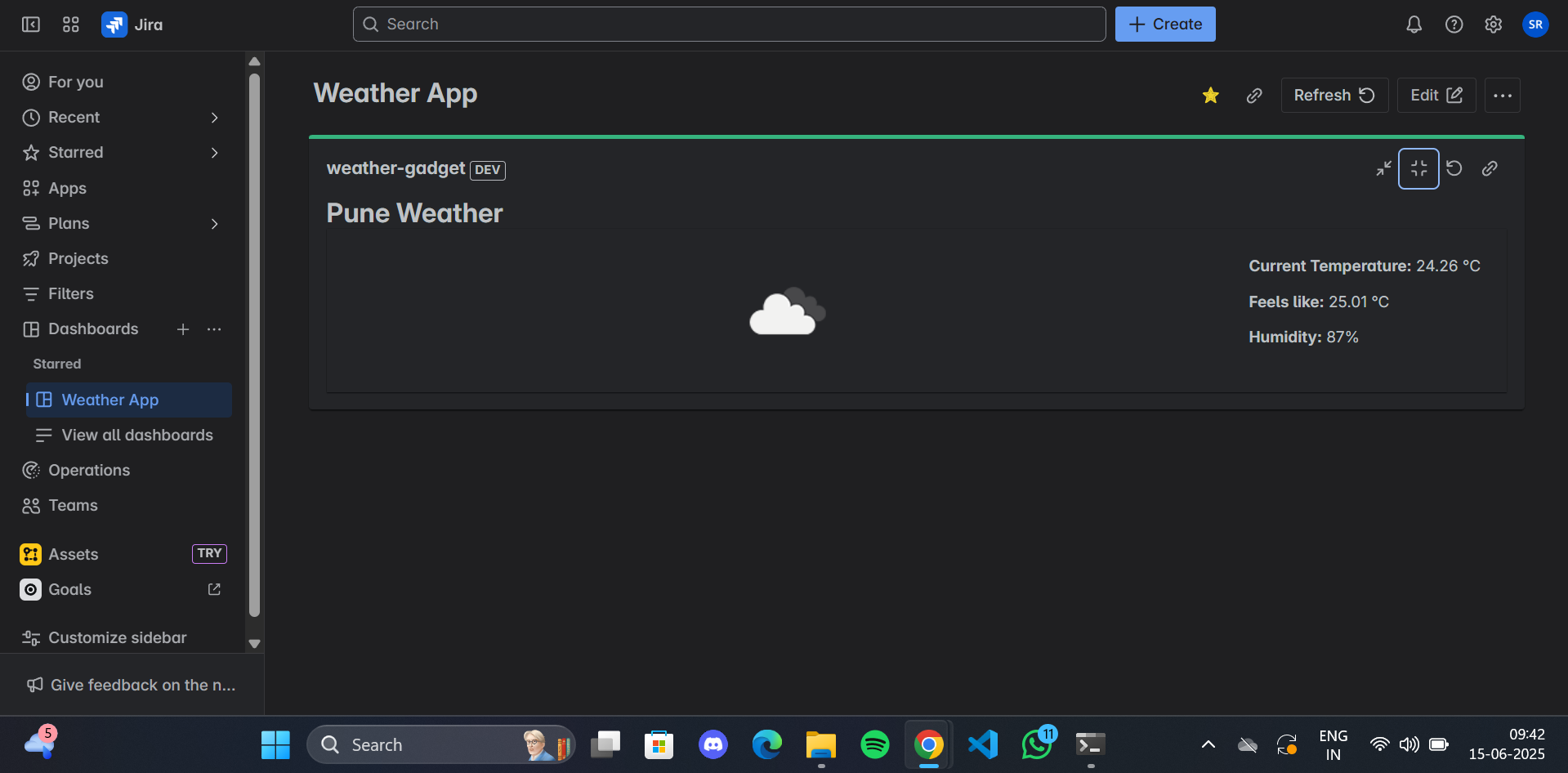
App rendered in the product UI
-
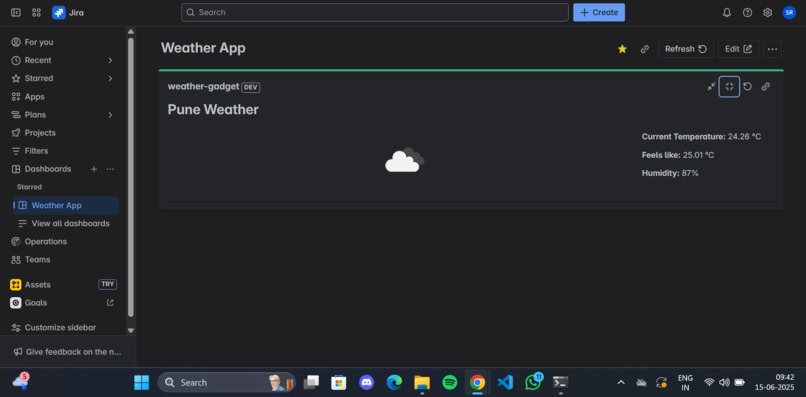
App rendered in the product UI
-
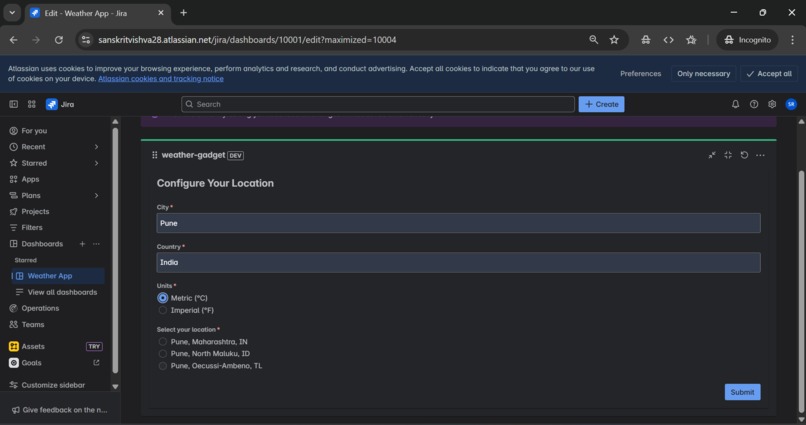
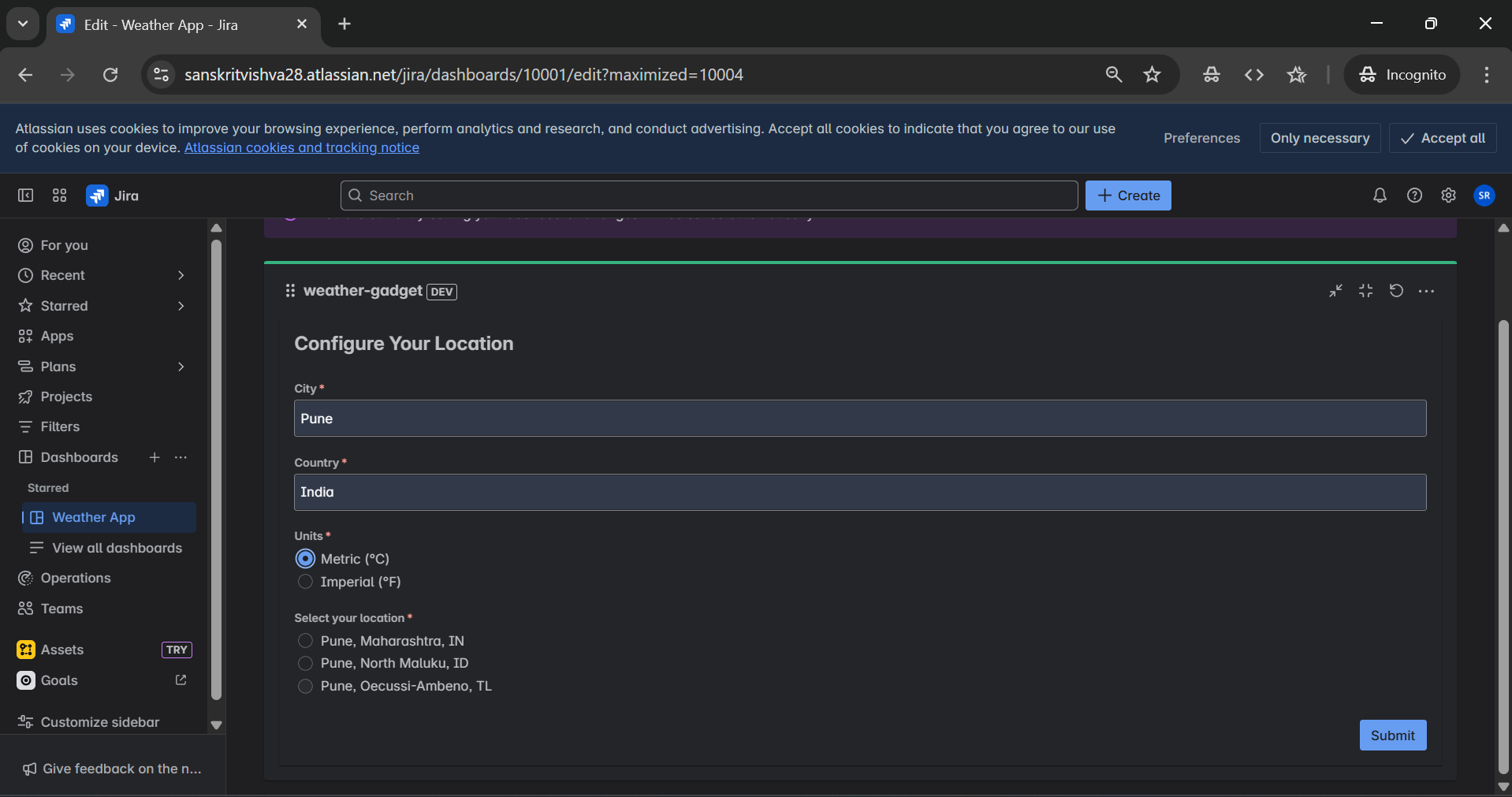
Configuring App
Inspiration
This project is part of Atlassian’s Forge Quest, it is a hands-on coding journey to build real-world Jira apps to solve practical challenges. I built this Jira Weather Gadget App by following Atlassian’s Forge Quest challenge. By following all steps as described it made it very easy to build and learn from it. This quest strengthened my understanding of Jira to build real Jira apps and gave me a practical skill with Jira.
What it does
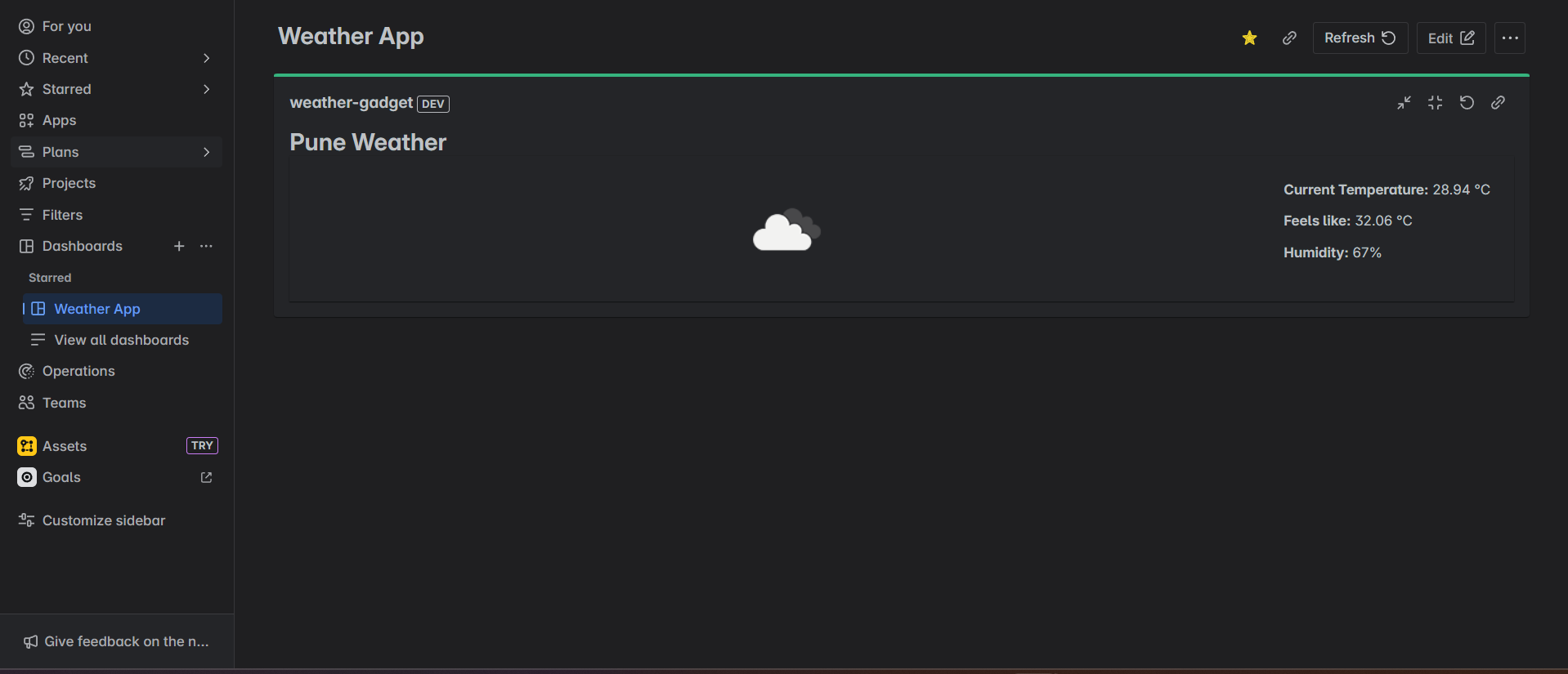
This Jira App lets the user enter their country and city fetches the location coordinates and displays current weather information like Current Temperature, Feels like, Humidity, and weather directly in Jira.
How we built it
We built this by using Atlassian’s Forge platform with React and Forge UI Kit components. Using UI kit it enhanced performance and Features. The app uses Forge Bridge APIs to communicate between frontend and backend functions. For weather data, we integrated the OpenWeatherMap API, fetching live weather details based on user input location. Styling and layout were managed using Forge’s xcss, Box, and Inline components for a clean, responsive design.
Challenges we ran into
The OpenWeather Current Weather API requires geographic coordinates (latitude and longitude) instead of city and country names. To address this, we used OpenWeather’s Geocoding API to convert the user-entered city and country into a list of matching locations with their respective latitudes and longitudes. This was implemented in a resolver function that fetches data from the Geocoding API, processes the results, and passes the coordinates back to the app. This approach ensures accurate location data is used to retrieve real-time weather information for the user’s selected location.
Accomplishments that we're proud of
I'm proud that
- Successfully integrated Atlassian Forge UI Kit components with React to build a seamless Jira gadget.
- Completed the Forge Quest challenge end-to-end, demonstrating practical skills in building real Jira apps.
- Gained Practical knowledge of building the Jira App
What we learned
I learned
- How to use Forge CLI and various commands
- Gained Knowledge about how to effectively use React and Forge UI Kit components.
- Learnt How to integrate API with forge apps
- Using Forge Bridge taught me how to connect the frontend and backend in Forge apps. The invoke method allowed calling backend functions to fetch data asynchronously, such as getting location coordinates or weather info. The view object helped manage UI flow, including submitting data and closing configuration screens smoothly. This experience deepened my understanding of Forge’s event-driven architecture and how to build responsive, integrated Jira apps.
What's next for The Jira Weather Gadget App
- Add multi-location support so users can save and switch between favorite places easily
- Integrate extended weather details like hourly forecasts, wind speed, and severe weather alerts.
- Improve UI customization options to better fit different Jira dashboard themes.


Log in or sign up for Devpost to join the conversation.