-
-
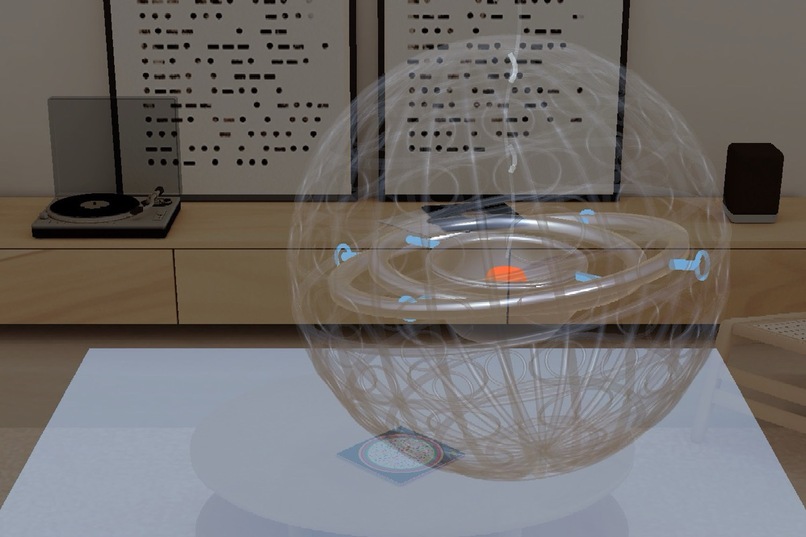
The Incense Ball: a Tang-dynasty silver incense ball you can roll, take apart, and walk around, as a SPECS AR exhibit.
-
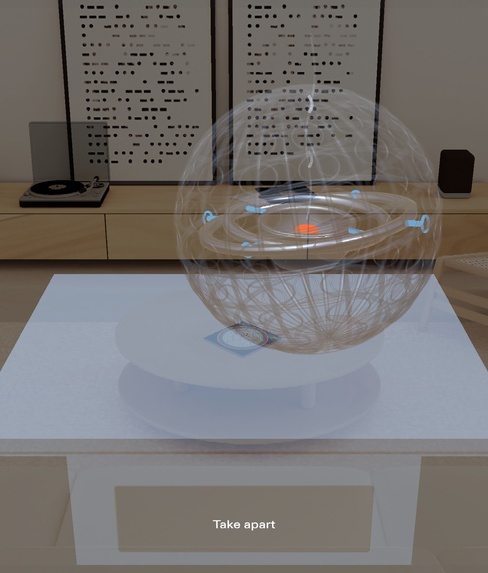
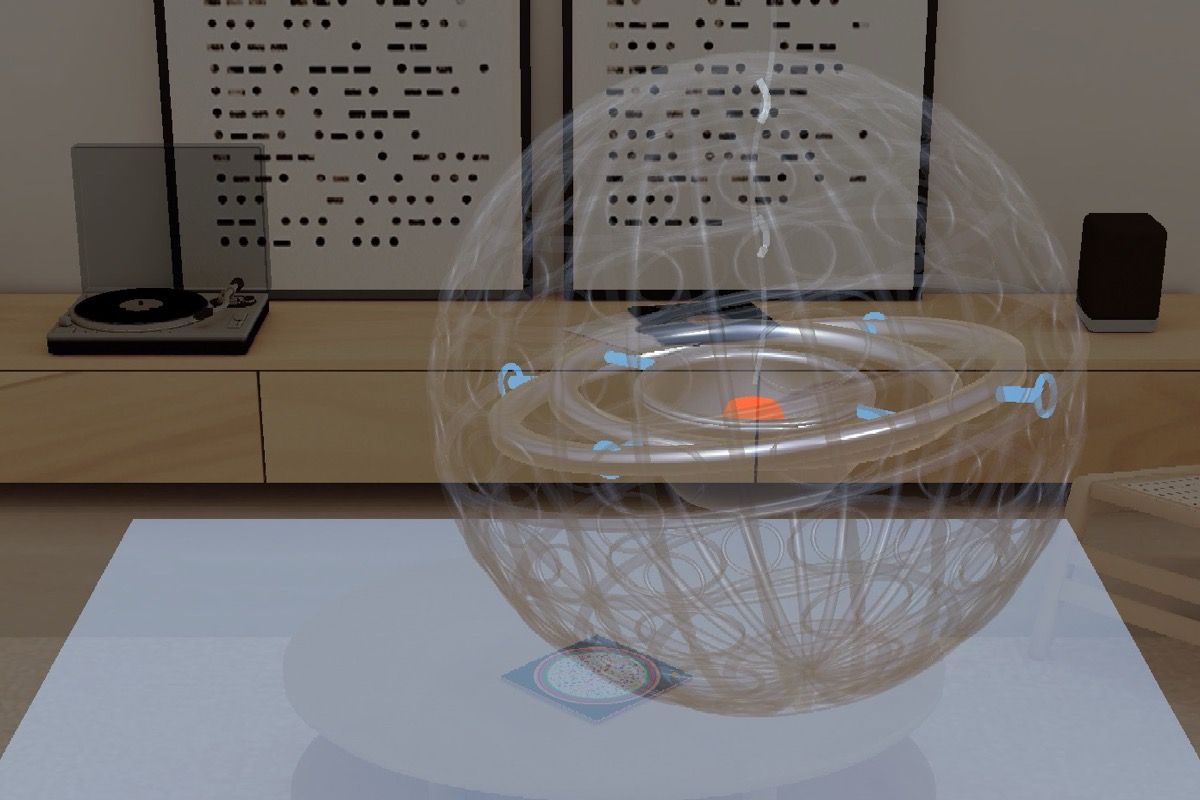
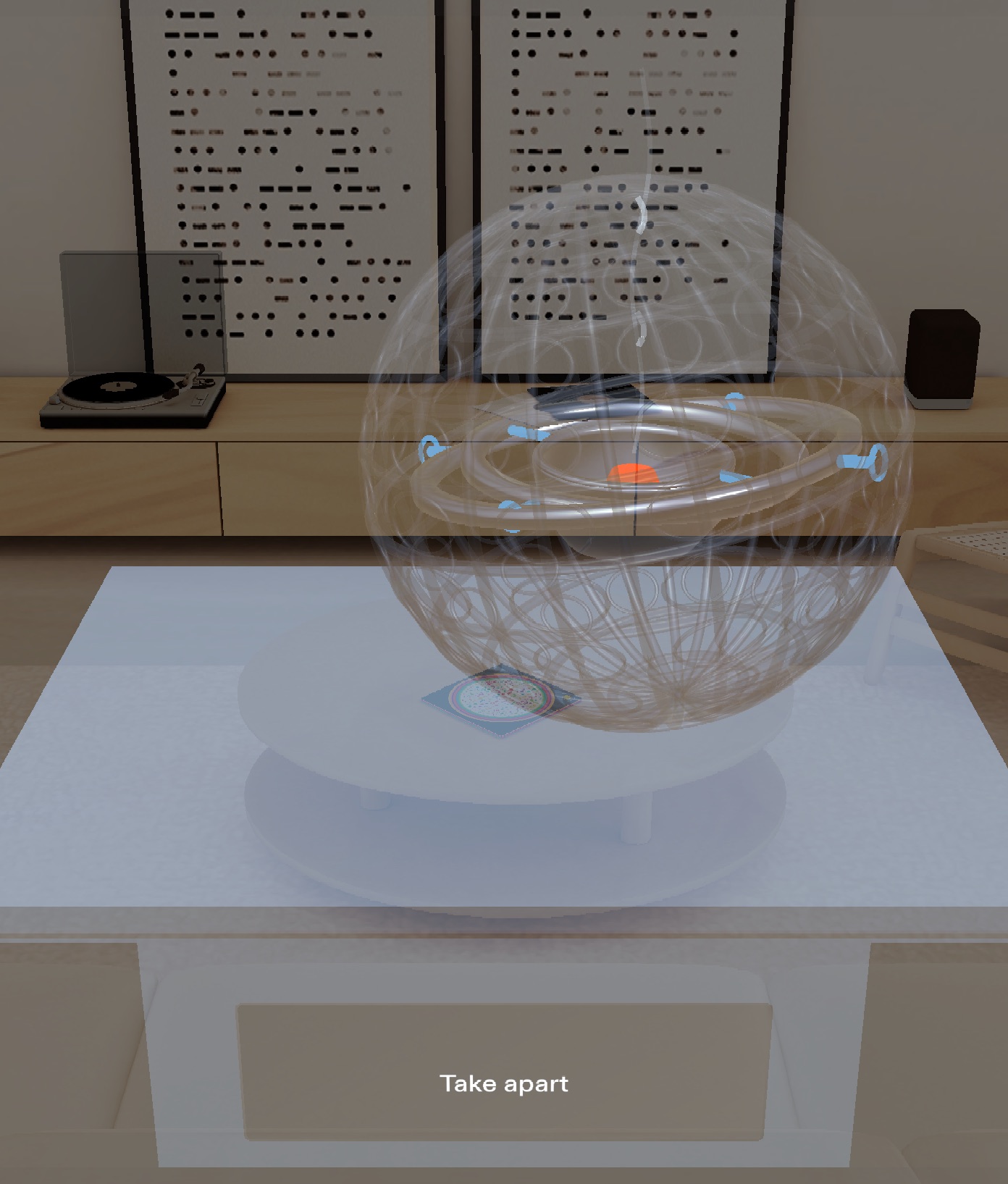
Pinch and drag to roll. The shell turns see-through, the two rings swing on their pivots, and the cup with its glowing ember stays level.
-
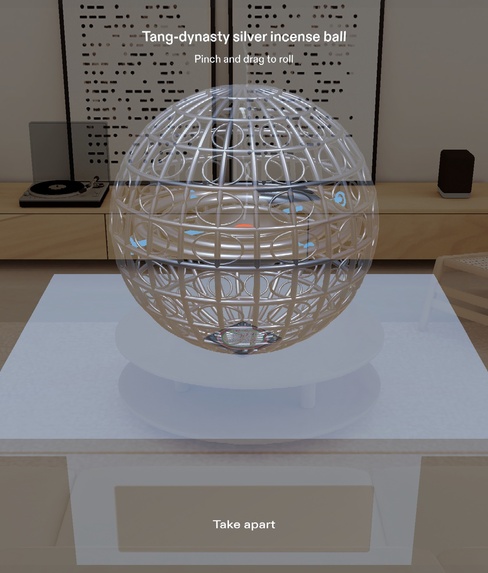
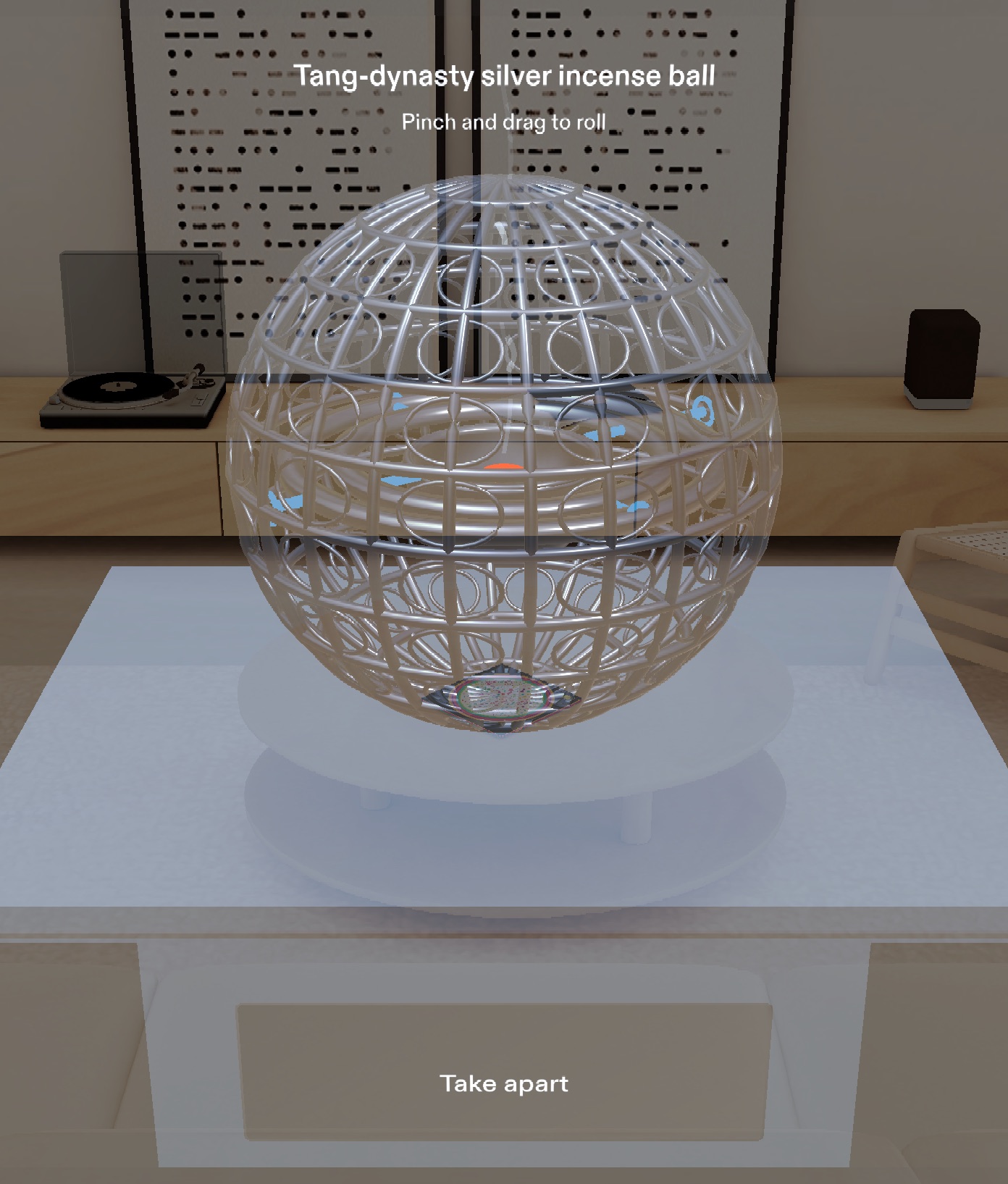
The starting view: a 30 cm silver incense ball on a plinth, 90 cm ahead and a little below eye level, with one “Take apart” button.
-
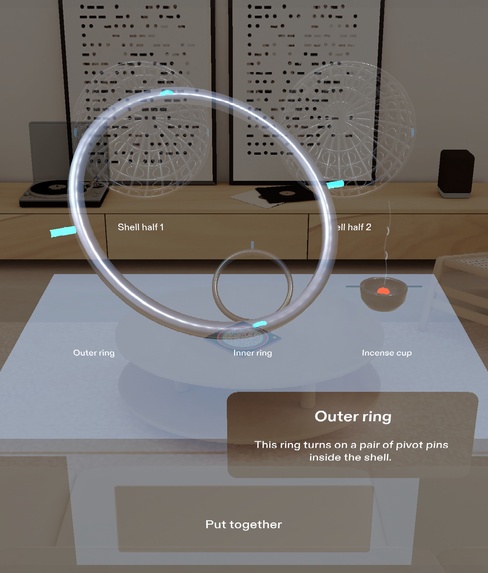
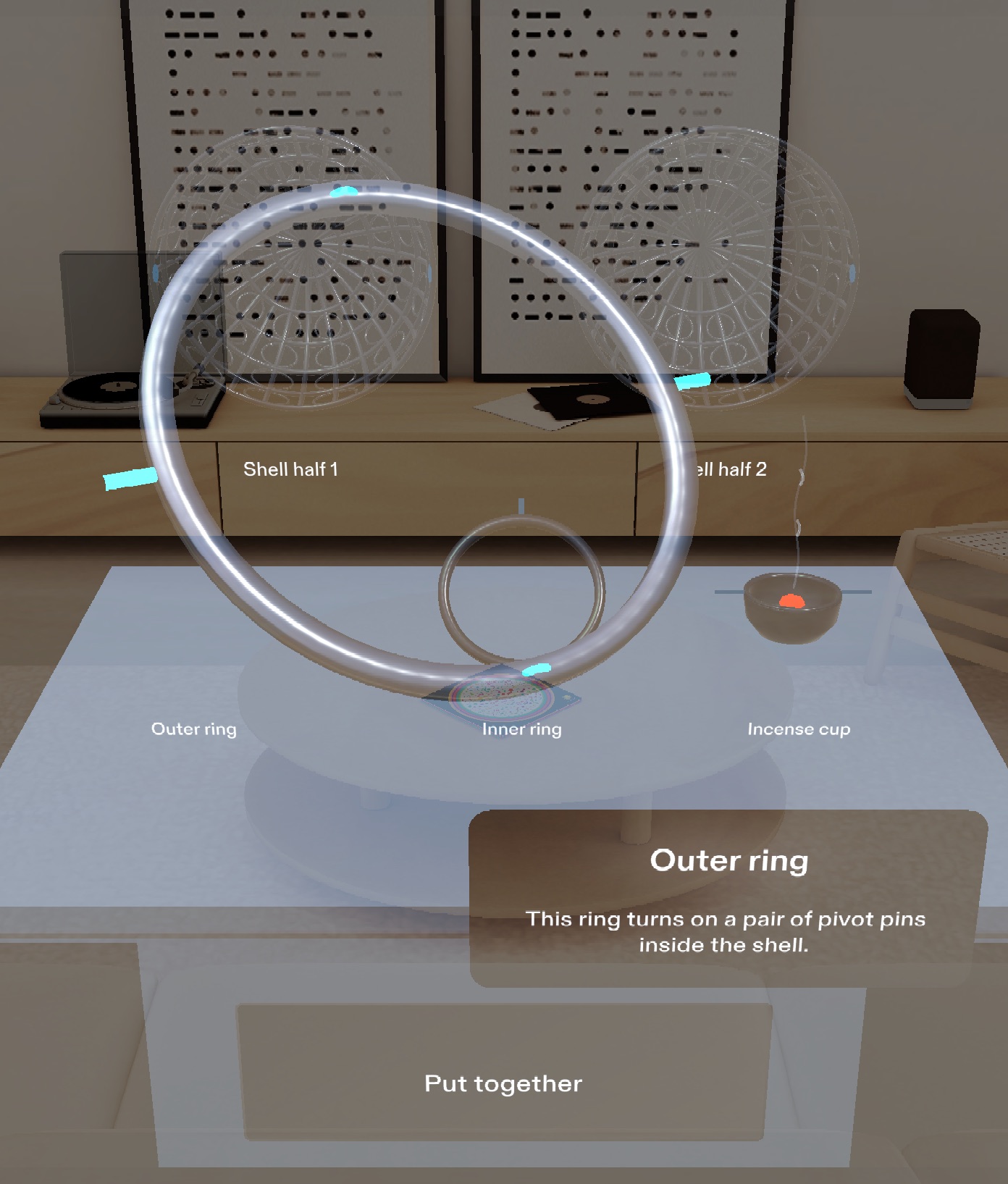
Pinch a part to bring it forward at full size. A one-line card explains its job while the other parts dim.
-
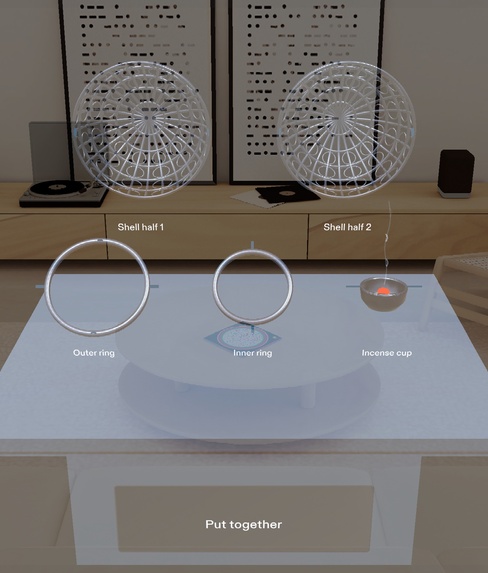
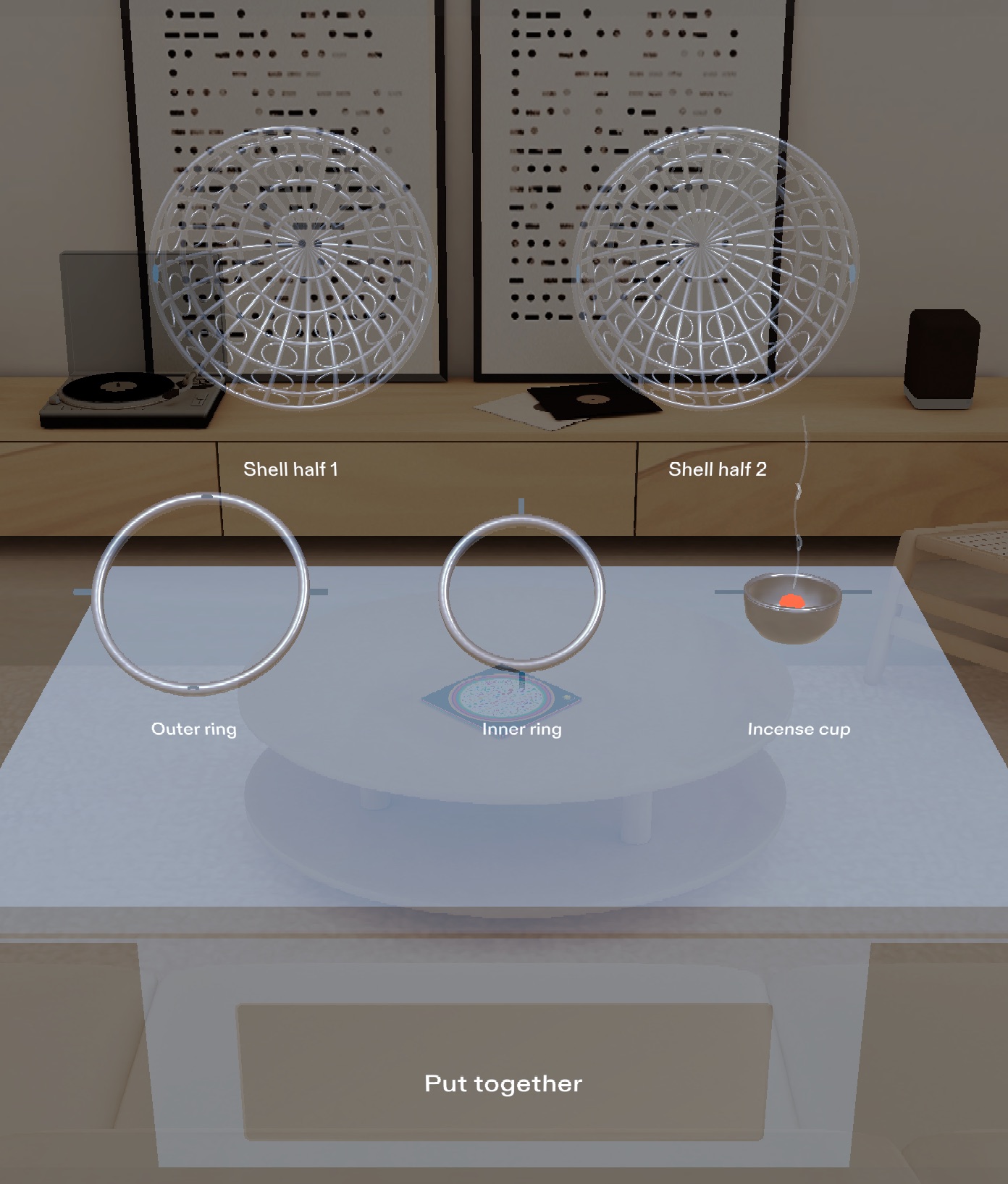
Take apart: five parts at half size in two labeled tiers, with the pivot pins lit so you can see the two ring axes at right angles.
Inspiration
The Tang-dynasty silver incense ball is a palm-sized ball, more than 1,200 years old, that uses the same gimbal idea as a modern camera stabilizer: two nested rings turn so the cup doesn't have to. In a museum it sits small and still behind glass, and its pivots, the clever part, are almost impossible to see. The Incense Ball is a one-object exhibit for museum visitors and students who wonder how ancient machines work. It lets them roll the ball themselves and see why it never spills.
What it does
A 30 cm copy of the incense ball stands on a plinth about 90 cm in front of you, a little below eye level, and stays anchored in the room as you move.
- Roll: pinch and drag the ball along the plinth. The shell turns partly see-through, the outer and inner rings swing on their pivot pins, and the cup with its glowing ember stays level while a thin line of smoke rises straight up. Let go upside down and it stays upside down, with the cup still level. Two seconds later the shell fades back to solid silver.
- Take apart: pinch the plinth's button. The shell opens like a clam, and the rings and cup slide out along their pivots with a soft click for each step. In about 2.5 seconds all five parts settle at half size in two labeled tiers, with the pivot pins highlighted so you can see the two ring axes at right angles.
- Inspect: pinch any part. It glides toward you at full size and slowly turns to show its pins or pin holes, while a one-sentence card explains its job and the other parts dim. Pinch it again to send it back.
- Put together: every part returns exactly where it was, including the shell's rolled orientation, and the ball is ready to roll again.
How we built it
- Planned with the
plan-lensskill. The interview checked the idea against AR design habits and preview limits, then wrote a design brief with placement (90 cm away, 30 cm below eye height, waist-height button), input, timing, card copy, and five done criteria that can be checked in Lens Studio's preview. - Built from the brief by coding agents through Snap's CLAD plugin and the Lens Studio MCP. The agents wrote the TypeScript components, built the scene with VirtualScene, and checked the result with preview captures. The first build ran in Codex; finalization and verification ran in Claude Code.
- Geometry is all generated in code with
MeshBuilder: an openwork silver shell, two rings with pivot pins and bearing holes, a lathed cup, the ember, the smoke, and the plinth. - The gimbal is real math, not an animation. Every frame, the outer-ring and inner-ring angles are derived from the shell's rotation so the cup's up axis stays world-up. The smoke lives outside the rotating hierarchy, so it always rises in world space.
- Interaction uses Spectacles Interaction Kit (pinch, drag, hover highlight) and SpectaclesUIKit (button, card, layout), so it works with real hands on SPECS and with the mouse in Interactive Preview.
- Tested with LEAF: one scenario per done criterion. The scenarios drive real SIK hover, pinch, and drag events, measure sizes from mesh vertices, project every point through the camera to check it is in view, and sample the cup's tilt on every frame.
Challenges we ran into
- Keeping the cup level for any roll, including an upside-down release, while the pivots stay visibly connected. Computing both ring angles from the shell's orientation solved it. The LEAF test measured 0° of cup tilt across 131 frames of rolling.
- Fitting the taken-apart display (five parts, name tags, 6–8 cm gaps, and pinch targets of at least 8 cm) inside 55 × 35 cm and inside SPECS' narrow field of view. The final layout measures 44.7 × 32.1 cm. The same constraint is why the roll hint sits above the ball rather than beside it.
- The additive display, where black is transparent. Dark materials disappear, so the exhibit uses light silver, glowing pins and ember, and light text.
- Tooling: in the first build session the MCP connection dropped before the final scene save. The test report recorded the exact tested layout, so it could be re-applied and the full suite re-run. A supplementary reach test with an IK avatar could not run because the avatar download failed.
Accomplishments that we're proud of
- All five done criteria from the brief pass as automated LEAF tests driven by real SIK input, not by calling the Lens's own functions.
- The mechanism is honest: the rings really solve the leveling, and the measured cup tilt stayed at 0°.
- No imported models. Every part is generated in code and articulated on its own pivots.
- "Put together" restores the exhibit to within 0.05 cm and 0.1° of where it was.
What we learned
- Designing for glasses starts with where things live: distance, height below the eyes, and what fits in a narrow field of view, before any visuals.
- Writing done criteria that can be checked in the preview made an agent's work verifiable. LEAF turned the brief into acceptance tests.
- "Logic proven" and "feel unproven" are different claims. The preview proves behavior, but comfort, reach, hand-tracking reliability, and readability need real glasses.
- An additive display changes the palette: light and glowing materials read, dark ones vanish.
What's next
- Try it on SPECS hardware to judge comfort, direct reach, and readability.
- Work from a museum reference for accurate ornament and dimensions.
- Let visitors grab and turn the ball directly with their hand, and add the same gimbal explanation for other objects.
Built With
- clad
- codex
- leaf
- lens-studio
- lens-studio-mcp
- specs
- spectacles-interaction-kit
- spectacles-ui-kit
- typescript

Log in or sign up for Devpost to join the conversation.