-
-
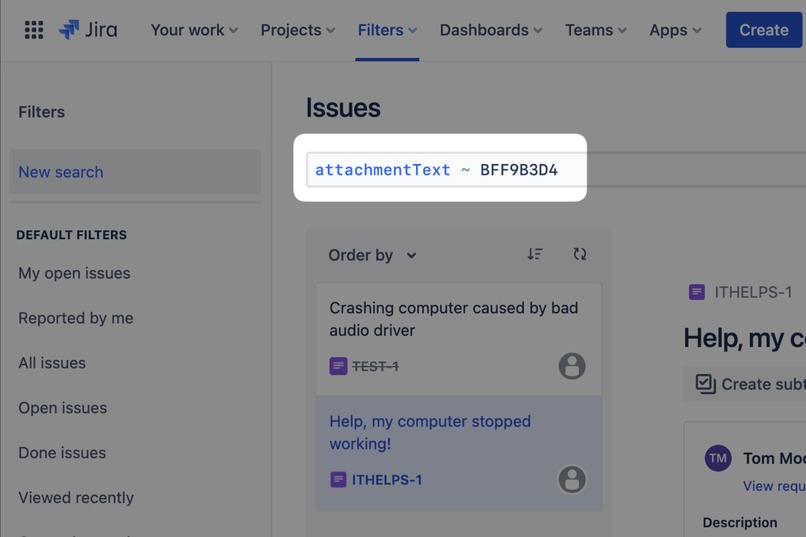
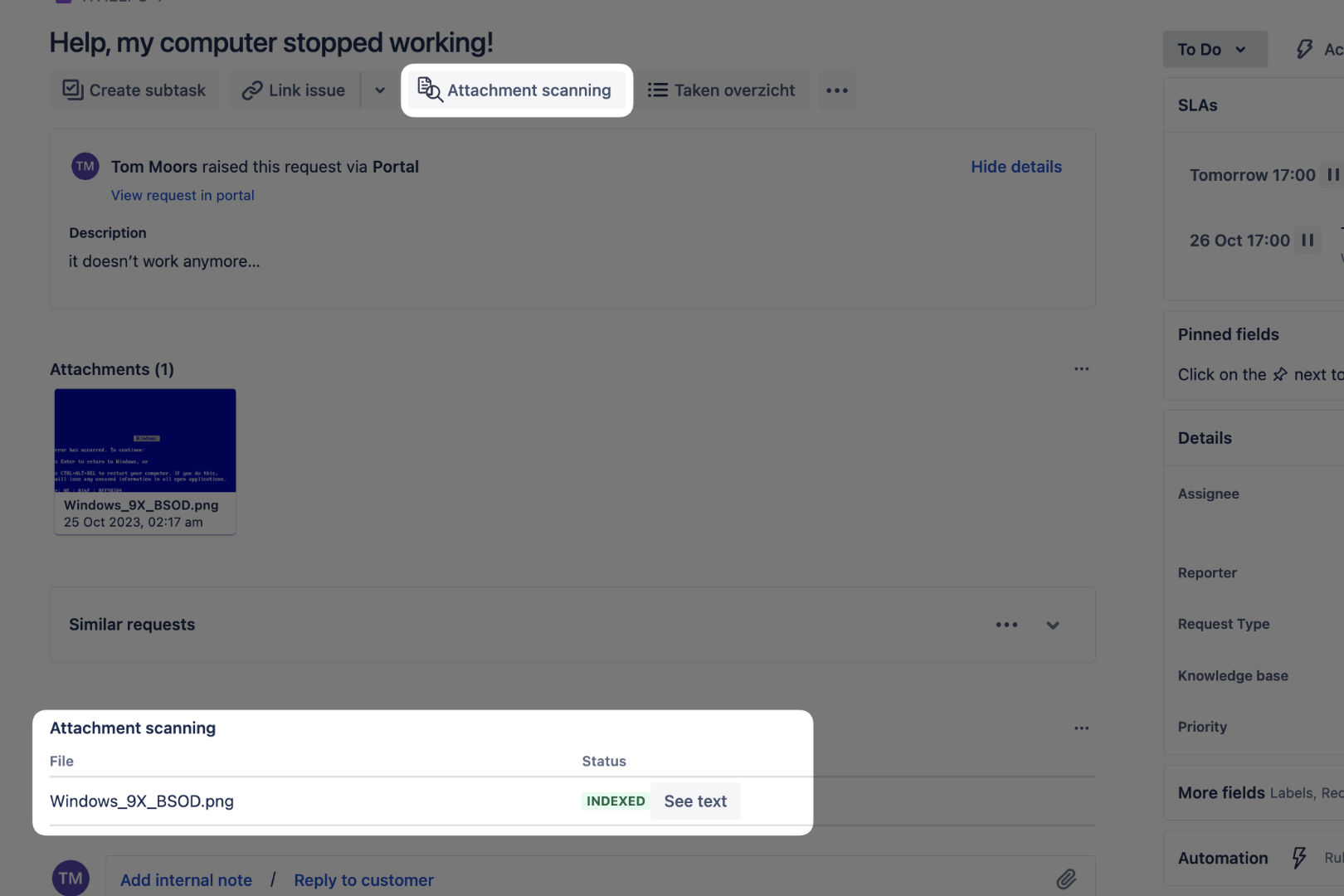
Recognised text is automatically indexed and can be searched using the standard Jira search filters
-
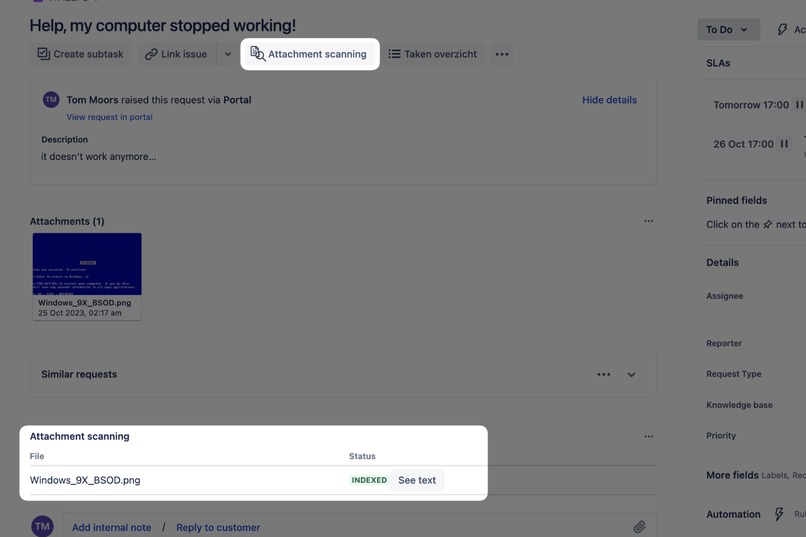
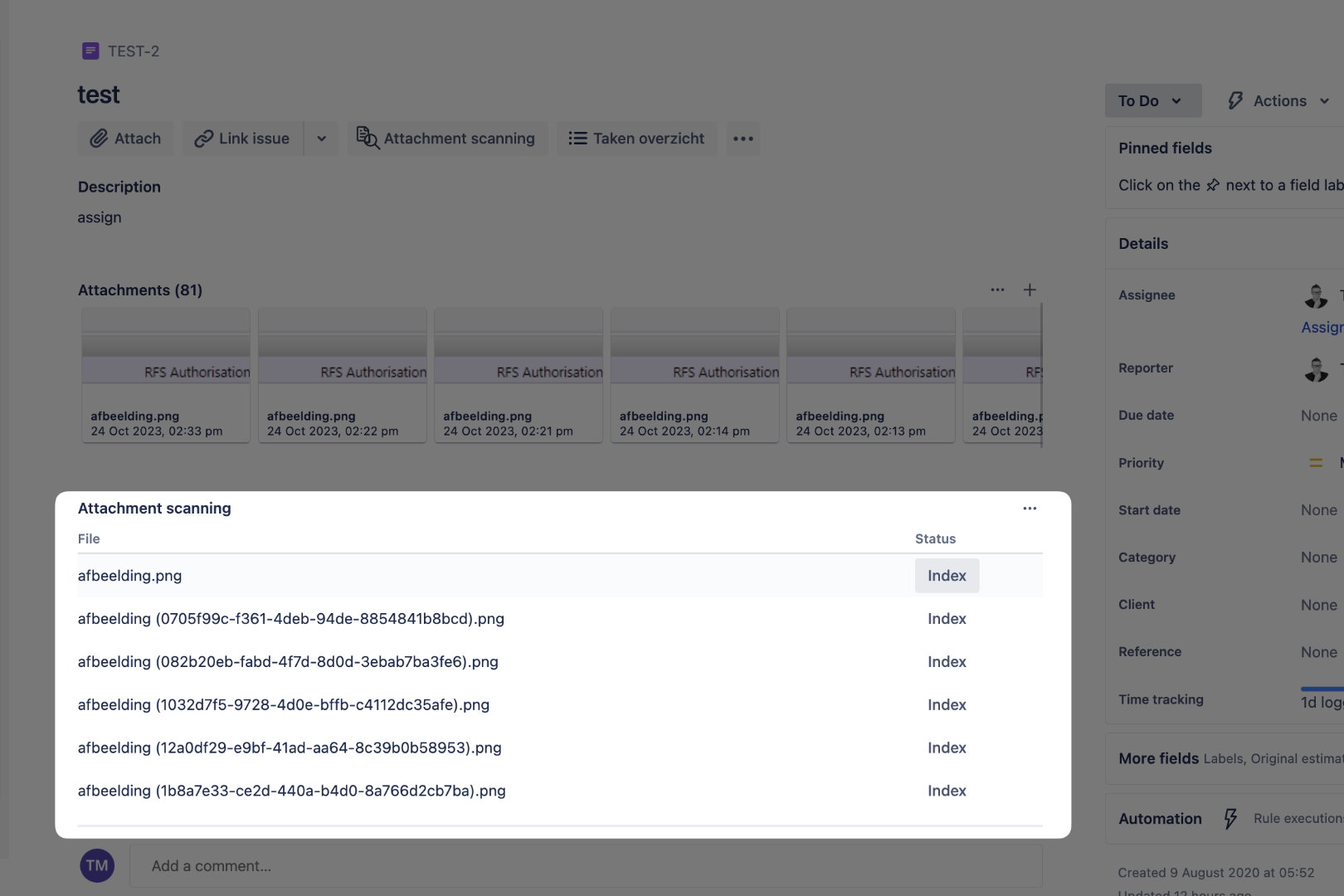
After installation, you'll see a new menu at your issues. Click to enable to tabular overview of attachments and their status
-
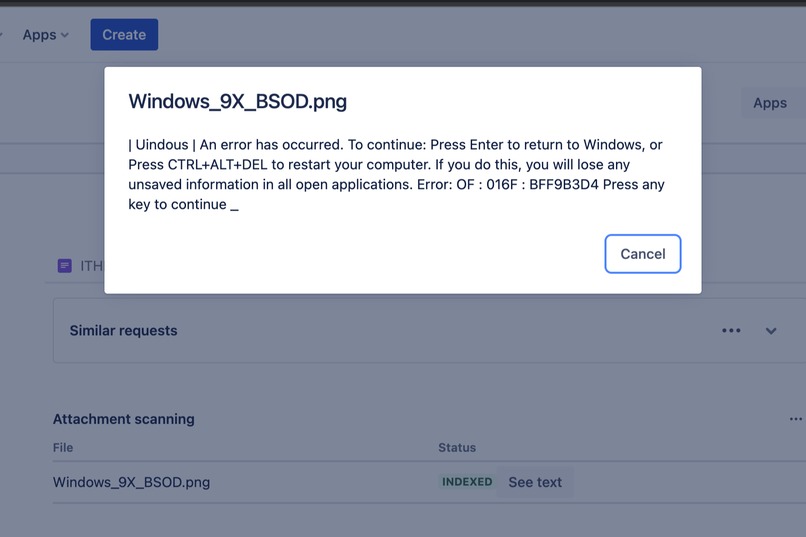
Upon clicking the "See text" button, you'll get a pop-up where you can select and copy specific snippets. Magic!
-
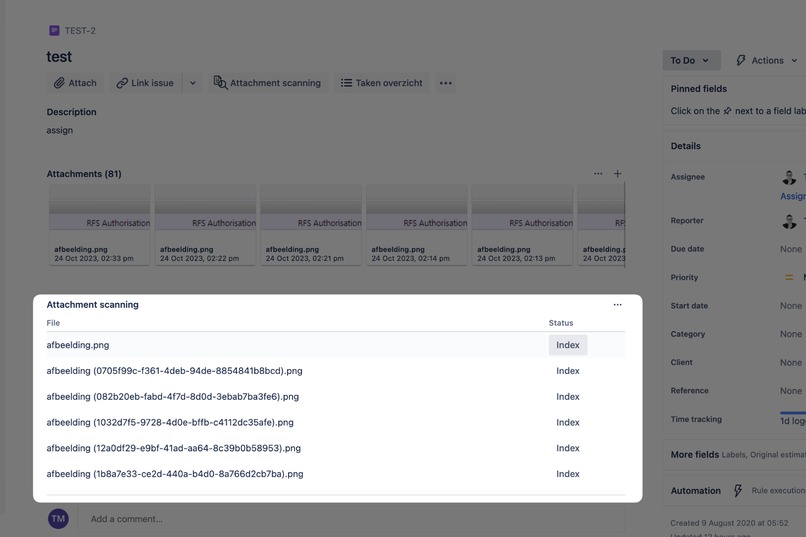
Images are automatically indexed upon attaching them. Do you also want to index historical attachments? No worries, it's just a click away!


Inspiration
As an Atlassian consultant, I have the honour to meet lots of great people and discover from the front row how they interact together. I discovered that this was something I could work with, given the Codegeist Unleashed constraints!
What it does
It works in the background, performing text recognition on image files whenever they are attached to an issue. This information is available for searching issues, so it will enhance discovering patterns when the end user provides screenshots of error messages.
How I built it
Another Forge year, another opportunity to dive into the new additions and improvements of the framework. This year, I took the opportunity to try two new things:
- Making use of the new Forge runtime
- Building interface components with UI Kit 2
Challenges we ran into
My initial goal was to be able to perform the whole text analysis within the Forge framework itself. Unfortunately, I was bumping into many walls - which didn't feel that well. The layers of abstraction turn out to be harder to unravel when there are some issues.
Accomplishments that I'm proud of
I shipped the project! Now I would be in for a very limited T-shirt! 🤩
What I learned
The new Forge runtime still has some issues with some Node.js libraries, especially because of how the lambdas work. Debugging Network payloads is also something else.
What's next for TextAtlas Pro
Who knows! Maybe a global release? 🫣
Built With
- forge
- hapi.js
- trigger-forge
- ui-kit2


Log in or sign up for Devpost to join the conversation.