-
-
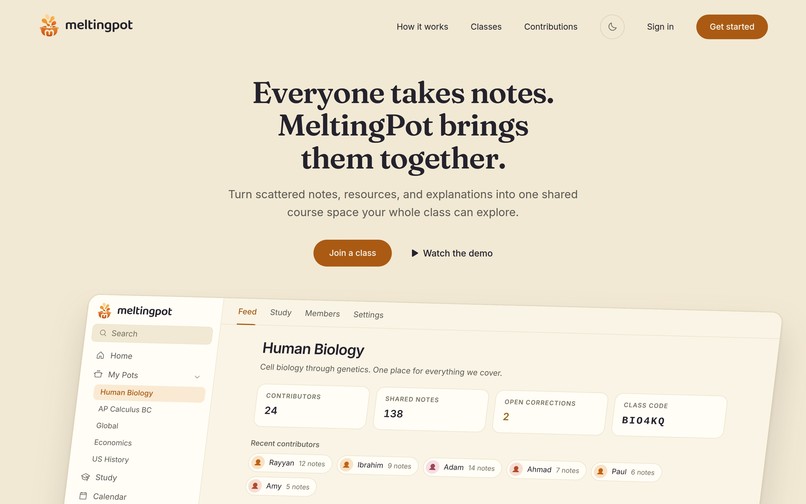
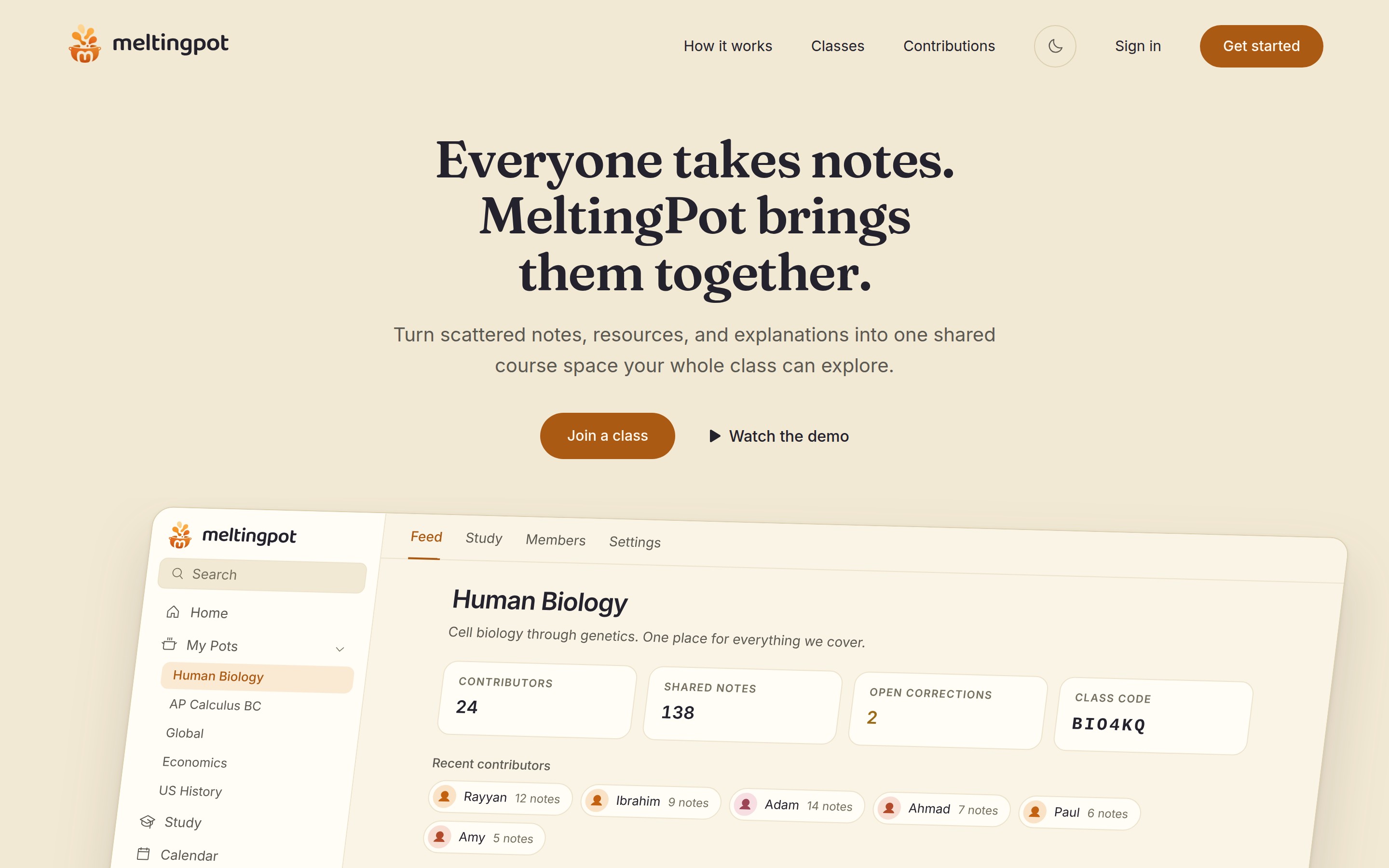
Everyone takes notes. MeltingPot brings them together into one shared space for the whole class.
-
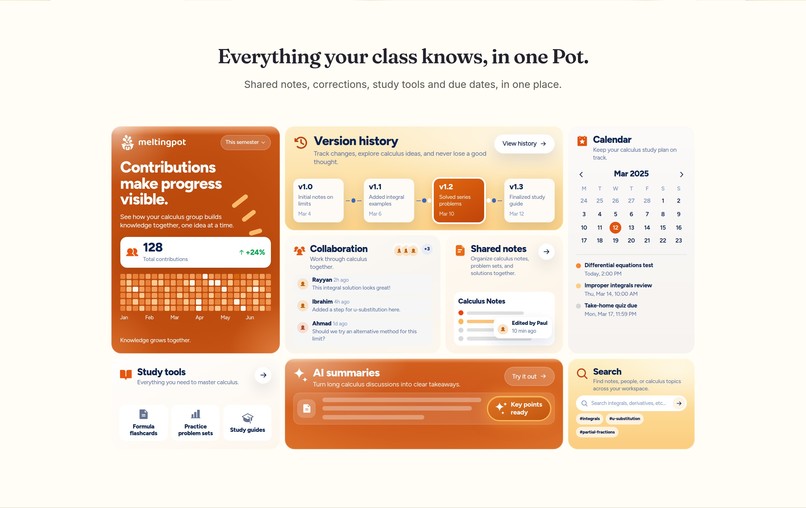
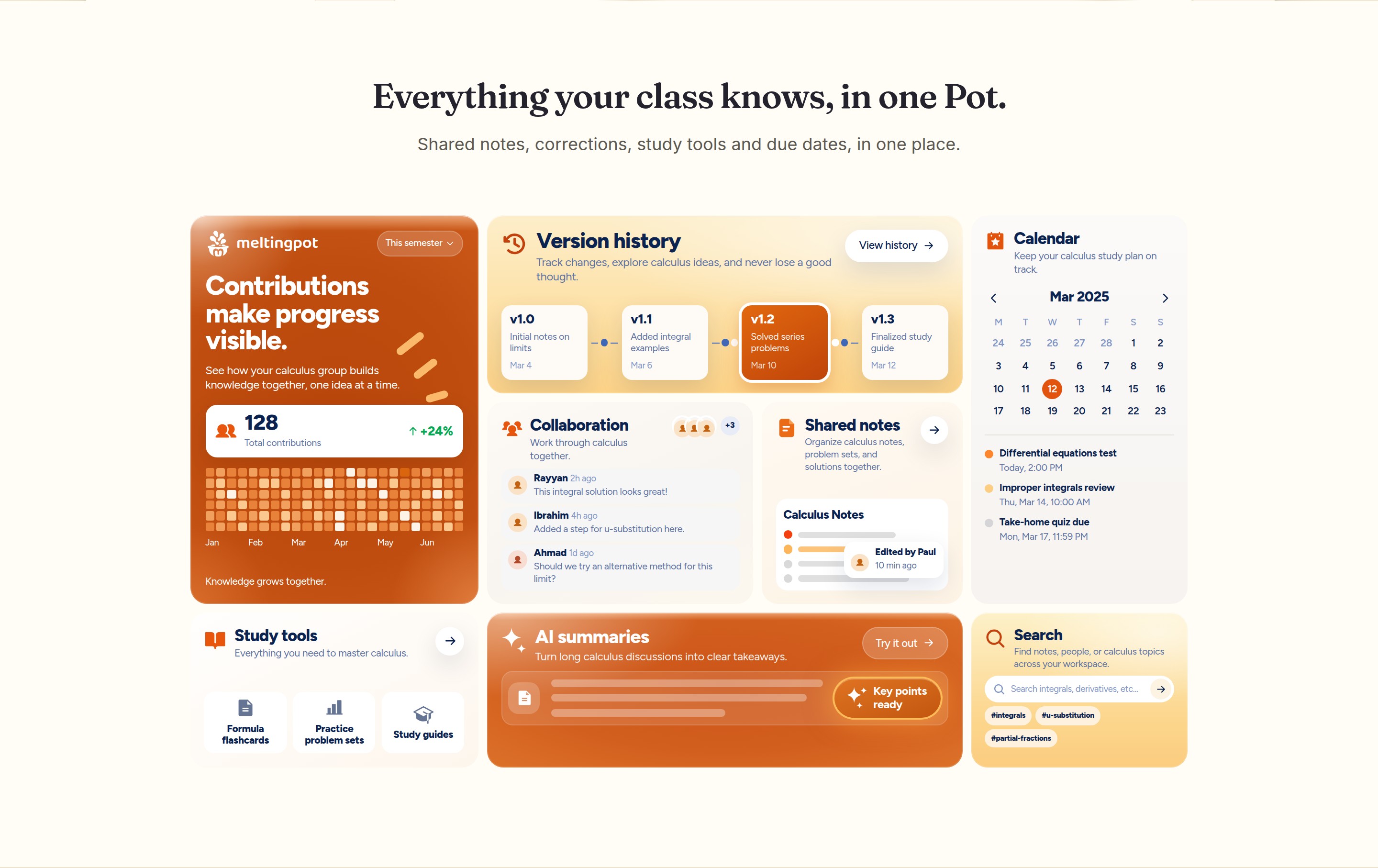
Everything a class Pot holds at a glance: shared notes, version history, the calendar, study tools, search and AI summaries.
-
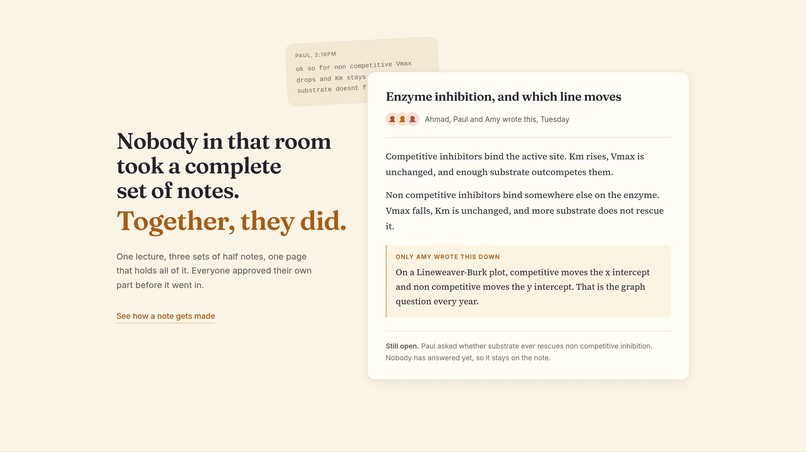
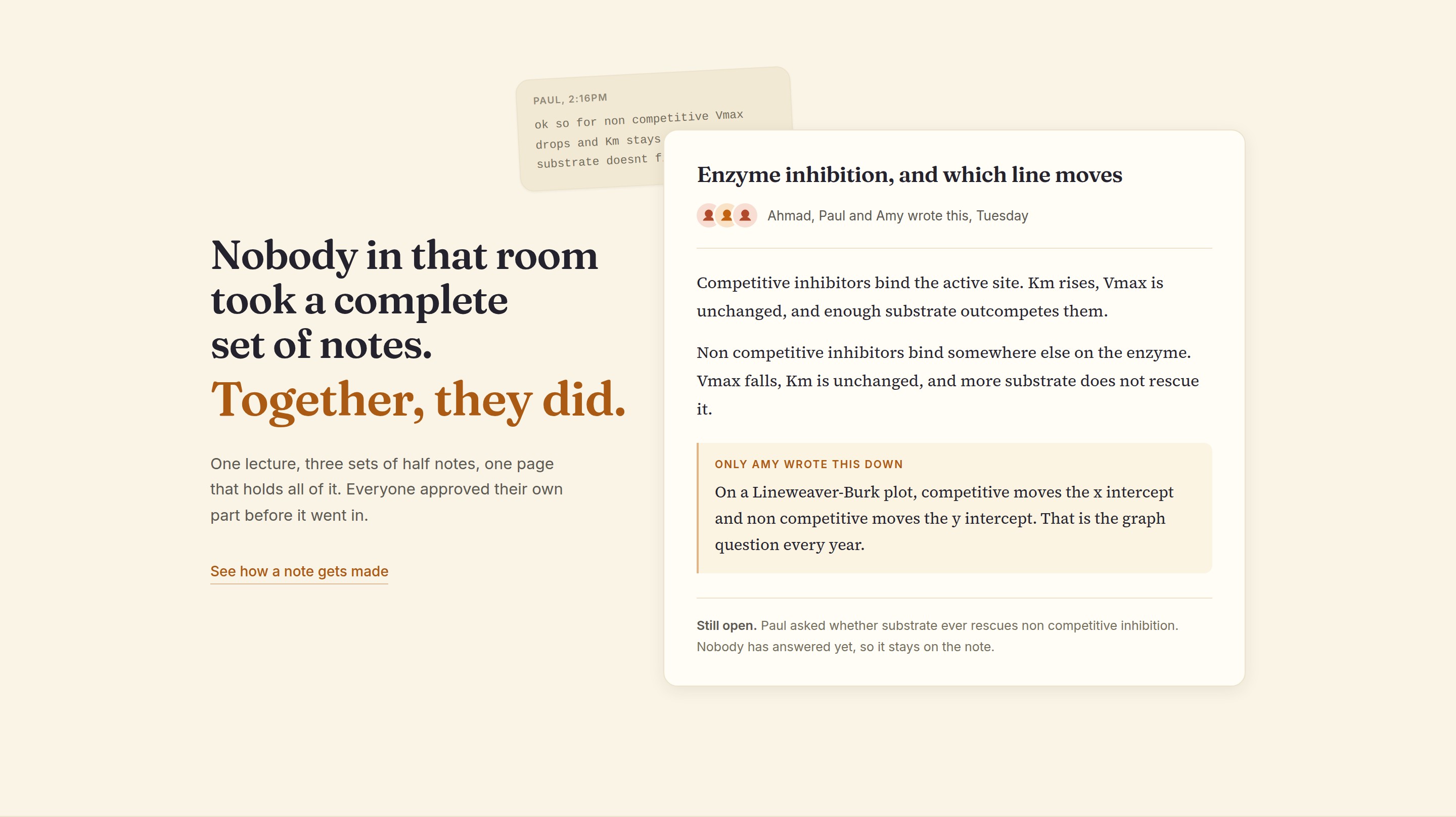
Nobody in that lecture caught everything. Put a few people's half notes together and you get one the whole class can study from.
-
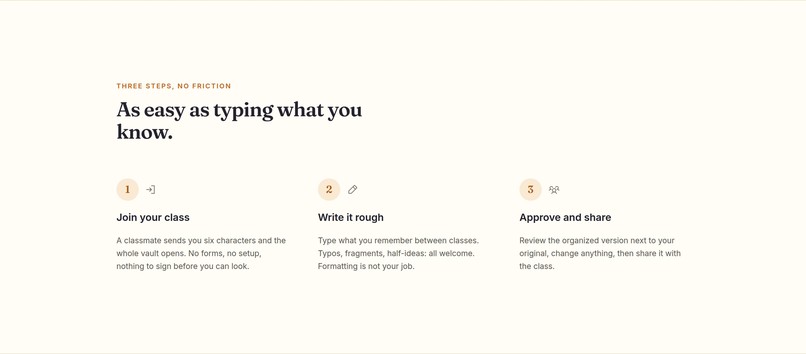
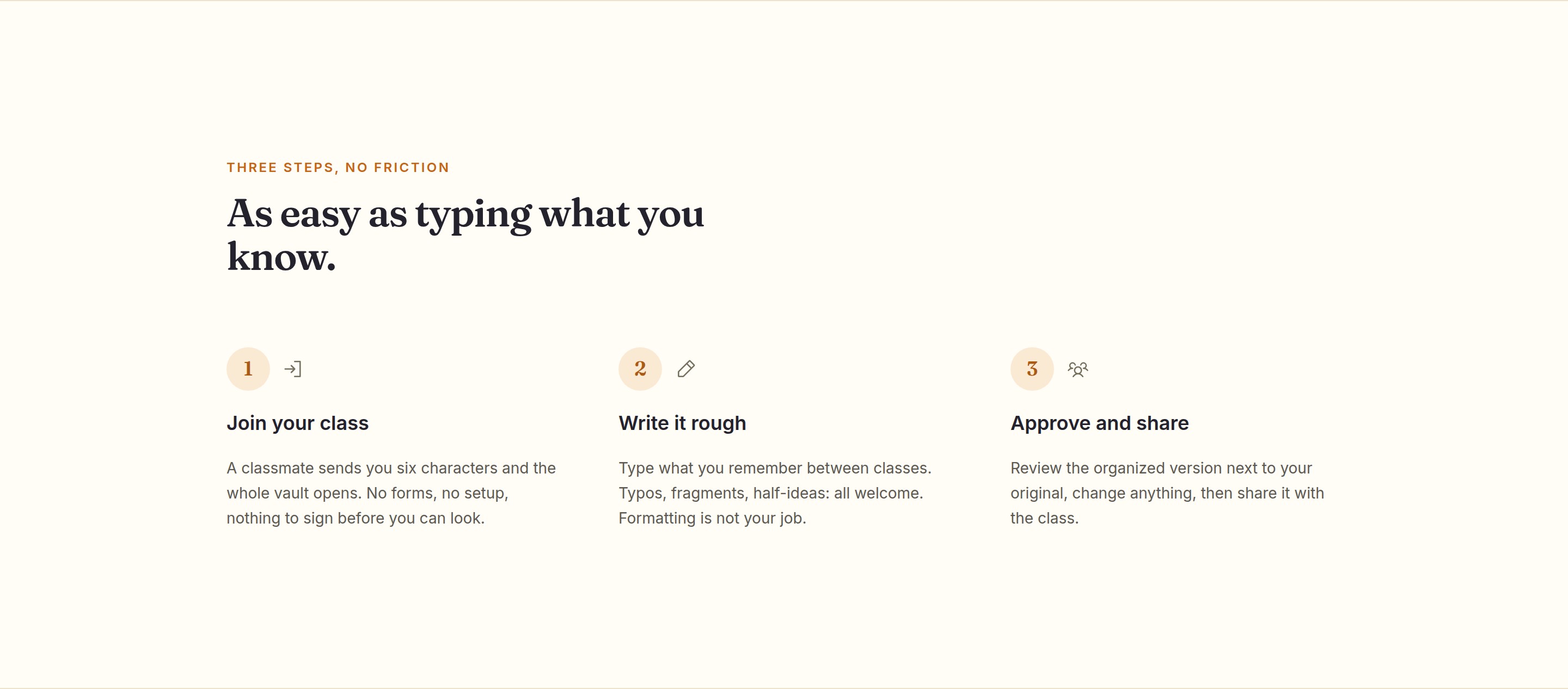
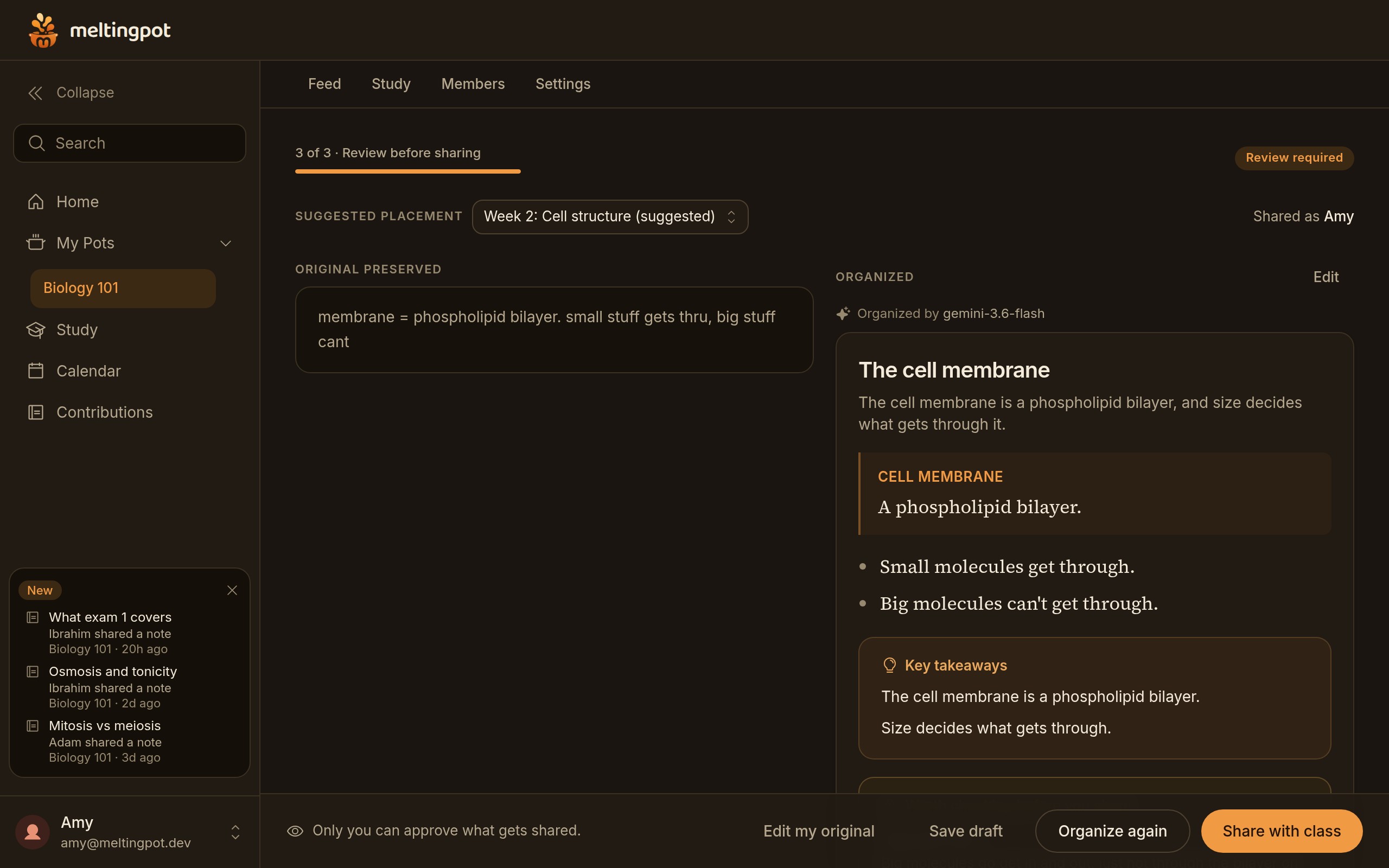
Join your class, write it rough, then approve the organized version. That's the whole routine.
-
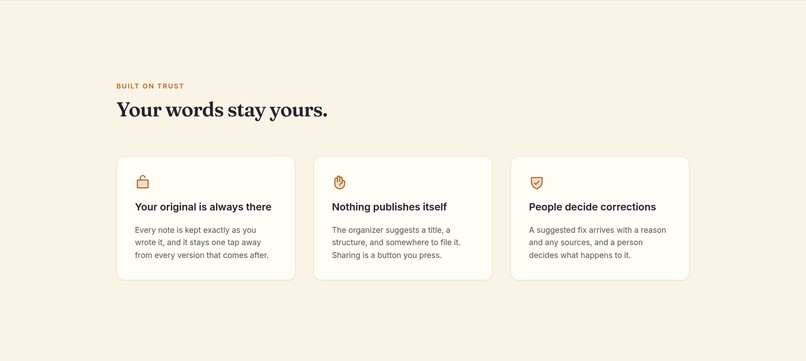
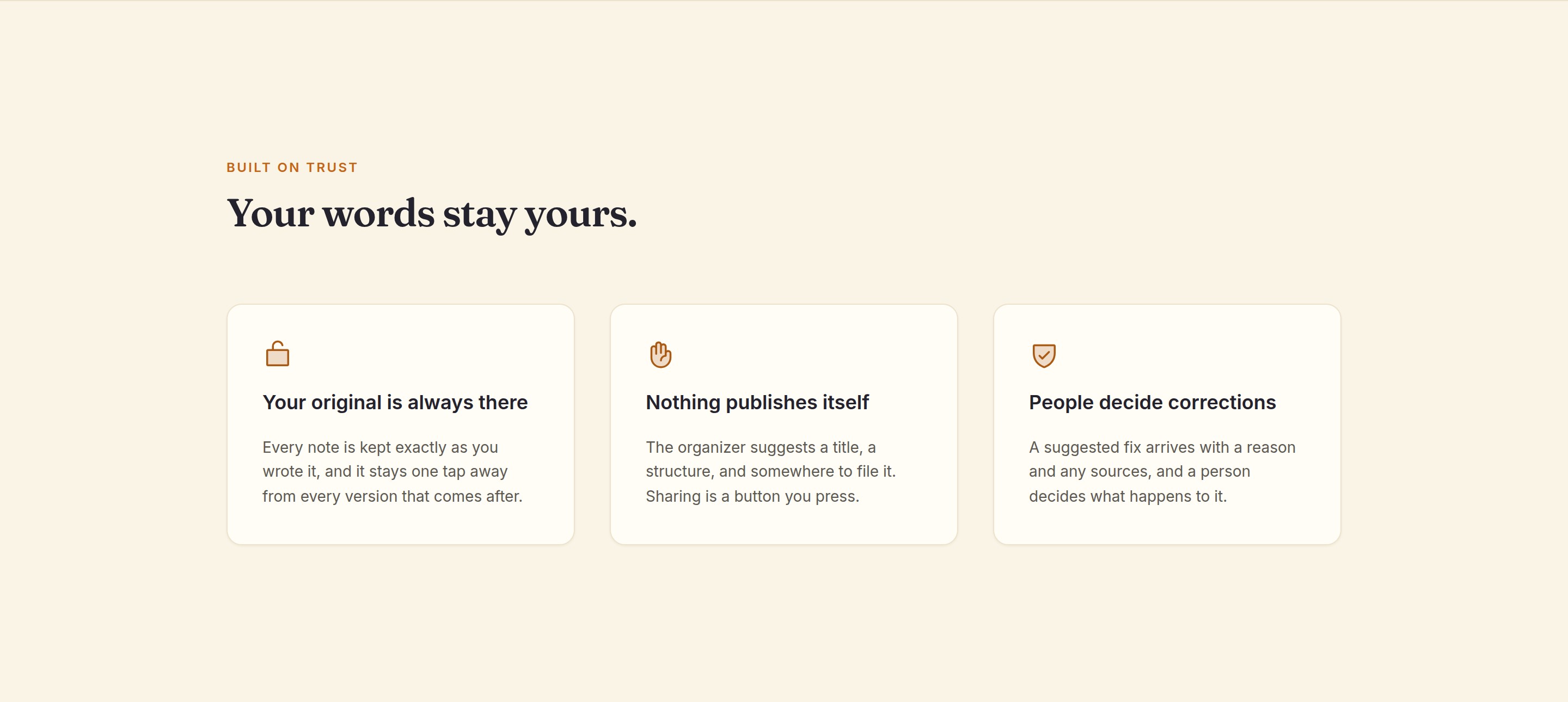
Your original is always kept, nothing gets published on its own, and every correction goes through a person.
-
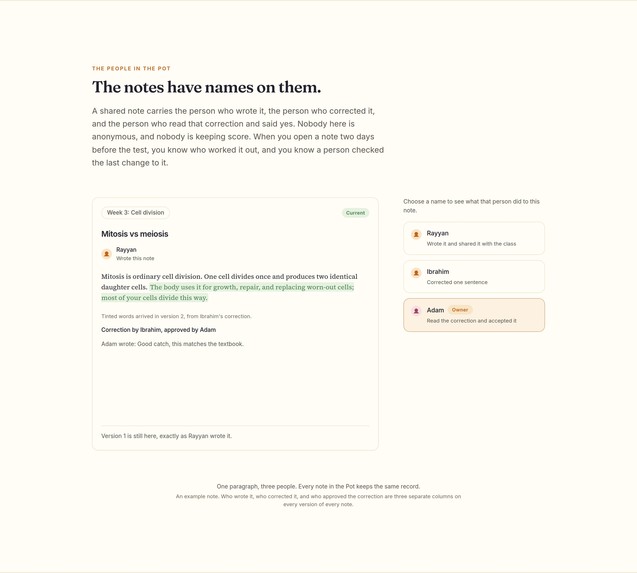
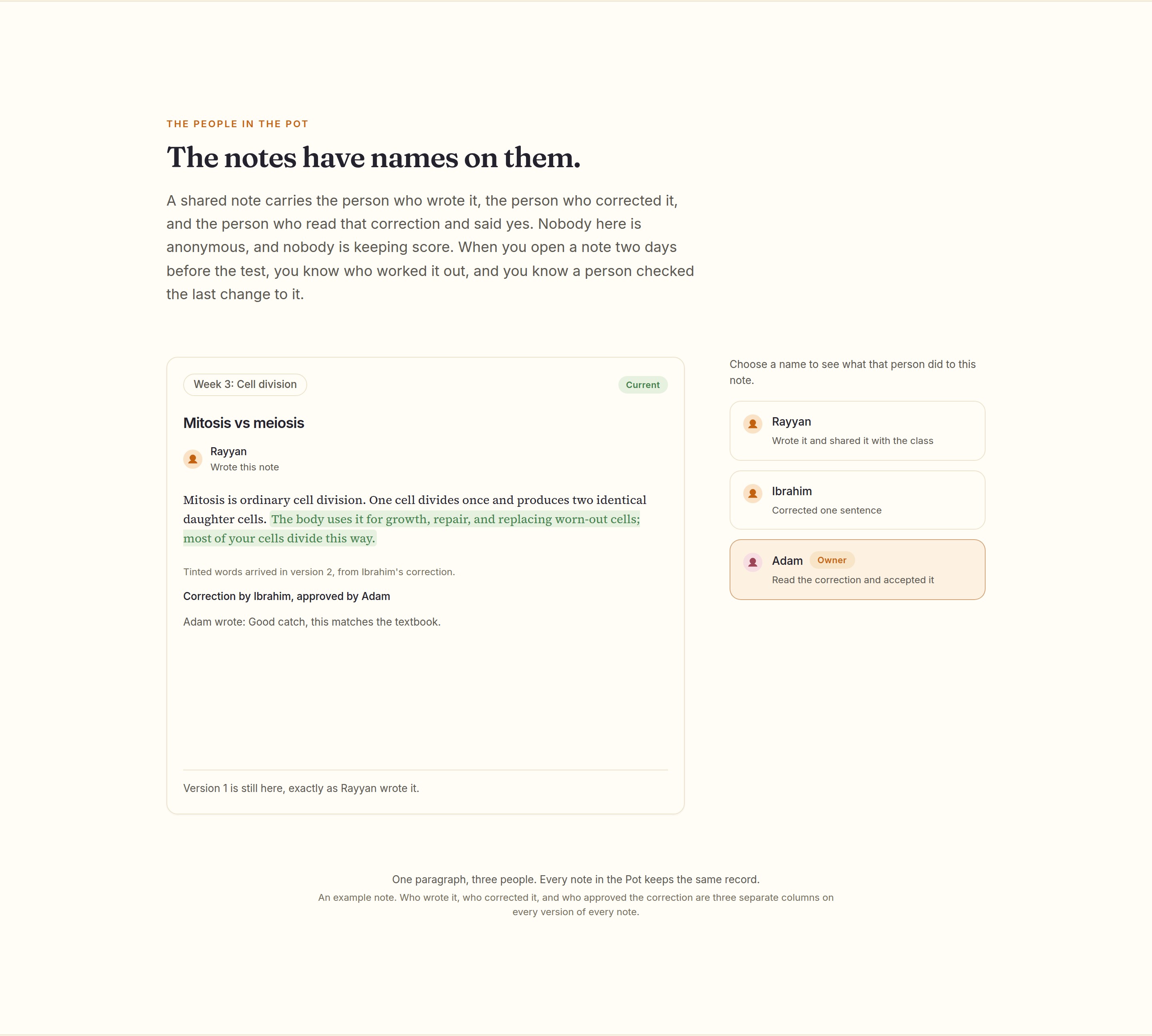
Every note carries the names of the people who wrote it, fixed it and checked it. No ranking, just credit.
-
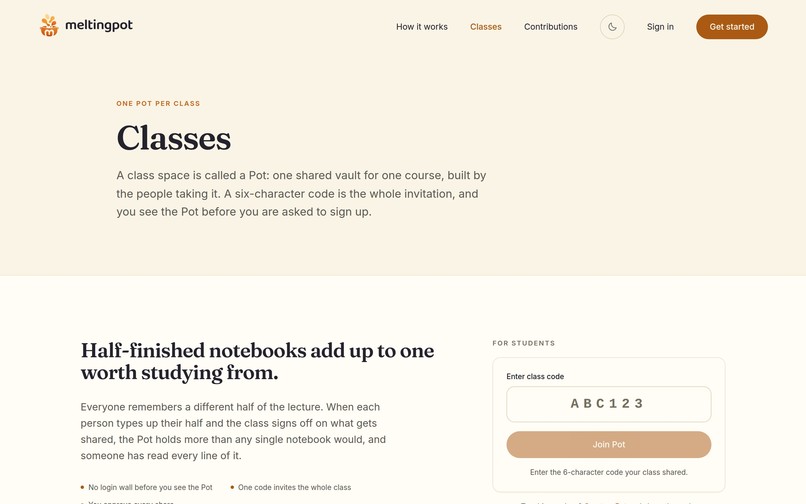
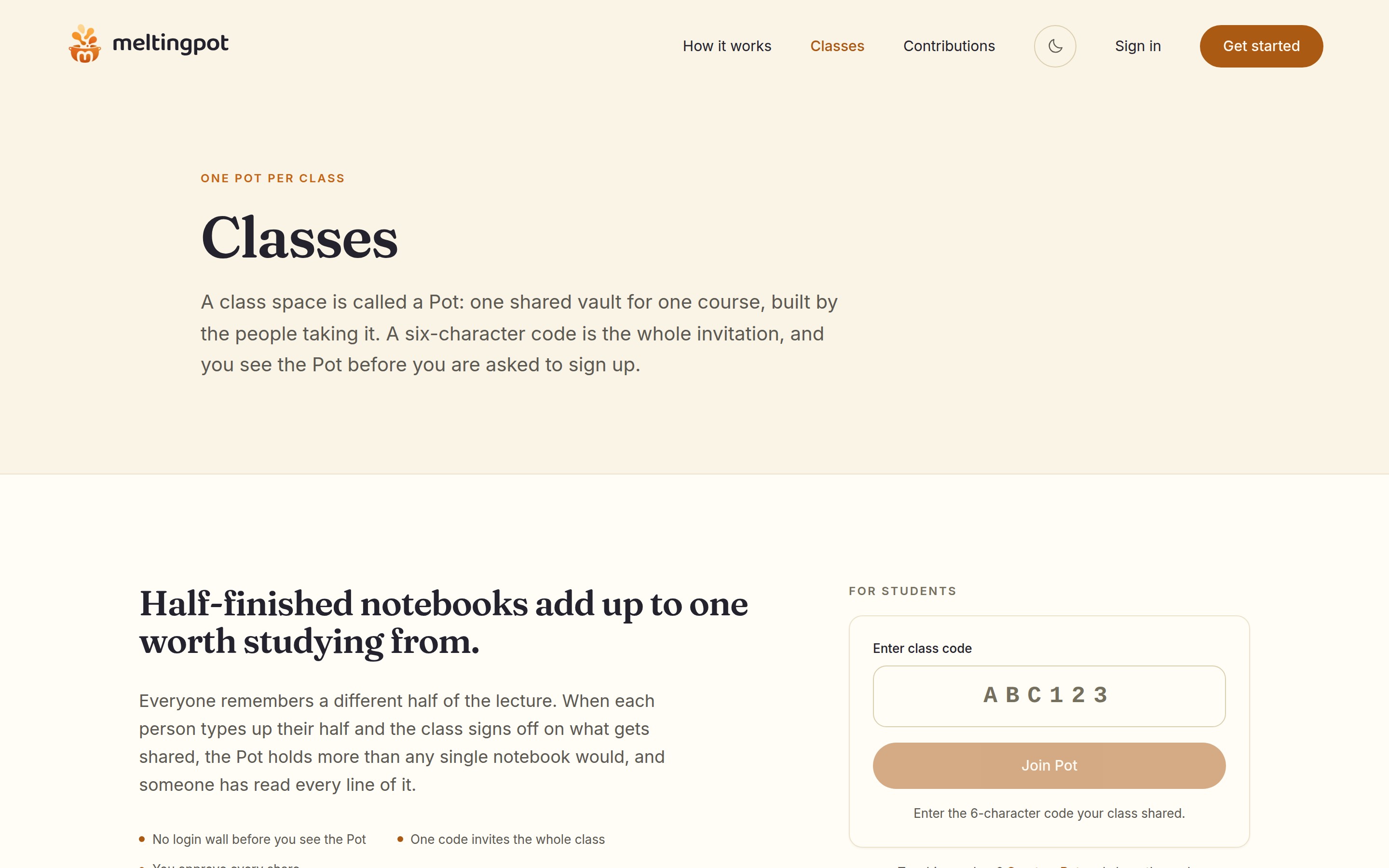
One Pot per class. A six-character code is the whole invitation, and you can look around before you sign up.
-
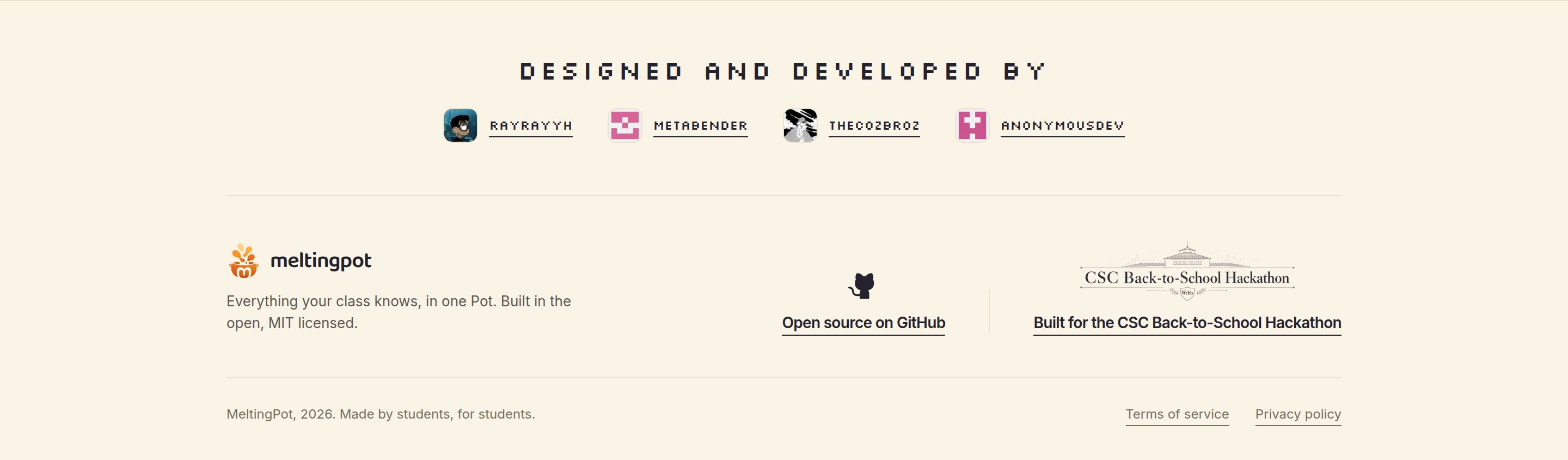
The people who built it, a link to the open source code, and a nod to the CSC Back-to-School Hackathon.
-
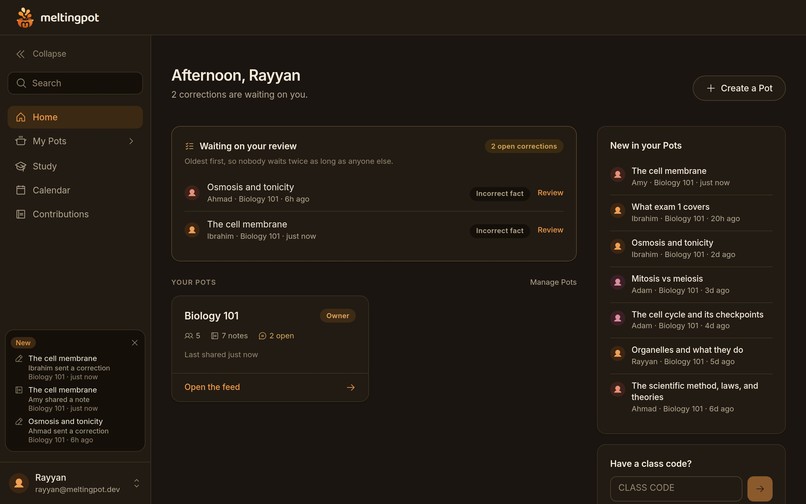
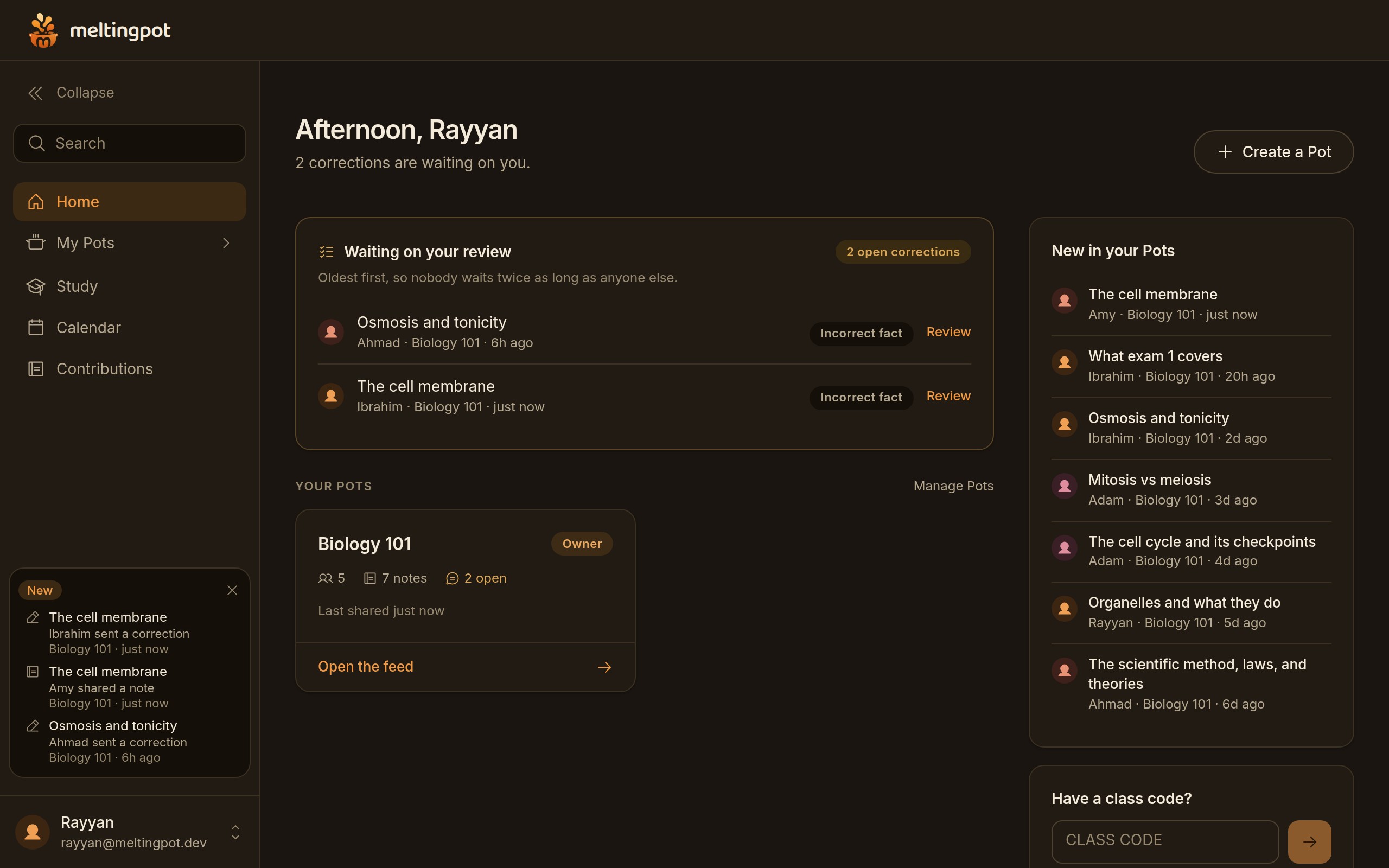
The dashboard for whoever runs a Pot: corrections waiting for review, your classes, and what's new.
-
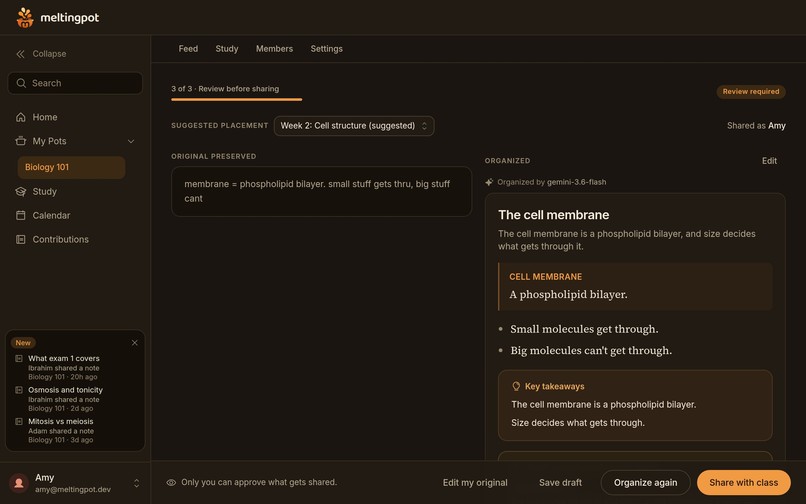
Before anything is shared, you see your rough note next to the version the AI drafted. You decide.
-
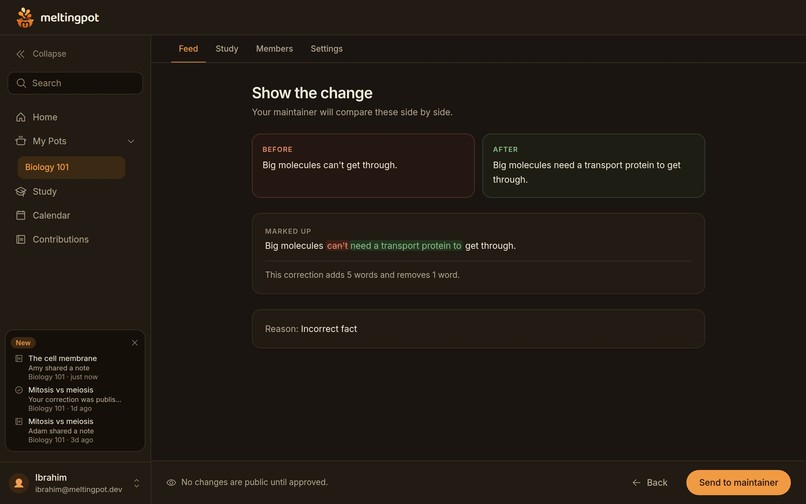
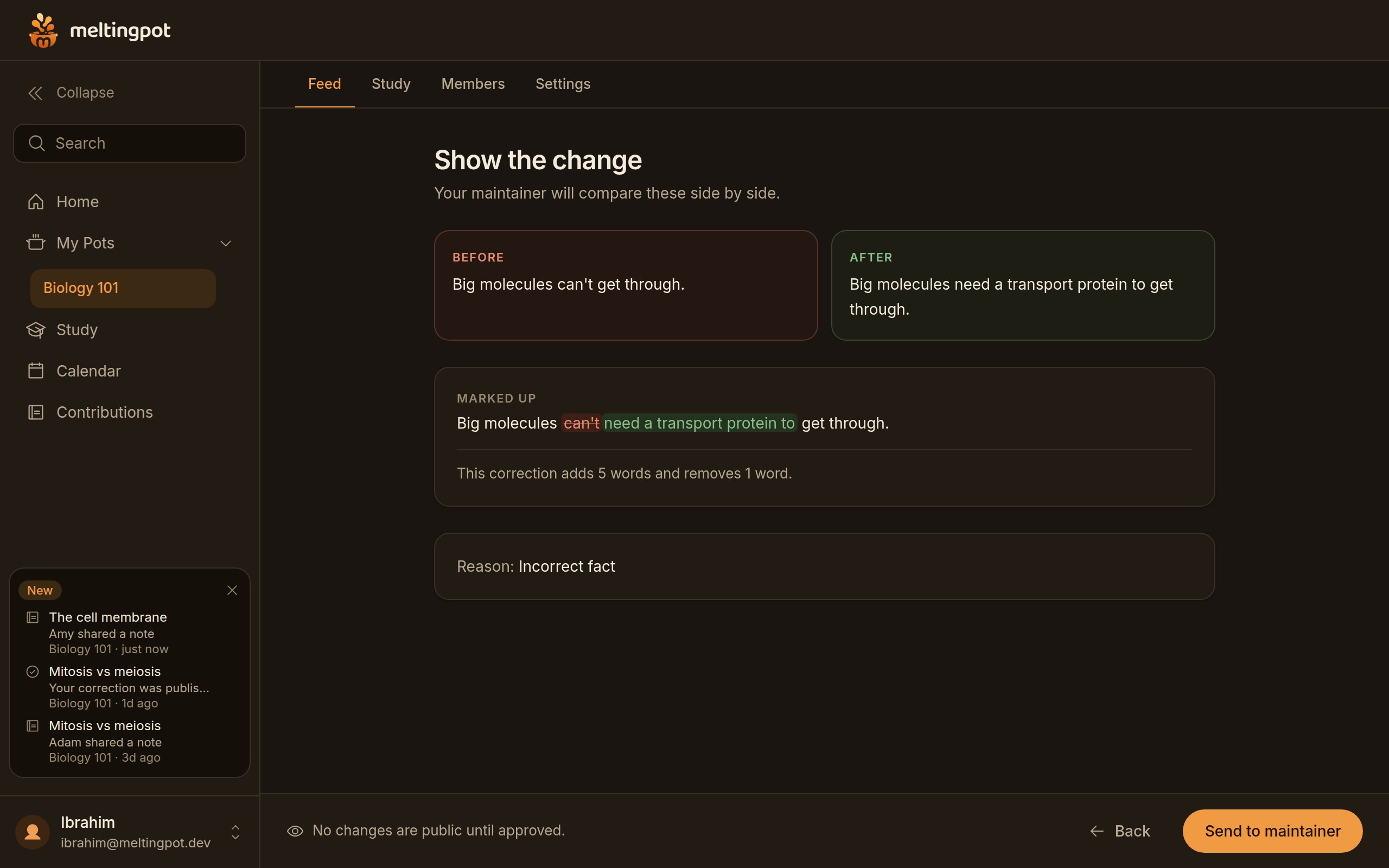
A classmate suggests a fix to one sentence, and you see exactly what changes before it goes to a maintainer.
-
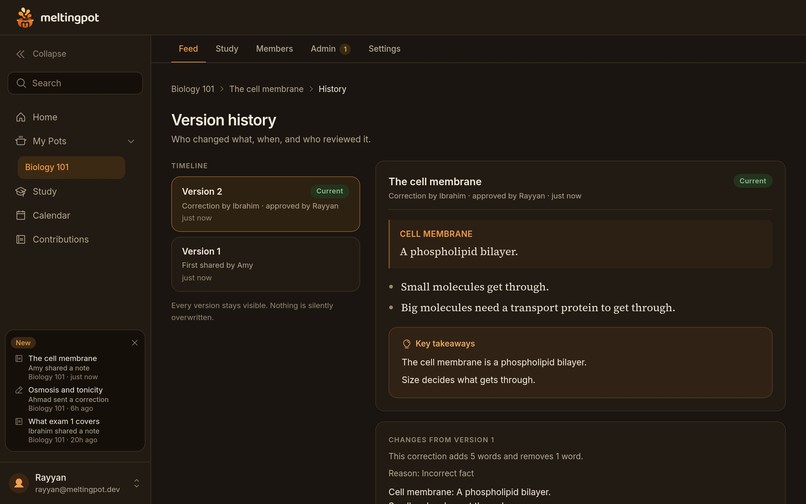
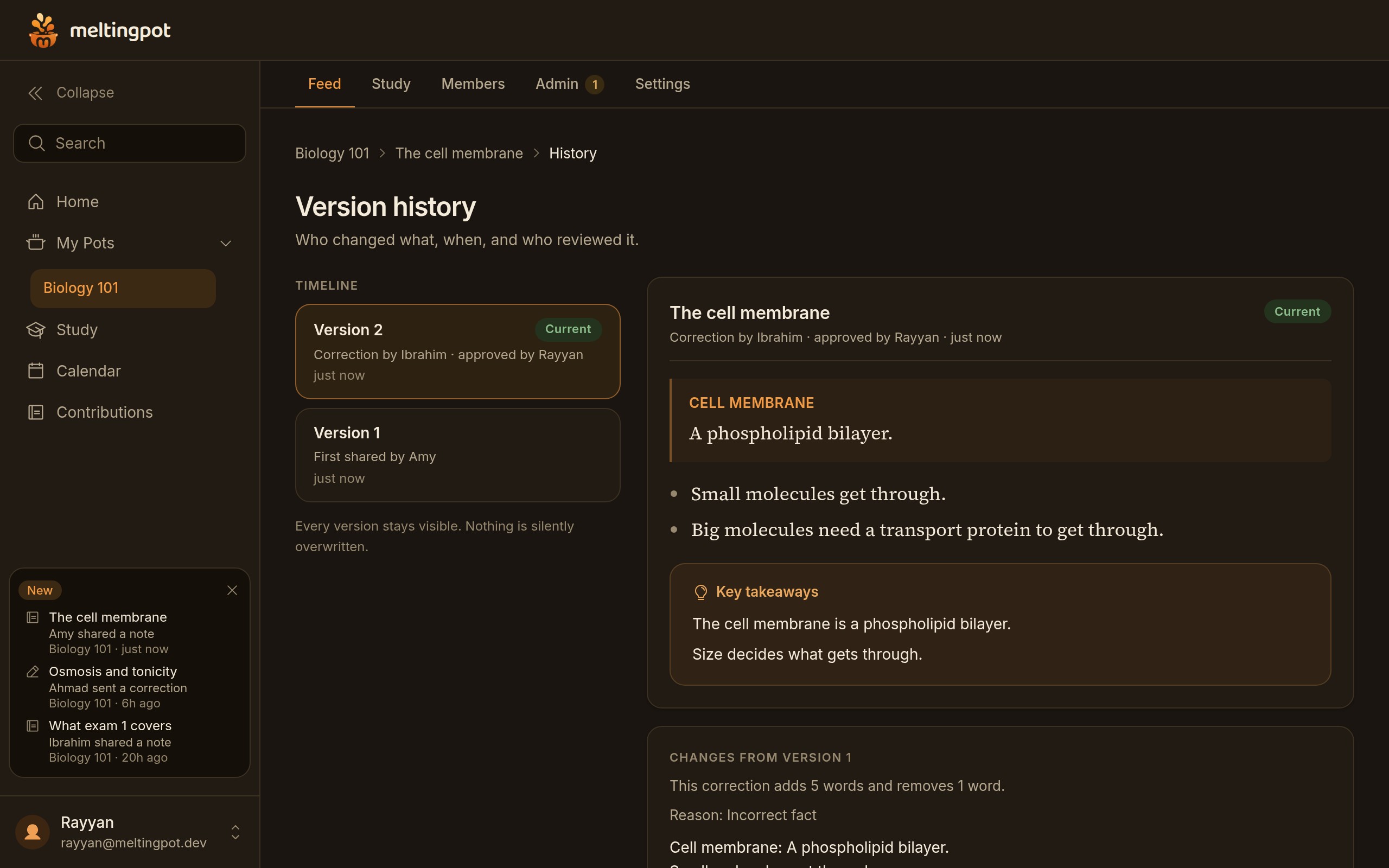
Every version is kept, along with who wrote it, who corrected it and who approved the change.
-
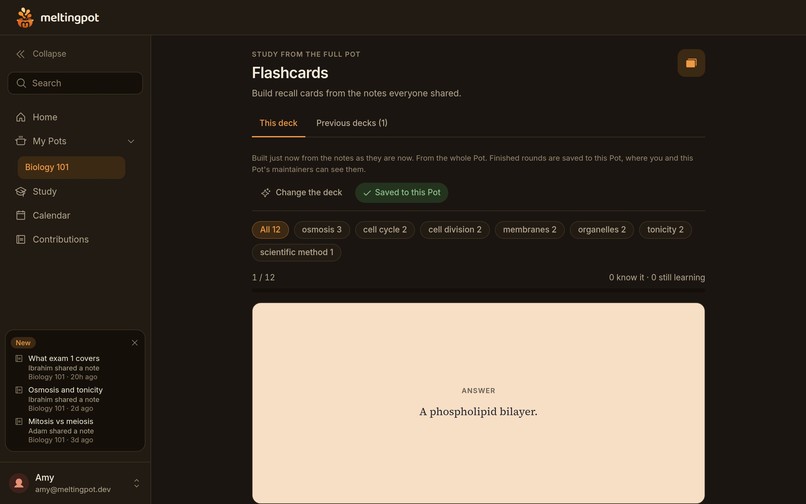
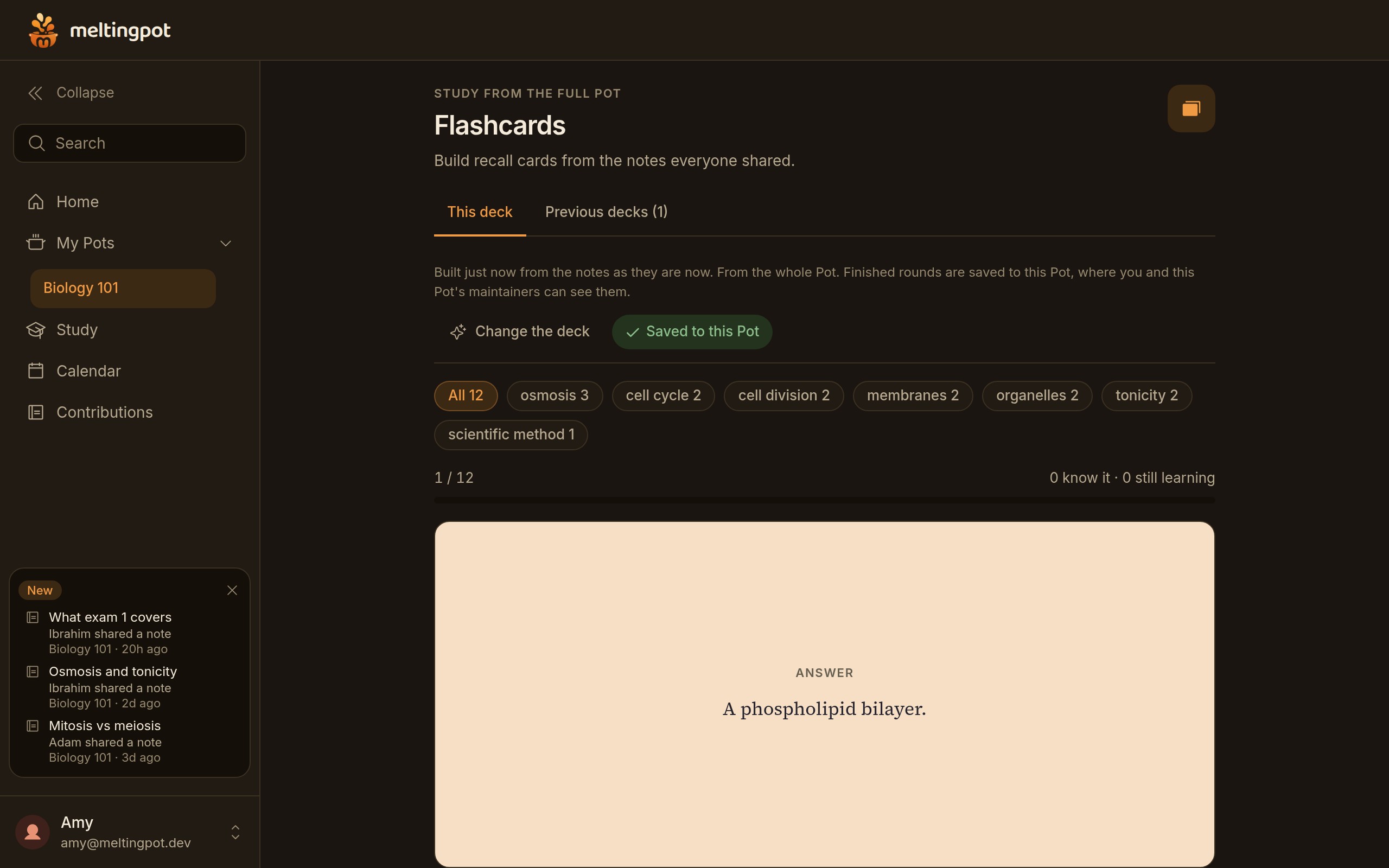
Flashcards made from the notes the class shared. Flip the card, then mark whether you know it.
-
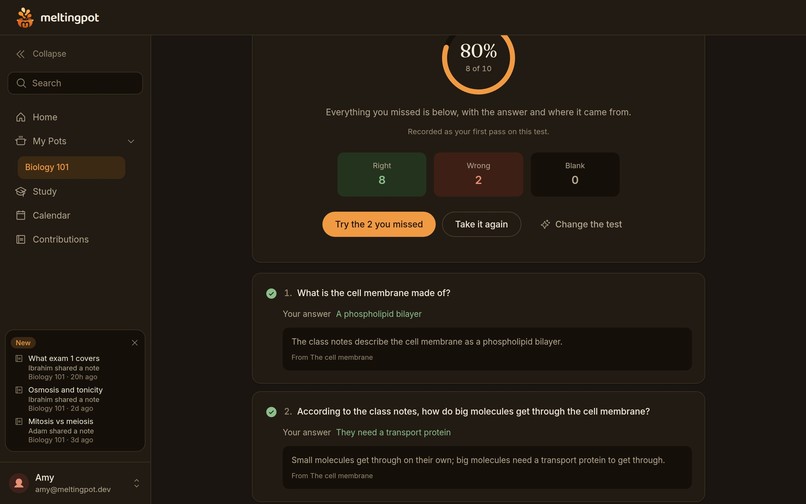
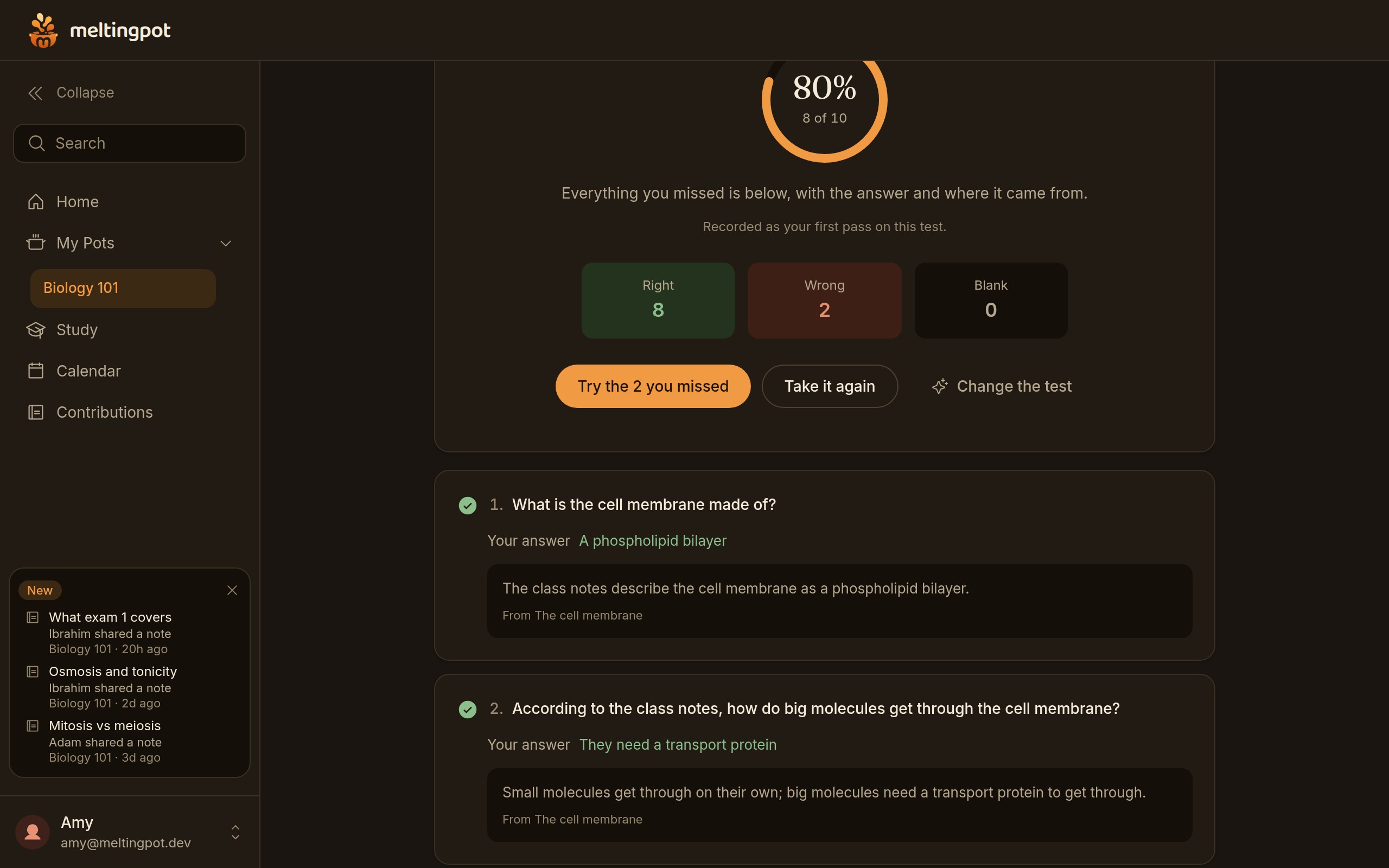
A practice test, marked the moment you hand it in, with the right answer and where each question came from.
-
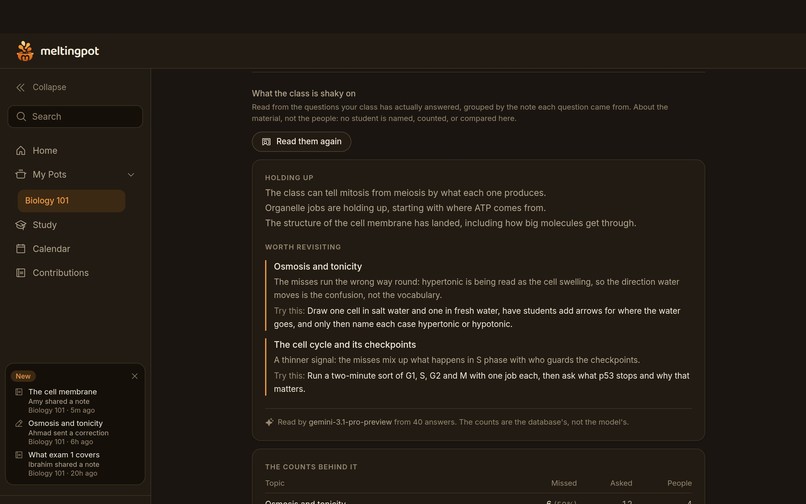
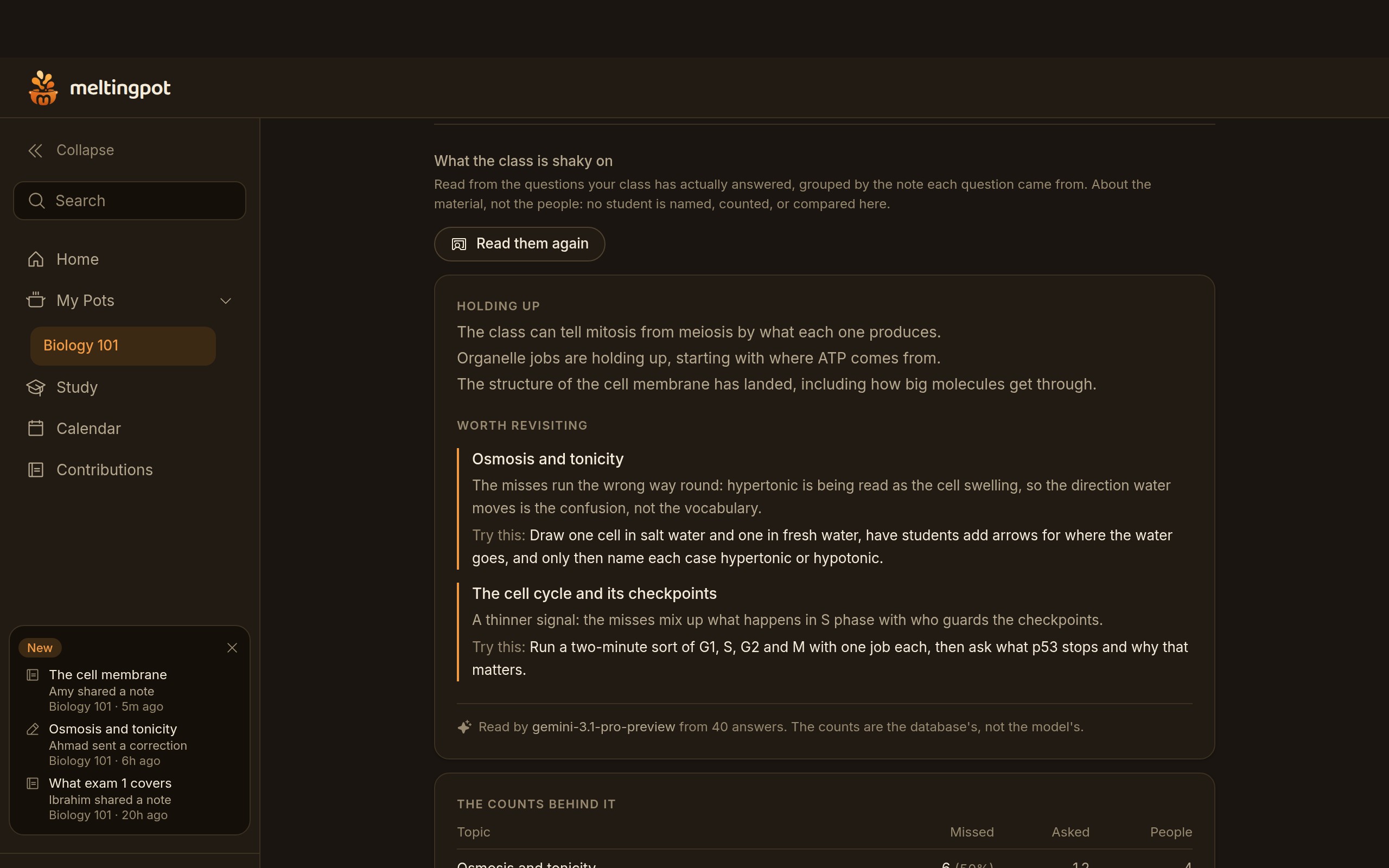
For the teacher: which topics the class keeps getting wrong, and a concrete idea for the next lesson. No student is ever named.
Inspiration
This project was inspired by one of our group member’s experience taking a human biology class. The professor went over a lot of material each lecture and very quickly, which caused our group members to have trouble keeping up and to have very disorganized notes that were barely legible. The solution was an all-in-one app that would generate legible summaries from messy notebook pages.
What it does
MeltingPot is an AI-powered notes analyzer that collects notes from multiple students in the same class, mixes their common themes and ideas, and generates summaries with corrected English, facts, etc.
Additionally, MeltingPot can take the notes inputted and use them to create flashcards & full practice tests.
It tracks version history, contributions by person, and allows for editing in case of error.
It uses roles to enable teachers or hosts to control the submission of edits, notes, and admission of users.
How we built it
MeltingPot was developed as a full stack web app with NextJS, GSAP, TypeScript and Tailwind CSS.
We are powered by Supabase for our Postgresql database, user authentication and private files.
For database access control, we implemented rules at the database level to provide separate access to student draft notes versus public notes as well as to enable varying levels of permissions for students, maintainers and pot owners.
All of our AI features are accessed via authenticated server-side routes to Google Gemini.
The output from Gemini will be structured in a way that allows us to validate its format prior to displaying it to users.
As a fail safe we have implemented a deterministic organizational fallback so that even if the AI providers are down or unavailable the primary organizational flow will continue to work.
We host the application on a .xyz subdomain at Meltingpot.
Challenges we ran into
One of the most complex problems we had to confront was ensuring that AI did not end up directing the learning while remaining very useful for students. There is a fear that the model filters information but can get it wrong as it might not decipher unclear or incomplete notes. Therefore, we came up with a way to review the material that would keep the text visible and would not allow publishing of anything without a human review.
Another important challenge dealt with creating a secure multi-user system. Private documents have to be carefully differentiated based on the permission rules of sharing notes, teachers, and students along with version history. We soon realized that those rules need to be dealt with on the database level instead of just in the interface.
The process of creating a perfect multi-user application was one of the major challenges we encountered at the beginning of the development. It encompassed multiple problems such as doing simultaneous saves, editing notes during corrections, speed of responses, network issues, file management, and responsive design. Testing the whole process allowed identifying problems that would not be visible in tests with single users.
Ultimately, the live lecture recording idea turned into a bigger challenge than anticipated, producing the need for reliable streaming transcription, which consists of issues such as microphone permissions, connection recovery, recording consent, privacy and other provider costs, as well as how to deal with the final remarks of the recording. Although we developed and prototype the feature, we did not want to release it as a complete one until testing was done.
Accomplishments that we're proud of
We take pride in the fact that we achieved serious improvement in our product MeltingPot which transformed into an advanced note generating platform. Now, the system covers the entire process from generating rough notes to completing them, having them acknowledged by a professional human expert, and completing the course.
We are proud of the fact that our system allows recording the authorship, so the users know what material is theirs and what information was given to them by other people.
We also developed a full range of studying tools extracted from the knowledge base of the class, such as just summaries, flashcards, tests, and the like. The notable achievement is that we managed to avoid creating separate materials for each student.
Besides, our main achievements include searchability of the class spaces, file attachments, dashboards, tools for moderation, and a lot of other features. Meltingpot is unique from other source-to-material study apps, since it also carries a social and collaborative aspect that are inexistent in other apps.
What we learned
The conclusion we reached was that the role of AI in education should be primarily to assist and not to replace the students' judgment. Students are more inclined to trust the organized notes created by the AI if they can see the original wording and how the AI changed the content.
Furthermore, it is vital to pay attention to provenance. It is more useful for the students to have a flashcard, summary, or practice answer that they can trace back to the original note, and keep digital notes saved rather than being discarded.
The construction of the MeltingPot application has shown that collaborative applications have to be developed for different situations that do not enter the ordinary demos.
Many people might be altering the information, and network requests might fail at inconvenient times or content can change while being reviewed. Database restrictions, state management, and realistic testing become as mandatory as one can see.
Of utmost importance is the understanding that there are serious privacy obligations attached to educational technology. Features that process information such as student files, voices or classroom recordings should include prior consent, retention controls, deletion options and full disclosure of the way the data will be processed.
What's next for Meltingpot
We were working on implementing features that allow for live lecture recordings and allow the user to upload recordings of lectures, from which it would transcribe and create notes of, as well as a feature to import and connect the app to both Google Classroom and Canvas LMS. These features were not pushed to the website due to time constraints.
Additionally, we would improve the notes that are created through having the AI add visual diagrams and pictures to the notes.
AI Disclosure
AI technology was widely employed in all stages of development, as it helped with generating, implementing, debugging, and fine-tuning the code. We were responsible for the conceptualization, design, and iterative development of the project, utilizing AI in the process of implementation.
Credits and Resources Used
APIs and services
Google Gemini API: the organizer, image reading, summaries, flashcards, practice tests and the teaching readout. Supabase (Postgres, Storage, Vault, pg_cron, pg_net), Clerk (sign in), Netlify (hosting and DNS), and gen.xyz for the domain
Open-source code
Next.js, React, TypeScript, Tailwind CSS, Framer Motion, GSAP (under its own standard license), Phosphor Icons, Zod, qrcode, and the Supabase and Clerk SDKs. For testing: Vitest, Playwright and ESLint. Fonts from Google Fonts under the SIL Open Font License: Inter, Fraunces, Baloo 2, Source Serif 4, Bricolage Grotesque, Figtree and Silkscreen.
Design references (studied, then rebuilt in our own code)
A page loader after cuvelocity.netlify.app (teammate website) A cursor lock after agentify.trade. (teammate website) Sidebar and notification motion measured from kolejain.com. The hero headline roll after skiper-ui's skiper27, written from its documented behaviour. The demo player after ramp.com/view-demo. The landing page's second section reproduces reference sheets the owner supplied.
Datasets. None. All sample data (the Biology 101 class and its people and notes) is made up and written for testing
AI-generated work
Code and docs: Claude Code (Anthropic) wrote most of the code, tests, migrations and project records, at the team's direction. GPT: a teammate's branch used GPT to write the first Gemini pipeline and the study hub. Code audit: a teammate added a code audit, CODEX_DEBUG.md [confirm which tool wrote it]. Brand art: early concepts (app icon, pot illustration, flashcard background) started as ChatGPT images; they're kept in docs/reference/brand. Demo video: Claude Code made it, including its music, written as code.
Demo video resources
HyperFrames (Apache 2.0) to render it, and GSAP for its timeline. Motion components ported from Magic UI, Kibo UI, Motion Primitives and Watermelon UI (all MIT). Phosphor Icons (MIT). Music played by FluidSynth with the FluidR3 GM soundfont (MIT). Its motion style is modelled on two launch films we studied: Motionfly V2 (for Notion AI) and Cua Spaces.
Built With
- css
- gsap
- javascript
- plpgsql
- supabase
- tailwindcss
- typescript


Log in or sign up for Devpost to join the conversation.