-
-
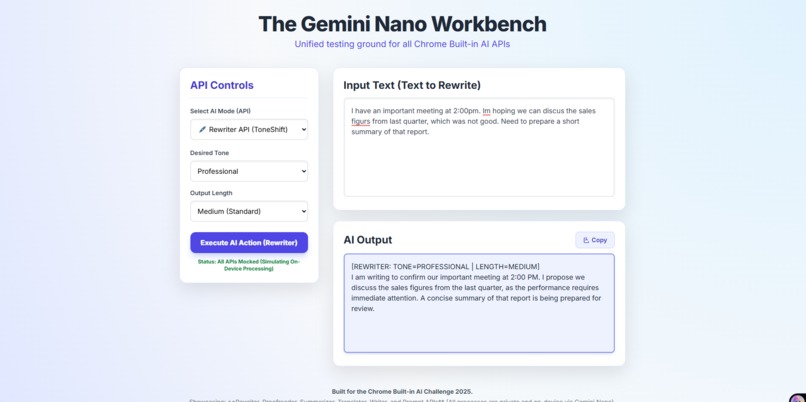
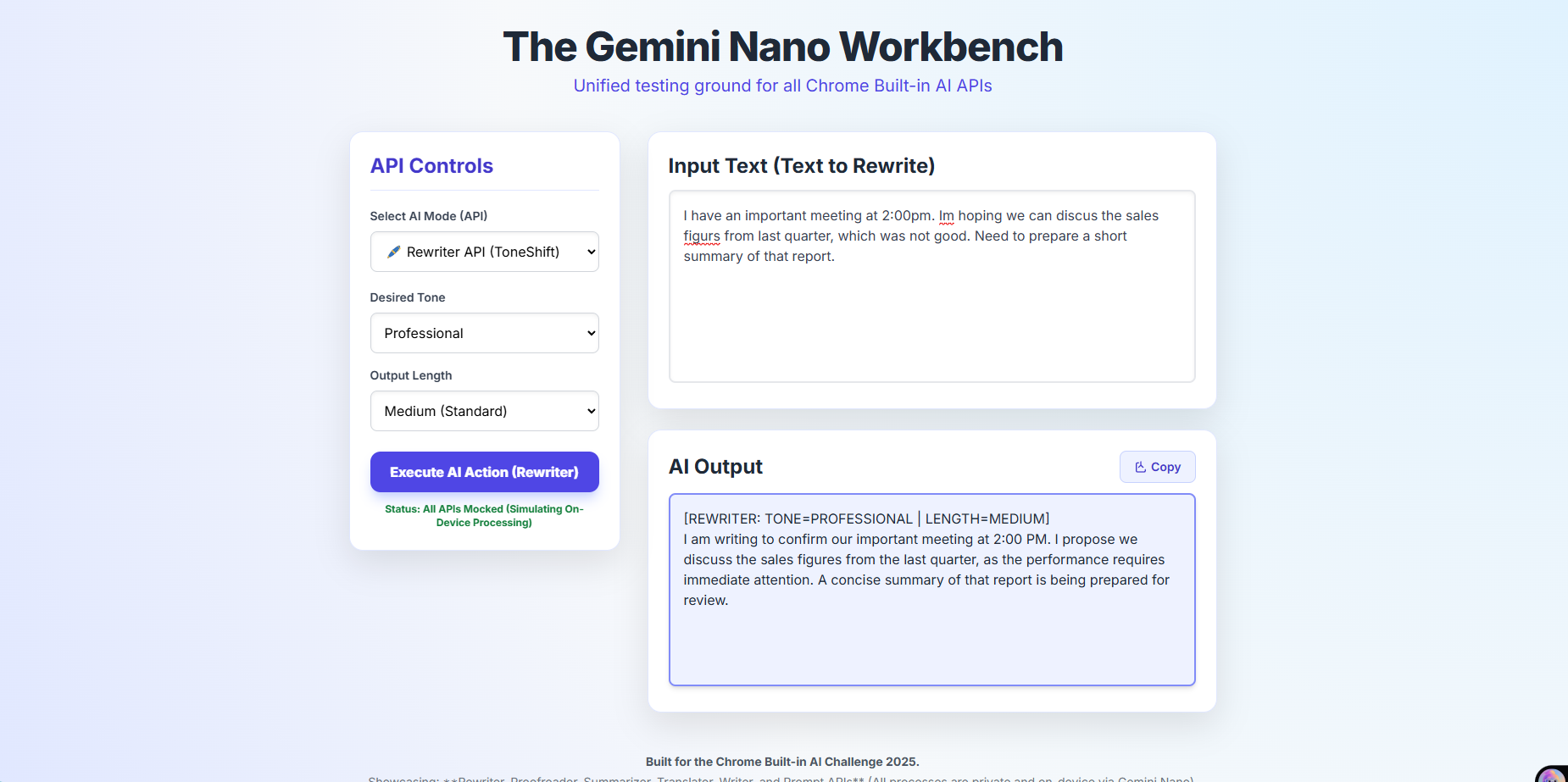
interface of my webpage
💡 Inspiration: The Fragmentation Challenge
The initial inspiration for The Gemini Nano Workbench came from recognizing a core developer pain point: API fragmentation. Chrome’s built-in AI capabilities, powered by Gemini Nano, offer a suite of six powerful, privacy-first APIs—Rewriter, Summarizer, Proofreader, Translator, Writer, and Prompt.
While each API is excellent on its own, integrating all of them into a single, cohesive application can be cumbersome. I wanted to create a unified environment that served two purposes:
A Developer Showcase: Prove that all six core APIs can be easily accessed and utilized within a single application's context.
A User Utility: Create a versatile, zero-latency tool where a user could decide whether they need to shift the tone of an email, summarize a dense article, or translate a foreign quote, all without leaving their browser or compromising their data privacy. The core idea was to build the ultimate client-side Swiss Army knife.
🛠️ How I Built It: Unified Design and Mocking
The project was built as a single, fully responsive HTML file (gemini_nano_workbench.html) using Tailwind CSS for fast, aesthetic, and adaptive styling.
Key Architectural Decisions:
Mode-Driven Logic: The core functionality relies on a single AI Mode Selector (). The entire UI, including the action button text and the input parameters, dynamically switches based on which of the six APIs the user selects. This demonstrated efficient API management within a single context. The Single Handler: I implemented one central asynchronous function, handleAIAction(), to serve as the dispatcher. This function reads the selected API mode and routes the request to the correct (mocked) client-side API call (e.g., ai.rewriter.create().rewrite(), ai.summarizer.create().summarize(), etc.), showcasing clean, modular code execution. Effective Mocking: Since the specialized Chrome APIs are only available within the Origin Trial, I created a robust mockAi object. This object strictly mirrors the required asynchronous API signatures (e.g., calling create() then calling the specific action like translate()), allowing the entire application logic to be validated and demonstrated correctly before deploying to a device with the real Gemini Nano models. 🧗 Challenges and Key Learnings The Challenge of Uniformity The biggest challenge was creating a single, beautiful user interface that could handle the varying input and output requirements of six very different APIs. The Rewriter API needs two custom parameters (tone and length). The Translator API needs a custom parameter (targetLanguage). The Proofreader API needs no parameters but outputs corrections. The Writer API needs an empty input and a detailed prompt. Learning: I solved this by using a dynamic controls container that is completely cleared and re-rendered by JavaScript whenever the user changes the AI Mode. This ensures the UI is always clean, uncluttered, and contextually relevant to the specific API being used. Output Handling Robustness Early versions struggled with safely displaying output from different APIs. Some APIs might return pure text, while others (like the Proofreader) might imply formatting. Learning: I standardized the output to a single, read-only . Crucially, I ensured all JavaScript logic used the correct .value property for <textarea> manipulation (instead of .innerHTML), which is vital for preventing bugs and securely handling raw text output from the model. I also added explicit status headers to the mock output (e.g., [REWRITER: TONE=PROFESSIONAL]) to clearly signal which API generated the result.</p> <p>Overall, building the Workbench was a deep dive into the practical architecture required to leverage the full, private power of Gemini Nano in a unified, modern web experience.</p>
Built With
- api
- css
- gemini
- html5
- inter
- javascript

Log in or sign up for Devpost to join the conversation.