-
-
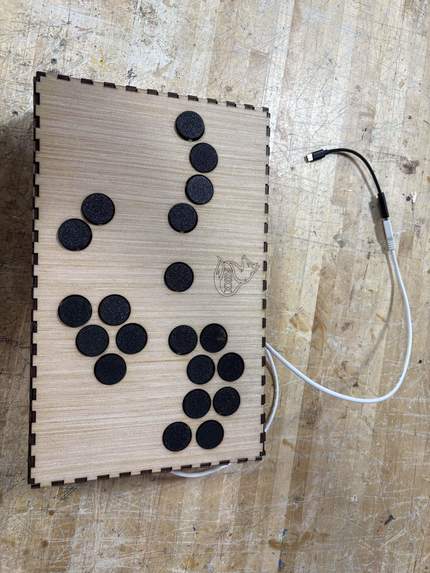
Finished Controller
-

FOXXX Top Controller LOGO
-

FOXX Front Controller Logo
-
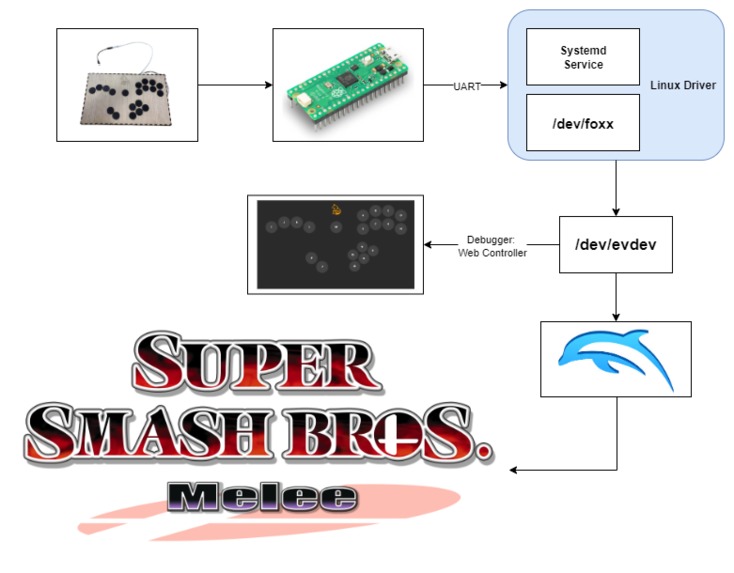
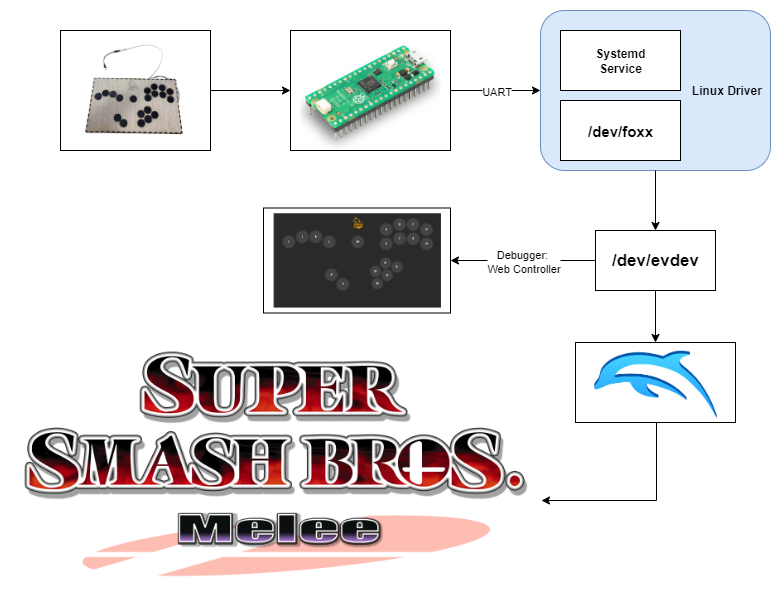
Logic Flow Diagram
-
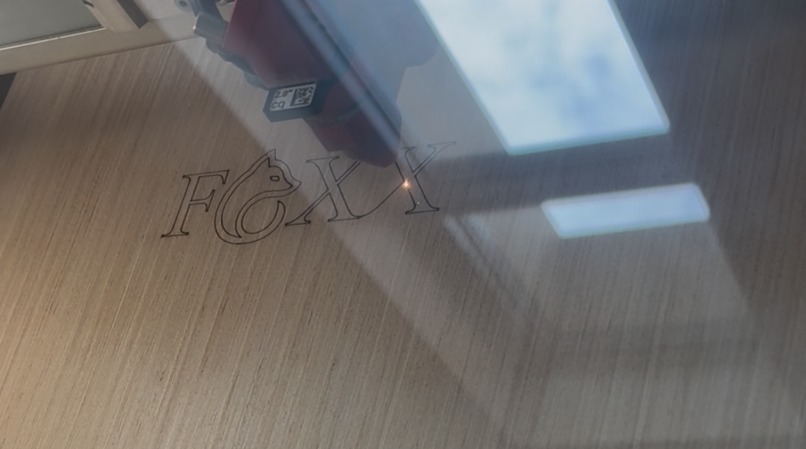
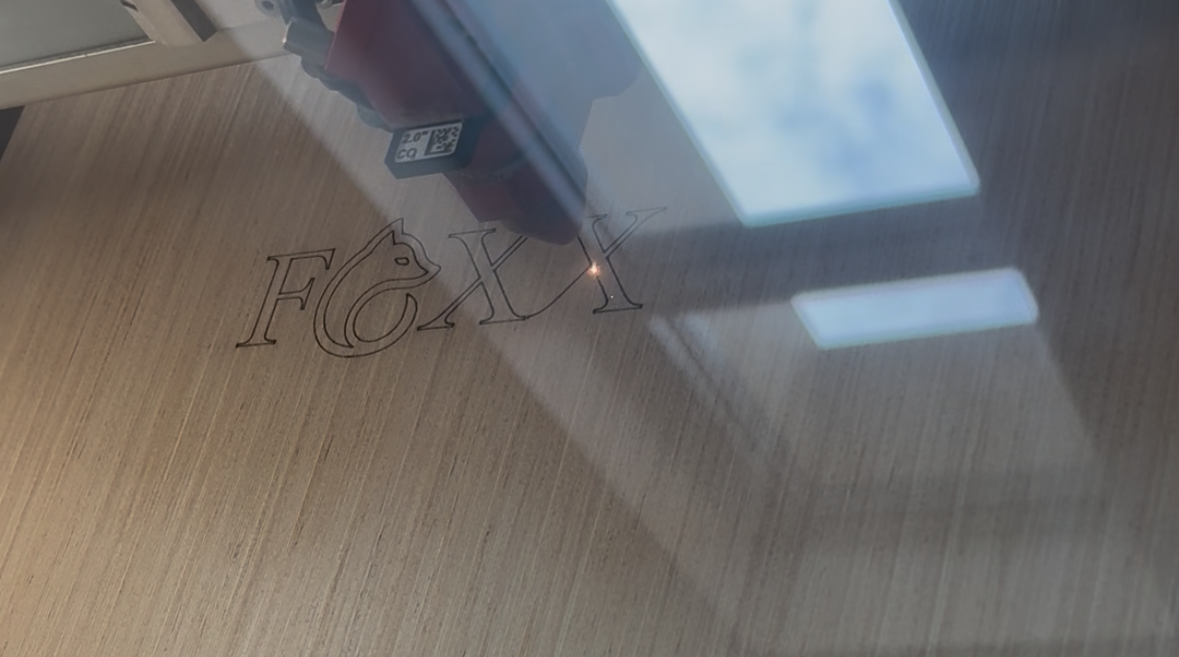
Laser Cutting Case
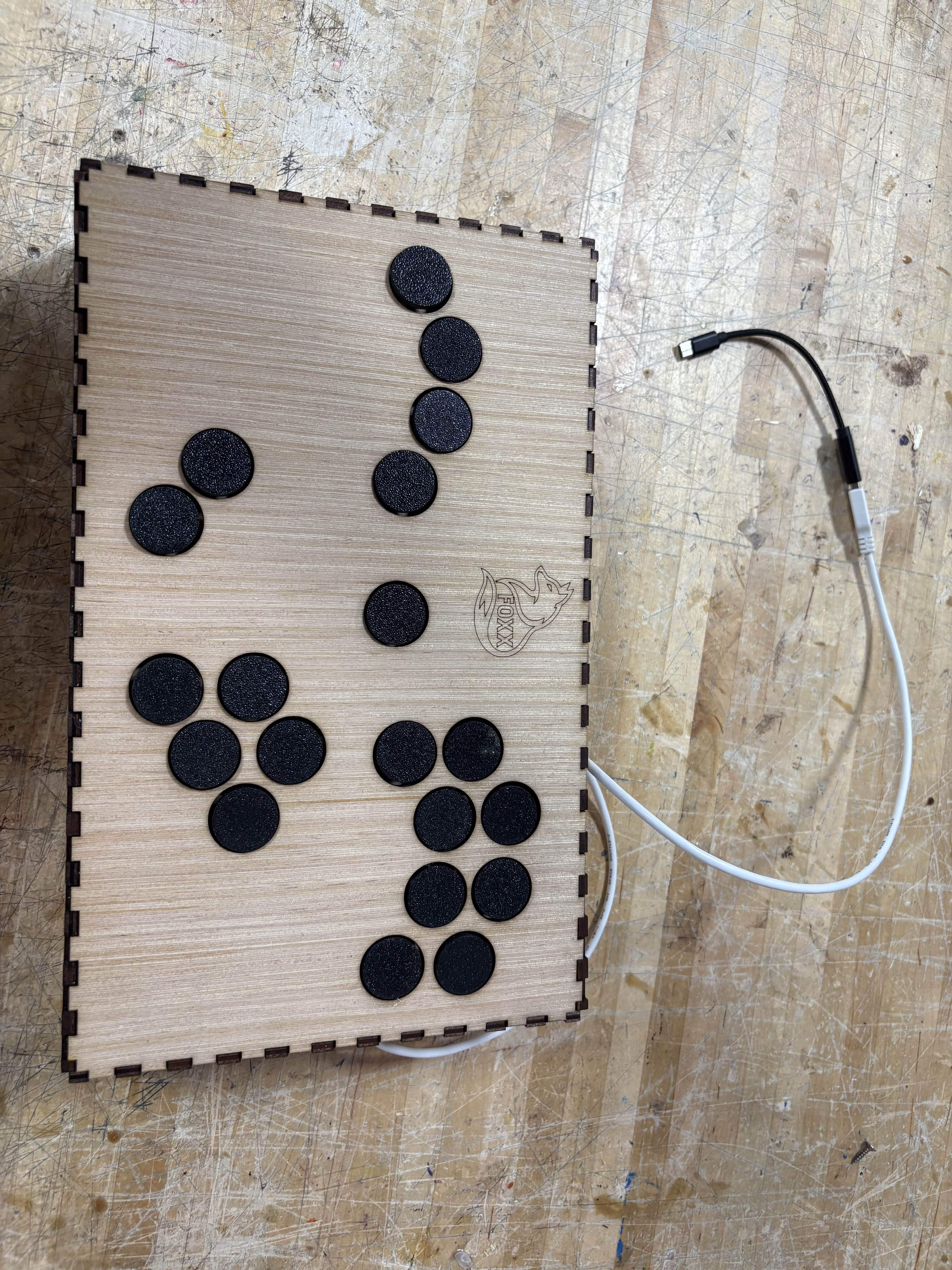


Inspiration
We were inspired by the countless stories of pro gamers not being able to do what they love due to repetitive strain injuries (https://www.espn.com/gaming/story/_/id/15428951/hax-retirement-why-injuries-smash-bros-melee-esports-problem-needs-solved). Normal controllers often have terrible ergonomics and force players to play in a "claw grip" to compete at any semblance of a high level. They force your hands to move and contort in uncomfortable positions away from their natural resting positions, which is oftentimes the cause of repetitive strain injuries.
What it does
Our controller lets you play your favorite video games while maximizing the ergonomics, so there is less strain on your hands and wrists while you play! The controller can hook into any linux computer using our custom made linux drivers, and can play any videogame you can think of!
How we built it
Physical Build:
We laser-cut the controller’s case to form its physical frame, then added normally-closed buttons fitted with 3D-printed heads to replicate arcade-style buttons and improve ergonomics. The buttons were mounted onto a separate laser-cut board for secure placement inside the controller. Inside the housing, we soldered 40 wires to 20 buttons on the controller. Each wire was fitted with a male breadboard connector for easy debugging. The buttons each have one signal wire and one ground wire. The button wires were then connected to the Raspberry Pi Pico. The GPIO pins used on the Raspberry Pi Pico were GPIO0-19.
Raspberry Pi Pico:
We used a Raspberry Pi Pico to intake the button statuses and send the resulting information over UART. The pico takes in the button information through GPIO (General Purpose Input Output) pins 0-19. That information is then run into an FSM (Finite State Machine) that debounces the button presses. Debouncing is important because physical buttons are imperfect switches. The Raspberry Pi Pico takes care of the button inputs, debouncing, and outputting over UART to send to the Linux Computer.
Linux Driver:
We created a linux driver that sets up a UART connection to read raw button states from a custom controller and translates them into input events. It uses uinput to create a virtual xbox 360-style gamepad device that various systems and applications recognize as /dev/evdev. Button presses received over UART are mapped to predefined key codes, generating real-time input events through the kernel.
Controller Test GUI:
- Built a static webpage replicating the controller’s physical button layout, with visual feedback for held inputs. This allowed real-time observation of button state changes. We used it to confirm buttons were registering correctly and mapped to the intended tools.
Challenges we ran into
- Setting up systemd services to install the driver and the web controller
- Trying to connect button to hard processor on FPGA
- Hardware debugged for O Key
- Imminent Kernel Panic on Host Machine (Highly recommend virtual machines in the future)
- Faults in the breadboard grounding component led to increased debugging time. (Still using that board just the sections without faults)
Accomplishments that we're proud of
- Building a working user-space Linux Driver
- Wire Management skills when connecting buttons
- Lower Latency for controller
- Easy to press and ergonomic buttons that minimize hand strain while playing!
- Functioning video game controller that is very easy to plug in and use!!!
What we learned
- Difference between normal-closed and normal-open buttons
- Learned about evdev file descriptor for description
- Using Makefiles for easier build time
- Learned more about managing systemd processes to automatically startup
- Learned more about udev rules configurations, to make our controller easy to locate and connect to
What's next for The FOXX Controller: Accessibility For Pro Gaming
Looking to the future, the FOXX team would love to design better buttons that do not require a 3D printed cap. Additionally, if we were to continue improving on the project, we would utilize a PCB to better secure the buttons to the Raspberry Pi Pico. Finally, we would consider switching to an FPGA instead of the Raspberry Pi Pico. Using an FPGA would give us significantly improved latency due to the all hardware-based solution, and being able to do all of the button parsing and uart sending logic in a single clock cycle theoretically.
Bill Of Materials
We were able to make this controller much cheaper than most other controllers on the market due to careful selection of materials and ease of manufacturing.
- 1x Wooden Box (13’’ x 8’’ x 3’’) @ $5
- 20x Buttons (Normally Closed) @ $2
- 20x 3D Printed Button Caps @ $0.5
- 1x USB Cable @ $5
- 1x Raspberry Pi Pico $5
Built With
- 3d-print
- c++
- driver
- evdev
- hardware
- laser-cut
- linux
- linux-kernel
- make
- python
- raspberry-pi
- software
- systemctl
- systemd
- systemverilog
- udev
- verilog


Log in or sign up for Devpost to join the conversation.