-
-

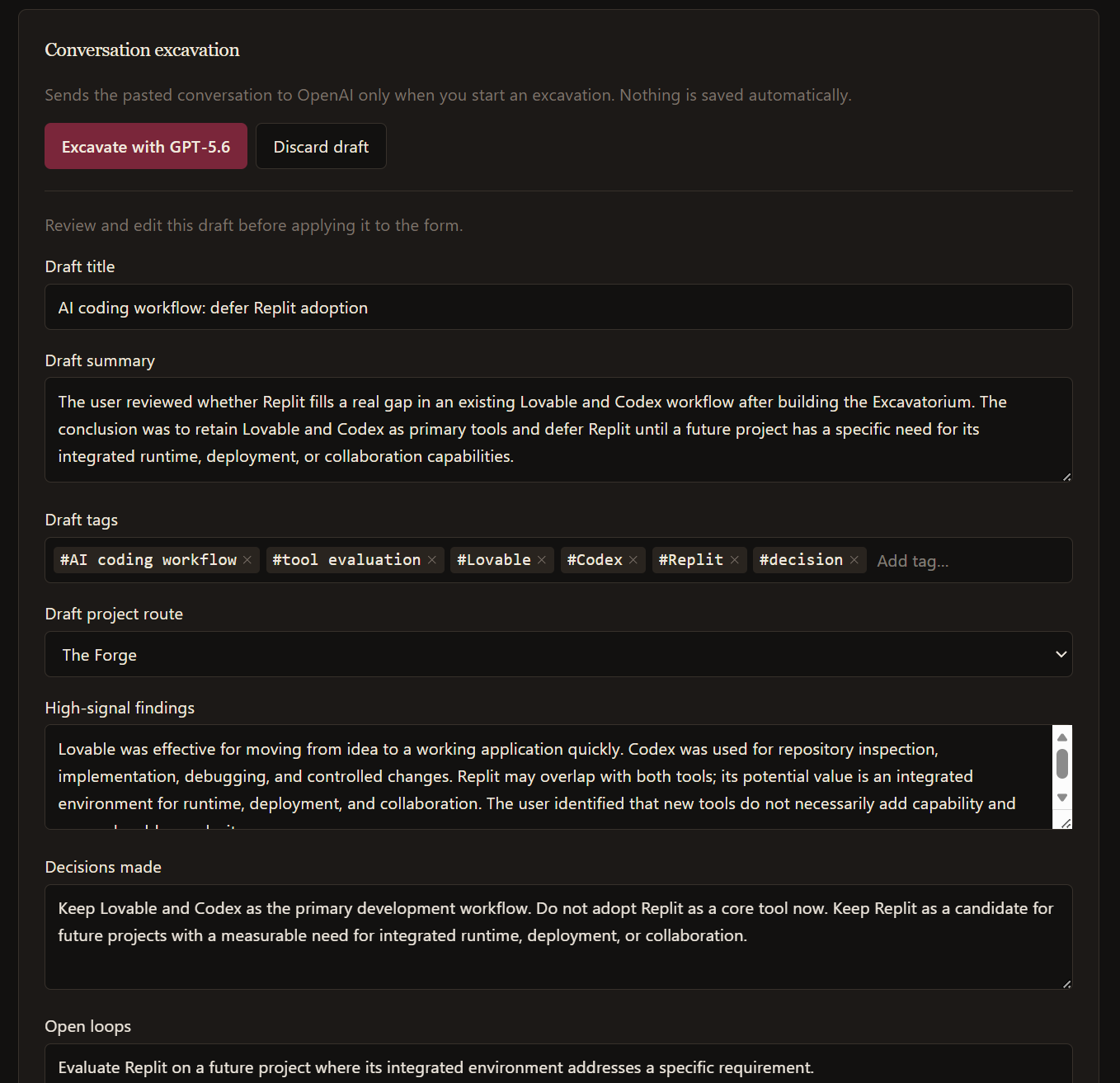
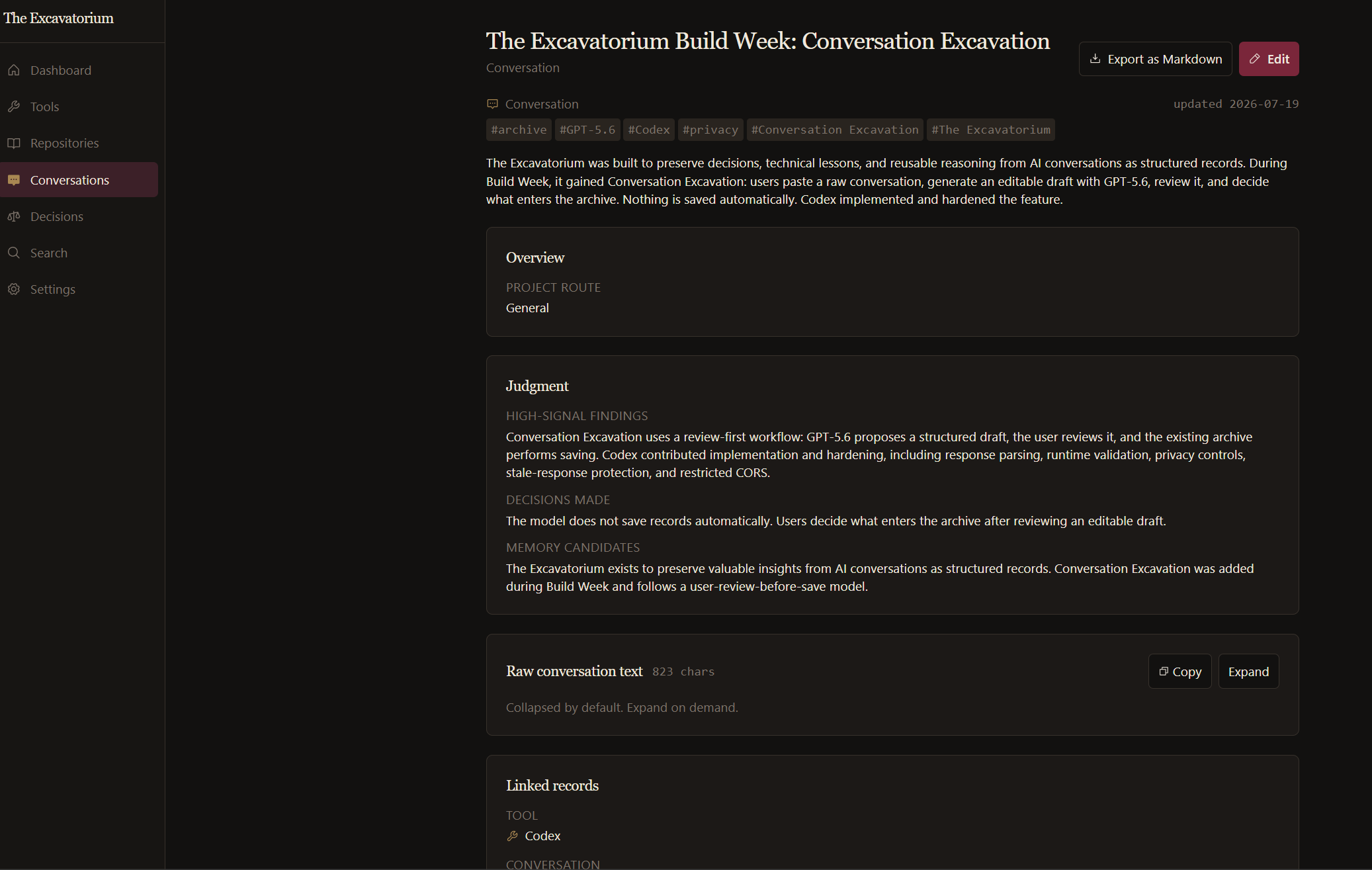
Conversation text is sent to GPT-5.6 only when excavation starts.
-
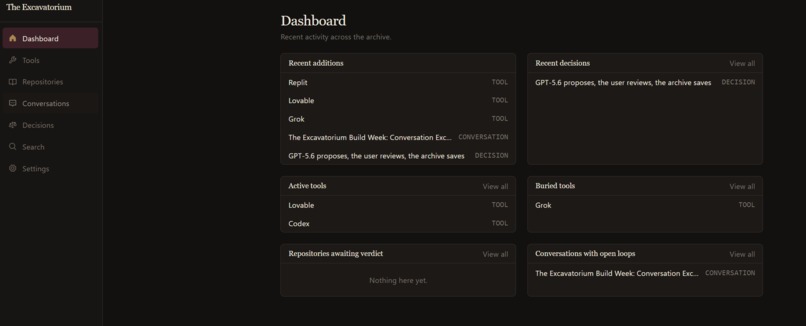
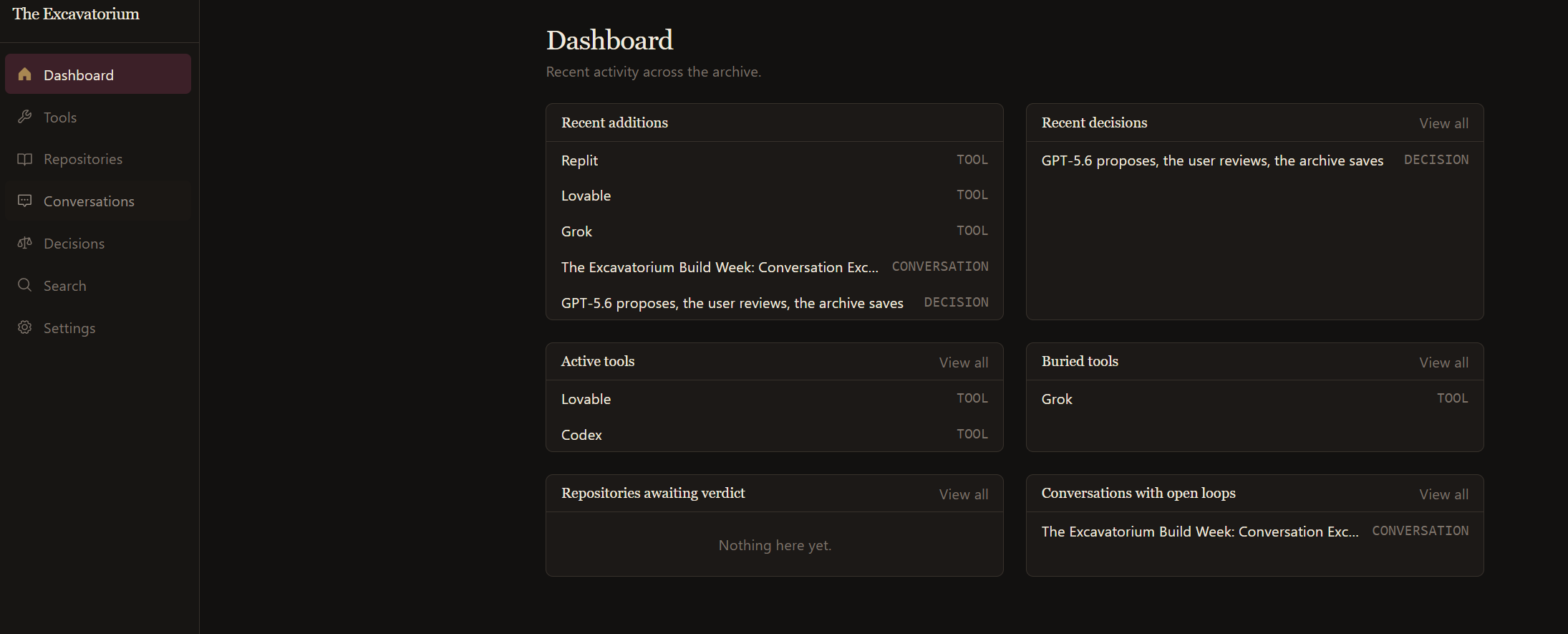
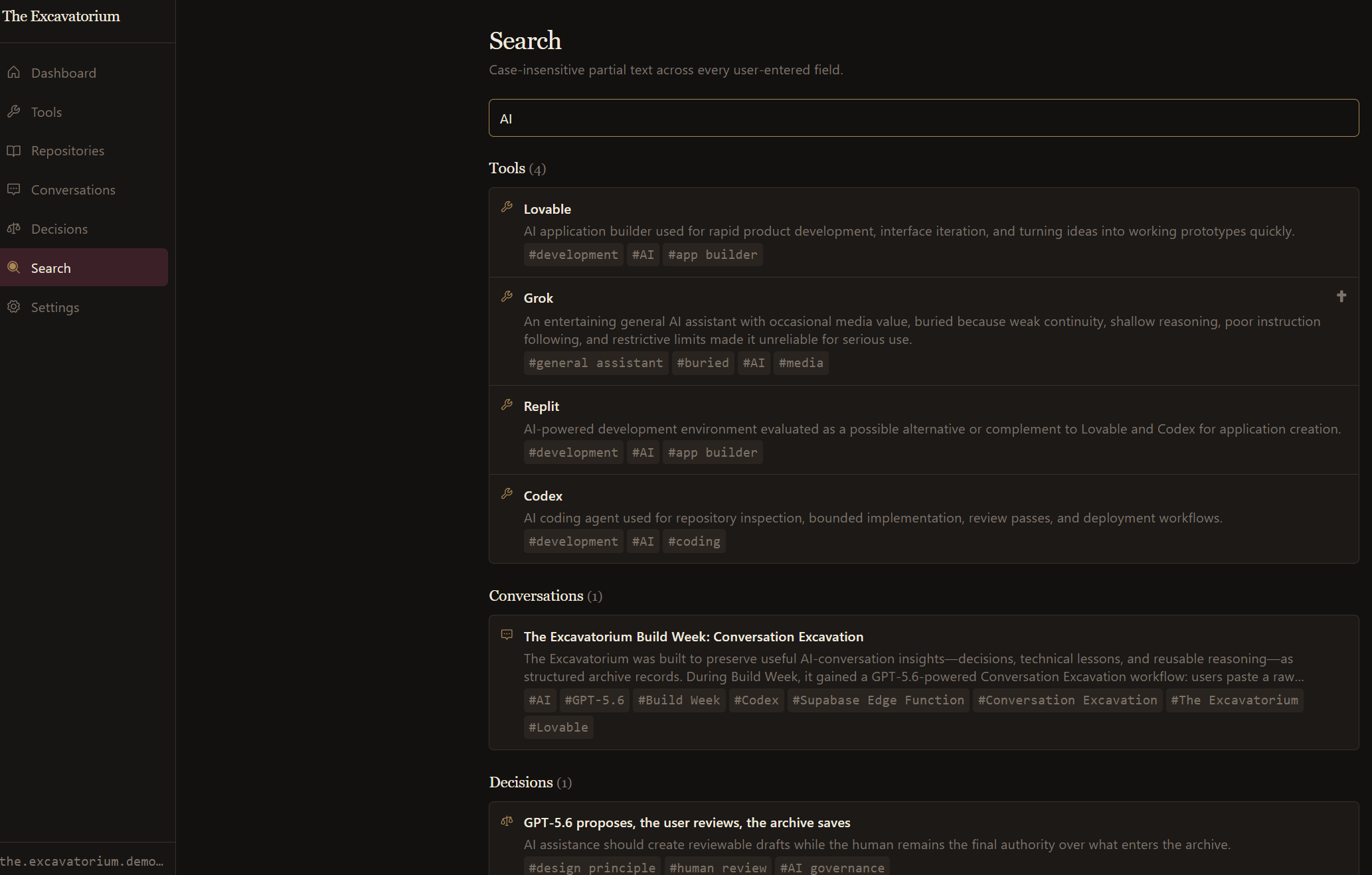
Dashboard for active tools, buried tools, decisions, and open loops.
-
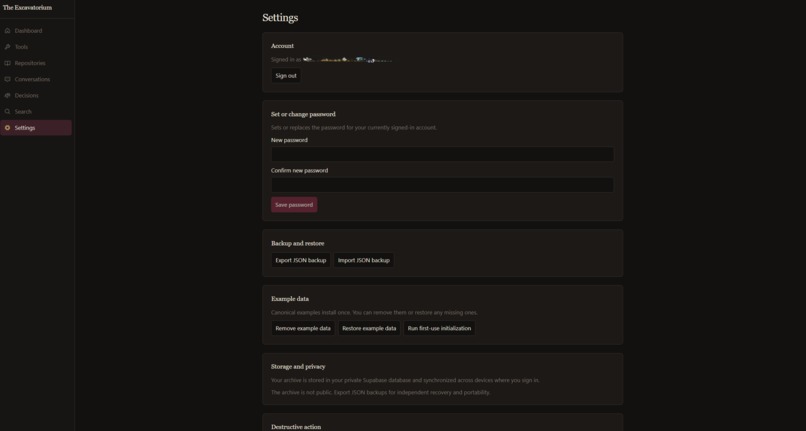
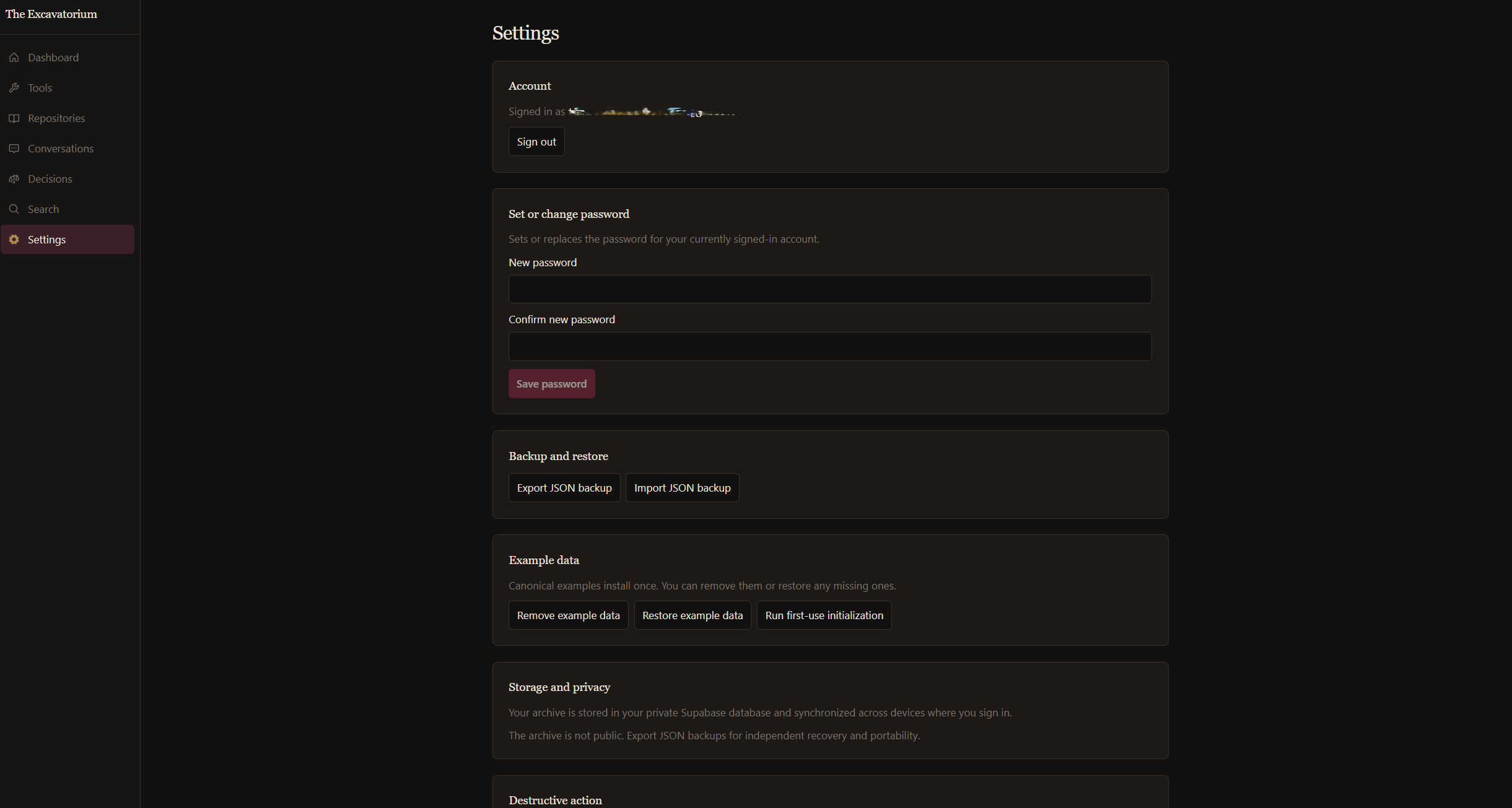
Export or restore the full archive as portable JSON.
-
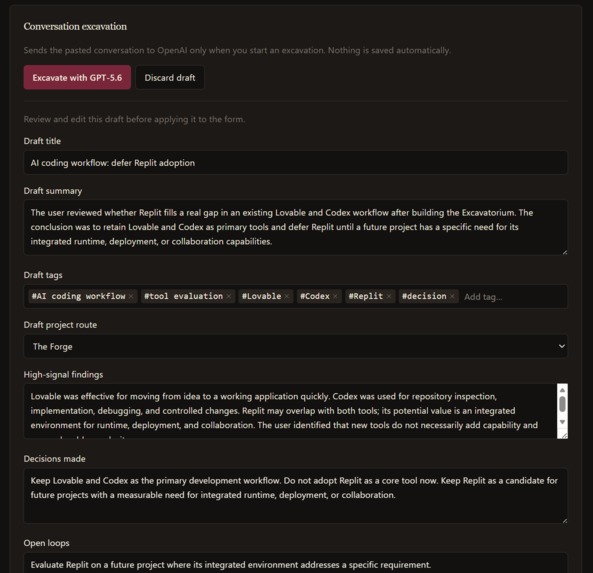
GPT-5.6 extracts findings, decisions, open loops, and reusable prompts.
-
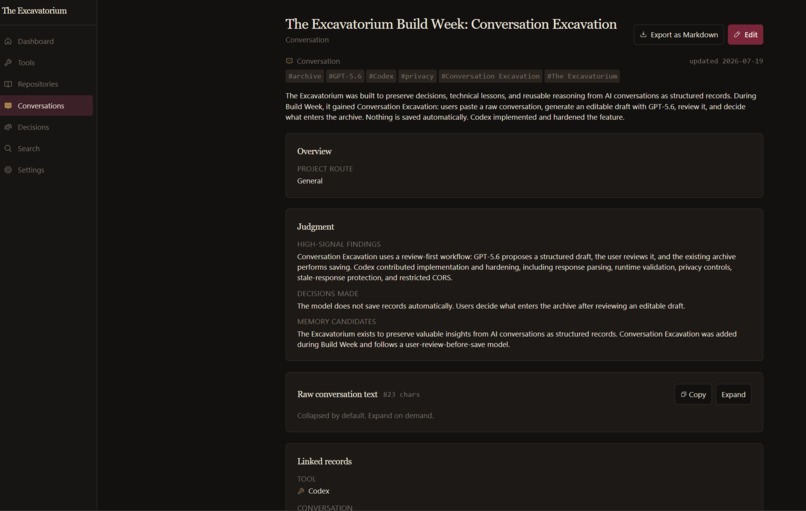
Reviewed excavations become permanent, linked conversation records.
-
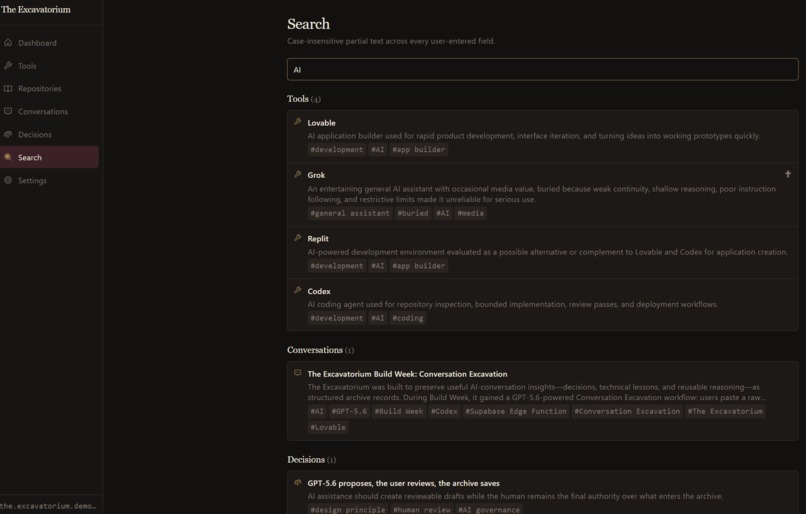
Search across tools, conversations, decisions, tags, and record content.

The Excavatorium
The Archive remembers. The Custodian examines. The Owner decides.
The Excavatorium is an owner-controlled archive and judgment layer for AI.
It began during OpenAI Build Week as a way to stop useful AI conversations from disappearing into chat history. I wanted something that could preserve the decisions, reasoning, failures, tools, repositories, and context that actually mattered — and let AI examine that material later without becoming the authority over it.
Since the hackathon, it has grown into a public beta with a real production backend, encrypted bring-your-own-key support, evidence-bounded Investigations, persisted Findings, account portability, MCP access, and a full archival interface.
Live beta: https://the-excavatorium.lovable.app
GitHub: https://github.com/Troyyboii/the-excavatorium
Why I built it
AI work piles up in systems that forget.
A useful conversation gets buried in chat history. A decision loses the reasons behind it. A document's important claims never get extracted. A tool gets abandoned and six months later you no longer remember why.
The Excavatorium is built around one rule:
You keep the record, and you keep the authority.
The app separates three jobs.
The Archive remembers
The Archive is a private, owner-scoped record space for:
- tools
- repositories
- conversations
- decisions
- documents
Records can be linked together, searched, explored through connections, and read chronologically through a timeline. Project routes are optional and owner-defined rather than global categories.
A new account starts empty. There is no sample content and no shared archive.
The Custodian examines
An Investigation starts with a question and a bounded set of Archive records selected by the owner.
The Custodian examines only that material and returns a structured Finding containing:
- a conclusion
- supporting evidence
- contrary evidence or tensions
- uncertainties
- assumptions and scope limits
- evidence gaps
- what would change its mind
If there is not enough admissible evidence, the correct answer can be unresolved rather than a confident guess.
The Owner decides
A Custodian Finding is an attributable interpretation, not truth.
Findings remain tied to the Investigation, model, run, and evidence that produced them. They do not silently become the owner's own judgment, and disagreeing with a Finding does not erase it.
That distinction became one of the central ideas of the project.
Conversation Excavation
The original Build Week feature is still here, but it is now one part of a larger system.
A user can paste a long AI conversation and ask the app to turn it into an editable structured draft containing high-signal findings, decisions, open loops, reusable prompts, and suggested archival context.
The model does not directly write permanent records.
It proposes a draft. The owner reviews and edits it. Nothing enters the Archive until the normal save flow is used.
Document Excavation
The same basic pattern now applies to documents.
PDF, Markdown, and text files can be uploaded privately and excavated into an editable draft with cited source references. The original file remains private and owner-scoped.
Bring your own OpenAI key
The Excavatorium does not provide a shared AI allowance.
Every provider-backed feature uses the authenticated owner's own OpenAI API key:
- Custodian Investigations
- Conversation Excavation
- Document Excavation
The key is encrypted server-side and is never returned to the browser in plaintext. There is no operator-key fallback for normal user requests.
Provider calls use store: false, one request per attempt, and no automatic retries.
The currently supported model catalog includes GPT-5.6 Luna, Terra, and Sol, plus GPT-6 Luna, Sol, and Astra, subject to access on the owner's own OpenAI project.
Evidence and provenance
The Custodian runtime is deliberately stricter than a normal chat flow.
Structured output is validated locally. Evidence IDs are checked against the exact Investigation snapshot. Provider usage is tracked separately from application success, so a rejected model output does not get mislabeled as zero-cost or as if no provider contact happened.
The goal is not "AI said it, therefore it is true."
The goal is a durable examination record with enough provenance to understand how the conclusion was produced.
MCP
The Excavatorium also includes an OAuth-backed MCP integration.
Compatible AI clients can retrieve the authenticated owner's own Archive through the same owner boundary. Some Custodian actions are intentionally not exposed through MCP yet while the runtime continues to mature.
Portability and deletion
The archive is designed to remain useful outside the app.
Records can be exported, broader account data can be downloaded, and the account can be deleted through the product.
This matters to me because the whole point is ownership. A personal knowledge system that traps the owner's knowledge would be missing the point.
How Codex and AI were used to build it
The Excavatorium itself was shaped through heavy use of Codex and ChatGPT.
What started as a fuzzy idea in July became a real product through repeated cycles of:
- repository inspection
- architecture planning
- bounded implementation
- debugging
- migrations
- Edge Function development
- testing
- production verification
- UI iteration
Codex was especially useful for repository-level work and disciplined implementation, while ChatGPT helped crystallize the product doctrine, reason through edge cases, and keep the system coherent as the scope expanded.
AI was not only used inside the product. It was also part of the process that taught me enough to keep building the product itself.
Technology
The current application is built with:
- React
- TypeScript
- Supabase Auth, PostgreSQL, Storage, Row Level Security, and Edge Functions
- OpenAI Responses API
- Lovable hosting
- MCP
- Bun-based local tooling and tests
The repository is public and source-available under the Business Source License 1.1. It is not currently OSI open source.
From hackathon project to public beta
This project began as an OpenAI Build Week experiment.
At the time, the main idea was simple:
AI conversations should not remain disposable.
That idea survived, but the project grew around it.
The public beta now has:
- a private owner-scoped Archive
- links, search, connections, and timeline views
- Conversation and Document Excavation
- encrypted BYOK
- Investigations
- the Custodian runtime
- evidence-bounded Findings
- Findings separated from Owner Judgment
- usage accounting
- export and account portability
- MCP access
- the Ossuary Ledger interface
The UI is still evolving, and there are deliberately no teams, shared Archives, billing, or social login yet.
But the core loop is real and running in production.
The Archive remembers. The Custodian examines. The Owner decides.
Built With
- lovable
- mcp
- openai
- react
- supabase
- typescript

Log in or sign up for Devpost to join the conversation.