-
-
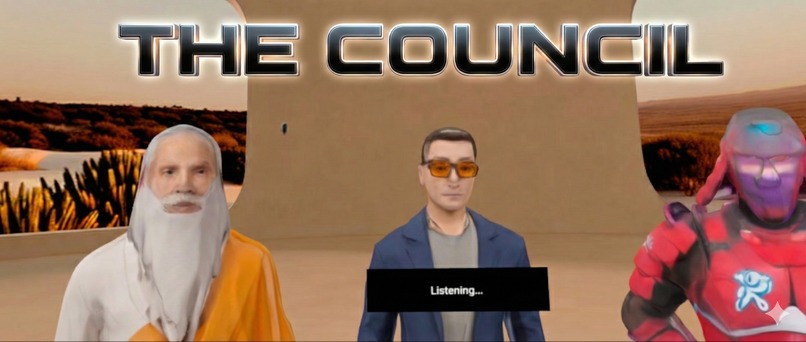
The Council
-
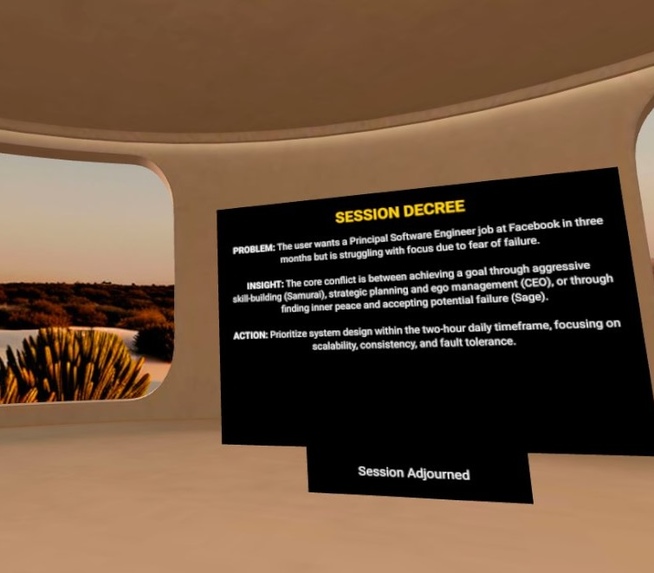
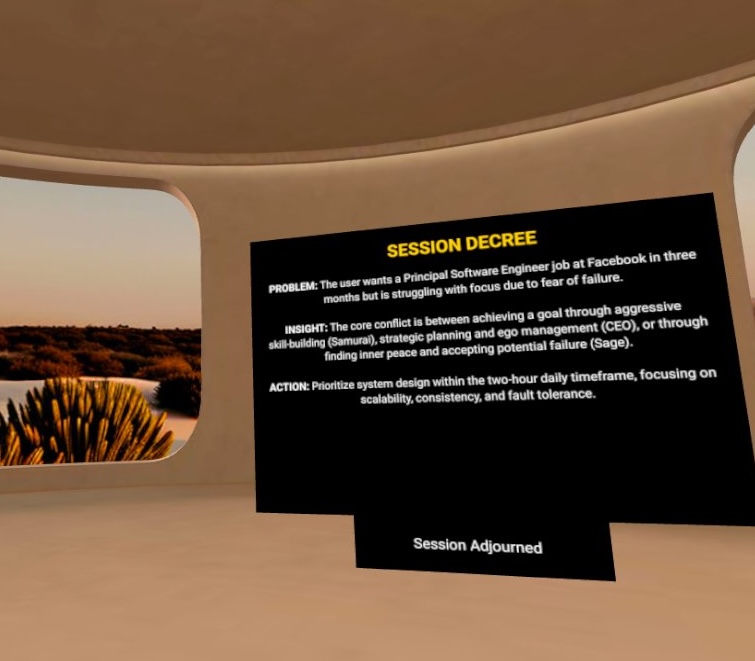
P.I.A. (Problem, Insight, Action) Summary
-
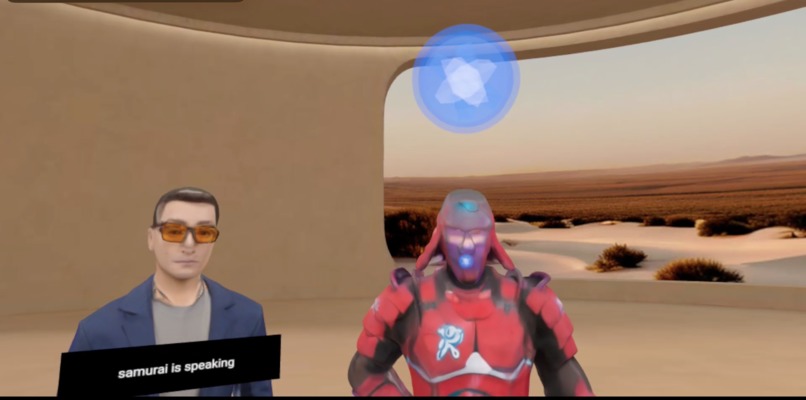
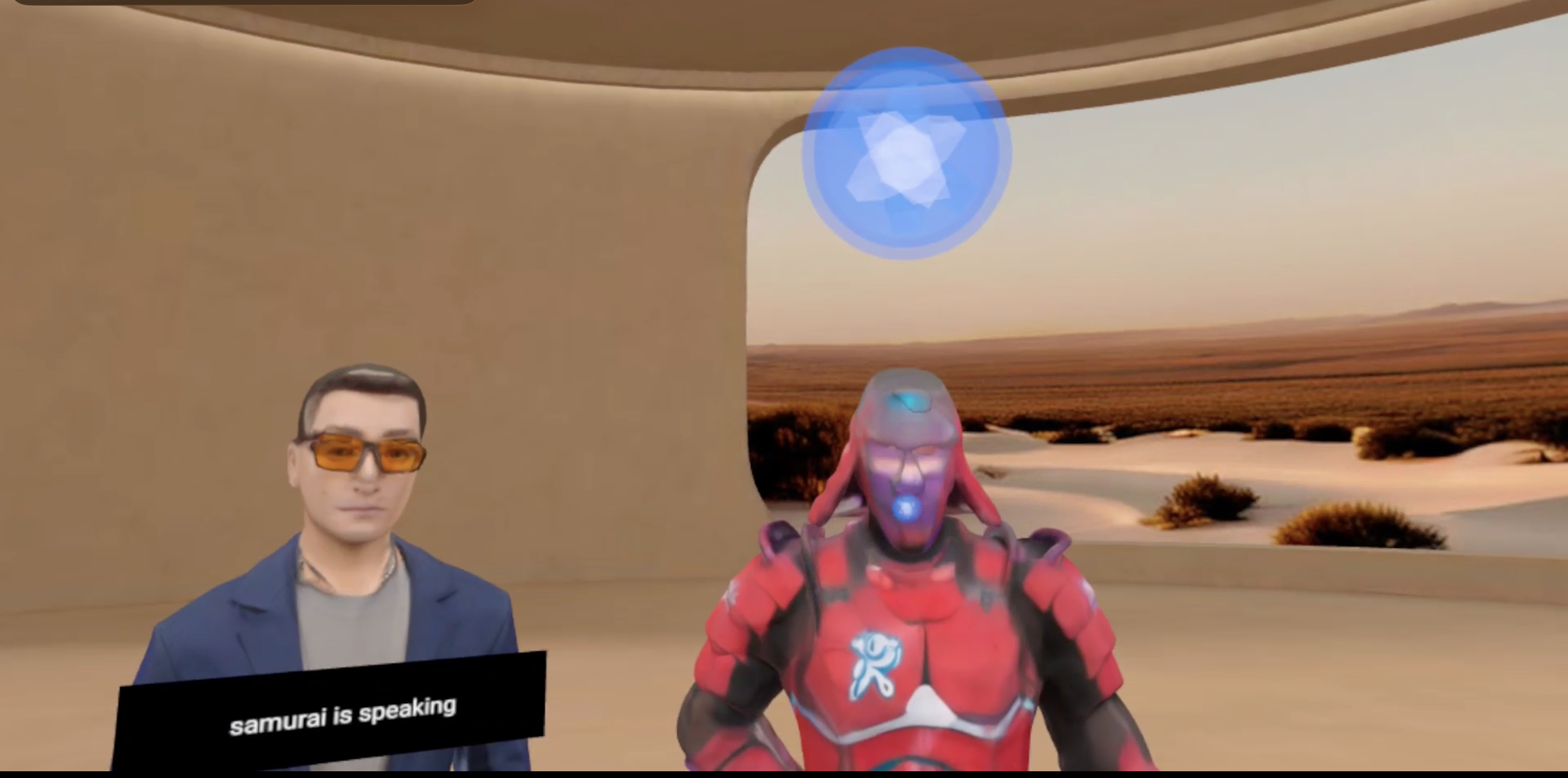
Samurai Speaking
Inspiration
Chatbots and journaling are one-dimensional. Journaling feels like homework, and standard AI assistants are designed to agree with you, not challenge you.
We suffer from "Analysis Paralysis." We don't need another tool to explore our feelings; we need a system to reach a verdict. We wanted to externalize the internal monologue into a physical space—a "War Room" where you can see and hear your conflicting priorities debate each other in real-time.
What it does
The Council is a spatial productivity tool that transforms decision-making into an immersive, hands-free experience.
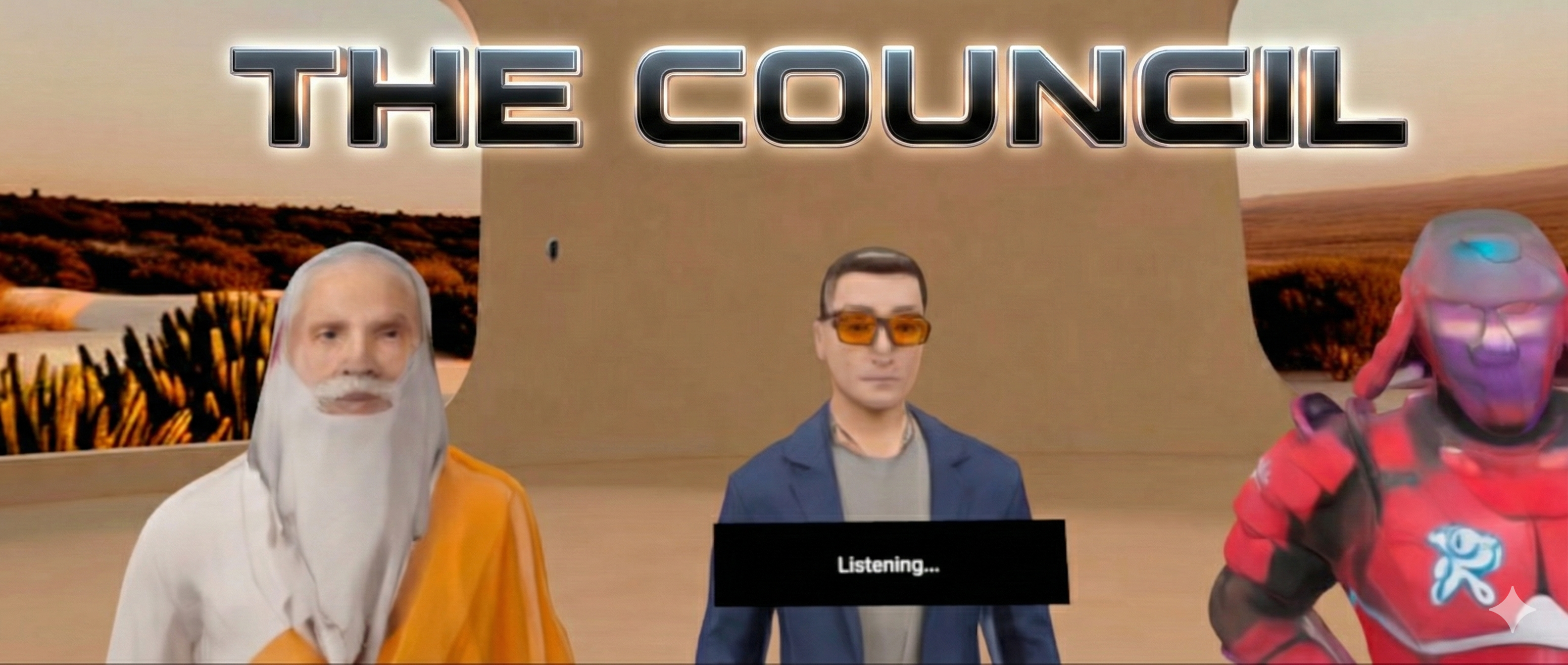
The "War Room": You stand in a 3D environment surrounded by three distinct AI Personas: The CEO (Strategy), The Samurai (Action), and The Sage (Balance).
100% Hands-Free Interface: There are no controllers and no wake words. You simply speak. The system listens, detects when you are done, and the avatars respond immediately.
The 4-Phase Logic Loop: The conversation isn't random. It follows a strict protocol managed by the AI: Clarification => Conflict => Decree => Executive Summary.
Actionable Output: It concludes by generating a P.I.A. (Problem, Insight, Action) Summary, giving you a tactical step to take in the real world.
How we built it
We leveraged the Meta Spatial SDK to create a seamless Hybrid App that blends high-fidelity 3D assets with native Android performance.
- Merging 2D & 3D with Ease: The Meta Spatial SDK made it incredibly easy to merge standard 2D Android objects with complex 3D assets. We used the ComposeFeature and PanelRegistration system to render native Android XML layouts (for the text-heavy P.I.A. Summary) directly alongside our 3D avatar meshes within the same Entity Component System. This allowed us to keep the text crisp and readable while maintaining full 3D immersion.
Dynamic Spatial Anchoring: We utilized the SDK's coordinate system to build a custom "Attention Spotlight." We programmatically manipulated the Transform and Pose components of the headOrbit entity to physically travel across the room to the active avatar (CEO, Sage, or Samurai). Additionally, we animated the voiceOrb by updating its Scale component in real-time to create a pulsing "speaking" effect, giving the user immediate visual feedback on who is speaking.
The Intelligence: We used Gemini 2.0 Flash with a sophisticated System Instruction that enforces a multi-agent persona architecture and a strict JSON output format. We integrated Google Cloud TTS to generate high-quality voice audio
The "Ears" (Custom Listening Layer): Instead of using standard button presses, we engineered a custom silence-monitoring engine.
Challenges we ran into
No Emulator & The "Factory Reset" Negotiation: Since the Meta Spatial SDK does not currently have a desktop emulator, physical hardware is mandatory. We could not source a Quest 3 in our area and had to rent a Quest 2. However, enabling Developer Mode is restricted to the device "Owner" (Admin account). We actually had to convince the rental owner to let us Factory Reset their personal device so we could sign in with our developer credentials to deploy the code.
Passthrough vs. MediaRecorder on Quest 2: We initially built a Mixed Reality mode to place the Council in your living room. However, we encountered a persistent "black screen" issue on the Meta Quest 2 when attempting to run Passthrough during recording. We have to disable Passthrough and pivot to a fully immersive environment for this submission.
Loading Dynamic Audio in the Spatial SDK: The Spatial SDK's
SceneAudioAssetsystem is optimized for static, bundled assets. We discovered it was unable to load the temporary MP3 files we generated on-the-fly in the Android cache directory for the AI's speech. We solved this by falling back to the standard AndroidMediaPlayerfor dynamic voices, manually calculating stereo panning to simulate spatial positioning.
Accomplishments that we're proud of
True "Invisible Interface": We are proud that a user can go from "Overthinking" to "Verdict" without ever touching a controller or typing a word.
The P.I.A. Architecture: Successfully implementing the "Phase" detection logic means the AI actually drives the user to a conclusion instead of endless chatting.
What we learned
Android Skills Translate to VR: We learned that the Meta Spatial SDK dramatically lowers the barrier to entry for spatial computing. Because we could use standard Android Layouts (PanelRegistration) alongside 3D Entities, we didn't have to relearn a new UI framework—we could simply reuse our existing mobile development skills to build high-fidelity VR interfaces.
Voice > Buttons: In a productivity context, removing the friction of controllers makes the experience feel significantly more "serious" and engaging
What's next for The Council
Persistent Memory: Saving your "Decrees" and "P.I.A. Summaries" to a local database to track your decisions over time.
Custom Council: We want to allow users to build their own custom Board of Directors. Imagine swapping "The Samurai" for "The Scientist" or "The Artist," or even uploading a PDF to create a specialized advisor for your specific industry.
Built With
- android-studio
- gemini
- kotlin
- meta-spatial-sdk
- text-to-speech


Log in or sign up for Devpost to join the conversation.