-
-
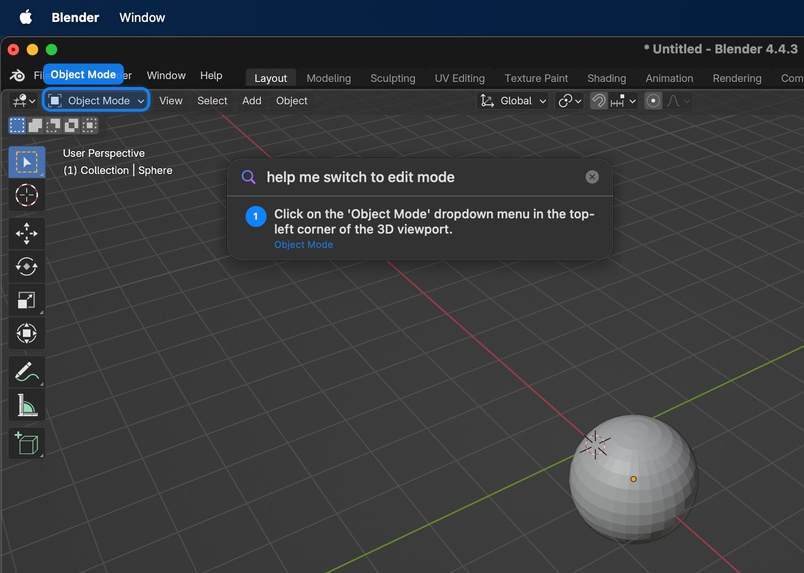
AI Instructions for switching to edit mode in Blender (3D Design software)
Inspiration
We’ve all been there–you’re trying to learn a new tool, and you can’t find the right video tutorial to help you get off the ground. Your computer already has 100 windows open, and you’re switching between screens, watching a video that's not even relevant to your task. Even worse, the software version used in the video is incompatible. Our goal is to simplify the process for users trying to learn new softwares, such as Photoshop, Cursor, Canva, and more.
What it does
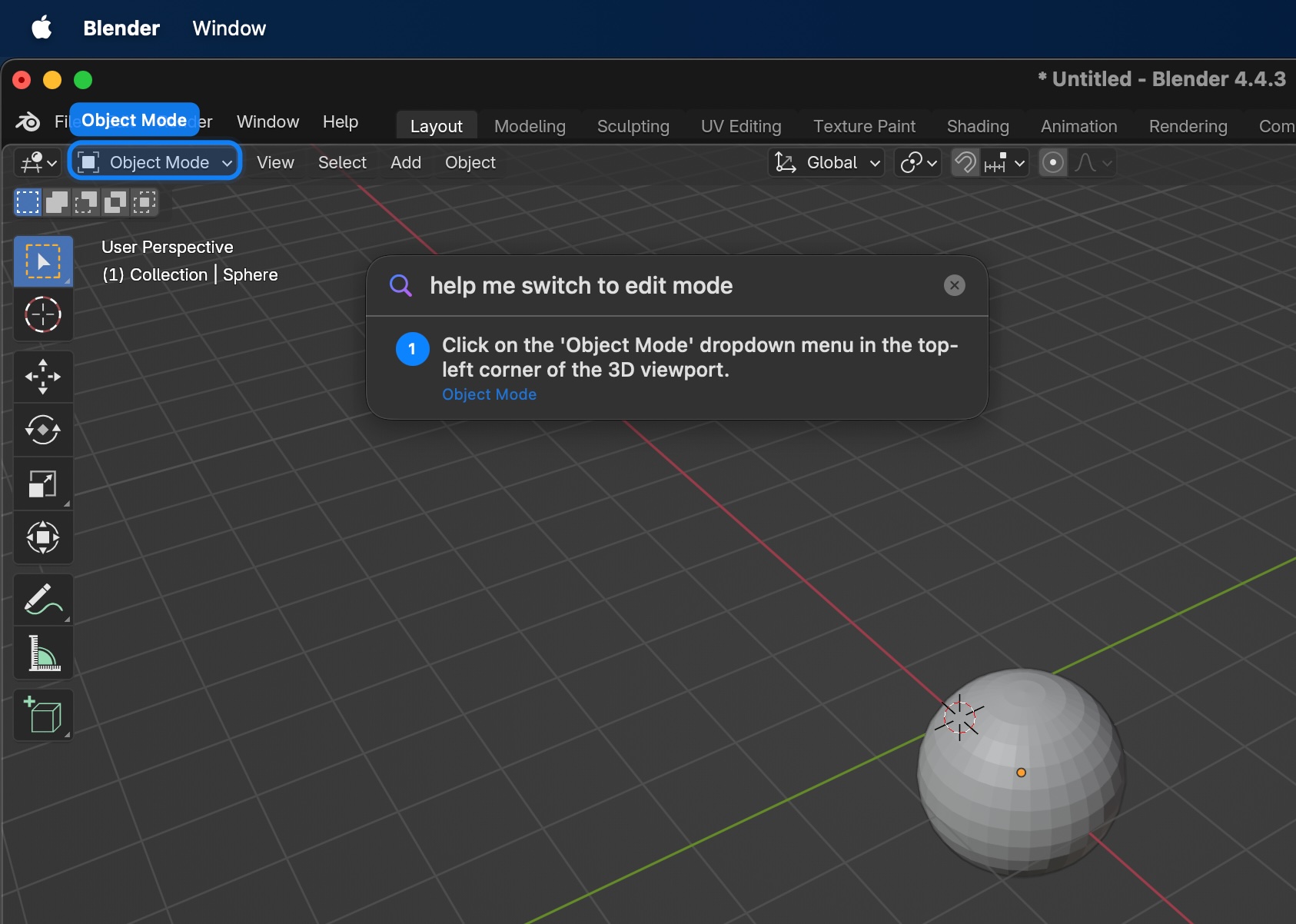
Meet The Cookbook! It overlays real-time visual instructions on your screen to guide you through complex software tasks step-by-step. Just open the app, describe what you need help with, and receive on-screen highlights and text instructions with a detailed plan for your task. The instructions are catered to your application version, your style of learning, and your screen exactly as it looks.
The main features are:
- Goal-to-steps generation from live screenshots: Captures the current screen and sends it to a multi-agent pipeline using OpenAI and Gemini APIs to generate precise coordinates for the next user click and a detailed instructional plan.
- Two-stage spatial grounding pipeline: Generates a 40-marker coordinate grid to help the agent identify a specific "zoom zone," then runs OmniParser on that high-resolution crop to ensure pixel-perfect bounding box accuracy without the clutter of full-screen detection.
- Interactive overlay guidance: Renders highlighted targets and instruction text as an on-screen overlay so users can follow each step without switching contexts.
- Click-driven progression with live replanning: After each user click, captures a fresh screenshot and calls backend to determine next step: whether to continue, retry, or complete task, enabling dynamic adaptation.
- Voice input: Supports voice-based task capture/transcription flow to feed as input to agent.
Additional features
- System-wide hotkey and input monitoring: For quick launch from anywhere.
- Screen recording and accessibility-aware UX: For macOS permission-sensitive flows.
- Schema-validated AI responses: Enforces structured output consistency between the backend and client.
How we built it
Our stack uses a native + AI pipeline architecture:
- Frontend/Desktop client: Swift, SwiftUI, AppKit (
NSPaneloverlays), Carbon/CGEvent-based global input handling, and macOS capture/accessibility integrations. - Backend/API layer: Python, FastAPI, Uvicorn, Pydantic, multipart form endpoints, and request-level logging/error handling.
- AI processing pipeline: Multimodal planning and refinement pipeline utilizing GPT-4o, Gemini 3 Flash, and Claude 3.5 Sonnet; we benchmarked these models to select the optimal engine for structured JSON output and reasoning.
- Computer vision and image handling: OmniParser, Pillow, Ultralytics, and refinement pipeline variants.
- Voice pipeline: Modal-backed transcription integration with backend endpoint orchestration.
Challenges we ran into
- Post-click timing correctness: Ensuring screenshots are captured after UI state changes, not prematurely on click-down events.
- Cross-system coordinate alignment: Keeping overlay target mapping accurate across normalized coordinates, screen bounds, and different display setups.
- Permission complexity on macOS: Handling Screen Recording and Accessibility permission states without breaking the UX.
Accomplishments that we're proud of
- Built a functioning end-to-end AI guidance overlay for native macOS workflows.
- Implemented dynamic step progression (continue / retry / done) with fresh screenshot context each click.
- Established a clean architecture split across overlay/UI, capture/input, agent pipeline, and state machine ownership.
- Successfully integrated a voice input path while preserving the core UX.
What we learned
- Iterative visual refinement using a "Set-of-Mark" grid for localization followed by targeted OmniParser crops provides significantly higher fidelity than attempting to parse a complex screen in a single shot.
- Designing reliable human-in-the-loop automation requires careful event timing and state transitions.
- Shared schema contracts dramatically reduce integration drift between the frontend and backend.
- macOS-level integrations (capture/input/permissions) need architecture decisions as much as coding effort.
What's next for The Cookbook
1. Lightning-Fast Plan Generation (Latency Optimization)
- Hybrid Model Orchestration: Using highly efficient Small Language Models (SLMs) for fast, repetitive routing tasks while reserving larger models exclusively for complex reasoning to drastically cut down the initial "Time to First Token".
- Token Optimization & Caching: Reducing overall wait times by leveraging Key-Value (KV) caching for static prompt components, and enforcing strict output constraints since generating output tokens is the most computationally expensive phase of the response.
- Parallel Execution: Running independent agent processes (like guardrail checks, visual parsing, and plan generation) simultaneously rather than sequentially to optimize system throughput.
2. Multi-App Workflows & Community "Recipes"
- Cross-Application Automation: Expanding the agent's capability to guide users through complex tasks that span multiple software programs simultaneously (e.g., extracting data from Excel, formatting it in Word, and sending it via Slack).
- Community Recipe Sharing: Creating a platform where power users can record, refine, and share their own custom "Cookbook" workflows, allowing the community to crowdsource interactive tutorials for niche software.
- Predictive Next-Steps: Anticipating the user's overall goal based on their first few actions and seamlessly queuing up the next logical "Recipe" steps before they even have to ask.
Our Vision: To make The Cookbook the default “AI copilot layer” for desktop productivity—turning any complex UI workflow into clear, guided, real-time steps.


Log in or sign up for Devpost to join the conversation.